-
 Apple Delays Siri AI Launch in EU on iOS 27, iPadOS 27 Due to DMA Rules; Cites Privacy and Security Risks9 June 2026
 -
Apple Unveils iOS 27 at WWDC 2026: Revamped Siri AI App, Faster Performance and Liquid Glass Upgrades8 June 2026
-
How to Watch WWDC 2026 Live on YouTube, Apple TV, and More: iOS 27, New Siri Expected8 June 2026
-
WWDC 2026 Roundup: From iOS 27 to Revamped Siri, What to Expect from Apple’s Annual Developer Conference6 June 2026
-
iOS 28, macOS 28 Codenames Leaked as Apple Reportedly Begins Development Ahead of iOS 27 Release1 June 2026
- Home
- Mobiles
- Mobiles News
- iOS 27 Release Date and How to Update: Full List of Supported Devices From iPhone 11 to iPhone 17 Pro Max
iOS 27 Release Date and How to Update: Full List of Supported Devices From iPhone 11 to iPhone 17 Pro Max
With iOS 27, Apple continues to support all of the same iPhone models as the previous update. Here's how to download.
Written by Shaurya Tomer, Edited by Ketan Pratap | Updated: 9 June 2026 09:03 IST
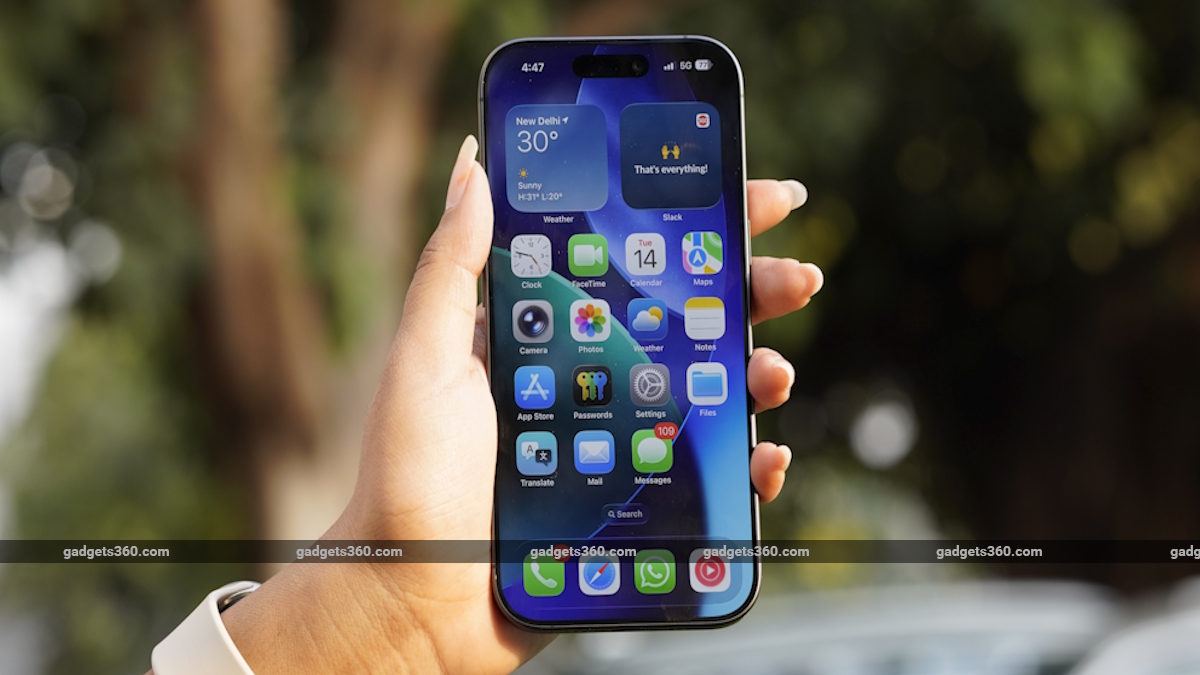
Apple's latest update brings a new adjustment slider for Liquid Glass
Click Here to Add Gadgets360 As A Trusted Source

Advertisement
Apple rolled out the iOS 27 Developer Beta 1 update to registered developers on Monday, shortly after hosting the Worldwide Developers Conference (WWDC) 2026 keynote. The latest iteration of the iPhone operating system brings several improvements, including enhancements to the Liquid Glass design language, new features in Photos and Mail apps, and improved child safety features. Apple has also finally unveiled its smarter Siri, which was first promised at WWDC 2024.
While iOS 27 is scheduled to be publicly released later this year, those who want to try out all of the new features can download the iOS 27 Developer Beta 1 update.
iOS 27 Supported iPhones List
With iOS 27, Apple continues to support all of the same iPhone models as the previous update. The OS update is compatible with iPhone 11 and later models, along with iPhone SE (2020). Like previous years, the availability of Apple Intelligence features will be limited to iPhone 15 Pro models and later devices. Meanwhile, a handful of these enhancements are expected to be exclusive to the flagship iPhone 17 Pro models, too.
The full list of devices includes:
- iPhone 16 Series
- iPhone 15 Series
- iPhone 14 Series
- iPhone SE (2022)
- iPhone 13 Series
- iPhone 12 Series
- iPhone 11 Series
- iPhone SE (2020)
How to Install iOS 27 Beta 1 on an iPhone: Step-by-Step
Before installing the iOS 27 Developer Beta 1 update, iPhone users should note that these are pre-release versions of OS updates intended to test the latest features and apps for compatibility. While you may get a chance to try them out before the OS is rolled out widely, the update may contain bugs that may hamper the device's performance, battery life, or cause data loss.
Thus, Apple advises users to back up their data before installing the iOS 27 Developer Beta 1. With that out of the way, you'll need an Apple Developer account to access the update. Here's how to get it:
- Navigate to beta.apple.com.
- Tap the Signup button and enter your Apple ID
- Read the Terms & Conditions and tap the Accept button if you're willing to comply.
- Once an Apple Developer account is created, you must sign in on the iPhone with the same account to receive the beta updates.
- Go to Settings > General > Software Update
- Select Beta Updates and choose the Developer Beta option
When a new update is available for the iPhone, it will show on the updates page as long as the Developer Beta update option is selected. You can simply toggle the option off to stop receiving them.
Comments
Get your daily dose of tech news, reviews, and insights, in under 80 characters on Gadgets 360 Turbo. Connect with fellow tech lovers on our Forum. Follow us on X, Facebook, WhatsApp, Threads and Google News for instant updates. Catch all the action on our YouTube channel.
Related Stories



iOS 27 Release Date and How to Update: Full List of Supported Devices From iPhone 11 to iPhone 17 Pro Max


Advertisement
Follow Us




-
19:39
LIVE: Xiaomi 17T & Xiaomi TV FX Mini LED Series Launch | Get Closer to Every Detail -
04:26
Moto Buds 2 Review: Best TWS Under Rs. 3000? -
03:26
How To Apply For Driving Licence Online From Home? | Step-by-Step Guide 2026 -
05:58
Motorola Edge 70 Pro Review | Full Specs, Performance & Battery Test -
07:07
Moto g37 Power Review: Best Phone To Buy Under 25,000?
Advertisement
Popular on Gadgets
- Samsung Galaxy S26 Ultra
- Motorola Razr Fold
- ChatGPT
- OPPO Find N6
- Mobiles Under Rs. 40,000
- Vivo X300 Ultra
- Asus Zenbook S14
- iQOO 15
- Vivo X300 Pro
- Lenovo Yoga Slim 7i Aura Edition
- iQOO 15R
- Vivo X Fold 5
- Sony PlayStation 5
- HP OmniPad 12
- OnePlus Nord CE 6 Lite
- OnePlus Pad 4
- OPPO F33 Pro 5G
- Cryptocurrency
- HP OmniBook Ultra 14 (2026)
- iPhone 17
- Eureka Forbes AP 355 Room Air Purifier
- Latest Mobile Phones
- Compare Phones
Latest Gadgets
- Vivo V70 Lite 5G
- Infinix Smart 20
- Lava Bold N2 5G
- Motorola Edge 2026
- Honor X7e
- Huawei Nova 16 Ultra
- Huawei Nova 16 Pro
- Huawei Nova 16z
- Asus ExpertBook B5 Flip G2 (2026)
- Asus TUF 16 (2026)
- Asus Pad
- Poco Pad C1
- Amazfit Balance Ultra
- Amazfit Balance 3
- Sony Bravia 7II
- Lumio Vision 9 (2026)
- Acer Predator Atlas 8
- Asus ROG Ally
- IFB 1.5 Ton 3 Star Inverter Split AC (CI193GN22RGM3)
- IFB 2 Ton 3 Star Inverter Split AC (CI223GD32RGM3)

- About Us
- Sitemaps
- Feedback
- Archives
- Contact Us
- RSS
- Advertise
- Career
- Privacy Policy
- Ethics
- Editorial Policy
- Terms & Conditions
- Complaint Redressal
Download Our Apps
Available in Hindi
© Copyright Red Pixels Ventures Limited 2026. All rights reserved.