Gadgets360 With Technical Guruji: Tech Tip
Published On: 25 November 2023 | Duration: 01:05Instagram reels have become a highly popular alternative to TikToks, presenting bite-size short videos to watch in a vertical format. But were you aware that you could also download and save reels on your mobile devices? With Instagram's recent update, downloading reels from the platform to your phone is now possible. To download reels, head to the share option for a reel when it is open and then click or top on the download button to save it to your device. This way, you can share reels with friends and family members, who are not on Instagram, on other platforms like WhatsApp.
Comments
Related Videos
-
 05:33
Poco M8 Power Review | 8000mAh battery phone | Best budget phone 2026?
05:33
Poco M8 Power Review | 8000mAh battery phone | Best budget phone 2026?
-
05:06
OnePlus N6 Full Review: Performance, Camera, Battery & Display Tested
-
05:58
Motorola Edge 70 Pro Review | Full Specs, Performance & Battery Test
-
07:07
Moto g37 Power Review: Best Phone To Buy Under 25,000?
-
05:21
Poco X8 Pro Max Review | Is This the Ultimate Budget Beast?
-
04:16
OnePlus Nord 6 Review | Full Honest Review, Camera Test, Performance & Battery
-
04:49
Realme 16 Review: Air Design, 7000mAh, And More | Best Phone Under 35000 In 2026?
Watch Gadgets 360 Videos On
Advertisement
Follow Us






-
![[Sponsored]: CP PLUS CarKam CP-F89B: 4K Dashcam With Rear Camera, GPS & Emergency Recording](https://www.gadgets360.com/static/desktop/images/spacer.png)
04:37
[Sponsored]: CP PLUS CarKam CP-F89B: 4K Dashcam With Rear Camera, GPS & Emergency Recording -
04:23
[Partner Content] Your Phone Can Do WAY More Than You Think | OPPO ColorOS 16 -
01:59
Samsung Galaxy Z Fold8 Ultra: Unfold the Ultra Night -
03:24
Apple Pay Launches In India: Supported Devices, Cards And Payments Explained -
00:21
[Sponsored] Samsung Galaxy Z Fold8, Fold8 Ultra
Advertisement
-
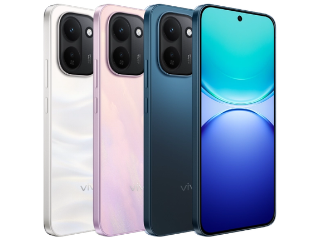
 Vivo S60t With a 50-Megapixel Telephoto Camera Debuts at This Price
-
 ChatGPT Plus Is Free for One Month in India: How to Claim It
-
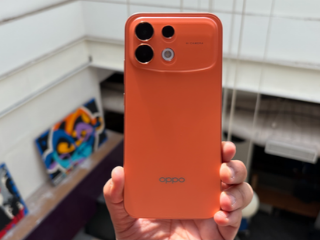 Oppo F35 Series With a 50-Megapixel Selfie Camera Debuts in India: See Price
-
These Apple Devices Will Be Discounted During Amazon, Flipkart Sales
-
Ray-Ban Meta Gen 1 Gets Big Discount on Amazon
-
Realme Announces Festive Offers Ahead of Flipkart Sale
-
Redmi Note 17 Pro Max Review
-
Xiaomi Festive Offers to Bring Discounts to These Xiaomi and Redmi Devices
-
Google Gemini Plans Change: Free Users Lose Flash, AI Pro Gets Deep Think
-
This Could Be Google's Next Fitbit Fitness Tracker: See Expected Design

- About Us
- Sitemaps
- Feedback
- Archives
- Contact Us
- RSS
- Advertise
- Career
- Privacy Policy
- Ethics
- Editorial Policy
- Terms & Conditions
- Complaint Redressal
Download Our Apps
Available in Hindi
© Copyright Red Pixels Ventures Limited 2026. All rights reserved.