-
 YouTube Announces New AI Tools for Creators, Ask YouTube Shopping Features and Shorts Series24 September 2026
 -
YouTube Adds Amazon Product Tags to Shorts, Videos and Livestreams28 August 2026
-
Netflix Reportedly in Talks to Bring Rival Streaming Services to Its Platform25 August 2026
-
Best Free AI Video Editing Apps for Creators in India: CapCut, InVideo and More16 August 2026
-
YouTube Partner Program Entry Thresholds Updated With Higher Requirements for New Creators11 August 2026
- Home
- Internet
- Internet Features
- How to Download YouTube Videos for Offline Viewing Using Official App, YouTube Go, Browser, and More
How to Download YouTube Videos for Offline Viewing Using Official App, YouTube Go, Browser, and More
By Gadgets 360 Staff | Updated: 23 January 2020 16:46 IST
YouTube videos can be easily downloaded via a dedicated software or Chrome extensions
Click Here to Add Gadgets360 As A Trusted Source


Advertisement
YouTube is the default video streaming platform for almost everyone with Internet access. Be it movie trailers, live events, comedy sketches, tutorials, or a Web series – YouTube is the home to it all, then some more. But you don't always have access to a Wi-Fi or data connection, and in such situations, the ability to watch YouTube videos offline comes in handy. But how do you download YouTube videos on your mobile or desktop for offline viewing? Here are a few methods you can download YouTube videos and enjoy them when you don't have Internet access.
But before we go ahead, here's a quick disclaimer. This how-to article is only to help users download YouTube videos for their convenience, and strictly not for copyright infringement. You should ideally download videos only when the creator allows it, and should use the downloaded file responsibly. With that being said, here's a quick and easy guide to help you download YouTube videos on mobile and desktop.
How to download YouTube videos using the official app
The YouTube app for Android and iOS allows users to download videos for offline viewing, provided the video is not private and the creator allows it. Moreover, it is not a proper local file download, as you can only watch the video in the YouTube app, and not in any other video player or share it as a file.
- Open the YouTube app on your phone and enter the search keywords for the video you are looking for.
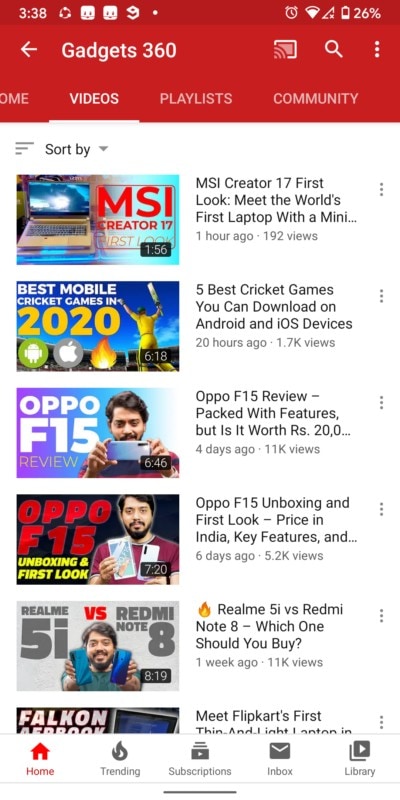
- Once the app pulls up the video results, tap on the three dot symbol corresponding to the video you want to download.
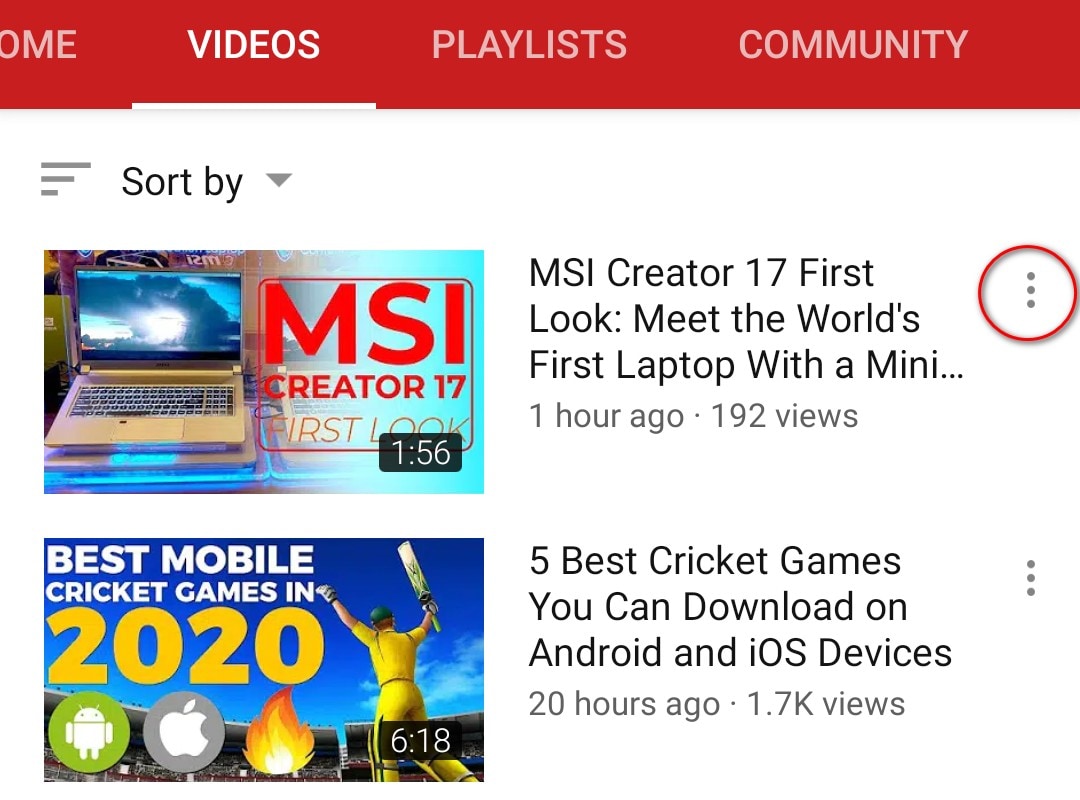
- Tap on the Download button in the window that appears. Once you do, YouTube will ask you to select video quality.
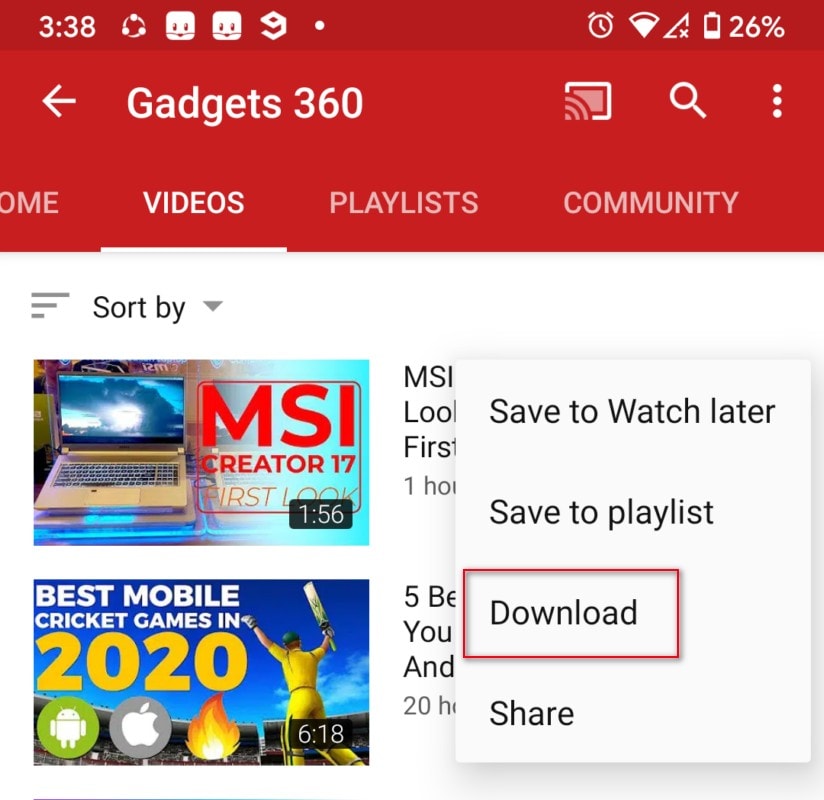
- After you have selected the video quality, it will start downloading in the background.
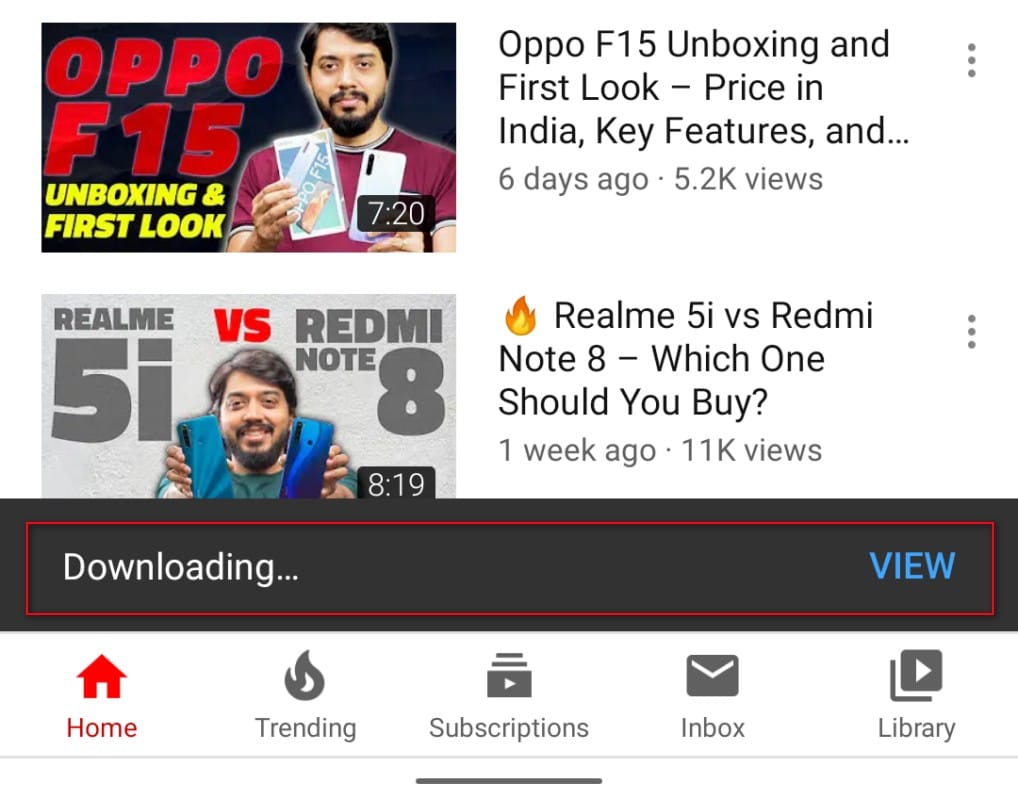
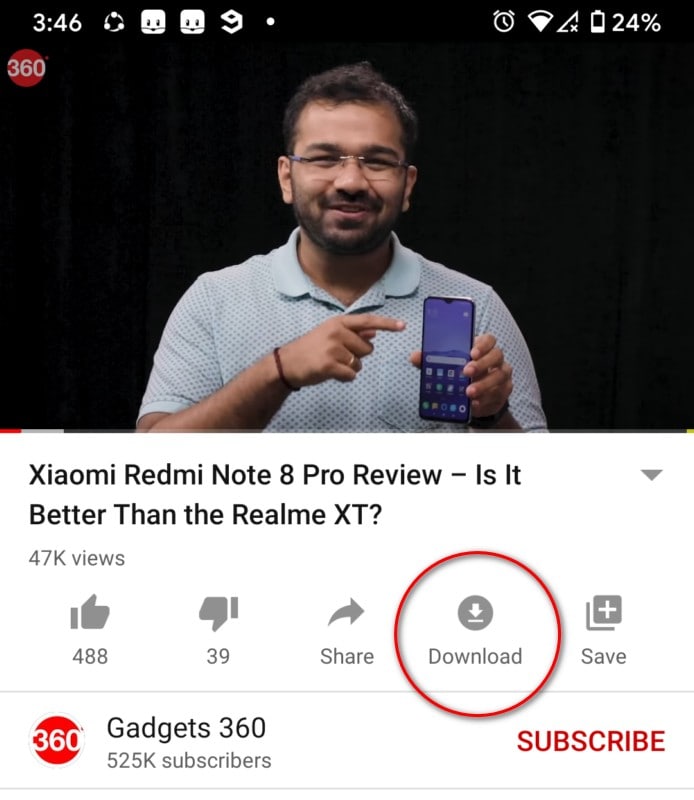
- In case you are watching a video and want to save it for offline viewing, just tap on the Download button (down arrow) below the video title. In this case as well, YouTube will ask you to choose the video quality.
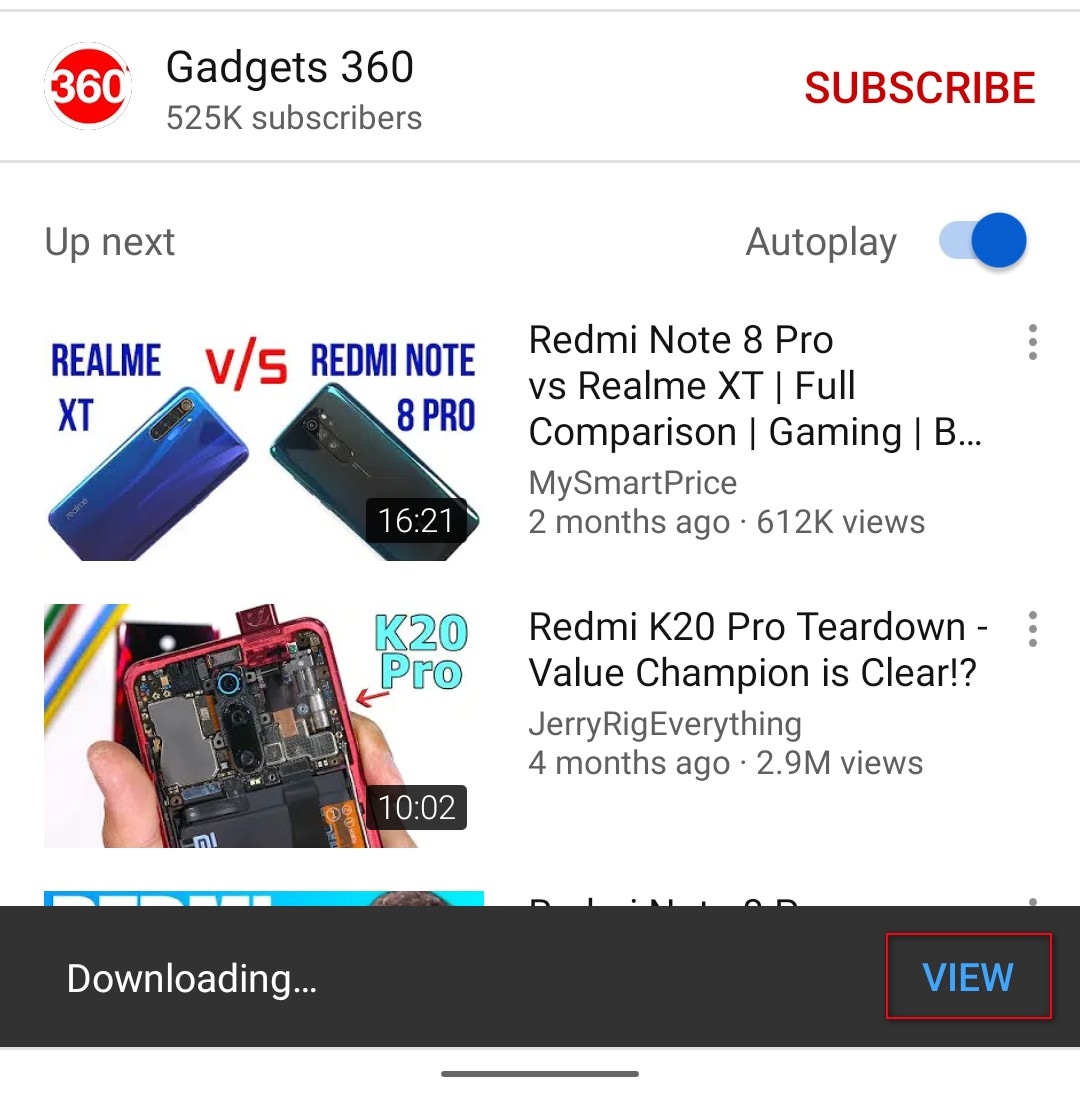
- Once the download is complete, you'll see a “View” button at the bottom. Tap on it and you'll be taken to your offline YouTube downloads page in the app.
How to download YouTube videos using YouTube Go app
The YouTube Go app is a less data-hungry version of the YouTube app designed for low-end Android phones. It also allows users to download videos for offline viewing, and here's how you can do it.
- Download the YouTube Go app on your phone and open it.
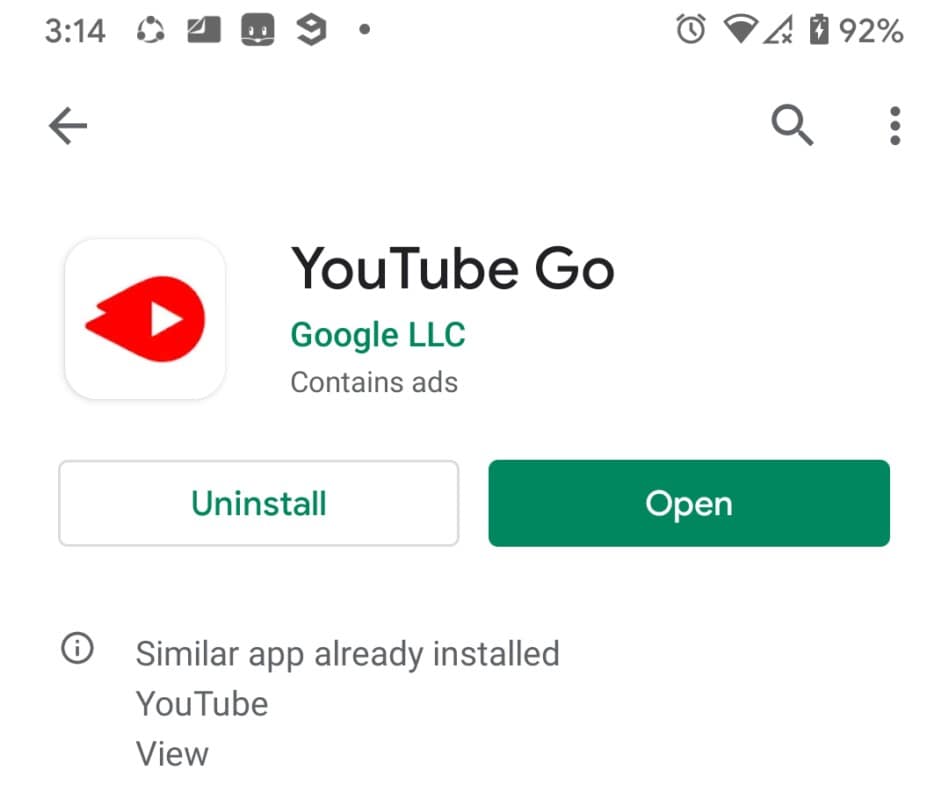
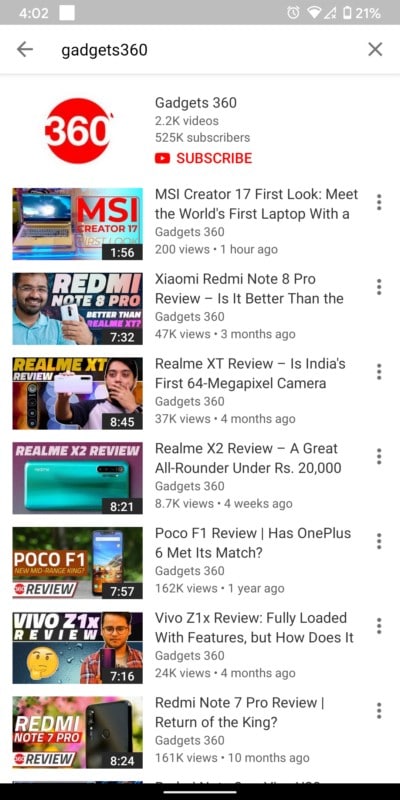
- Search the video you want to save for offline viewing using the search box at the top.
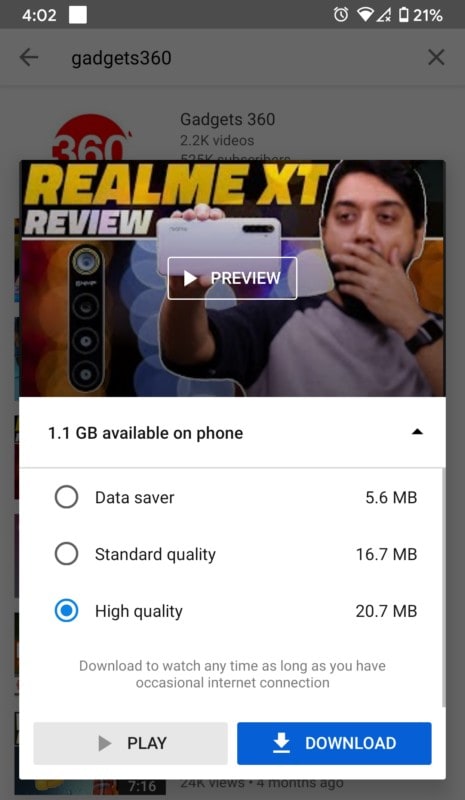
- Tap on the video you seek to download. Doing so will open a window that will let you select between Data Saver, Standard Quality, and High Quality options. Now, choose the video quality and press the blue Download button. Unlike the standard YouTube app, you can't pick up the video resolution in YouTube Go app.
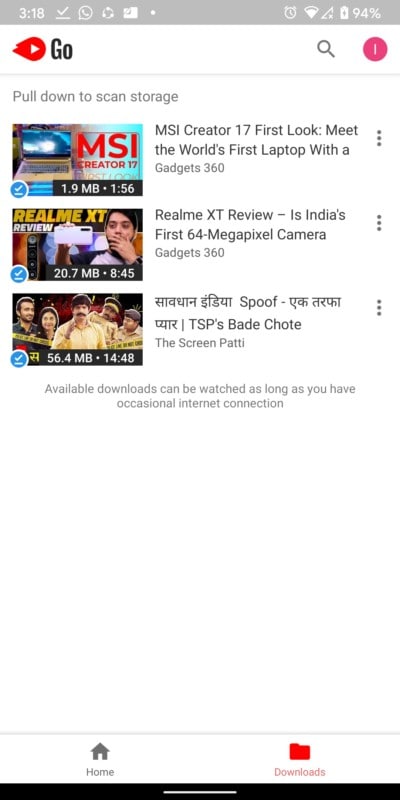
- Once the download is complete, go back a page or the homepage, and tap on the Download button at the bottom to see the videos you have downloaded.
How to download YouTube videos using Snaptube
Snaptube is a third-party media download app that can download videos and audio clips from YouTube, Facebook, Instagram, and a host of other platforms. It is not listed on the Google Play Store, but can be downloaded from the dedicated Snaptube website and a host of other third-party app repositories. Also, it is available only on Android, and not iOS.
- Download the Snaptube app for Android from Snaptubeapp.com and install it.
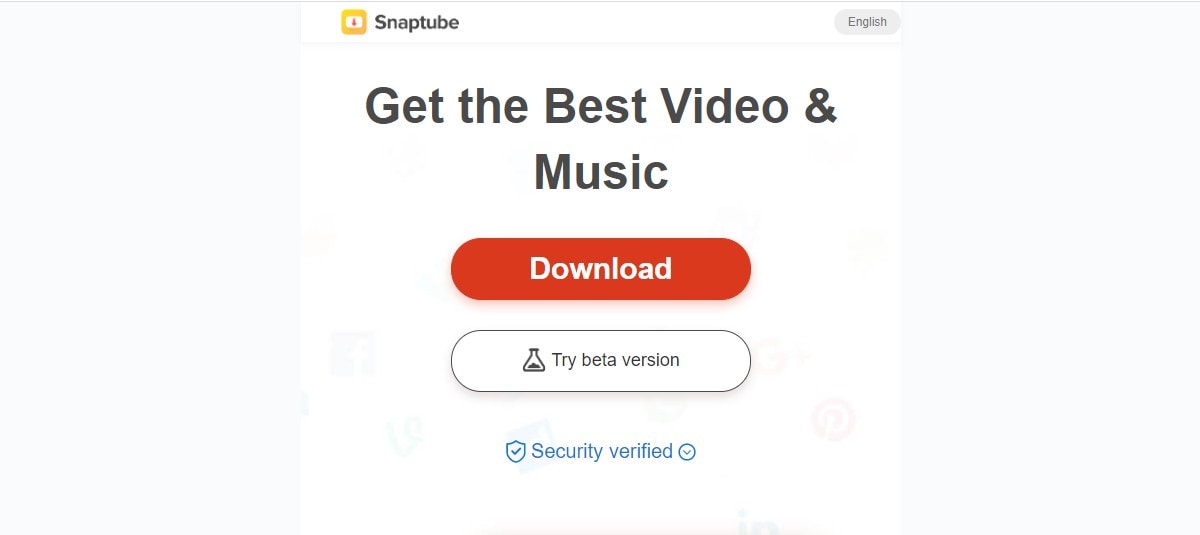
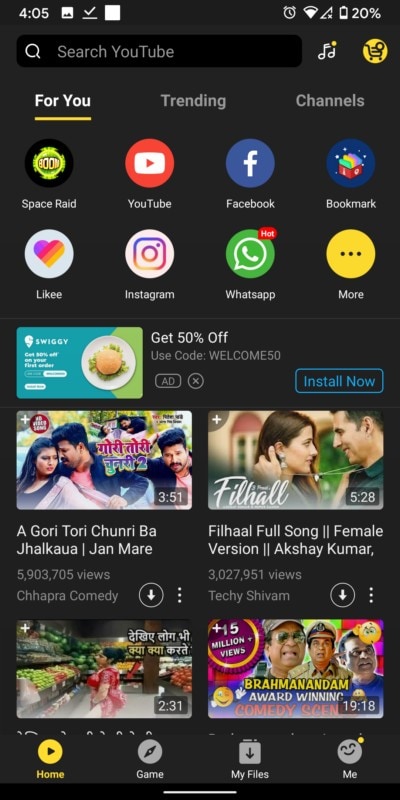
- Open the app on your Android phone and tap on the YouTube icon in the top right corner to open a YouTube app interface.
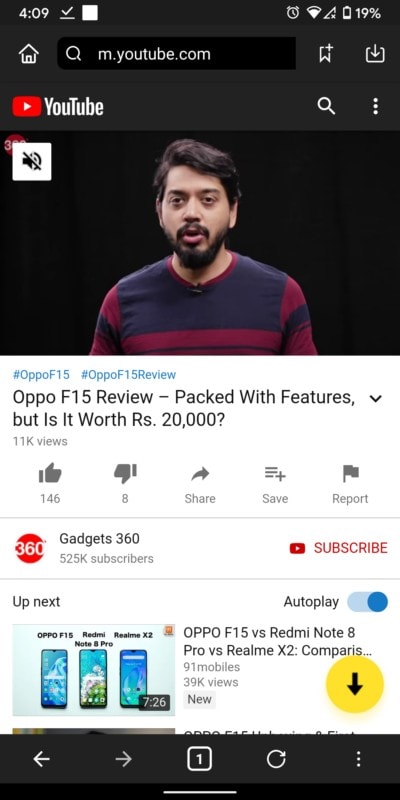
- Search the video you want to download and tap on it. Once the video starts playing, tap on the yellow Download icon at the bottom left corner of the screen.
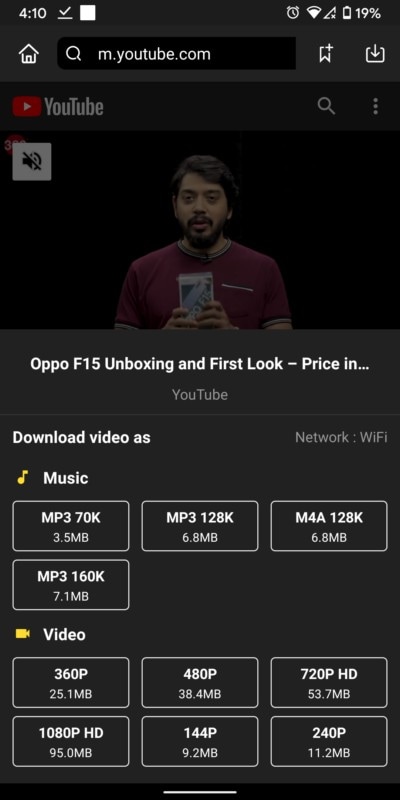
- Tapping on the Download button opens a window where you can choose the video resolution. Select the resolution, and then tap on the Download button to save the video. You can also change the file name and adjust the download path at this stage.
- Unlike YouTube, the videos downloaded via Snaptube are saved in the phone's local storage and can be shared as a file on apps or as an attachment without any issues.
How to download YouTube videos on desktop
How to download YouTube videos using 4K Downloader
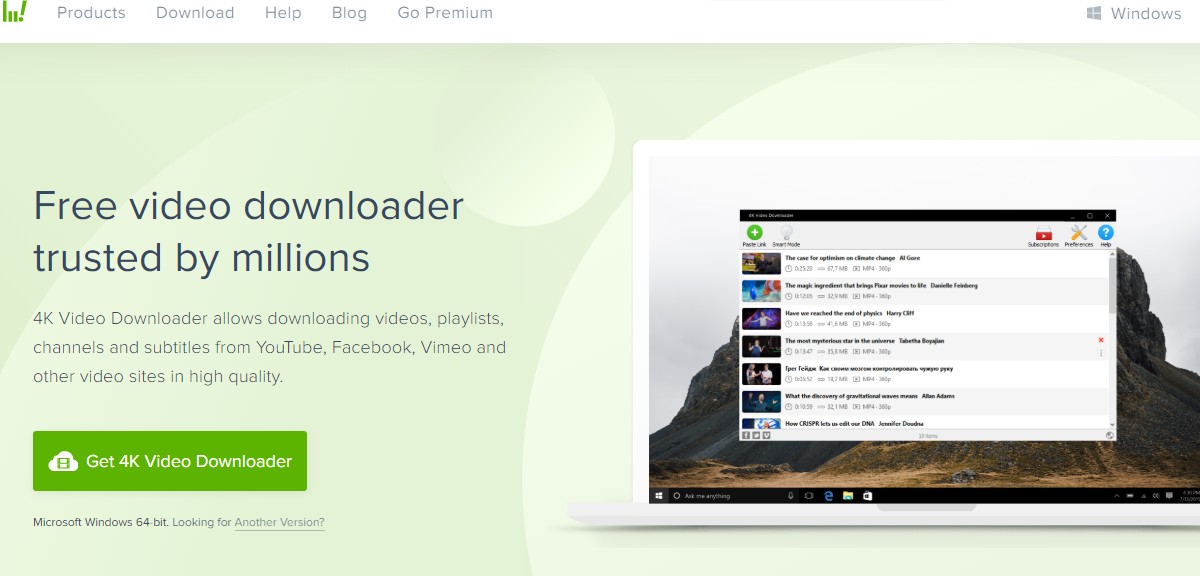
4K Downloader is a software that can help you download YouTube videos on your PC or macOS with relative ease. It is available for Windows, macOS, and Linux, and has a simple interface that only involves an easy copy-paste process to locally download YouTube videos.
- Open the browser of your choice and go to the 4KDownloader page. Choose the OS (Windows, macOS, and Linux) and click on the corresponding Download button. Once the download has finished, install the software package.
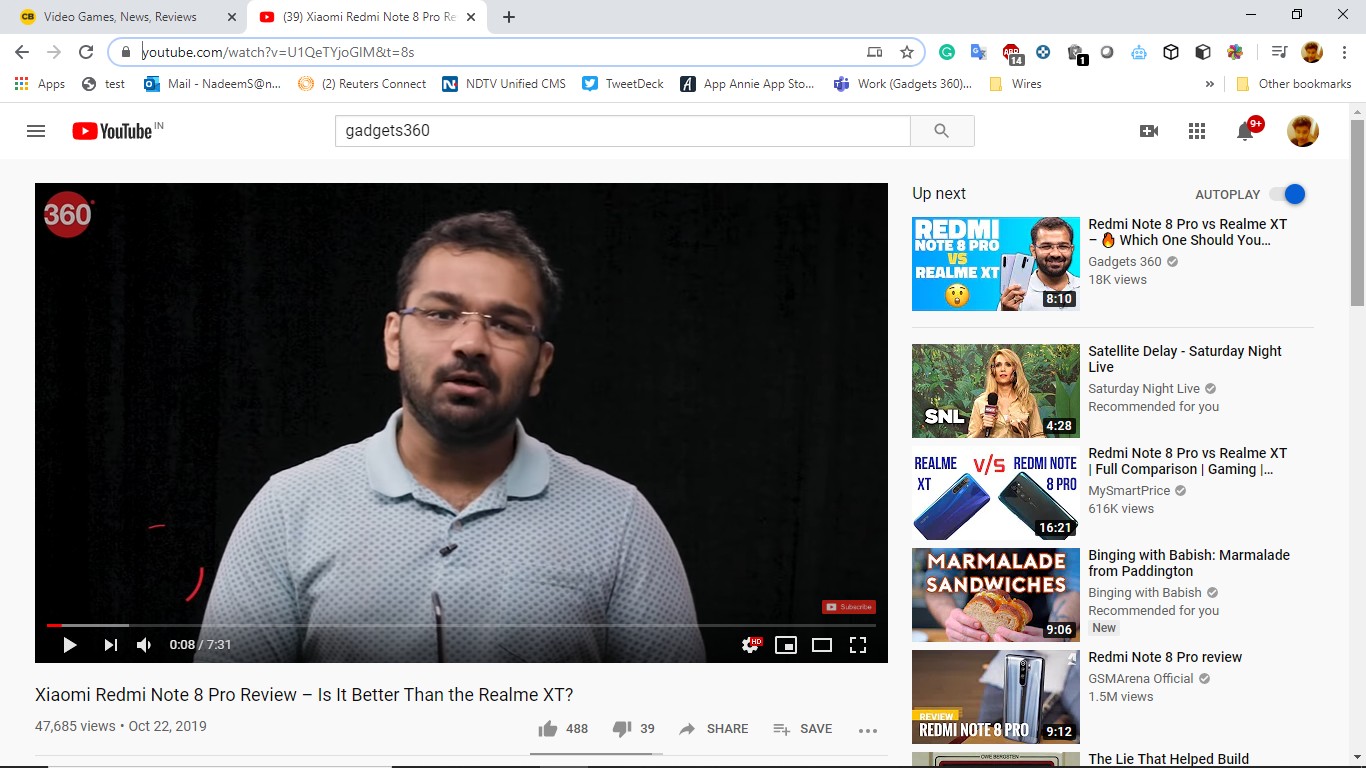
- Now, open YouTube on your Web browser and copy the video URL from the address bar at the top.
- Open the 4K Video Downloader software and tap on the green Paste Link button to add the video link you've copied.
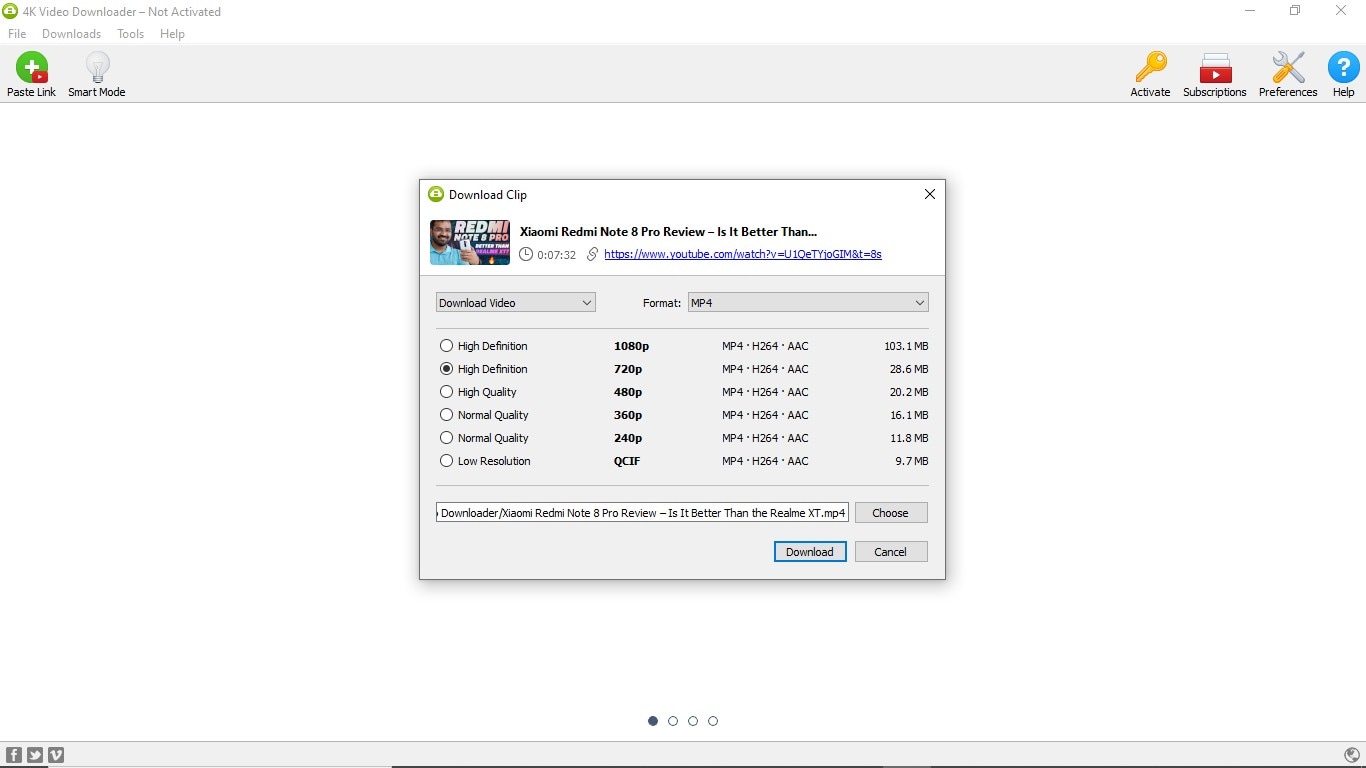
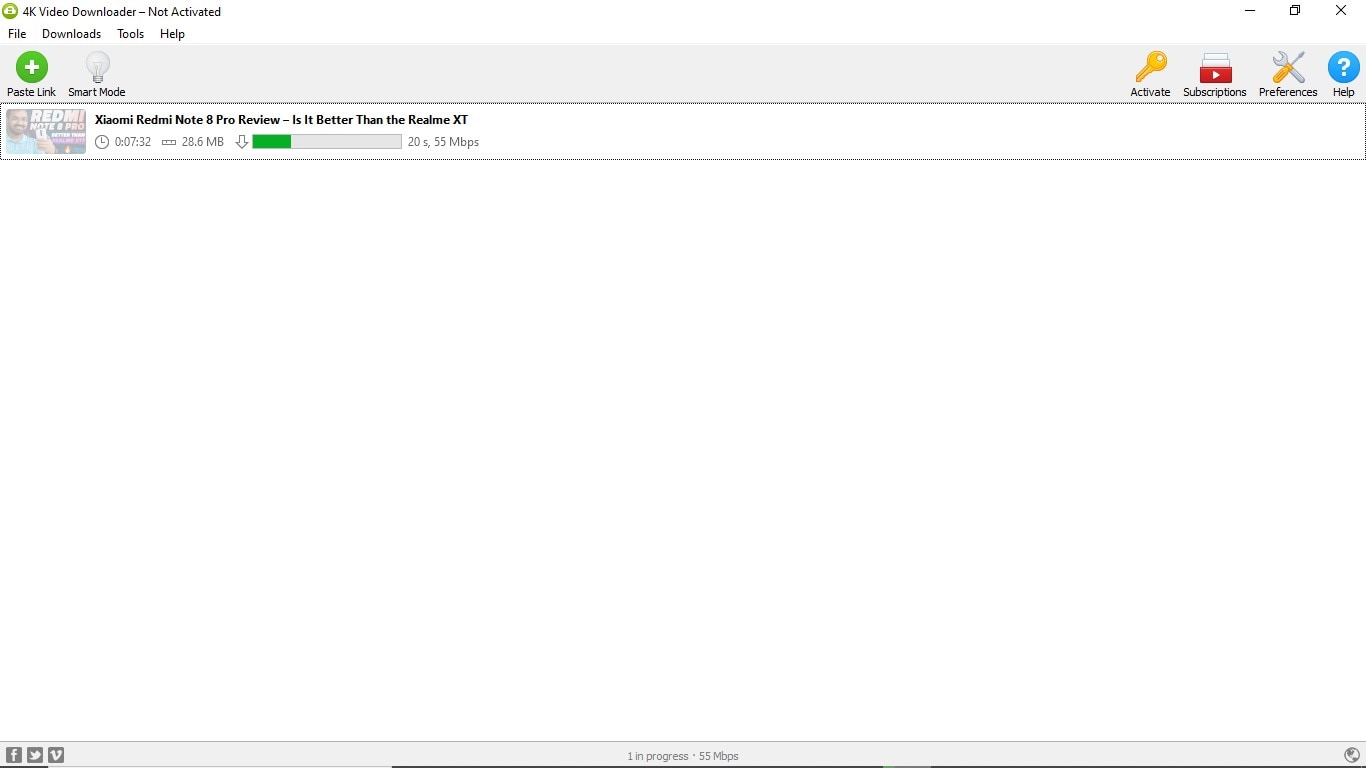
- Doing so will parse the video and then will let you select the video format and resolution in which you want to do it by clicking on the corresponding tick box. You can also set the download destination by clicking on the Choose button. Once it is done, click on the Download button to save the video on your PC or Mac.
How to download YouTube videos using a website
One of the simplest ways to download a YouTube video involves copying and pasting the video URL on a website page and pressing the download button. Yes, that's just it. There are two websites that allow you to download YouTube videos with such ease – Save From Net and VDYouTube. Here's how you can use these websites to easily to download YouTube videos.
Save From Net
- Go to YouTube on your Web browser and open the video you want to download for offline viewing.
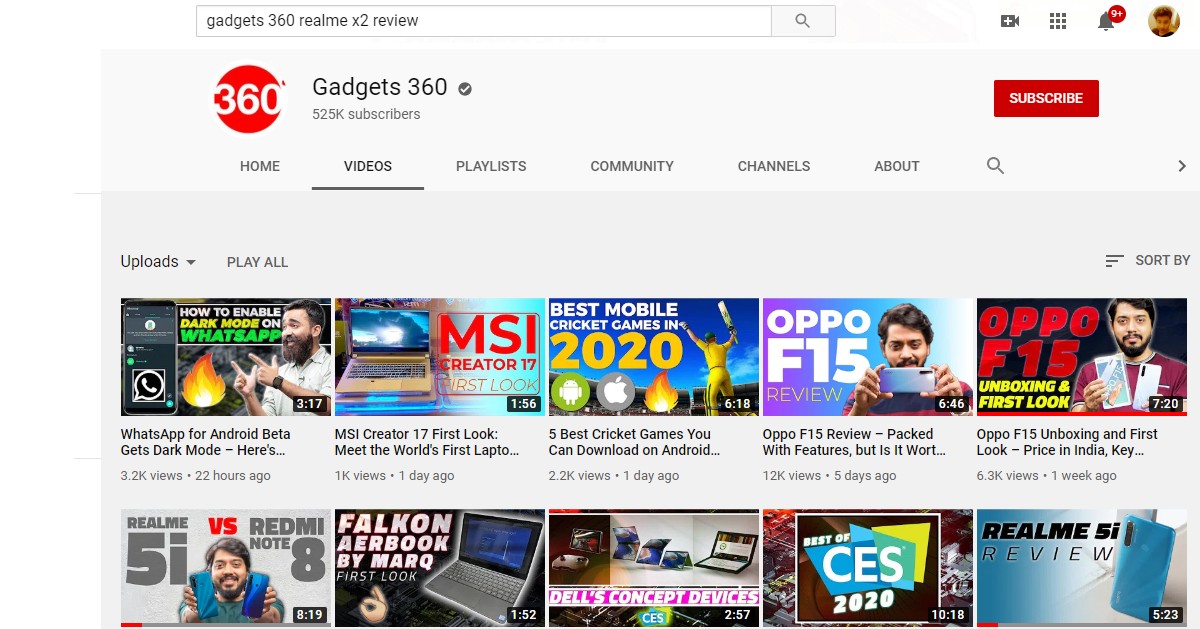
- Copy the video URL from the address bar at the top and go to Save From Net website.
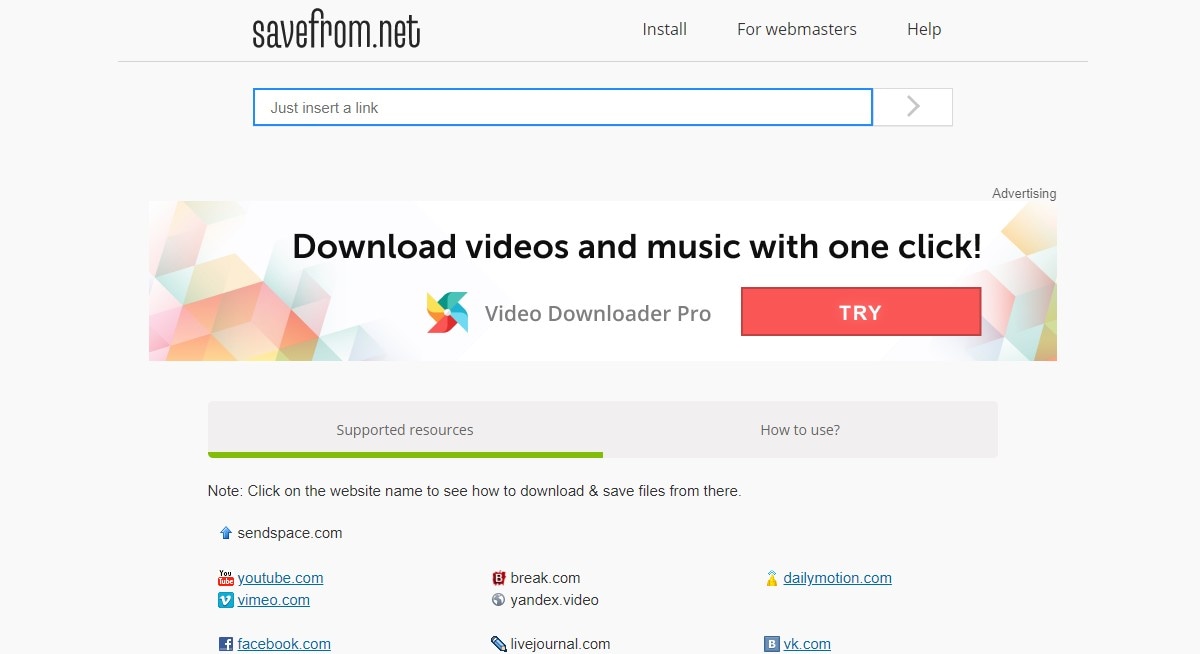
- Paste the video link in the Just insert a link box. Doing so will parse the YouTube video and bring it up.
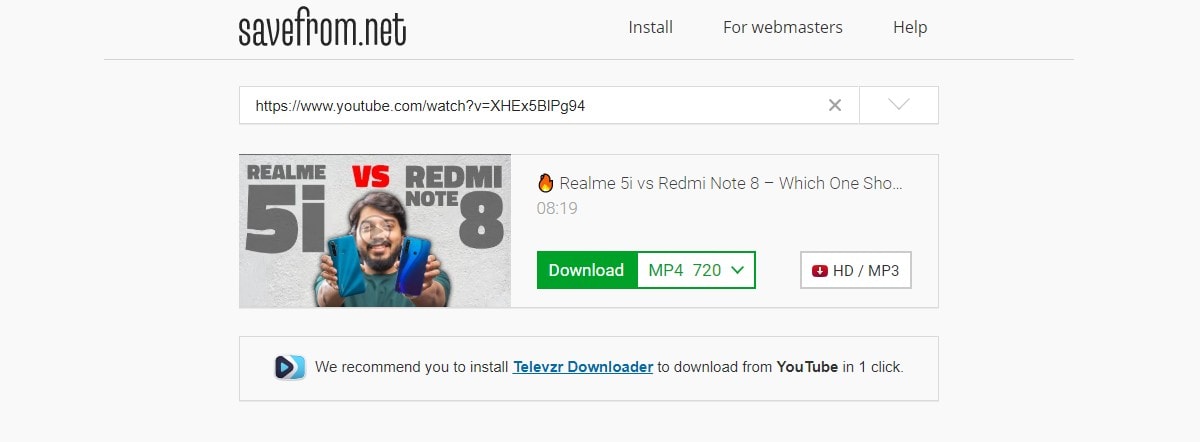
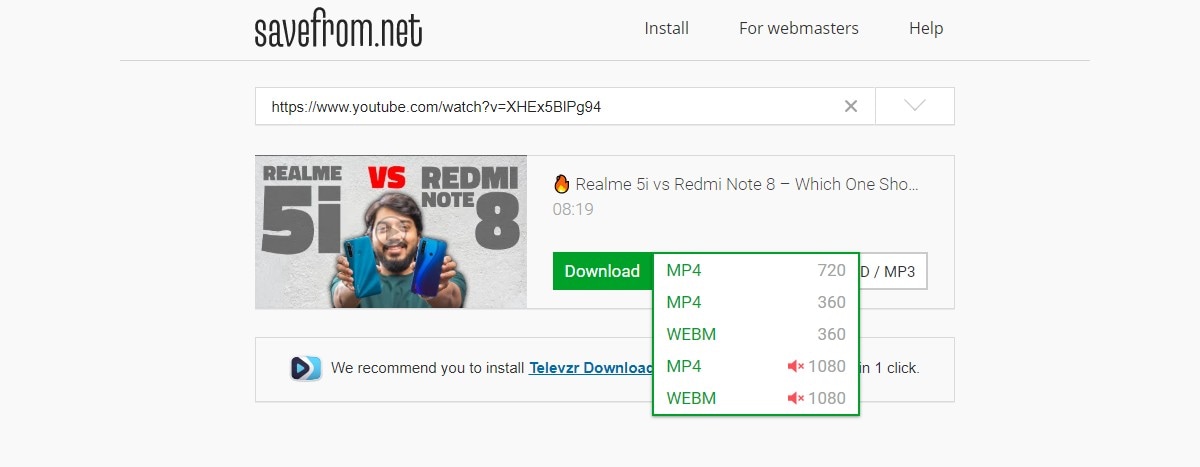
- Select the video format and quality adjacent to the green Download button, and then click on the Download button to save the YouTube video locally on your PC.
VDYouTube
- Go to YouTube on your Web browser and open the video you want to download on your PC.
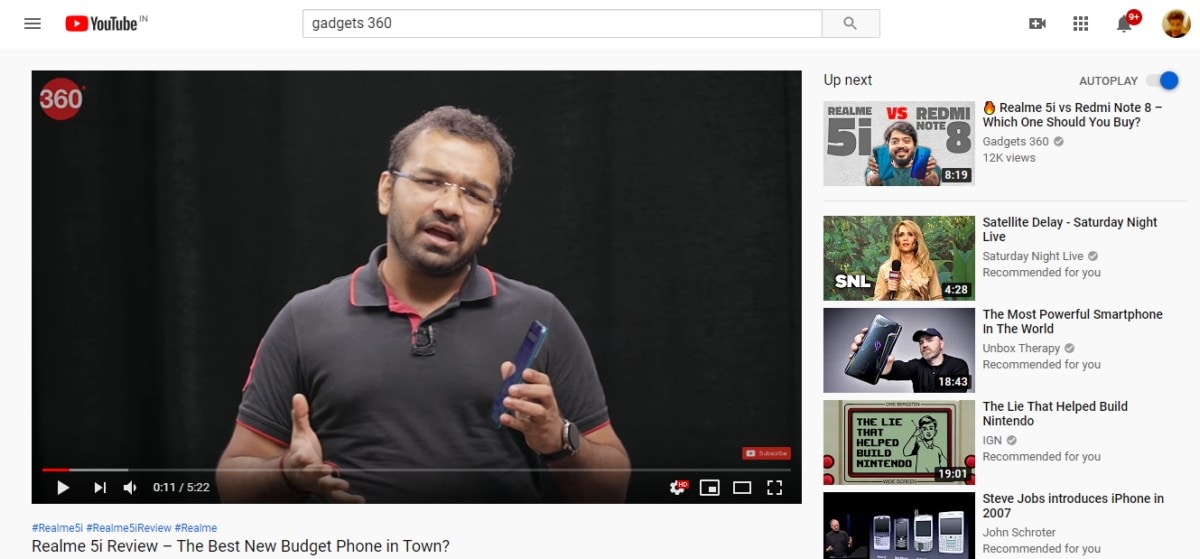
- Copy the video URL from the address bar at the top and go to VDYouTube website.
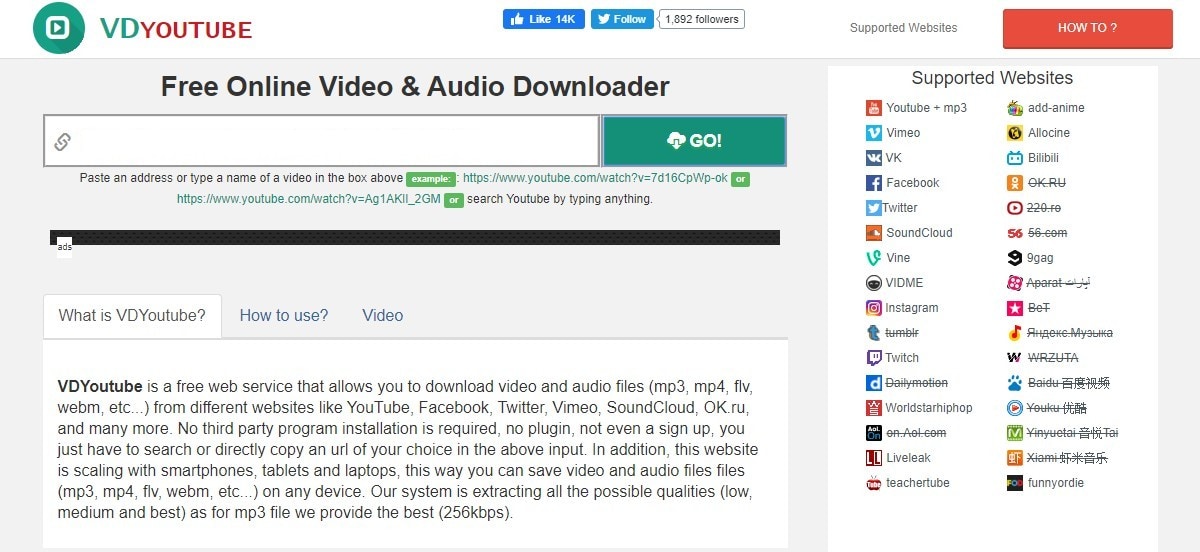
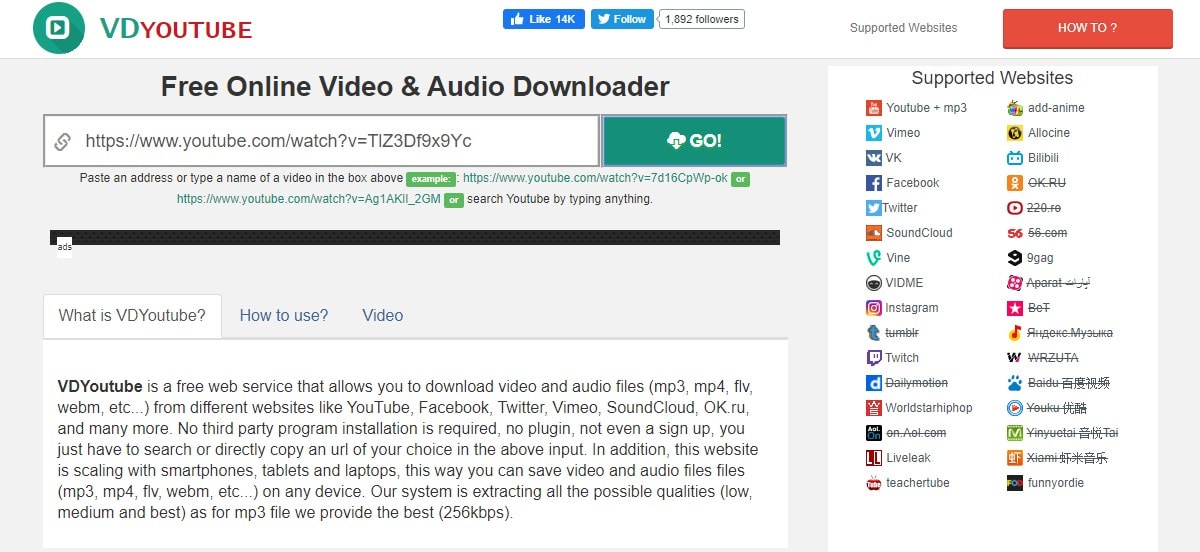
- Paste the video URL in the Search video or type URL search field and tap on the green Go button to parse the video.
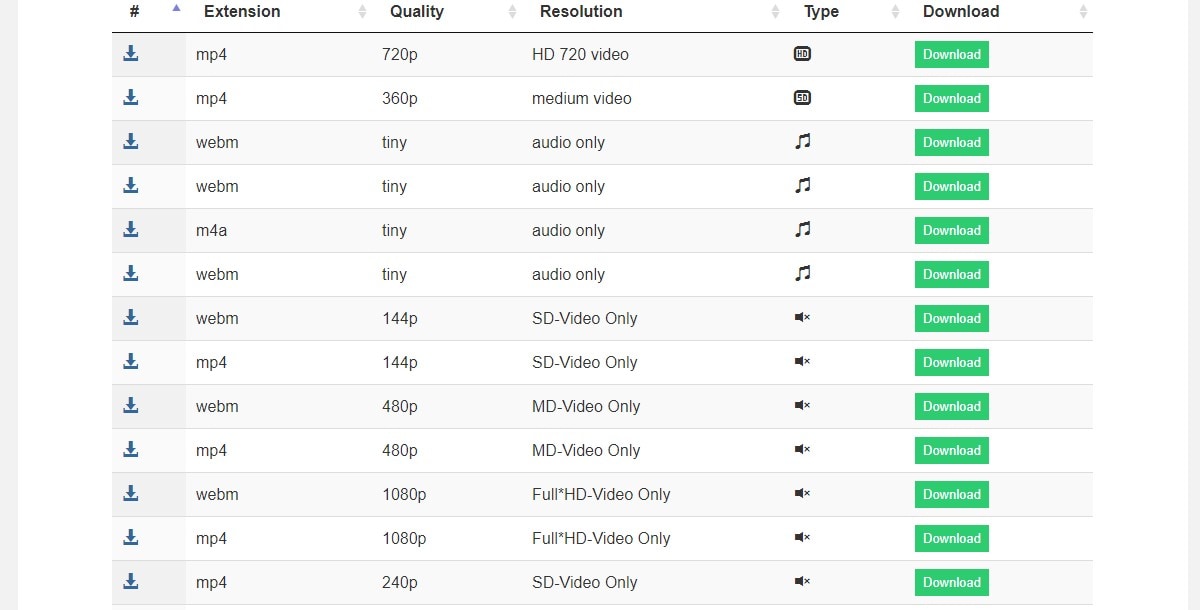
- Once the video is pulled up, scroll down and select the resolution to save the video locally.
Comments
Get your daily dose of tech news, reviews, and insights, in under 80 characters on Gadgets 360 Turbo. Connect with fellow tech lovers on our Forum. Follow us on X, Facebook, WhatsApp, Threads and Google News for instant updates. Catch all the action on our YouTube channel.
Further reading:
YouTube, Download YouTube Videos
Related Stories


How to Download YouTube Videos for Offline Viewing Using Official App, YouTube Go, Browser, and More


Advertisement
Follow Us




-
04:37
[Sponsored]: CP PLUS CarKam CP-F89B: 4K Dashcam With Rear Camera, GPS & Emergency Recording -
04:23
[Partner Content] Your Phone Can Do WAY More Than You Think | OPPO ColorOS 16 -
01:59
Samsung Galaxy Z Fold8 Ultra: Unfold the Ultra Night -
03:24
Apple Pay Launches In India: Supported Devices, Cards And Payments Explained -
00:21
[Sponsored] Samsung Galaxy Z Fold8, Fold8 Ultra
-
Amazon Great Indian Festival Sale: iPhone 17 Pro पर बंपर डील
-
Flipkart Big Billion Days Sale: ₹8K से सस्ता मिल रहा Google Pixel 10a
-
भारत में दुनिया का सबसे सस्ता इंटरनेट, 1GB की कीमत सिर्फ 8 रुपये
-
Flipkart Big Billion Sale 2026: ₹15 हजार से भी सस्ते मिल रहे Motorola, Poco, Ai+ के AI कैमरा वाले फोन
-
Flipkart Big Billion Sale 2026: ₹46000 एमआरपी वाला Vivo फोन ₹23 हजार में! 7,200mAh बैटरी
Advertisement
Popular on Gadgets
- Samsung Galaxy S26 Ultra
- Motorola Razr Fold
- ChatGPT
- OPPO Find N6
- Mobiles Under Rs. 40,000
- Vivo X300 Ultra
- Asus Zenbook S14
- iQOO 15
- Vivo X300 Pro
- Lenovo Yoga Slim 7i Aura Edition
- iQOO 15R
- Vivo X Fold 5
- Sony PlayStation 5
- HP OmniPad 12
- OnePlus Nord CE 6 Lite
- OnePlus Pad 4
- OPPO F33 Pro 5G
- Cryptocurrency
- HP OmniBook Ultra 14 (2026)
- iPhone 17
- Eureka Forbes AP 355 Room Air Purifier
- Latest Mobile Phones
- Compare Phones
Latest Gadgets
- Vivo Y600s Pro
- Vivo Y32 (2026)
- Infinix Smart 20 HD
- Vivo V80
- Vivo S2 FE
- Vivo Y600K Turbo
- Realme P4s Lite
- Vivo S60t
- Dell Pro Rugged 14
- Dell Pro Rugged 13 Extreme
- Amazon Alexa Tablet 8
- Amazon Alexa Tablet 11
- Amazfit T-Rex Dual Solar
- OPPO Watch S2
- Toshiba 65-Inch 4K Ultra HD Smart Mini LED QLED TV (65Z670SP)
- Haier M70 Mini LED 65-inch
- Acer Predator Atlas 8
- Asus ROG Ally
- Blue Star 1.5 Ton 5 Star Inverter Split AC (IE518ZNURS)
- Blue Star 2 Ton 3 Star Inverter Window AC (WIE324L)

- About Us
- Sitemaps
- Feedback
- Archives
- Contact Us
- RSS
- Advertise
- Career
- Privacy Policy
- Ethics
- Editorial Policy
- Terms & Conditions
- Complaint Redressal
Download Our Apps
Available in Hindi
© Copyright Red Pixels Ventures Limited 2026. All rights reserved.