-
 Want to Buy Digital Gold This Dhanteras? Here Are 5 Apps to Try6 November 2026
 -
How to Check Airtel DTH Recharge Status: A Step-by-Step Guide24 October 2026
-
Best Prepaid Plans with 3GB/Day Data on Jio, Airtel, and Vi Compared24 October 2026
-
Airtel Brings YouTube Premium to Prepaid Customers With New OTT Bundle: How to Claim It23 October 2026
-
Airtel’s New Recharges in India Announced: Rs. 185, Rs. 203 and Rs. 206 Voice-Only Plans Details19 October 2026
- Home
- Internet
- Internet Sponsored
- How to Recharge and Update Your Airtel Payments Bank’s RuPay On The Go Card Balance
Sponsored Content
How to Recharge and Update Your Airtel Payments Bank’s RuPay On-The-Go Card Balance
By Sponsored Content | Updated: 15 July 2025 10:47 IST
Click Here to Add Gadgets360 As A Trusted Source

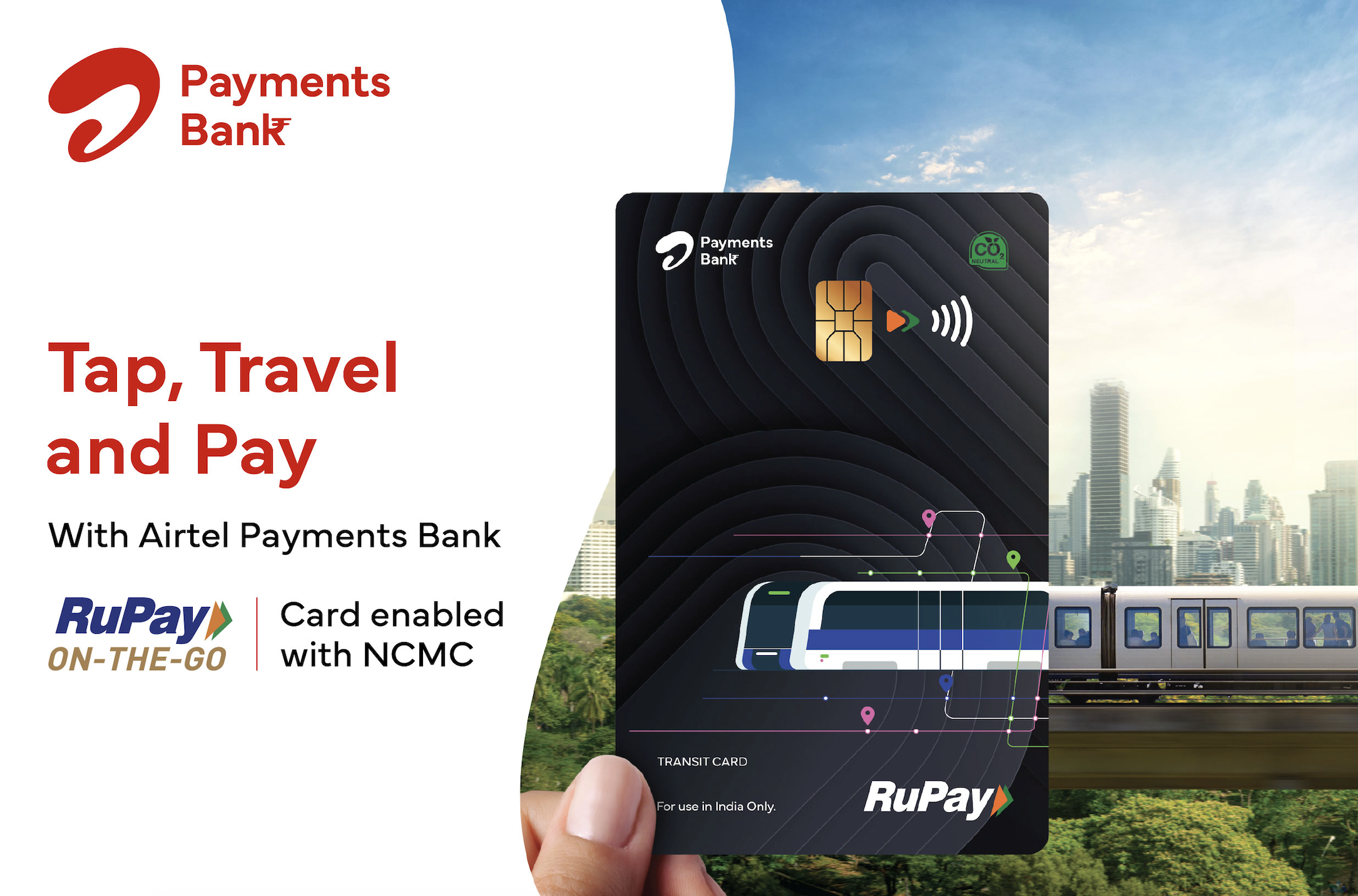
Keeping your Airtel Payments Bank RuPay On-the-Go Card, enabled with NCMC topped up is now simpler than ever! Whether you're on the move, at home, or even commuting, recharging and updating your card's balance can be done in just a few steps. With multiple options like the Airtel Thanks App, BBPS-enabled apps, or quick syncs at the metro station, you can ensure your card is always ready to use. No hassle, just a few taps, and you're all set! Just follow the steps below.
When Recharging via the Airtel Thanks App, Do This:
- Open the Airtel Thanks App.
- Head to the ‘Bank' section. (PPI MTS card users can skip to the next step).
- Click on the ‘RuPay NCMC Tile' to access the NCMC Card Management section.
- Tap on ‘Add Money' or the ‘Top Up Transit Balance' icon.
- Complete the payment using UPI, Airtel Payments Bank account, debit/credit card, or wallet. The recharge confirmation will appear instantly.
When Recharging via BBPS-Enabled Apps (PhonePe, Google Pay, etc.)
- Open any BBPS-supported app.
- Navigate to the NCMC Card Recharge section.
- Choose Airtel Payments Bank from the options.
- Enter the last 4 digits of your card and the mobile number linked to the card.
- Select your preferred payment method and complete the transaction.
- Your recharge is processed, but you will need a balance update for syncing.
Update/Synchronise Your Balance at a Metro Station
- After recharging through the card, you'll need to sync your balance.
- At the top-up terminal located at a metro/bus station, select the Balance Update or Balance Sync option, and tap your NCMC card.
- Any pending top-up value will be fetched and updated on the card.
- Your recharged amount will now sync to your physical card.
- The balance update is instant, and your card is good to go!
Note: If you have multiple top-ups pending, simply repeat the process to update the balance on your card.
Comments
Get your daily dose of tech news, reviews, and insights, in under 80 characters on Gadgets 360 Turbo. Connect with fellow tech lovers on our Forum. Follow us on X, Facebook, WhatsApp, Threads and Google News for instant updates. Catch all the action on our YouTube channel.
Further reading:
Airtel
Related Stories




Follow Us




-

01:33
A Festive Surprise for Her | Samsung Galaxy A57 5G -
00:54
Expectation vs Reality: Parents Said Notice Every Detail. She Added One | Galaxy S26 FE -
01:55
From Group Photos to Festive Nights | Samsung Galaxy A57 5G -
01:33
Galaxy Watch Ultra2 on the Trail: Tracking, Hydration & Elevation -
01:38
Galaxy Z Fold8 Captures the Funniest Diwali Moments | My Fan Cam
-
महज ₹13449 में मिल रहा 6000mAh बैटरी और 50MP कैमरा वाला 5G फोन
-
₹31000 सस्ता मिल रहा Apple का सबसे स्लिम iPhone, मौका हाथ से छूट न जाए
-
Oukitel ने लॉन्च किया सस्ता, iPhone जैसे डिजाइन वाला फोन, 5000mAh बैटरी
-
₹29 हजार सस्ता मिल रहा Google का पिक्सल फोन, दिवाली सेल में बचत का मौका
-
12,000mAh बैटरी वाला फोन ला रहा Oppo, जल्द हो सकता है लॉन्च
Popular on Gadgets
- Samsung Galaxy S26 Ultra
- Motorola Razr Fold
- ChatGPT
- OPPO Find N6
- Mobiles Under Rs. 40,000
- Vivo X300 Ultra
- Asus Zenbook S14
- iQOO 15
- Vivo X300 Pro
- Lenovo Yoga Slim 7i Aura Edition
- iQOO 15R
- Vivo X Fold 5
- Sony PlayStation 5
- HP OmniPad 12
- OnePlus Nord CE 6 Lite
- OnePlus Pad 4
- OPPO F33 Pro 5G
- Cryptocurrency
- HP OmniBook Ultra 14 (2026)
- iPhone 17
- Eureka Forbes AP 355 Room Air Purifier
- Latest Mobile Phones
- Compare Phones
Latest Gadgets
- Karbonn Rebel
- Karbonn Rebel Pro
- OnePlus Turbo 6Vs
- Redmi M100 Pro
- OnePlus Ace 7 Pro
- OnePlus Ace 7
- Samsung W27
- Huawei Pura 90 Plus
- Dell 14S (2026)
- HP ProBook 4 G2iS 14
- iPad mini (2026)
- Amazon Alexa Tablet 8
- Moto Watch 2 Fit
- Pebble Qore 2
- Toshiba 65-Inch 4K Ultra HD Smart Mini LED QLED TV (65Z670SP)
- Haier M70 Mini LED 65-inch
- Acer Predator Atlas 8
- Asus ROG Ally
- Blue Star 1.5 Ton 5 Star Inverter Split AC (IE518ZNURS)
- Blue Star 2 Ton 3 Star Inverter Window AC (WIE324L)

- About Us
- Sitemaps
- Feedback
- Archives
- Contact Us
- RSS
- Advertise
- Career
- Privacy Policy
- Ethics
- Editorial Policy
- Terms & Conditions
- Complaint Redressal
Download Our Apps
Available in Hindi
© Copyright Red Pixels Ventures Limited 2026. All rights reserved.