
-
 How to Take Screenshot on Laptop: 7 Different Ways to Take a Screenshot in Windows 1131 October 2026
-
Windows 11 Version 26H2 Released With Taskbar Improvements, File Explorer Features, More30 September 2026
-
Microsoft Moves Away From Copilot+ PC Branding for Windows PCs: Report28 September 2026
-
Microsoft Surface Pro 12-inch, Surface Laptop 13-inch Launched With Snapdragon X2 Plus CPU: Price, Specifications24 September 2026
-
How to Clear Temporary Files in Windows 11: A Step-by-Step Guide20 September 2026
- Home
- Laptops
- Laptops News
- Windows 11 PCs With 8GB RAM Get Faster Multitasking, Lower Memory Usage
Windows 11 PCs With 8GB RAM Get Faster Multitasking, Lower Memory Usage
Edge can launch faster, while Teams gets Efficiency Mode by default on supported systems.
Written by Sucharita Ganguly, Edited by Rohan Pal | Updated: 4 November 2026 20:52 IST

Photo Credit: Microsoft
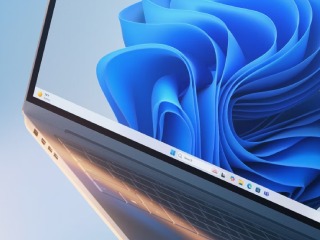
The improvements are available with Windows 11 version 26H2
Click Here to Add Gadgets360 As A Trusted Source

Advertisement
Microsoft has rolled out a set of performance improvements for Windows 11 PCs with 8GB of RAM. The changes are meant to make these systems feel less sluggish, especially when several apps are running at once. They cover memory management in Windows, along with apps such as Edge and Teams. Microsoft says the improvements are arriving through Windows and app updates, and should help PCs with limited memory handle everyday tasks better.
Windows 11 Gets Memory and Performance Improvements on 8GB PCs
Microsoft says everyday tasks are now up to 20 percent faster than they were with the January 2026 Windows update. In a separate test, multitasking was up to 40 percent faster, with 20 Edge tabs, a 4K video, Office files, Outlook and File Explorer all open at the same time. Microsoft points out that the actual gains will depend on the PC and the kind of work being done.
One of the bigger changes is how Windows handles memory. It can now keep up to 2GB more active data in RAM instead of moving it to slower storage. This should mean fewer apps and browser tabs have to reload when users switch between them. Windows also gives more priority to tasks that are in use rather than background activity.
Edge is another area where Microsoft claims to have made a difference. The browser can now open up to 33 percent faster when launched from Start or through a link. Teams has been optimised for 8GB PCs, too. It can switch on Efficiency Mode by default, which Microsoft says can cut resource use and improve launch times by up to 20 percent.
There are memory savings across Windows and other Microsoft apps as well. Changes to Edge and Microsoft 365 account for up to 900MB less memory use in Microsoft's multitasking tests. Widgets will now load only when opened on PCs with 8GB of RAM or less, saving around 200MB while closed. Edge will also put inactive tabs to sleep after 15 minutes by default, rather than waiting two hours.
The improvements are available with Windows 11 version 26H2, build 26300.9818 or later. Users can check for them under Settings > Windows Update. They will need to turn on Get the latest updates as soon as they're available before selecting Check for updates. Microsoft also recommends updating Edge, Microsoft 365 and Teams, since some of the changes arrive through app updates.
Comments
Get your daily dose of tech news, reviews, and insights, in under 80 characters on Gadgets 360 Turbo. Connect with fellow tech lovers on our Forum. Follow us on X, Facebook, WhatsApp, Threads and Google News for instant updates. Catch all the action on our YouTube channel.
Related Stories




Advertisement
Follow Us


-

00:54
Expectation vs Reality: Parents Said Notice Every Detail. She Added One | Galaxy S26 FE -
01:55
From Group Photos to Festive Nights | Samsung Galaxy A57 5G -
01:33
Galaxy Watch Ultra2 on the Trail: Tracking, Hydration & Elevation -
01:38
Galaxy Z Fold8 Captures the Funniest Diwali Moments | My Fan Cam -
01:37
Samsung Galaxy S26 Ultra Diwali Offer in India: ₹79,999 + World's First Privacy Display on Mobile
Advertisement
Popular on Gadgets
- Samsung Galaxy S26 Ultra
- Motorola Razr Fold
- ChatGPT
- OPPO Find N6
- Mobiles Under Rs. 40,000
- Vivo X300 Ultra
- Asus Zenbook S14
- iQOO 15
- Vivo X300 Pro
- Lenovo Yoga Slim 7i Aura Edition
- iQOO 15R
- Vivo X Fold 5
- Sony PlayStation 5
- HP OmniPad 12
- OnePlus Nord CE 6 Lite
- OnePlus Pad 4
- OPPO F33 Pro 5G
- Cryptocurrency
- HP OmniBook Ultra 14 (2026)
- iPhone 17
- Eureka Forbes AP 355 Room Air Purifier
- Latest Mobile Phones
- Compare Phones
Latest Gadgets
- Karbonn Rebel
- Karbonn Rebel Pro
- OnePlus Turbo 6Vs
- Redmi M100 Pro
- OnePlus Ace 7 Pro
- OnePlus Ace 7
- Samsung W27
- Huawei Pura 90 Plus
- Dell 14S (2026)
- HP ProBook 4 G2iS 14
- iPad mini (2026)
- Amazon Alexa Tablet 8
- Pebble Qore 2
- Amazfit T-Rex Dual Solar
- Toshiba 65-Inch 4K Ultra HD Smart Mini LED QLED TV (65Z670SP)
- Haier M70 Mini LED 65-inch
- Acer Predator Atlas 8
- Asus ROG Ally
- Blue Star 1.5 Ton 5 Star Inverter Split AC (IE518ZNURS)
- Blue Star 2 Ton 3 Star Inverter Window AC (WIE324L)

- About Us
- Sitemaps
- Feedback
- Archives
- Contact Us
- RSS
- Advertise
- Career
- Privacy Policy
- Ethics
- Editorial Policy
- Terms & Conditions
- Complaint Redressal
Download Our Apps
Available in Hindi
© Copyright Red Pixels Ventures Limited 2026. All rights reserved.