-
 iOS 27 Update for iPhone Rolling Out Today: How to Download, India Release Time, Supported iPhones and More14 September 2026
 -
iOS 27: Top New Features, List of Compatible Devices, and More10 September 2026
-
Apple Announces iOS 27 Release Date: Here’s When It’s Arriving on Your iPhone9 September 2026
-
Apple Event 2026 Highlights: iPhone Duo, iPhone 18 Pro Series, Apple Watch Ultra 4 and AirPods 5 Launched10 September 2026
-
iPhone 18 Series Launch Tomorrow: Here are All the Last Minute Leaks8 September 2026
iOS 27 Update for iPhone Adds Impersonation Risk Detection Feature to Protect You Against Scams
Apple says the feature analyses information about the iPhone or iPad and the user's Apple Account to detect signs of suspicious activity.
Written by Shaurya Tomer, Edited by Ketan Pratap | Updated: 17 September 2026 09:05 IST
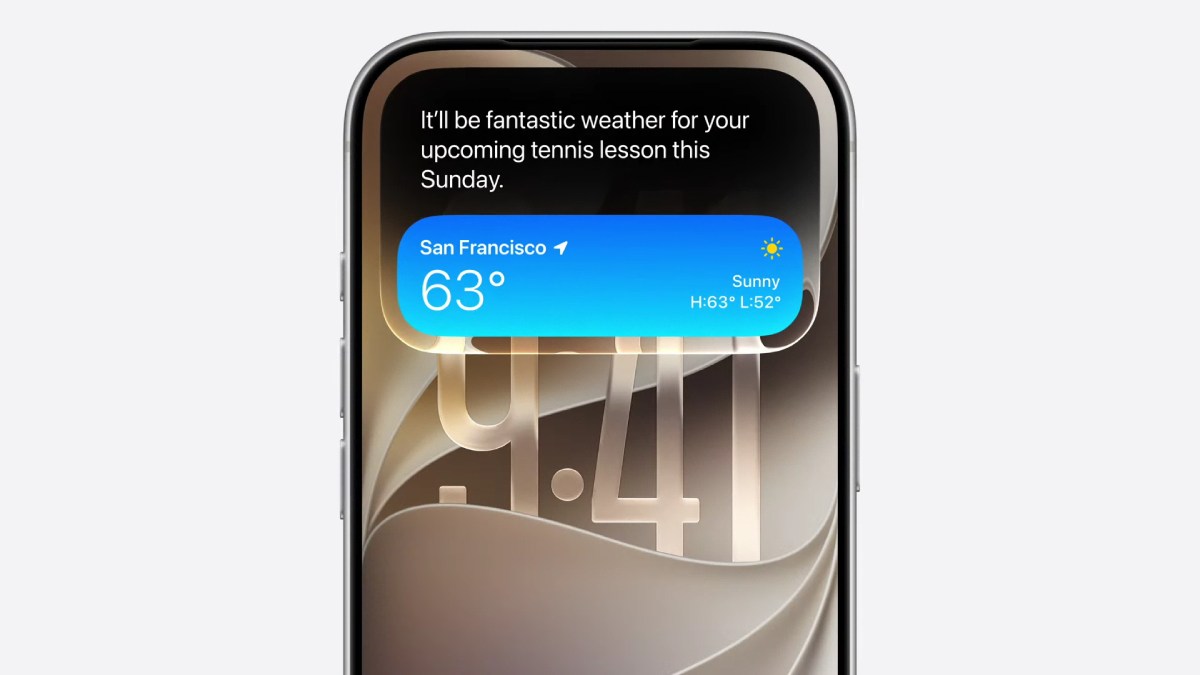
Photo Credit: Apple
Apple released the iOS 27 update earlier this week
Click Here to Add Gadgets360 As A Trusted Source

Advertisement
Scams involving fake banks, government agencies, delivery services, and even people users know have become increasingly common in recent years. Apple aims to address this with a new security feature in iOS 27. The latest update for iPhone brings Impersonation Risk Detection. The Cupertino-based tech giant says it can identify signs that a user may be in the middle of an active scam, particularly when they are about to make a payment or change sensitive account information, and alert them.
Apple's Impersonation Risk Detection Feature
The feature's name itself is self-explanatory. On a support page, Apple said that Impersonation Risk Detection can protect users from active social engineering scams, where a scammer impersonates a bank, government agency, or another trusted person and convinces the victim to take an action. The feature analyses information about the iPhone or iPad and the user's Apple Account to detect signs of suspicious activity.
When a supported app requests an assessment during an action that could be particularly risky, the system generates a risk level that the app can use to determine what happens next.
Apple says there are three levels of risk — Unknown, Medium, or High. Unknown means that no evidence of suspicious activity was detected, although Apple notes that this does not confirm that an action is safe. Medium indicates that some signs of suspicious activity were detected. High, on the other hand, means that significant signs of suspicious activity were detected.
As per the company, the app does not receive the information used to generate the assessment. Instead, it only receives the resulting risk level. The app can then decide how to respond. It can be triggered when users perform actions such as making a payment or changing critical security information, including an account password.
How to turn on Impersonation Risk Detection
- Open the Settings app.
- Tap Privacy & Security.
- Scroll down and select Impersonation Risk Detection.
- Turn on the Share with App Developers option.
- If prompted, sign in to the App Store with your Apple Account.
Users can also control access on an app-by-app basis. The company, however, warns that since the feature depends on supported apps and its risk assessment does not guarantee that an action is safe, it is not designed to replace other security measures or user caution.
Comments
Get your daily dose of tech news, reviews, and insights, in under 80 characters on Gadgets 360 Turbo. Connect with fellow tech lovers on our Forum. Follow us on X, Facebook, WhatsApp, Threads and Google News for instant updates. Catch all the action on our YouTube channel.
Further reading:
iOS 27, iOS 27 features
Related Stories


iOS 27 Update for iPhone Adds Impersonation Risk Detection Feature to Protect You Against Scams


Advertisement
Follow Us




-
05:20
Samsung Galaxy Watch Ultra 2 Review: Is This the Best Android Smartwatch? -
07:01
Samsung Galaxy Z Fold 8 Review: Is This the Best Foldable Phone? -
06:39
Samsung Galaxy Z Fold8 Ultra Review: Cameras, Battery, Performance Tested -
04:33
[Sponsored] JBL Live 780NC: Great Sound, Perfect Comfort, Smart ANC & 80-Hour Battery -
12:04
[Partner Content] OPPO Reno16 Series Deep Dive: Built for Creators?
Advertisement
Popular on Gadgets
- Samsung Galaxy S26 Ultra
- Motorola Razr Fold
- ChatGPT
- OPPO Find N6
- Mobiles Under Rs. 40,000
- Vivo X300 Ultra
- Asus Zenbook S14
- iQOO 15
- Vivo X300 Pro
- Lenovo Yoga Slim 7i Aura Edition
- iQOO 15R
- Vivo X Fold 5
- Sony PlayStation 5
- HP OmniPad 12
- OnePlus Nord CE 6 Lite
- OnePlus Pad 4
- OPPO F33 Pro 5G
- Cryptocurrency
- HP OmniBook Ultra 14 (2026)
- iPhone 17
- Eureka Forbes AP 355 Room Air Purifier
- Latest Mobile Phones
- Compare Phones
Latest Gadgets
- Itel Muzik 450L
- OPPO K14 Lite
- Samsung Galaxy A18 4G
- iPhone Duo
- OPPO A7 Pro
- Huawei Mate XT 2 Ultimate Design
- Realme 16 Pro Harry Potter Edition
- Samsung Galaxy A07s
- Asus Vivobook S14 (S5452MA)
- Acer Aspire G 3D 16
- Xiaomi Pad 9 Pro
- Xiaomi Pad 9
- Apple Watch Ultra 4
- Apple Watch Series 12
- Haier M70 Mini LED 65-inch
- Xiaomi TV FX Mini LED 65
- Acer Predator Atlas 8
- Asus ROG Ally
- Blue Star 1.5 Ton 5 Star Inverter Split AC (IE518ZNURS)
- Blue Star 2 Ton 3 Star Inverter Window AC (WIE324L)

- About Us
- Sitemaps
- Feedback
- Archives
- Contact Us
- RSS
- Advertise
- Career
- Privacy Policy
- Ethics
- Editorial Policy
- Terms & Conditions
- Complaint Redressal
Download Our Apps
Available in Hindi
© Copyright Red Pixels Ventures Limited 2026. All rights reserved.