-
 Instagram Tests Long-Form Videos With Features, Taking on YouTube’s Content Format27 October 2026
 -
Instagram App Now Lets You Watch Reels, Longer Videos and Live Shows on Apple TV26 October 2026
-
WhatsApp Reels Shortcut for Chats Rolling Out to Android Beta Testers23 October 2026
-
How to Download Your Instagram Photos and Videos: A Step-by-Step Guide27 September 2026
-
How to Change Instagram Username: A Step-by-Step Guide19 September 2026
- Home
- How to
- How to Features
- How to Download and Use Instagram on Apple TV: A Step by Step Guide
How to Download and Use Instagram on Apple TV: A Step-by-Step Guide
The app requires an Apple TV HD or Apple TV 4K running tvOS 26 or later.
Written by Sucharita Ganguly | Updated: 1 November 2026 19:00 IST
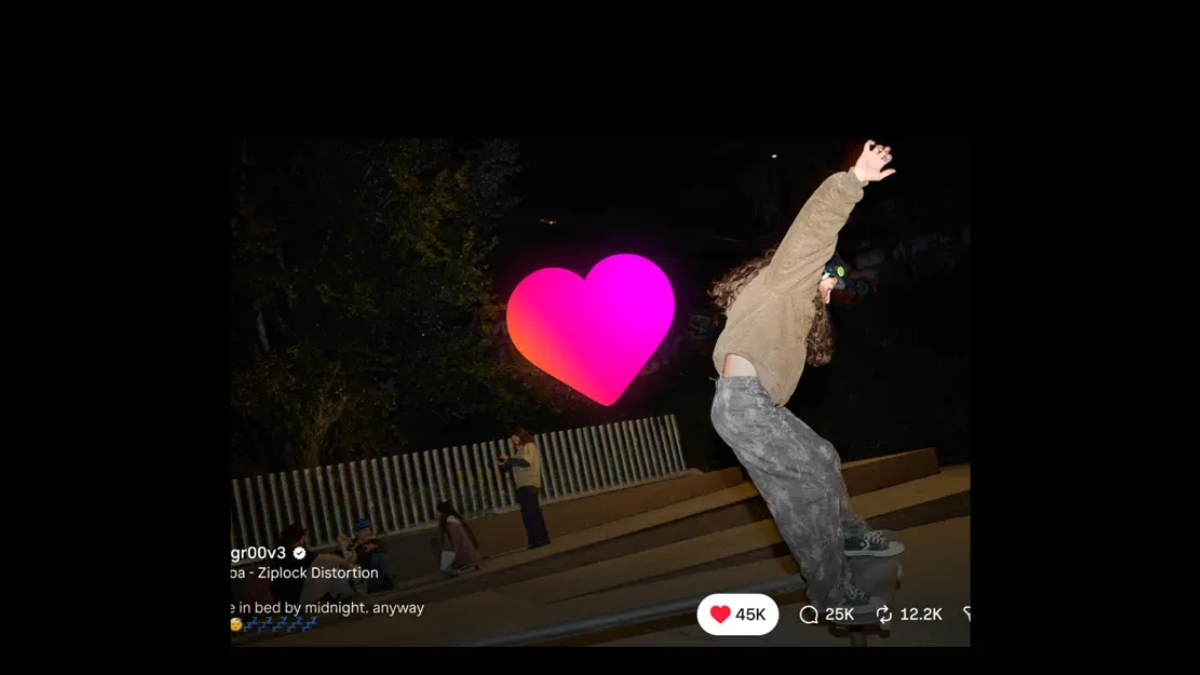
Photo Credit: Apple
The TV app does not support direct messages or comments
Click Here to Add Gadgets360 As A Trusted Source

Advertisement
If you spend a fair amount of time watching Instagram Reels, you can now watch them on your television with the dedicated Apple TV app. It allows you to browse videos from creators, along with longer videos and live shows, without having to mirror your phone's screen. However, the app focuses on watching content and does not offer the full range of features available on Instagram's mobile app. You'll need an Apple TV running tvOS 26 or later to use it. Here's how to download and use the app.
How to Download Instagram on Apple TV
- First, check that your Apple TV is running tvOS 26 or later. The Instagram app requires this version of the software.
- Open the App Store from the Apple TV home screen.
- Go to Search and type Instagram using the on-screen keyboard or your remote.
- Select Instagram from the search results to view its app listing.
- Select Get to install the app. If your Apple TV asks you to confirm the download, follow the on-screen instructions.
- Once the installation is complete, open Instagram from your home screen and follow the instructions to set it up.
You don't need an iPhone to install or run Instagram on Apple TV. However, the app's exact sign-in and account verification process may vary, so follow the on-screen instructions when you first open it.
- Instagram Channels are just a way for influencers to spam us directly
- Instagram Reels vs. YouTube Shorts — Where do you waste more time?
- Instagram ending end-to-end encryption for DMs — how does this change things?
- Instagram Creators Have Wanted This Feature for Years
- Facebook and Instagram using bone structure analysis sounds a bit unsettling
What Can You Use Instagram for on Apple TV?
The Instagram app on Apple TV is built primarily for watching videos. You can browse Reels, watch longer videos and live shows, and discover content from different creators. It also supports playback across devices, allowing you to resume watching where you left off.
Unlike the mobile app, the TV version does not support every Instagram feature. You cannot publish posts, Reels or Stories, or access direct messages. You also cannot leave comments through the TV app. So, if you want to interact with a video or message someone, you'll need to switch back to your phone.
If you can't find Instagram in the Apple TV App Store, start by checking whether your device supports the app. You'll need an Apple TV HD or Apple TV 4K running tvOS 26 or later. To check for updates, go to Settings > System > Software Updates > Update Software. Once you've updated your device, open the App Store on Apple TV and search for Instagram directly.
If Instagram still doesn't appear, check your App Store region, as availability may vary by location. Make sure you're searching on your Apple TV streaming device rather than a smart TV, as these are different platforms. If Instagram appears in the store but won't download, check whether you have enough storage space and whether any restrictions are preventing app installations.
FAQs
1. How do you download Instagram on Apple TV?
Open the App Store on an Apple TV running tvOS 26 or later, search for Instagram and select Get to install it.
2. Do you need an iPhone to use Instagram on Apple TV?
An iPhone is not required to install or use Instagram on Apple TV, although the app may require additional steps to sign in or verify your account,
3. Can you post Reels or send messages through Instagram on Apple TV?
No. The TV app does not support publishing posts, Reels or Stories, accessing direct messages, or leaving comments.
Comments
Get your daily dose of tech news, reviews, and insights, in under 80 characters on Gadgets 360 Turbo. Connect with fellow tech lovers on our Forum. Follow us on X, Facebook, WhatsApp, Threads and Google News for instant updates. Catch all the action on our YouTube channel.
Related Stories




Advertisement
Follow Us




-

01:33
Galaxy Watch Ultra2 on the Trail: Tracking, Hydration & Elevation -
01:38
Galaxy Z Fold8 Captures the Funniest Diwali Moments | My Fan Cam -
01:37
Samsung Galaxy S26 Ultra Diwali Offer in India: ₹79,999 + World's First Privacy Display on Mobile -
01:33
Galaxy S26 Diwali Offer: ₹41/Day, ₹13,000 Cashback & Galaxy AI -
02:06
This Diwali, Celebrate the Family That Feels Like Home | Samsung Galaxy Smartphones
-
Samsung Galaxy S25 Ultra 5G खरीदें 47,849 डिस्काउंट पर, Amazon पर ऑफर
-
Karbonn Rebel Pro, Rebel जल्द होंगे भारत में लॉन्च, फीचर्स आए सामने
-
शुभमन गिल ने टेस्ट किया दीपिंदर गोयल का Temple डिवाइस, जानें क्या है काम?
-
Vivo S70 में 64MP कैमरा के साथ मिलेगी 8000mAh बैटरी, OLED स्क्रीन!
-
Binance में 6.3 अरब डॉलर की चोरी के बाद क्रिप्टो एक्सचेंजों ने मजबूत की सिक्योरिटी
Advertisement
Popular on Gadgets
- Samsung Galaxy S26 Ultra
- Motorola Razr Fold
- ChatGPT
- OPPO Find N6
- Mobiles Under Rs. 40,000
- Vivo X300 Ultra
- Asus Zenbook S14
- iQOO 15
- Vivo X300 Pro
- Lenovo Yoga Slim 7i Aura Edition
- iQOO 15R
- Vivo X Fold 5
- Sony PlayStation 5
- HP OmniPad 12
- OnePlus Nord CE 6 Lite
- OnePlus Pad 4
- OPPO F33 Pro 5G
- Cryptocurrency
- HP OmniBook Ultra 14 (2026)
- iPhone 17
- Eureka Forbes AP 355 Room Air Purifier
- Latest Mobile Phones
- Compare Phones
Latest Gadgets
- OnePlus Ace 7 Pro
- OnePlus Ace 7
- Samsung W27
- Huawei Pura 90 Plus
- iQOO Neo 12
- Redmi K100
- Vivo Y600
- HMD 2660 Flip Senior Edition
- MacBook Pro With PROLED XDR (16-Inch, M5 Max)
- MacBook Pro With PROLED XDR (14-Inch, M5 Max)
- iPad mini (2026)
- Amazon Alexa Tablet 8
- Pebble Qore 2
- Amazfit T-Rex Dual Solar
- Toshiba 65-Inch 4K Ultra HD Smart Mini LED QLED TV (65Z670SP)
- Haier M70 Mini LED 65-inch
- Acer Predator Atlas 8
- Asus ROG Ally
- Blue Star 1.5 Ton 5 Star Inverter Split AC (IE518ZNURS)
- Blue Star 2 Ton 3 Star Inverter Window AC (WIE324L)

- About Us
- Sitemaps
- Feedback
- Archives
- Contact Us
- RSS
- Advertise
- Career
- Privacy Policy
- Ethics
- Editorial Policy
- Terms & Conditions
- Complaint Redressal
Download Our Apps
Available in Hindi
© Copyright Red Pixels Ventures Limited 2026. All rights reserved.