-
 How to Check Battery Health on Android Smartphones7 July 2025
 -
Sennheiser Momentum Sport Review: For Those Who Move30 July 2024
-
OnePlus Watch 2R Review: A Better Watch 2?23 July 2024
-
Apple's New iPad Air, iPad Pro Get Battery Health Menu That Limits Charging to 80 Percent: Report15 May 2024
-
OnePlus Watch 2 Review: The Power of Two2 May 2024
- Home
- How to
- How to Features
- How to Check Battery Health on an Android Phone: A Step by Step Guide
How to Check Battery Health on an Android Phone: A Step-by-Step Guide
Google allows Android phone users to directly check the health of their handset’s battery from the Settings menu.
Written by Dhruv Raghav, Edited by Rohan Pal | Updated: 22 August 2026 16:00 IST
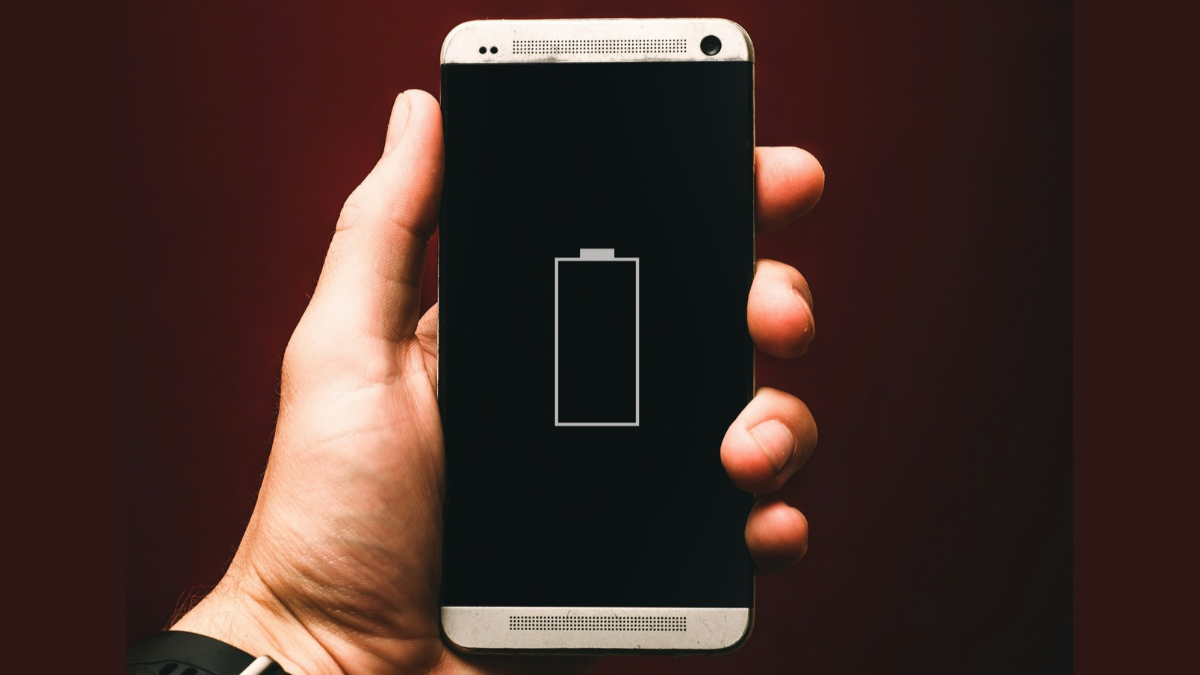
Photo Credit: Unsplash/ Alexandre Andrews
Here's how you can check your Android phone's battery health
Click Here to Add Gadgets360 As A Trusted Source

Advertisement
Smartphone batteries deplete over time. With each charge cycle, which is when your Android handset is charged once from 0 to 100 percent, your phone's battery goes through a certain level of deterioration. The battery health of your Android phone affects the amount of charge it can hold, which could result in lower or higher overall battery life you can get out of it. Hence, it is important to regularly check the exact battery health of your Android phone. To keep its users informed, Android phones display the estimated battery health percentage, allowing users to change their charging habits and plan their battery replacement.
To help you easily check your Android phone's battery health, we have prepared a step-by-step guide, while also listing the benefits of checking the battery health and tips to improve it.
- Is 120W fast charging safe for long-term battery health?
- The new Galaxy Watch launch got me interested, but then I realised I charge my current watch only because I forget about
- I mainly want a watch for travel so I can check notifications without taking out my phone.
- What are the best smartwatches under Rs. 20,000?
- Google Fitbit Air listed on Amazon India before its launch.
Benefits of Checking Your Android Phone's Battery Health
There are multiple benefits of checking your Android phone's battery health. It helps you know how much your Android phone's battery has depleted, compared to when you bought your handset. It also lets you know how fast your smartphone's battery is deteriorating, allowing you to take corrective measures on time to slow down the process as much as possible.
By knowing the battery health of your Android phone, you can also plan in advance when you would need the battery to be replaced. Similarly, it will help you understand why exactly your smartphone's battery life seems relatively short compared to when it was new.
Moreover, by checking your Android phone's battery health, you can mend your charging habits. The battery health of your smartphone can also affect its resale value. Hence, knowing the battery health could help you gauge how much you can get for your handset when you sell it.
However, it is worth noting that your Android phone will only display an estimated percentage of battery health, while comparing the same with its capacity when it was brand new and unused.
Tips to Increase Your Android Phone's Battery Health
Within the Battery and charging menu, Google lists multiple ways an Android phone user can preserve the health of their handset. The company says users must update their Android smartphone to the latest available software version for the best efficiency. Moreover, users are advised to turn on adaptive charging on their Android handset, allowing their device to charge based on their usage.
This helps in avoiding overcharging and overheating of your Android phone's battery, which can damage it or deteriorate its health faster. On top of this, Google asks users to avoid using or keeping their Android smartphones in extreme temperatures, as too much heat or cold can drain your handset's battery health faster.
Lastly, the tech giant also advises users to turn off the features on their Android phone that they do not need. Some apps and processes could be running in the background without your knowledge, draining your phone's battery life. This might result in you frequently charging your handset, which could result in a higher charging cycle count.
How to Check Battery Health on an Android Phone
- Unlock your Android phone.
- Open the Settings menu.
- Scroll down and navigate to the Battery and charging menu.
- A new screen will appear. Here, tap on the Battery health option.
- Under the Battery capacity section, the exact battery health of your Android phone will be displayed.
- Here, you can also click on the Battery health tips button to see how you can preserve your Android handset's battery health.
- You can also turn on Adaptive Charging and limit battery charging from the same screen.
FAQs
1. Do I need to download a third-party app to check my Android phone's battery health?
No, you do not have to download a third-party app to check your Android phone's battery health.
2. What does my Android phone's battery health tell me?
Checking your Android phone's battery health will tell you exactly how much the battery has been depleted.
3. Where can I check my Android phone's battery health?
The option to check your Android phone's battery health appears in the Settings menu.
Comments
Get your daily dose of tech news, reviews, and insights, in under 80 characters on Gadgets 360 Turbo. Connect with fellow tech lovers on our Forum. Follow us on X, Facebook, WhatsApp, Threads and Google News for instant updates. Catch all the action on our YouTube channel.
Further reading:
Battery Health, Android Phone, Android Phone Battery Health, Android, Google, How to
Related Stories





Advertisement
Follow Us




-
![[Sponsored]: CP PLUS CarKam CP-F89B: 4K Dashcam With Rear Camera, GPS & Emergency Recording](https://www.gadgets360.com/static/desktop/images/spacer.png)
04:37
[Sponsored]: CP PLUS CarKam CP-F89B: 4K Dashcam With Rear Camera, GPS & Emergency Recording -
04:23
[Partner Content] Your Phone Can Do WAY More Than You Think | OPPO ColorOS 16 -
01:59
Samsung Galaxy Z Fold8 Ultra: Unfold the Ultra Night -
03:24
Apple Pay Launches In India: Supported Devices, Cards And Payments Explained -
00:21
[Sponsored] Samsung Galaxy Z Fold8, Fold8 Ultra
-
Amazon Great Indian Festival Sale 2026: ₹15,999 से शुरू स्मार्टफोन डील्स
-
घर की दीवार बनेगी 120 इंच की सिनेमा स्क्रीन! Lumio Arc 7 (2026) हुआ लॉन्च
-
Amazon Great Indian Festival Sale 2026: ₹18 हजार सस्ता मिलेगा iPhone 16!
-
Oppo Find X10 Pro Max जल्द होगा भारत में लॉन्च, MediaTek Dimensity 9600 Pro चिपसेट
-
Lenovo ने लॉन्च किया AI फीचर्स वाला ThinkBook 14x लैपटॉप, आपकी पसंद के मिलेंगे फीचर्स
Advertisement
Popular on Gadgets
- Samsung Galaxy S26 Ultra
- Motorola Razr Fold
- ChatGPT
- OPPO Find N6
- Mobiles Under Rs. 40,000
- Vivo X300 Ultra
- Asus Zenbook S14
- iQOO 15
- Vivo X300 Pro
- Lenovo Yoga Slim 7i Aura Edition
- iQOO 15R
- Vivo X Fold 5
- Sony PlayStation 5
- HP OmniPad 12
- OnePlus Nord CE 6 Lite
- OnePlus Pad 4
- OPPO F33 Pro 5G
- Cryptocurrency
- HP OmniBook Ultra 14 (2026)
- iPhone 17
- Eureka Forbes AP 355 Room Air Purifier
- Latest Mobile Phones
- Compare Phones
Latest Gadgets
- Infinix Smart 20 HD
- Vivo V80
- Vivo S2 FE
- Vivo Y600K Turbo
- Realme P4s Lite
- Vivo S60t
- OPPO F35 5G
- OPPO F35 Pro 5G
- Dell 14 Plus 2-in-1 (AMD Ryzen AI 7 350, 2025)
- Microsoft Surface Laptop, 13-inch (2nd Edition)
- Samsung Galaxy Tab S12+
- Samsung Galaxy Tab S12 Ultra
- Amazfit T-Rex Dual Solar
- OPPO Watch S2
- Toshiba 65-Inch 4K Ultra HD Smart Mini LED QLED TV (65Z670SP)
- Haier M70 Mini LED 65-inch
- Acer Predator Atlas 8
- Asus ROG Ally
- Blue Star 1.5 Ton 5 Star Inverter Split AC (IE518ZNURS)
- Blue Star 2 Ton 3 Star Inverter Window AC (WIE324L)

- About Us
- Sitemaps
- Feedback
- Archives
- Contact Us
- RSS
- Advertise
- Career
- Privacy Policy
- Ethics
- Editorial Policy
- Terms & Conditions
- Complaint Redressal
Download Our Apps
Available in Hindi
© Copyright Red Pixels Ventures Limited 2026. All rights reserved.