-
 Oppo K14 Plus vs Redmi 17 vs Realme 16x: Price in India, Specifications and Features Compared3 October 2026
 -
Oppo F35 Pro 5G, Oppo F35 5G Appear on Geekbench With MediaTek Chipsets Ahead of India Launch1 October 2026
-
Oppo K15s, K15x Launched With Up to 8,000mAh Batteries, 120Hz Displays: Price, Features30 September 2026
-
Flipkart Big Billion Days Sale: Oppo Find X9 Ultra, K14x and Other More Phone Deals Revealed30 September 2026
-
Oppo F35 Pro 5G, Oppo F35 5G Camera Configuration, Colour Options Revealed Days Before India Launch30 September 2026
- Home
- Mobiles
- Mobiles Sponsored
- 7 ColorOS 16 Features You’ll Wish Every Smartphone Had
Partner Content
7 ColorOS 16 Features You’ll Wish Every Smartphone Had
By Partner Content | Updated: 20 August 2026 16:54 IST

Click Here to Add Gadgets360 As A Trusted Source

There are phone features you try once and forget about. Then there are the ones that make you wonder why every smartphone doesn't already have them. The difference is simple: does it actually change something you do every day?
Think about a typical day. You wake up to messages, save something for later, head into a meeting, juggle work and plans, take a few photos and end the day with a phone full of information you meant to come back to.
Your smartphone is involved in all of it, yet every task tends to work differently.
Here are 7 OPPO's ColorOS 16 features that you wish you had on your smartphone:
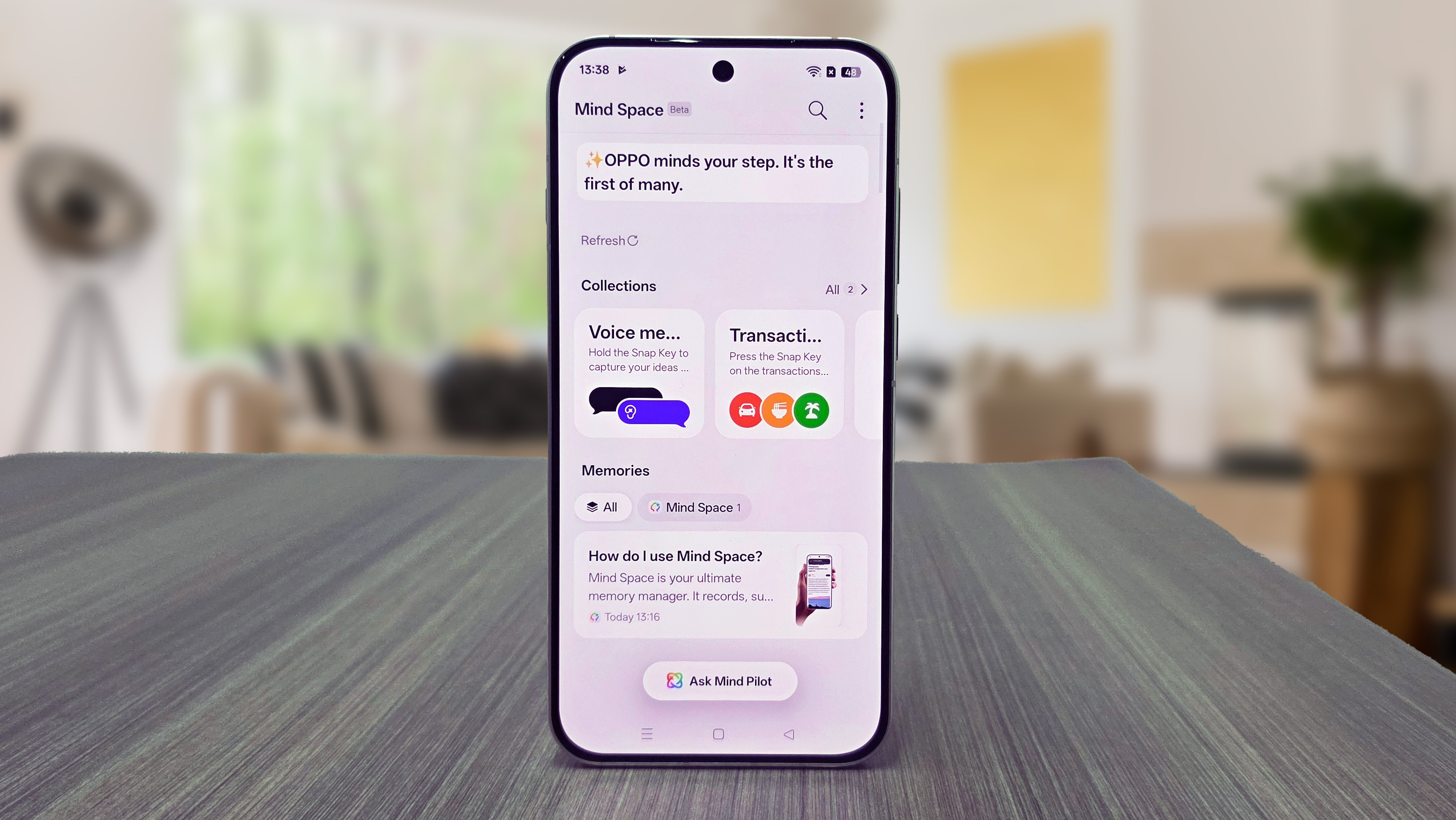
1. AI Mind Space: Making Sense of Your Screenshot Chaos
A restaurant you want to try. A flight detail. A product you might buy. A reel you want to recreate. Your screenshot folder is probably full of things you meant to revisit. AI Mind Space can understand saved content, organise and group related information into Smart Collections and make it easier to find later. Saw an interesting poster? Just point your camera at it and AI Mind Space can scan it directly through the viewfinder – easily detecting and adding details to your calendar. Planning a trip? It can bring together hotel details, restaurants and places to visit, while Mind Assistant can help turn that information into an itinerary. Your phone isn't just storing what you saved. It's helping you make use of it.
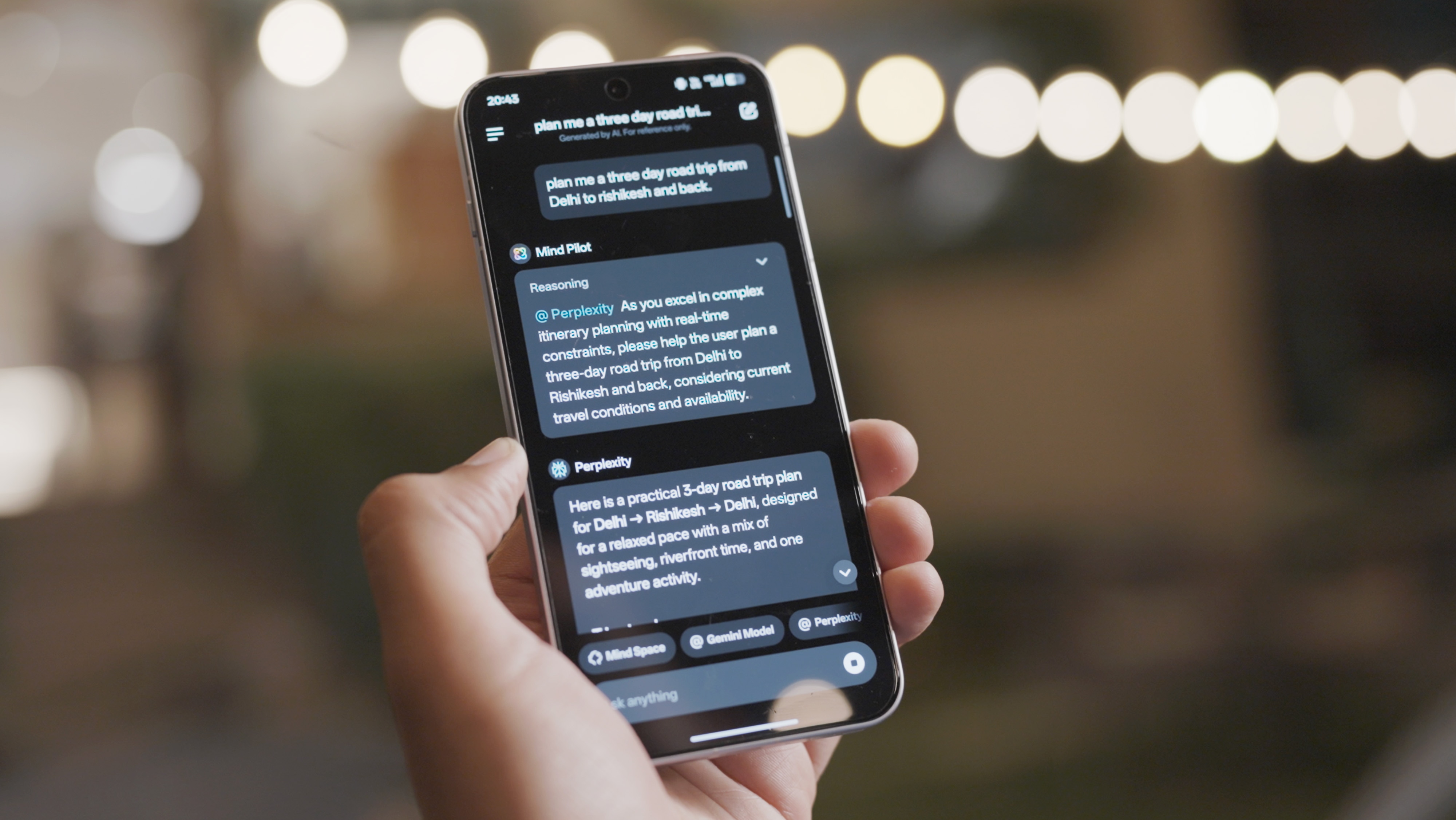
2. AI Mind Pilot: Don't Settle for the First Response
You ask one AI to research something. Another gives you a better answer. Suddenly, you're switching between three apps to finish one task. AI Mind Pilot brings models including Gemini, Perplexity and ChatGPT into one experience, allowing you to compare responses and choose what works best. It can also work with information saved in Mind Space, so you don't have to start from scratch - acting as your upgraded brainstorming partner.
More ways to get an answer, without more apps to manage.
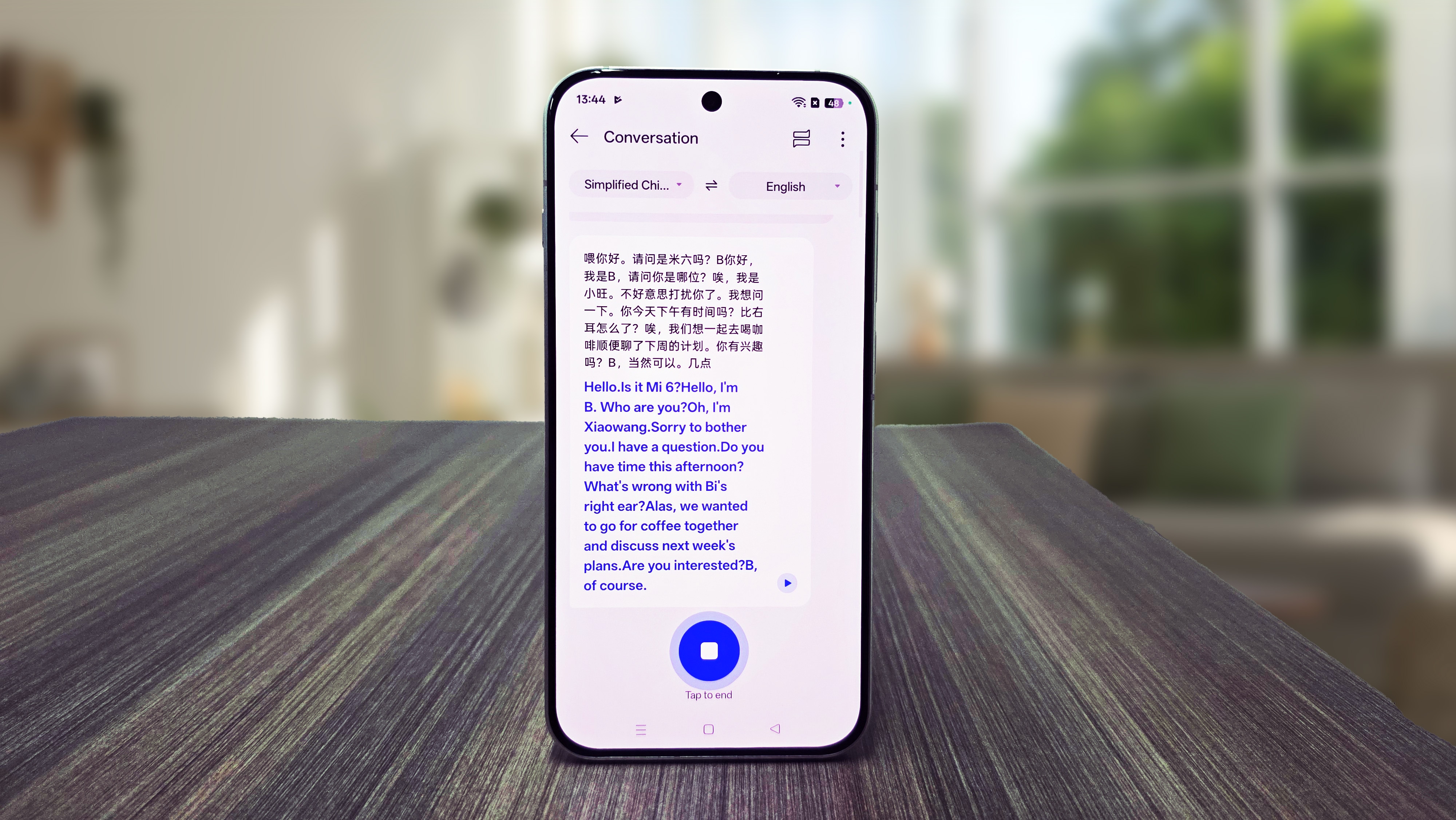
3. AI Live Translation: No Need to Leave the Conversation
A lecture in another language. A seminar with an international speaker. A meeting with an overseas team. Keeping up shouldn't mean constantly switching to a translation app. AI Live Translation translates spoken conversations in real time and can generate a summary and action points afterwards.
You get the translation while the conversation is happening, and the key takeaways when it's over — without breaking the flow.
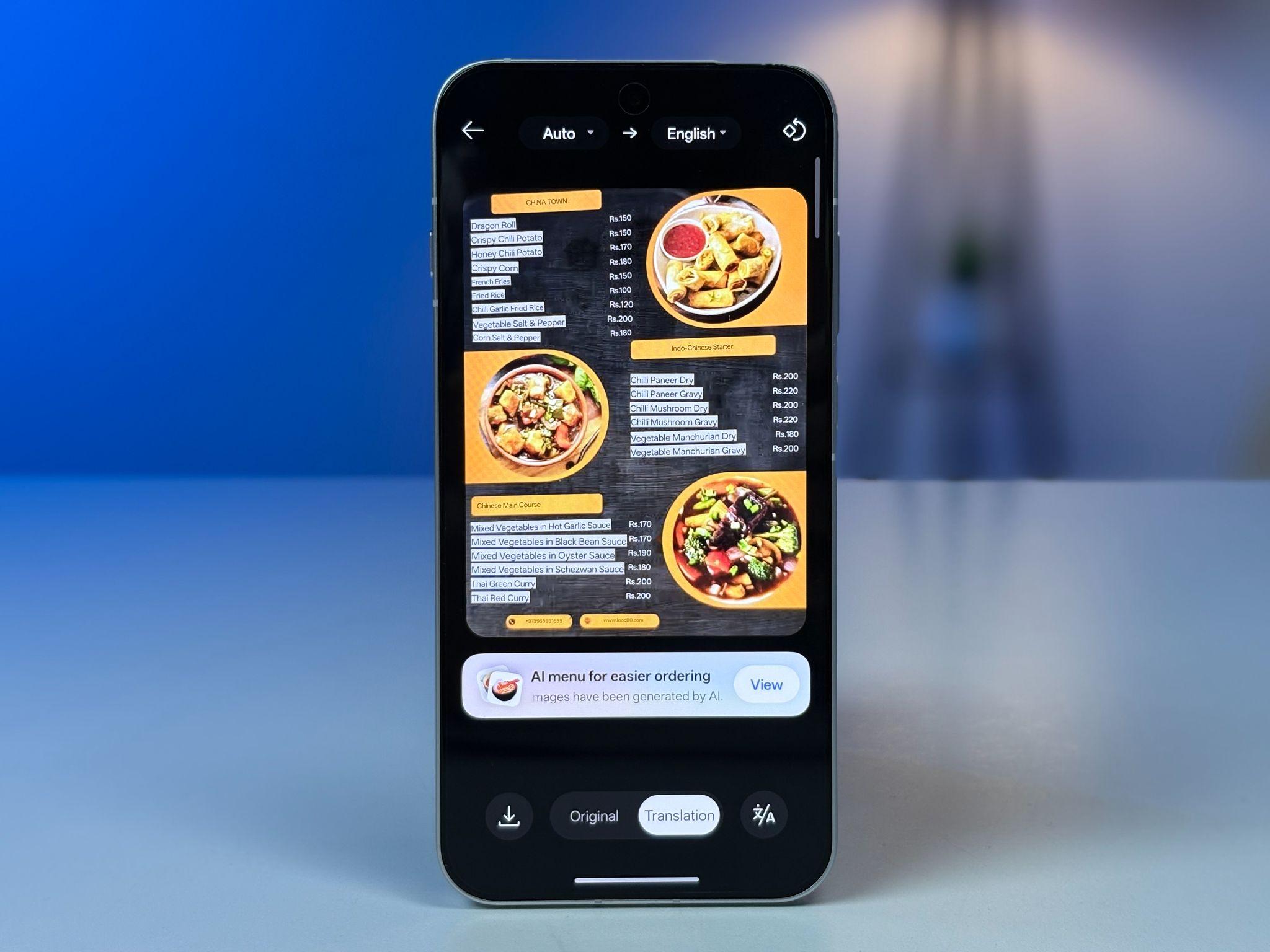
4. AI Menu Translation: No More Guessing What's on the Plate
A menu in another language can turn a simple meal into a guessing game. What are the ingredients? What does the dish look like? And how much does it cost? AI Menu Translation can translate dishes and ingredients, show dish images and convert prices, giving travellers the information they need without jumping between translation and other apps.
It can be especially useful when you're trying to avoid specific ingredients or simply want to know what you're ordering.
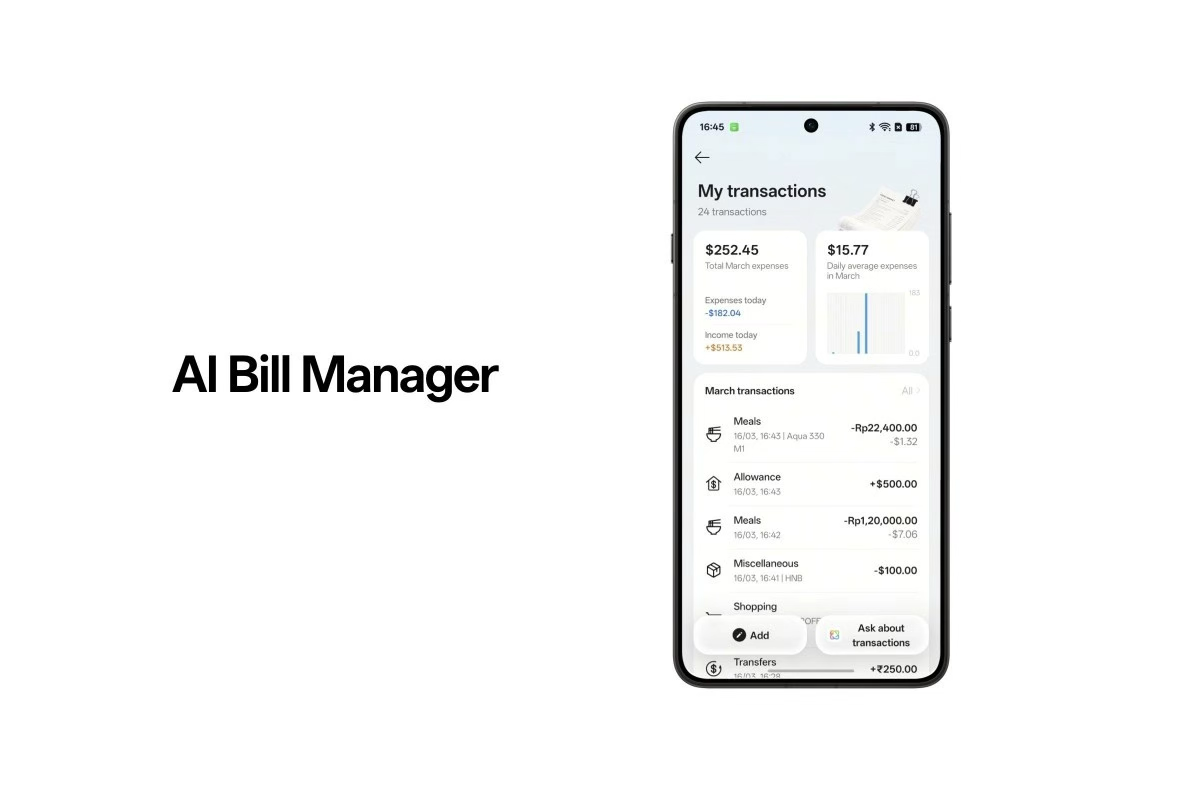
5. AI Bill Manager: Your Bills Shouldn't Be a Filing Job
A dinner receipt in your gallery. A cab payment in your messages. A work expense in your email. And a purchase made in another currency.
AI Bill Manager, integrated with AI Mind Space, can read receipts, screenshots, messages and voice inputs, then organise them into spending records. It can categorise expenses, track spending, handle multiple currencies and create monthly summaries. Your phone does the sorting, instead of you doing it at the end of the month.
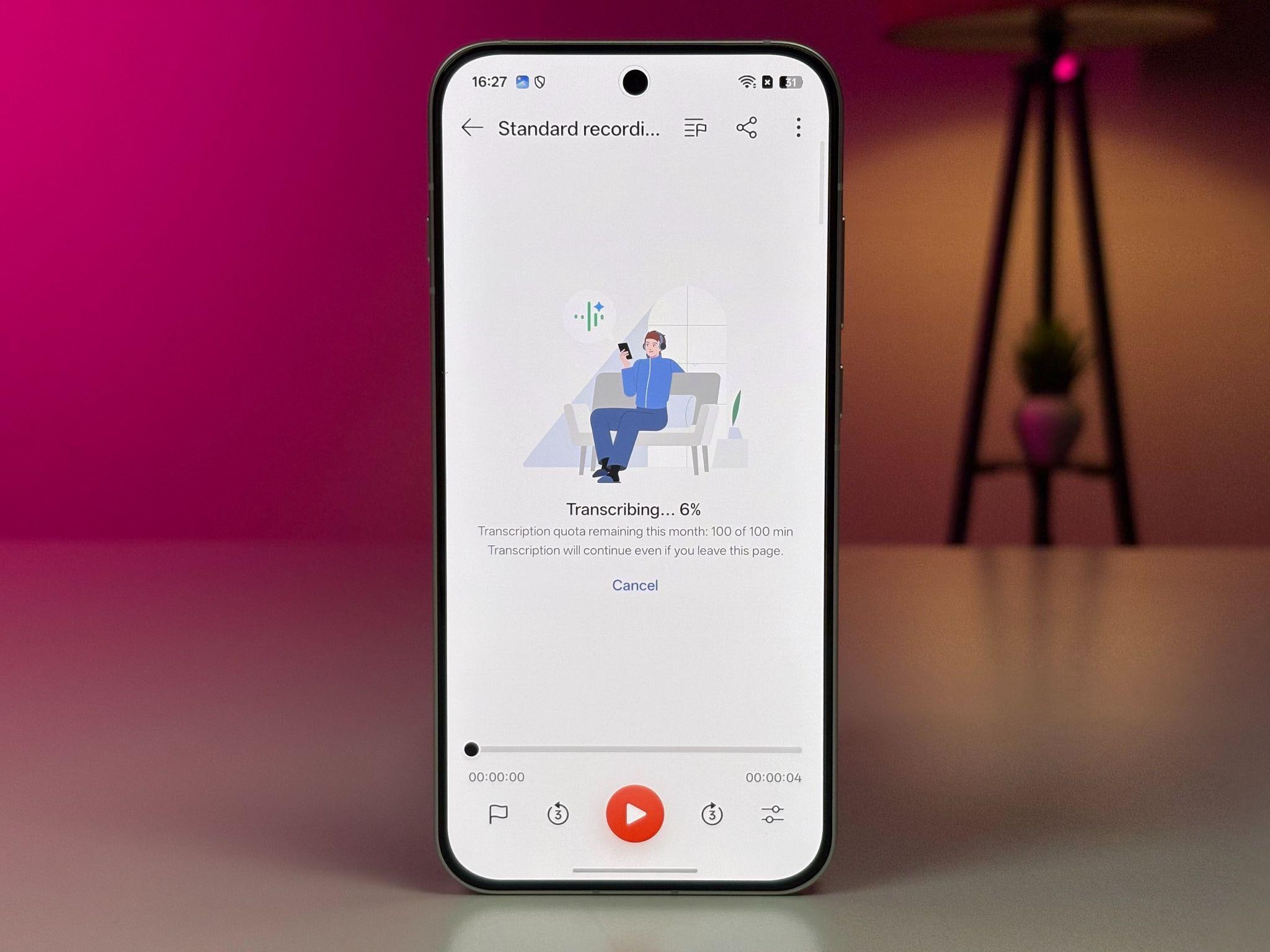
6. AI Recording Summary: Daily MoM, Made Easier
Meetings end, but the work doesn't. Someone still has to remember what was discussed, who said what and what happens next.
AI Recording Summary can transcribe conversations, identify speakers and organise recordings and can turn them into concise recaps, highlighting key points, decisions and action items.
Whether it's a daily team meeting, client call or interview, your MoM is ready without writing it all down yourself.
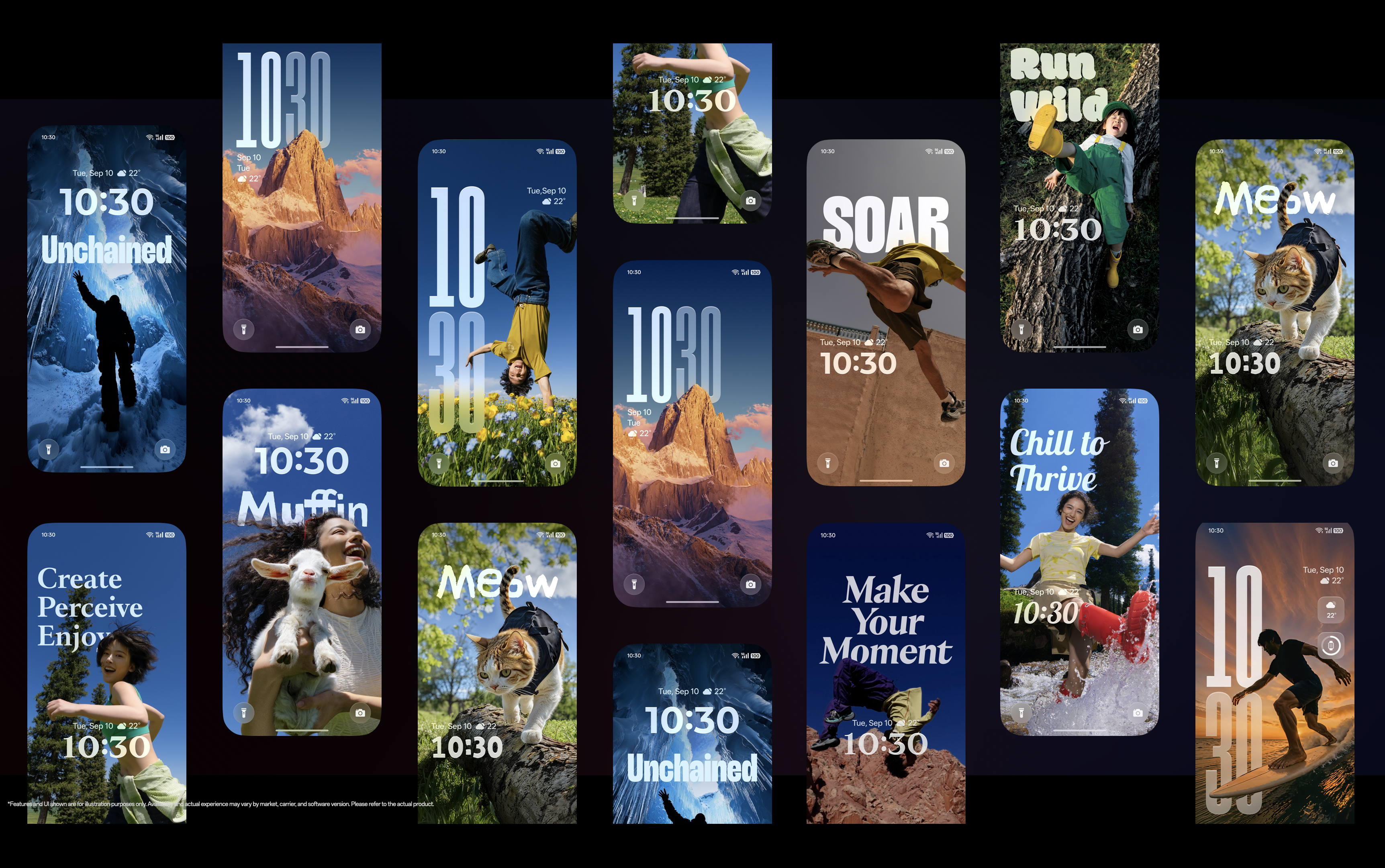
7. Live Space: Information Without the Interruption
Is your cab here yet? Has the food arrived? Did your flight status change?
Normally, you unlock your phone, open an app and check.
Live Space brings ongoing updates into a compact view on the lock screen, keeping information accessible without making you leave what you're doing.
The information comes to you, instead of the other way around.
The Little Things Add Up
The best features aren't the ones you use once. They're the ones you quietly start depending on. OPPO's ColorOS 16 takes that approach - less app-hopping, less searching, less manual work, and more of the information you need, when you need it without having to search it manually.
Because the best smartphone experience isn't about doing more. It's about making everyday things easier.
Comments
Get your daily dose of tech news, reviews, and insights, in under 80 characters on Gadgets 360 Turbo. Connect with fellow tech lovers on our Forum. Follow us on X, Facebook, WhatsApp, Threads and Google News for instant updates. Catch all the action on our YouTube channel.
Further reading:
Oppo
Related Stories




Follow Us




-
![[Sponsored]: CP PLUS CarKam CP-F89B: 4K Dashcam With Rear Camera, GPS & Emergency Recording](https://www.gadgets360.com/static/desktop/images/spacer.png)
04:37
[Sponsored]: CP PLUS CarKam CP-F89B: 4K Dashcam With Rear Camera, GPS & Emergency Recording -
04:23
[Partner Content] Your Phone Can Do WAY More Than You Think | OPPO ColorOS 16 -
01:59
Samsung Galaxy Z Fold8 Ultra: Unfold the Ultra Night -
03:24
Apple Pay Launches In India: Supported Devices, Cards And Payments Explained -
00:21
[Sponsored] Samsung Galaxy Z Fold8, Fold8 Ultra
-
Flipkart Big Billion Days: Xiaomi के 5 Redmi स्मार्टफोन्स पर Deals रिवील
-
Delhi Pollution 2026: 50% Work From Home, बिना PUCC नहीं मिलेगा Fuel
-
Oppo K15x हुआ लॉन्च; 6500mAh बैटरी, 120Hz डिस्प्ले के साथ आया बजट 5G फोन
-
HMD का नया सस्ता फोन Vibe 2 5G रेड वाइन कलर में आया, FBBD सेल में खरीदें ₹10,499 में!
-
Poco C95 Pro ग्लोबल मार्केट में लॉन्च, 50MP AI कैमरा, 7500mAh बैटरी!
Popular on Gadgets
- Samsung Galaxy S26 Ultra
- Motorola Razr Fold
- ChatGPT
- OPPO Find N6
- Mobiles Under Rs. 40,000
- Vivo X300 Ultra
- Asus Zenbook S14
- iQOO 15
- Vivo X300 Pro
- Lenovo Yoga Slim 7i Aura Edition
- iQOO 15R
- Vivo X Fold 5
- Sony PlayStation 5
- HP OmniPad 12
- OnePlus Nord CE 6 Lite
- OnePlus Pad 4
- OPPO F33 Pro 5G
- Cryptocurrency
- HP OmniBook Ultra 14 (2026)
- iPhone 17
- Eureka Forbes AP 355 Room Air Purifier
- Latest Mobile Phones
- Compare Phones
Latest Gadgets
- Samsung Galaxy F08
- Samsung Galaxy M08
- OPPO K15x
- OPPO K15s
- HMD Vibe 2 Pro 5G
- OPPO K14 Plus 5G
- Lava Shark 2 Pro 5G
- Ai+ Pulse 2 FE
- Dell 14 Plus 2-in-1 (AMD Ryzen AI 7 350, 2025)
- Microsoft Surface Laptop, 13-inch (2nd Edition)
- Samsung Galaxy Tab S12+
- Samsung Galaxy Tab S12 Ultra
- Amazfit T-Rex Dual Solar
- OPPO Watch S2
- Toshiba 65-Inch 4K Ultra HD Smart Mini LED QLED TV (65Z670SP)
- Haier M70 Mini LED 65-inch
- Acer Predator Atlas 8
- Asus ROG Ally
- Blue Star 1.5 Ton 5 Star Inverter Split AC (IE518ZNURS)
- Blue Star 2 Ton 3 Star Inverter Window AC (WIE324L)

- About Us
- Sitemaps
- Feedback
- Archives
- Contact Us
- RSS
- Advertise
- Career
- Privacy Policy
- Ethics
- Editorial Policy
- Terms & Conditions
- Complaint Redressal
Download Our Apps
Available in Hindi
© Copyright Red Pixels Ventures Limited 2026. All rights reserved.