- Home
- Laptops
- Laptops Reviews
- Logitech Signature Comfort Plus M850 L Review: Creature Comforts for Those Who Need It
Logitech Signature Comfort Plus M850 L Review: Creature Comforts for Those Who Need It
There’s ergonomic chairs, ergonomic computer peripherals and now a Logitech mouse with a tiny pillow on it. We find out if it gets the job done in our review.
Written by Sheldon Pinto, Edited by Ketan Pratap | Updated: 26 July 2026 17:05 IST
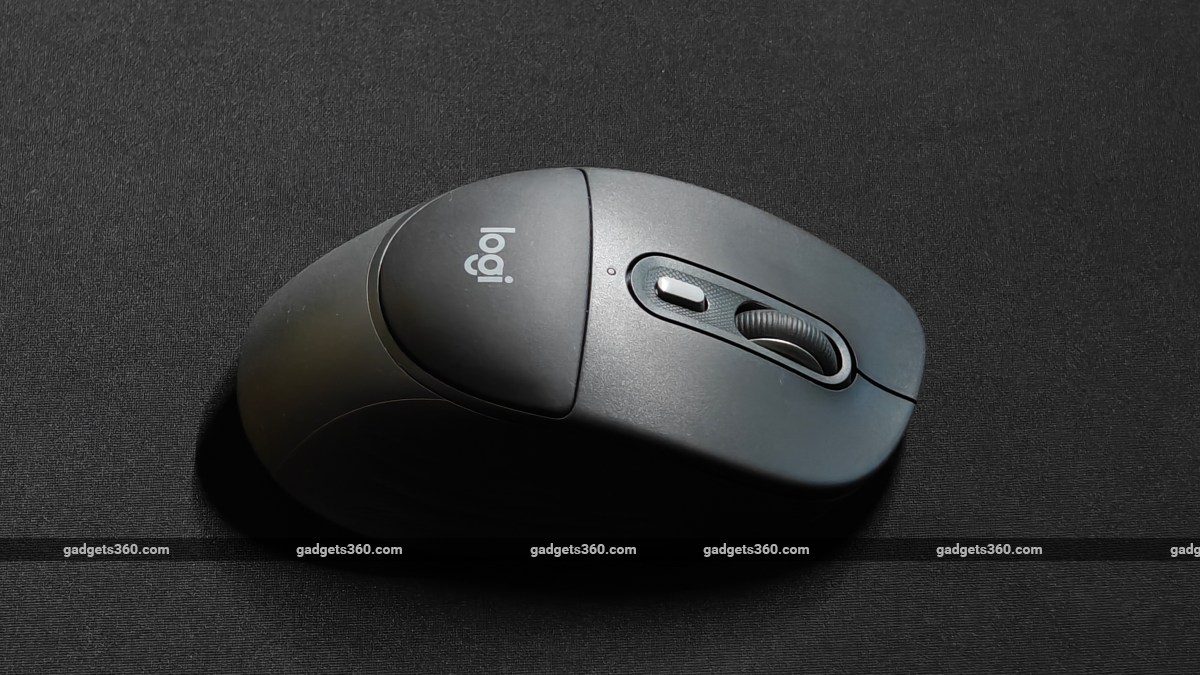
The Logitech Signature Comfort Plus M850 L mouse retails at Rs. 7,762 in India
Click Here to Add Gadgets360 As A Trusted Source

Advertisement
Logitech has been experimenting with several new features lately, and not all of them have been smash hits with its users. While its MagSpeed scroll wheel and Quiet Click buttons on its premium MX series mice were well received, we cannot say the same about the Haptic Sense Panel (on its MX Master 4) that produces subtle vibrations when opening the Actions Ring menu. It wasn't path-breaking nor useful. And it wasn't even the need of the hour, as the Action Ring menu could be bound to another button as well, using Logitech's own software.
And now, as a part of its Signature series of peripherals, the brand has now launched two new mice with some really big product names. There's the Signature Comfort M840 L, a customisable productivity mouse with an ergonomic design and the more expensive Signature Comfort Plus M850 L, which basically adds a soft cushion for your palm to rest on. After using the Signature Comfort Plus M850 L (henceforth referred to as the Signature Comfort Plus) for a few weeks, I'm not convinced if it's worth the asking price. Read on to know why.
Logitech Signature Comfort Plus M850 L Design: Practical Yet Questionable
- Dimensions - 121.8 x 74.3 x 44.2mm
- Number of buttons - 6 (4 programmable)
- Weight - 107g
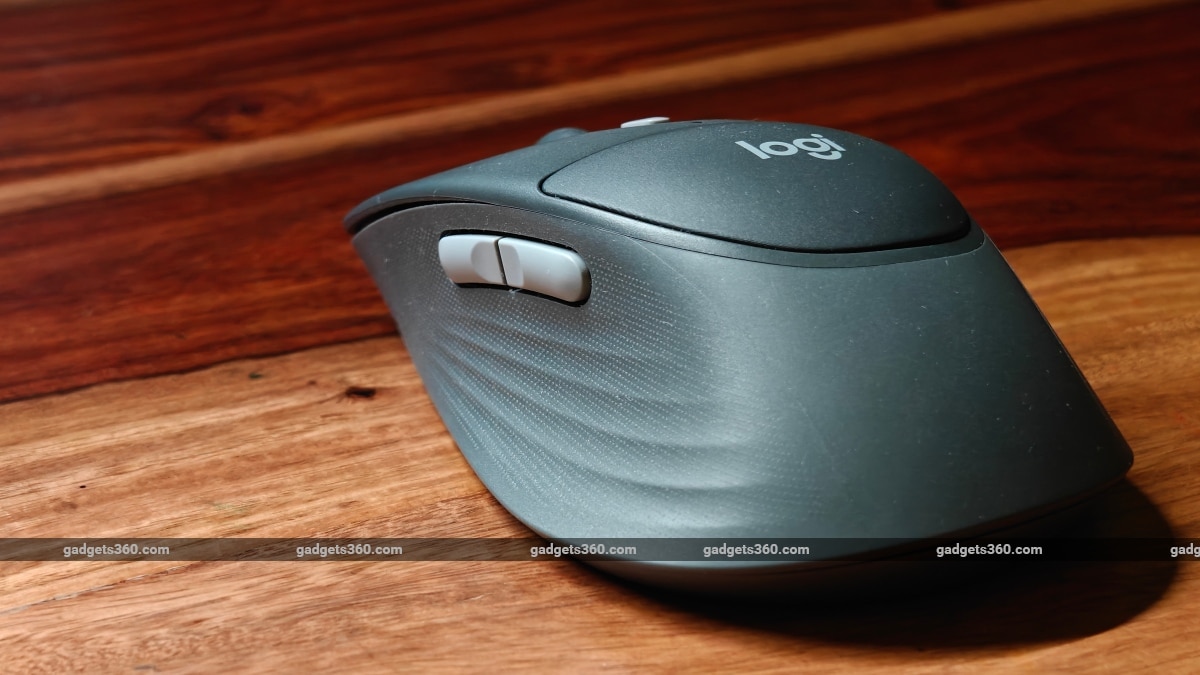
The Logitech Signature Comfort Plus offers excellent grip
The Signature Comfort Plus uses a complex mix of recycled plastic panels. It is definitely not a regular office or work mouse, as Logitech has put in effort to make the mouse feel light and have loads of grip. Part of this grip comes from its sculpted sides, which, like the MX series mice, are curved inwards. There are ridges along these curves, but it's the rubberised texture that is the main contributor to this excellent grip.
The bottom panel (part of which can be opened to replace the AA battery) and the top surface near the left and right click buttons are made from textured polycarbonate. The raised section with the ‘Logi' logo is the palm cushion. It feels as soft as the muscles on your palm, but its usefulness entirely depends on how big your hand is and how you grip your mouse.
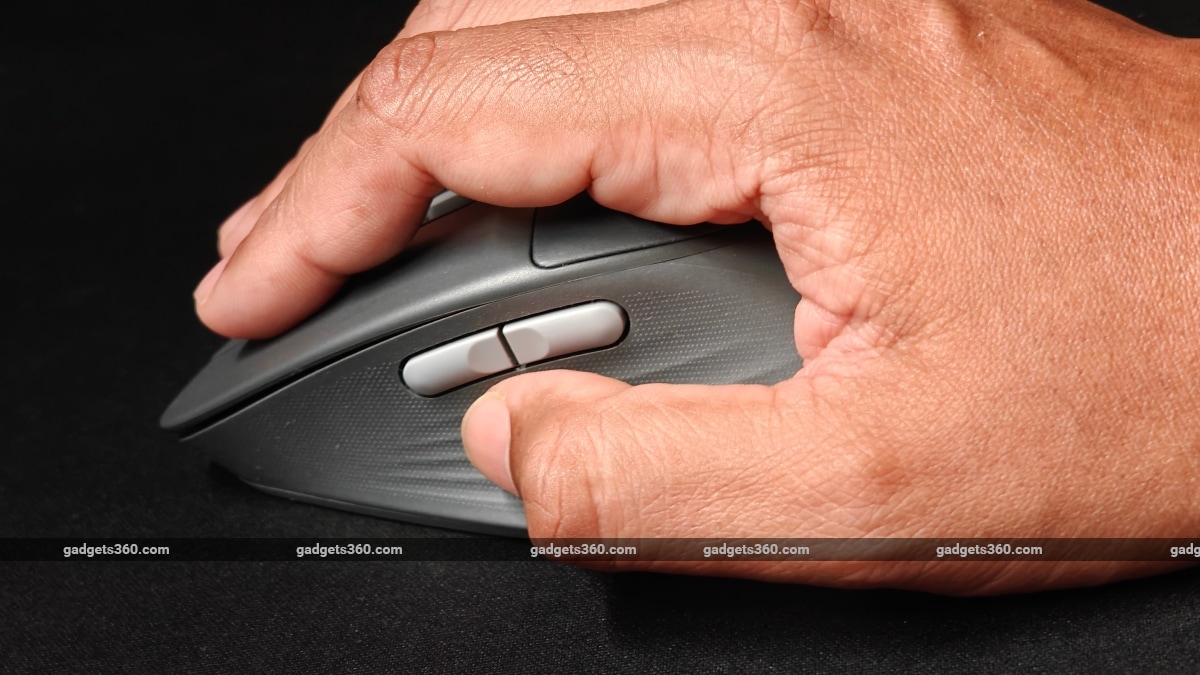
It's hard to perfectly rest big hands on the palm cushion
I have large hands, and I did find the overall dimensions of the mouse a bit compact (not small or portable) compared to the other mice I've used in the past. Yes, my palm does make contact with the palm cushion, but I never found my palm literally resting on it. Coming from someone who also purchased the design abomination that is the Apple Magic Mouse, I do know how much of a role palm support plays on a good mouse. So, I assumed that this issue of the palm cushion not being utilised to its fullest was probably down to my large hands.
Naturally, I asked people with smaller hands to try it out. While they did find it comfortable to hold and grip, they also said that their palm does not really rest on (or take advantage of) the palm cushion because of the way they hold the mouse. As a last-ditch effort, I also tried to change my grip from the typical ‘semi-claw' (since it felt smaller to me) to a ‘palm' grip. But even here, my palm did not perfectly rest on the cushion; nor did it feel any different or more comfortable compared to a regular mouse.
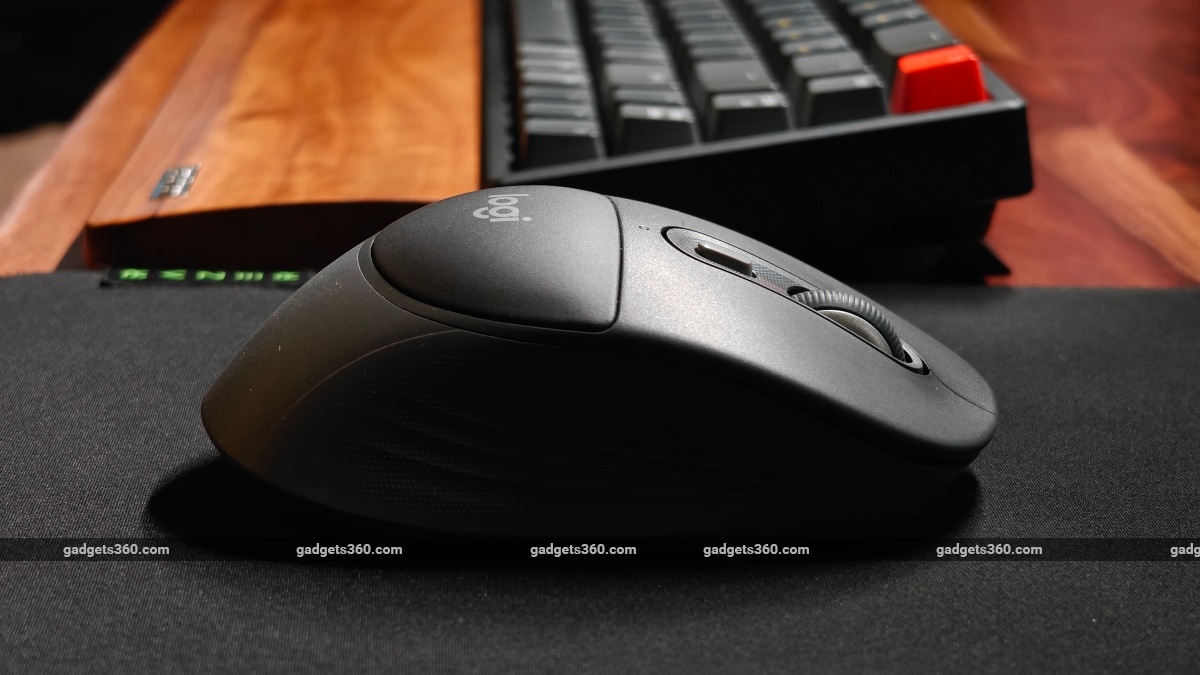
The palm cushion could have been a bit raised and softer
What I realised is that this palm cushion needs to be a bit raised and a lot softer to make itself more useful and provide that comforting support, which Logitech claims it's supposed to. There's no denying that there will be someone out there who has the perfect hands, small enough to take full advantage of its palm cushion. It's just that for most of us, this palm cushion will not matter in its current form as it does not really address the real stress (or resting) points when holding a mouse, like your wrist or your thumb. Had Logitech attached that cushion to the rear end of the mouse (like floating skates), it would have surely helped tired work wrists better. That said, I honestly feel that this mouse would have been better had it been a bit longer, like the MX series, providing better support at the bottom of the palm near my wrist.
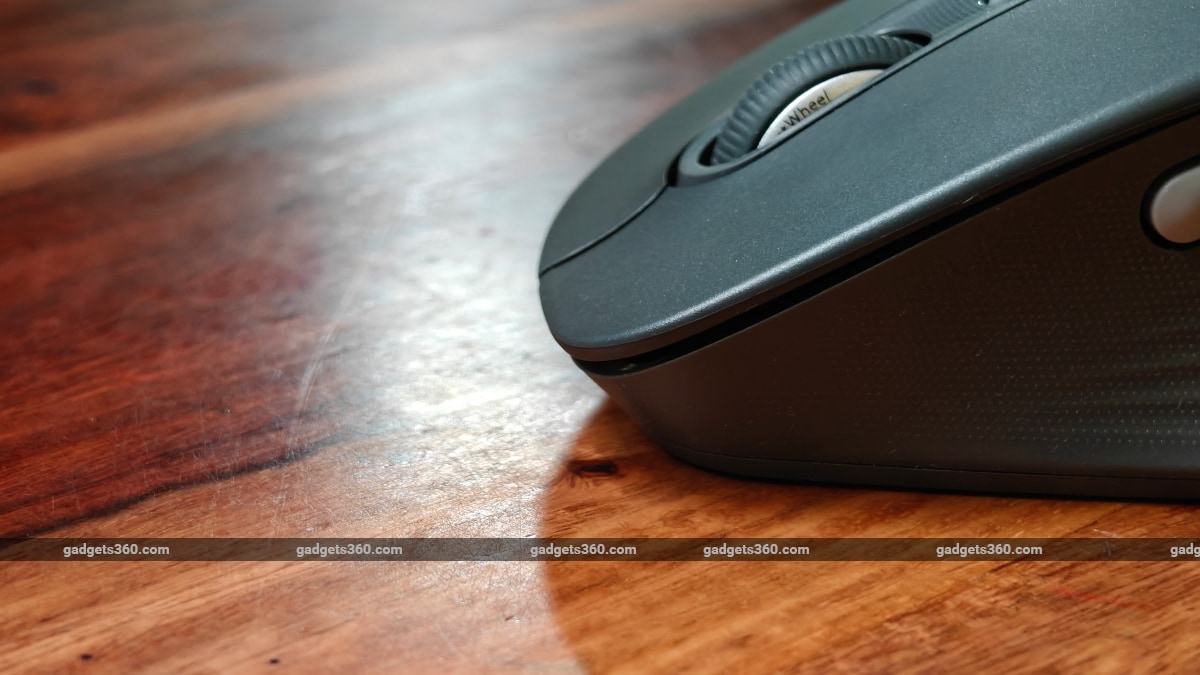
The right and left click keys have a raised lip
The left/right click keys also have Logitech's Quiet Click feature and make a barely audible tapping sound versus a regular click. I do like the raised edge of the left and right click keys that taper upwards towards the edges. It's just that their curved design is in the opposing direction of the natural arrangement of human fingers. I'm guessing this is down to some deep-rooted cosmetic design decision by Logitech's designers.
Logitech Signature Comfort Plus M850 L Software: Typical
- Software - Logi Options+
- Works best with - Windows, macOS
There are 6 buttons in all, and out of these, only 4 buttons are customisable using Logitech's Logi Options+ software. The DPI button, which sits behind the scroll wheel by default, is set to open Logitech's new Actions Ring menu. Pressing this button basically launches the Actions Ring menu with 8 shortcuts. These shortcuts can be customised to perform a number of functions, from launching apps to taking screenshots, locking the desktop and even macros. The feature is quite useful, and some shortcuts even have sub-menus for advanced actions. All the user needs to do is click the assigned button and drag the mouse in the direction of the shortcut to activate the function.
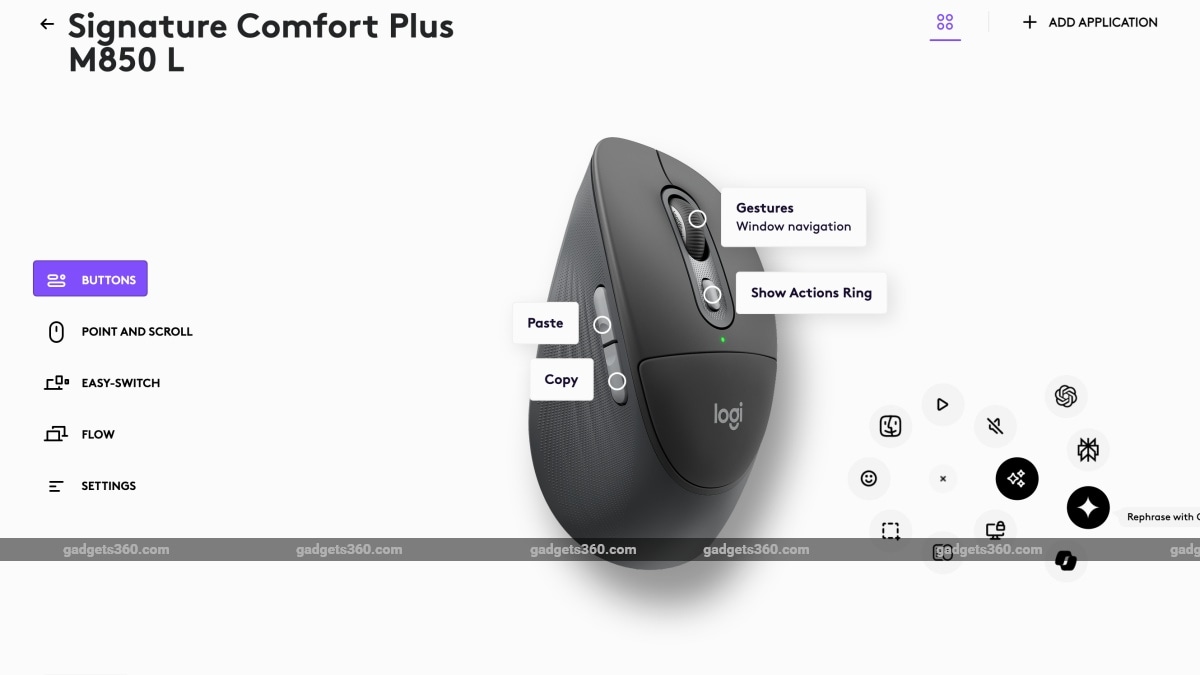
The new Actions Ring software feature is useful and can be pulled up anywhere and anytime on your desktop
The two side buttons are also customisable and have good feedback with distinct clicks. The scroll wheel is also programmable. As for the rest of Logi Options+, it remains as flexible as before. But the lack of on-board memory means you cannot save your customisations to the mouse and will always need Logitech's software installed on any system you want to pair it with, in order to use them.
Logitech Signature Comfort Plus M850 L Features and Performance: Gets the Job Done
- Minimal and Maximal DPI - 400-4,000
- Maximum polling rate - 125Hz
- Receiver port type - USB Type A (not included)
- Connectivity - Bluetooth LE, Logi Bolt (wireless only)
- Battery type - AA battery
I get that this mouse is not meant for professionals but for home, work and even hybrid work environments. So, I'm not expecting it to offer exceptional sensor tracking performance as we have on some MX series mice (with Darkfield high-precision sensors or better). Going by Logitech's spec sheet. This sensor can manage 400-4,000 DPI, which seems good enough for everyday mousing. But you have to keep in mind that for the price that you are paying, you can get far superior hardware. The Pluto One sensor is fairly basic and was even used in the M190 wireless mouse launched in 2020, which was priced at just Rs. 1,195!
Having used the mouse for a couple of weeks. I can conclude that it gets the job done just fine, provided you plan to use this mouse for basic scrolling and web browsing. I even used the mouse for slightly advanced tasks like spreadsheets and even image editing but faced no noticeable issues. What is a bit annoying is the polling rate, which makes the cursor appear a bit choppy. If this is something that does annoy you, you are better off with another product.
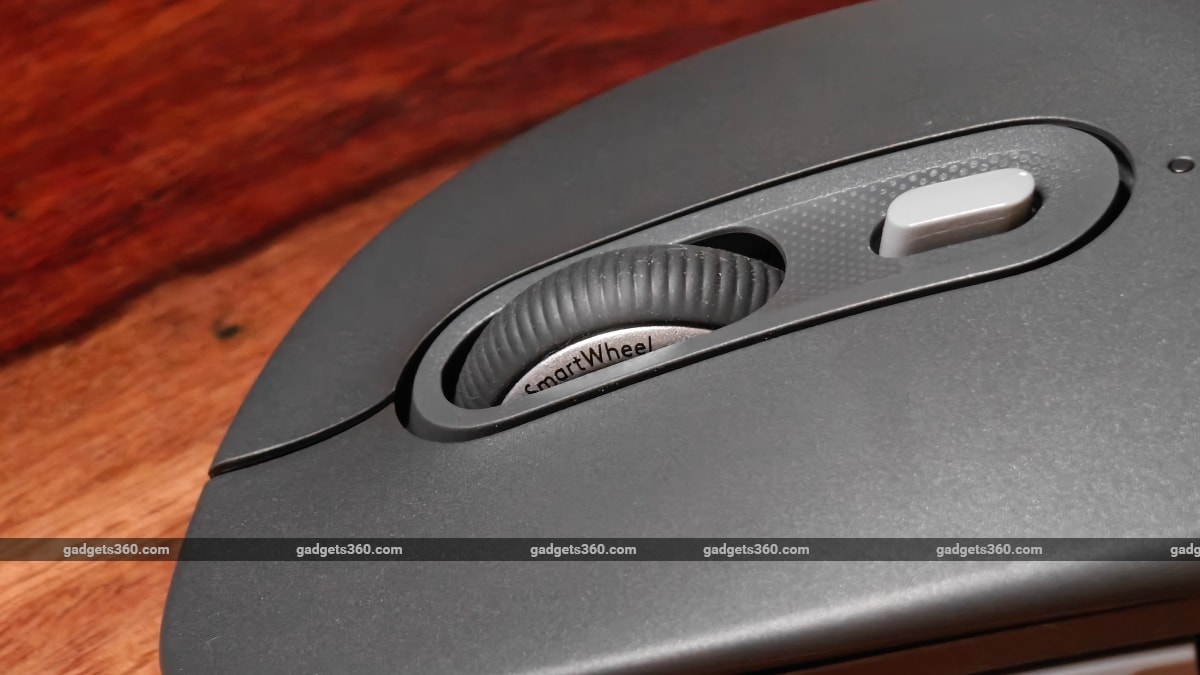
The SmartWheel works as intended and automatically switches between ratcheted and smooth scrolling
The Signature Comfort Plus goes with Logitech's SmartWheel scroll wheel. This isn't as premium as Logitech's MagSpeed scroll wheel or as refined as their Hyper-Fast scroll wheel, as it lacks the weighty feel of the premium and heavier wheels that are useful for scrolling through never-ending spreadsheets at work. For basic home usage, it fits the bill as it offers both ratcheted and smooth scrolling without the need to switch between modes. However, I do miss a tilt wheel here, which would have made side scrolling easy. You can still press one of the side buttons and then use the scroll wheel (combination), but it's not as convenient.
As for connectivity, the Signature Comfort Plus does not support Logitech's Bolt receiver, but it does not offer one in the box. I tried out both Bluetooth and Bolt connectivity options with an iMac, and found Bolt to be more reliable. However, you will have to maintain a clear line of sight when using the Bolt receiver. Even a car key fob in the way is good enough to scramble connectivity. For home users, Bluetooth should be fine.
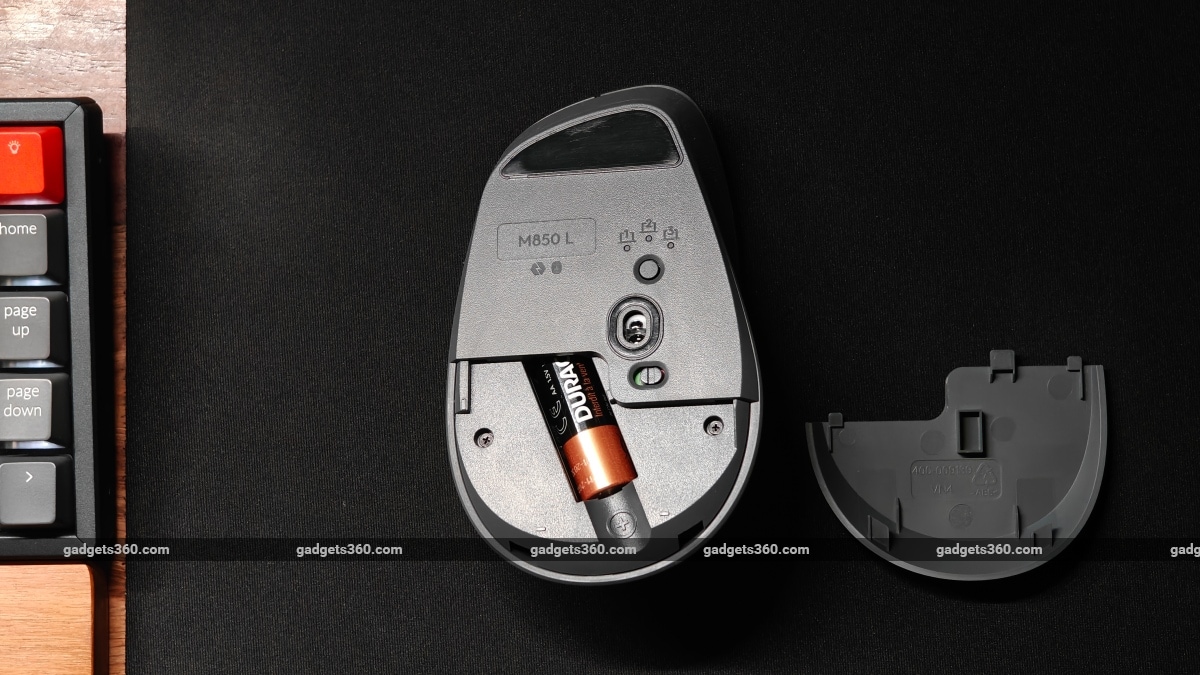
The Logitech Signature Comfort Plus is powered by a single AA alkaline battery
Battery life is literally as good as it gets. After using the mouse for 3 weeks (5 days per week) on Bluetooth, its battery has drained to just 90 percent. The mouse can easily last 5 months by this estimate. And when you are done, all it needs is a quick battery swap. You also don't have to worry about the battery wearing out over time, unlike some mice with built-in batteries.
Logitech Signature Comfort Plus M850 L Verdict
Logitech's Signature Comfort Plus M850 L is better suited for home or hybrid work use than as a pure work-friendly mouse. It's easy for me to conclude that if you are happy with Quiet Click, SmartWheel hardware features and Logi Options+ software customisation, the Signature Comfort Plus (MRP Rs. 7,762 / MOP Rs. 5,221) offers, you will be happy with the lower-priced Signature Comfort M840 L (MRP Rs. 6,468) as well. The Comfort M840 L may not have the cushy cushion the M850 L offers, but it is pretty much the same device at a lower asking price.
Alternatively, Logitech's M720 Triathlon offers more features like Hyper-Fast scrolling, a tilt wheel, a more ergonomic design with better thumb support, and additional buttons at a lower retail price of Rs. 5,695. You will also get a Logitech Unifying receiver in the box! If you are looking for something even smaller (portable), you can also look at Logitech's MX Anywhere 3S (MRP Rs. 7,495 / MOP Rs. 6,999), which gets you MX-grade precision hardware and features at a palatable price. Logitech's old G502 LIGHTSPEED also comes to mind (MOP Rs. 7,995). It offers gaming-grade hardware packaged in a very customisable form factor (weights, et al) minus Bluetooth connectivity (uses a special receiver).
For large hands, you will have to look at something bigger like the Razer Pro Click V2 I reviewed earlier, which currently retails at a low MOP of Rs. 6,733. It has better ergonomics and far better hardware comparable to Logitech's MX Master series mice, minus the price tag. The only catch with the Razer is that you have to find some workarounds for Mac usage.
Comments
Get your daily dose of tech news, reviews, and insights, in under 80 characters on Gadgets 360 Turbo. Connect with fellow tech lovers on our Forum. Follow us on X, Facebook, WhatsApp, Threads and Google News for instant updates. Catch all the action on our YouTube channel.


Advertisement
Follow Us




-
![[Sponsored] Galaxy Watch9 for Everyday Health Insights | Smarter Wellness Choices](https://www.gadgets360.com/static/desktop/images/spacer.png)
01:42
[Sponsored] Galaxy Watch9 for Everyday Health Insights | Smarter Wellness Choices -
01:15
[Sponsored] Galaxy Tab S10 Lite for Students: Notes, Solve Math and More -
04:17
[Sponsored] LG NANO 4K UHD AI TV NU885: Gemini Search, Dolby Atmos & 5 Years of Updates -
00:57
[Sponsored] Samsung Galaxy Z Fold8 My Fan Cam in Action: Find the Moment, Then Share It -
01:41
[Sponsored] What Do You Need To Know Before Your Next Run? | Samsung Galaxy Watch Ultra2
-
NVIDIA के सीईओ ने पेश किए माइक्रोडक रोबोट, AI से चलते हैं, क्या काम आएंगे
-
iPhone Duo को बीच से खोला, फोल्डेबल डिस्प्ले से हटाया कवर, फिर क्या दिखा?
-
1 जनवरी से फोन में बिना सिम नहीं चलेगा WhatsApp, सिम बाइडिंग हुआ अनिवार्य
-
Realme 17 Pro सीरीज में मिल सकती है 10,000mAh की बैटरी
-
Amazon Sale में ₹15 हजार सस्ता हो गया Redmi का 50MP AI कैमरा, 6000mAh बैटरी वाला फोन!
Advertisement
Popular on Gadgets
- Samsung Galaxy S26 Ultra
- Motorola Razr Fold
- ChatGPT
- OPPO Find N6
- Mobiles Under Rs. 40,000
- Vivo X300 Ultra
- Asus Zenbook S14
- iQOO 15
- Vivo X300 Pro
- Lenovo Yoga Slim 7i Aura Edition
- iQOO 15R
- Vivo X Fold 5
- Sony PlayStation 5
- HP OmniPad 12
- OnePlus Nord CE 6 Lite
- OnePlus Pad 4
- OPPO F33 Pro 5G
- Cryptocurrency
- HP OmniBook Ultra 14 (2026)
- iPhone 17
- Eureka Forbes AP 355 Room Air Purifier
- Latest Mobile Phones
- Compare Phones
Latest Gadgets
- HMD 2660 Flip Senior Edition
- Lava Aura Curve
- Poco X8s
- Samsung Galaxy F70 5G
- Tecno Spark 50S 5G
- Vivo Y600s Pro
- Vivo Y32 (2026)
- Infinix Smart 20 HD
- Lenovo Yoga 9n 2-in-1
- Lenovo Yoga Pro 9n
- Amazon Alexa Tablet 8
- Amazon Alexa Tablet 11
- Pebble Qore 2
- Amazfit T-Rex Dual Solar
- Toshiba 65-Inch 4K Ultra HD Smart Mini LED QLED TV (65Z670SP)
- Haier M70 Mini LED 65-inch
- Acer Predator Atlas 8
- Asus ROG Ally
- Blue Star 1.5 Ton 5 Star Inverter Split AC (IE518ZNURS)
- Blue Star 2 Ton 3 Star Inverter Window AC (WIE324L)

- About Us
- Sitemaps
- Feedback
- Archives
- Contact Us
- RSS
- Advertise
- Career
- Privacy Policy
- Ethics
- Editorial Policy
- Terms & Conditions
- Complaint Redressal
Download Our Apps
Available in Hindi
© Copyright Red Pixels Ventures Limited 2026. All rights reserved.