-
 Gemini Notebook Short Video Overviews Get Support for 70+ More Languages, Three English Variants2 September 2026
 -
Google Announces Nano Banana 2 Lite-Powered Short Video Overviews for NotebookLM30 June 2026
-
German Court Says Google Can Be Held Accountable for AI Overviews Errors, Company Responds11 June 2026
-
Google Begins Testing New Tools to Let Website Owners Opt Out of AI Overviews, AI Mode in Search4 June 2026
-
Google’s AI Overviews Reportedly Broke Down When Users Searched ‘Disregard’ or ‘Stop’25 May 2026
Google Is Making the Transition Between AI Overviews and AI Mode Easier
AI Overviews in Google Search is now powered by the Gemini 3 model.
Written by Akash Dutta, Edited by Ketan Pratap | Updated: 28 January 2026 12:51 IST
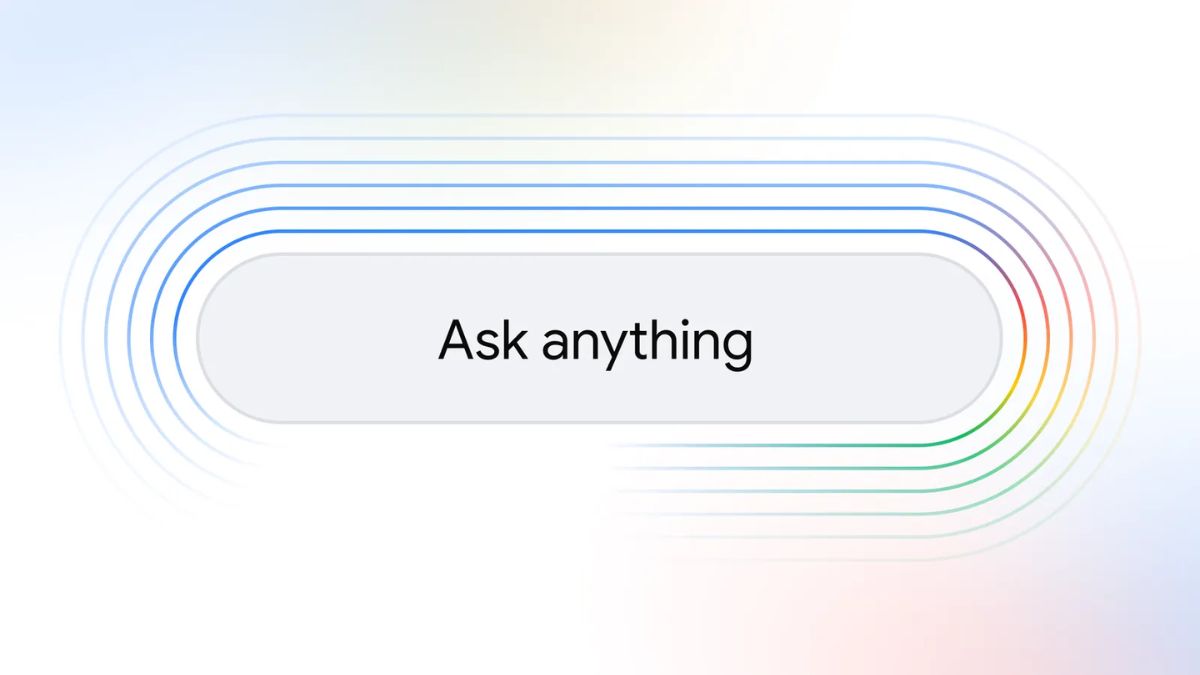
Photo Credit: Google
Google recently added Personal Intelligence to AI Mode in Search
Click Here to Add Gadgets360 As A Trusted Source

Advertisement
Google is making two new additions to the artificial intelligence (AI) features in Search. The Mountain View-based tech giant has now added the Gemini 3 AI model to both AI Overviews and AI Mode, making them more performant than before. Additionally, the company is also making it easier to transition from the results page to AI Mode. The tech giant highlighted that both of these capabilities are now rolling out globally across devices and interfaces. Notably, recently, Google added Personal Intelligence to AI Mode.
AI Overviews and AI Mode Become More Seamless
In a blog post, the tech giant announced and detailed the two new features. Starting now, Gemini 3 will become the default AI model for AI Overviews globally. Earlier, the model powered the AI Mode, but the AI-powered results summary feature continued to be powered by an older model. Now, both features are using the same underlying large language model. This will mean that whether a user is looking at the summaries or at the conversation, the responses will be of the same quality.
Second is a quality of life improvement that makes it easier for users to jump from AI Overviews or the non-AI results page to AI Mode seamlessly. Currently, if a user makes a Search query, they are taken to the All tab, with the AI Overviews appearing for select queries (Google says they appear wherever they're helpful). If a user wants to move to AI Mode for a deep dive, they can do one of two things.
First, they can tap on the AI Mode tab located on the left side of the All tab, or they can tap on “Show More” in AI Overviews and tap on the “Dive deeper in AI Mode” button located at the bottom of the section. In both cases, AI Mode shows the response to the initial response. Then users can ask their follow-up questions.
But this flow has redundancy built into the interface, as the user will have to see the AI Mode response to the original query, which does not offer any significantly different response. Google is now fixing this. Once the user is on the AI Overviews, tapping “Show More” automatically opens a new text box at the bottom of the interface, where users can type their follow-up query. Hitting enter takes them to AI Mode, with the conversational chatbot answering the follow-up query directly.
Google is rolling out both of these capabilities globally, but it can take a few days before users start seeing them on their end.
Comments
Get your daily dose of tech news, reviews, and insights, in under 80 characters on Gadgets 360 Turbo. Connect with fellow tech lovers on our Forum. Follow us on X, Facebook, WhatsApp, Threads and Google News for instant updates. Catch all the action on our YouTube channel.
Related Stories





Advertisement
Follow Us




-
![[Sponsored] Galaxy Watch9 for Everyday Health Insights | Smarter Wellness Choices](https://www.gadgets360.com/static/desktop/images/spacer.png)
01:42
[Sponsored] Galaxy Watch9 for Everyday Health Insights | Smarter Wellness Choices -
01:15
[Sponsored] Galaxy Tab S10 Lite for Students: Notes, Solve Math and More -
04:17
[Sponsored] LG NANO 4K UHD AI TV NU885: Gemini Search, Dolby Atmos & 5 Years of Updates -
00:57
[Sponsored] Samsung Galaxy Z Fold8 My Fan Cam in Action: Find the Moment, Then Share It -
01:41
[Sponsored] What Do You Need To Know Before Your Next Run? | Samsung Galaxy Watch Ultra2
-
₹12 हजार छूट के साथ मिल रहा 48 मेगापिक्सल कैमरा वाला iPhone 17 Pro
-
धरती पर ये चीज होगी महंगी, एलन मस्क ने बताया, रोबोट के लिए बंपर डिमांड
-
आनंद महिंद्रा ने क्यों बदला UPI ऐप, बताई इस फैसले की वजह
-
Motorola Edge 70 Neo में मिल सकती है 7,000mAh बैटरी, 50 मेगापिक्सल प्राइमरी कैमरा
-
iPhone 18e में मिल सकता है 6.12 इंच डिस्प्ले, 24 मेगापिक्सल का फ्रंट कैमरा
Advertisement
Popular on Gadgets
- Samsung Galaxy S26 Ultra
- Motorola Razr Fold
- ChatGPT
- OPPO Find N6
- Mobiles Under Rs. 40,000
- Vivo X300 Ultra
- Asus Zenbook S14
- iQOO 15
- Vivo X300 Pro
- Lenovo Yoga Slim 7i Aura Edition
- iQOO 15R
- Vivo X Fold 5
- Sony PlayStation 5
- HP OmniPad 12
- OnePlus Nord CE 6 Lite
- OnePlus Pad 4
- OPPO F33 Pro 5G
- Cryptocurrency
- HP OmniBook Ultra 14 (2026)
- iPhone 17
- Eureka Forbes AP 355 Room Air Purifier
- Latest Mobile Phones
- Compare Phones
Latest Gadgets
- Vivo Y600
- HMD 2660 Flip Senior Edition
- Lava Aura Curve
- Poco X8s
- Samsung Galaxy F70 5G
- Tecno Spark 50S 5G
- Vivo Y600s Pro
- Vivo Y32 (2026)
- MacBook Pro 14-Inch (M6, 2026)
- Lenovo Yoga 9n 2-in-1
- iPad mini (2026)
- Amazon Alexa Tablet 8
- Pebble Qore 2
- Amazfit T-Rex Dual Solar
- Toshiba 65-Inch 4K Ultra HD Smart Mini LED QLED TV (65Z670SP)
- Haier M70 Mini LED 65-inch
- Acer Predator Atlas 8
- Asus ROG Ally
- Blue Star 1.5 Ton 5 Star Inverter Split AC (IE518ZNURS)
- Blue Star 2 Ton 3 Star Inverter Window AC (WIE324L)

- About Us
- Sitemaps
- Feedback
- Archives
- Contact Us
- RSS
- Advertise
- Career
- Privacy Policy
- Ethics
- Editorial Policy
- Terms & Conditions
- Complaint Redressal
Download Our Apps
Available in Hindi
© Copyright Red Pixels Ventures Limited 2026. All rights reserved.