- Home
- How to
- How to Features
- How to Find SIM Number on Android: A Step by Step Guide
How to Find SIM Number on Android: A Step-by-Step Guide
The ICCID is a unique 19 or 20-digit number that is connected with the SIM card in your mobile phone.
Written by Nithya P Nair, Edited by David Delima | Updated: 7 December 2025 15:00 IST
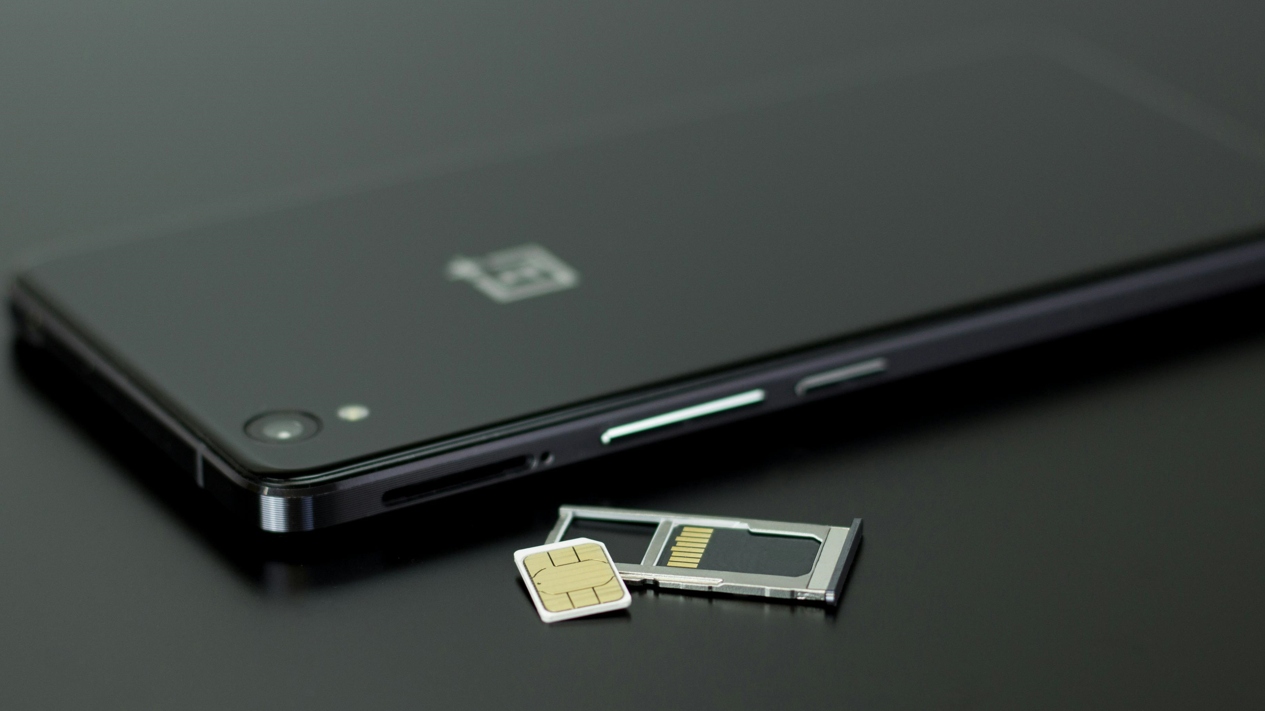
Photo Credit: Pexels/ Silvie Lindemann
SIM numbers typically start with 89
Click Here to Add Gadgets360 As A Trusted Source

Advertisement
Your SIM number, or the ICCID (Integrated Circuit Card Identification) number, is a unique number that is considered a serial identifier for your SIM card or eSIM. It helps mobile network operators to identify and link your SIM to their network. This 19 or 20-digit number is essential in situations like switching carriers, fixing connectivity issues, or activating an eSIM on a new phone. If your device has multiple SIM cards, knowing the ICCID for each SIM will help you better manage them. The SIM number usually starts with 89.
Locating your SIM number on an Android device is easy. You can check it either through the Settings app or by physically removing the SIM card to read the number printed on it. Users can dial a code to find it out. Here's a step-by-step guide to help you find it in under a minute.
How to Find SIM Number Using Android Settings
- Open your Android smartphone and open the Settings app.
- Select About phone or About device (The options could vary depending on the brand of your phone.)
- Select Status or SIM card status.
- Scroll down to see your ICCID (or SIM number).
If the Settings method is not working for you, there's another option - ejecting the SIM tray from your Android phone to check your SIM number manually. You can follow the steps below:
How to Find SIM Number Manually
- Switch off your phone.
- Use a SIM ejector tool or a small pin to eject the SIM tray.
- Remove the SIM card and check for the ICCID printed on it
Users can also dial a specific code using the phone app to locate the SIM number. On some devices, it displays the ICCID number alongside the IMEI number, while other devices only show the IMEI number, and the steps below might not work on your phone.
How to Find SIM Number Using Dial Code
- Open the dialler app on your Android smartphone.
- Enter the code *#06# and press the call button.
- Your screen will display a popup that shows one of the following options.
- On most devices, you'll see the IMEI number.
- On some devices, the ICCID (SIM number) will also appear alongside the IMEI.
You can also contact your mobile carrier's customer support. They can provide the ICCID linked to your SIM or eSIM. Additionally, some third-party apps claimed to offer ICCID details, but they may pose some security risk. Therefore, it is advised to download apps from authorised sources like the Google Play store or Apple's App Store.
FAQs
1. Is ICCID the same as SIM number?
Yes, ICCID (Integrated Circuit Card Identifier) is the official term for the SIM number.
2. Where is the ICCID located on the SIM card?
The ICCID is usually printed directly on the SIM card, often near a barcode.
3. Does every Android phone show ICCID in Settings?
Most modern Android phones do, but some older models may not display it. In that case, use the SIM tray method.
3. Can I find the SIM number if my phone is locked or switched off?
Yes, you can eject the SIM card and read the ICCID printed on it.
4. Is there any app to check the SIM number?
Yes, many carrier apps and third-party apps can display SIM details, but the built-in Settings method is usually the easiest and safest way to do so.
Comments
Get your daily dose of tech news, reviews, and insights, in under 80 characters on Gadgets 360 Turbo. Connect with fellow tech lovers on our Forum. Follow us on X, Facebook, WhatsApp, Threads and Google News for instant updates. Catch all the action on our YouTube channel.


Advertisement
Follow Us




-

05:20
Samsung Galaxy Watch Ultra 2 Review: Is This the Best Android Smartwatch? -
07:01
Samsung Galaxy Z Fold 8 Review: Is This the Best Foldable Phone? -
06:39
Samsung Galaxy Z Fold8 Ultra Review: Cameras, Battery, Performance Tested -
04:33
[Sponsored] JBL Live 780NC: Great Sound, Perfect Comfort, Smart ANC & 80-Hour Battery -
12:04
[Partner Content] OPPO Reno16 Series Deep Dive: Built for Creators?
-
iPhone Duo के लिए ₹3 लाख का बजट नहीं है? ये 4 सस्ते फोल्डेबल फोन देखिए
-
सोशल मीडिया में छाया 80s AI Photo Trend, आप भी आजमाएं ये 5 Prompts
-
Motorola के 7000mAh बैटरी वाले फोन पर ₹4,500 तक की बचत
-
Motorola Edge 70 Neo भारत में लॉन्च होगा Snapdragon चिप, 6GB रैम के साथ, IP68, IP69 रेटिंग!
-
85km रेंज वाली नई इलेक्ट्रिक बाइक Trek Inbound+ लॉन्च, जानें कीमत
Advertisement
Popular on Gadgets
- Samsung Galaxy S26 Ultra
- Motorola Razr Fold
- ChatGPT
- OPPO Find N6
- Mobiles Under Rs. 40,000
- Vivo X300 Ultra
- Asus Zenbook S14
- iQOO 15
- Vivo X300 Pro
- Lenovo Yoga Slim 7i Aura Edition
- iQOO 15R
- Vivo X Fold 5
- Sony PlayStation 5
- HP OmniPad 12
- OnePlus Nord CE 6 Lite
- OnePlus Pad 4
- OPPO F33 Pro 5G
- Cryptocurrency
- HP OmniBook Ultra 14 (2026)
- iPhone 17
- Eureka Forbes AP 355 Room Air Purifier
- Latest Mobile Phones
- Compare Phones
Latest Gadgets
- iPhone Duo
- OPPO A7 Pro
- Huawei Mate XT 2 Ultimate Design
- Realme 16 Pro Harry Potter Edition
- Samsung Galaxy A07s
- Huawei Pura X View
- Tecno Camon Slim 5G
- iQOO Z11xa
- Acer Aspire G 3D 16
- Acer Swift Air 16 (2026)
- Infinix Xpad 30 Pro
- Lenovo Yoga Tab Gen 2
- Apple Watch Ultra 4
- Apple Watch Series 12
- Haier M70 Mini LED 65-inch
- Xiaomi TV FX Mini LED 65
- Acer Predator Atlas 8
- Asus ROG Ally
- Blue Star 1.5 Ton 5 Star Inverter Split AC (IE518ZNURS)
- Blue Star 2 Ton 3 Star Inverter Window AC (WIE324L)

- About Us
- Sitemaps
- Feedback
- Archives
- Contact Us
- RSS
- Advertise
- Career
- Privacy Policy
- Ethics
- Editorial Policy
- Terms & Conditions
- Complaint Redressal
Download Our Apps
Available in Hindi
© Copyright Red Pixels Ventures Limited 2026. All rights reserved.