-
 How to Change Instagram Username: A Step-by-Step Guide19 September 2026
 -
Meta One Subscription Launched in India as a Single Plan for WhatsApp Plus, Instagram Plus and Facebook Plus With Higher AI Limits16 September 2026
-
Instagram Lets Users Add Tagged Posts to Their Main Profile Grid11 September 2026
-
Instagram Renames AI Creator Label, Limits Reach of Undisclosed Profiles1 September 2026
-
How to Secure Your Instagram Account With Two-Factor Authentication30 August 2026
- Home
- How to
- How to Features
- How to Enable Two Factor Authentication on Instagram Using Various Methods
How to Enable Two-Factor Authentication on Instagram Using Various Methods
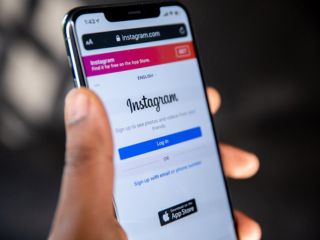
Instagram offers two-factor authentication as an additional, but recommended, security feature to all users.
Written by Dhruv Raghav, Edited by David Delima | Updated: 9 May 2026 10:00 IST

Photo Credit: Pixabay/ Solen Feyissa
Here's how you can enable two-factor authentication on Instagram
Click Here to Add Gadgets360 As A Trusted Source

Advertisement
Most people think that having a strong and unique password for their social media account is enough to keep hackers away. However, with the advancement of technology, bad actors have begun employing innovative ways to gain access to your accounts. Like most of its competition, the photo and video-sharing platform Instagram also offers two-factor authentication to its users. This offers a higher level of security to social media users, as they have to authenticate each time they log in to their accounts using a new device. This restricts the chances of your account being hacked, even if a bad actor gets hold of your account credentials.
If you also want a higher level of account security on the social media platform, protecting your account from getting hacked by a bad actor, we have created a step-by-step guide for you to easily enable two-factor authentication on Instagram.
- Instagram Channels are just a way for influencers to spam us directly
- Instagram Reels vs. YouTube Shorts — Where do you waste more time?
- Instagram ending end-to-end encryption for DMs — how does this change things?
- Instagram Creators Have Wanted This Feature for Years
- Facebook and Instagram using bone structure analysis sounds a bit unsettling
Benefits of Enabling Two-Factor Authentication on Instagram
There are various benefits of enabling two-factor authentication on Instagram. It acts as an additional layer of security for your social media account, asking you to validate or authenticate each time you log in to your Instagram account. When you do not have two-factor authentication enabled, you can simply log in to your account by entering your account credentials, like your username or email ID, along with your password.
However, if you have enabled two-factor authentication for your Instagram account, the social media platform will ask you to provide a unique authentication code to validate the login. Hence, even if your password leaks online or somebody else gains access to it without your knowledge, they will not be able to hack your account without the authentication code.
Instagram lets you either opt for a third-party authentication app or receive the code on your phone via SMS or WhatsApp. The social media platform recommends that you choose a third-party authentication app, like Duo Mobile or Google Authenticator, since their codes refresh automatically every few minutes.
However, if somebody has remote access to your phone, they can use the authentication codes received via SMS or WhatsApp to enter your Instagram account. But it should be noted that Instagram sends a unique authentication code via text each time you attempt to log in. Hence, if a hacker has access to a previous authentication code, they will not be able to access your Instagram account during a fresh login.
How to Enable Two-Factor Authentication on Instagram Using a Third-Party Authentication App
- First, open the Instagram app on your phone and log in to the account you want to enable two-factor authentication for.
- Now, click your profile picture, appearing in the bottom-right corner of the screen, to navigate your profile page.
- Then, click on the three horizontal lines in the top-right corner of the screen to open the Settings and activity menu.
- Now, tap on the Accounts Centre button under Your account.
- A new page will appear, where you can manage all your Meta accounts.
- You must tap on the Password and security button.
- Here, you must click on the Two-factor authentication button, which is the second option from the top.
- Now, you must choose the account for which you want to enable two-factor authentication.
- Tap on the username of that particular account.
- Here, you can choose between using a third-party authentication app and SMS or WhatsApp to get your authentication code.
- Select the Authentication app option > click on the Next button.
- Now, Instagram will ask you to download a third-party authentication app and display your account authentication key.
- If you already have one installed, copy the authentication key from Instagram and paste in the authentication app.
- Alternatively, you can tap on the View barcode/QR code button and scan the same via the authentication app.
- Now, the authentication app will generate a six-digit code for you, which you must enter while logging in to your Instagram account.
- You now have two-factor authentication enabled on your Instagram account.
How to Enable Two-Factor Authentication on Instagram via SMS or WhatsApp
- Follow the same first to tenth steps as mentioned above to reach the two-factor authentication page.
- Select the SMS or WhatsApp option > click on the Next button.
- Enter your mobile number on which you want to receive the Instagram authentication code.
- Then, tap on the Next button.
- Instagram will now send a six-digit code to your phone number via WhatsApp.
- Here, you can choose to receive the authentication code via SMS by tapping on the Get code via SMS instead button at the bottom of the screen.
- Enter the six-digit code on Instagram and tap on the Next button.
- You now have two-factor authentication enabled on your Instagram account. Instagram will send you a six-digit code on WhatsApp or SMS each time you log in.
FAQs
1. Why should I enable two-factor authentication on Instagram?
If you enable two-factor authentication on Instagram, it will be difficult for others to log in to your account without your permission, even if they have your account credentials.
2. Is it better to use a third-party authentication app for two-factor authentication on Instagram?
Instagram recommends that users opt for a third-party authentication app, like Google Authenticator or Duo Mobile.
3. Where does Instagram send the two-factor authentication code?
Instagram sends the two-factor authentication code to users via SMS or WhatsApp.
Comments
Get your daily dose of tech news, reviews, and insights, in under 80 characters on Gadgets 360 Turbo. Connect with fellow tech lovers on our Forum. Follow us on X, Facebook, WhatsApp, Threads and Google News for instant updates. Catch all the action on our YouTube channel.
Further reading:
Instagram, Instagram Two Factor Authentication
Related Stories





Advertisement
Follow Us




-
![[Sponsored] Samsung Galaxy Z Fold8: How It Fits Into an Actor’s Busy Day | Camera, Multitasking & More](https://www.gadgets360.com/static/desktop/images/spacer.png)
03:41
[Sponsored] Samsung Galaxy Z Fold8: How It Fits Into an Actor’s Busy Day | Camera, Multitasking & More -
09:53
iPhone 18 Goes On Sale In India: Huge Crowds, Long Queues At Apple Stores -
06:32
Google Pixel 11 Pro XL Review: The Most Exciting Pixel Yet? | 120X Zoom + Tensor G6 -
05:20
Samsung Galaxy Watch Ultra 2 Review: Is This the Best Android Smartwatch? -
07:01
Samsung Galaxy Z Fold 8 Review: Is This the Best Foldable Phone?
Advertisement
Popular on Gadgets
- Samsung Galaxy S26 Ultra
- Motorola Razr Fold
- ChatGPT
- OPPO Find N6
- Mobiles Under Rs. 40,000
- Vivo X300 Ultra
- Asus Zenbook S14
- iQOO 15
- Vivo X300 Pro
- Lenovo Yoga Slim 7i Aura Edition
- iQOO 15R
- Vivo X Fold 5
- Sony PlayStation 5
- HP OmniPad 12
- OnePlus Nord CE 6 Lite
- OnePlus Pad 4
- OPPO F33 Pro 5G
- Cryptocurrency
- HP OmniBook Ultra 14 (2026)
- iPhone 17
- Eureka Forbes AP 355 Room Air Purifier
- Latest Mobile Phones
- Compare Phones
Latest Gadgets
- Ai+ Nova 2 Power 5G
- Lava Virat Curve 5G
- Lava Bold N4 Pro 5G
- Samsung Galaxy A08
- Itel Muzik 450L
- OPPO K14 Lite
- Samsung Galaxy A18 4G
- iPhone Duo
- Lenovo LOQ 15AHP11
- Lenovo Legion 5a (2026)
- Xiaomi Pad 9 Pro
- Xiaomi Pad 9
- Apple Watch Ultra 4
- Apple Watch Series 12
- Haier M70 Mini LED 65-inch
- Xiaomi TV FX Mini LED 65
- Acer Predator Atlas 8
- Asus ROG Ally
- Blue Star 1.5 Ton 5 Star Inverter Split AC (IE518ZNURS)
- Blue Star 2 Ton 3 Star Inverter Window AC (WIE324L)

- About Us
- Sitemaps
- Feedback
- Archives
- Contact Us
- RSS
- Advertise
- Career
- Privacy Policy
- Ethics
- Editorial Policy
- Terms & Conditions
- Complaint Redressal
Download Our Apps
Available in Hindi
© Copyright Red Pixels Ventures Limited 2026. All rights reserved.