-
 YouTube Partner Program Entry Thresholds Updated With Higher Requirements for New Creators11 August 2026
 -
Google TV Update Adds YouTube Shorts, Nano Banana and Gemini AI-Powered Veo Features30 April 2026
-
YouTube's New Option Lets Users Effectively Turn Off Shorts From Their Feed16 April 2026
-
YouTube Takes on OpenAI’s Sora, to Soon Let Users Create AI-Generated Shorts Using Their Own Likeness22 January 2026
-
YouTube Brings More Parental Controls, Allows Parents to Set the Shorts Feed Limit to Zero15 January 2026
- Home
- How to
- How to Features
- How to Turn Off YouTube Shorts on Your Smartphone: A Step by Step Guide
How to Turn Off YouTube Shorts on Your Smartphone: A Step-by-Step Guide
YouTube allows users to manually ignore the limit if they want to continue watching Shorts after reaching the restriction.
Written by Sucharita Ganguly | Updated: 6 May 2026 18:10 IST
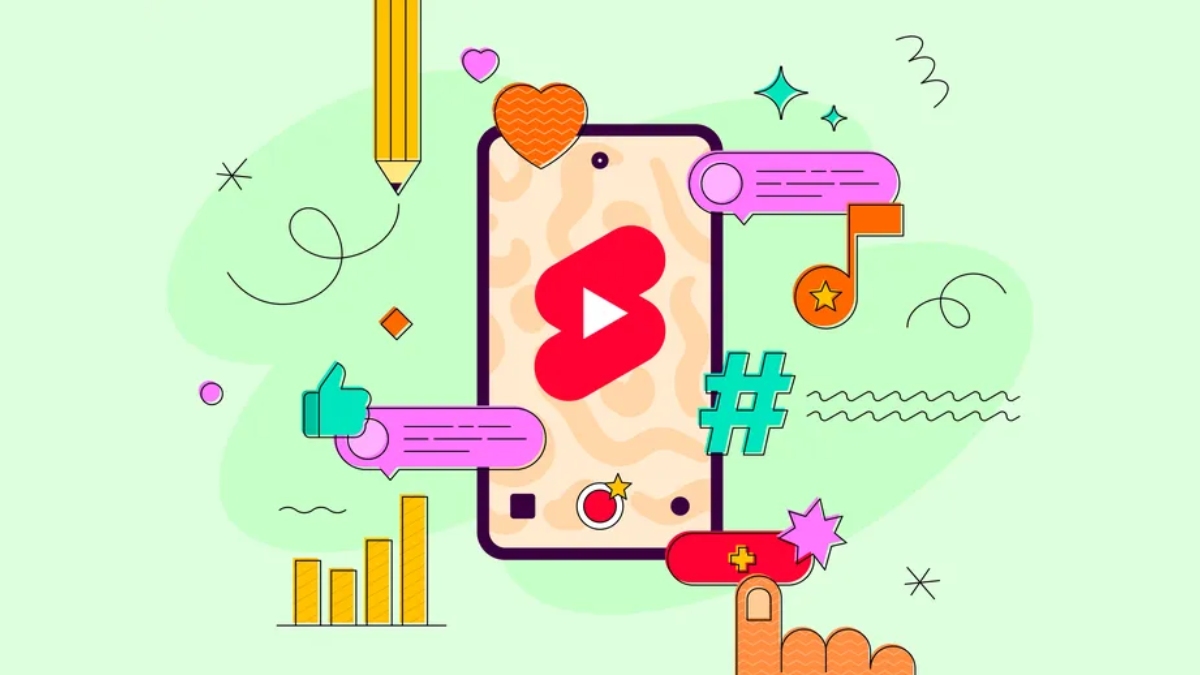
Photo Credit: YouTube
Shorts may still appear in search results, subscriptions, and shared links
Click Here to Add Gadgets360 As A Trusted Source

Advertisement
YouTube has introduced a new way for users to cut down on endless Shorts scrolling on the mobile app. The platform now allows Android and iPhone users to set the Shorts feed timer to zero minutes, effectively disabling the main Shorts feed from the app interface. The feature is part of YouTube's Time Management tools and is rolling out globally. While Shorts will not disappear entirely and may still appear in search results, subscription feeds, or shared links, the update removes the infinite scrolling experience that many users find distracting.
The new option could help users reduce screen time, improve focus, or make the YouTube app feel less cluttered with short-form video recommendations. It may also give parents better control over how much time children and teenagers spend watching Shorts. The setting is currently limited to the YouTube mobile app and is not available on desktop or smart TV versions of the service.
- Can I turn off YouTube Shorts on my phone?
- Instagram Reels vs. YouTube Shorts — Where do you waste more time?
- Which is the best application for editing Instagram Reels or YouTube Shorts?
- Netflix has added a vertical video feed to its mobile app? How many Reels are are too many Reels?
- Lately, I’ve been seeing Shorts on YouTube auto-dubbed. What’s happening?
How to Turn Off YouTube Shorts on Android and iPhone
- First, open the YouTube app on your Android smartphone or iPhone.
- Tap your profile picture in the top-right or bottom-right corner of the screen.
- From there, head into Settings and select the Time Management option.
- Next, scroll down until you find the Daily Limits section. You will then see the Shorts Feed Limit toggle.
- Turn the feature on and set the timer to zero minutes.
- Once enabled, YouTube will immediately pause the Shorts feed and remove the endless Shorts scrolling experience from the app.
- Shorts recommendations on the homepage may also disappear from the app experience.
After setting the Shorts limit to zero minutes, you will no longer be able to endlessly scroll through Shorts on the YouTube app. However, Shorts may still appear in search results, subscription feeds, and shared links sent by friends. Users can also continue watching individual Shorts if they open them directly.
YouTube also allows users to ignore the limit manually if they want to continue watching Shorts.
FAQs
1. Can you completely turn off YouTube Shorts?
Not entirely. Setting the Shorts feed timer to zero minutes removes the main Shorts scrolling feed from the YouTube mobile app, but Shorts may still appear in search results, subscription feeds, and shared links.
2. Is the YouTube Shorts limit available on Android and iPhone?
Yes. The feature is rolling out globally, in a phased manner, on the YouTube mobile app for both Android and iOS users.
3. Can you still watch individual Shorts after disabling the feed?
Yes. Users can still open and watch individual Shorts directly if they are shared through links or appear in other sections of the app.
4. Does the YouTube Shorts limit work on desktop or smart TVs?
No. The Shorts feed limit feature currently works only on the YouTube mobile app and is not available on desktop browsers or smart TV apps.
Comments
Get your daily dose of tech news, reviews, and insights, in under 80 characters on Gadgets 360 Turbo. Connect with fellow tech lovers on our Forum. Follow us on X, Facebook, WhatsApp, Threads and Google News for instant updates. Catch all the action on our YouTube channel.
Related Stories



Advertisement
Follow Us




-

09:53
iPhone 18 Goes On Sale In India: Huge Crowds, Long Queues At Apple Stores -
06:32
Google Pixel 11 Pro XL Review: The Most Exciting Pixel Yet? | 120X Zoom + Tensor G6 -
05:20
Samsung Galaxy Watch Ultra 2 Review: Is This the Best Android Smartwatch? -
07:01
Samsung Galaxy Z Fold 8 Review: Is This the Best Foldable Phone? -
06:39
Samsung Galaxy Z Fold8 Ultra Review: Cameras, Battery, Performance Tested
-
10 मिनट में घर पहुंचेंगे iPhone 18 Pro, Pro Max: सेल हुई शुरू
-
Lava ने लॉन्च किया 6000mAh बैटरी वाला Bold N4 Pro 5G
-
itel Zeno 300 भारत में होगा लॉन्च, मिलेगी 6,000mAh बैटरी और डुअल कैमरा
-
Honor ला रही नया मिडरेंज फोन Honor X9e Pro 5G, 108MP दो कैमरा, 11,000mAh बैटरी के साथ!
-
₹5075 सस्ता मिल रहा 50 हजार एमआरपी वाला लेटेस्ट Vivo 5G फोन! 50MP दो कैमरा, 7050mAh बैटरी
Advertisement
Popular on Gadgets
- Samsung Galaxy S26 Ultra
- Motorola Razr Fold
- ChatGPT
- OPPO Find N6
- Mobiles Under Rs. 40,000
- Vivo X300 Ultra
- Asus Zenbook S14
- iQOO 15
- Vivo X300 Pro
- Lenovo Yoga Slim 7i Aura Edition
- iQOO 15R
- Vivo X Fold 5
- Sony PlayStation 5
- HP OmniPad 12
- OnePlus Nord CE 6 Lite
- OnePlus Pad 4
- OPPO F33 Pro 5G
- Cryptocurrency
- HP OmniBook Ultra 14 (2026)
- iPhone 17
- Eureka Forbes AP 355 Room Air Purifier
- Latest Mobile Phones
- Compare Phones
Latest Gadgets
- Lava Bold N4 Pro 5G
- Samsung Galaxy A08
- Itel Muzik 450L
- OPPO K14 Lite
- Samsung Galaxy A18 4G
- iPhone Duo
- OPPO A7 Pro
- Huawei Mate XT 2 Ultimate Design
- Asus Vivobook S14 (S5452MA)
- Acer Aspire G 3D 16
- Xiaomi Pad 9 Pro
- Xiaomi Pad 9
- Apple Watch Ultra 4
- Apple Watch Series 12
- Haier M70 Mini LED 65-inch
- Xiaomi TV FX Mini LED 65
- Acer Predator Atlas 8
- Asus ROG Ally
- Blue Star 1.5 Ton 5 Star Inverter Split AC (IE518ZNURS)
- Blue Star 2 Ton 3 Star Inverter Window AC (WIE324L)

- About Us
- Sitemaps
- Feedback
- Archives
- Contact Us
- RSS
- Advertise
- Career
- Privacy Policy
- Ethics
- Editorial Policy
- Terms & Conditions
- Complaint Redressal
Download Our Apps
Available in Hindi
© Copyright Red Pixels Ventures Limited 2026. All rights reserved.