
-
 Redmi Router AX5400 With Wi-Fi 6 Support, Hybrid Mesh Support Launched17 February 2022
-
Netgear Orbi RBK353 Wi-Fi 6 Mesh System (AX1800) With 300 Square Metre-Coverage, Up to 1.8Gbps Speed Launched in India7 September 2021
-
Netgear Nighthawk XR1000 Pro Gaming Wi-Fi 6 (AX5400) Router With VR Gaming Support Launched in India17 August 2021
-
D-Link Launches ‘World’s First’ Wi-Fi 6 Adapter, Wi-Fi 6 AI Mesh Routers at CES 202112 January 2021
-
Linksys Velop MX5300 Wi-Fi 6 Mesh Router Launched in India10 June 2020
- Home
- Internet
- Internet Features
- Wi Fi 6 vs Wi Fi 6E vs Wi Fi 7: What's the Difference?
Wi-Fi 6 vs Wi-Fi 6E vs Wi-Fi 7: What's the Difference?
India's limited 6GHz spectrum leaves Wi-Fi 6E and Wi-Fi 7 routers with fewer channels, especially in crowded areas.
Written by Sucharita Ganguly, Edited by Rohan Pal | Updated: 29 November 2026 19:00 IST
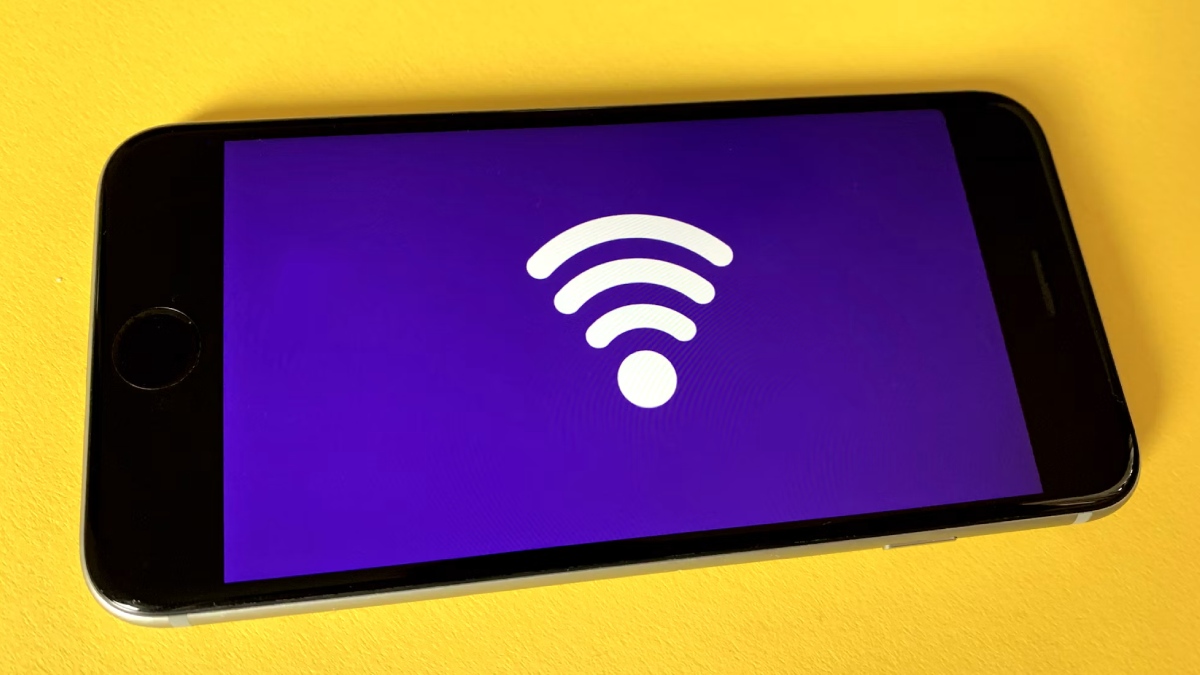
Photo Credit: Unsplash/Franck
The differences affect wireless coverage and performance
Click Here to Add Gadgets360 As A Trusted Source

Advertisement
Most of us don't really think about our Wi-Fi until it starts giving us trouble. Maybe you're halfway through a film when it starts buffering, or your video call keeps freezing. Even a download can take ages when you need it done in a hurry. And when your phone, laptop, TV and several other devices are all connected to the same network, things can get a little frustrating. The problem isn't always your internet plan, either. Sometimes, it's the Wi-Fi connection.
If you've looked at the specs of a new phone, laptop or router lately, you might have spotted Wi-Fi 6, Wi-Fi 6E or Wi-Fi 7 mentioned somewhere. The names are quite similar, but there are some real differences between them. They affect how fast your connection can be, how far it reaches and how well it works when everyone at home is online.
Wi-Fi 6 vs Wi-Fi 6E vs Wi-Fi 7: Key Differences
Launch
Wi-Fi 6: Also called IEEE 802.11ax, Wi-Fi 6 arrived in September 2019. The idea was to make Wi-Fi work better in places where several devices are connected to the same router, rather than just focus on faster speeds. It brought features such as Orthogonal Frequency Division Multiple Access (OFDMA) and improved Multi-User Multiple Input Multiple Output (MU-MIMO) support, which help routers manage network traffic more efficiently.
Wi-Fi 6E: Wi-Fi 6E followed in 2020. It uses the same IEEE 802.11ax standard as Wi-Fi 6, but adds support for the 6GHz band. This gives compatible devices access to more wireless spectrum, which means less congestion and more room for demanding activities such as streaming and large downloads.
Wi-Fi 7: Introduced in 2024, Wi-Fi 7 (IEEE 802.11be) takes things further with wider channels, higher data rates and a feature called Multi-Link Operation (MLO). The latter lets compatible devices use multiple frequency bands at the same time. Together, these changes are aimed at making connections faster and more reliable.
Speed
Wi-Fi 6: Wi-Fi 6 has a theoretical maximum speed of 9.6Gbps, with support for channel bandwidths of up to 160MHz and 1024-QAM modulation. That's enough bandwidth for activities such as HD and 4K streaming, online gaming and downloading large files. Of course, you won't necessarily get anywhere near that top speed in everyday use. It depends on your router, the device you're using and your internet connection.
Wi-Fi 6E: The maximum theoretical speed remains 9.6Gbps, since Wi-Fi 6E uses the same underlying technology as Wi-Fi 6. The difference is that it also gives compatible devices access to the 6GHz band. This extra spectrum means there's more room for devices to connect, which can help in places where several Wi-Fi networks are competing for bandwidth.
Wi-Fi 7: This is where the numbers get a big jump. Wi-Fi 7 supports theoretical speeds of up to 46Gbps, along with channel bandwidths of up to 320MHz and 4096-QAM modulation, also called 4K-QAM. Wider channels let more data pass through at once, while 4096-QAM allows more data to be packed into each transmission. You'll need compatible hardware and the right network conditions to make use of these capabilities, though.
Number of Supported Devices
Wi-Fi 6: Wi-Fi 6 is better at handling several devices connected to the same network. It uses OFDMA to split a wireless channel into smaller portions, which can then be shared by multiple devices. MU-MIMO also lets a router communicate with several devices at the same time. This helps when multiple people at home are streaming videos, playing games or browsing the web on their phones, laptops and smart TVs.
Wi-Fi 6E: Wi-Fi 6E has the same OFDMA and MU-MIMO features, but the added 6GHz band gives compatible devices more channels to use. This can help ease congestion, especially in apartment buildings or offices where several nearby networks are competing for space.
Wi-Fi 7: Wi-Fi 7 adds Multi-Link Operation (MLO), which lets compatible devices use more than one frequency band or link at the same time. This can improve speeds, reduce lag and make connections more stable. It also brings improvements to OFDMA and supports preamble puncturing. Put simply, this lets devices use the parts of a channel that are still clear when another part is affected by interference.
Range
Wi-Fi 6: Wi-Fi 6 works on the 2.4GHz and 5GHz bands. The 2.4GHz band has a longer reach and passes through walls more easily, while 5GHz offers faster speeds but over shorter distances. Having both options lets routers balance coverage and speed based on the device and its location.
Wi-Fi 6E: Wi-Fi 6E adds the 6GHz band to the existing 2.4GHz and 5GHz options. This gives compatible devices access to more bandwidth and less crowded channels. There is a trade-off, though. 6GHz signals don't travel as far and struggle more with walls and other obstacles. So, if you're using this band, staying closer to the router can make a difference.
Wi-Fi 7: Wi-Fi 7 also works across all three bands. How far the signal reaches still depends on the band in use, the router's antennas and what's between the router and your device. MLO can help compatible devices maintain a more reliable connection by using multiple links, but it can't make 6GHz signals travel further or pass through walls more easily.
India only allows Wi-Fi devices to use part of the 6GHz band, from 5925MHz to 6425MHz. The rest has been reserved for mobile services. So, unlike in some other countries, Wi-Fi 6E and Wi-Fi 7 routers here have a smaller slice of the 6GHz band available to them.
You probably won't notice this when you're streaming a film or playing a game at home. The bigger concern is that routers have fewer channels to use. This can matter in apartment buildings, where several neighbours might be using their own Wi-Fi networks at the same time. With so many networks around, there's less room for them to operate without interfering with each other.
FAQs
1. Which Wi-Fi standard offers better range?
Wi-Fi 6 generally offers better coverage through its support for the 2.4GHz band. Wi-Fi 6E and Wi-Fi 7 also support this band, but their additional 6GHz connectivity has a shorter range and is more easily affected by obstacles.
2. Which Wi-Fi standard offers higher speeds?
Wi-Fi 7 offers the highest theoretical speeds of up to 46Gbps. Wi-Fi 6 and Wi-Fi 6E both support theoretical speeds of up to 9.6Gbps.
3. Which Wi-Fi standard is better at handling multiple devices?
All three standards support technologies such as OFDMA and MU-MIMO. However, Wi-Fi 7 adds Multi-Link Operation, which allows compatible devices to use multiple links simultaneously for improved throughput and reliability.
Comments
Get your daily dose of tech news, reviews, and insights, in under 80 characters on Gadgets 360 Turbo. Connect with fellow tech lovers on our Forum. Follow us on X, Facebook, WhatsApp, Threads and Google News for instant updates. Catch all the action on our YouTube channel.
Related Stories




Advertisement
Follow Us


-
 Budget Glam: Top Indo-Western Gowns Under ₹1,500 That Look Luxe
-
Best TWS Earbuds & Smartwatches Under ₹2,000 in the Amazon Black Friday Sale
-
Best Lee Cooper Shoes for Men: Top Picks for Work, Workouts, and Weekends
-
Amazon Black Friday Sale: Best Heat Protectant Sprays & Hair Serums Under ₹599 for Styling
-
Top Branded Pashmina Shawls Under ₹1,199 for Festive Winter
Advertisement
Popular on Gadgets
- Samsung Galaxy S26 Ultra
- Motorola Razr Fold
- ChatGPT
- OPPO Find N6
- Mobiles Under Rs. 40,000
- Vivo X300 Ultra
- Asus Zenbook S14
- iQOO 15
- Vivo X300 Pro
- Lenovo Yoga Slim 7i Aura Edition
- iQOO 15R
- Vivo X Fold 5
- Sony PlayStation 5
- HP OmniPad 12
- OnePlus Nord CE 6 Lite
- OnePlus Pad 4
- OPPO F33 Pro 5G
- Cryptocurrency
- HP OmniBook Ultra 14 (2026)
- iPhone 17
- Eureka Forbes AP 355 Room Air Purifier
- Latest Mobile Phones
- Compare Phones
Latest Gadgets
- HMD Rise
- Redmi R80m 5G
- Redmi R80 5G
- Lava Smart 4 Pro
- Motorola Edge 70 Neo
- OPPO Reno 17 Pro (China)
- OPPO Reno 17 (China)
- Vivo Y6k
- HP OmniBook Ultra 16
- Dell XPS 16 Creator Edition
- OPPO Pad Air 6
- Infinix Xpad 30
- Honor Watch 6 Pro
- Xiaomi Watch S5 41mm
- Toshiba 65-Inch 4K Ultra HD Smart Mini LED QLED TV (65Z670SP)
- Haier M70 Mini LED 65-inch
- Acer Predator Atlas 8
- Asus ROG Ally
- Blue Star 1.5 Ton 5 Star Inverter Split AC (IE518ZNURS)
- Blue Star 2 Ton 3 Star Inverter Window AC (WIE324L)

- About Us
- Sitemaps
- Feedback
- Archives
- Contact Us
- RSS
- Advertise
- Career
- Privacy Policy
- Ethics
- Editorial Policy
- Terms & Conditions
- Complaint Redressal
Download Our Apps
Available in Hindi
© Copyright Red Pixels Ventures Limited 2026. All rights reserved.