-
 UFS 2.2, UFS 3.1 or UFS 4.1: Which Storage Standard Should You Choose?2 August 2026
 -
Cabinet Approves Mobile Phone Manufacturing Scheme With Rs. 62,500 Crore Budget to Scale Domestic Production15 July 2026
-
Best Mobiles Under Rs. 30,000 in India: From Motorola Edge 70 Fusion, Realme P4 Power and more4 July 2026
-
Best Wi-Fi Laser Printers for Small Offices: Wireless Printing Without the Cable Clutter30 June 2026
-
Best Mobiles Under Rs. 25,000 in India: From the Moto G67 Power, Realme P4x 5G and More28 June 2026
- Home
- Mobiles
- Mobiles Sponsored
- ColorOS 16 on the OPPO Reno15 Series: Built for Smooth, Smoother and Secure Daily Use
Partner Content
ColorOS 16 on the OPPO Reno15 Series: Built for Smooth, Smoother and Secure Daily Use
By Partner Content | Updated: 30 January 2026 10:55 IST
Click Here to Add Gadgets360 As A Trusted Source

You do not usually think about your phone's operating system. It just sits there, doing its job quietly, until something slows down, glitches, or gets in your way. ColorOS 16 on the Reno15 Series feels designed to avoid that moment altogether. It focuses less on flashy tricks and more on how your phone behaves through a full day, from the first unlock in the morning to late-night scrolling or gaming.
From the start, the experience feels calm. Apps open quickly. Transitions feel fluid. This smoothness is not about showing off. It is about keeping you in flow, whether you are checking messages, editing photos, or jumping between tasks.
Silky Smoothness
ColorOS 16 takes fluidity to the next level with seamless animation designed to make every interaction feel instant, intuitive, and visually connected across the entire system. This enhanced smoothness is evident across everyday use cases, whether you're opening or closing apps from the Home Screen, App Drawer, or Global Search, switching between apps using gestures, or navigating multiple widgets. Within OPPO's native apps, animations now originate precisely from the point of touch and settle back seamlessly when dismissed, creating a continuous, natural visual flow that makes the system feel effortlessly intuitive.
At the core of this next-generation experience are two breakthrough technologies: the all-new Luminous Rendering Engine and the all-new Trinity Engine. The Luminous Rendering Engine orchestrates every visual element by rendering components in parallel, eliminating visual interruptions between animations and ensuring consistently smooth performance—even during complex, high-activity scenarios. Complementing this is the Trinity Engine, purpose-built for demanding workloads such as intensive gaming and heavy multitasking. By combining chip-level optimisation with intelligent resource allocation, it delivers sustained performance while maintaining power efficiency over extended use.
ColorOS 16 enables truly seamless cross-device workflows, allowing files, notes, and content to move effortlessly between smartphones, tablets, and computers including Apple and Windows devices. With O+ Connect and the upgraded Touch-to-Share, sharing is now faster and more intuitive than ever. With NFC-based one-tap interactions, users can instantly transfer files, mirror screens, share clipboards, sync notifications, or even control a PC remotely across both Apple and Windows platforms. By breaking down device boundaries, ColorOS 16 creates a more connected, fluid ecosystem where work and creativity continue uninterrupted, no matter which device you're using.
Smooth From Tap to Swipe
You notice smoothness the most when you switch apps mid-conversation, searching for something while your music is playing. Jumping from the camera to your gallery and back again. This is where ColorOS 16 feels a step ahead. Everything flows. Nothing stutters. Even small actions, like opening your app drawer or swiping between screens, feel instant.
A lot of that comes down to how the animations behave. On ColorOS 16, they feel better timed and more natural. When you tap an app, the movement starts from where your finger touches the screen. When you close it, it folds back in smoothly instead of just disappearing. You see the same consistency across the system, whether you are using gestures, navigating widgets, or moving between apps.
Behind this smoothness are two changes working quietly in the background: the Luminous Rendering Engine and the Trinity Engine. You do not need to understand the tech to feel the benefit. It simply means the phone can handle busy moments better. Animations stay steady even when multiple things are happening at once. Apps open and close without visual breaks. Scrolling stays fluid even when you are switching between tasks.
This also matters when your day gets heavier. Gaming. High-intensity multitasking. Long hours of usage without breaks. Trinity Engine helps manage performance so the phone stays stable instead of dipping when things get demanding. You get smoother performance over time, without the phone feeling like it is struggling halfway through your session.
ColorOS 16 also makes it easier to move between devices without breaking your flow. If you work across a phone, a tablet, or a laptop, you can transfer files, notes, and content more easily. With O+ Connect and Touch-to-Share, sharing becomes almost effortless. A simple NFC tap can help you send files, mirror screens, share clipboards, sync notifications, or even control a PC remotely, including Apple and Windows devices. The point is simple. You do not need to stop what you are doing just because you switched screens or switched devices.
Your Day Starts Organised, Not Cluttered
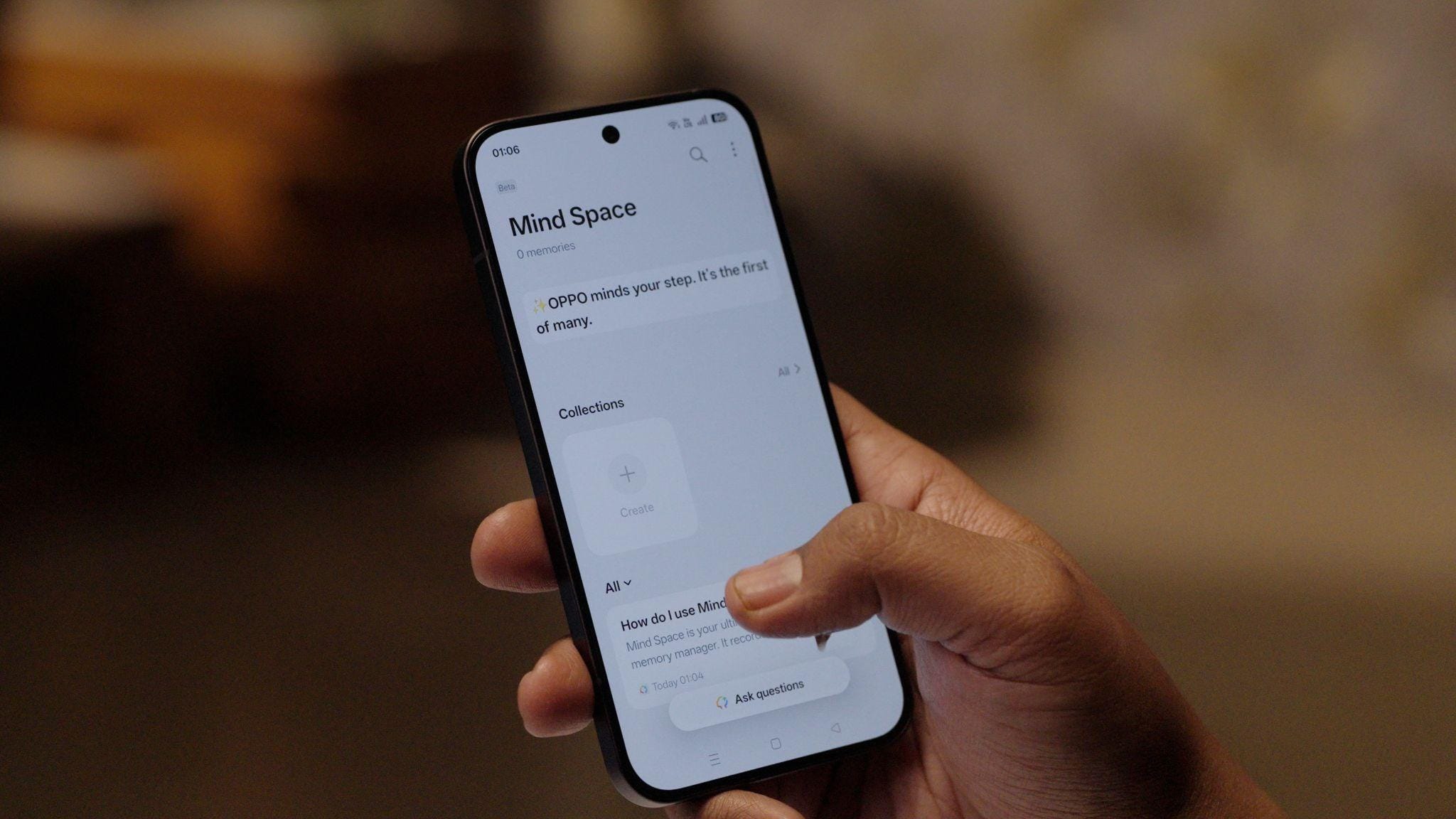
In the morning, your phone is usually the first thing you reach for. Notifications, reminders, notes, half-finished ideas. This is where AI Mind Space fits in naturally. Instead of scattering information across apps, it helps you collect things that matter. A screenshot you took last night. A reminder you typed quickly. A link you meant to come back to.
You do not need to organise everything manually. The system groups related items together so you can pick up where you left off. It feels less like managing and more like having a quiet assistant that remembers context. You spend less time searching and more time doing.
A lot of what you save on your phone is not meant to be permanent. It is temporary, practical stuff. A screenshot with a time. A link you want to revisit. A note you typed quickly. The problem is, these things usually end up scattered across apps, and finding them later takes longer than it should.
AI Mind Space gives you one place to collect what matters without turning it into a folder project. You can save what you are looking at instantly with a three-finger swipe or the Snap Key, and it stays stored in a way that is easier to return to. Instead of forcing you to sort and label everything, it groups related saves together so they don't get lost in a long list.
This is especially useful when you are planning something. Say you are organising a weekend plan or a short trip. You may be saving restaurant options, locations, ticket confirmations, or quick notes. Instead of jumping between chats, screenshots, and your gallery later, AI Mind Space keeps it together. When you are ready to act on it, you can pull everything up quickly, share it with someone else, and move ahead without digging through your phone like it is an archive.
Getting Things Done Without Breaking Focus
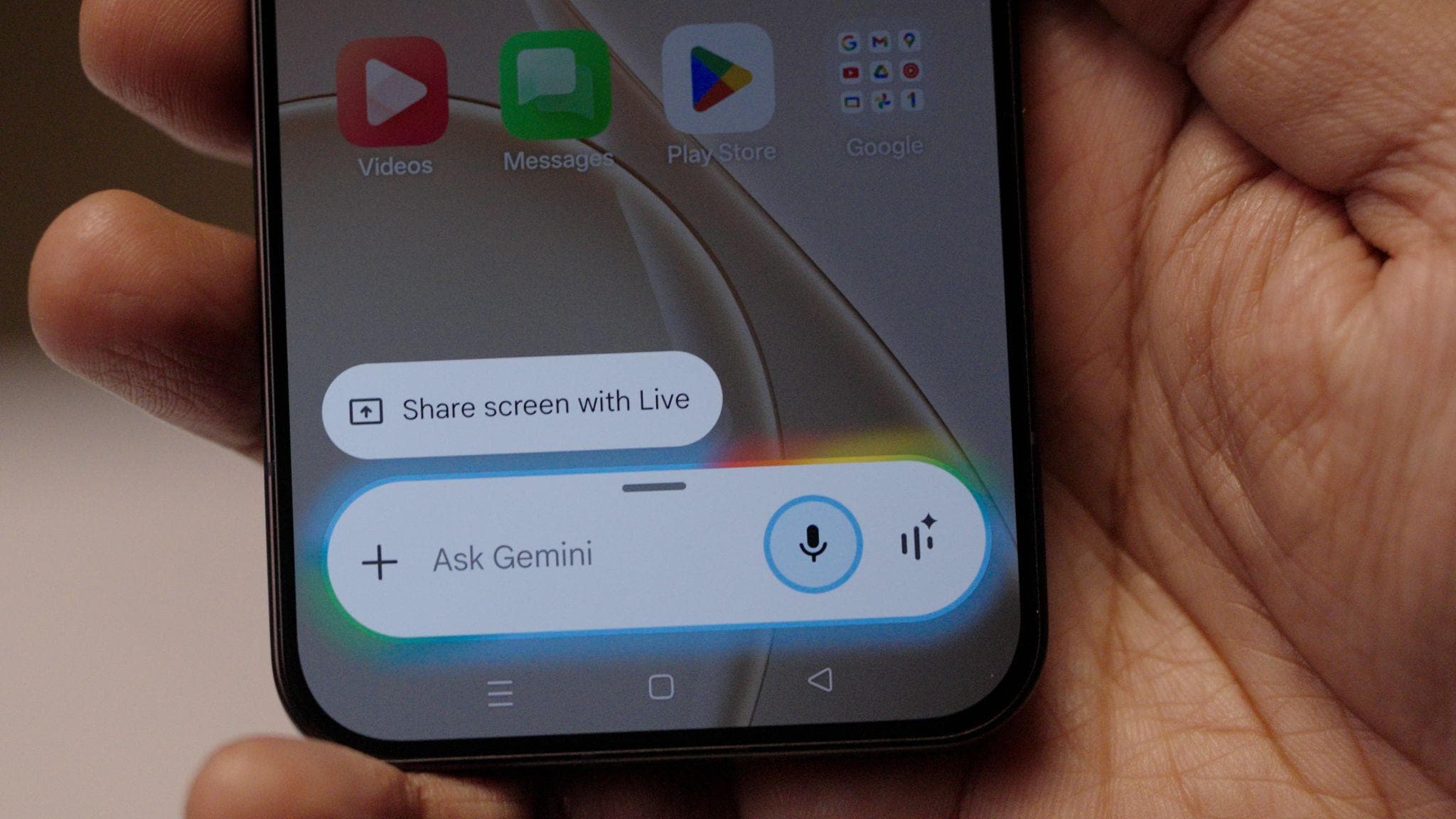
As the day moves on, multitasking becomes unavoidable. You are replying to messages while reading something, copying details from one app to another, or checking information mid-call. AI Super Toolbox is built for these moments.
Instead of jumping between apps, useful tools stay close to what you are already doing. You can extract text, summarise content, or trigger quick actions without losing your place. It feels practical, not flashy. The idea is simple. Keep you focused instead of pulling you out of the task every few seconds.
Over time, this changes how you use your phone. Fewer interruptions. Fewer back-and-forth gestures. Everything feels closer and more connected. AI that feels present but not pushy.
ColorOS 16 leans heavily into AI, but not in a loud way. The integration with Google Gemini is a good example. It's there when you need help drafting something, finding information, or thinking through an idea. You can ask questions, work on your thoughts or get suggestions as part of what you are already doing. It feels like a layer of support rather than a separate feature you have to learn. The system adapts to how you work, not the other way around. Security that stays out of your way.
As your phone becomes more central to work, payments, and personal data, security matters more than ever. At the same time, nobody wants constant warnings or complicated settings. PCC security is designed to strike that balance.
It works quietly in the background, protecting your data and app activity. Permissions are clearer. Sensitive actions feel better controlled. There's transparency, you know what is happening.
This kind of security builds confidence over time. You stop worrying about whether something is safe and start trusting the system to handle it properly.
Photography That Stays Smooth Behind the Scenes

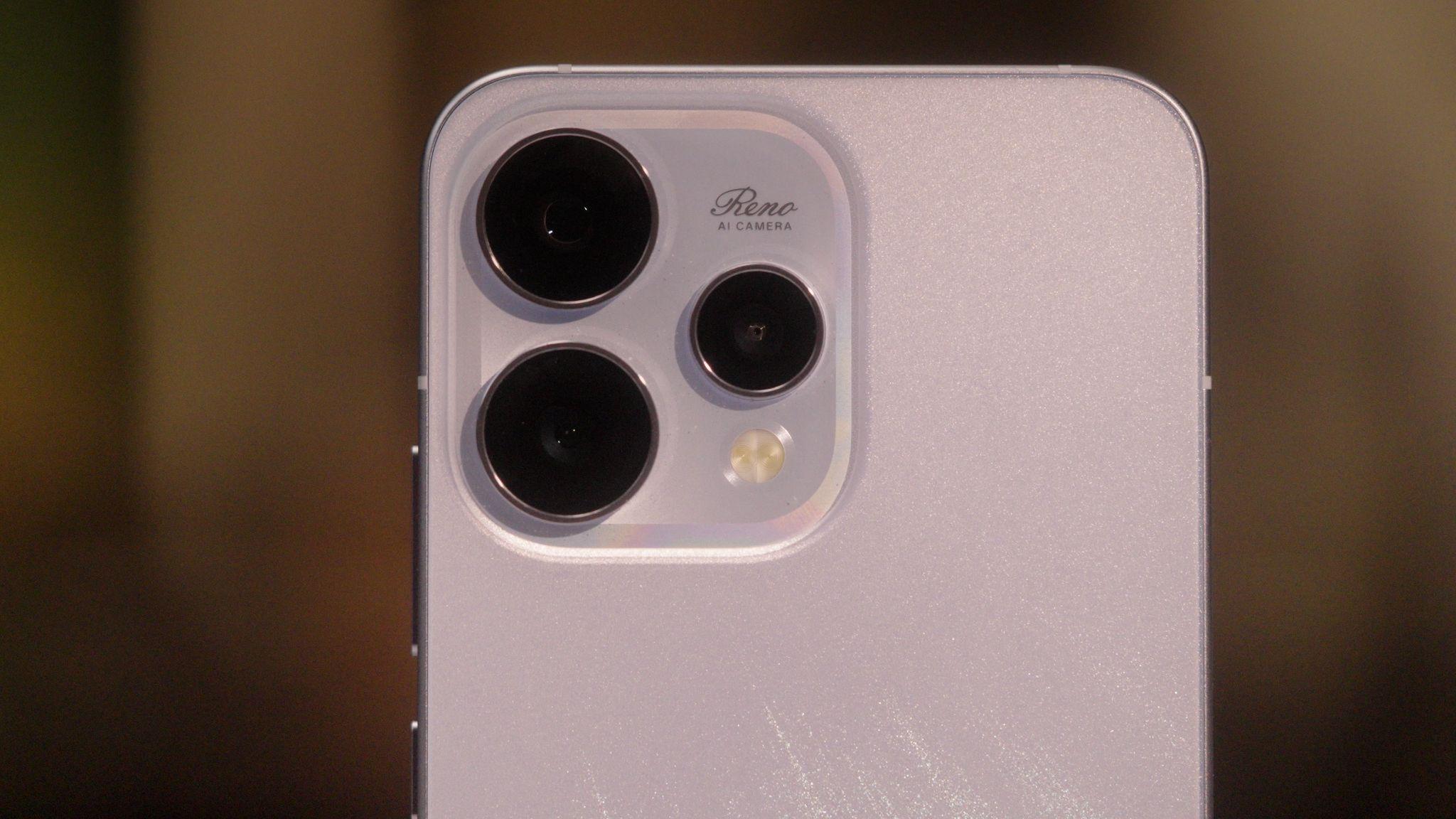
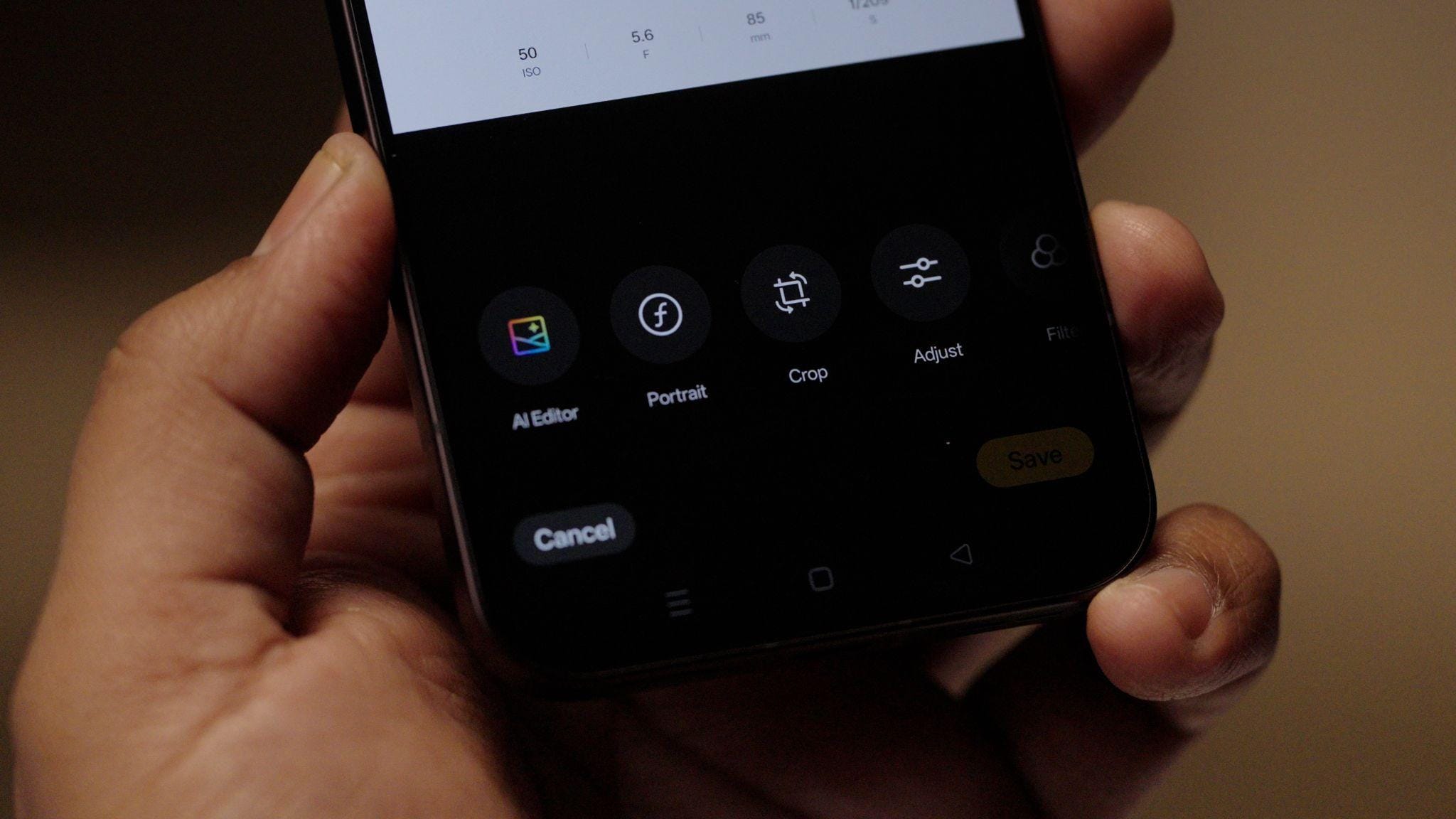
The Reno15 Series is built around camera experiences, and ColorOS 16 plays a big role here. When you open the camera, switch modes, or edit photos, everything feels responsive. There is no lag when you are trying to capture a moment quickly.
AI works quietly to support the experience. From helping organise photos to making edits feel faster and more intuitive, the OS ensures the camera feels like a natural extension of how you use your phone. You spend less time waiting and more time creating.
This smoothness matters most when you are shooting people or moments that do not repeat. The phone keeps up with you instead of slowing you down.
Gaming Without the Usual Compromises
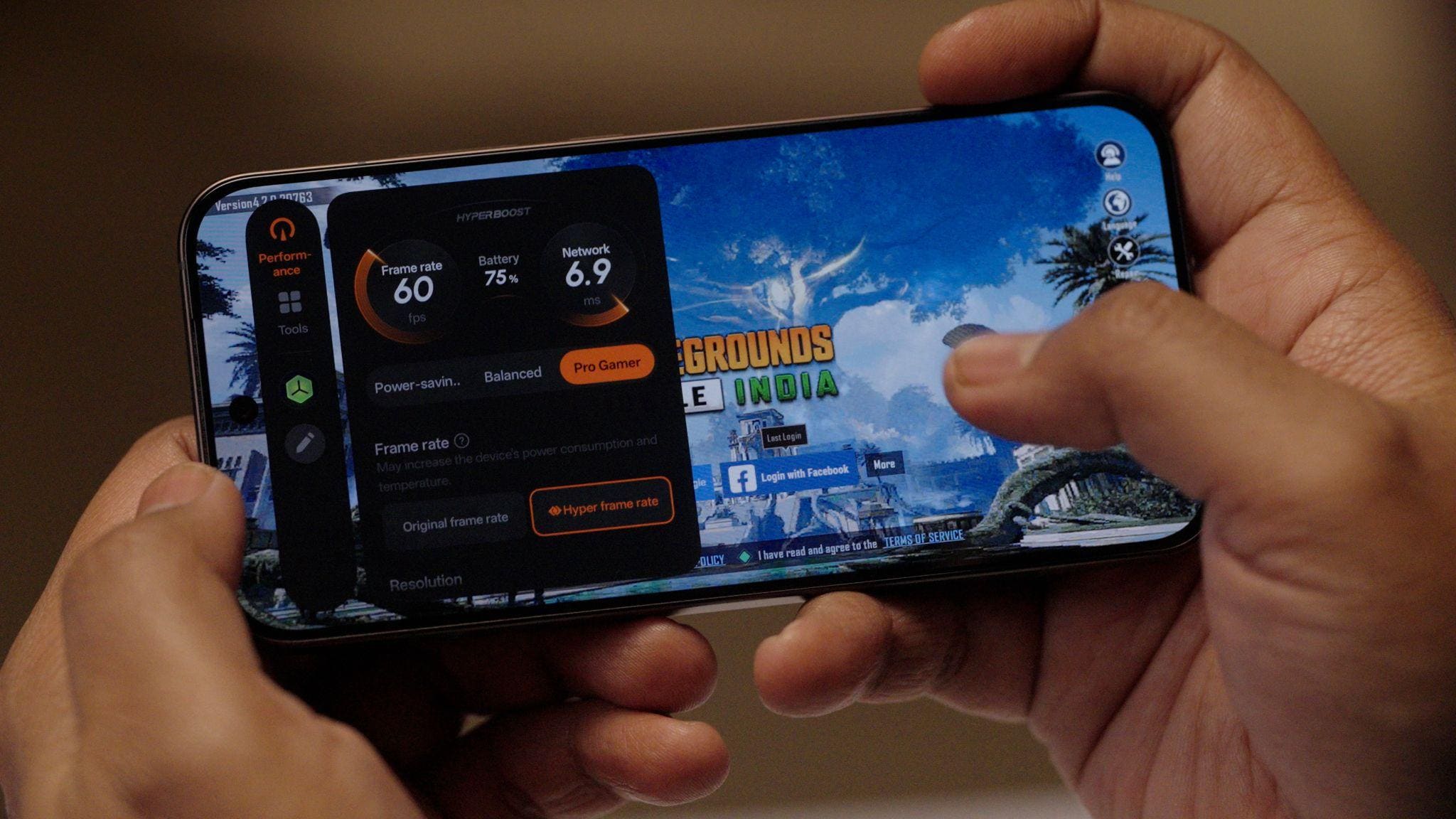
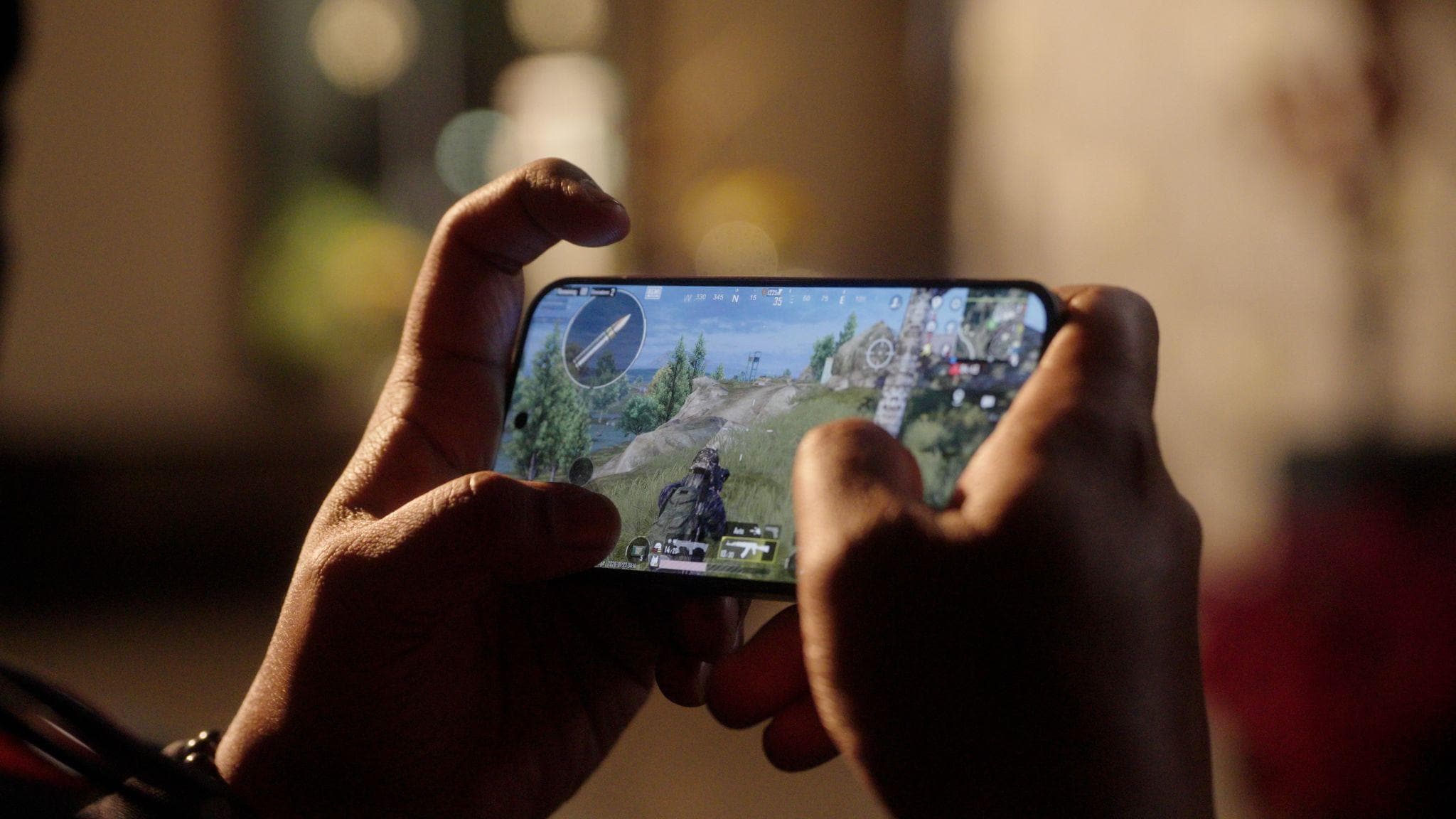
Earlier, when you switch to gaming, performance expectations change. Frame drops, overheating and unstable connections can ruin the experience quickly. AI HyperBoost 2.0 is built to handle this without asking you to work on the settings manually.
It manages performance in real time, keeping gameplay stable while controlling heat and power use. Games feel smoother for longer sessions, not just in the first few minutes. You can focus on playing instead of worrying about battery drain or sudden slowdowns.
Connectivity matters just as much, especially for online play. AI LinkBoost 3.0 steps in when networks get crowded or unstable. Whether you are gaming, streaming or uploading content, connections feel more reliable. You notice fewer drops and faster recovery when signals weaken.
Multitasking That Actually Feels Manageable
As the day goes by, you are often juggling multiple things at once. Music playing in the background. Messages coming in. A video paused halfway. ColorOS 16 handles this without feeling chaotic.
Apps stay where you left them. Switching feels instant. The system does not aggressively close things or lose your place. This consistency makes the phone feel dependable. You trust it to keep up, even when your usage is messy or unpredictable.
A System That Fits the Reno15 Design Philosophy
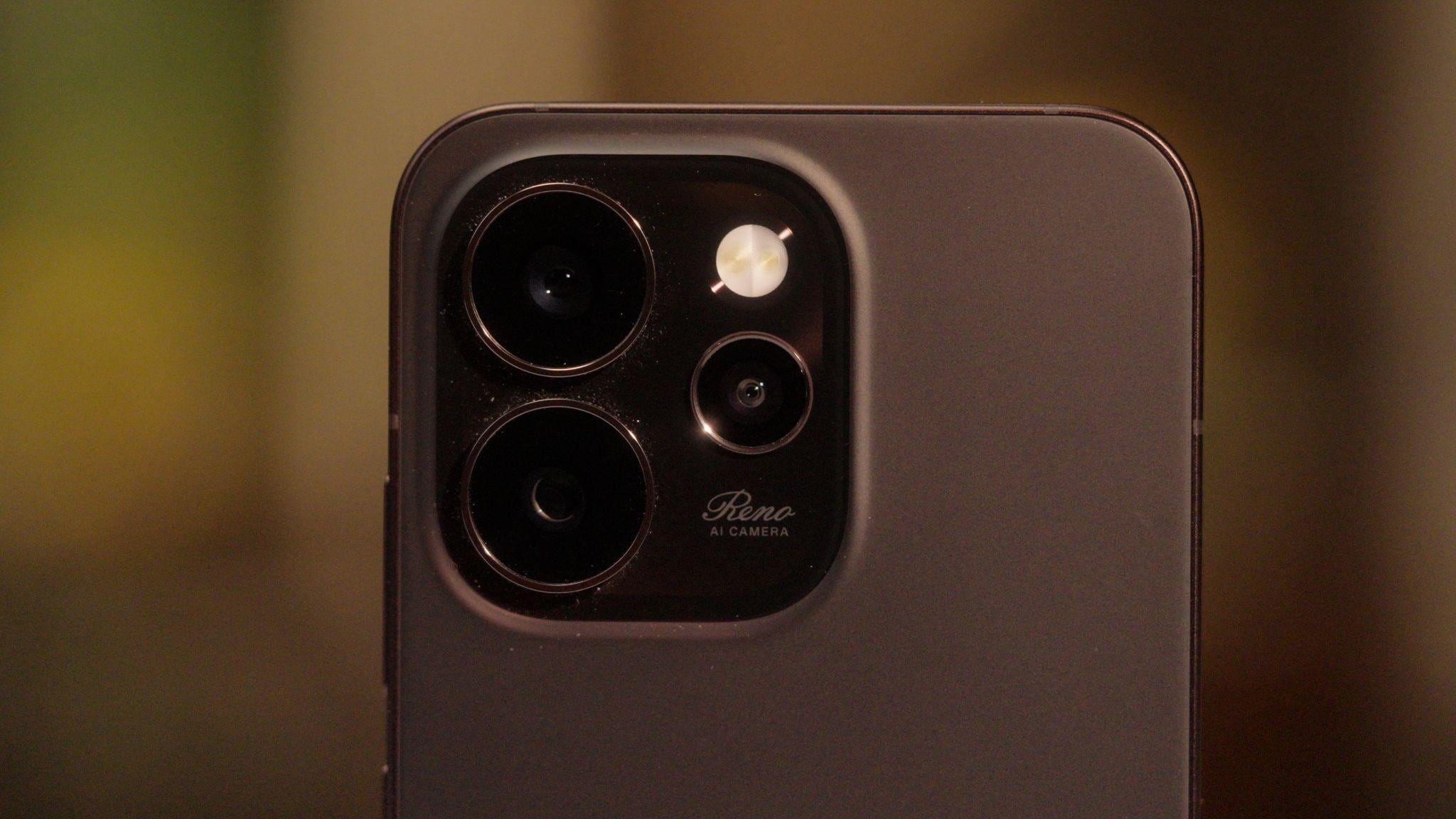
What ties everything together is how naturally ColorOS 16 fits the Reno15 Series as a whole. The OS does not fight the design or the camera focus. It supports them. Smooth visuals match the refined hardware. Smart AI tools complement the creative camera features.
Nothing feels boring. Features connect seamlessly. The experience feels great, as if software and hardware were designed together.
Living With It, Not Learning It
By the end of the day, the biggest strength of ColorOS 16 is how little effort it asks from you. You do not need to learn complex systems or remember where features live. Things work when you need them.
That is what makes it feel reliable. The phone adapts to your routines instead of forcing new ones. Over time, you stop noticing the OS altogether, and that is a good thing. It means the system is doing its job quietly, letting you focus on what you care about.
On the Reno15 Series, ColorOS 16 feels less like an update and more like a refinement of everyday phone use. Smoother where it matters. Smarter where it helps. And steady enough to trust, no matter how your day unfolds.
The OPPO Reno15 5G is priced starting at Rs. 45,999 for the 8GB + 256GB variant, while the 12GB + 256GB and 12GB + 512GB options are priced at Rs. 48,999 and Rs. 53,999. The Reno15 Pro 5G and Reno15 Pro Mini 5G start at Rs. 67,999 and Rs. 59,999, respectively. The Reno15 Series 5G is available for purchase from today via Flipkart, Amazon, and the OPPO India online store.
Long-term Trust
ColorOS 16 is built to stay consistent over time. In everyday use, apps keep running in the background without frequent reloads, even during long work sessions or heavy multitasking. Calls, messages, and routine tasks continue without interruption.
OPPO has designed the Reno15 Series to avoid slowing down with age. This long-term approach, described as 6-Year Fluency Protection, is supported by internal ageing tests that simulate extended real-world use across app launches, boot times, multimedia response, and installations. OPPO has also committed to five major ColorOS version updates and six years of security updates, reinforcing the focus on long-term stability and reliability.
Made for the Long Run
Most phones age in a very predictable way. At first, everything feels instant. Then you start noticing the small stuff. Apps refresh for no reason. Switching between them takes longer. Even simple actions feel slightly delayed, especially on busy days. ColorOS 16 is designed to stay consistent through out. It is built to handle long sessions and high app load without turning your phone into a stop-start experience.
OPPO is also putting a long-term promise behind that experience with 6-Year Fluency Protection. OPPO has run internal ageing tests that mimic extended, real-world phone usage over time, including performance across app launches, boot speed, multimedia responsiveness, and installations. And this is not only about speed. OPPO has committed to five major ColorOS updates and six years of security updates, which means the Reno15 Series stays current and protected well into the future, not just for the first year.
Affiliate links may be automatically generated - see our ethics statement for details.
Comments
Get your daily dose of tech news, reviews, and insights, in under 80 characters on Gadgets 360 Turbo. Connect with fellow tech lovers on our Forum. Follow us on X, Facebook, WhatsApp, Threads and Google News for instant updates. Catch all the action on our YouTube channel.
Further reading:
Mobiles
Related Stories


Follow Us




-
![[Partner Content] OPPO Enco Air5, Flagship ANC for Just Rs. 3,299?](https://www.gadgets360.com/static/desktop/images/spacer.png)
03:28
[Partner Content] OPPO Enco Air5, Flagship ANC for Just Rs. 3,299? -
01:02
[Sponsored] One Shot Away From the Perfect Edit | Galaxy Book6 Pro -
02:00
[Sponsored] Galaxy Book6 Pro vs Lenovo Yoga 7 2-in-1: Which Laptop Wins? -
04:38
iQOO Z11 Lite Review: Should You Buy The Latest iQOO? -
05:06
OnePlus N6 Full Review: Performance, Camera, Battery & Display Tested
-
Apple ऐप स्टोर से हटाया गया Telegram, अब डाउनलोड नहीं कर पाएंगे यूजर्स
-
OnePlus N6x vs Vivo T5 Lite 5G vs Tecno Spark 50 5G: कौन सा है बेस्ट?
-
Flipkart सेल में ₹80,199 MRP वाला 65 इंच TV सिर्फ ₹37,349 में, जानें
-
Moto G Max जल्द होगा भारत में लॉन्च, 50 मेगापिक्सल हो सकता है प्राइमरी कैमरा
-
OnePlus 16 के जल्द लॉन्च की तैयारी, लीक हुई प्राइसिंग
Popular on Gadgets
- Samsung Galaxy S26 Ultra
- Motorola Razr Fold
- ChatGPT
- OPPO Find N6
- Mobiles Under Rs. 40,000
- Vivo X300 Ultra
- Asus Zenbook S14
- iQOO 15
- Vivo X300 Pro
- Lenovo Yoga Slim 7i Aura Edition
- iQOO 15R
- Vivo X Fold 5
- Sony PlayStation 5
- HP OmniPad 12
- OnePlus Nord CE 6 Lite
- OnePlus Pad 4
- OPPO F33 Pro 5G
- Cryptocurrency
- HP OmniBook Ultra 14 (2026)
- iPhone 17
- Eureka Forbes AP 355 Room Air Purifier
- Latest Mobile Phones
- Compare Phones
Latest Gadgets
- Motorola Moto G37 Power 128GB
- OPPO A7 Pro Max
- Poco M8 Power
- OnePlus N6x
- Honor X6e
- Vivo T5e
- Vivo X300 E
- Itel Zeno 100 Pro
- Asus Chromebook CX15 (CX1505CTA)
- Dell Alienware 18 Area-51 (2026)
- Moto Pad 70 Groove
- Honor Pad X9 Max
- Samsung Galaxy Watch 9 (44mm)
- Samsung Galaxy Watch 9 (44mm, LTE)
- Sony Bravia 9 II
- Haier HQLED P7 Pro
- Acer Predator Atlas 8
- Asus ROG Ally
- Blue Star 1.5 Ton 5 Star Inverter Split AC (IE518ZNURS)
- Blue Star 2 Ton 3 Star Inverter Window AC (WIE324L)

- About Us
- Sitemaps
- Feedback
- Archives
- Contact Us
- RSS
- Advertise
- Career
- Privacy Policy
- Ethics
- Editorial Policy
- Terms & Conditions
- Complaint Redressal
Download Our Apps
Available in Hindi
© Copyright Red Pixels Ventures Limited 2026. All rights reserved.