-
 Google AI to Add More Anti-Scam Protections to Messages and Calls on Android Devices15 October 2026
 -
Google Partners With FBI, Carriers to Fight AI-Powered Scam Network Linked to Millions of Fraud Texts16 June 2026
-
iOS 26.5 Brings RCS-Based End-to-End Encrypted Messaging Between iPhone, Android Smartphones12 May 2026
-
Samsung Confirms Deadline for Samsung Messages App: Here’s What You Will Use Instead6 April 2026
-
RCS Universal Profile 4.0 Will Bring Native Video Call and Rich Text Support to Messaging Apps27 March 2026
Google Messages Could Get a Redesigned Interface With Gemini and Search Changes
At present, Google Messages places the Search option in the top-right corner of the app.
Written by Nithya P Nair, Edited by Rohan Pal | Updated: 23 September 2026 19:26 IST
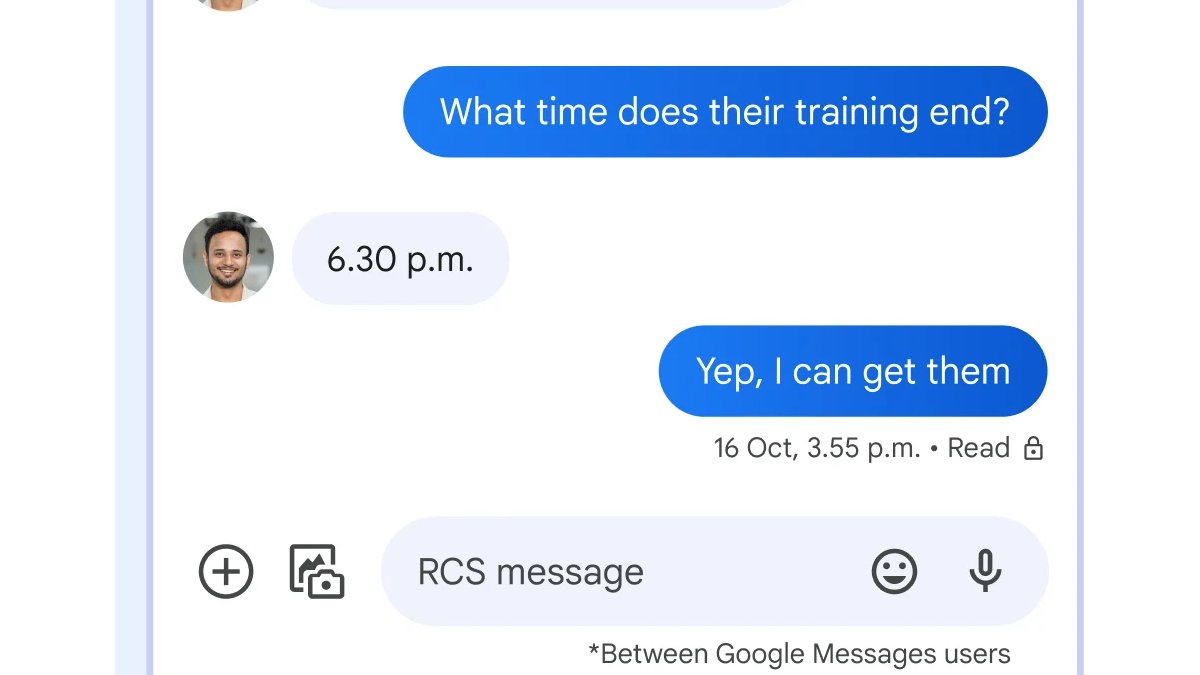
Photo Credit: Google
The changes were spotted in the latest Google Messages beta build
Click Here to Add Gadgets360 As A Trusted Source

Advertisement
Google appears to be working on a redesigned interface for its Messages app. The new layout was spotted in the beta version of the app recently, and it suggests that the changes could make some frequently used controls easier to access. The latest Google Messages beta reportedly changes the placement of the Gemini, Search and Start chat buttons. The new Google Messages interface reportedly features a Gemini button in the header, replacing the existing Search icon. The Start chat button is moved from the bottom right of the screen to the bottom centre.
Google Messages May Get Redesigned Interface
An APK teardown of the Google Messages app by Android Authority revealed that the app will get a new layout. The changes were spotted in the latest beta build, messages.android_20260917_03_RC00.phone.openbeta_dynamic, and the interface is not currently available to all users and could change before the wider release.
At present, Google Messages has the Start chat floating action button (FAB) in the bottom-right corner. The Gemini button sits above it, while the Search button is arranged in the top-right corner of the app.
As per screenshots of the revamped Google Messages interface, the Gemini shortcut moved into the top app bar, taking the position currently occupied by the Search icon. The Start chat button is shifted towards the bottom centre of the screen. The Search control is reportedly part of the bottom navigation area in the new interface, allowing users to access it quickly with one hand.
The redesigned interface reportedly also changes how the bottom controls are displayed when scrolling. When Google Messages is opened, the Start chat control will appear prominently at the bottom. As the user scrolls through conversations, the Start chat button will reportedly collapse, and the Search button expands in its place.
Google Messages is rumoured to overhaul the Search. The latest interface changes are likely to be part of Google's broader effort to prepare Google Messages for revamped search functionality. However, the updated design is still under development, and it is not clear when Google will make it available to users.
Comments
Get your daily dose of tech news, reviews, and insights, in under 80 characters on Gadgets 360 Turbo. Connect with fellow tech lovers on our Forum. Follow us on X, Facebook, WhatsApp, Threads and Google News for instant updates. Catch all the action on our YouTube channel.
Related Stories




Advertisement
Follow Us




-

00:50
Expectation vs Reality: Dad Wanted Good Scores. She Made a Lasting Impression! | Galaxy S26 FE -
01:33
A Festive Surprise for Her | Samsung Galaxy A57 5G -
00:54
Expectation vs Reality: Parents Said Notice Every Detail. She Added One | Galaxy S26 FE -
01:55
From Group Photos to Festive Nights | Samsung Galaxy A57 5G -
01:33
Galaxy Watch Ultra2 on the Trail: Tracking, Hydration & Elevation
-
Diwali की रात लेनी हैं शानदार फोटो? फोन में बदलें ये कैमरा सेटिंग्स
-
कैमरा टेस्ट में iPhone 18 Pro से आगे निकला Motorola का ये फोन
-
itel दिवाली ऑफर: टीवी-वॉशिंग मशीन खरीदें सिर्फ ₹40 प्रतिदिन में
-
iPhone 13 Mini जैसे साइज में इस कंपनी ने लॉन्च किया नया फोन, 50MP कैमरा, 3500mAh बैटरी!
-
Amazon Sale 2026 में ₹15,000 से सस्ते मिल रहे Poco फोन! 6300mAh बैटरी
Advertisement
Popular on Gadgets
- Samsung Galaxy S26 Ultra
- Motorola Razr Fold
- ChatGPT
- OPPO Find N6
- Mobiles Under Rs. 40,000
- Vivo X300 Ultra
- Asus Zenbook S14
- iQOO 15
- Vivo X300 Pro
- Lenovo Yoga Slim 7i Aura Edition
- iQOO 15R
- Vivo X Fold 5
- Sony PlayStation 5
- HP OmniPad 12
- OnePlus Nord CE 6 Lite
- OnePlus Pad 4
- OPPO F33 Pro 5G
- Cryptocurrency
- HP OmniBook Ultra 14 (2026)
- iPhone 17
- Eureka Forbes AP 355 Room Air Purifier
- Latest Mobile Phones
- Compare Phones
Latest Gadgets
- Karbonn Rebel
- Karbonn Rebel Pro
- OnePlus Turbo 6Vs
- Redmi M100 Pro
- OnePlus Ace 7 Pro
- OnePlus Ace 7
- Samsung W27
- Huawei Pura 90 Plus
- Dell 14S (2026)
- HP ProBook 4 G2iS 14
- iPad mini (2026)
- Amazon Alexa Tablet 8
- Moto Watch 2 Fit
- Pebble Qore 2
- Toshiba 65-Inch 4K Ultra HD Smart Mini LED QLED TV (65Z670SP)
- Haier M70 Mini LED 65-inch
- Acer Predator Atlas 8
- Asus ROG Ally
- Blue Star 1.5 Ton 5 Star Inverter Split AC (IE518ZNURS)
- Blue Star 2 Ton 3 Star Inverter Window AC (WIE324L)

- About Us
- Sitemaps
- Feedback
- Archives
- Contact Us
- RSS
- Advertise
- Career
- Privacy Policy
- Ethics
- Editorial Policy
- Terms & Conditions
- Complaint Redressal
Download Our Apps
Available in Hindi
© Copyright Red Pixels Ventures Limited 2026. All rights reserved.