-
 Instagram Tests Long-Form Videos With Features, Taking on YouTube’s Content Format27 October 2026
 -
Instagram App Now Lets You Watch Reels, Longer Videos and Live Shows on Apple TV26 October 2026
-
WhatsApp Reels Shortcut for Chats Rolling Out to Android Beta Testers23 October 2026
-
How to Download Your Instagram Photos and Videos: A Step-by-Step Guide27 September 2026
-
How to Change Instagram Username: A Step-by-Step Guide19 September 2026
- Home
- How to
- How to Features
- How to Add Multiple Links to Your Instagram Bio in India: A Step By Step Guide
How to Add Multiple Links to Your Instagram Bio in India: A Step-By-Step Guide
Instagram only shows the first link directly on your profile.
Written by Sucharita Ganguly, Edited by Rohan Pal | Updated: 26 July 2026 12:00 IST

Photo Credit: Unsplash/NordWood Themes
Instagram lets you manage all your bio links in one place
Click Here to Add Gadgets360 As A Trusted Source

Advertisement
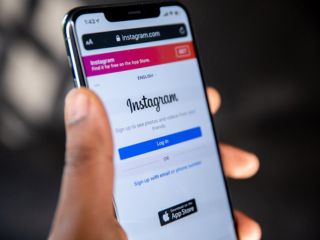
If you have more than one website, social media profile or online page to share, you don't have to choose just one for your Instagram bio anymore. Instagram now lets you add up to five external links directly to your profile, making it easier to guide followers to your latest content, online store, portfolio or other important pages. You also don't need to rely on third-party link-in-bio services for this. In this guide, we'll walk you through adding multiple links to your Instagram bio and reordering them whenever you want.
How to Add Multiple Links to Your Instagram Bio
You can add up to five links from the Instagram app by following these steps:
- Instagram Channels are just a way for influencers to spam us directly
- Instagram Reels vs. YouTube Shorts — Where do you waste more time?
- Instagram ending end-to-end encryption for DMs — how does this change things?
- Instagram Creators Have Wanted This Feature for Years
- Facebook and Instagram using bone structure analysis sounds a bit unsettling
- First, open the Instagram app on your smartphone and tap your profile picture in the bottom right corner.
- Next, tap Edit Profile below your profile information.
- Then, select Links and tap Add external link.
- Paste the URL you want to add.
- After that, enter a title if you want to customise how the link appears on your profile.
- Once you're done, tap the checkmark or Done button to save the link.
- If you want to add more links, simply repeat the same steps. Instagram lets you add up to five external links to your bio.
Instagram only shows the first link directly on your profile. If you've added multiple links, the first one will appear along with an "and X others" label. Anyone who taps it can view the complete list of links you've added and choose the page they want to open. If needed, you can change the order of your links whenever you like.
How to Reorder Links in Your Instagram Bio
If you've added multiple links, you can change the order in which they appear at any time.
- Once you've opened Instagram, tap your profile picture in the bottom right corner to go to your profile.
- Tap Edit Profile below your profile information, then select Links.
- Next, tap the three-dot menu in the top right corner and choose Reorder links.
- Press and hold the handle next to the link you want to move.
- Drag the link to your preferred position in the list, then release it.
- Once you're happy with the order, save your changes.
Since Instagram only shows the first link on your profile, it's a good idea to place your most important one at the top. That could be your website, portfolio, online store or any page you want visitors to open first. You can always reorder your links later if your priorities change.
Frequently Asked Questions (FAQs)
1. How many links can I add to my Instagram bio?
Instagram allows you to add up to five external links directly to your profile.
2. Can I change the order of the links in my Instagram bio?
Yes. You can reorder your links from the Edit Profile > Links section to decide which one appears first on your profile.
3. Do I need a third-party link-in-bio service to add multiple links?
No. Instagram's built-in links feature lets you add and manage up to five external links without using third-party services.
Comments
Get your daily dose of tech news, reviews, and insights, in under 80 characters on Gadgets 360 Turbo. Connect with fellow tech lovers on our Forum. Follow us on X, Facebook, WhatsApp, Threads and Google News for instant updates. Catch all the action on our YouTube channel.
Related Stories






Advertisement
Follow Us




-
![[Sponsored] Galaxy Watch9 for Everyday Health Insights | Smarter Wellness Choices](https://www.gadgets360.com/static/desktop/images/spacer.png)
01:42
[Sponsored] Galaxy Watch9 for Everyday Health Insights | Smarter Wellness Choices -
01:15
[Sponsored] Galaxy Tab S10 Lite for Students: Notes, Solve Math and More -
04:17
[Sponsored] LG NANO 4K UHD AI TV NU885: Gemini Search, Dolby Atmos & 5 Years of Updates -
00:57
[Sponsored] Samsung Galaxy Z Fold8 My Fan Cam in Action: Find the Moment, Then Share It -
01:41
[Sponsored] What Do You Need To Know Before Your Next Run? | Samsung Galaxy Watch Ultra2
-
₹12 हजार छूट के साथ मिल रहा 48 मेगापिक्सल कैमरा वाला iPhone 17 Pro
-
धरती पर ये चीज होगी महंगी, एलन मस्क ने बताया, रोबोट के लिए बंपर डिमांड
-
आनंद महिंद्रा ने क्यों बदला UPI ऐप, बताई इस फैसले की वजह
-
Flipkart दिवाली सेल: ₹25 हजार से ज्यादा सस्ता मिल रहा Samsung का फ्लैगशिप फोन
-
iPhone 18e में मिल सकता है 6.12 इंच डिस्प्ले, 24 मेगापिक्सल का फ्रंट कैमरा
Advertisement
Popular on Gadgets
- Samsung Galaxy S26 Ultra
- Motorola Razr Fold
- ChatGPT
- OPPO Find N6
- Mobiles Under Rs. 40,000
- Vivo X300 Ultra
- Asus Zenbook S14
- iQOO 15
- Vivo X300 Pro
- Lenovo Yoga Slim 7i Aura Edition
- iQOO 15R
- Vivo X Fold 5
- Sony PlayStation 5
- HP OmniPad 12
- OnePlus Nord CE 6 Lite
- OnePlus Pad 4
- OPPO F33 Pro 5G
- Cryptocurrency
- HP OmniBook Ultra 14 (2026)
- iPhone 17
- Eureka Forbes AP 355 Room Air Purifier
- Latest Mobile Phones
- Compare Phones
Latest Gadgets
- Vivo Y600
- HMD 2660 Flip Senior Edition
- Lava Aura Curve
- Poco X8s
- Samsung Galaxy F70 5G
- Tecno Spark 50S 5G
- Vivo Y600s Pro
- Vivo Y32 (2026)
- MacBook Pro 14-Inch (M6, 2026)
- Lenovo Yoga 9n 2-in-1
- iPad mini (2026)
- Amazon Alexa Tablet 8
- Pebble Qore 2
- Amazfit T-Rex Dual Solar
- Toshiba 65-Inch 4K Ultra HD Smart Mini LED QLED TV (65Z670SP)
- Haier M70 Mini LED 65-inch
- Acer Predator Atlas 8
- Asus ROG Ally
- Blue Star 1.5 Ton 5 Star Inverter Split AC (IE518ZNURS)
- Blue Star 2 Ton 3 Star Inverter Window AC (WIE324L)

- About Us
- Sitemaps
- Feedback
- Archives
- Contact Us
- RSS
- Advertise
- Career
- Privacy Policy
- Ethics
- Editorial Policy
- Terms & Conditions
- Complaint Redressal
Download Our Apps
Available in Hindi
© Copyright Red Pixels Ventures Limited 2026. All rights reserved.