-
 Apple Rolls Out iOS 27.0.1 Update With Fixes for iPhone 18 Pro, iPhone 18 Pro Max Face ID and Camera Issues29 September 2026
 -
iOS 27 Update for iPhone Adds Impersonation Risk Detection Feature to Protect You Against Scams17 September 2026
-
iOS 27 Update for iPhone Rolling Out Today: How to Download, India Release Time, Supported iPhones and More14 September 2026
-
iOS 27: Top New Features, List of Compatible Devices, and More10 September 2026
-
Apple Announces iOS 27 Release Date: Here’s When It’s Arriving on Your iPhone9 September 2026
- Home
- Mobiles
- Mobiles Features
- Top 5 Features Worth Trying Out on Apple's iOS 27 Public Beta: Siri AI, New Photo Editing Tools and More
Top 5 Features Worth Trying Out on Apple's iOS 27 Public Beta: Siri AI, New Photo Editing Tools and More
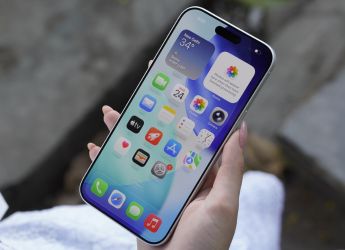
Here are five new features that are worth trying if you have installed the iOS 27 Public Beta on your iPhone.
Written by Shaurya Tomer | Updated: 18 July 2026 13:00 IST
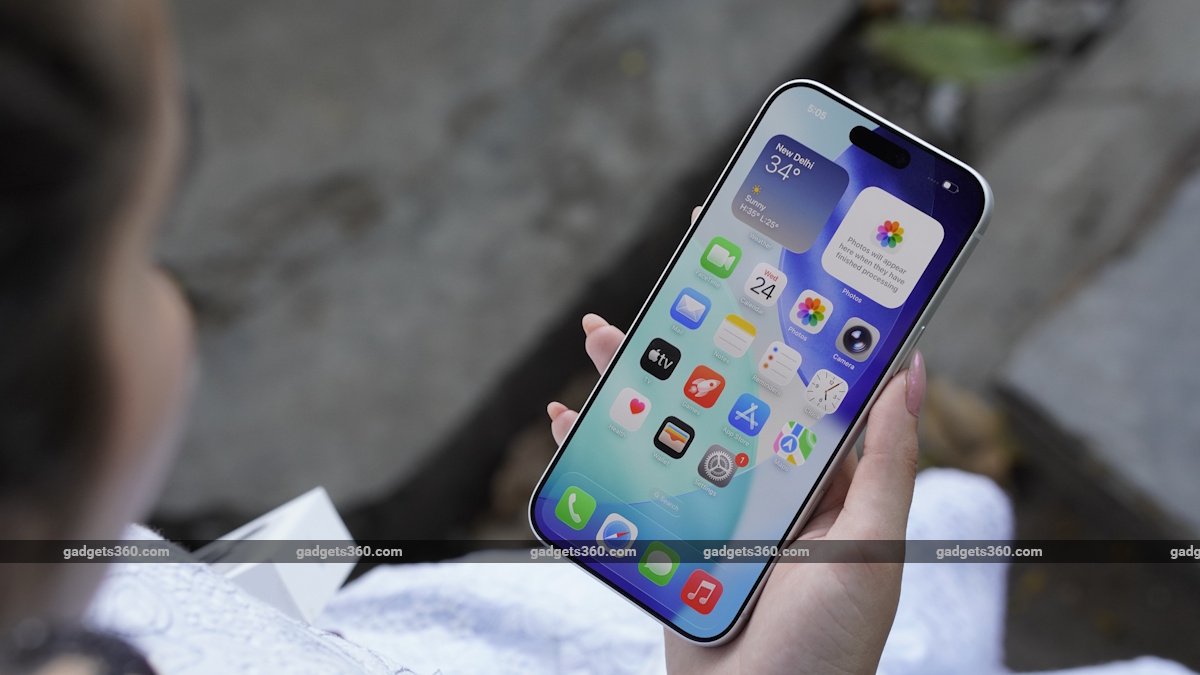
iOS 27 was first previewed at WWDC 2026 in May
Click Here to Add Gadgets360 As A Trusted Source

Advertisement
iOS 27 Public Beta is finally out for eligible iPhone users. It provides users with an early opportunity to try out all of the new features that Apple previewed at WWDC 2026 in May before they are widely released to the public. Among the notable additions is the new Siri AI experience, which is claimed to be smarter and more proactive than before. There are several other improvements, too, which promise to make everyday iPhone usage noticeably better.
Here are five new features that are worth trying if you have installed the iOS 27 Public Beta on your iPhone.
Should You Install the iOS 27 Public Beta?
Before you jump the gun and install the iOS 27 Public Beta, there are a few things you should keep in mind. While it offers a compelling preview of Apple's next major software release, there might be instances where you encounter bugs and glitches while navigating through the system. Beta updates are typically meant for fine-tuning all of the features and optimising the experience before the update's public rollout.
As always, installing it on a secondary device rather than your primary iPhone is the safer option, at least until Apple releases the stable version later this year, which is expected to happen in September around the same that that rumoured iPhone 18 series is likely to arrive.
You need to be enrolled in the Apple Beta Software Program, following which the update can be installed on a compatible iPhone by navigating to the Settings app and tapping on General > Software Update > Install Now.
iOS 27 Public Beta: Top 5 Features to Try Out
Siri AI undoubtedly steals the spotlight in iOS 27. However, there are several other additions, including smarter photo editing, Safari's Notify Me feature, automatic password upgrades, and long-awaited AirPods equaliser controls, which can potentially improve your everyday experience.
1. Siri AI
Siri finally feels like the artificial intelligence (AI) assistant Apple promised during its Worldwide Developers Conference over two years ago. During this year's keynote, the Cupertino-based tech giant spent a considerable amount of time talking about Siri's transformation, and it is easy to see why.
Previous versions of the AI assistant were only capable of answering isolated questions. With iOS 27 Public Beta, Siri AI (which is what the new assistant is called) can now understand context across apps and carry conversations naturally. It can remember what you asked moments earlier, understand follow-up questions without requiring you to repeat yourself, and complete multi-step tasks across your iPhone.
For example, you can ask the AI assistant to find an invite that your friend sent you in the Messages app, analyse the event date and time, and set a reminder for it in the Calendar app. Siri can also retrieve information from Mail, Calendar, Notes, Files, and other supported apps. With deeper Visual Intelligence integration, it can also understand the content currently displayed on your screen and perform actions accordingly.
2. New AI Editing Tools in Photos
iOS 27 Public Beta also expands the suite of Apple Intelligence features in the Photos app. Besides the existing Clean Up tool, users can now clean up backgrounds, remove unwanted objects, reframe images, extend scenes beyond their original boundaries, and even generate new perspectives within photographs. Image Playground has also been upgraded with more realistic image-generation capabilities and expanded editing options.
Natural edits can also be performed using conversational prompts. Instead of having to manually adjust the individual sliders, you can simply describe the changes that you want, like making colours pop, removing background objects, or adjusting the exposure. Apple also promises improved subject selection that better isolates people, pets, or objects before applying edits.
3. Safari Updates
Safari, the default browser on iPhone, has also received quality-of-life upgrades. The biggest highlight is the new Notify Me feature, which, as the name suggests, allows you to monitor changes on supported webpages. Once you set a reminder, Safari periodically checks the page and alerts you whenever meaningful updates occur.
This can be useful for tracking ticket sales, flash deals, product availability, and appointment slots, without repeatedly having to refresh the same webpage multiple times a day.
Apple has also added support for natural language commands through Safari extensions. With this, you can simply describe what you want done instead of browsing through menus or individually activating multiple tools. For example, you can ask the browser to summarise long webpages, translate articles, and organise research material through conversational commands.
4. Change Compromised Passwords
Apple's Passwords app was among the few truly meaningful upgrades introduced with iOS 26 last year. With iOS 27 Public Beta, the company is taking it a step further. Instead of merely warning users about compromised or weak passwords, you can use the app to automatically generate stronger credentials for your accounts and replace them on supported websites.
If one of your passwords has appeared in a known data breach, Apple will offer to update it automatically. In some supported cases, the Passwords app can complete the entire process without requiring any manual input.
5. Equaliser for AirPods
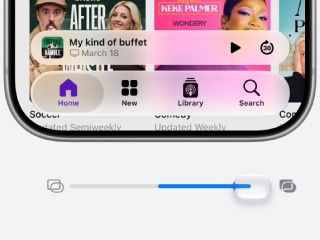
Apple has (finally!) introduced equaliser controls specifically for AirPods. Until now, there was an option within iPhone Settings and the Apple Music app. However, you could only access predefined EQ presets, which meant relying on third-party apps for further fine-tuning your listening experience.
iOS 27 Public Beta brings dedicated equaliser settings for compatible AirPods models. Instead of being limited to a one-size-fits-all sound profile, you can adjust audio characteristics based on your preference, such as stronger bass for workouts, clearer vocals for podcasts, or a flatter response while watching movies.
Comments
Get your daily dose of tech news, reviews, and insights, in under 80 characters on Gadgets 360 Turbo. Connect with fellow tech lovers on our Forum. Follow us on X, Facebook, WhatsApp, Threads and Google News for instant updates. Catch all the action on our YouTube channel.
Further reading:
iOS 27, iOS 27 Public Beta, iOS 27 Beta, Apple, iOS 27 Compatible iPhones, iPhone, WWDC 2026, Apple intelligence, Siri AI
Related Stories

Top 5 Features Worth Trying Out on Apple's iOS 27 Public Beta: Siri AI, New Photo Editing Tools and More


Advertisement
Follow Us




-
04:17
[Sponsored] LG NANO 4K UHD AI TV NU885: Gemini Search, Dolby Atmos & 5 Years of Updates -
00:57
[Sponsored] Samsung Galaxy Z Fold8 My Fan Cam in Action: Find the Moment, Then Share It -
01:41
[Sponsored] What Do You Need To Know Before Your Next Run? | Samsung Galaxy Watch Ultra2 -
01:32
[Sponsored] Big Day Tomorrow? Prep Today | Samsung Galaxy Watch Ultra2 -
04:37
[Sponsored]: CP PLUS CarKam CP-F89B: 4K Dashcam With Rear Camera, GPS & Emergency Recording
-
आ गई हवा में उड़ने वाली Tesla Roadster कार, आखिर सच हुआ फिल्मों वाला कमाल
-
रोबोट ने की लड़की से छेड़छाड़, पीछे से पकड़ा और किए गंदे इशारे, जानें
-
PS5 कहां मिलेगा सस्ता, Flipkart या Amazon, जानें सबकुछ
-
Flipkart Big Billion Sale 2026: ₹10 हजार से ₹15 हजार में मिल रहे Mivi, Lava, Boltt के AI कैमरा फोन
-
Samsung Galaxy F70 5G का भारत में लॉन्च आज, ₹20 हजार के अंदर मिलेगा 5000mAh बैटरी वाला फोन
Advertisement
Popular on Gadgets
- Samsung Galaxy S26 Ultra
- Motorola Razr Fold
- ChatGPT
- OPPO Find N6
- Mobiles Under Rs. 40,000
- Vivo X300 Ultra
- Asus Zenbook S14
- iQOO 15
- Vivo X300 Pro
- Lenovo Yoga Slim 7i Aura Edition
- iQOO 15R
- Vivo X Fold 5
- Sony PlayStation 5
- HP OmniPad 12
- OnePlus Nord CE 6 Lite
- OnePlus Pad 4
- OPPO F33 Pro 5G
- Cryptocurrency
- HP OmniBook Ultra 14 (2026)
- iPhone 17
- Eureka Forbes AP 355 Room Air Purifier
- Latest Mobile Phones
- Compare Phones
Latest Gadgets
- Tecno Spark 50S 5G
- Vivo Y600s Pro
- Vivo Y32 (2026)
- Infinix Smart 20 HD
- Vivo V80
- Vivo S2 FE
- Vivo Y600K Turbo
- Realme P4s Lite
- HP ZBook Ultra G3a
- Dell Pro Rugged 14
- Amazon Alexa Tablet 8
- Amazon Alexa Tablet 11
- Amazfit T-Rex Dual Solar
- OPPO Watch S2
- Toshiba 65-Inch 4K Ultra HD Smart Mini LED QLED TV (65Z670SP)
- Haier M70 Mini LED 65-inch
- Acer Predator Atlas 8
- Asus ROG Ally
- Blue Star 1.5 Ton 5 Star Inverter Split AC (IE518ZNURS)
- Blue Star 2 Ton 3 Star Inverter Window AC (WIE324L)

- About Us
- Sitemaps
- Feedback
- Archives
- Contact Us
- RSS
- Advertise
- Career
- Privacy Policy
- Ethics
- Editorial Policy
- Terms & Conditions
- Complaint Redressal
Download Our Apps
Available in Hindi
© Copyright Red Pixels Ventures Limited 2026. All rights reserved.