-
 Asus ProArt P16, ProArt P14 and New ProArt Mini PC With Nvidia RTX Spark Unveiled at Computex 20262 June 2026
 -
Asus NUC 15 Pro Mini PC Launched in India With Intel Core Ultra Processor Series 2: Price, Specifications17 July 2025
-
Asus V500 Mini Tower and Asus S501 Small Form Factor PC Launched in India: Price, Specifications14 April 2025
-
Asus NUC 14 Pro AI Copilot+ Mini PC With Up to Intel Core Ultra 9 (Series 2) CPU Unveiled20 December 2024
-
Asus NUC 14 Pro AI Copilot+ Mini PC With Up to Intel Core Ultra 9 (Series 2) CPUs Announced5 September 2024
- Home
- Laptops
- Laptops Features
- Mini PC vs Laptop: Which Is Better for Home Office in India?
Mini PC vs Laptop: Which Is Better for Home Office in India?
Factors like portability, performance, upgradeability, and peripherals play a key role in choosing between a mini PC and a laptop.
Written by Shaurya Tomer, Edited by Rohan Pal | Updated: 25 July 2026 16:00 IST

Mini PCs like Mac Studio are among the premium options in the market
Click Here to Add Gadgets360 As A Trusted Source

Advertisement
With hybrid and remote work becoming common in the last few years, OEMs have come up with a lot of different offerings for those who work from home. Buyers can choose from traditional desktops, laptops, and increasingly, Mini PCs for their home-office setup. The two most common approaches are usually a Mini PC or a laptop. While the former packs much of the functionality of a full-fledged desktop in a box small enough to disappear behind a monitor, the latter is a single portable package that can be moved around from the dinner table to your bed.
Each approach has different advantages, but factors like portability, performance, upgradeability, and peripherals play a key role in choosing one of them.
Mini PC Advantages, Drawbacks
The biggest argument in favour of a Mini PC is right there in its name. Its tiny form factor can make a world of difference if you work from a bedroom, shared apartment, or a small home-office setup where every bit of desk space matters. You can easily keep the machine out of sight and have a clean workspace.
Unlike a laptop, you aren't restricted to the screen size or keyboard that the manufacturer picked for you either. Instead, you can build your own Mini PC setup around your requirements.

Mini PCs also tend to offer a rich range of ports, including USB Type-A, Type-C, HDMI or DisplayPort outputs, and Ethernet. This can be handy if your work involves connecting several peripherals and you don't want to invest in a dongle. Another great aspect is the upgradeability, with many machines allowing users to replace or expand RAM and storage.
There are drawbacks, though. The primary one is that you require additional hardware. Even if you buy a Rs. 50,000 Mini PC, there's much more you will have to invest in it. Even the most basic setup requires you to buy a monitor, keyboard, mouse, speakers, webcam, and other peripherals.
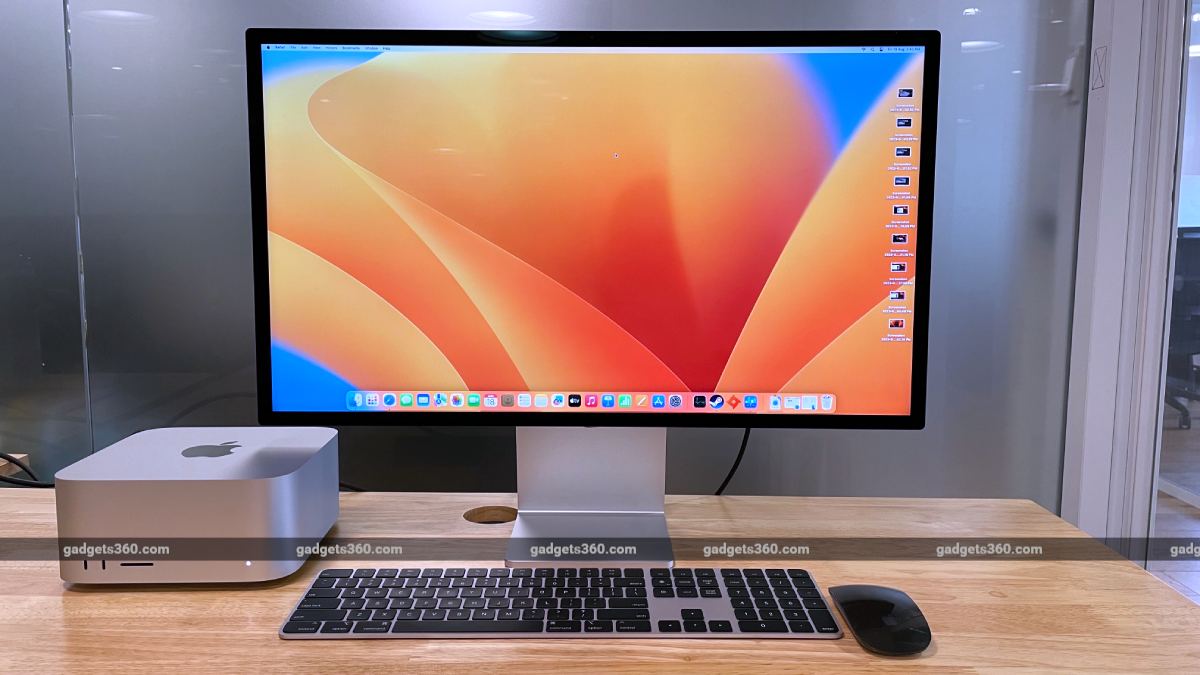
Lastly, it isn't as portable as a laptop. While you may be able to easily slide Apple's Mac mini in your backpack, there's nothing much you can do with it unless there is a monitor, keyboard, and mouse waiting for you at your destination.
Laptop Advantages, Drawbacks
The laptop's biggest advantage for home-office users is convenience. You buy it, take it out of the box, turn it on, and you're ready to go. No need to buy separate peripherals for it. This integrated nature makes it much more flexible to use compared to a Mini PC. You can work at your desk in the morning, move to another room for a video call, and take it to a cafe in the evening.
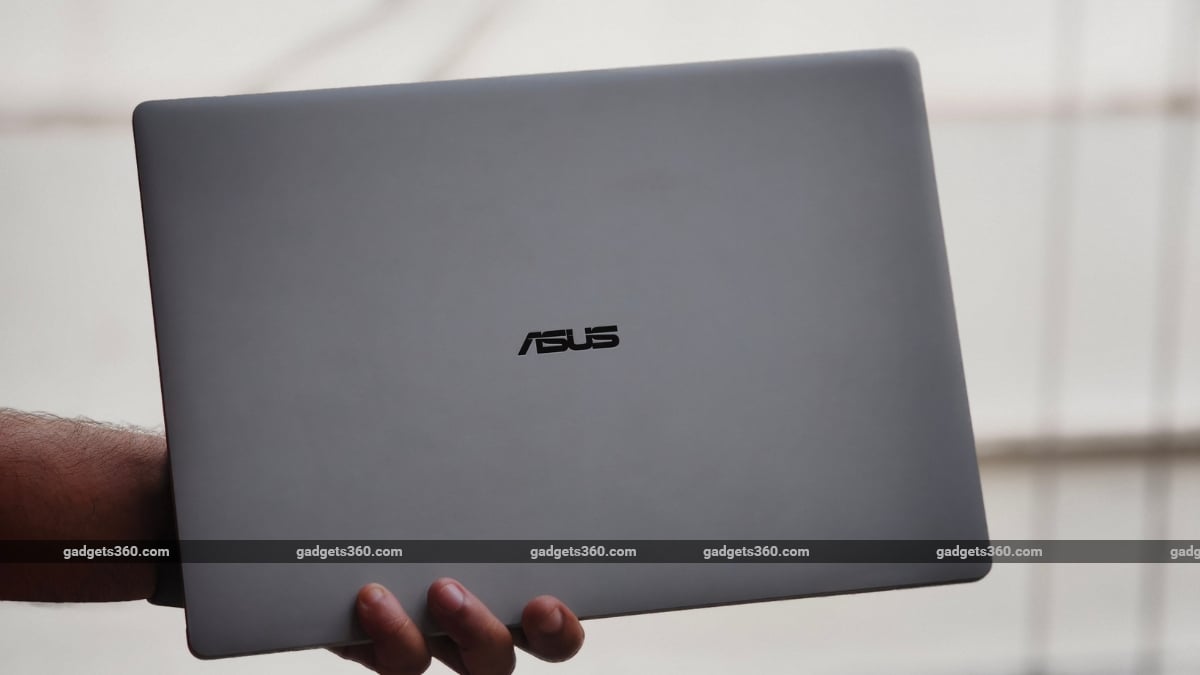
Despite its portability, you're not necessarily compromising on the desk experience either. You can still connect a monitor, keyboard, and mouse to a laptop for enhanced convenience. The value-for-money factor is also slightly higher in a laptop compared to a Mini PC. You need to spend on a single machine, without having to worry about any additional purchases.
There are trade-offs. To begin with, you're likely to be stuck with the display, keyboard, trackpad, and other core hardware that came with the laptop. Repairability and upgradeability can also be limited, especially with many thin-and-light laptops that often ship with soldered RAM.
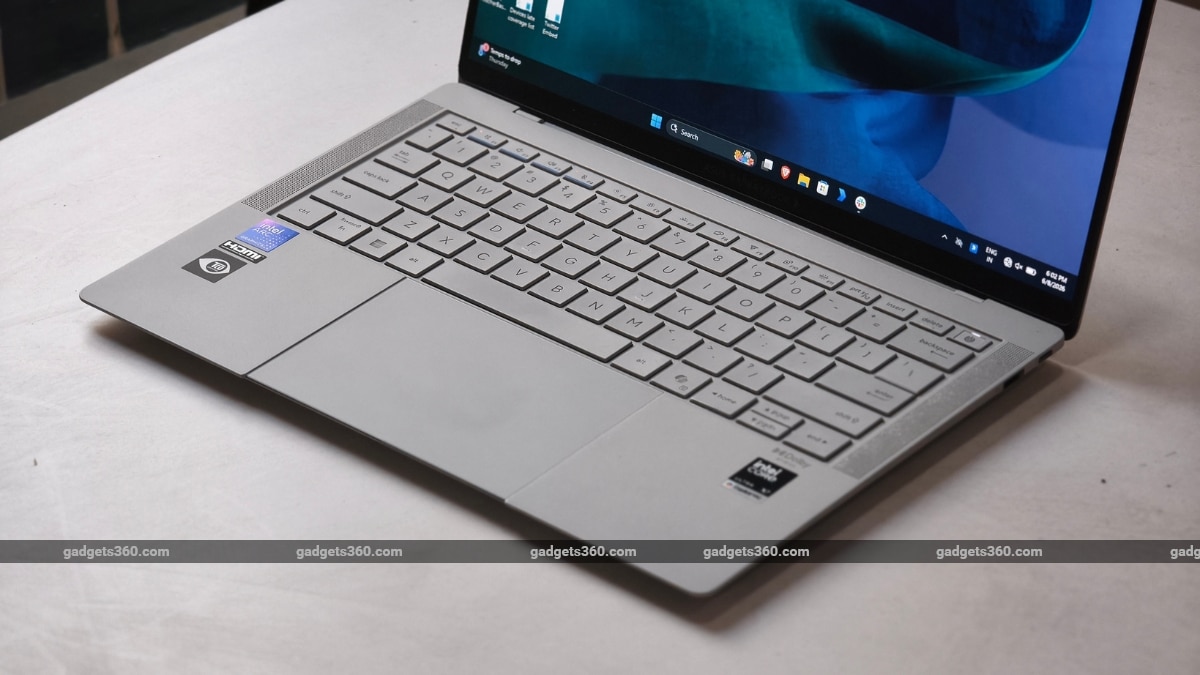
Batteries also degrade with use, keyboards can wear out, and a damaged motherboard will almost certainly force you to invest in a new laptop.
Mini PC vs Laptop: Which Is Better for Home Office in India?
The deciding factor when choosing between a Mini PC and a laptop for your home office is usually about where and how you work. If you have a permanent home-office setup, a Mini PC makes more sense. You can choose your own display size, keyboard, webcam, and mouse, and keep the desk relatively clutter-free.
A laptop, however, is the safer choice for most people. It can work during power cuts and can be carried to the office without worrying about needing other external hardware.
There is also the question of total cost. A Mini PC can appear cheaper when the two machines are compared purely by processor, RAM, and storage. However, the overall cost is often more than that of a laptop when you factor in the monitor, webcam, keyboard, mouse, speakers, and power backup.
So, which one should you buy? We'd advise you to buy a Mini PC if your computer will stay at one desk almost the entire time. It is also a better choice if you prefer a customisable machine and workspace over portability. But if you have a hybrid workflow that occasionally involves you visiting the office once in a while, a laptop is a more versatile option.
Comments
Get your daily dose of tech news, reviews, and insights, in under 80 characters on Gadgets 360 Turbo. Connect with fellow tech lovers on our Forum. Follow us on X, Facebook, WhatsApp, Threads and Google News for instant updates. Catch all the action on our YouTube channel.
Related Stories


Advertisement
Follow Us




-
![[Sponsored] Galaxy Tab S10 Lite for Students: Notes, Solve Math and More](https://www.gadgets360.com/static/desktop/images/spacer.png)
01:15
[Sponsored] Galaxy Tab S10 Lite for Students: Notes, Solve Math and More -
04:17
[Sponsored] LG NANO 4K UHD AI TV NU885: Gemini Search, Dolby Atmos & 5 Years of Updates -
00:57
[Sponsored] Samsung Galaxy Z Fold8 My Fan Cam in Action: Find the Moment, Then Share It -
01:41
[Sponsored] What Do You Need To Know Before Your Next Run? | Samsung Galaxy Watch Ultra2 -
01:32
[Sponsored] Big Day Tomorrow? Prep Today | Samsung Galaxy Watch Ultra2
-
NVIDIA के सीईओ ने पेश किए माइक्रोडक रोबोट, AI से चलते हैं, क्या काम आएंगे
-
iPhone Duo को बीच से खोला, फोल्डेबल डिस्प्ले से हटाया कवर, फिर क्या दिखा?
-
1 जनवरी से फोन में बिना सिम नहीं चलेगा WhatsApp, सिम बाइडिंग हुआ अनिवार्य
-
Oppo Reno 17 सीरीज के लॉन्च की तैयारी, NBTC पर हुई लिस्टिंग
-
OnePlus Ace 7 सीरीज में मिलेगा डुअल-एयरफ्लो डिजाइन, 3 कलर्स के ऑप्शन
Advertisement
Popular on Gadgets
- Samsung Galaxy S26 Ultra
- Motorola Razr Fold
- ChatGPT
- OPPO Find N6
- Mobiles Under Rs. 40,000
- Vivo X300 Ultra
- Asus Zenbook S14
- iQOO 15
- Vivo X300 Pro
- Lenovo Yoga Slim 7i Aura Edition
- iQOO 15R
- Vivo X Fold 5
- Sony PlayStation 5
- HP OmniPad 12
- OnePlus Nord CE 6 Lite
- OnePlus Pad 4
- OPPO F33 Pro 5G
- Cryptocurrency
- HP OmniBook Ultra 14 (2026)
- iPhone 17
- Eureka Forbes AP 355 Room Air Purifier
- Latest Mobile Phones
- Compare Phones
Latest Gadgets
- HMD 2660 Flip Senior Edition
- Lava Aura Curve
- Poco X8s
- Samsung Galaxy F70 5G
- Tecno Spark 50S 5G
- Vivo Y600s Pro
- Vivo Y32 (2026)
- Infinix Smart 20 HD
- Lenovo Yoga 9n 2-in-1
- Lenovo Yoga Pro 9n
- Amazon Alexa Tablet 8
- Amazon Alexa Tablet 11
- Pebble Qore 2
- Amazfit T-Rex Dual Solar
- Toshiba 65-Inch 4K Ultra HD Smart Mini LED QLED TV (65Z670SP)
- Haier M70 Mini LED 65-inch
- Acer Predator Atlas 8
- Asus ROG Ally
- Blue Star 1.5 Ton 5 Star Inverter Split AC (IE518ZNURS)
- Blue Star 2 Ton 3 Star Inverter Window AC (WIE324L)

- About Us
- Sitemaps
- Feedback
- Archives
- Contact Us
- RSS
- Advertise
- Career
- Privacy Policy
- Ethics
- Editorial Policy
- Terms & Conditions
- Complaint Redressal
Download Our Apps
Available in Hindi
© Copyright Red Pixels Ventures Limited 2026. All rights reserved.