
-
 How to Create AI Stickers on WhatsApp for Customised Republic Day 2026 Wishes: A Step-by-Step Guide25 January 2026
 -
WhatsApp Begins Testing Camera Zoom Control Feature, Sticker Creation Shortcuts9 May 2024
-
How to Create AI-Generated Stickers on WhatsApp: Steps to Follow20 August 2023
-
WhatsApp Beta Adds Screen Lock for Web Interface, Tests Support for AI-Generated Stickers on Android16 August 2023
- Home
- How to
- How to Features
- How to Create AI Stickers on WhatsApp for Personalised New Year 2026 Wishes: A Step by Step Guide
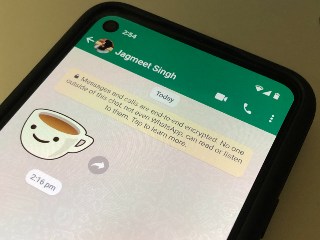
How to Create AI Stickers on WhatsApp for Personalised New Year 2026 Wishes: A Step-by-Step Guide
WhatsApp also lets you send ready-made stickers from its latest 2026 sticker pack, in addition to your own AI-generated stickers.
Written by Nithya P Nair, Edited by David Delima | Updated: 31 December 2025 18:45 IST

WhatsApp allow users to report incorrect stickers directly from the app
Click Here to Add Gadgets360 As A Trusted Source

Advertisement
WhatsApp has released several new features and tools this year that help you make your calls and chats more interesting and secure. The instant messaging platform continues to evolve every year with enhanced communication tools and privacy controls. A standout feature offered by the Meta-owned application is AI-powered stickers. Millions of users use stickers to express their emotions and personalise their chats. You can use this feature to send custom New Year 2026 wishes to your friends and loved ones.
How to Create and Share AI Stickers For the New Year 2026
Here's a quick step-by-step guide to creating AI stickers on WhatsApp for personalised New Year 2026 greetings. Before starting, make sure your app is updated to the latest version on iOS or Android. This feature is currently only available in select regions, so you'll need to check whether it is currently enabled on your smartphone.
- Open WhatsApp
- Open a Chat where you want to send your New Year 2026 sticker
- Tap the emoji icon in the text box
- Switch to the Stickers tab by clicking the square icon at the bottom
- Tap the Create or + button inside the Stickers section. It is labelled as “AI Stickers” in some app versions
- Type a prompt that describes the kind of New Year sticker you want. You can enter prompts like 'A festive 2026 New Year sticker with text', Celebrate New Year 2026, 'Animated sticker with Happy New Year 2026 text'
- WhatsApp will show you a few AI-generated sticker options based on your prompt.
- Select your favourite sticker and tap to send it
You can save these for future use. Once you create an AI sticker on WhatsApp, you can choose to send, edit, and view it. These stickers are generated based on the prompts, and some results may not be entirely accurate. You have the option to report incorrect or inappropriate stickers directly from the app.
If you're looking for ready-made stickers, you can access the 'Happy New Year' sticker pack from WhatsApp. This can be found in the sticker section under All Stickers. You can add it to your collection by tapping the plus (+) icon.
Comments
Get your daily dose of tech news, reviews, and insights, in under 80 characters on Gadgets 360 Turbo. Connect with fellow tech lovers on our Forum. Follow us on X, Facebook, WhatsApp, Threads and Google News for instant updates. Catch all the action on our YouTube channel.
Related Stories




How to Create AI Stickers on WhatsApp for Personalised New Year 2026 Wishes: A Step-by-Step Guide


Advertisement
Follow Us




-
00:21
[Sponsored] Samsung Galaxy Z Fold8, Fold8 Ultra -
03:41
[Sponsored] Samsung Galaxy Z Fold8: How It Fits Into an Actor’s Busy Day | Camera, Multitasking & More -
09:53
iPhone 18 Goes On Sale In India: Huge Crowds, Long Queues At Apple Stores -
06:32
Google Pixel 11 Pro XL Review: The Most Exciting Pixel Yet? | 120X Zoom + Tensor G6 -
05:20
Samsung Galaxy Watch Ultra 2 Review: Is This the Best Android Smartwatch?
-
Amazon vs Flipkart Sale: iPhone 17 ₹79,999 में, iPhone 15 ₹63,999 से शुरू
-
HMD 106 Pure लेटेस्ट फीचर फोन हुआ पेश, कीमत ₹1,100 के करीब
-
1 स्पीकर में 3 के मजे! Portronics ने भारत में लॉन्च किया AuraTrio
-
Oppo K14 Plus 5G लॉन्च: 8000mAh की बैटरी लंबे समय तक देगी साथ, फोटोग्राफी के लिए 50MP कैमरा से लैस
-
Nothing Phone (4a) और Phone (4b) के नए बेस वेरिएंट्स भारत में हुए लॉन्च, जानें प्राइस, स्पेसिफिकेशंस
Advertisement
Popular on Gadgets
- Samsung Galaxy S26 Ultra
- Motorola Razr Fold
- ChatGPT
- OPPO Find N6
- Mobiles Under Rs. 40,000
- Vivo X300 Ultra
- Asus Zenbook S14
- iQOO 15
- Vivo X300 Pro
- Lenovo Yoga Slim 7i Aura Edition
- iQOO 15R
- Vivo X Fold 5
- Sony PlayStation 5
- HP OmniPad 12
- OnePlus Nord CE 6 Lite
- OnePlus Pad 4
- OPPO F33 Pro 5G
- Cryptocurrency
- HP OmniBook Ultra 14 (2026)
- iPhone 17
- Eureka Forbes AP 355 Room Air Purifier
- Latest Mobile Phones
- Compare Phones
Latest Gadgets
- OPPO K14 Plus 5G
- Lava Shark 2 Pro 5G
- Ai+ Pulse 2 FE
- OPPO Reno 16t
- Itel Zeno 300
- Vivo Y600i
- Mivi One 5G
- Xiaomi 18 Pro Max
- Dell 14 Plus 2-in-1 (AMD Ryzen AI 7 350, 2025)
- Microsoft Surface Laptop, 13-inch (2nd Edition)
- Ai+ NovaTab
- Microsoft Surface Pro, 12-inch (2nd Edition)
- Amazfit T-Rex Dual Solar
- OPPO Watch S2
- Toshiba 65-Inch 4K Ultra HD Smart Mini LED QLED TV (65Z670SP)
- Haier M70 Mini LED 65-inch
- Acer Predator Atlas 8
- Asus ROG Ally
- Blue Star 1.5 Ton 5 Star Inverter Split AC (IE518ZNURS)
- Blue Star 2 Ton 3 Star Inverter Window AC (WIE324L)

- About Us
- Sitemaps
- Feedback
- Archives
- Contact Us
- RSS
- Advertise
- Career
- Privacy Policy
- Ethics
- Editorial Policy
- Terms & Conditions
- Complaint Redressal
Download Our Apps
Available in Hindi
© Copyright Red Pixels Ventures Limited 2026. All rights reserved.
-
 Apple Watch Series 12
Starts from ₹56,900
Apple Watch Series 12
Starts from ₹56,900
-
 Samsung Galaxy Watch Ultra 2
Starts from ₹59,909
Samsung Galaxy Watch Ultra 2
Starts from ₹59,909
-
 Samsung Galaxy Watch 9 (44mm, LTE)
Starts from ₹41,999
Samsung Galaxy Watch 9 (44mm, LTE)
Starts from ₹41,999
-
 Samsung Galaxy Watch 9 (40mm, LTE)
Starts from ₹38,999
Samsung Galaxy Watch 9 (40mm, LTE)
Starts from ₹38,999
-
 Samsung Galaxy Watch 9 (40mm)
Starts from ₹37,999
Samsung Galaxy Watch 9 (40mm)
Starts from ₹37,999
-
 Samsung Galaxy Watch 9 (44mm)
Starts from ₹40,999
Samsung Galaxy Watch 9 (44mm)
Starts from ₹40,999
-
 Bitcoin Holds Near $84,000 as Rising Yields and Oil Weigh on Market
-
 OnePlus 15 Security Flaw Could Give Malicious Apps Full Root Access Without User Permission
-
 Amazon Fire TV Stick 4K 2026 Design Renders Leaked Ahead of Launch
-
 Oppo K14 Plus Launched In India With Dimensity 7360 Max SoC, 8,000mAh Battery: Price, Specifications