-
 Google Rolls Out Lyria 3.5 AI Music Model in Flow Music With Richer Melodies and Vocals30 July 2026
 -
Google DeepMind Has Reportedly Assembled an A-Team to Take on Anthropic’s AI Coding Prowess21 April 2026
-
AI That Solves for India Can Solve for the World: Google DeepMind's Manish Gupta8 April 2026
-
AlphaGo Turns 10: How DeepMind’s Breakthrough Set the Stage for AGI11 March 2026
-
Google DeepMind Launches Lyria 3: New AI Music Generation Arrives in Gemini App19 February 2026
- Home
- How to
- How to Features
- Use Lyria 3 in Gemini to Generate AI Music: How It Works, Step by Step Guide
Use Lyria 3 in Gemini to Generate AI Music: How It Works, Step-by-Step Guide
Here's how to use Lyria 3 in Gemini to generate AI music with prompts, features, and step-by-step instructions.
Written by Shaurya Tomer, Edited by Ketan Pratap | Updated: 22 February 2026 12:00 IST
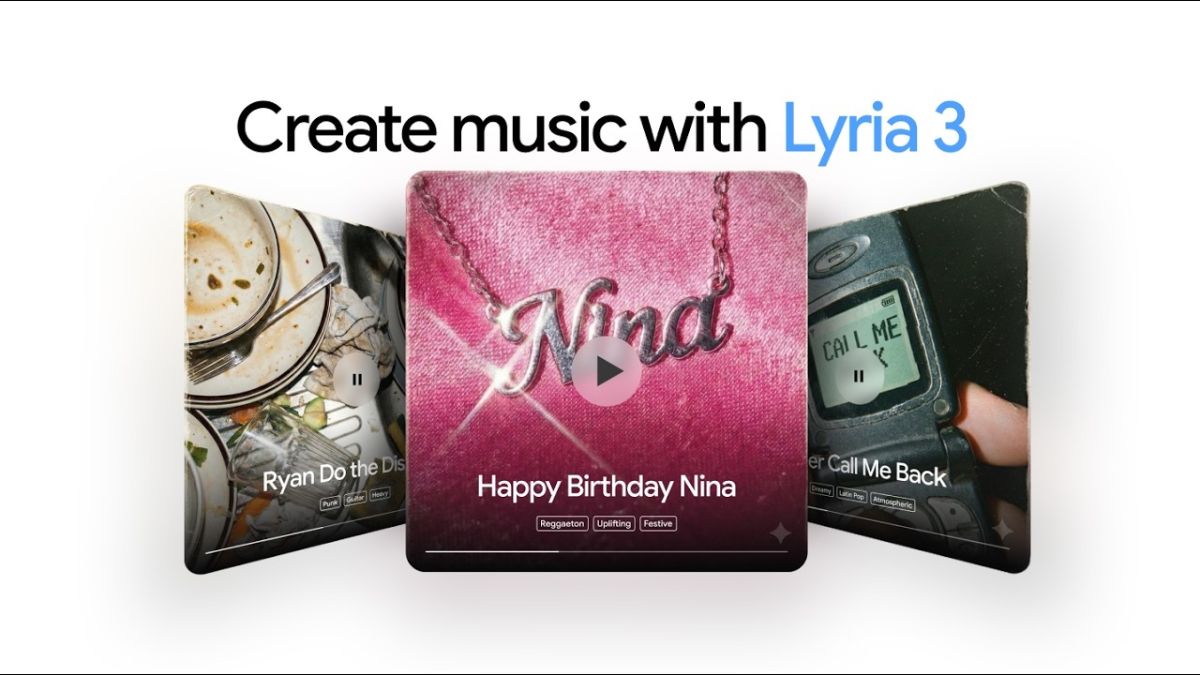
Photo Credit: Google
Lyria 3 powers new music creation capabilities inside the Gemini app
Click Here to Add Gadgets360 As A Trusted Source

Advertisement
Artificial intelligence applications are increasingly being employed to produce text, images, and even videos. AI-assisted music production is also becoming more mainstream in recent times. Google has incorporated its new AI-powered music generation model, Lyria 3, into the Gemini app. This enables users to produce new music using simple text descriptions. Whether you are a content creator looking for background music or an AI creativity enthusiast, Lyria 3 in Gemini is a new way to produce music without the need for production software.
What Is Lyria 3 and How Does It Work?
Google DeepMind introduced Lyria 3 as its new AI music generation tool, which has the ability to generate high-quality audio files based on text inputs. Unlike other models, Lyria 3 is designed to generate more coherent music with a rhythm, melody, and instruments.
According to Google's requirements, the tool has the ability to understand natural language inputs like genre, mood, tempo, and even some production styles. The tool then uses the inputs to generate original music clips based on the inputs. The tool analyses the inputs of the prompts and generates music based on the parameters of the inputs.
Lyria 3 also enables users to produce music based on photos and videos, matching the tone and atmosphere of the visuals. Each produced song also comes with the ability to generate cover art using AI, making it simpler for artists to distribute their work. According to Google DeepMind, Lyria 3 is a part of its overall strategy for multimodal AI, where text, image, audio, and video generation all coexist in one platform.
How to Use Lyria 3 in Gemini: Step-by-Step Guide
To get better results, users are advised to keep prompts clear and structured. Mentioning genre, mood, instrumentation, tempo, and context (for example, “background music for a travel vlog”) can help Lyria 3 produce more accurate compositions. Follow these steps to generate AI music:
1. Open the Gemini app or website
Sign in using your Google account. Ensure you are using the latest version of the app.
2. Select the music generation feature
Navigate to the creative tools or music generation option where Lyria 3 is integrated.
3. Enter a detailed prompt
In the prompt field, clearly describe the kind of music you want to create. Include details such as:
- Genre (pop, hip-hop, classical, EDM, ambient, etc.)
- Mood (energetic, calm, suspenseful, uplifting)
- Instruments (piano, guitar, synth, drums, strings)
- Tempo (slow, mid-tempo, fast)
- Intended use (background for vlog, intro music, workout track)
For example: “Create a fast-paced electronic track with heavy bass, sharp synth leads, and a festival-style drop.”
4. Refine Your Prompt
Refine your prompt for better results If the first output does not match your expectations, adjust your description. You can add more constraints, such as:
- “No vocals”
- “Mild percussion”
- “Build-up for 10 seconds before the drop”
5. Generate and review the track
Once your prompt is ready, tap or click the generate button. Gemini will process your request using Lyria 3 and produce an AI-generated music clip. Processing time may vary depending on complexity and server load.
Comments
Get your daily dose of tech news, reviews, and insights, in under 80 characters on Gadgets 360 Turbo. Connect with fellow tech lovers on our Forum. Follow us on X, Facebook, WhatsApp, Threads and Google News for instant updates. Catch all the action on our YouTube channel.
Related Stories






Advertisement
Follow Us




-
![[Sponsored]: CP PLUS CarKam CP-F89B: 4K Dashcam With Rear Camera, GPS & Emergency Recording](https://www.gadgets360.com/static/desktop/images/spacer.png)
04:37
[Sponsored]: CP PLUS CarKam CP-F89B: 4K Dashcam With Rear Camera, GPS & Emergency Recording -
04:23
[Partner Content] Your Phone Can Do WAY More Than You Think | OPPO ColorOS 16 -
01:59
Samsung Galaxy Z Fold8 Ultra: Unfold the Ultra Night -
03:24
Apple Pay Launches In India: Supported Devices, Cards And Payments Explained -
00:21
[Sponsored] Samsung Galaxy Z Fold8, Fold8 Ultra
-
Flipkart Big Billion Days Sale: Samsung Galaxy S25 और S25 FE पर धांसू डील
-
बड़े साइज के TV पर 40% तक छूट, Hisense की सेल में कीमत ₹25 हजार से शुरू
-
Flipkart Big Billion Days Sale 2026: Ai+ के 6 स्मार्टफोन्स पर डील्स
-
₹1,499 में itel Care फीचर फोन आया, बुजुर्गों के लिए खास फीचर्स से लैस
-
Vivo V80 भारत में लॉन्च, 7,200mAh बैटरी और 120Hz डिस्प्ले के साथ आया फोन; जानें कीमत
Advertisement
Popular on Gadgets
- Samsung Galaxy S26 Ultra
- Motorola Razr Fold
- ChatGPT
- OPPO Find N6
- Mobiles Under Rs. 40,000
- Vivo X300 Ultra
- Asus Zenbook S14
- iQOO 15
- Vivo X300 Pro
- Lenovo Yoga Slim 7i Aura Edition
- iQOO 15R
- Vivo X Fold 5
- Sony PlayStation 5
- HP OmniPad 12
- OnePlus Nord CE 6 Lite
- OnePlus Pad 4
- OPPO F33 Pro 5G
- Cryptocurrency
- HP OmniBook Ultra 14 (2026)
- iPhone 17
- Eureka Forbes AP 355 Room Air Purifier
- Latest Mobile Phones
- Compare Phones
Latest Gadgets
- Vivo V80
- Vivo S2 FE
- Vivo Y600K Turbo
- Realme P4s Lite
- Vivo S60t
- OPPO F35 5G
- OPPO F35 Pro 5G
- Samsung Galaxy F08
- Dell 14 Plus 2-in-1 (AMD Ryzen AI 7 350, 2025)
- Microsoft Surface Laptop, 13-inch (2nd Edition)
- Samsung Galaxy Tab S12+
- Samsung Galaxy Tab S12 Ultra
- Amazfit T-Rex Dual Solar
- OPPO Watch S2
- Toshiba 65-Inch 4K Ultra HD Smart Mini LED QLED TV (65Z670SP)
- Haier M70 Mini LED 65-inch
- Acer Predator Atlas 8
- Asus ROG Ally
- Blue Star 1.5 Ton 5 Star Inverter Split AC (IE518ZNURS)
- Blue Star 2 Ton 3 Star Inverter Window AC (WIE324L)

- About Us
- Sitemaps
- Feedback
- Archives
- Contact Us
- RSS
- Advertise
- Career
- Privacy Policy
- Ethics
- Editorial Policy
- Terms & Conditions
- Complaint Redressal
Download Our Apps
Available in Hindi
© Copyright Red Pixels Ventures Limited 2026. All rights reserved.