- Home
- Laptops
- Laptops Reviews
- HP OmniBook X 14 (2026) Review: Can This Finally Make You Ditch Your MacBook?
HP OmniBook X 14 (2026) Review: Can This Finally Make You Ditch Your MacBook?
The HP Omnibook X 14 (2026) tries to stake a claim as the definitive, zero-fuss daily companion for professionals and creators alike. Here’s our review.
Written by Shaurya Tomer, Edited by Ketan Pratap | Updated: 14 July 2026 18:26 IST
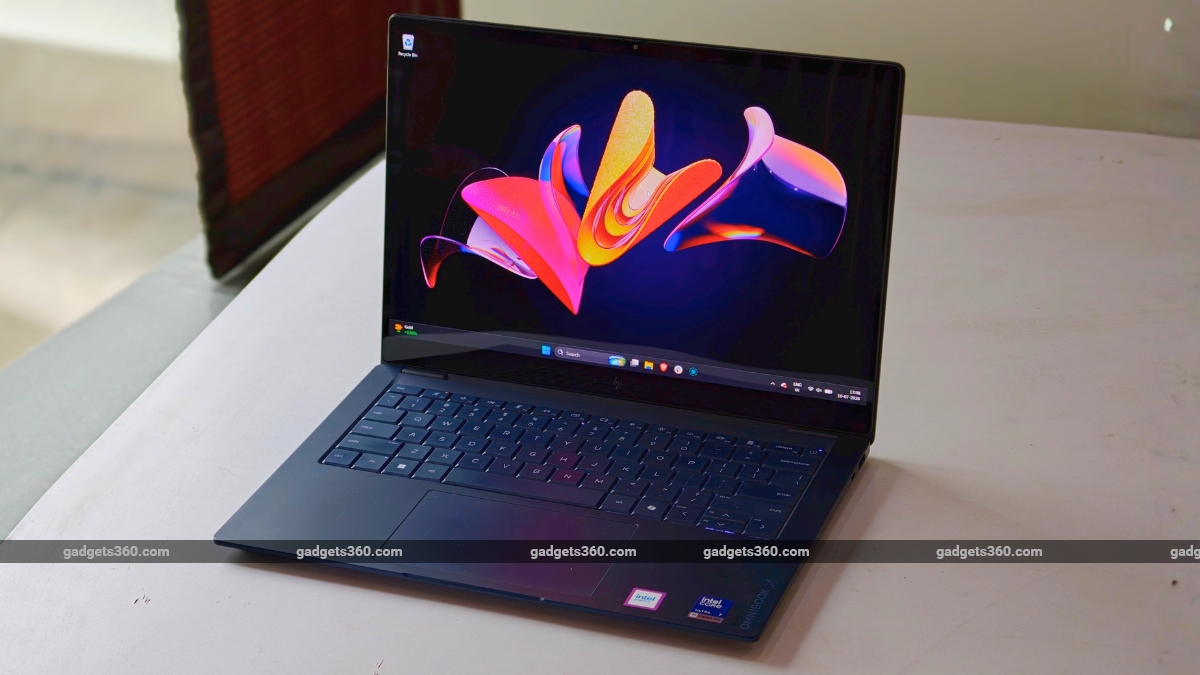
HP Omnibook X 14 (2026) price in India starts at Rs. 1,69,999
Click Here to Add Gadgets360 As A Trusted Source

Advertisement
Windows laptops have struggled with consistency for years. While some models deliver good performance at the cost of battery life, others offer excellent displays but fall short in build quality. The stakes are dialled up a notch for premium ultrabooks. These machines demand a delicate balance, especially when they cost over Rs. 1 lakh. HP's new OmniBook X 14, too, attempts to tick almost every box. It promises a combination of AI capabilities, a 3K OLED screen, a redesigned keyboard, and a lightweight chassis, packed into a very sleek package.
Priced at Rs. 1,69,999, the HP Omnibook X 14 (2026) aims to be the definitive, zero-fuss daily companion for professionals and creators alike.
HP OmniBook X 14 (2026) Design: Elegant
- Dimensions – 313.6 × 225.2 × 12.6mm
- Weight – 1.3 kilograms
- Colours – Atmospheric Blue
- Durability Certification – MIL-STD-810H
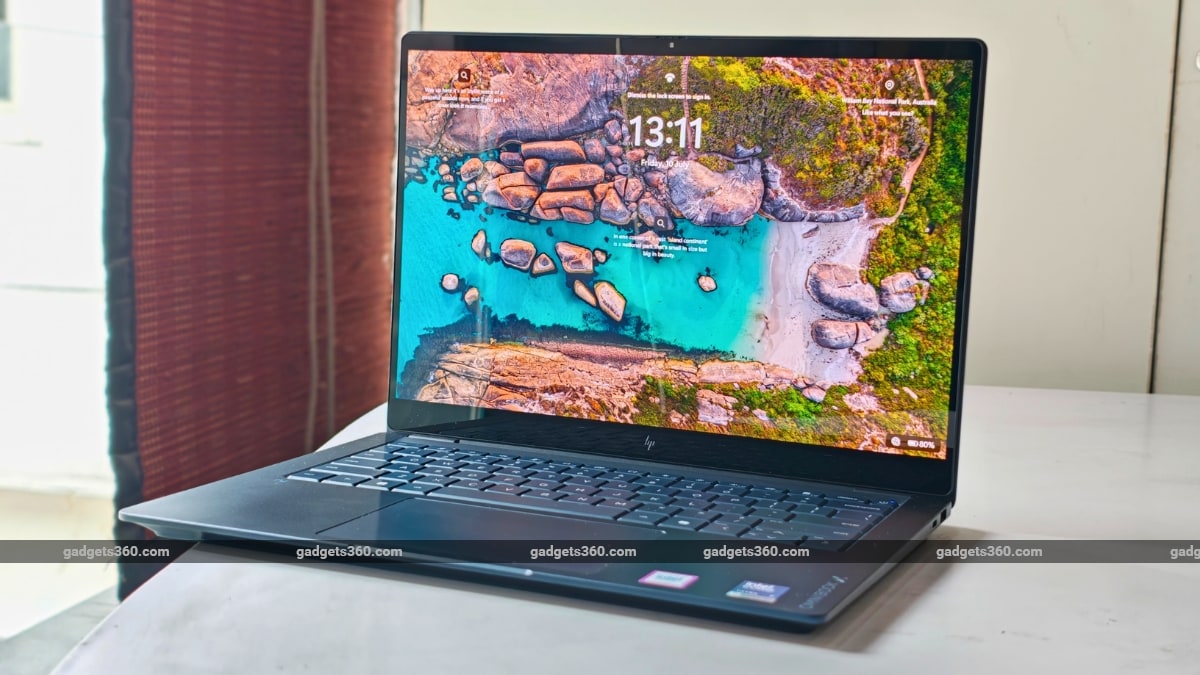
One thing HP has consistently gotten right over the last couple of years is design, and the OmniBook X 14 (2026) continues that trend. It is among the cleanest-looking Windows laptops I've used recently. The rectangular chassis has softly rounded corners. It weighs about 1.3kg and is 12.6mm thick, making the laptop comfortable to carry around all day. The hinge is solid and firm, and you can lift the lid using a single finger, without the base lifting off the table. The display does not wobble, either.
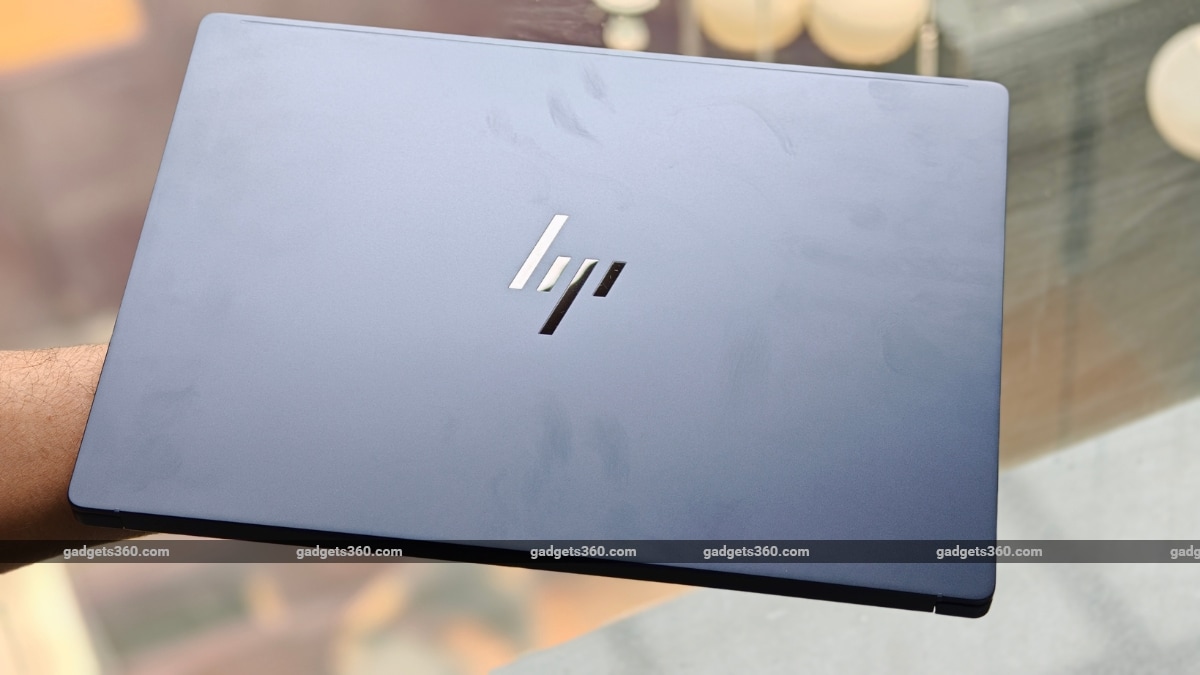
We have the Atmospheric Blue shade of the Omnibook X 14, which is very similar to the Omnibook X Flip 14 we reviewed last year. It is elegant and shifts between deep blue and muted grey, depending on the angle you're looking at it.
HP claims the chassis has undergone eleven MIL-STD-810H durability tests. Now, I obviously wasn't about to drop a Rs. 1.7 lakh laptop onto the floor, but it feels reassuringly solid. There's no noticeable flex around the keyboard deck, and the aluminium construction feels premium and rigid.
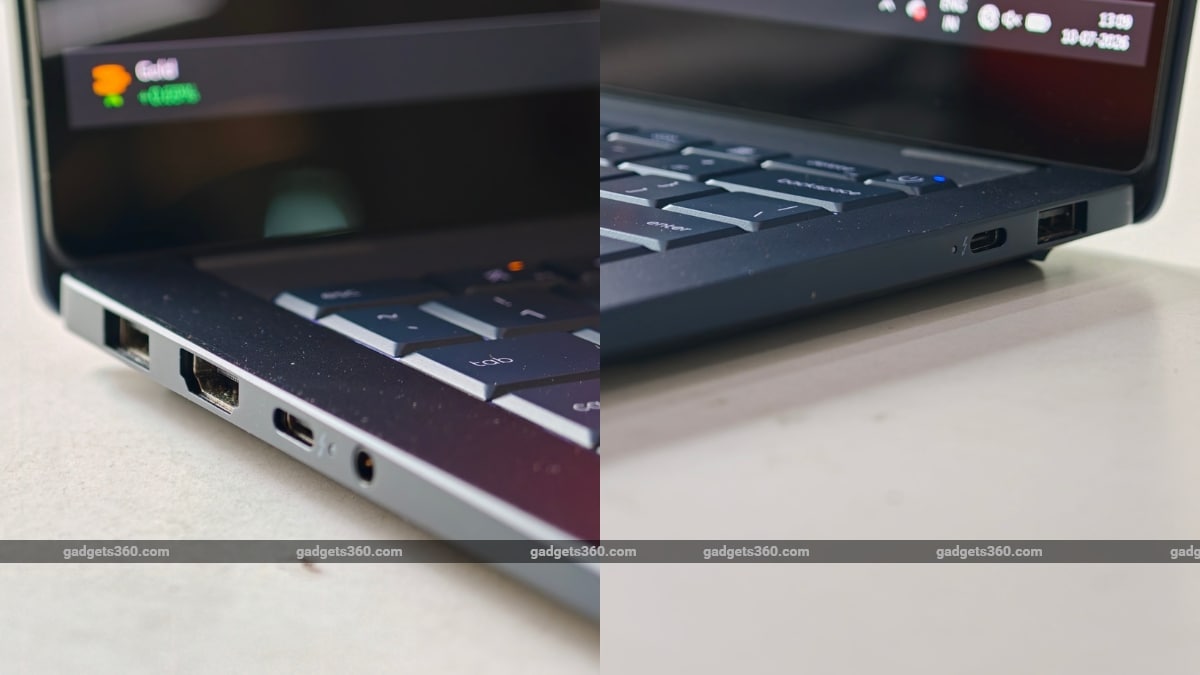
The HP Omnibook X 14 (2026) offers a decent selection of ports. There are two USB Type-A ports, two Thunderbolt 4 ports, an HDMI 2.1 port, and a 3.5mm headphone jack. One thing that I really liked was the presence of the two USB Type-C ports on either side of the laptop. These allow you to charge it while keeping your workspace tidy.
HP OmniBook X 14 (2026) Display: Stellar OLED
- Display – 14-inch OLED Touchscreen, 3K (2880×1800)
- Refresh rate – 120Hz Variable Refresh Rate
- Brightness – 500 nits (SDR), 1100 nits (HDR Peak)
- Protection – Corning Gorilla Glass 3
The front of the HP Omnibook X 14 (2026) is probably also its crown jewel. It sports a 14-inch 3K OLED display with a 120Hz refresh rate. Text appears sharp, and the colours look vibrant. From simple documents on Google Docs to visually stunning shows on Netflix, everything looks fantastic. The contrast levels are essentially infinite, which is typical of an OLED screen. Black levels look completely deep, and dark scenes do not have any blooming artefacts.
I've said this before, but once you spend a week or two working on a good OLED screen, going back to IPS panels becomes genuinely difficult. The panel has thin surrounding bezels that give the laptop a neat, symmetrical appearance from the front.
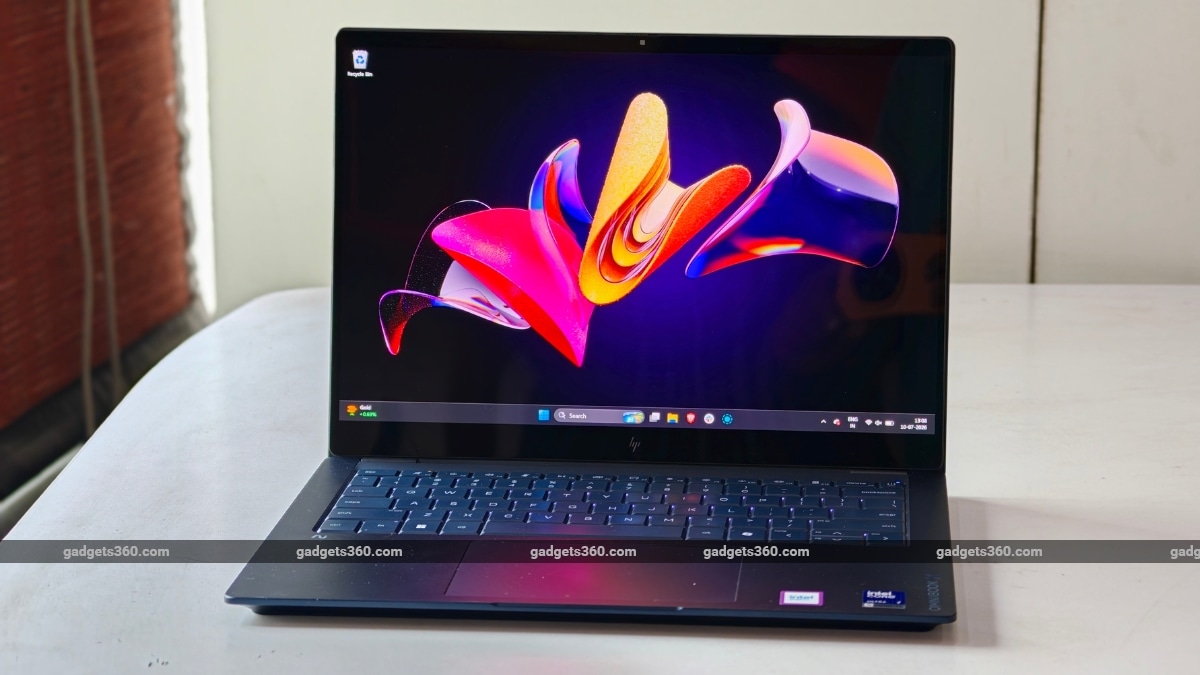
The 120Hz refresh rate makes everyday navigation noticeably smoother. Animations feel fluid when you're scrolling through long documents, navigating webpages, or simply moving around Windows.
Of course, there's a glaring issue typical of OLED panels, too: outdoor visibility. I noticed the glossy finish becoming highly reflective when there was a light source above or behind me. However, the viewing angles are excellent, so you can tilt the display to alleviate the issue somewhat.
HP OmniBook X 14 (2026) Keyboard, Trackpad and Speakers: Mostly Excellent
- Keyboard – Full-size backlit keyboard
- Trackpad – HP Imagepad
- Speakers – Dual down-firing speakers with DTS:X Ultra
- Webcam – 5MP IR
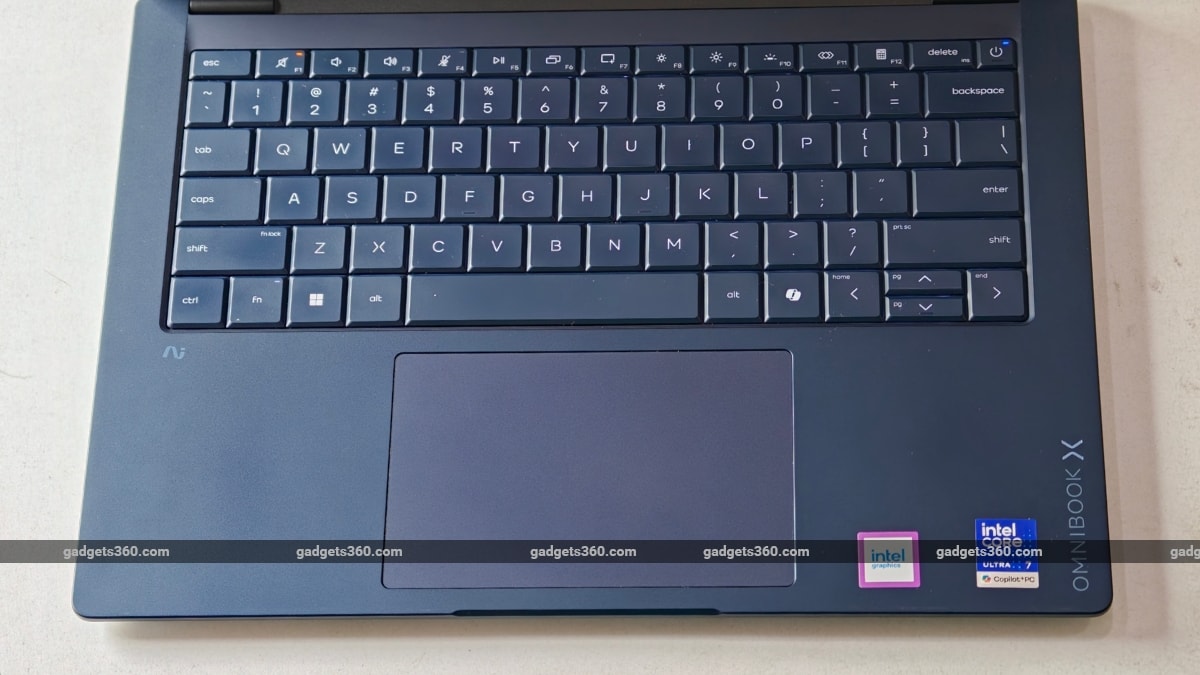
HP seems to have redesigned the keyboard with the Omnibook X 14 (2026). Overall, this is a good upgrade compared to its other models. The keys are spaced slightly further apart, and the gap between them is also wider. In real-world use, this makes typing slightly more accurate and almost entirely eliminates accidental key presses.
The trackpad, meanwhile, is equally impressive. It is large and responsive, and fingers glide effortlessly across the surface. Like other models in its segment, the trackpad supports multi-touch gestures. There are also new swipe gestures for adjusting brightness and volume directly from the trackpad, all of which worked well during my time with the Omnibook X 14 (2026).
Moving on, the audio quality on the HP Omnibook X 14 (2026) is decent. You have two down-firing speakers that get loud enough for meetings and casual media consumption. While I noticed crisp dialogue, the depth and bass were found to be lacking.
Lastly, the laptop features a 5-megapixel webcam, which is perfectly adequate. Video quality is good enough for Google Meet and Microsoft Teams calls. However, Windows Hello was a little disappointing for me. Facial recognition felt inconsistent during my time with the laptop as it failed to recognise me roughly four out of ten attempts. While it did work out eventually, I expected more reliability at this price.
HP OmniBook X 14 Performance: Built for Productivity
- Processor – Intel Core Ultra 7 356H
- Graphics – Intel Graphics
- Memory and Storage – 16GB LPDDR5X (RAM), 1TB PCIe Gen4 SSD (Storage)
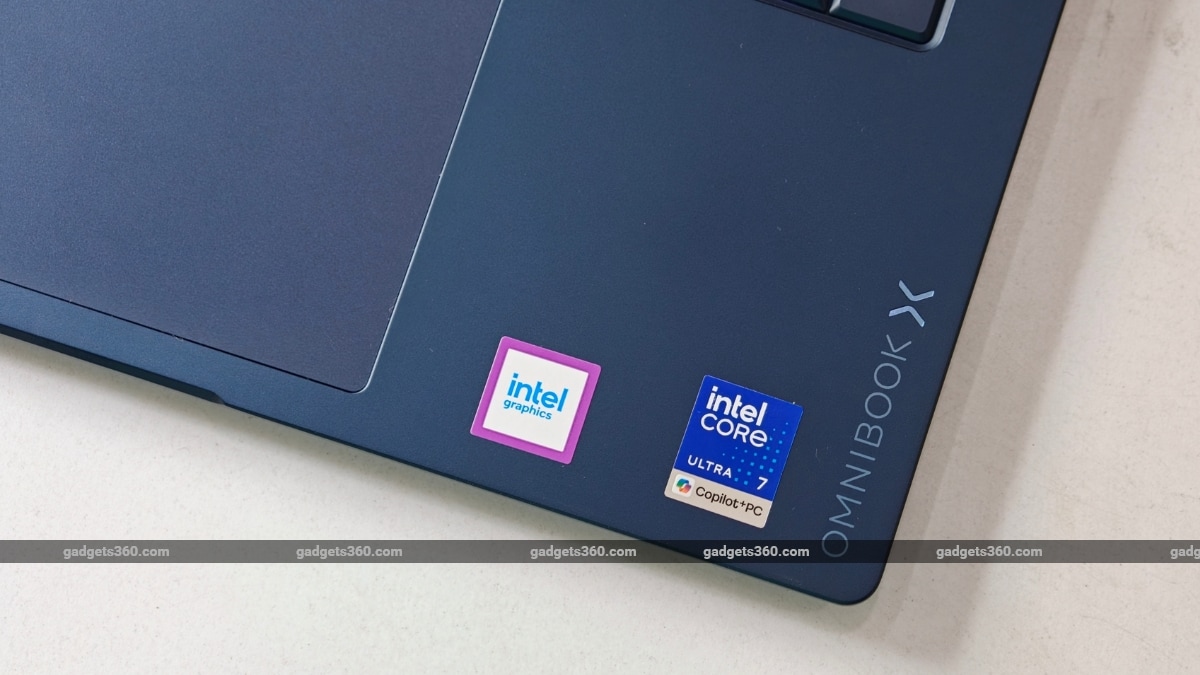
The OmniBook X 14 (2026) packs some serious structural muscle under the hood. Our review unit packs Intel's latest Core Ultra 7 356H processor, coupled with 16GB of LPDDR5X RAM and 1TB of PCIe Gen4 SSD storage.
During my testing, I used the laptop exactly like my daily driver, with 5-10 Chrome tabs across multiple windows, Slack, WhatsApp, Outlook, along with YouTube Music constantly running in the background. Despite this, the laptop never felt overwhelmed. Apps launched instantly and multitasking was fluid. I did not experience any slowdown.
| Benchmark | HP Omnibook X 14 (2026, Intel) |
|---|---|
| Cinebench R23 (Single-core) | 1,694 |
| Cinebench R23 (Multi-core) | 11,362 |
| Geekbench 6 Single Core | 2,565 |
| Geekbench 6 Multi Core | 15,380 |
| Geekbench AI (Quantized) | 17,632 |
| PC Mark 10 | 7,628 |
| 3DMark Night Raid | 12,994 |
| 3DMark CPU Profile | 9,595 |
| 3DMark Steel Nomad Light | 1,578 |
| CrystalDiskMark | 6,183.37 MB/s (Read) / 5,326.52 MB/s (Write) |
Thermals are impressive, too. HP claims to have used a redesigned dual-fan cooling system with Special Liquid Crystal Polymer fan blades alongside a copper cooling plate. The magic pays off. The chassis remained surprisingly cool after hours of heavy use, even in Delhi's scorching heat, with the AC set to minimum.
Although you may not have use for it, almost every premium ultrabook comes with AI features baked in, and the HP Omnibook X 14 (2026) is no different. There is an onboard NPU which powers features such as HDR Auto Switch and Temporal Noise Reduction for the webcam. There is also the Look To Move feature, which can automatically shift the cursor to whichever display you're facing. They're subtle additions and work as expected.
HP OmniBook X 14 Battery Life: Lasts a Full Workday
- Battery – 70Wh
- Charging – 100W USB Type-C GaN
Most laptops running newer Intel chips, such as the Panther Lake-H architecture-based unit we have, seem to have bridged the gap with Apple silicon-powered Macs when it comes to battery life. The Omnibook X 14 (2026) continues that trend, and battery life is another one of its big strengths. During my time with the laptop, it managed to survive a full workday, with roughly 10–12 percent charge remaining.
What I really liked is the inclusion of the 100W USB Type-C GaN charger. It is a breath of fresh air compared to the typical bricks you get with most laptops, and even some premium ultrabooks. It can not only juice up the laptop fast but also charge your phone in times of need. Small conveniences like this become surprisingly meaningful in the long term.
HP Omnibook X 14 Verdict
I think the HP OmniBook X 14 is a polished, focus-driven ultrabook that gets almost all the core fundamentals right. Its combination of a stunning 3K OLED display, a robust and lightweight matte frame, and highly responsive Intel Core Ultra performance makes it a versatile companion for daily workloads.
There are a few shortcomings. The speakers could use more depth, Windows Hello feels less reliable than it should, and at roughly Rs. 1.7 lakh, the pricing certainly places it among serious competition.
Even so, there's not much to complain about. So, if you are in the market for a highly reliable, premium ultrabook that balances a premium build with a gorgeous screen and solid battery life, the HP OmniBook X 14 makes a compelling case. If you're looking for alternatives, then the M5 MacBook Air is its biggest competitor in terms of pricing, while the Asus Zenbook S14 (review) is also a good shout.
- REVIEW
- KEY SPECS
- NEWS
- Good
- Lightweight yet premium build
- Brilliant OLED touchscreen display
- Great everyday performance
- All-day battery life
- Bad
- Windows Hello facial recognition is inconsistent
- Premium pricing puts it against strong competition
Read detailed HP Omnibook X 14 (2026, Intel) review
Display size 14.00-inch
Display resolution 2880x1800 pixels
Touchscreen Yes
Processor Intel Core Ultra 7
RAM 16GB
OS Windows 11 Home
SSD 1TB
Graphics Intel Graphics
Weight 1.30 kg
Comments
Get your daily dose of tech news, reviews, and insights, in under 80 characters on Gadgets 360 Turbo. Connect with fellow tech lovers on our Forum. Follow us on X, Facebook, WhatsApp, Threads and Google News for instant updates. Catch all the action on our YouTube channel.
Further reading:
HP Omnibook X 14 (2026), HP Omnibook X 14 (2026) Specifications, HP OmniBook X 2026

Related Stories


Advertisement
Follow Us




-
![[Sponsored]: CP PLUS CarKam CP-F89B: 4K Dashcam With Rear Camera, GPS & Emergency Recording](https://www.gadgets360.com/static/desktop/images/spacer.png)
04:37
[Sponsored]: CP PLUS CarKam CP-F89B: 4K Dashcam With Rear Camera, GPS & Emergency Recording -
04:23
[Partner Content] Your Phone Can Do WAY More Than You Think | OPPO ColorOS 16 -
01:59
Samsung Galaxy Z Fold8 Ultra: Unfold the Ultra Night -
03:24
Apple Pay Launches In India: Supported Devices, Cards And Payments Explained -
00:21
[Sponsored] Samsung Galaxy Z Fold8, Fold8 Ultra
-
OnePlus 16 लॉन्च: 200 मेगापिक्सल कैमरा, 9000mAh की बैटरी से लैस, जानें
-
Vivo का लेटेस्ट फोन Amazon Great Indian Festival में मिल रहा ₹6,300 सस्ता
-
Amazon Great Indian Festival: ₹51000 सस्ता मिल रहा Samsung फोल्डेबल फोन
-
Flipkart Big Billion Sale 2026: ₹5,500 से ज्यादा सस्ता मिल रहा Motorola Signature, 50MP तीन कैमरा वाला फोन
-
OnePlus 16 Launch Today: आज लॉन्च होगा OnePlus फ्लैगशिप, 185Hz डिस्प्ले और 9000mAh बैटरी समेत जानें कंफर्म्ड स
Advertisement
Popular on Gadgets
- Samsung Galaxy S26 Ultra
- Motorola Razr Fold
- ChatGPT
- OPPO Find N6
- Mobiles Under Rs. 40,000
- Vivo X300 Ultra
- Asus Zenbook S14
- iQOO 15
- Vivo X300 Pro
- Lenovo Yoga Slim 7i Aura Edition
- iQOO 15R
- Vivo X Fold 5
- Sony PlayStation 5
- HP OmniPad 12
- OnePlus Nord CE 6 Lite
- OnePlus Pad 4
- OPPO F33 Pro 5G
- Cryptocurrency
- HP OmniBook Ultra 14 (2026)
- iPhone 17
- Eureka Forbes AP 355 Room Air Purifier
- Latest Mobile Phones
- Compare Phones
Latest Gadgets
- Vivo Y600s Pro
- Vivo Y32 (2026)
- Infinix Smart 20 HD
- Vivo V80
- Vivo S2 FE
- Vivo Y600K Turbo
- Realme P4s Lite
- Vivo S60t
- Dell Pro Rugged 14
- Dell Pro Rugged 13 Extreme
- Amazon Alexa Tablet 8
- Amazon Alexa Tablet 11
- Amazfit T-Rex Dual Solar
- OPPO Watch S2
- Toshiba 65-Inch 4K Ultra HD Smart Mini LED QLED TV (65Z670SP)
- Haier M70 Mini LED 65-inch
- Acer Predator Atlas 8
- Asus ROG Ally
- Blue Star 1.5 Ton 5 Star Inverter Split AC (IE518ZNURS)
- Blue Star 2 Ton 3 Star Inverter Window AC (WIE324L)

- About Us
- Sitemaps
- Feedback
- Archives
- Contact Us
- RSS
- Advertise
- Career
- Privacy Policy
- Ethics
- Editorial Policy
- Terms & Conditions
- Complaint Redressal
Download Our Apps
Available in Hindi
© Copyright Red Pixels Ventures Limited 2026. All rights reserved.
-
 Apple Watch Series 12
Starts from ₹56,900
Apple Watch Series 12
Starts from ₹56,900
-
 Samsung Galaxy Watch Ultra 2
Starts from ₹63,999
Samsung Galaxy Watch Ultra 2
Starts from ₹63,999
-
 Samsung Galaxy Watch 9 (44mm, LTE)
Starts from ₹41,999
Samsung Galaxy Watch 9 (44mm, LTE)
Starts from ₹41,999
-
 Samsung Galaxy Watch 9 (40mm, LTE)
Starts from ₹38,999
Samsung Galaxy Watch 9 (40mm, LTE)
Starts from ₹38,999
-
 Samsung Galaxy Watch 9 (40mm)
Starts from ₹36,999
Samsung Galaxy Watch 9 (40mm)
Starts from ₹36,999
-
 Samsung Galaxy Watch 9 (44mm)
Starts from ₹40,999
Samsung Galaxy Watch 9 (44mm)
Starts from ₹40,999