-
 Google’s Year in Search 2025: Top Trending Topics in India—From Gemini to Squid Games5 December 2025
 -
Search Interest in NFTs and Metaverse Fading, Shows Google Trends10 March 2022
-
Google Year in Search 2021: Indian Premier League, CoWIN Among Top Searches in India8 December 2021
-
Google ‘Year in Search 2020’: Indian Premier League, Coronavirus, and US Election Results Among Top Trends9 December 2020
-
Google Search Trends Show Growth for African-American Studies, Historically Black Universities11 August 2020
Stop Guessing Keywords: Google Trends Adds Gemini to Suggest and Compare Topics Instantly
Google has reimagined the Trends Explore page and added a Gemini side panel to it.
Written by Akash Dutta, Edited by Ketan Pratap | Updated: 15 January 2026 14:34 IST
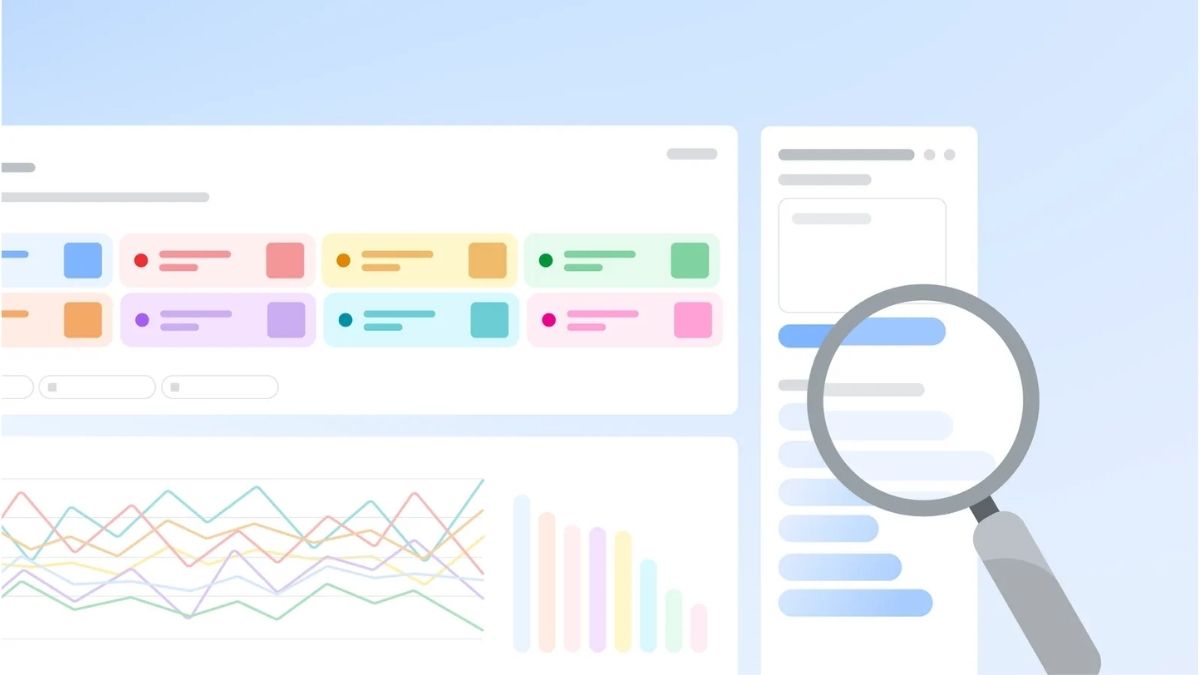
Photo Credit: Google
Google Trends has also doubled the number of rising queries users can see on each timeline
Click Here to Add Gadgets360 As A Trusted Source

Advertisement
Google Trends is the company's latest product to get an artificial intelligence (AI) makeover. The search topic exploration and comparison site has been a mainstay since 2006, and is used by researchers, journalists, and content creators worldwide to check and understand what people are searching for on Google. It now has a new Gemini side panel that makes it easy to not only find relevant keywords but also understand the related keywords they should add to the chart to get a better understanding of the full picture.
Google Trends Gets an AI Makeover
In a blog post, the Mountain View-based tech giant announced and detailed the new capability in Google Trends on Wednesday. The platform has now been integrated with the company's in-house AI chatbot, Gemini, which will be available on the right side of the website. The side panel comes with a text box where users can type their queries, and it can instantly generate up to eight relevant search topics. The feature is currently available to all users globally on the desktop website.
Before this update, searching trends on the website required prior expertise in a subject area or the ability to dig out relevant keywords. Google Trends made the process of learning what people are searching for easy, but it still required work to figure out the related keywords that provide a full picture.
For instance, if you saw a company's name trending on X (formerly Twitter), you might want to see if it is also being looked up on Google Search. Trends will help you find the search volume and commonly searched queries, but it does not tell you anything apart from that. At this point, you will have to spend time understanding why the company is trending, if its rival is trending, or if the entire sector is being searched for.
With Gemini, users can now skip the research step, even if they are looking for trends in an area outside of their expertise. Users can simply type their query in plain words, and Gemini will understand the context and generate up to eight different keywords. These topics will be colour-coded and automatically displayed on the timeline so that the user can make sense of the data.
Additionally, Google has also increased the number of terms users can compare, and it has doubled the number of rising queries it shows on each timeline.
Comments
Get your daily dose of tech news, reviews, and insights, in under 80 characters on Gadgets 360 Turbo. Connect with fellow tech lovers on our Forum. Follow us on X, Facebook, WhatsApp, Threads and Google News for instant updates. Catch all the action on our YouTube channel.
Related Stories





Advertisement
Follow Us




-
![[Sponsored] LG NANO 4K UHD AI TV NU885: Gemini Search, Dolby Atmos & 5 Years of Updates](https://www.gadgets360.com/static/desktop/images/spacer.png)
04:17
[Sponsored] LG NANO 4K UHD AI TV NU885: Gemini Search, Dolby Atmos & 5 Years of Updates -
00:57
[Sponsored] Samsung Galaxy Z Fold8 My Fan Cam in Action: Find the Moment, Then Share It -
01:41
[Sponsored] What Do You Need To Know Before Your Next Run? | Samsung Galaxy Watch Ultra2 -
01:32
[Sponsored] Big Day Tomorrow? Prep Today | Samsung Galaxy Watch Ultra2 -
04:37
[Sponsored]: CP PLUS CarKam CP-F89B: 4K Dashcam With Rear Camera, GPS & Emergency Recording
Advertisement
Popular on Gadgets
- Samsung Galaxy S26 Ultra
- Motorola Razr Fold
- ChatGPT
- OPPO Find N6
- Mobiles Under Rs. 40,000
- Vivo X300 Ultra
- Asus Zenbook S14
- iQOO 15
- Vivo X300 Pro
- Lenovo Yoga Slim 7i Aura Edition
- iQOO 15R
- Vivo X Fold 5
- Sony PlayStation 5
- HP OmniPad 12
- OnePlus Nord CE 6 Lite
- OnePlus Pad 4
- OPPO F33 Pro 5G
- Cryptocurrency
- HP OmniBook Ultra 14 (2026)
- iPhone 17
- Eureka Forbes AP 355 Room Air Purifier
- Latest Mobile Phones
- Compare Phones
Latest Gadgets
- Vivo Y600s Pro
- Vivo Y32 (2026)
- Infinix Smart 20 HD
- Vivo V80
- Vivo S2 FE
- Vivo Y600K Turbo
- Realme P4s Lite
- Vivo S60t
- HP ZBook Ultra G3a
- Dell Pro Rugged 14
- Amazon Alexa Tablet 8
- Amazon Alexa Tablet 11
- Amazfit T-Rex Dual Solar
- OPPO Watch S2
- Toshiba 65-Inch 4K Ultra HD Smart Mini LED QLED TV (65Z670SP)
- Haier M70 Mini LED 65-inch
- Acer Predator Atlas 8
- Asus ROG Ally
- Blue Star 1.5 Ton 5 Star Inverter Split AC (IE518ZNURS)
- Blue Star 2 Ton 3 Star Inverter Window AC (WIE324L)

- About Us
- Sitemaps
- Feedback
- Archives
- Contact Us
- RSS
- Advertise
- Career
- Privacy Policy
- Ethics
- Editorial Policy
- Terms & Conditions
- Complaint Redressal
Download Our Apps
Available in Hindi
© Copyright Red Pixels Ventures Limited 2026. All rights reserved.