-
 Google Meet Finally Adds Support for Full Emoji Library to Enhance In-Call Reactions11 November 2025
 -
How to Create a Google Meet Waiting Room for Better Control, Privacy24 October 2025
-
Google Meet Now Lets You Apply AI-Powered Makeup Effects During Video Calls14 October 2025
-
Google Workspace March Feature Drop to Upgrade Google Meet and Vids With New Capabilities27 March 2025
-
Gemini in Google Meet Can Now Suggest ‘Next Steps’ After Meetings19 February 2025
Google Unveils New Gemini-Powered Features, Workspace Intelligence and More at Google Cloud Next 2026
Google is also opening up Workspace capabilities to developers through a new MCP server.
Written by Sucharita Ganguly, Edited by David Delima | Updated: 23 April 2026 12:57 IST
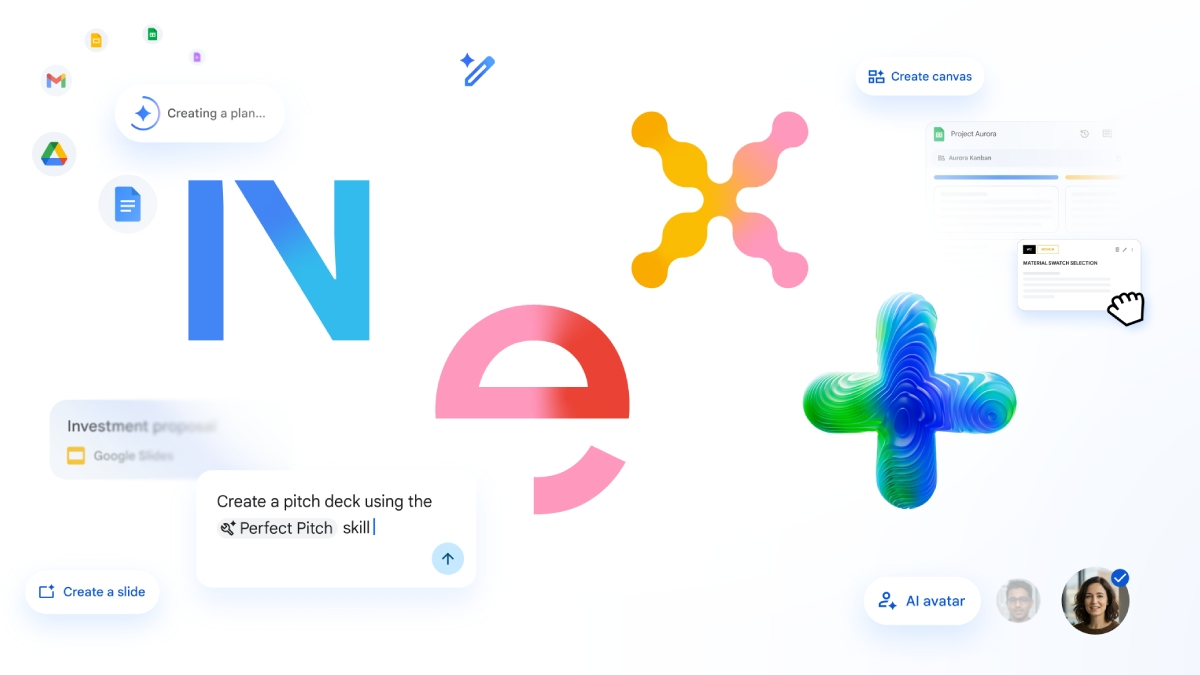
Photo Credit: Google
Google said that these features will begin rolling out over the coming weeks
Click Here to Add Gadgets360 As A Trusted Source

Advertisement
Google has unveiled a broad set of updates for its Google Workspace at Google Cloud Next 2026, with a strong focus on AI-powered productivity and smarter collaboration. The company introduced Workspace Intelligence, a system that can interpret relationships between files, projects, and collaborators across apps like Docs, Slides, and Gmail to enable more advanced, automated workflows. These updates are said to highlight Google's effort to make Workspace more intelligent and automated, though some features may continue to be updated before they are widely released.
Google Meet, Sheets, and Gemini Get Big AI Upgrades at Next 2026
The company revealed that the “Take Notes for me” feature on Google Meet will soon work beyond standard video calls. Users will be able to capture summaries and action items from in-person meetings, as well as sessions hosted on platforms like Zoom and Microsoft Teams. Google noted that more than 110 million users engaged with this feature in the past month.
Google Sheets will also get upgraded with new Gemini-powered capabilities. Users will be able to more easily pull data from external platforms such as HubSpot and Salesforce. The update also introduces a new canvas that lets users build interactive elements such as dashboards, heat maps, and Kanban boards directly within spreadsheets.
The search giant is also opening up Workspace capabilities to developers through a new MCP server. This allows external apps and AI agents to securely interact with services like Drive, Gmail, Calendar, and Chat. A command-line interface is also in development to simplify these integrations.
The company is also rolling out “skills” in Workspace, which are reusable automation tools designed to handle routine processes. For instance, a team can set up a workflow to check invoices and highlight inconsistencies. These skills can be created in Workspace Studio and shared with others.
Google is improving Google Vids by adding more customisation to its avatars. Users can include branding elements such as logos or backgrounds. The avatars will also support additional languages and can be inserted automatically when turning presentations into videos.
The Gemini Enterprise app is gaining tighter integration with Workspace tools. Users will soon be able to manage Calendar events and work on Docs or Slides directly in the app. For enterprise customers, Google is introducing an auto-browse feature in Google Chrome Enterprise. This tool helps users complete complex, multistep tasks across websites and applications while maintaining security protections.
On the security front, new governance tools will help administrators track and control how AI systems access data. Google is also expanding options for data residency and offering client-side encryption for sensitive information. The company is also making it easier to switch from Microsoft 365. A new migration system aims to speed up data transfers, while improved compatibility features will help users work more smoothly with Office files.
These features will begin rolling out over the coming weeks, Google said.
Comments
Get your daily dose of tech news, reviews, and insights, in under 80 characters on Gadgets 360 Turbo. Connect with fellow tech lovers on our Forum. Follow us on X, Facebook, WhatsApp, Threads and Google News for instant updates. Catch all the action on our YouTube channel.
Further reading:
Google Meet, Google Meet Notes, Google Sheets, Google Gemini, Google Workspace, Gemini Enterprise, Google Vids, AI, Microsoft 365, Google
Related Stories


Google Unveils New Gemini-Powered Features, Workspace Intelligence and More at Google Cloud Next 2026


Advertisement
Follow Us




-
04:49
Realme 16 Review: Air Design, 7000mAh, And More | Best Phone Under 35000 In 2026? -
05:05
Goboult Mustang Racer Smartwatch Review: Should You Get This Mustang Smartwatch? -
04:58
OnePlus Nord Buds 4 Pro Review: Specs, Sound Quality, ANC, and Battery Backup Tested -
02:29
[Sponsored] Samsung Galaxy S26 Ultra First Look: AI Smartphone for Creators, Gaming & Productivity -
04:25
Vivo X200T Review - Full Camera, Gaming & Battery Test | Worth Buying?
Advertisement
Popular on Gadgets
- Samsung Galaxy Unpacked 2026
- iPhone 17 Pro Max
- ChatGPT
- iOS 26
- Laptop Under 50000
- Smartwatch Under 10000
- Apple Vision Pro
- Oneplus 12
- OnePlus Nord CE 3 Lite 5G
- iPhone 13
- Xiaomi 14 Pro
- Oppo Find N3
- Tecno Spark Go (2023)
- Realme V30
- Best Phones Under 25000
- Samsung Galaxy S24 Series
- Cryptocurrency
- iQoo 12
- Samsung Galaxy S24 Ultra
- Giottus
- Samsung Galaxy Z Flip 5
- Apple 'Scary Fast'
- Housefull 5
- GoPro Hero 12 Black Review
- Invincible Season 2
- JioGlass
- HD Ready TV
- Latest Mobile Phones
- Compare Phones
Latest Gadgets
- Poco C81x
- Poco C81
- Honor 600
- Honor 600 Pro
- OPPO Find X9s
- OPPO Find X9s Pro
- OPPO Find X9 Ultra
- Vivo Y6t
- Asus ExpertBook P5 G1
- Asus ExpertBook P3 G1
- Redmi K Pad 2
- OPPO Pad Mini
- NoiseFit Diva Araya
- OPPO Watch X3 Mini
- Xiaomi TV S Mini LED 2026 (75-inch)
- Xiaomi TV S Mini LED 2026 (65-inch)
- Asus ROG Ally
- Nintendo Switch Lite
- Haier 1.6 Ton 5 Star Inverter Split AC (HSU19G-MZAID5BN-INV)
- Haier 1.6 Ton 5 Star Inverter Split AC (HSU19G-MZAIM5BN-INV)

- About Us
- Sitemaps
- Feedback
- Archives
- Contact Us
- RSS
- Advertise
- Career
- Privacy Policy
- Ethics
- Editorial Policy
- Terms & Conditions
- Complaint Redressal
Download Our Apps
Available in Hindi
© Copyright Red Pixels Ventures Limited 2026. All rights reserved.