-
 Perplexity Users Claim Their Usage Limit Was Significantly Reduced, Company Reportedly Responds19 May 2026
 -
Perplexity Takes On Claude Cowork With Personal Computer, an Agentic AI Platform for Mac Mini12 March 2026
-
Perplexity Ordered to Stop Deploying Shopping AI Agents on Amazon: Report11 March 2026
-
Perplexity Computer Unveiled as Unified, Multi-Model AI Workflow Platform: Key Features, Availability26 February 2026
-
Samsung Galaxy S26 Series to Support 'Hey Plex' Hotword for Perplexity Voice Assistant23 February 2026
Perplexity’s macOS App Gets Support for Anthropic’s MCP for System Tasks: Here's How to Use It
Perplexity app for Mac will let users connect their tools and apps via MCP servers to answer questions.
Written by Akash Dutta, Edited by Siddharth Suvarna | Updated: 28 July 2025 18:48 IST

Photo Credit: Perplexity
Local MCP servers allow users to interact with files, databases, apps, and services on the device
Click Here to Add Gadgets360 As A Trusted Source

Advertisement
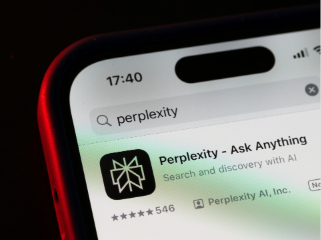
Perplexity for macOS now offers users access to Anthropic's Model Context Protocol (MCP) to let the artificial intelligence (AI) chatbot connect to the device. Last week, the San Francisco, California-based AI firm announced that its Mac app now offers local MCP support (connectivity across the device) to paid subscribers. In the future, the company plans to expand the support to remote MCP servers to allow the chatbot to connect to data hubs on the web and bring the feature to those on the free tier of the platform.
Perplexity for Mac Can Now Connect to Users' Apps and Files
In November 2024, Anthropic open-sourced a new protocol to connect data hubs to AI systems. Dubbed MCP, it offers a standardised way for both data hubs, such as Google Drive and GitHub repositories, as well as AI systems, such as ChatGPT and Perplexity, to ensure that data transfer can occur without any unexpected glitches.
- I cannot find my Perplexity threads. What is happening?
- How can I delete my data from my Perplexity account?
- Is Perplexity a good AI platform for research-related tasks?
- Is the Galaxy S26 Plus the ideal phone for users upgrading from older Galaxy S models?
- For someone who has tried the Galaxy S26, is Perplexity's voice assistant better than Bixby?
Perplexity's support page highlights that currently, Mac users will only be able to use local MCP support. This means with the connector, the Perplexity app will be able to interact with on-device files, databases, apps, and services. Notably, local MCP support does not require remote authentication and server-side connectivity to data.
With this, Mac users can ask Perplexity to search for specific Apple Notes, create reminders, send emails, and more. However, since the apps on the Mac App Store function in their own isolated virtual environments, users will first need to install the Perplexity Helper App to be able to use this feature.
How to Set Up MCP on Perplexity's Mac App
- First, users will have to install the helper app Perplexity/XPC.
- After installing, Perplxity users will have to open their account settings and click on Connectors.
- Then, click on Add Connector.
- On the “Add Connector” page, add an MCP Connector to the “Simple” tab.
- Add any name for “Server Name”.
- Then, add the command that is used to run the MCP server. This can be found in the README section of the MCP server. Make sure to read the instructions carefully.
- Users should ensure they have any requirements for the MCP server installed. Perplexity can also help with installing these requirements.
- Enter the command after installing the requirements.
- Click Save and wait for the MCP server to show Running status in the Connectors list. Make sure the MCP server is running.
- Once done, go to the Perplexity homepage and turn on MCP. It should be located under Sources.
- That's it. Your MCP server is set. You can now ask Perplexity to access the data and complete any actions associated with this data hub.
Comments
Get your daily dose of tech news, reviews, and insights, in under 80 characters on Gadgets 360 Turbo. Connect with fellow tech lovers on our Forum. Follow us on X, Facebook, WhatsApp, Threads and Google News for instant updates. Catch all the action on our YouTube channel.
Related Stories




Perplexity’s macOS App Gets Support for Anthropic’s MCP for System Tasks: Here's How to Use It


Advertisement
Follow Us




-
05:06
OnePlus N6 Full Review: Performance, Camera, Battery & Display Tested -
04:57
Samsung Galaxy Unpacked Everything You Need to Know | Galaxy Z Fold8, Z Fold8 Ultra, Z Flip8 -
04:22
Upcoming Foldable Smartphones in India | Upcoming Foldable Launches : Samsung, Apple, Google & more -
04:37
Redmi Turbo 5 Review: Battery, Cameras, Performance Tested -
09:19
Can the OPPO Find X9s Replace Your Camera on a Trip?
Advertisement
Popular on Gadgets
- Samsung Galaxy S26 Ultra
- Motorola Razr Fold
- ChatGPT
- OPPO Find N6
- Mobiles Under Rs. 40,000
- Vivo X300 Ultra
- Asus Zenbook S14
- iQOO 15
- Vivo X300 Pro
- Lenovo Yoga Slim 7i Aura Edition
- iQOO 15R
- Vivo X Fold 5
- Sony PlayStation 5
- HP OmniPad 12
- OnePlus Nord CE 6 Lite
- OnePlus Pad 4
- OPPO F33 Pro 5G
- Cryptocurrency
- HP OmniBook Ultra 14 (2026)
- iPhone 17
- Eureka Forbes AP 355 Room Air Purifier
- Latest Mobile Phones
- Compare Phones
Latest Gadgets
- Vivo T5e
- Vivo X300 E
- Itel Zeno 100 Pro
- Itel Zeno 100 Lite
- Lava Virat V1
- Lava Virat V1 5G
- iQOO Z11 Lite
- OPPO K15
- Dell Alienware 18 Area-51 (2026)
- Dell Alienware 16 Area-51 (2026)
- Honor Pad X9 Max
- Red Magic Gaming Tablet 5 Pro
- Samsung Galaxy Watch 9 (44mm)
- Samsung Galaxy Watch 9 (44mm, LTE)
- Sony Bravia 9 II
- Haier HQLED P7 Pro
- Acer Predator Atlas 8
- Asus ROG Ally
- Blue Star 1.5 Ton 5 Star Inverter Split AC (IE518ZNURS)
- Blue Star 2 Ton 3 Star Inverter Window AC (WIE324L)

- About Us
- Sitemaps
- Feedback
- Archives
- Contact Us
- RSS
- Advertise
- Career
- Privacy Policy
- Ethics
- Editorial Policy
- Terms & Conditions
- Complaint Redressal
Download Our Apps
Available in Hindi
© Copyright Red Pixels Ventures Limited 2026. All rights reserved.