

-
 GTA 6-Inspired iPhone, Galaxy Z Fold 8 Ultra and Ray-Ban Smart Glasses Unveiled by Caviar19 November 2026
-
GTA 6 Price in India: Standard vs Ultimate Edition and Where to Buy19 November 2026
-
Grand Theft Auto 6 Review Roundup: Rockstar's Open World Title Becomes Highest Rated Game of All Time18 November 2026
-
GTA 6 Launches Tonight: India Release Time, Price, Platforms, Preload Details, and Everything You Need to Know18 November 2026
-
Grand Theft Auto 6 Launch: How to Play the Game Early on PS5 and Xbox Series S/X at New Zealand Time18 November 2026
- Home
- Games
- Games Features
- Is Your Console Ready for Grand Theft Auto 6? 10 Things to Check Before Playing
Is Your Console Ready for Grand Theft Auto 6? 10 Things to Check Before Playing
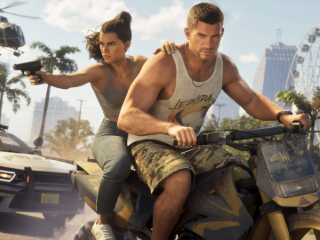
Grand Theft Auto 6 is now out on PS5 and Xbox Series S/X. Is your console ready for the game?
Written by Manas Mitul, Edited by Ketan Pratap | Updated: 19 November 2026 12:39 IST
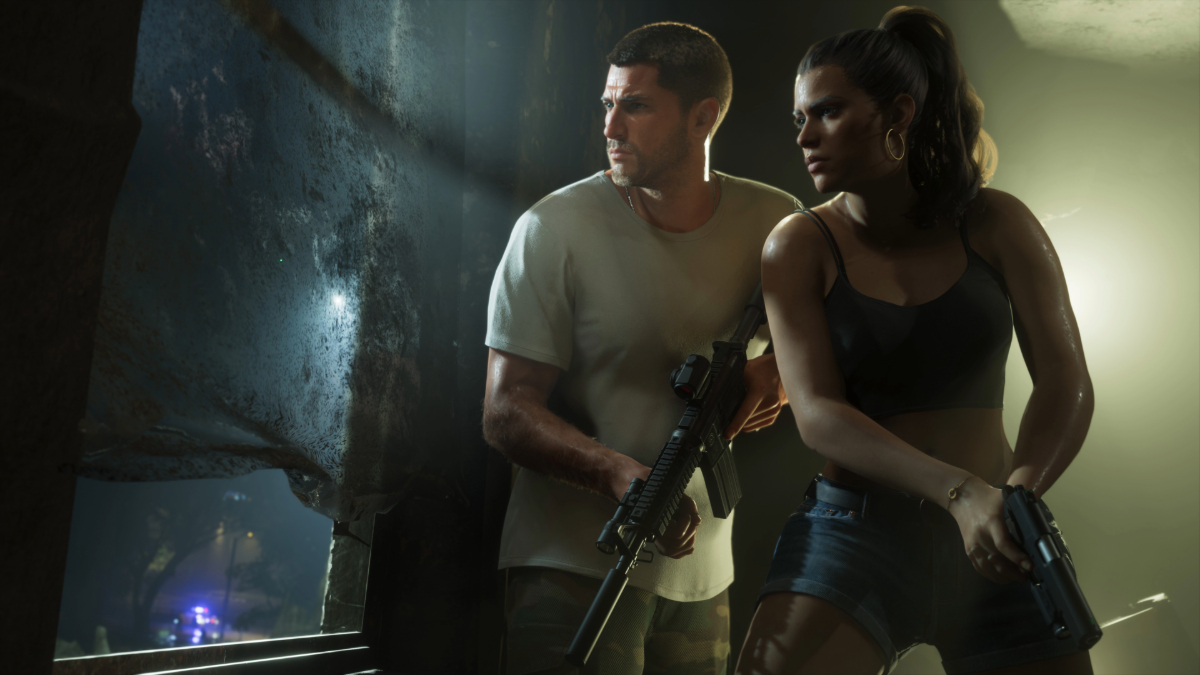
Photo Credit: Rockstar Games
GTA 6 is available on PS5 and Xbox Series S/X
Click Here to Add Gadgets360 As A Trusted Source
Advertisement
Grand Theft Auto 6 is finally out in the wild. It is real; it is no longer a long-running internet gag, and you can play it on your PS5 or Xbox Series S/X console. Rockstar Games' open-world crime title is also pretty good. Reviews are calling GTA 6 one of the greatest games ever made, and it is now the joint highest-rated title of all time on Metacritic.
While you might be ready to dive into Vice City and its lush surroundings, your console may not be. Grand Theft Auto 6 is available on PS5, PS5 Pro, Xbox Series X, and Series S consoles, and you may need to do a few things to get your system locked and loaded for the game.
Here, we'll discuss how to get your PlayStation or Xbox ready for GTA 6. These are 10 things you need to do.
1. Clean your console
First, dust off your console. Literally. PS5 and Xbox Series S/X accumulate a lot of dust over time, and if you don't clean them regularly, now is the time to do so. Check the air vents and fan blades for dust to keep airflow unobstructed, so your console stays cool during long GTA 6 gaming sessions.
2. Keep Airflow Unobstructed
To keep your console cool while playing, don't place it in a cramped area of your entertainment unit or TV bench. Leave ample room at the rear side of the PS5 and the top side of the Xbox Series S/X to ensure unobstructed airflow.
3. Free Up Storage
Also make sure your console has enough space to install Grand Theft Auto 6. The game takes a whopping 212GB of storage, depending on the console. You can delete older games from the SSD to free up the space you need. Keep some extra space for screenshots and gameplay clips you will inevitably save while playing GTA 6.
4. Turn on Cloud Saves
Beyond storage space, turn on cloud saves on the console to sync automatically and back up your progress. Save file issues may occur if your console turns off abruptly while playing.
5. Update Console Firmware
Update your PlayStation and Xbox firmware to the latest version to ensure GTA 6 can run on your system. Sony has rolled out a last-minute mandatory system software update that's necessary to play GTA 6. PS5 system software version 26.07-14.23.00 should download and install automatically when you switch on the console.
6. Update Controllers
Similarly, make sure the firmware is updated on DualSense or Xbox wireless controllers. You may need to connect the controller to the console with a USB cable to do this.
7. Charge Accessories
Speaking of controllers, it's wise to keep them fully charged and ready to go before you start playing GTA 6. You should also give the controller a basic wipe to remove dust and grime. Also charge your wireless headphones if you plan to use a headset while playing.
8. Check Internet Connection
Check your console's internet connection. You can connect to WiFi or use a wired Ethernet connection for faster downloads and a more stable connection. A wired connection is especially helpful if you plan to livestream your GTA 6 playthrough.
9. Check Display Settings
You can also check your console and TV display settings to make sure the video output is set to the highest resolution. If your monitor or TV supports HDR and VRR, make sure they are enabled. Once GTA 6 is downloaded, you can calibrate HDR and brightness levels from the game settings.
10. Adjust Audio Settings
Finally, check your console's audio settings for the best experience. On PS5, you can use 3D Audio with compatible headphones. On Xbox Series S/X, you can choose between Windows Sonic and Dolby Atmos spatial audio in settings for compatible headphones, soundbars, or home theatre setups.
- KEY SPECS
- NEWS
Genre Action-Adventure
Platform PlayStation 5 (PS5), Xbox Series S/X
Modes Single-player, Multiplayer
Series Grand Theft Auto
PEGI Rating 18+
More Rockstar Games Games
Comments
Get your daily dose of tech news, reviews, and insights, in under 80 characters on Gadgets 360 Turbo. Connect with fellow tech lovers on our Forum. Follow us on X, Facebook, WhatsApp, Threads and Google News for instant updates. Catch all the action on our YouTube channel.
Related Stories




Advertisement
Follow Us


-
 Stunning Red Heels Under ₹999 That Look Way More Expensive Than They Are
-
Inside Captain Cool's Bookshelf: The Best Books Recommended by MS Dhoni
-
Top 10 Air Purifiers on Amazon India For Clean Indoor Breathing
-
Top 360-Degree Dash Cams to Keep Your Car Safe on Indian Roads
-
Best Full HD Webcams with Privacy Shutters Under ₹2,500
Advertisement
Popular on Gadgets
- Samsung Galaxy S26 Ultra
- Motorola Razr Fold
- ChatGPT
- OPPO Find N6
- Mobiles Under Rs. 40,000
- Vivo X300 Ultra
- Asus Zenbook S14
- iQOO 15
- Vivo X300 Pro
- Lenovo Yoga Slim 7i Aura Edition
- iQOO 15R
- Vivo X Fold 5
- Sony PlayStation 5
- HP OmniPad 12
- OnePlus Nord CE 6 Lite
- OnePlus Pad 4
- OPPO F33 Pro 5G
- Cryptocurrency
- HP OmniBook Ultra 14 (2026)
- iPhone 17
- Eureka Forbes AP 355 Room Air Purifier
- Latest Mobile Phones
- Compare Phones
Latest Gadgets
- OPPO Reno 17 Pro (China)
- OPPO Reno 17 (China)
- Vivo Y6k
- Karbonn Rebel
- Karbonn Rebel Pro
- OnePlus Turbo 6Vs
- Redmi M100 Pro
- OnePlus Ace 7 Pro
- Dell 14S (2026)
- HP ProBook 4 G2iS 14
- OPPO Pad Air 6
- Infinix Xpad 30
- Xiaomi Watch S5 41mm
- OPPO Watch 5
- Toshiba 65-Inch 4K Ultra HD Smart Mini LED QLED TV (65Z670SP)
- Haier M70 Mini LED 65-inch
- Acer Predator Atlas 8
- Asus ROG Ally
- Blue Star 1.5 Ton 5 Star Inverter Split AC (IE518ZNURS)
- Blue Star 2 Ton 3 Star Inverter Window AC (WIE324L)

- About Us
- Sitemaps
- Feedback
- Archives
- Contact Us
- RSS
- Advertise
- Career
- Privacy Policy
- Ethics
- Editorial Policy
- Terms & Conditions
- Complaint Redressal
Download Our Apps
Available in Hindi
© Copyright Red Pixels Ventures Limited 2026. All rights reserved.