- Home
- How to
- How to Features
- How to Activate a New SIM Card: A Step by Step Guide
How to Activate a New SIM Card: A Step-by-Step Guide
Depending on the operator and connection type, you may need to complete KYC, verify your details and wait for the network to become active.
Written by Sucharita Ganguly, Edited by Rohan Pal | Updated: 6 September 2026 16:00 IST
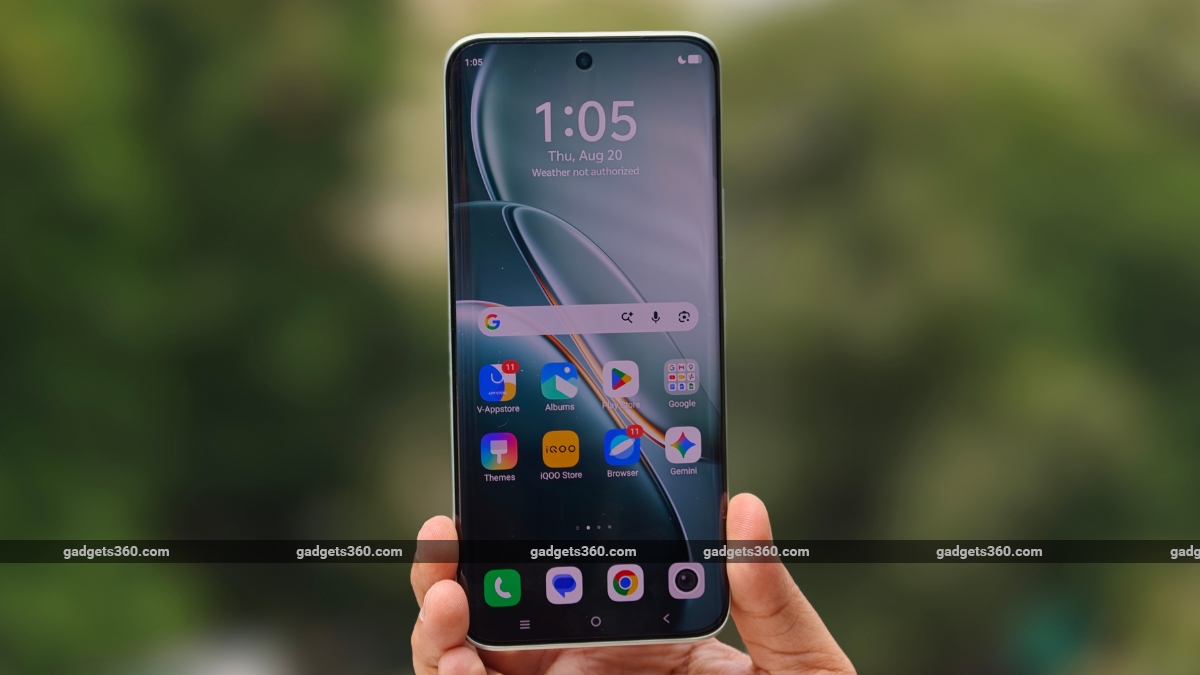
Restarting your phone may help resolve SIM connection issues
Click Here to Add Gadgets360 As A Trusted Source

Advertisement
Getting a new SIM card is usually straightforward, but that does not always mean you can start using it immediately. Whether you have a physical SIM or an eSIM, you may need to complete a few steps before calls, messages and mobile data start working. The process can also vary depending on whether you are getting a new number, replacing an existing SIM or moving your connection to another device. Here is a step-by-step guide to activating a SIM on your phone.
How to Activate a New SIM Card
- First, complete the KYC process when you purchase the new SIM. Your telecom operator will verify your identity before the connection can be activated.
- Next, switch off your phone and open the SIM tray using the ejector tool.
- Place the new SIM card in the correct slot and close the tray.
- Turn on your phone and wait for it to detect the SIM. The connection may take some time to become active, depending on your operator and the type of connection.
- Once your operator asks you to complete the activation process, follow the instructions provided. This may include a tele-verification call or another verification step.
- Make a test call to check whether you can make and receive calls.
- Send an SMS and turn off Wi-Fi to check whether mobile data is working.
- If the SIM connects to the network and your services work normally, you can start using your new connection.
How to Activate an eSIM
- First, check whether your phone supports eSIM and whether your telecom operator offers eSIM service for your device.
- Next, request an eSIM from your telecom operator. Depending on the operator, you may be able to do this through its app or by sending an SMS.
- You may need to provide details such as your registered email address, mobile number and the device's EID during the request process. The exact requirements vary by operator.
- Complete any verification required by your operator. This may include an OTP, confirmation SMS or an automated verification call.
- Once your request is approved, your operator will provide the eSIM profile or instructions to download it. Depending on the operator, you may receive a QR code by email or a profile notification on your phone.
- Open your phone's mobile network settings and select the option to add an eSIM or mobile plan.
- Scan the QR code, if one was provided, and follow the on-screen instructions to download the eSIM profile. Keep your phone connected to Wi-Fi or mobile data during the setup.
- Wait for the eSIM to connect to your operator's network. The time required can vary between operators.
- Make a test call and send an SMS to check whether the connection is working.
- Turn off Wi-Fi and check mobile data. If your services work normally, your eSIM is ready to use.
What to Do If Your SIM Is Not Working
If your new SIM does not connect to the network, first restart your phone and check whether the SIM is inserted correctly. You can also turn Airplane Mode on and off to refresh the network connection. Make sure your phone detects the SIM and that you are in an area with network coverage.

If the problem continues, you can try the physical SIM in another compatible phone to check whether the issue is with the SIM or your device. For an eSIM, check whether the eSIM profile has been downloaded and enabled in your phone's mobile network settings. If the SIM still does not work, contact your telecom operator for help with activation.
Do You Need a Recharge to Use a New SIM?
Whether you need a recharge to use a new SIM depends on your operator and connection. While the SIM may be activated without a recharge, you may need an active plan for calls, SMS and mobile data. If these services are not working, check whether your SIM has an active plan. You can usually do this through your operator's app or customer service.
What Happens to Your Old SIM After Replacing It?
If you replace an existing SIM while keeping the same mobile number, the old SIM will stop working once the replacement is activated. You can then remove the old SIM and use the new one. Your mobile number remains unchanged.
FAQs
1. How long does it take to activate a new SIM?
Activation time varies by telecom operator and connection type.
2. How do I know if my SIM is activated?
Check whether you can make calls, send SMS and use mobile data.
3. Can I activate an eSIM on any phone?
No. Your phone must support eSIM and be compatible with your operator.
Comments
Get your daily dose of tech news, reviews, and insights, in under 80 characters on Gadgets 360 Turbo. Connect with fellow tech lovers on our Forum. Follow us on X, Facebook, WhatsApp, Threads and Google News for instant updates. Catch all the action on our YouTube channel.

Related Stories






Advertisement
Follow Us




-
![[Sponsored] LG NANO 4K UHD AI TV NU885: Gemini Search, Dolby Atmos & 5 Years of Updates](https://www.gadgets360.com/static/desktop/images/spacer.png)
04:17
[Sponsored] LG NANO 4K UHD AI TV NU885: Gemini Search, Dolby Atmos & 5 Years of Updates -
00:57
[Sponsored] Samsung Galaxy Z Fold8 My Fan Cam in Action: Find the Moment, Then Share It -
01:41
[Sponsored] What Do You Need To Know Before Your Next Run? | Samsung Galaxy Watch Ultra2 -
01:32
[Sponsored] Big Day Tomorrow? Prep Today | Samsung Galaxy Watch Ultra2 -
04:37
[Sponsored]: CP PLUS CarKam CP-F89B: 4K Dashcam With Rear Camera, GPS & Emergency Recording
-
SBI डाटा लीक, क्या हुआ और कैसा डाटा था, अकाउंट है तो क्या करना चाहिए?
-
भारत में गिरी स्मार्टफोन की बिक्री, फोन महंगे होने से 26% कम हुई शिपमेंट
-
Lava Aura Curve 5G: 6000mAh बैटरी, 50 मेगापिक्सल कैमरा के साथ पेश, जानें
-
Poco X8s लॉन्च हुआ 6300mAh बैटरी फीचर, IP68 रेटिंग के साथ
-
Redmi K100 में मिलेगा 50 मेगापिक्सल का प्राइमरी कैमरा
Advertisement
Popular on Gadgets
- Samsung Galaxy S26 Ultra
- Motorola Razr Fold
- ChatGPT
- OPPO Find N6
- Mobiles Under Rs. 40,000
- Vivo X300 Ultra
- Asus Zenbook S14
- iQOO 15
- Vivo X300 Pro
- Lenovo Yoga Slim 7i Aura Edition
- iQOO 15R
- Vivo X Fold 5
- Sony PlayStation 5
- HP OmniPad 12
- OnePlus Nord CE 6 Lite
- OnePlus Pad 4
- OPPO F33 Pro 5G
- Cryptocurrency
- HP OmniBook Ultra 14 (2026)
- iPhone 17
- Eureka Forbes AP 355 Room Air Purifier
- Latest Mobile Phones
- Compare Phones
Latest Gadgets
- Lava Aura Curve
- Poco X8s
- Samsung Galaxy F70 5G
- Tecno Spark 50S 5G
- Vivo Y600s Pro
- Vivo Y32 (2026)
- Infinix Smart 20 HD
- Vivo V80
- HP ZBook Ultra G3a
- Dell Pro Rugged 14
- Amazon Alexa Tablet 8
- Amazon Alexa Tablet 11
- Pebble Qore 2
- Amazfit T-Rex Dual Solar
- Toshiba 65-Inch 4K Ultra HD Smart Mini LED QLED TV (65Z670SP)
- Haier M70 Mini LED 65-inch
- Acer Predator Atlas 8
- Asus ROG Ally
- Blue Star 1.5 Ton 5 Star Inverter Split AC (IE518ZNURS)
- Blue Star 2 Ton 3 Star Inverter Window AC (WIE324L)

- About Us
- Sitemaps
- Feedback
- Archives
- Contact Us
- RSS
- Advertise
- Career
- Privacy Policy
- Ethics
- Editorial Policy
- Terms & Conditions
- Complaint Redressal
Download Our Apps
Available in Hindi
© Copyright Red Pixels Ventures Limited 2026. All rights reserved.
-
 Apple Watch Series 12
Starts from ₹56,900
Apple Watch Series 12
Starts from ₹56,900
-
 Samsung Galaxy Watch Ultra 2
Starts from ₹62,479
Samsung Galaxy Watch Ultra 2
Starts from ₹62,479
-
 Samsung Galaxy Watch 9 (44mm, LTE)
Starts from ₹41,999
Samsung Galaxy Watch 9 (44mm, LTE)
Starts from ₹41,999
-
 Samsung Galaxy Watch 9 (40mm, LTE)
Starts from ₹38,999
Samsung Galaxy Watch 9 (40mm, LTE)
Starts from ₹38,999
-
 Samsung Galaxy Watch 9 (40mm)
Starts from ₹36,999
Samsung Galaxy Watch 9 (40mm)
Starts from ₹36,999
-
 Samsung Galaxy Watch 9 (44mm)
Starts from ₹40,999
Samsung Galaxy Watch 9 (44mm)
Starts from ₹40,999