-
 OpenAI’s GPT-6 Luna-Powered Decisions API Is Now Generally Available for Developers With Native GPT-Live Integration: Price, Capabilities23 October 2026
 -
Google Cloud Adds GPT-6 Astra, GPT-6.1 Sol, GPT-6 Luna Models to Model Garden22 October 2026
-
ChatGPT Locked Chats Feature to Hide Sensitive Conversations Rolling Out to Free, Plus and Other Users21 October 2026
-
OpenAI AI Model Used Another Wallet’s Ethereum Testnet Funds Without Authorisation, Report Says16 October 2026
-
OpenAI Lawsuit Says Employee Who Left for Apple Took Files About Unreleased Device16 October 2026
- Home
- How to
- How to Features
- How to Change Your ChatGPT’s Personality to Make It Sound Quirky, Nerdy or Cynical
How to Change Your ChatGPT’s Personality to Make It Sound Quirky, Nerdy or Cynical
If you don’t like the default ChatGPT responses and prefer it to be friendlier or sarcastic, there’s an easy way to do so.
Written by Akash Dutta, Edited by Rohan Pal | Updated: 10 December 2025 16:52 IST
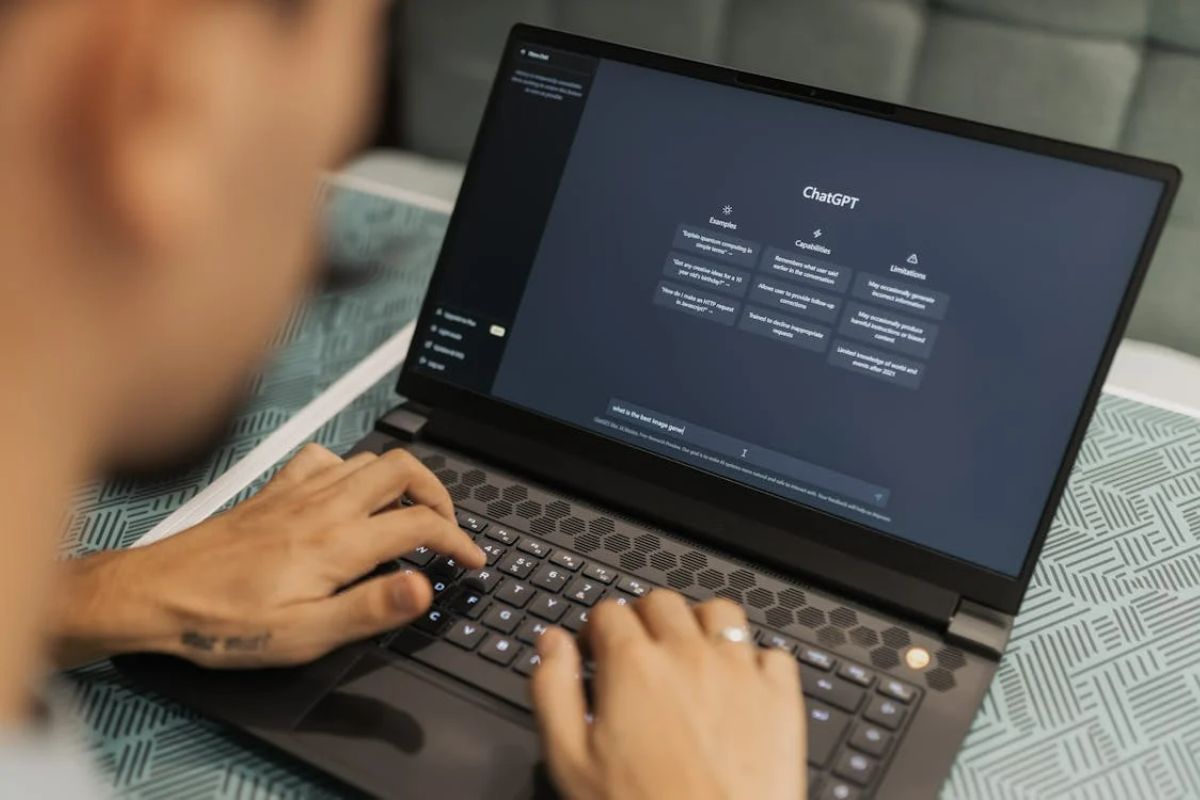
Photo Credit: Pexels/Matheus Bertelli
Each personality type fine-tunes the responses and interaction style of ChatGPT
Click Here to Add Gadgets360 As A Trusted Source

Advertisement
OpenAI startled ChatGPT users in India on Wednesday after it started sending a pop-up message about the personalities feature. While it is not a new feature, the San Francisco-based artificial intelligence (AI) giant upgraded it significantly with the release of GPT-5.1 AI model. Users in India can now select from eight different personality types, and each of them tweaks the chatbot to make the responses appear visibly different. So, if the default version is too bland for you, you can experiment with the other personalities till you find your fit. Know how to do so in a quick few steps.
ChatGPT's Personalities Feature: Details
As per OpenAI”s support page, “A personality is the style and tone ChatGPT uses when responding to you. It is a combination of traits, voice, and behavior that shapes how answers feel, whether that is friendly and casual, concise and professional, or something else entirely.” However, changing personalities does not affect the chatbot's capabilities or any instruction a user gives it to generate an email, essay, and more.
Additionally, all personalities are compatible with the saved memories or custom instructions users have set. In fact, the memories and instructions can override the personality if there is a conflict between the two. Notably, there are eight personalities — Default, Professional, Friendly, Candid, Quirky, Efficient, Nerdy, and Cynical.
How to Activate Personalities in ChatGPT
The process is fairly simple, although there are minor differences based on whether you're using the web interface or the desktop and mobile apps. Below, we have shared the steps for each of them separately.
On ChatGPT web:
- Select your profile icon in the bottom-right corner.
- Go to the Personalisation option.
- Use the drop-down next to Base style and Tone to select a personality.
On ChatGPT mobile and desktop apps:
- Open the side panel by tapping on the two horizontal lines.
- Tap on your profile icon or your name.
- Go to the Personalisation option.
- Choose your desired personality within the Base Style and Tone drop-down menu.
To go back to the original style of response, just follow the same steps and select default. Once you activate a preset personality, it will be applied across the platform in all conversations, except Projects.
Comments
Get your daily dose of tech news, reviews, and insights, in under 80 characters on Gadgets 360 Turbo. Connect with fellow tech lovers on our Forum. Follow us on X, Facebook, WhatsApp, Threads and Google News for instant updates. Catch all the action on our YouTube channel.
Related Stories




Advertisement
Follow Us




-
![[Sponsored] Galaxy Tab S10 Lite for Students: Notes, Solve Math and More](https://www.gadgets360.com/static/desktop/images/spacer.png)
01:15
[Sponsored] Galaxy Tab S10 Lite for Students: Notes, Solve Math and More -
04:17
[Sponsored] LG NANO 4K UHD AI TV NU885: Gemini Search, Dolby Atmos & 5 Years of Updates -
00:57
[Sponsored] Samsung Galaxy Z Fold8 My Fan Cam in Action: Find the Moment, Then Share It -
01:41
[Sponsored] What Do You Need To Know Before Your Next Run? | Samsung Galaxy Watch Ultra2 -
01:32
[Sponsored] Big Day Tomorrow? Prep Today | Samsung Galaxy Watch Ultra2
-
NVIDIA के सीईओ ने पेश किए माइक्रोडक रोबोट, AI से चलते हैं, क्या काम आएंगे
-
iPhone Duo को बीच से खोला, फोल्डेबल डिस्प्ले से हटाया कवर, फिर क्या दिखा?
-
1 जनवरी से फोन में बिना सिम नहीं चलेगा WhatsApp, सिम बाइडिंग हुआ अनिवार्य
-
Oppo Reno 17 सीरीज के लॉन्च की तैयारी, NBTC पर हुई लिस्टिंग
-
Oppo Find X10 ग्लोबल मार्केट में लॉन्च, 200MP दो कैमरा, 7150mAh बैटरी जैसे फीचर्स
Advertisement
Popular on Gadgets
- Samsung Galaxy S26 Ultra
- Motorola Razr Fold
- ChatGPT
- OPPO Find N6
- Mobiles Under Rs. 40,000
- Vivo X300 Ultra
- Asus Zenbook S14
- iQOO 15
- Vivo X300 Pro
- Lenovo Yoga Slim 7i Aura Edition
- iQOO 15R
- Vivo X Fold 5
- Sony PlayStation 5
- HP OmniPad 12
- OnePlus Nord CE 6 Lite
- OnePlus Pad 4
- OPPO F33 Pro 5G
- Cryptocurrency
- HP OmniBook Ultra 14 (2026)
- iPhone 17
- Eureka Forbes AP 355 Room Air Purifier
- Latest Mobile Phones
- Compare Phones
Latest Gadgets
- HMD 2660 Flip Senior Edition
- Lava Aura Curve
- Poco X8s
- Samsung Galaxy F70 5G
- Tecno Spark 50S 5G
- Vivo Y600s Pro
- Vivo Y32 (2026)
- Infinix Smart 20 HD
- Lenovo Yoga 9n 2-in-1
- Lenovo Yoga Pro 9n
- Amazon Alexa Tablet 8
- Amazon Alexa Tablet 11
- Pebble Qore 2
- Amazfit T-Rex Dual Solar
- Toshiba 65-Inch 4K Ultra HD Smart Mini LED QLED TV (65Z670SP)
- Haier M70 Mini LED 65-inch
- Acer Predator Atlas 8
- Asus ROG Ally
- Blue Star 1.5 Ton 5 Star Inverter Split AC (IE518ZNURS)
- Blue Star 2 Ton 3 Star Inverter Window AC (WIE324L)

- About Us
- Sitemaps
- Feedback
- Archives
- Contact Us
- RSS
- Advertise
- Career
- Privacy Policy
- Ethics
- Editorial Policy
- Terms & Conditions
- Complaint Redressal
Download Our Apps
Available in Hindi
© Copyright Red Pixels Ventures Limited 2026. All rights reserved.