-
 Windows 11 Version 26H2 Released With Taskbar Improvements, File Explorer Features, More30 September 2026
 -
Microsoft Moves Away From Copilot+ PC Branding for Windows PCs: Report28 September 2026
-
Microsoft Surface Pro 12-inch, Surface Laptop 13-inch Launched With Snapdragon X2 Plus CPU: Price, Specifications24 September 2026
-
How to Clear Temporary Files in Windows 11: A Step-by-Step Guide20 September 2026
-
Google Rolls Out Gemini App for Windows With Video Generation Support, Multi Agents11 September 2026
- Home
- How to
- How to Features
- How to Extend Your Laptop Battery Life on Windows 11 in India
How to Extend Your Laptop Battery Life on Windows 11 in India
Windows 11 offers an 'Energy Saver' mode that limits background activity for some apps to extend your laptop’s battery life.
Written by Dhruv Raghav | Updated: 11 July 2026 08:00 IST
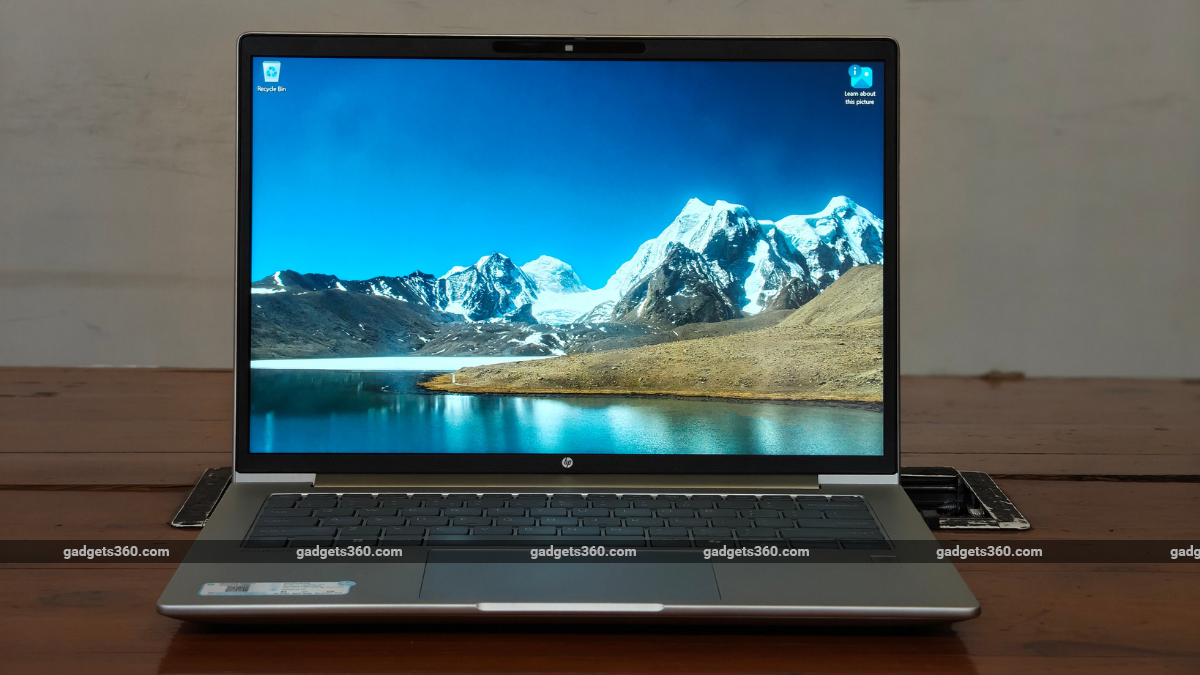
Here's how extend the battery life of your Windows 11 laptop
Click Here to Add Gadgets360 As A Trusted Source

Advertisement
Battery capacities of laptops have increased in recent years. At the same time, the processors have become more efficient. Apart from the hardware solutions, Microsoft has focused on making Windows 11 more efficient. Together, these aspects help a new laptop offer a relatively long battery life. However, the user patterns have also changed simultaneously, requiring longer on-screen times. While a new laptop might meet your needs, older systems might not be able to deliver the same on-screen times as they once did. After multiple charge cycles, batteries lose the capacity to hold as much charge. Similarly, gaming laptops, with dedicated GPUs, also offer lower-than-expected battery life.
Hence, Windows 11 offers multiple ways through which users can extract the most battery life from their laptops. There are multiple methods available inside the Settings app of your Windows 11 laptop. You can choose to turn on energy saver, set a screen timeout for when your laptop is plugged in and when it is running on battery, restrict background activity for specific apps, and choose which apps automatically launch when you turn on your laptop. While other aspects, including temperatures, can affect your laptop's battery life, these methods help you extend your laptop's battery life regardless.
How to Enable Windows 11's Power Saver Mode
- Open the Settings app on your Windows laptop.
- Tap on the System button, which appears in the left panel.
- Scroll down and tap on the Power & battery button.
- Tap on the Energy Saver button.
- Turn on Always use energy saver and Lower screen brightness when using energy saver options.
- Alternatively, you can open the Control Panel from the bottom-left corner of the home screen and tap on the Energy Saver button.
How to Adjust Your Screen Timeout on Windows 11
- Open the Settings app on your Windows 11 laptop.
- Navigate to System settings.
- Scroll down to the Power & Battery section > tap on it.
- Click on the Screen, sleep, & hibernation timeouts drop-down menu.
- Set “Turn my screen off after” and “Make my device sleep after” options to 5 minutes, which is recommended by Microsoft, for when your laptop is plugged in.
- Similarly, set both the options to 3 minutes under the On battery section.
How to Restrict Background Apps on Windows 11
- Open the Settings app.
- Navigate to Apps settings.
- Now, click on the Installed Apps button.
- Navigate to the app for which you wish to restrict background activity.
- Tap on the three dots appearing on the right side of the app.
- Select Advanced options from the drop-down menu.
- Under the Background app permissions section, select the Power optimised option, as recommended by Microsoft.
How to Manage Startup Apps on Windows 11
- Open the Settings app > Apps settings.
- Now, scroll down to the bottom of the screen and tap on the Startup button.
- Here, you toggle the switch off the apps you do not wish to start when you boot up your laptop.
1. Does overheating affect my laptop's battery life?
Yes. Extreme temperatures, hot and cold, can affect your laptop's battery life.
2. Does turning on the Battery Saver mode affect my laptop's performance?
Yes, turning on the Battery Saver can lower your laptop's performance and reduce the brightness of your laptop's display.
3. Is it safe to leave my laptop on charge overnight?
While it is not advised, the battery management systems of modern laptops do allow users to leave them on charge overnight.
Comments
Get your daily dose of tech news, reviews, and insights, in under 80 characters on Gadgets 360 Turbo. Connect with fellow tech lovers on our Forum. Follow us on X, Facebook, WhatsApp, Threads and Google News for instant updates. Catch all the action on our YouTube channel.
Related Stories



Advertisement
Follow Us




-
![[Sponsored]: CP PLUS CarKam CP-F89B: 4K Dashcam With Rear Camera, GPS & Emergency Recording](https://www.gadgets360.com/static/desktop/images/spacer.png)
04:37
[Sponsored]: CP PLUS CarKam CP-F89B: 4K Dashcam With Rear Camera, GPS & Emergency Recording -
04:23
[Partner Content] Your Phone Can Do WAY More Than You Think | OPPO ColorOS 16 -
01:59
Samsung Galaxy Z Fold8 Ultra: Unfold the Ultra Night -
03:24
Apple Pay Launches In India: Supported Devices, Cards And Payments Explained -
00:21
[Sponsored] Samsung Galaxy Z Fold8, Fold8 Ultra
-
Amazon Great Indian Festival Sale: iPhone 17 Pro पर बंपर डील
-
Flipkart Big Billion Days Sale: ₹8K से सस्ता मिल रहा Google Pixel 10a
-
भारत में दुनिया का सबसे सस्ता इंटरनेट, 1GB की कीमत सिर्फ 8 रुपये
-
OnePlus Ace 7 में मिलेगी 16GB रैम, Snapdragon 8 Elite Gen 5 चिप! Geekbench पर खुलासा
-
Infinix GT 50 Pro जल्द होगा भारत में लॉन्च, 2 कलर्स के ऑप्शन
Advertisement
Popular on Gadgets
- Samsung Galaxy S26 Ultra
- Motorola Razr Fold
- ChatGPT
- OPPO Find N6
- Mobiles Under Rs. 40,000
- Vivo X300 Ultra
- Asus Zenbook S14
- iQOO 15
- Vivo X300 Pro
- Lenovo Yoga Slim 7i Aura Edition
- iQOO 15R
- Vivo X Fold 5
- Sony PlayStation 5
- HP OmniPad 12
- OnePlus Nord CE 6 Lite
- OnePlus Pad 4
- OPPO F33 Pro 5G
- Cryptocurrency
- HP OmniBook Ultra 14 (2026)
- iPhone 17
- Eureka Forbes AP 355 Room Air Purifier
- Latest Mobile Phones
- Compare Phones
Latest Gadgets
- Vivo Y32 (2026)
- Infinix Smart 20 HD
- Vivo V80
- Vivo S2 FE
- Vivo Y600K Turbo
- Realme P4s Lite
- Vivo S60t
- OPPO F35 5G
- Dell Pro Rugged 14
- Dell Pro Rugged 13 Extreme
- Amazon Alexa Tablet 8
- Amazon Alexa Tablet 11
- Amazfit T-Rex Dual Solar
- OPPO Watch S2
- Toshiba 65-Inch 4K Ultra HD Smart Mini LED QLED TV (65Z670SP)
- Haier M70 Mini LED 65-inch
- Acer Predator Atlas 8
- Asus ROG Ally
- Blue Star 1.5 Ton 5 Star Inverter Split AC (IE518ZNURS)
- Blue Star 2 Ton 3 Star Inverter Window AC (WIE324L)

- About Us
- Sitemaps
- Feedback
- Archives
- Contact Us
- RSS
- Advertise
- Career
- Privacy Policy
- Ethics
- Editorial Policy
- Terms & Conditions
- Complaint Redressal
Download Our Apps
Available in Hindi
© Copyright Red Pixels Ventures Limited 2026. All rights reserved.