-
 Vivo Vision Discovery Edition Mixed Reality Headset Showcased at Vivo NEXT 2026 in India6 October 2026
 -
Vivo Vision Mixed Reality Headset With 8K Micro-OLED Displays Launched as Apple Vision Pro Competitor21 August 2025
-
Vivo Vision Mixed Reality Headset With ‘Ultra Lightweight Design’ Set for China Launch on August 2113 August 2025
-
Vivo Vision Mixed Reality Headset Launch Confirmed by Official; to Arrive as Apple Vision Pro Competitor11 August 2025
-
Vivo Vision Mixed Reality Headset Unveiled China; Bears Striking Resemblance to Apple Vision Pro25 March 2025
- Home
- Wearables
- Wearables Reviews
- Vivo Vision Discovery Edition First Impressions
Vivo Vision Discovery Edition First Impressions
Is it an Apple Vision Pro rival?
Written by Sheldon Pinto, Edited by Ketan Pratap | Updated: 7 October 2026 20:32 IST
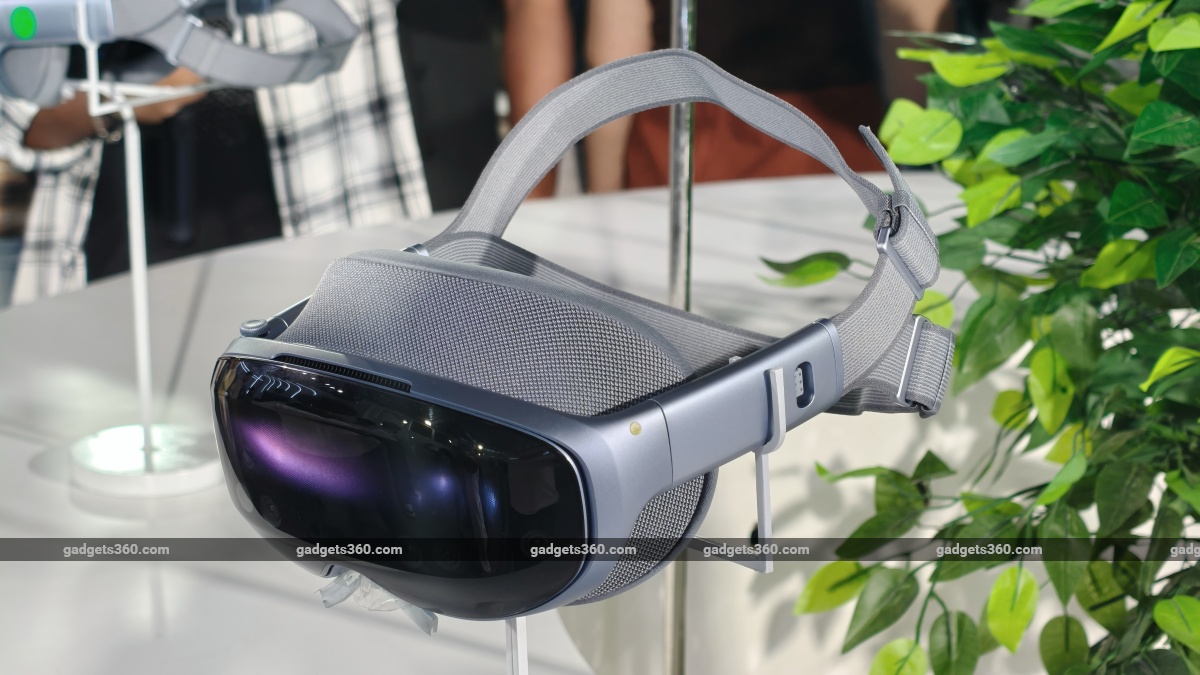
Vivo has not launched its Vision mixed-reality headset in India
Click Here to Add Gadgets360 As A Trusted Source

Advertisement
Like most smartphone companies and other tech brands, everyone has either announced or launched a virtual reality (VR) or mixed reality (MR) headset by 2026. Vivo also announced its own mixed reality headset in China last year, and calls it the Vivo Vision. Vivo's mixed reality headset takes a very Apple Vision Pro-like approach, banking on entertainment and a spatial user interface. It's not very different in functionality or overall package from other similar offerings, but it has a few notable differences. Vivo hasn't announced any plans for an India launch yet, but will let interested customers try out its MR headset. At the Vivo Next event in India, I got to try the Vivo Vision Discovery Edition headset, and here's how it went.
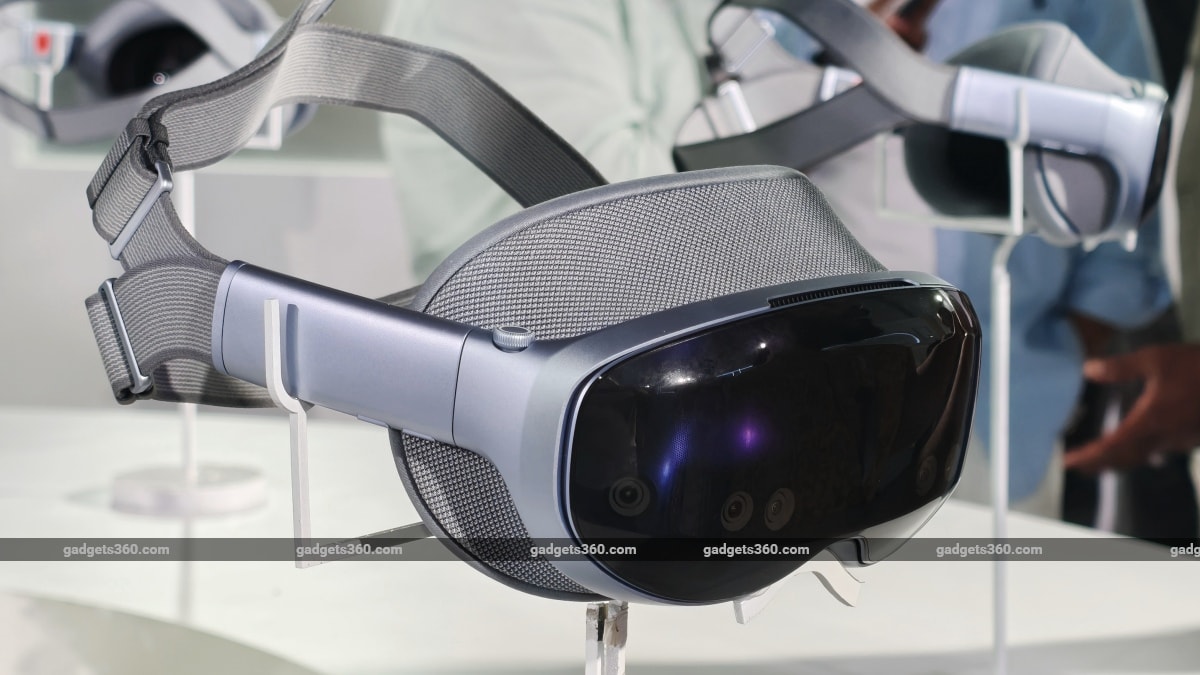
The Vivo Vision headset has a button near the right temple
The headset does indeed look like a pair of ski goggles. Two adjustable headbands at the back are made of soft elastic fabric. On the front, there's a mix of metal, plastic and glass inserts around the visor. The visor has six visible cameras facing forward and two pointing down. Some of these project the surrounding environment onto the dual-binocular Micro-OLED displays with 8K resolution. These display spatial overlays, whether it's full-screen immersive videos or menus.
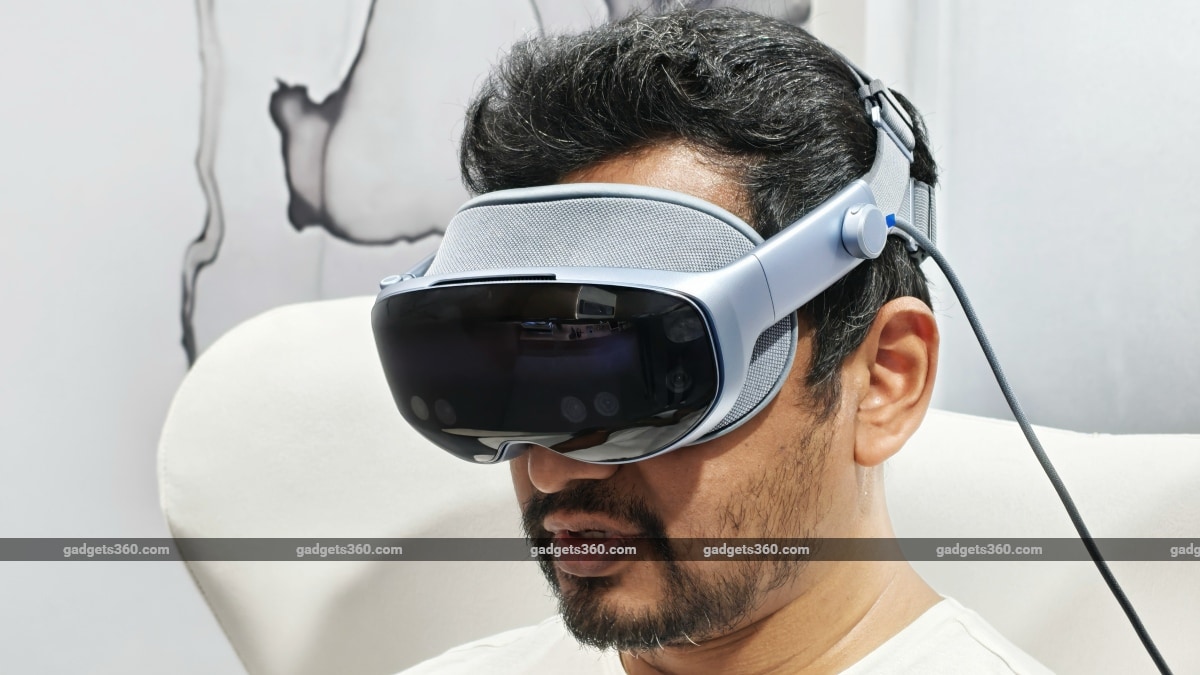
The headset feels relatively light when worn
The headset feels comfortable to wear and is much lighter (398g) than it looks. I wore it for about 15 minutes and noticed no eye strain or headaches. A button near the right temple brings up the home menu when you press it; it's basically a bunch of icons, like an app drawer. To navigate the interface, pinch your thumb and index finger to highlight and hover over home menu items. Once you highlight an item with this gesture, pinch again to select or tap it. Dragging items in the spatial interface uses the same gesture, as every window has a bottom bar you can use to drag/move it in the virtual 3D space around you. Like the Apple Vision Pro, an item once placed in 3D space remains right where you left it.
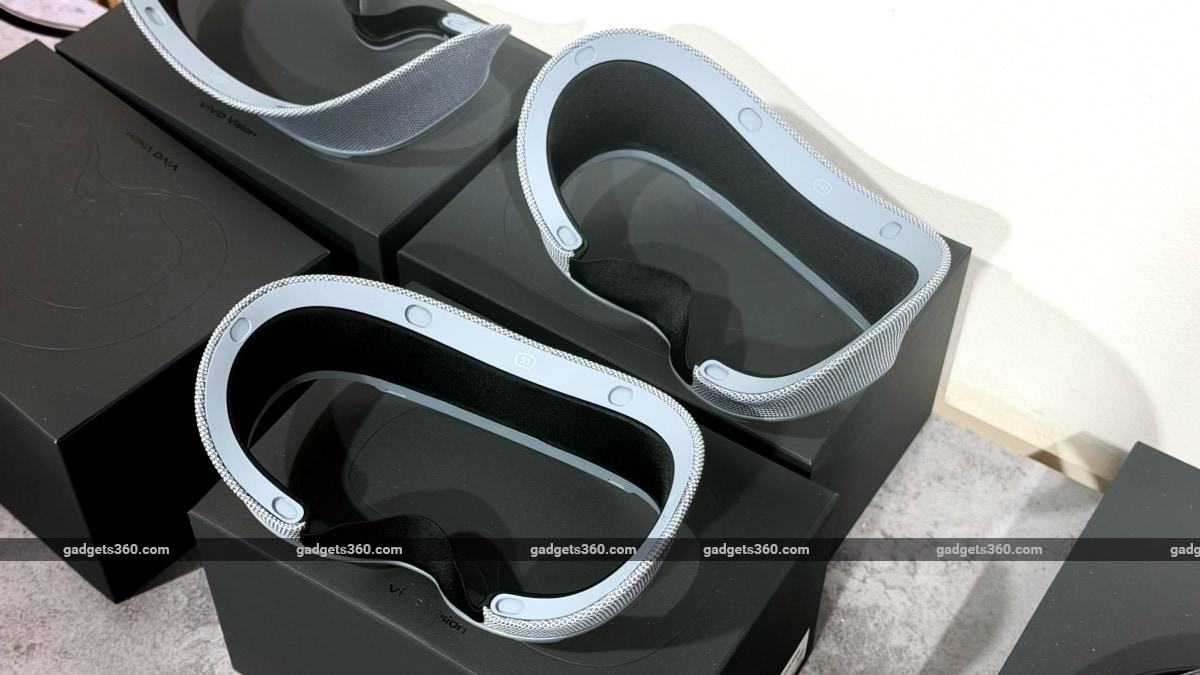
The headset can be customised for the perfect fit with prescription lenses, light seals and padding
During the short demo, I experienced a few features that were loaded onto the headset. Qualcomm's Snapdragon XR2+ Gen 2 platform and Vivo's custom OS, OriginOS Vision, power these experiences. During the demo, I watched an immersive video experience that, I have to admit, felt quite immersive, with elements that had real depth. I also watched a regular video on a large canvas, which made me feel like I was sitting in a movie theatre. I also tried a game that lets you play as a tiny, squishy character, where you can move and rotate small maps in a mixed-reality space.
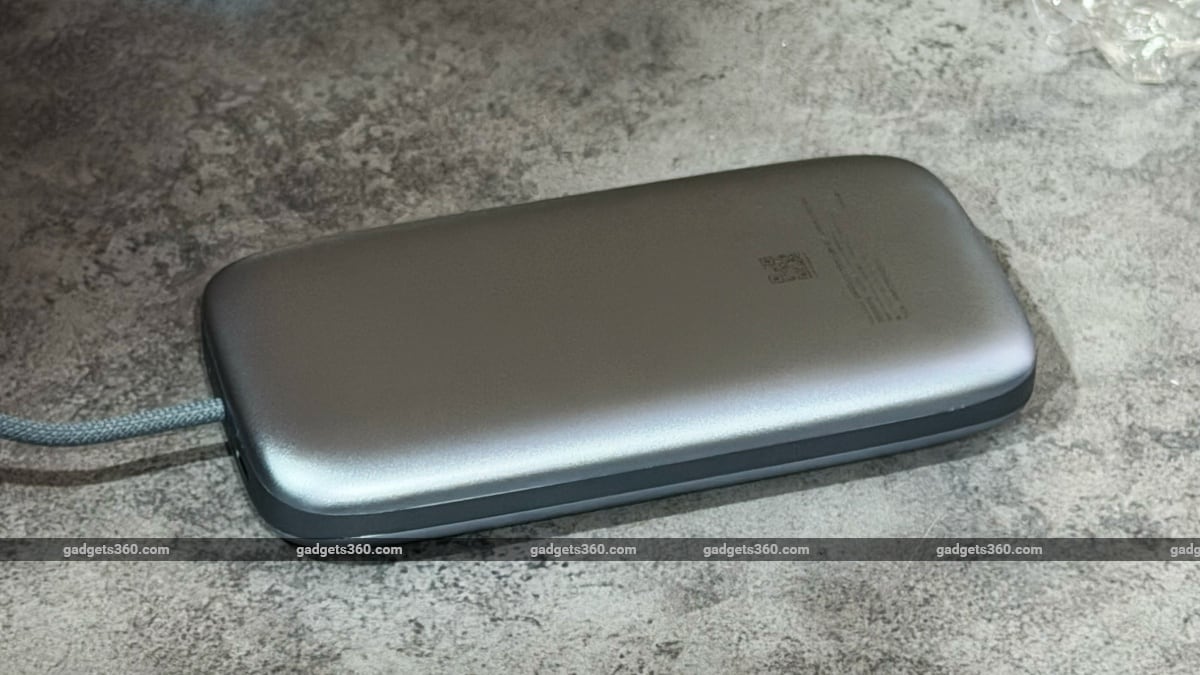
The Vivo Vision comes with a small power pack, which is plugged into a port on the left side of the headset
A small power pack powers the headset. You can keep it in your back pocket while you move around.
As for customisation, every headset can be customised to the user's vision requirements. Prescription lenses were available during the demo and will be available with the final unit whenever or if it launches. They also had a selection of light seals and foam padding options to achieve the perfect customised fit.
I must admit that my Vivo Vision experience wasn't flawless. I struggled to choose the bottom bar for each window, and the calibration was a bit off. But the hardware platform seemed to handle the overall experience pretty well. OriginOS Vision just needs a bit of polish, which will probably come with future updates. Those interested in trying it out can check this article for demo availability and other details in their respective cities.
Comments
Get your daily dose of tech news, reviews, and insights, in under 80 characters on Gadgets 360 Turbo. Connect with fellow tech lovers on our Forum. Follow us on X, Facebook, WhatsApp, Threads and Google News for instant updates. Catch all the action on our YouTube channel.
Further reading:
Vivo Vision, Vivo, Vivo Vision Discovery Edition, Vivo Vision Discovery Edition Mixed Reality Headset, Vivo Vision Discovery Edition Features
Related Stories



Advertisement
Follow Us




-
![[Sponsored]: CP PLUS CarKam CP-F89B: 4K Dashcam With Rear Camera, GPS & Emergency Recording](https://www.gadgets360.com/static/desktop/images/spacer.png)
04:37
[Sponsored]: CP PLUS CarKam CP-F89B: 4K Dashcam With Rear Camera, GPS & Emergency Recording -
04:23
[Partner Content] Your Phone Can Do WAY More Than You Think | OPPO ColorOS 16 -
01:59
Samsung Galaxy Z Fold8 Ultra: Unfold the Ultra Night -
03:24
Apple Pay Launches In India: Supported Devices, Cards And Payments Explained -
00:21
[Sponsored] Samsung Galaxy Z Fold8, Fold8 Ultra
-
Amazon Great Indian Festival Sale 2026: ₹15,999 से शुरू स्मार्टफोन डील्स
-
घर की दीवार बनेगी 120 इंच की सिनेमा स्क्रीन! Lumio Arc 7 (2026) हुआ लॉन्च
-
Amazon Great Indian Festival Sale 2026: ₹18 हजार सस्ता मिलेगा iPhone 16!
-
Oppo Find X10 Pro Max जल्द होगा भारत में लॉन्च, MediaTek Dimensity 9600 Pro चिपसेट
-
Lenovo ने लॉन्च किया AI फीचर्स वाला ThinkBook 14x लैपटॉप, आपकी पसंद के मिलेंगे फीचर्स
Advertisement
Popular on Gadgets
- Samsung Galaxy S26 Ultra
- Motorola Razr Fold
- ChatGPT
- OPPO Find N6
- Mobiles Under Rs. 40,000
- Vivo X300 Ultra
- Asus Zenbook S14
- iQOO 15
- Vivo X300 Pro
- Lenovo Yoga Slim 7i Aura Edition
- iQOO 15R
- Vivo X Fold 5
- Sony PlayStation 5
- HP OmniPad 12
- OnePlus Nord CE 6 Lite
- OnePlus Pad 4
- OPPO F33 Pro 5G
- Cryptocurrency
- HP OmniBook Ultra 14 (2026)
- iPhone 17
- Eureka Forbes AP 355 Room Air Purifier
- Latest Mobile Phones
- Compare Phones
Latest Gadgets
- Vivo Y32 (2026)
- Infinix Smart 20 HD
- Vivo V80
- Vivo S2 FE
- Vivo Y600K Turbo
- Realme P4s Lite
- Vivo S60t
- OPPO F35 5G
- Lenovo ThinkBook 14x
- Dell 14 Plus 2-in-1 (AMD Ryzen AI 7 350, 2025)
- Samsung Galaxy Tab S12+
- Samsung Galaxy Tab S12 Ultra
- Amazfit T-Rex Dual Solar
- OPPO Watch S2
- Toshiba 65-Inch 4K Ultra HD Smart Mini LED QLED TV (65Z670SP)
- Haier M70 Mini LED 65-inch
- Acer Predator Atlas 8
- Asus ROG Ally
- Blue Star 1.5 Ton 5 Star Inverter Split AC (IE518ZNURS)
- Blue Star 2 Ton 3 Star Inverter Window AC (WIE324L)

- About Us
- Sitemaps
- Feedback
- Archives
- Contact Us
- RSS
- Advertise
- Career
- Privacy Policy
- Ethics
- Editorial Policy
- Terms & Conditions
- Complaint Redressal
Download Our Apps
Available in Hindi
© Copyright Red Pixels Ventures Limited 2026. All rights reserved.