-
 OpenAI Confirms Plans for a Family of AI Hardware Products30 July 2026
 -
Codex Micro Launched as a Dedicated Controller for OpenAI Codex Power Users: Price, Features16 July 2026
-
SpaceX Acquires Cursor, the AI Coding Startup Competing With Claude Code and OpenAI Codex17 June 2026
-
ChatGPT Could Soon Become an AI Superapp With Coding Tools and Agents: Report10 June 2026
-
OpenAI Introduces GPT-5.5 Series AI Models With Improved Agentic Coding and Knowledge Work24 April 2026
OpenAI Is Expanding Codex to ChatGPT Mobile App on iOS and Android
Codex in the ChatGPT mobile app is rolling out in preview on iOS and Android across all plans.
Written by Akash Dutta, Edited by Ketan Pratap | Updated: 15 May 2026 13:28 IST

Photo Credit: Unsplash/Levart_Photographer
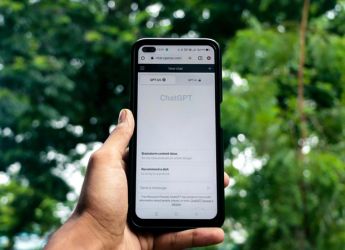
Users can also start a new project using Codex’s ChatGPT mobile app extension
Click Here to Add Gadgets360 As A Trusted Source

Advertisement
OpenAI's pursuit of enterprise artificial intelligence (AI) market share has resulted in a shift of focus from ChatGPT to Codex. While the flagship AI app has received a couple of incremental updates, Codex has been aggressively upgraded and expanded by the team. In the last 30 days, the San Francisco-based AI giant upgraded the desktop app to support native computer use and web browsing, released the GPT-5.5-Cyber model, and added a secure sandboxing environment for Windows. Now, the company is expanding Codex to smartphones via the ChatGPT mobile app.
Codex Comes to Smartphones
In a post, the AI giant announced the expansion of Codex to both Android and iOS via the ChatGPT mobile app. This is the first time OpenAI has released the coding platform beyond desktops. It is currently available in preview across all plans, including those on the free tier. If you don't see Codex within the menu, just update your app. The company is also adding support to connect the phone to the Codex app on Windows soon.
Despite the expansion, the Codex in the ChatGPT mobile app functions as an extension of the desktop app rather than an independent interface. To access Codex on the phone, users must be logged into the desktop app first. Only then can they initiate the activation on the smartphone.
OpenAI says the mobile extension will let users work across existing threads, review outputs and approve commands, change models, and even start new projects. But it is important to understand that Codex is running on the desktop app, and the mobile interface gets all the updates in real time, including screenshots, terminal output, diffs, test results, and approvals.
Even with the limitations, OpenAI calls the Codex mobile experience “fully-featured,” listing several actions users can take. Users can start new projects directly using the ChatGPT mobile app, letting users immediately share an idea. However, the mobile view will not show real-time development.
Apart from this, the Codex in the ChatGPT mobile app can direct the chatbot to find bugs, run tests, and fix issues. Users can view screenshots, terminal output, and test results. In the future, the company also plans to let them review the resulting diff directly on the smartphone. Additionally, the coding platform's mobile interface can also be used to review options and make decisions for an ongoing project.
Comments
Get your daily dose of tech news, reviews, and insights, in under 80 characters on Gadgets 360 Turbo. Connect with fellow tech lovers on our Forum. Follow us on X, Facebook, WhatsApp, Threads and Google News for instant updates. Catch all the action on our YouTube channel.
Related Stories





Advertisement
Follow Us




-
![[Sponsored] Samsung Galaxy Z Fold8, Fold8 Ultra](https://www.gadgets360.com/static/desktop/images/spacer.png)
00:21
[Sponsored] Samsung Galaxy Z Fold8, Fold8 Ultra -
03:41
[Sponsored] Samsung Galaxy Z Fold8: How It Fits Into an Actor’s Busy Day | Camera, Multitasking & More -
09:53
iPhone 18 Goes On Sale In India: Huge Crowds, Long Queues At Apple Stores -
06:32
Google Pixel 11 Pro XL Review: The Most Exciting Pixel Yet? | 120X Zoom + Tensor G6 -
05:20
Samsung Galaxy Watch Ultra 2 Review: Is This the Best Android Smartwatch?
-
Amazon Great Indian Festival: सेल से पहले 6 मोबाइल पर Early Bird Deals
-
Vivo Y600i हुआ लॉन्च; 8000mAh बैटरी और ड्रॉप प्रोटेक्शन के साथ आया फोन
-
लैपटॉप की बैटरी हेल्थ ऐसे करें चेक, नहीं होगा नुकसान
-
Motorola Signature Flipkart सेल में ₹3 हजार सस्ता खरीदें, 50MP तीन कैमरा वाला फोन
-
iPhone 17, iPhone 15 Flipkart BBD सेल में ₹20 हजार तक सस्ते हुए!
Advertisement
Popular on Gadgets
- Samsung Galaxy S26 Ultra
- Motorola Razr Fold
- ChatGPT
- OPPO Find N6
- Mobiles Under Rs. 40,000
- Vivo X300 Ultra
- Asus Zenbook S14
- iQOO 15
- Vivo X300 Pro
- Lenovo Yoga Slim 7i Aura Edition
- iQOO 15R
- Vivo X Fold 5
- Sony PlayStation 5
- HP OmniPad 12
- OnePlus Nord CE 6 Lite
- OnePlus Pad 4
- OPPO F33 Pro 5G
- Cryptocurrency
- HP OmniBook Ultra 14 (2026)
- iPhone 17
- Eureka Forbes AP 355 Room Air Purifier
- Latest Mobile Phones
- Compare Phones
Latest Gadgets
- Vivo Y600i
- Mivi One 5G
- Xiaomi 18 Pro Max
- Motorola Signature 27
- OPPO Find X10 E
- OnePlus N6 Lite 4G
- Ai+ Nova 2 Power 5G
- Lava Virat Curve 5G
- Microsoft Surface Laptop, 13-inch (2nd Edition)
- Lenovo LOQ 15AHP11
- Microsoft Surface Pro, 12-inch (2nd Edition)
- Xiaomi Pad 9 Pro
- Amazfit T-Rex Dual Solar
- OPPO Watch S2
- Toshiba 65-Inch 4K Ultra HD Smart Mini LED QLED TV (65Z670SP)
- Haier M70 Mini LED 65-inch
- Acer Predator Atlas 8
- Asus ROG Ally
- Blue Star 1.5 Ton 5 Star Inverter Split AC (IE518ZNURS)
- Blue Star 2 Ton 3 Star Inverter Window AC (WIE324L)

- About Us
- Sitemaps
- Feedback
- Archives
- Contact Us
- RSS
- Advertise
- Career
- Privacy Policy
- Ethics
- Editorial Policy
- Terms & Conditions
- Complaint Redressal
Download Our Apps
Available in Hindi
© Copyright Red Pixels Ventures Limited 2026. All rights reserved.