-
 What Is WhatsApp Chat Lock and How Does It Work?24 October 2026
 -
WhatsApp Reels Shortcut for Chats Rolling Out to Android Beta Testers23 October 2026
-
How to Export a WhatsApp Chat on Android and iOS: A Step-by-Step Guide17 October 2026
-
WhatsApp Introduces Guest Calls for Up to 32 Participants With No Account Requirement15 October 2026
-
WhatsApp May Soon Let Android Users Schedule Messages, Photos and Videos12 October 2026
- Home
- Apps
- Apps Features
- Top 5 WhatsApp Privacy Settings Every Indian User Should Enable Right Now
Top 5 WhatsApp Privacy Settings Every Indian User Should Enable Right Now
Here are five WhatsApp privacy settings that every Indian should enable right now to improve the privacy and security of their WhatsApp account.
Written by Shaurya Tomer, Edited by Rohan Pal | Updated: 26 July 2026 14:00 IST

Photo Credit: Pexels/ Anton
Top 5 WhatsApp Privacy Features in India
Click Here to Add Gadgets360 As A Trusted Source

Advertisement
In recent years, WhatsApp has become a crucial part of everyday communication. Not just in India, but globally, billions use it to keep in touch with family, coordinate work, receive business updates, or share documents. While WhatsApp natively enables end-to-end encryption for personal messages and calls, other privacy and security features can help keep your data secure. These include simple two-step verification, biometric locks, and even controls that prevent strangers from adding you to groups or repeatedly calling you.
Here are five WhatsApp privacy settings that every Indian should enable right now to improve the privacy and security of their WhatsApp account.
Turn On Two-Step Verification
The most simple setting that you can turn on is two-step verification. It provides extra protection when your WhatsApp number is registered on another device by someone you do not know. To do this, navigate to Settings > Account > Two-step verification > Turn on. Now, create a six-digit PIN, and you're good to go.
Following this, whenever someone attempts to register your number on any other device, this PIN will be required in addition to the verification code. You can also provide an email address for recovering the PIN if you forget it. However, do avoid using easily guessed combinations such as your birthday.
Restrict Who Can See Your Personal Information
WhatsApp's ability to restrict personal information is useful if your contact list includes businesses, former colleagues, delivery personnel, or people you no longer regularly communicate with. Your profile picture, About information, Status, and online activity can potentially reveal information to people you don't know. Thankfully, you can hide much of the information on WhatsApp.
To use this feature, head over to Settings > Privacy. You will find separate controls for Last Seen and Online, Profile Photo, About, Links, and Status, which can be restricted to My Contacts or use My Contacts Except... to prevent specific people from viewing them.
Silence Calls From Unknown Numbers
Despite repeated attempts by TRAI at curbing spam and fraudulent calls, they remain a nuisance in India. Fortunately, WhatsApp's Silence Unknown Callers feature prevents calls from numbers you don't recognise from ringing your phone. While silenced calls will still appear in the Calls tab, you can simply check them later without being interrupted.
Go to Settings > Privacy > Calls and enable Silence Unknown Callers.
Lock WhatsApp and Sensitive Chats
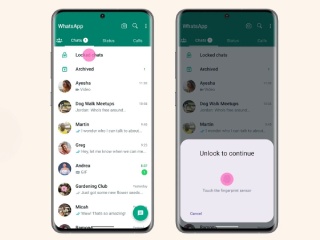
If you've ever accidentally left your phone in a workplace setting, there is a chance someone might have attempted to snoop in. To ensure your privacy, WhatsApp offers a built-in chat lock and app lock feature, which protects your conversations separately even if your smartphone is already secured. For particularly sensitive conversations, Chat Lock provides another layer of privacy. Locked conversations are kept separately from your regular inbox and require authentication to access.
Protect Your IP Address During Calls
Want additional privacy during calls? You can now protect your IP address too. Enabling this feature relays calls through WhatsApp's servers, which prevents the other caller from seeing your IP address and eliminates the risk of potentially revealing your approximate location. WhatsApp emphasises that calls remain end-to-end encrypted, although relaying them can affect the call quality.
You can enable Protect IP Address in Calls under Settings > Privacy > Advanced.
Bonus: Another interesting feature that WhatsApp is currently developing is usernames. Like Telegram, this will eventually let people contact you through a username, eliminating the need to share your phone number. While you can already reserve usernames on WhatsApp, the feature has yet to be widely rolled out.
Comments
Get your daily dose of tech news, reviews, and insights, in under 80 characters on Gadgets 360 Turbo. Connect with fellow tech lovers on our Forum. Follow us on X, Facebook, WhatsApp, Threads and Google News for instant updates. Catch all the action on our YouTube channel.
Related Stories





Advertisement
Follow Us




-
![[Sponsored] Galaxy Watch9 for Everyday Health Insights | Smarter Wellness Choices](https://www.gadgets360.com/static/desktop/images/spacer.png)
01:42
[Sponsored] Galaxy Watch9 for Everyday Health Insights | Smarter Wellness Choices -
01:15
[Sponsored] Galaxy Tab S10 Lite for Students: Notes, Solve Math and More -
04:17
[Sponsored] LG NANO 4K UHD AI TV NU885: Gemini Search, Dolby Atmos & 5 Years of Updates -
00:57
[Sponsored] Samsung Galaxy Z Fold8 My Fan Cam in Action: Find the Moment, Then Share It -
01:41
[Sponsored] What Do You Need To Know Before Your Next Run? | Samsung Galaxy Watch Ultra2
-
NVIDIA के सीईओ ने पेश किए माइक्रोडक रोबोट, AI से चलते हैं, क्या काम आएंगे
-
iPhone Duo को बीच से खोला, फोल्डेबल डिस्प्ले से हटाया कवर, फिर क्या दिखा?
-
1 जनवरी से फोन में बिना सिम नहीं चलेगा WhatsApp, सिम बाइडिंग हुआ अनिवार्य
-
Realme 17 Pro सीरीज में मिल सकती है 10,000mAh की बैटरी
-
Amazon Sale में ₹6300 सस्ता खरीदें Vivo V80 5G, 50MP तीन कैमरा वाला फोन
Advertisement
Popular on Gadgets
- Samsung Galaxy S26 Ultra
- Motorola Razr Fold
- ChatGPT
- OPPO Find N6
- Mobiles Under Rs. 40,000
- Vivo X300 Ultra
- Asus Zenbook S14
- iQOO 15
- Vivo X300 Pro
- Lenovo Yoga Slim 7i Aura Edition
- iQOO 15R
- Vivo X Fold 5
- Sony PlayStation 5
- HP OmniPad 12
- OnePlus Nord CE 6 Lite
- OnePlus Pad 4
- OPPO F33 Pro 5G
- Cryptocurrency
- HP OmniBook Ultra 14 (2026)
- iPhone 17
- Eureka Forbes AP 355 Room Air Purifier
- Latest Mobile Phones
- Compare Phones
Latest Gadgets
- HMD 2660 Flip Senior Edition
- Lava Aura Curve
- Poco X8s
- Samsung Galaxy F70 5G
- Tecno Spark 50S 5G
- Vivo Y600s Pro
- Vivo Y32 (2026)
- Infinix Smart 20 HD
- Lenovo Yoga 9n 2-in-1
- Lenovo Yoga Pro 9n
- Amazon Alexa Tablet 8
- Amazon Alexa Tablet 11
- Pebble Qore 2
- Amazfit T-Rex Dual Solar
- Toshiba 65-Inch 4K Ultra HD Smart Mini LED QLED TV (65Z670SP)
- Haier M70 Mini LED 65-inch
- Acer Predator Atlas 8
- Asus ROG Ally
- Blue Star 1.5 Ton 5 Star Inverter Split AC (IE518ZNURS)
- Blue Star 2 Ton 3 Star Inverter Window AC (WIE324L)

- About Us
- Sitemaps
- Feedback
- Archives
- Contact Us
- RSS
- Advertise
- Career
- Privacy Policy
- Ethics
- Editorial Policy
- Terms & Conditions
- Complaint Redressal
Download Our Apps
Available in Hindi
© Copyright Red Pixels Ventures Limited 2026. All rights reserved.