
-
 How to Free Up Space on Your Android Phone25 October 2026
-
Best Smartphones with 1TB Storage in India (2026): iPhone Duo, Samsung Galaxy S26 Ultra and More25 October 2026
-
How to Clear Temporary Files in Windows 11: A Step-by-Step Guide20 September 2026
-
How to Free Up iPhone Storage Without Deleting Photos13 September 2026
-
How to Free Up WhatsApp Storage Without Deleting Chats: A Step-by-Step Guide12 September 2026
- Home
- How to
- How to Features
- How to Free Up Storage on an Android Phone
How to Free Up Storage on an Android Phone
Few Android handsets offer the Smart Storage feature.
Written by Nithya P Nair | Updated: 20 September 2026 10:00 IST
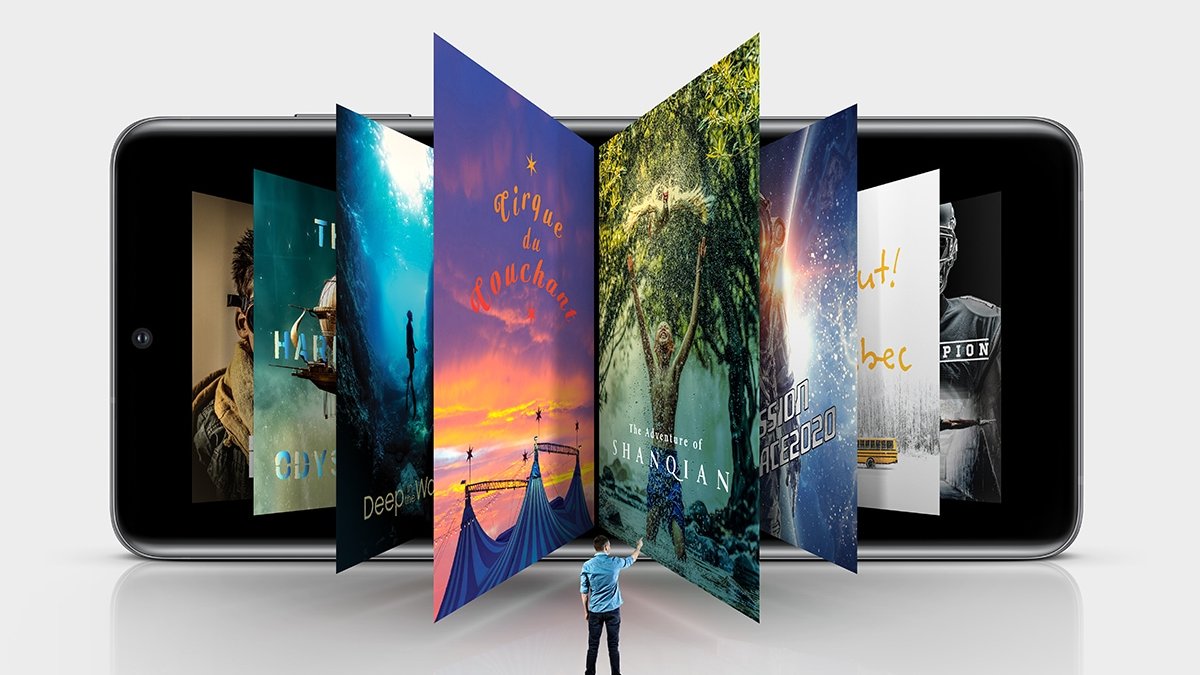
Photo Credit: Samsung
Users can archive apps on Android phones to make space for new apps
Click Here to Add Gadgets360 As A Trusted Source

Advertisement
We are all familiar with RAM and storage. Storage is where your handset stores photos, videos, music, apps and other files, whereas RAM is used for apps and the Android system. Smartphone brands are launching models with up to 1TB of onboard storage now; still seeing the storage full message on an Android phone can be annoying. Running out of storage will stop you from downloading new apps, files, photos and videos. Clearing unwanted files is the first and primary solution to make some room for new data and files and improve the performance of your smartphone.
Ways to Free Up Storage on an Android Phone
Before starting, you can check how much storage you are using on your Android phone by heading to Settings> Storage> selecting a category. This lets you identify which category photos, videos, apps, downloads, or other files is taking the lion's share of the available storage.
- Is a water purifier with a storage tank better than a tankless model during power cuts?
- Is 256GB storage enough in 2026 if you shoot a lot of 4K videos?
- Is a stainless-steel storage tank worth paying extra for in a water purifier?
- LG 343L vs Samsung 350L refrigerator: would you choose capacity or convertible storage?
- You get to choose only one: a fridge with excellent vegetable storage or one with more freezer space.
Automatically Free Up Storage
Few Android handsets offer the Smart Storage feature that is designed to automatically delete copies of photos and videos backed up to Google Photos when storage is running low. This feature eliminates the need for manually removing files. You can turn this feature on by heading to Settings> tap Storage> select Free up space> tap Menu> turn on Smart Storage.
Manually Delete Unnecessary Files
Users can remove unnecessary data and improve system performance by reviewing large files which are no longer needed and deleting them manually.
You can also review files that you no longer need and delete them manually.
- Open Settings
- Open Storage, then select Free up space
- Select the category
- Open Select files
- Choose the files you want to delete. If the category is not listed, select Browse
- Select individual files or choose all available files.
- Tap Move files to Trash
Users with Google Photos backup can remove the backed-up copies from phone. The backed-up versions can be accessed from Google Photos when the Android smartphone is connected to the internet.
Another way is to delete downloaded media, which can quickly consume storage. You can delete Google TV downloads by opening Google TV>tap Library> scroll to the downloaded video> tap Downloaded> Remove.
The YouTube Music downloads can also be cleared by similar steps: open YouTube Music> tap Library> select More next to the song, album, or playlist> tap Remove download.
Media downloaded through other apps can be directly deleted from the app.
Uninstall Apps, Clear App Cache
Another way to make storage space on your Android phone is to remove apps that you rarely use. Review the apps installed on your phone and remove those you no longer need.
Many apps store temporary files over time. Clearing an app's cache can recover some storage without removing data. This can be done from the phone's Settings app.
Archive Unused Apps
Users can archive apps on Android phones to make space for new apps. The app itself is removed, but your personal data is retained, and its icon remains on the phone. Users can reinstall the app later from Google Play.
- Open the Google Play Store
- Tap your Profile picture
- Go to Settings> General
- Turn Automatically archive apps on or off.
Delete Downloaded Files
Downloads folder can contain documents, images, videos, PDFs, and other files you no longer need. Check your downloaded files weekly or monthly and remove anything that is no longer useful. This can be accessed through the Files or Files by Google app.
FAQs
Does removing apps free up storage?
Yes. Deleting apps you no longer use can free up the app's storage space.
Which files usually take up the most storage space?
Photos, videos, downloaded movies or music, and large apps and games often take up the most space.
How to free up space without deleting my photos?
Back up your photos to Google Photos. Once you've confirmed the backup is complete, you can remove local copies to make space.
Comments
Get your daily dose of tech news, reviews, and insights, in under 80 characters on Gadgets 360 Turbo. Connect with fellow tech lovers on our Forum. Follow us on X, Facebook, WhatsApp, Threads and Google News for instant updates. Catch all the action on our YouTube channel.
Further reading:
Storage, How To Free Up Storage
Related Stories




Advertisement
Follow Us


-

00:54
Expectation vs Reality: Parents Said Notice Every Detail. She Added One | Galaxy S26 FE -
01:55
From Group Photos to Festive Nights | Samsung Galaxy A57 5G -
01:33
Galaxy Watch Ultra2 on the Trail: Tracking, Hydration & Elevation -
01:38
Galaxy Z Fold8 Captures the Funniest Diwali Moments | My Fan Cam -
01:37
Samsung Galaxy S26 Ultra Diwali Offer in India: ₹79,999 + World's First Privacy Display on Mobile
Advertisement
Popular on Gadgets
- Samsung Galaxy S26 Ultra
- Motorola Razr Fold
- ChatGPT
- OPPO Find N6
- Mobiles Under Rs. 40,000
- Vivo X300 Ultra
- Asus Zenbook S14
- iQOO 15
- Vivo X300 Pro
- Lenovo Yoga Slim 7i Aura Edition
- iQOO 15R
- Vivo X Fold 5
- Sony PlayStation 5
- HP OmniPad 12
- OnePlus Nord CE 6 Lite
- OnePlus Pad 4
- OPPO F33 Pro 5G
- Cryptocurrency
- HP OmniBook Ultra 14 (2026)
- iPhone 17
- Eureka Forbes AP 355 Room Air Purifier
- Latest Mobile Phones
- Compare Phones
Latest Gadgets
- Karbonn Rebel
- Karbonn Rebel Pro
- OnePlus Turbo 6Vs
- Redmi M100 Pro
- OnePlus Ace 7 Pro
- OnePlus Ace 7
- Samsung W27
- Huawei Pura 90 Plus
- Dell 14S (2026)
- HP ProBook 4 G2iS 14
- iPad mini (2026)
- Amazon Alexa Tablet 8
- Pebble Qore 2
- Amazfit T-Rex Dual Solar
- Toshiba 65-Inch 4K Ultra HD Smart Mini LED QLED TV (65Z670SP)
- Haier M70 Mini LED 65-inch
- Acer Predator Atlas 8
- Asus ROG Ally
- Blue Star 1.5 Ton 5 Star Inverter Split AC (IE518ZNURS)
- Blue Star 2 Ton 3 Star Inverter Window AC (WIE324L)

- About Us
- Sitemaps
- Feedback
- Archives
- Contact Us
- RSS
- Advertise
- Career
- Privacy Policy
- Ethics
- Editorial Policy
- Terms & Conditions
- Complaint Redressal
Download Our Apps
Available in Hindi
© Copyright Red Pixels Ventures Limited 2026. All rights reserved.