
-
 Asus ROG Zephyrus Duo, G14, G16, ProArt PZ14 and TUF Gaming A14 Go on Sale in India: Prices Start at Rs 1.99 Lakh23 June 2026
 -
Asus ProArt PZ14 Launched in India Alongside Refreshed Asus TUF Gaming A14: Price, Features11 June 2026
-
CES 2026: Asus ProArt PZ14 With Snapdragon X2 Elite SoC Launched Alongside Zenbook Duo and Zenbook A167 January 2026
- Home
- Laptops
- Laptops Reviews
- Asus ProArt PZ14 Review: Proof That Windows Tablets Are Finally Getting Good
Asus ProArt PZ14 Review: Proof That Windows Tablets Are Finally Getting Good
Part tablet, part laptop, and entirely its own thing, this is what perhaps best describes the Asus ProArt PZ14. Here's our review.
Written by Shaurya Tomer, Edited by Ketan Pratap | Updated: 30 July 2026 13:45 IST
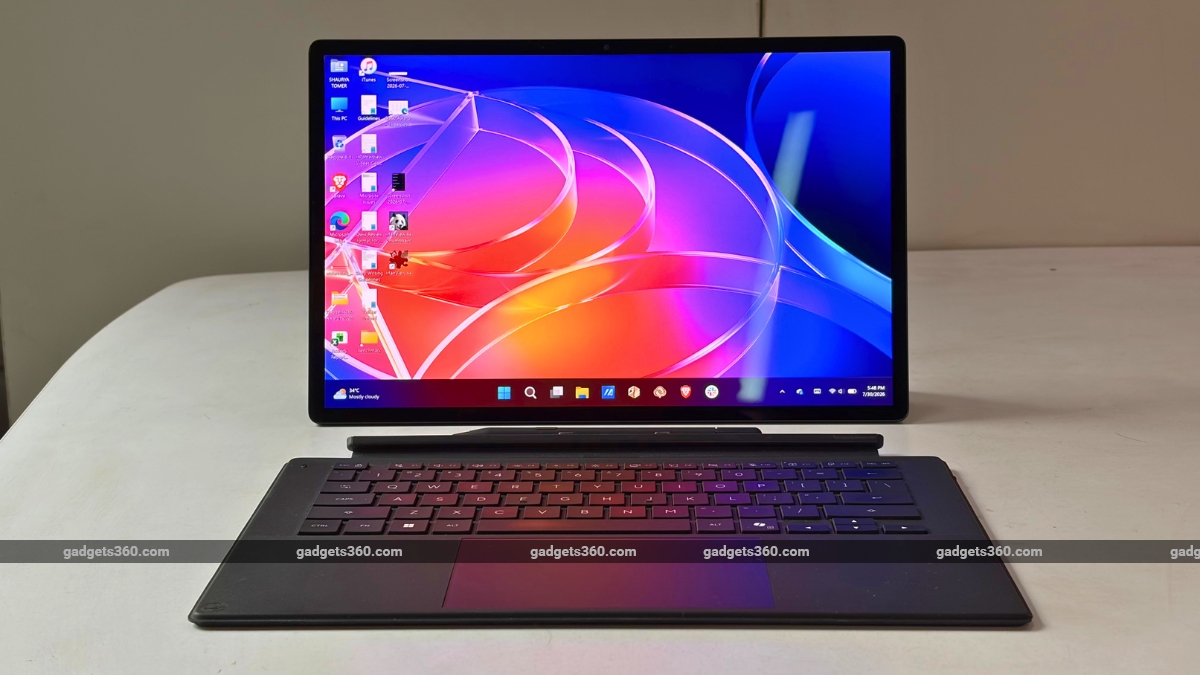
The price of the Asus ProArt PZ14 in India is set at Rs. 2,69,990
Click Here to Add Gadgets360 As A Trusted Source

 Asus Proart Pz14 FAQs
Advertisement
Apart from traditional desktops and laptops, just about every other form factor powered by Windows has, at some point, seen its fall from grace. We had the Windows phones from Nokia, Windows RT-powered devices, Windows UMPCs, and even some rather strange attempts at making foldables work with Microsoft's operating system. Windows tablets, similarly, have also been in a strange spot. Although Microsoft's Surface lineup proved years ago that the idea works, the truth is an iPad is still the obvious answer for most if you want something genuinely tablet-like. Asus wants to change that equation with the new ProArt PZ14.
The price of the Asus ProArt PZ14 in India is set at Rs. 2,69,990. At such a hefty price tag, can a Windows tablet finally make sense, or should some things be better left as laptops? Here's our review.
Asus ProArt PZ14 Design and Build: A Tablet First
- Dimensions – 320.6 x 206.5 x 9mm
- Weight – 0.79kg
- Colour – Nano Black
- Durability – MIL-STD-810H, IP52
Asus classifies the PZ14 as a 2-in-1, but it isn't entirely accurate. Most convertible laptops are, well, laptops first. You get a permanently attached keyboard, and the display folds backwards when you want a tablet. Asus, however, has taken the opposite approach with the Asus PZ14. This is a tablet first, and the keyboard happens to come along for the ride. And it is this distinction that becomes immediately obvious.
The tablet measures 9mm in thickness and weighs around 790g, making it very easy and convenient to carry around. It feels as light as any other 14-inch ultra-light-weight notebook on the market. But does not mean the brand has compromised on the build. On the contrary, the aluminium chassis feels rigid and reassuring.
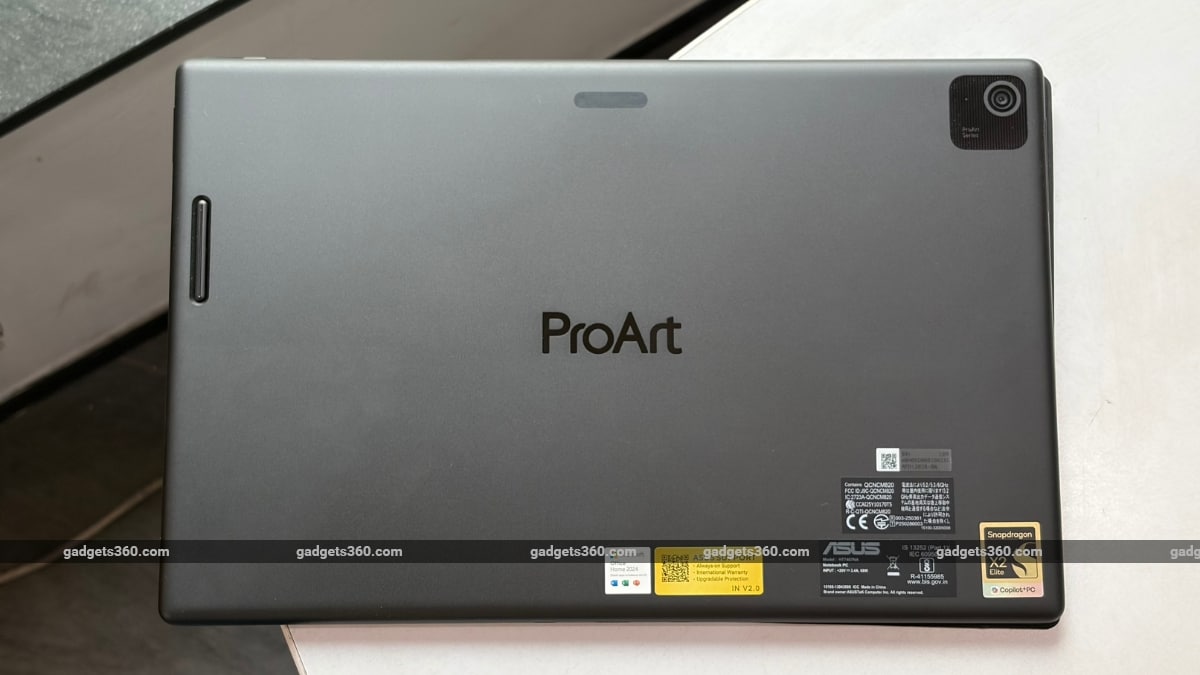
The Asus ProArt PZ14 has an understated appearance, and it looks fantastic. Although there isn't much to be noticed on the rear panel apart from the subtle ProArt branding, its dark Nano Black finish lends it an industrial character. Very ProArt. Very understated. And no unnecessary RGB or giant logos shouting at you.
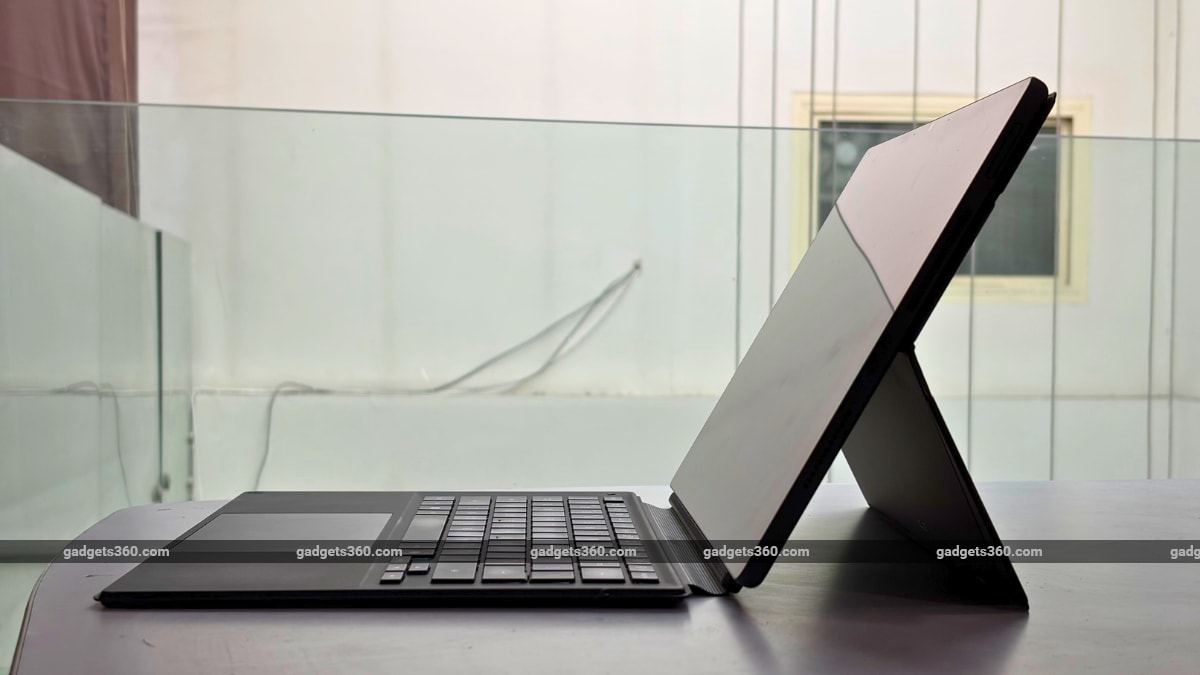
Unlike most convertible laptops that are permanently attached to a keyboard, Asus's tablet-first offering is bundled with a detachable stand cover that magnetically snaps onto the rear. You can prop the tablet at different angles, and it works brilliantly, as long as you're on a desk. But since there's no hinge between the tablet and the keyboard, travelling with it is difficult (more on this later). But for creators and general media consumption, it is a brilliant form factor. I frequently found myself removing the keyboard altogether and simply using the PZ14 as a giant screen while watching YouTube or Netflix.
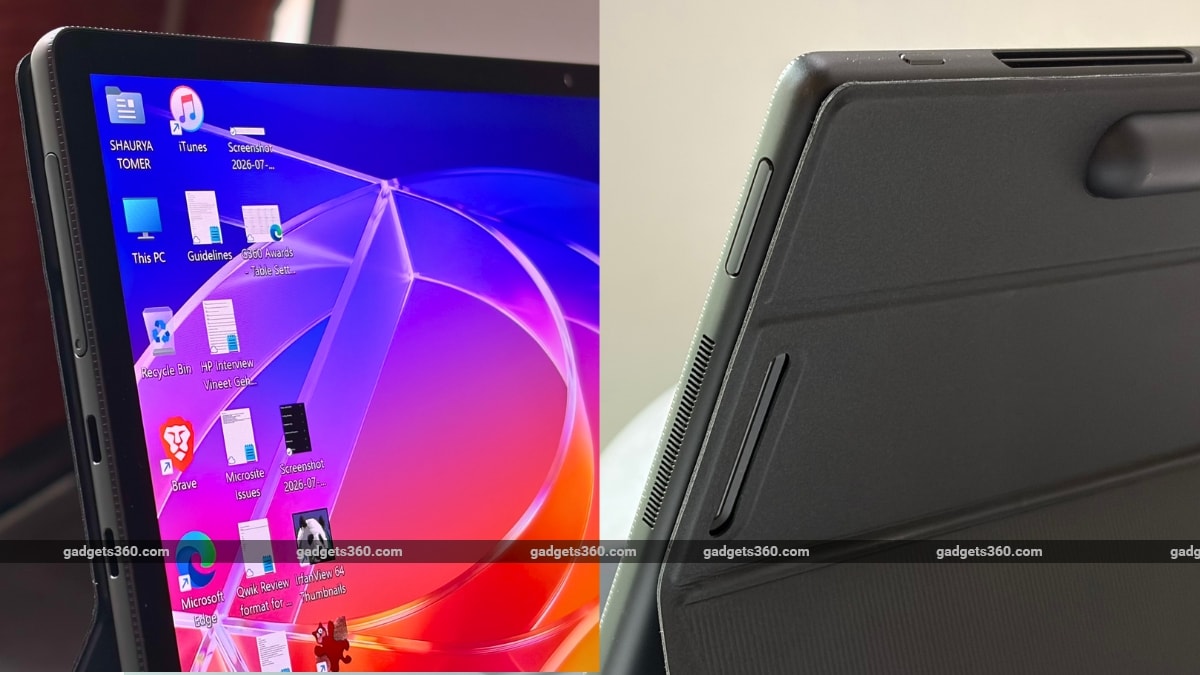
On the durability front, the Asus PZ14 comes with an IP52 rating for dust and water resistance, alongside MIL-STD-810H durability certification. We're obviously not suggesting you take a 2.7 lakh laptop to a day out at the pool, but having some on-paper protection is nonetheless reassuring.
Port selection, meanwhile, is far from generous. You get two USB 4.0 Type-C ports and… that's it. There's no HDMI, USB Type-A, or 3.5mm headphone jack, and thus, dongle life awaits.
There is indeed a full-sized SD card reader, which is something photographers will genuinely appreciate.
Asus ProArt PZ14 Display: Absolutely Gorgeous
- Display and Resolution – 14-inch Lumina Pro OLED touchscreen, 2,880 x 1,800 pixels
- Refresh Rate – 144Hz
- Peak Brightness – 1,000 nits (HDR)
If reading about the design of the Asus PZ14 left you confused about whether it is really meant for you, then this is the part where it should start making a lot more sense. The 14-inch Lumina Pro OLED touchscreen display on the laptop is stunning. It has a 2880 x 1800-pixel resolution and a 144Hz refresh rate.
During my time with the device, colours looked punchy but not cartoonishly saturated, black levels were deep, contrast was excellent, and text looked pin-sharp. In fact, the laptop offers exceptional professional colour accuracy. Asus claims a Delta E colour accuracy of less than 1 and 100 percent DCI-P3 colour gamut coverage, while the panel is also certified by Pantone.
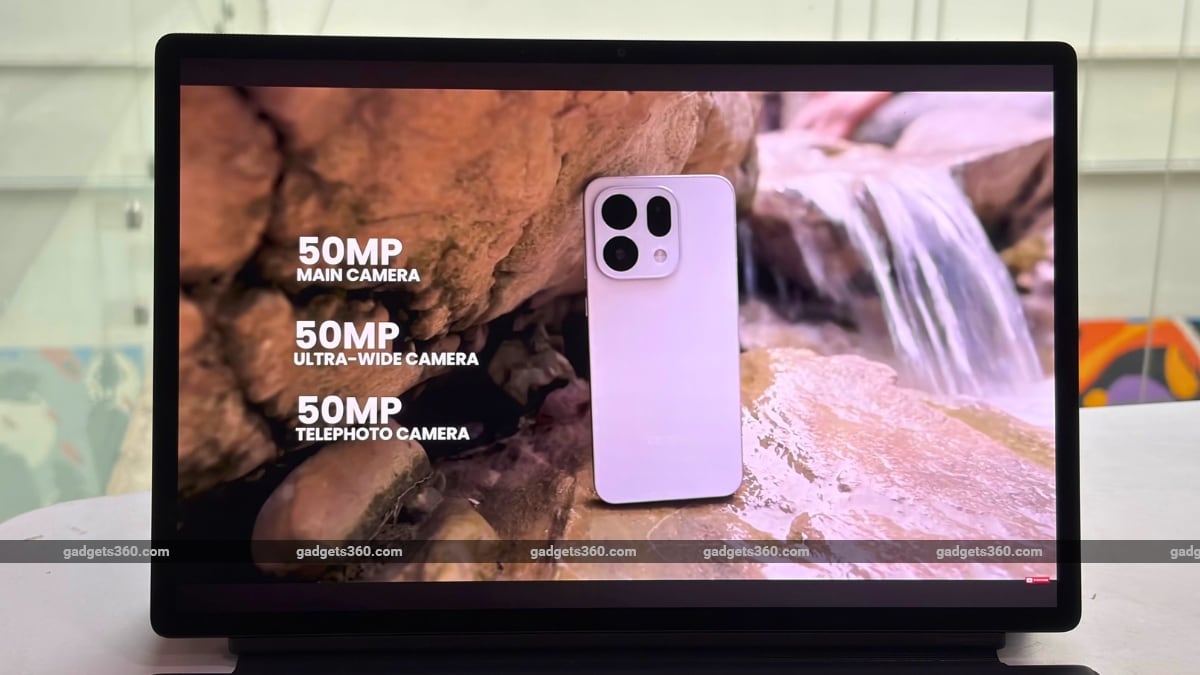
I spent a considerable amount of time binge-watching 4K films on this tablet. And while it isn't exactly what a ProArt device is built for, the screen encourages you to do so. Netflix looks fantastic. YouTube looks fantastic. Even Google Docs and Sheets somehow look better than on my usual daily driver.
The 144Hz refresh rate is another highlight. Scrolling through webpages and moving around Windows feels fluid.
However, as is the case with most OLED panels, its glossy nature results in a predictable weakness: reflections. Put a bright light behind yourself, and the screen becomes considerably harder to see. Even ceiling lights in the office caused enough reflection, forcing me to adjust the angle of the kickstand. While this issue isn't exactly unique to the PZ14, it is worth keeping in mind if your workflow involves working in overhead-lit environments or even outdoors.
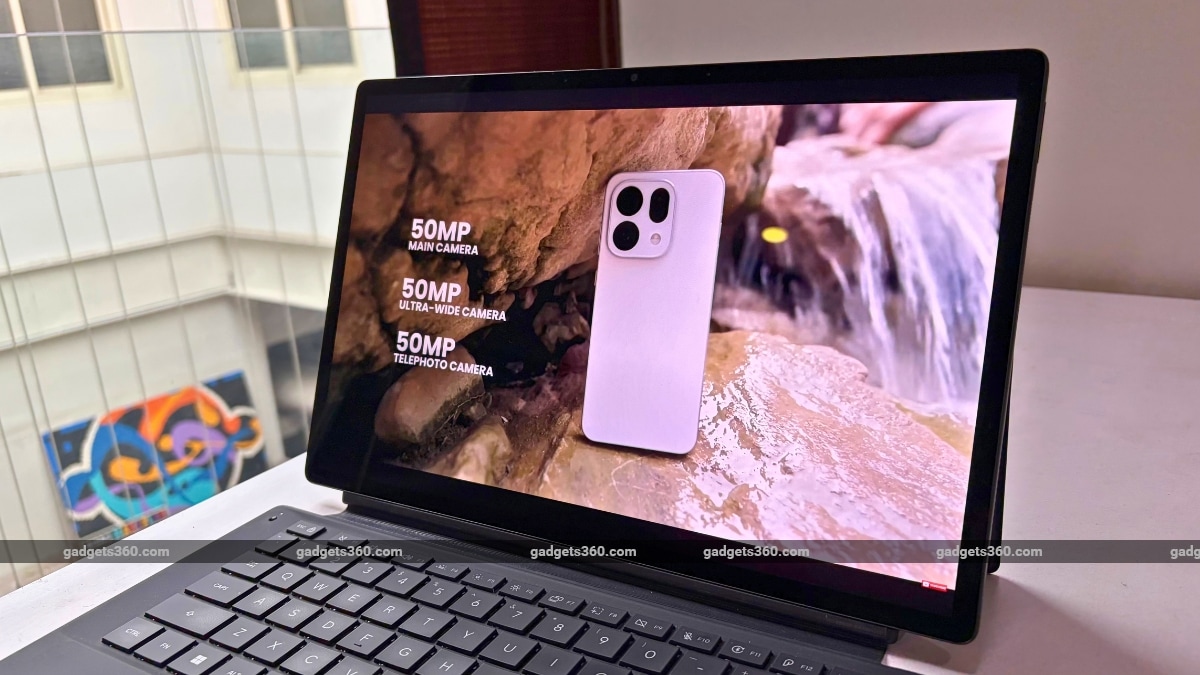
The Asus Pen 3.0, however, is the icing on the cake. The company claims it supports 4,096 pressure levels. The pen also magnetically attaches to the tablet for charging. I'm not a creator, but the stylus response was quick. Writing directly on the OLED screen feels natural enough, and I found myself reaching for the stylus far more often than I initially expected.
Artists will obviously extract far more value from it than I did.
Asus ProArt PZ14 Keyboard, Trackpad and Speakers: The Compromise
- Keyboard – Detachable Bluetooth keyboard
- Trackpad – Integrated precision touchpad
- Cameras – 8-megapixel IR front, 13-megapixel rear
- Audio – Stereo speakers
Here comes the catch. The detachable keyboard of the Asus PZ14 can magnetically connect to the tablet, while also communicating over Bluetooth if you want to use it detached. This means you can completely separate it from the tablet and continue typing, which is genuinely useful. On a desk, it works reasonably well. It took me some time to adjust as the keys have slightly less spacing compared to a traditional keyboard on a 13-inch laptop. But once I got used to it, I was typing close to my usual speed, largely thanks to the decent key travel.
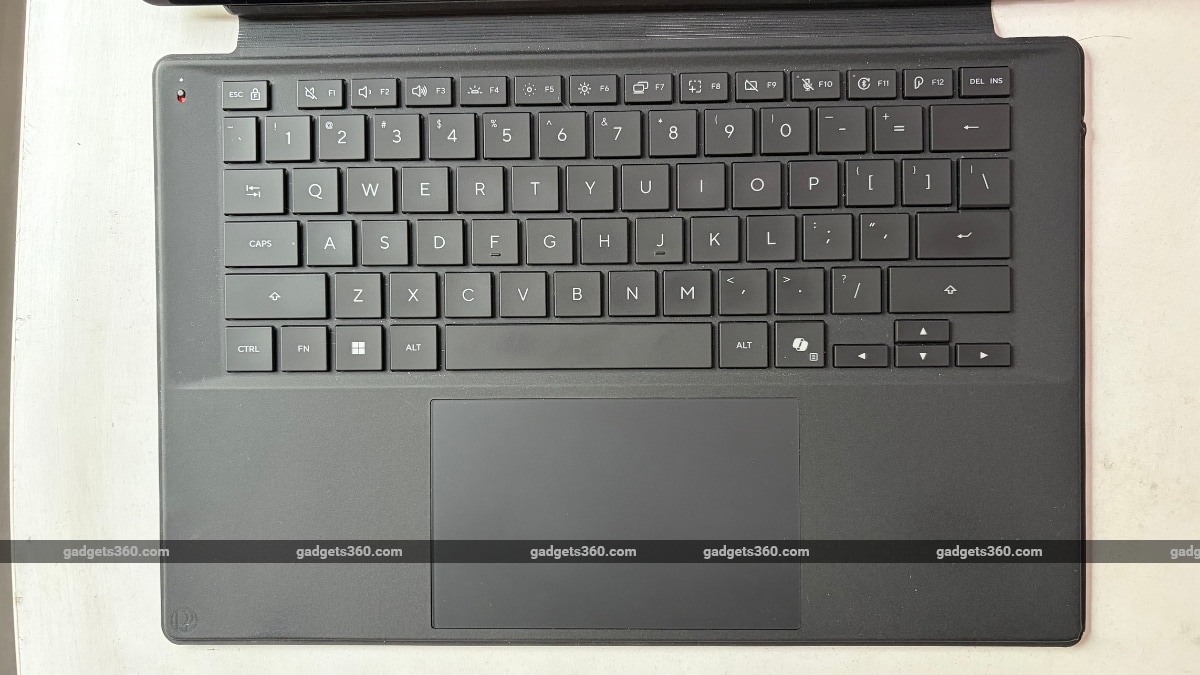
However, things begin to fall apart as soon as you place the Asus PZ14 on your laptop. Not literally, thankfully. The combination of a rear kickstand and thin keyboard requires much more space than a traditional laptop. The entire arrangement also feels unstable when you're sitting on a sofa or travelling. I tried working on the laptop while commuting to work in a cab, but struggled to do so, despite using the front passenger seat as back support for the screen.
My workday involves writing thousands of words, and so the keyboard isn't an accessory, but an extension of the laptop. It is basically the entire job. If you are an illustrator or photographer who primarily interacts with the device while completely stationary, you may feel completely differently. However, those with a hybrid work environment that requires them to travel may struggle with it at times.
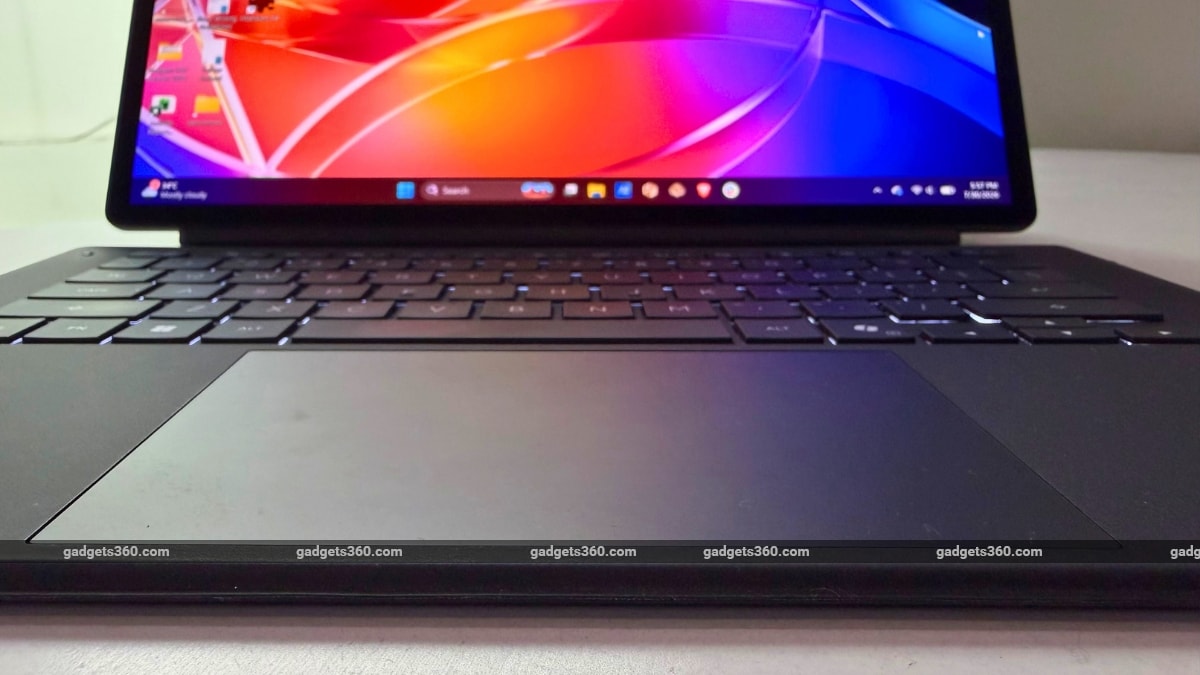
The trackpad is nothing exceptional. It just works. It isn't particularly large and often required a firmer click than I would have preferred.
On the optics front, Asus has included an 8-megapixel IR camera at the front, while there's also a 13-megapixel shooter at the rear. The front camera is decent for video calls and supports Windows Hello authentication, although the feature is still not ideal for low-lit environments. The rear camera is just about decent, although it is unlikely you will walk around taking photos with a 14-inch Windows tablet.
Speakers are decent. They get sufficiently loud for YouTube, music, and video calls. But as is the case with most laptops, there is only a slight low-end punch.
Asus ProArt PZ14 Performance and Software: ARM Has Come a Long Way
- Processor – Qualcomm Snapdragon X2 Elite X2E-88-100
- Graphics – Qualcomm Adreno X2-90
- Memory and Storage – 32GB LPDDR5X (RAM), 1TB PCIe 4.0 SSD (Storage)
Performance is where things become interesting, largely due to the Snapdragon X2 Elite chip. Our review unit has the 18-core Snapdragon X2 Elite X2E-88-100 SoC, paired with 32GB LPDDR5X RAM and a 1TB PCIe 4.0 SSD. There's also an Adreno X2-90 integrated GPU and a Hexagon NPU, which is claimed to be capable of up to 80 TOPS of AI performance.
With top-notch hardware offered by Asus, the day-to-day performance of the tablet is excellent. I ran an unhealthy number of Chrome tabs, along with WhatsApp, Slack, Google Docs, and Outlook, along with YouTube Music in the background. During most instances, the Asus PZ14 was able to handle such high-volume multitasking without breaking a sweat.
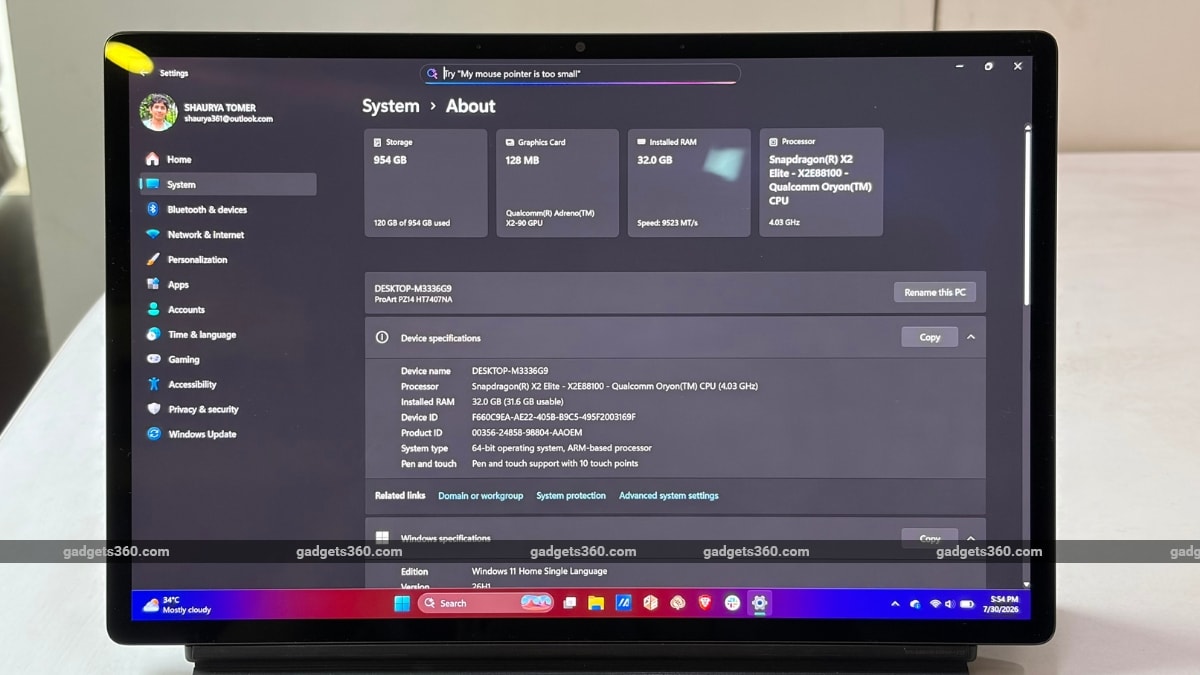
Now, Windows on ARM has long been infamous for its incompatibility issues. The PZ14, however, is a clear example that shows such machines have come a long way. I ran Adobe Premiere Pro and Adobe Photoshop for a couple of hours at a stretch, and both apps ran very well. While I did notice some hiccups with DaVinci Resolve, it seemed to go away following an update. Artists and creators can be assured that compatibility headaches associated with earlier ARM PCs have now become a thing of the past.
There are still limitations, though. Gaming is where the tablet tends to struggle, especially in titles that aren't fully ARM-compatible. And while 1TB of SSD storage may feel generous at first, a device that caters to creators is bound to chew through the 1TB capacity surprisingly quickly, without any option of upgradation.
The Asus PZ14 manages to deal with thermals fairly well. However, I did notice the fan becoming audibly loud on a couple of occasions. This was most evident when rendering heavy projects in creative apps. This is, perhaps, a trade-off for packing in top-notch specs in a chassis that is barely thicker than a conventional tablet.
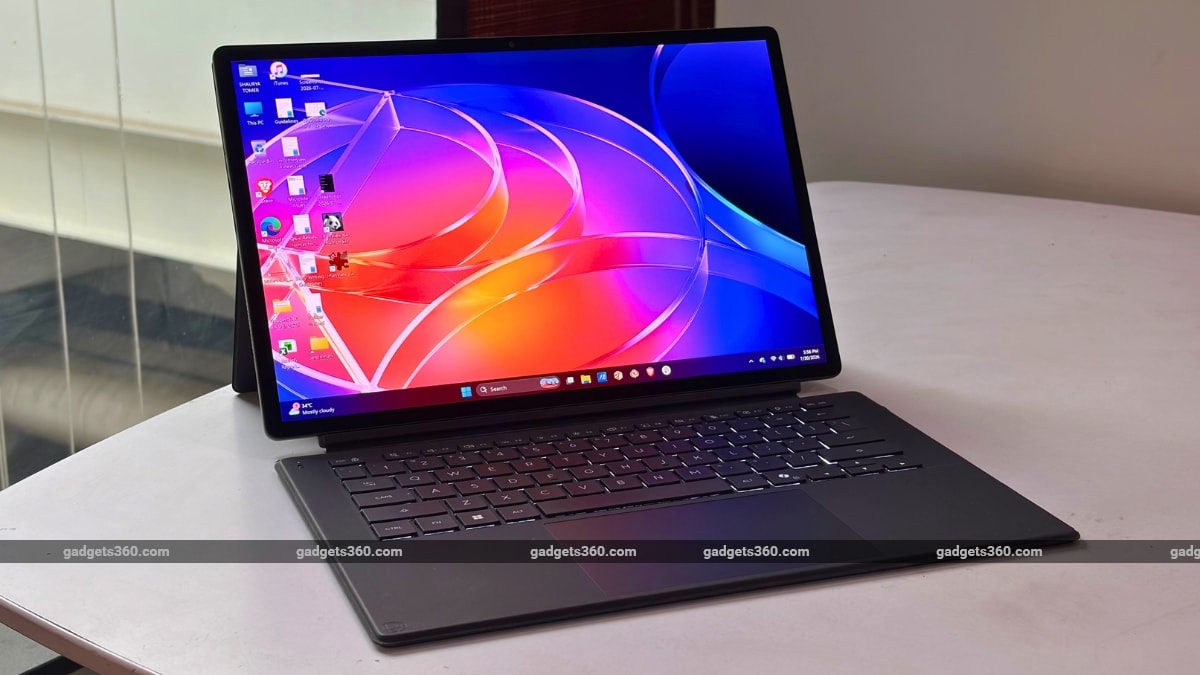
On the software front, Asus has bundled its usual collection of ProArt software, including Creator Hub and StoryCube. The former essentially serves as the tablet's command centre. You can switch between performance profiles, tweak display settings, and adjust other system parameters. The latter, meanwhile, caters more towards photographers and videographers. It essentially leverages artificial intelligence to organise and categorise media on your tablet.
The 80 TOPS NPU also powers Microsoft Copilot+ features. Now, I must admit that I find most onboard AI features simply conveniences, instead of reasons to buy a laptop. They, however, work as advertised, except for the Recall feature, which I intentionally kept turned off.
Asus ProArt PZ14 Battery Life: Gets Through the Day
- Battery – 75Wh
- Charging – 65W USB Type-C
Windows laptops have come a long way from the painstaking Intel and AMD-powered machines that barely last three hours. This is, in no small part, thanks to Qualcomm's ARM chips, which have been generally excellent when it comes to efficiency. The Snapdragon X2 Elite on the Asus ProArt PZ14, meanwhile, takes things even further.
In the normal day-to-day usage that I previously mentioned, the laptop lasted for about 11 hours before demanding a top-up. The ProArt PZ14 is a 2-in-1 offering that will last you the entire day for typical workloads. The standby battery drain is also appreciable, with the device losing only a couple of percentage points of charge when thrown in my backpack for several hours.
You get a 65W USB Type-C charger with the Asus ProArt PZ14, which juices up the laptop from around 20 percent to 100 percent in about 40 minutes.
Asus ProArt PZ14 Verdict
The Asus ProArt PZ14 is a strange machine, and writing its verdict isn't easy because it is now a simple yes or no. So, let me try; perhaps that is also the reason why I like it. If you judge it purely as a Rs. 2,69,990 laptop, there are better options. A traditional premium Windows ultrabook will give you a better keyboard and more ports, while Apple's MacBook Pro lineup is impossible to ignore at this price.
However, the underlying point is that the Asus PZ14 does not want to replace those machines. Instead, it is a tablet that runs full-fat Windows, and becomes far more compelling when viewed through that lens. The display is exceptional, the stylus is useful, performance is impressive, and you get enough battery life to last an entire day. The keyboard, however, is its Achilles' heel, and the detachable setup will get annoying if you're always on the go.
For a very specific audience of photographers, illustrators, designers, and other creators who spend more time drawing, reviewing, or editing than typing, the Asus PZ14 makes sense in a way few Windows laptops do.
It is expensive. It is niche. But if the shoe fits, the ProArt PZ14 wears it remarkably well.
Asus Proart Pz14 FAQsWhat are the main features of the Asus ProArt PZ14?
The Asus ProArt PZ14 is available with up to 32GB of RAM paired with up to 1TB of internal storage. It is powered by up to Snapdragon X2 Elite processor along with the Qualcomm Adreno GPU. The laptop is loaded with a 75Whr battery and 68W fast charging support. It comes with Windows 11 Pro Operating System for business use and Windows 11 Home for everyday tasks. The laptop also features a 14.0-inch 3K OLED display with support for up to a 144Hz refresh rate. It supports connectivity options, including Wi-Fi 7, Bluetooth 5.4, USB Type-C ports, HDMI, and a 3.5mm headphone jack. The Asus ProArt PZ14 is available in single colour options.
When was the Asus ProArt PZ14 released?
The Asus ProArt PZ14 was launched on January 7, 2026.
Where can I buy the Asus ProArt PZ14?
You can buy the Asus ProArt PZ14 through the official Asus website, e-commerce platforms such as Amazon, and select retail stores across India.
- REVIEW
- KEY SPECS
- NEWS
- Good
- Gorgeous 3K 144Hz OLED display
- Excellent day-to-day performance
- Premium, lightweight aluminium build
- Useful Asus Pen 3.0
- Impressive battery life
- Bad
- Detachable keyboard is awkward on the move
- Limited port selection, unupgradable storage
- Storage isn't upgradeable
Read detailed Asus ProArt PZ14 review
Display size 14.00-inch
Display resolution 1800x2880 pixels
Touchscreen Yes
RAM 16GB
SSD 1TB
Weight 0.79 kg
More Asus Laptops
Comments
Get your daily dose of tech news, reviews, and insights, in under 80 characters on Gadgets 360 Turbo. Connect with fellow tech lovers on our Forum. Follow us on X, Facebook, WhatsApp, Threads and Google News for instant updates. Catch all the action on our YouTube channel.
Further reading:
Asus ProArt PZ14, Asus ProArt PZ14 India Launch, Asus ProArt PZ14 Price in India, Asus ProArt PZ14 Features, Asus ProArt PZ14 Specifications
Related Stories


Advertisement
Follow Us




-
![[Sponsored] A Last-Minute Diwali Makeover With Galaxy Z Fold8](https://www.gadgets360.com/static/desktop/images/spacer.png)
01:24
[Sponsored] A Last-Minute Diwali Makeover With Galaxy Z Fold8 -
01:42
[Sponsored] Galaxy Watch9 for Everyday Health Insights | Smarter Wellness Choices -
01:15
[Sponsored] Galaxy Tab S10 Lite for Students: Notes, Solve Math and More -
04:17
[Sponsored] LG NANO 4K UHD AI TV NU885: Gemini Search, Dolby Atmos & 5 Years of Updates -
00:57
[Sponsored] Samsung Galaxy Z Fold8 My Fan Cam in Action: Find the Moment, Then Share It
-
Oppo Find X10, Find X10 Pro Max की सेल शुरू, सीधे ₹30 हजार का डिस्काउंट
-
Karbonn की फिर से स्मार्टफोन बाजार में एंट्री, Gen-Z को करेगा टार्गेट
-
12 हजार से भी सस्ता खरीदें 6000mAh बैटरी वाला 5G फोन, दिवाली पर धांसू डील
-
Maruti Suzuki की e-Vitara का एक्सपोर्ट 50,000 यूनिट्स से ज्यादा
-
Infinix GT 50 Pro vs Vivo V80 vs OnePlus 15R: खरीदने से पहले देखें कंपेरिजन
Advertisement
Popular on Gadgets
- Samsung Galaxy S26 Ultra
- Motorola Razr Fold
- ChatGPT
- OPPO Find N6
- Mobiles Under Rs. 40,000
- Vivo X300 Ultra
- Asus Zenbook S14
- iQOO 15
- Vivo X300 Pro
- Lenovo Yoga Slim 7i Aura Edition
- iQOO 15R
- Vivo X Fold 5
- Sony PlayStation 5
- HP OmniPad 12
- OnePlus Nord CE 6 Lite
- OnePlus Pad 4
- OPPO F33 Pro 5G
- Cryptocurrency
- HP OmniBook Ultra 14 (2026)
- iPhone 17
- Eureka Forbes AP 355 Room Air Purifier
- Latest Mobile Phones
- Compare Phones
Latest Gadgets
- OnePlus Ace 7 Pro
- OnePlus Ace 7
- Samsung W27
- Huawei Pura 90 Plus
- iQOO Neo 12
- Redmi K100
- Vivo Y600
- HMD 2660 Flip Senior Edition
- MacBook Pro With PROLED XDR (16-Inch, M5 Max)
- MacBook Pro With PROLED XDR (14-Inch, M5 Max)
- iPad mini (2026)
- Amazon Alexa Tablet 8
- Pebble Qore 2
- Amazfit T-Rex Dual Solar
- Toshiba 65-Inch 4K Ultra HD Smart Mini LED QLED TV (65Z670SP)
- Haier M70 Mini LED 65-inch
- Acer Predator Atlas 8
- Asus ROG Ally
- Blue Star 1.5 Ton 5 Star Inverter Split AC (IE518ZNURS)
- Blue Star 2 Ton 3 Star Inverter Window AC (WIE324L)

- About Us
- Sitemaps
- Feedback
- Archives
- Contact Us
- RSS
- Advertise
- Career
- Privacy Policy
- Ethics
- Editorial Policy
- Terms & Conditions
- Complaint Redressal
Download Our Apps
Available in Hindi
© Copyright Red Pixels Ventures Limited 2026. All rights reserved.
-
 Apple Watch Series 12
Starts from ₹56,900
Apple Watch Series 12
Starts from ₹56,900
-
 Samsung Galaxy Watch Ultra 2
Starts from ₹62,479
Samsung Galaxy Watch Ultra 2
Starts from ₹62,479
-
 Samsung Galaxy Watch 9 (44mm, LTE)
Starts from ₹41,999
Samsung Galaxy Watch 9 (44mm, LTE)
Starts from ₹41,999
-
 Samsung Galaxy Watch 9 (40mm, LTE)
Starts from ₹38,999
Samsung Galaxy Watch 9 (40mm, LTE)
Starts from ₹38,999
-
 Samsung Galaxy Watch 9 (40mm)
Starts from ₹36,999
Samsung Galaxy Watch 9 (40mm)
Starts from ₹36,999
-
 Samsung Galaxy Watch 9 (44mm)
Starts from ₹40,999
Samsung Galaxy Watch 9 (44mm)
Starts from ₹40,999
-
 Noise Buds R1 Gaana Edition Launched in India With One-Year Gaana Plus Subscription
-
 Zomato to Introduce Mehmaan Mode to Hide Food Prices While Guests Order
-
 Anthropic Adds Smart Reports, Employee Surveys and Shared Budgets to Claude Enterprise
-
 Gemini Notebook Adds Audio Recorder on Android and iOS With Support for One-Hour Recordings