- Home
- Laptops
- Laptops Reviews
- Asus ROG Flow Z13 KJP Review: For Ludens Who Care
Asus ROG Flow Z13-KJP Review: For Ludens Who Care
The ROG Flow Z13-KJP has been made in collaboration with auteur video game designer Hideo Kojima and his studio, Kojima Productions.
Written by Manas Mitul, Edited by Ketan Pratap | Updated: 26 May 2026 08:15 IST
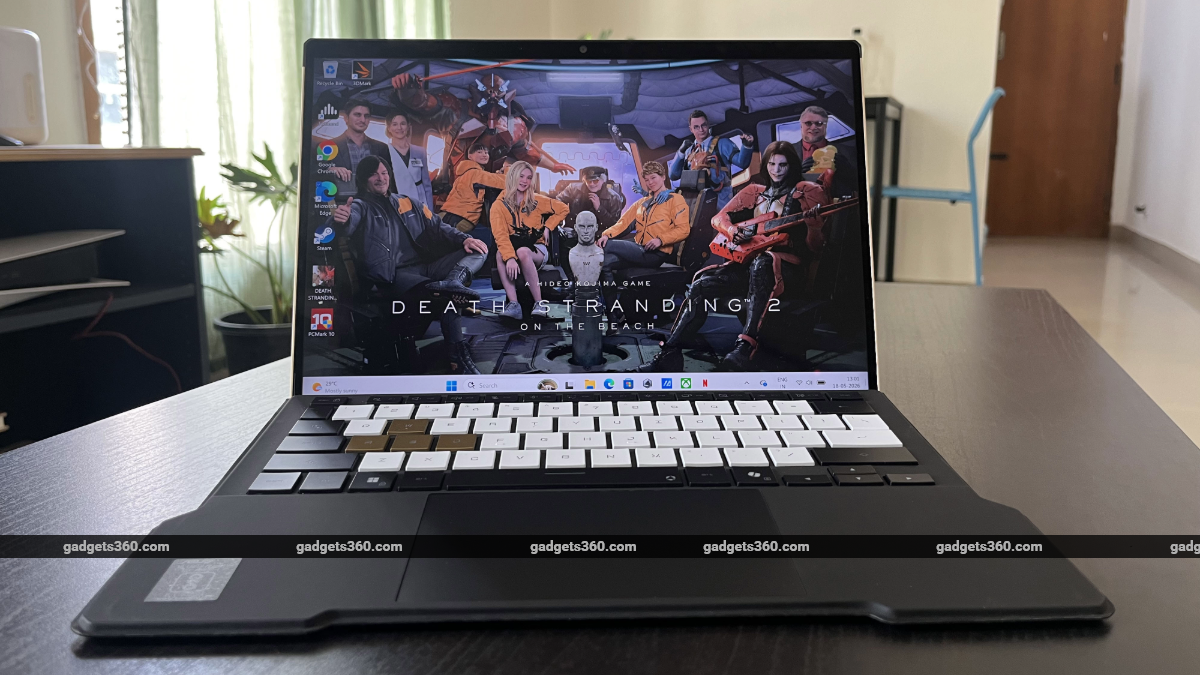
Photo Credit: Asus
The Asus ROG Flow Z13-KJP sports a two-in-one design
Click Here to Add Gadgets360 As A Trusted Source

Advertisement
Limited edition tech products aren't a new thing. From Apple's U2 special-edition iPod to OnePlus' Cyberpunk 2077 phone, these devices, made in collaboration with artists and icons, are always cool but often only go skin-deep when it comes to embodying the artist's identity. You can't just paint the click wheel red and dust off your hands. But Asus' new ROG Flow Z13-KJP laptop, made in collaboration with auteur video game designer and industry legend Hideo Kojima and his studio, Kojima Productions, takes no half measures.
At its core, the special edition laptop is an ROG Flow device — the same detachable tablet/notebook design that balances portability and power. But everywhere you look, Kojima Productions' stamp on the device is unmistakable. From its black-and-gold colour scheme and the details on the CNC-milled aluminium and carbon-fibre chassis to the Kojima Productions typeface and the custom carrying case, ROG Flow Z13-KJP is perhaps the most striking laptop I've ever seen. It has clearly been crafted and packaged with incredible attention to detail.
And then of course, the laptop does what any ROG Flow series device can: it can function as a high-performance and ultra-portable tablet; it transforms, with a single satisfying magnetic click of the detachable keyboard, into a fully functioning touchscreen laptop; and its high-end internals allow it to handle pretty much anything you throw at it. The Kojima edition ROG Flow Z13 laptop runs on an AI Max+ 395 processor with Radeon 8060S graphics and comes with a whopping 128GB of unified memory. Of course, the high-end, limited-edition device doesn't come cheap. But to the right person, it does offer the kind of value you can't really put a number on.
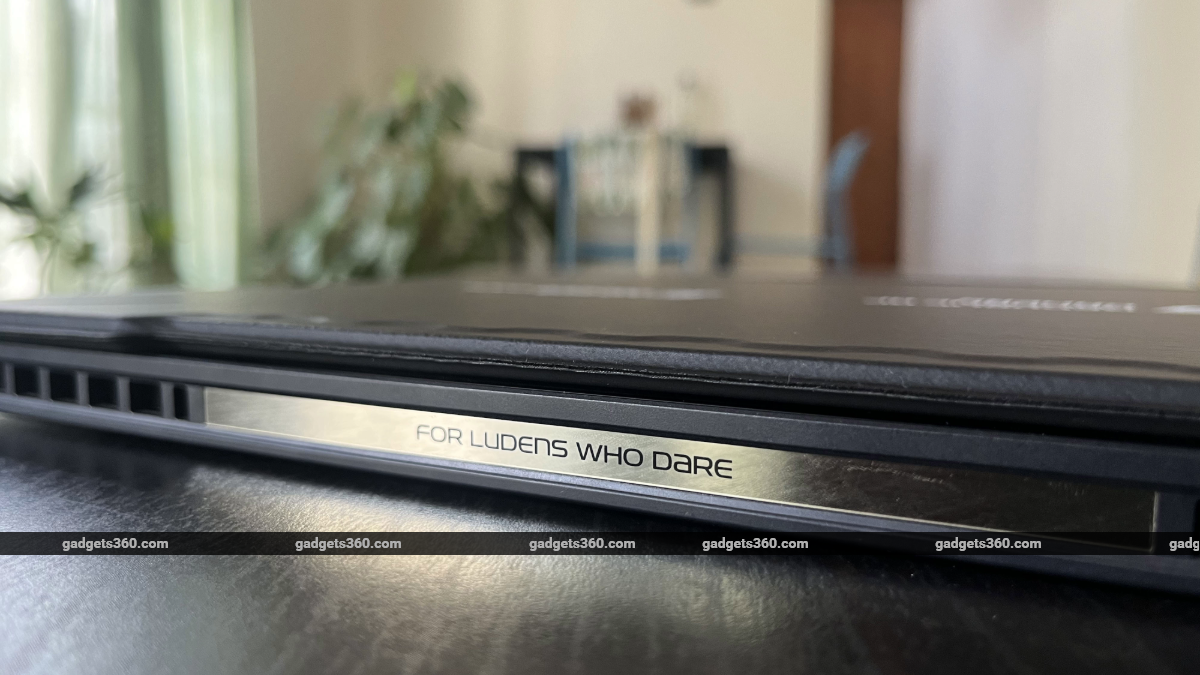
"For Ludens who dare."
Asus ROG Flow Z13-KJP Design: Made for ‘Ludens Who Dare'
- Dimensions – 300 x 204 x 14.5 mm
- Weight – 1.72kg
- Colour – Gold/Black
All ROG Flow Z13 laptops are well-designed machines. The two-in-one tablet/laptop approach demands an excellent balance between form, function, and fashion. There should be little friction between all the moving parts, and the transformation from laptop to tablet and back must not only feel seamless, but also coherent. There should be a real, well, flow between the two form factors. And the Flow Z13 does feel like a homogeneous product. When you switch from laptop to tablet mode, it doesn't feel like a gimmick, but rather a natural transition from work to play.
The limited-edition ROG Flow Z13-KJP does all that, but with so much added flair. There aren't any core design changes here — the laptop functions as any other ROG Flow series product — but the package here is compellingly redesigned on an aesthetic level. Asus' collaboration with Kojima Productions has clearly gone beyond the lazy boundaries of a marketing gimmick. Asus says the chassis of ROG Flow Z13-KJP has was hand-sketched by Yoji Shinkawa, the legendary Kojima Productions artist responsible for directing the art of the Metal Gear Solid series and, more recently, the Death Stranding games. In fact, the ROG Flow Z13-KJP looks like a machine right out of Kojima Productions' meditative post-apocalyptic duology.
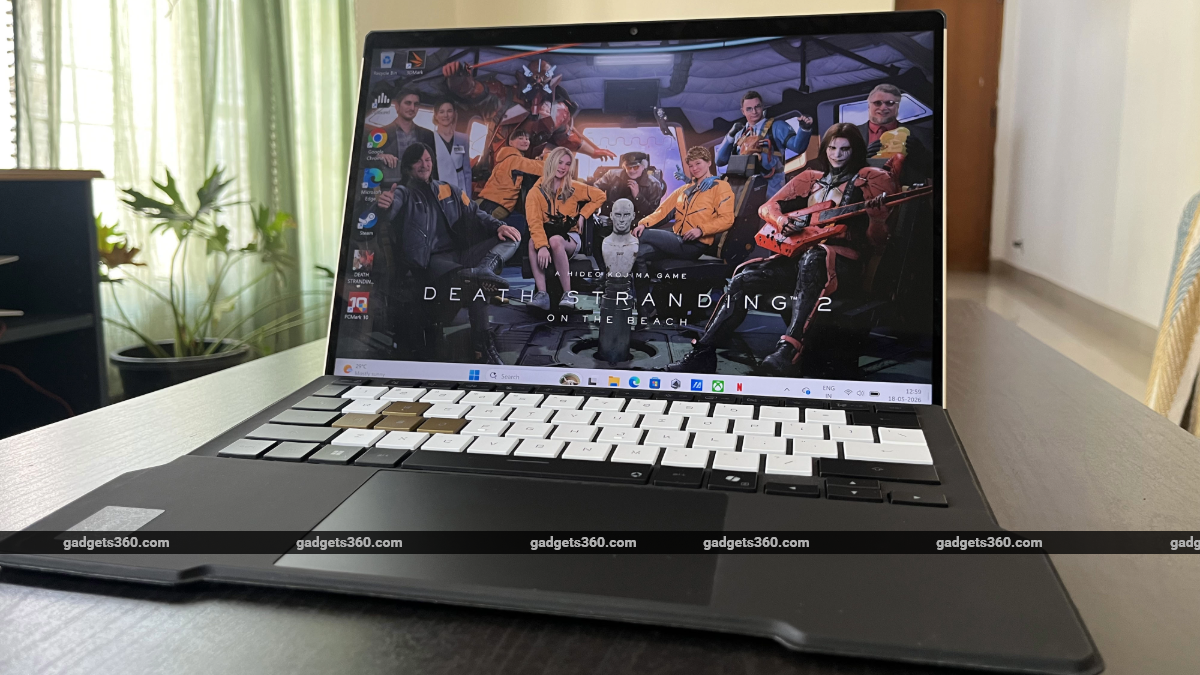
The ROG Flow Z13-KJP comes with a detachable folio-style keyboard
The gold colourway directly draws from Chiral Crystals and several other visual motifs present in Death Stranding 1 and 2. The CNC aluminium chassis comes with angular heat vents, typography, and design elements on the back that speak directly to Kojima Productions' visual language. The top-left side of the rear features a carbon fibre casing, just adjacent to heat vents that sport design elements from Kojima Productions' Ludens mascot. The top edge of the laptop says "For Ludens Who Dare" in black lettering on a gold background. The underside of the rear has a stand that props up the laptop. The gold-coloured stand features ROG and Kojima Productions logos and comes with flaps that protrude a little on either side — a helpful design feature that lets you raise the stand with ease without requiring you to turn the laptop around. The hinges of the kickstand are also quite sturdy.
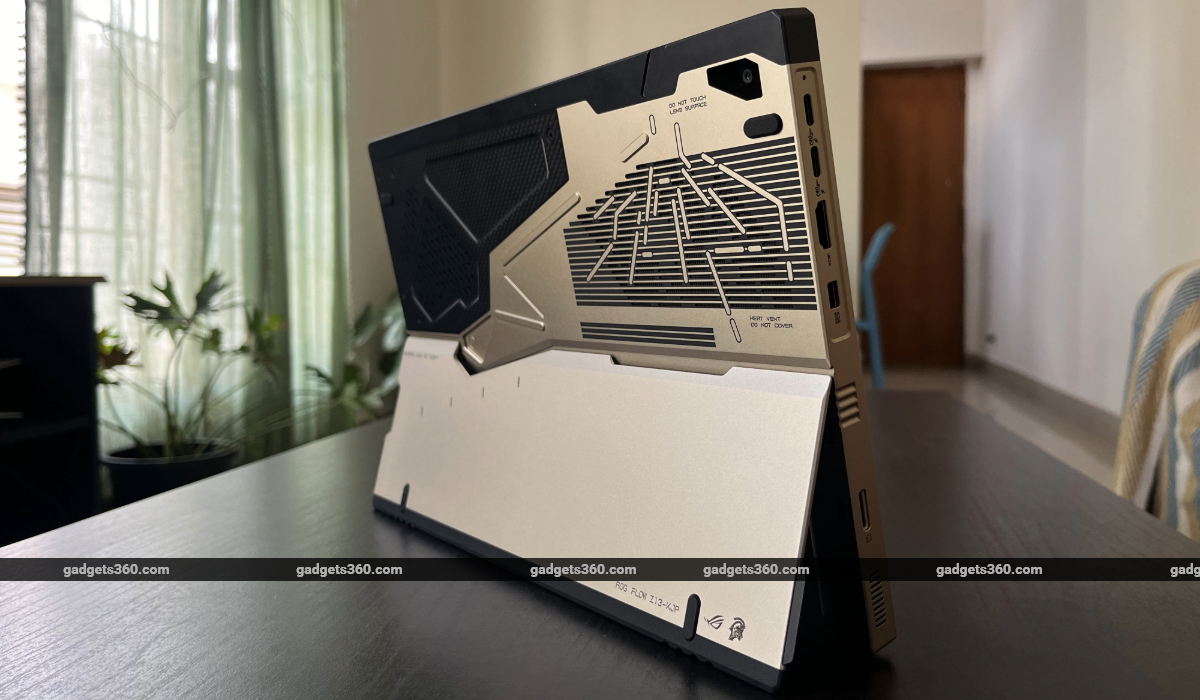
The ROG Flow Z13-KJP comes in gold and black
Under the raised stand, the battery compartment and other housed components are labelled in striking, bold typography, pointing to the speakers on either side, the magnetic pogo-pin keyboard connector at the bottom, the 3.5mm audio jack, USB ports, and a card reader. ROG Flow Z13-KJP comes with a healthy selection of I/O ports. On the left side of the laptop/tablet, you get two USB 4 Type-C ports with DisplayPort and power delivery support; one HDMI 2.1 port; a microSD card reader; and Asus' proprietary charging port. The left side of the laptop sports a USB 3.2 Gen 2 Type-A port and a 3.5mm combination audio jack, alongside a quick launch button for Asus' ScreenXpert software (more on that later), a volume rocker, and a power button.
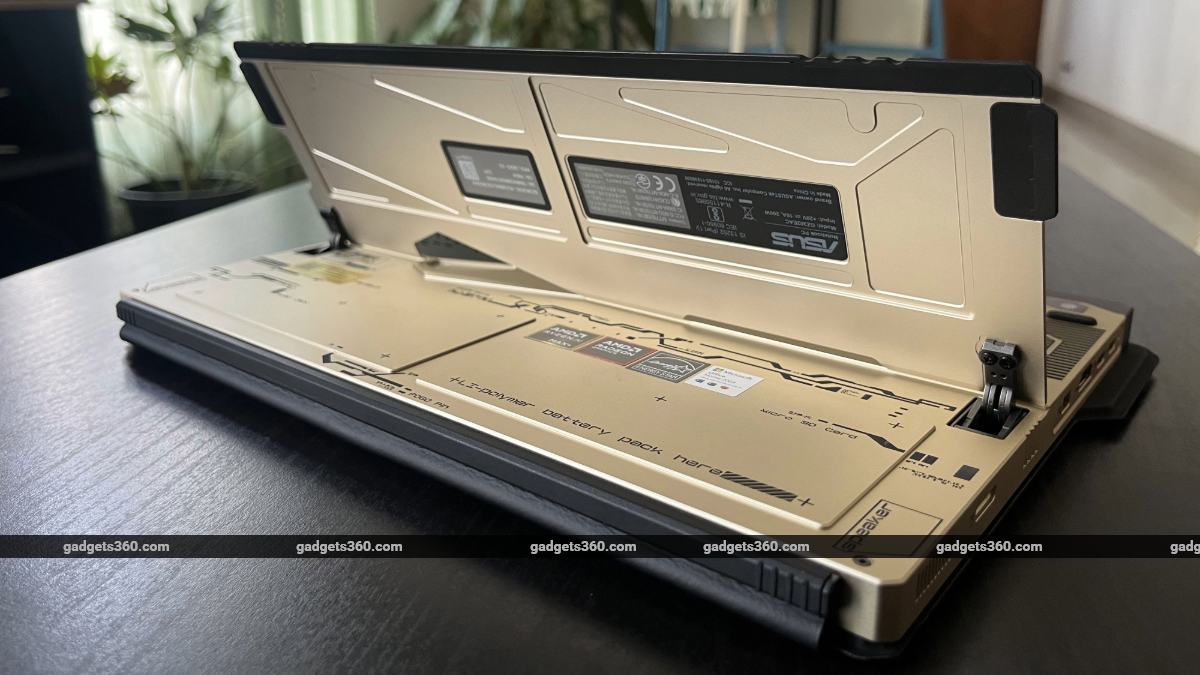
The laptop/tablet sports a sturdy kickstand on the rear side
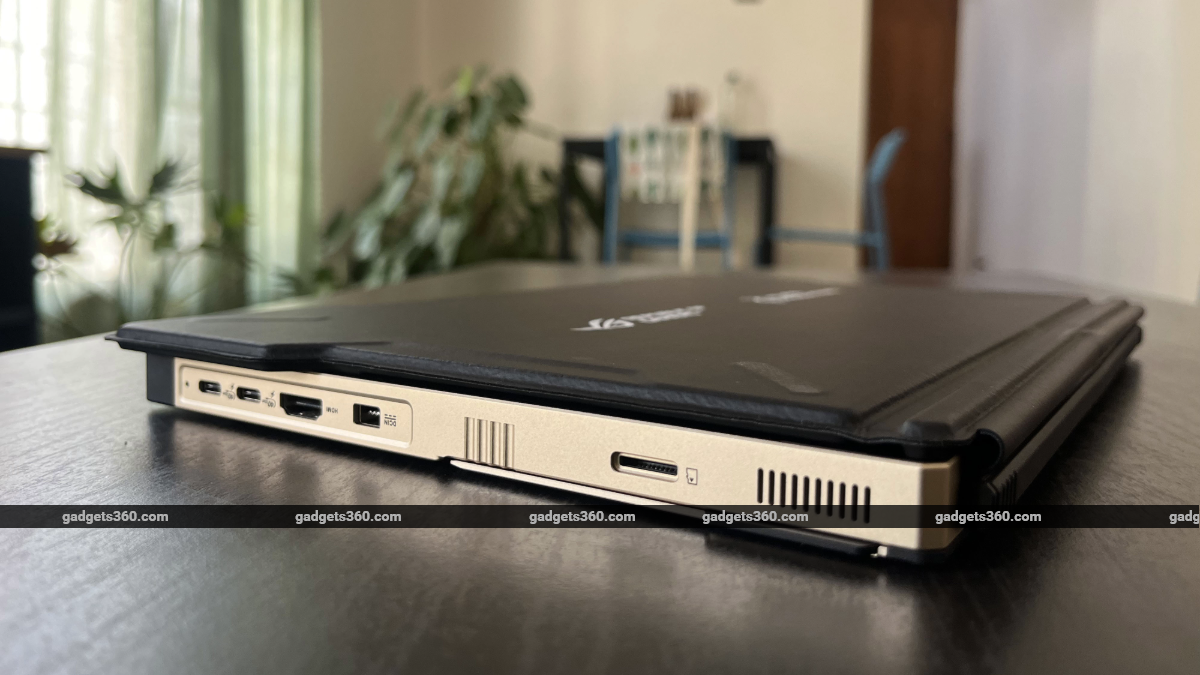
The ROG Flow Z13-KJP comes with a microSD card reader slot
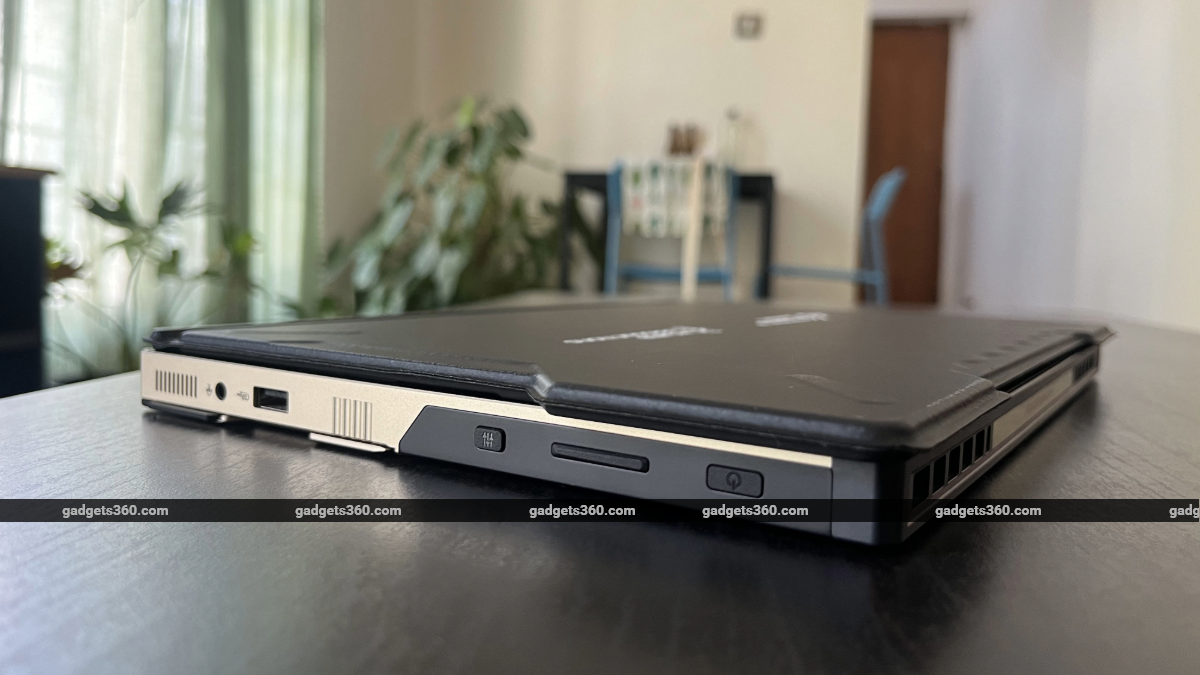
The laptop features a volume rocker, a power button, and a quick launch button for the ScreenXpert software
Aside from the laptop itself, the overall package here is clearly billed as a collector's edition item. With the ROG Flow Z13-KJP, you get a custom white carrying case with a metal rim and locks. The case is designed like one of Death Stranding's cargo briefcases and comes with an inner foam lining to keep the laptop cushioned while you travel. Additionally, you get a hardshell box with ROG and Kojima Productions branding. Even the power adapter features the Kojima Productions logo. And beyond the hardware, you can see a tiny bit of Kojima influence on the software side, too, with a custom ‘Ludens' theme for Asus' Armory Crate software. These additional touches do make ROG Flow Z13-KJP feel like a special-edition release meant for Kojima fans and collectors.
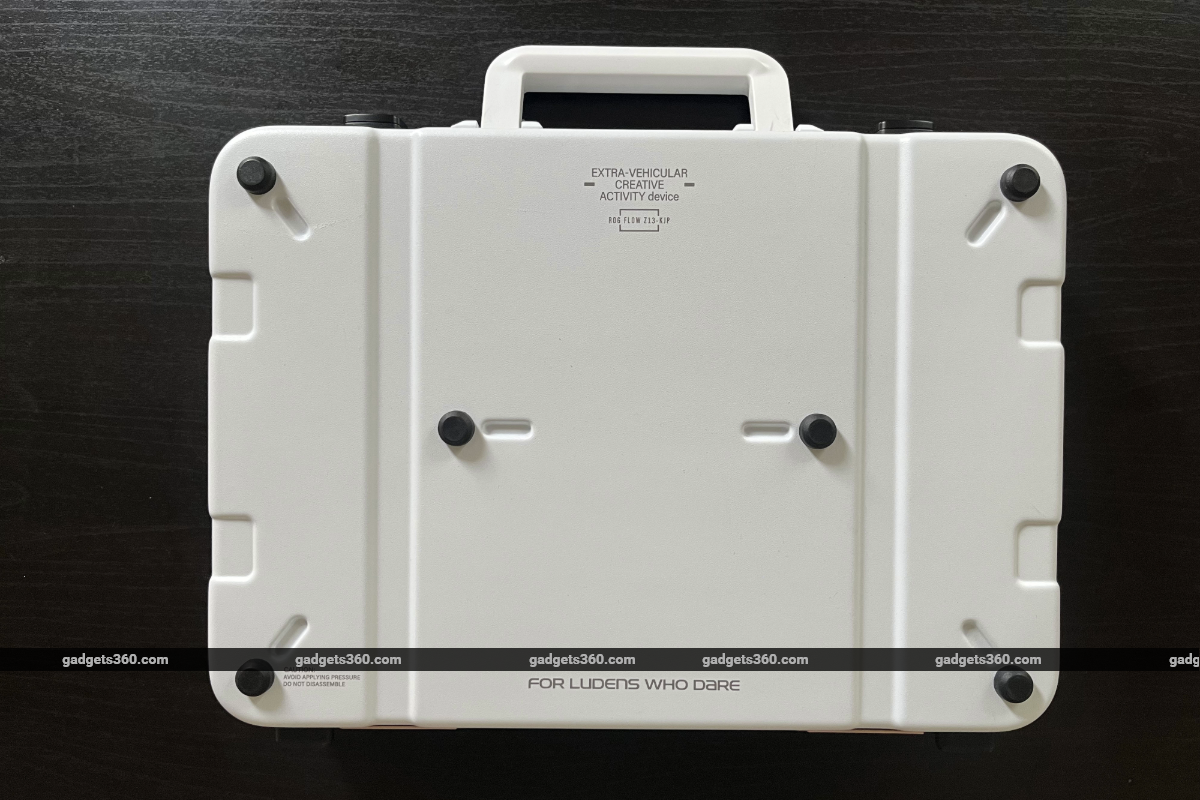
The ROG Flow Z13-KJP comes with a custom carrying case
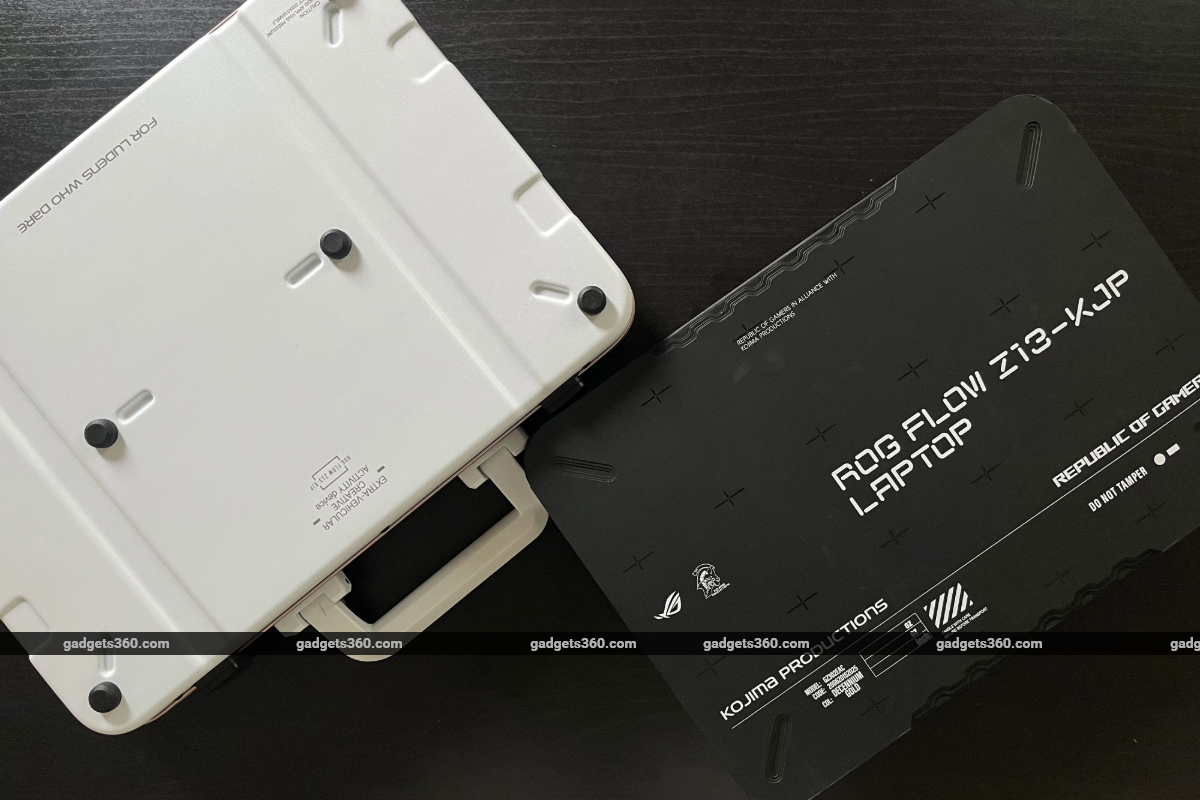
The package also includes a hardshell case for the laptop
Asus ROG Flow Z13-KJP Display
- Size and type – 13.4-inch IPS-level glossy touchscreen
- Resolution – 2.5K (2560 x 1600 pixels)
- Refresh rate – 180Hz
ROG Flow Z13-KJP doesn't come with an OLED panel, but the IPS display here is excellent. It isn't the anti-glare matte display you see on some other Asus laptops (the TUF Gaming A14 released this year had that). This is a glossy, vibrant display that fits all purposes: gaming, creative workflows, or watching films. The display is Pantone-validated, so it can reproduce colours with high accuracy, and it's an 180Hz panel with Adaptive Sync, making it ideal for gaming. You can also lower the refresh rate to 60Hz or turn on dynamic refresh rate to save a bit of battery life when not connected to power.
The 16:10 panel goes up to 500 nits of peak brightness — that's plenty bright for indoor areas. Of course, ROG Flow Z13-KJP is a two-in-one laptop/tablet, so this display supports touch input. I found the touchscreen to be quite responsive, even though Windows is not a great OS for tablets (Windows is not a great OS, period). The screen rotates and adjusts to landscape and portrait use, although you can lock the orientation if you want. In tablet mode, I found myself using the ROG Flow Z13-KJP to mainly watch films, or check YouTube and browse social media. The device is great for watching movies in tablet mode, although it gets a little heavy if you're holding it in your hands. Putting it on the kickstand, I found, was the best approach for extended use.
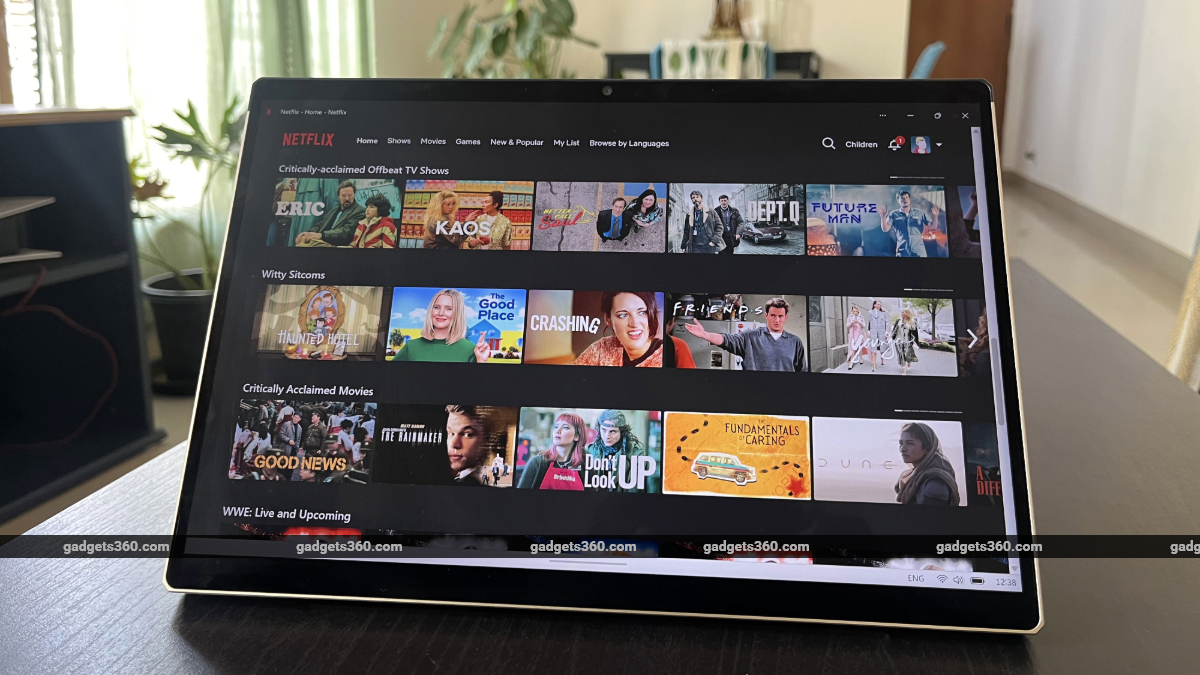
The glossy, vibrant display is great for watching films and TV shows
Asus ROG Flow Z13-KJP Keyboard, Touchpad, Speakers, and Cameras
- Keyboard – Backlit chiclet keyboard with 1-Zone RGB
- Speakers – 2x 2W dual-force speakers
- Cameras – 5-megapixel IR webcam with Windows Hello support, 13-megapixel rear cameras
The ROG Flow Z13-KJP comes with a detachable keyboard that connects to the laptop/tablet via magnetic pogo pins. It snaps on seamlessly and comes off without much wiggling, and yet the connection feels robust. You won't be disconnecting the keyboard from the computer accidentally unless you really want to. There are two ways you can set up the detachable keyboard, too: you can lay it out completely flat on your desk, or, if you prefer your keyboards positioned at an angle, you can push it up and magnetically attach the top portion of the keyboard to the bottom of the screen to get a bit of lift. You can switch between the two positions anytime easily.
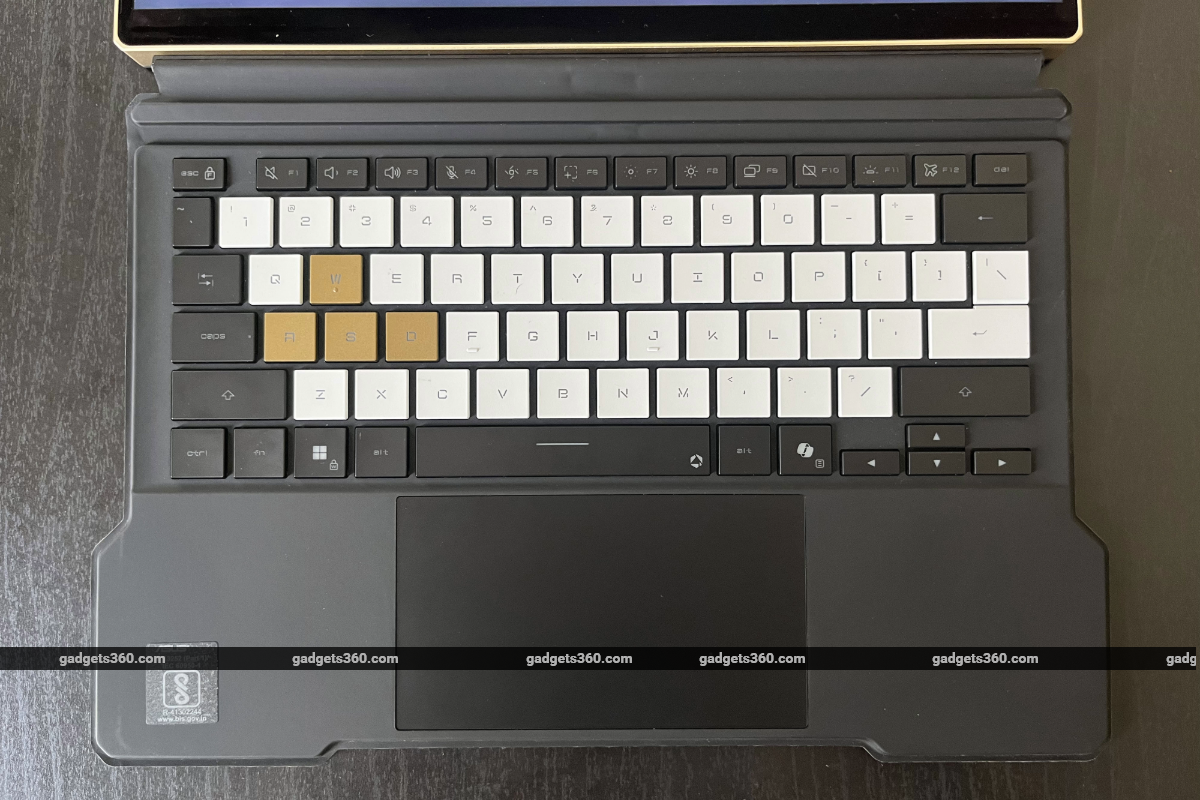
The detachable keyboard features a rubberised surface
The folio-style keyboard features a rubberised surface that offers adequate grip on any surface and cushioning for your palms. And it provides protection to the display when folded, with ROG and Kojima Productions branding sitting on top. In terms of function, the chiclet keyboard is excellent. The keys feel sturdy and surprisingly good to type on. The WASD keys are painted gold and stand out amidst white and black keys. The touchpad surface is adequately large, but there's not a whole lot of space to rest your palms on either side.
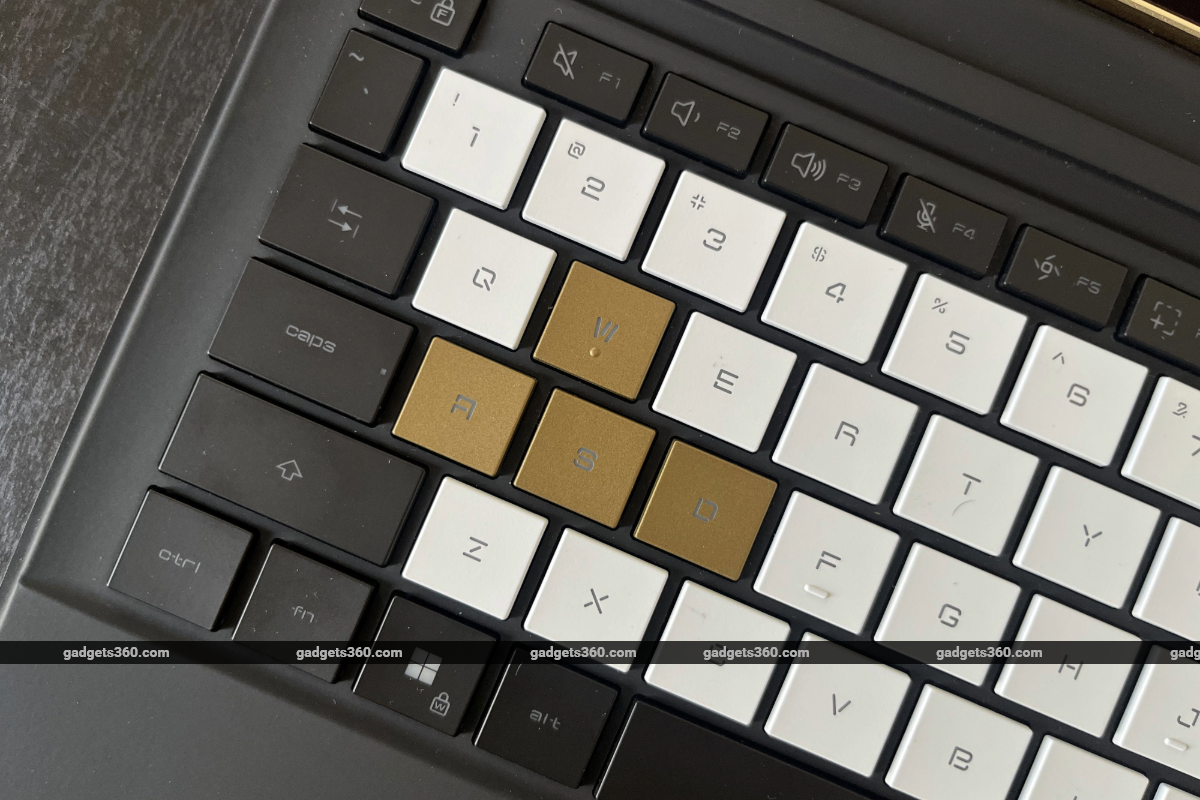
The WASD keys are painted gold
The ROG Flow Z13-KJP features dual 2W speakers, one on each side of the device. These come with Smart Amp Technology, which claims to boost audio performance, and Dolby Atmos support. But I found the audio performance to be lacking. The speakers lack weight and punch and are far from ideal for watching films on the laptop. I'd suggest connecting headphones to watch content on the device, or downloading an open-source software like FxSound to improve audio quality. When connected to headphones, the laptop supports Hi-Res audio, as well. The two cameras on the device perform as expected. The 5-megapixel webcam comes with Windows Hello support for quick and convenient log-ins. The 13-megapixel rear camera performs as you'd expect from a tablet's rear camera. It's perfectly fine under ideal conditions, but don't expect phone-quality images.
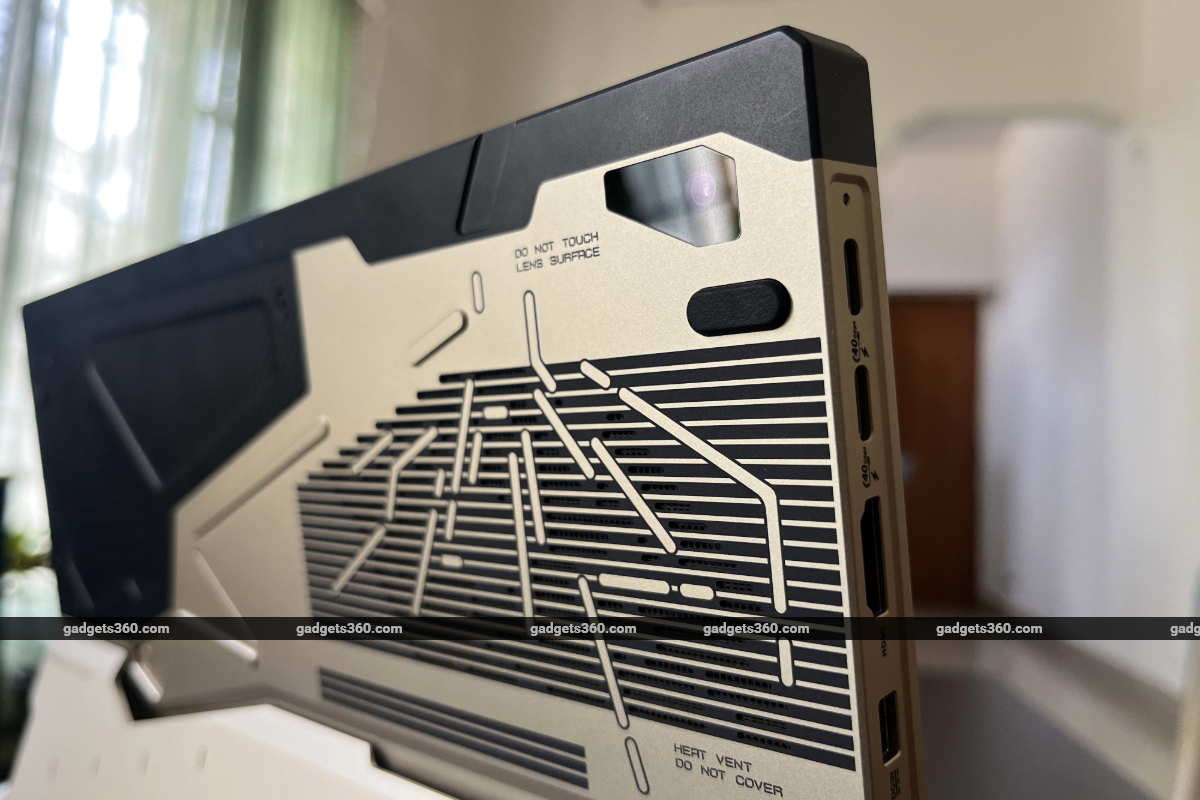
The ROG Flow Z13-KJP features a 13-megapixel rear camera
Asus ROG Flow Z13-KJP Software
- OS – Windows 11 Home
- Additional apps – MyAsus, Armoury Crate
Turning on a limited-edition device like the ROG Flow Z13-KJP, so carefully and consciously designed on the outside, only to find Windows 11 inside is a special kind of disappointment. Not that I was expecting something else, but the OS just feels like a bad fit for the machine. For all the neat hardware touches, the software experience is the same Windows 11 you know (and hate): never-ending updates, each likely vibe-coded and just as unstable as the one before; the OneDrive experience; and Microsoft shoving its suite of AI-powered applications, whether you want them or not.
This is, of course, an AI-ready device that runs on AMD Ryzen AI Max+ 395 with an XDNA NPU capable of 50 TOPS AI performance. While I don't find Microsoft's baked-in AI features useful, the ROG Flow Z13-KJP is more than capable for creators whose workflows involve on-device AI tools. In the tablet form, the Windows 11 bottlenecks become even more frustrating. There is, however, some handy optimisation for touch input, including Asus' ScreenXpert software, which you can launch by pressing a dedicated button on the right side. This opens a ScreenXpert side tray that includes a host of quick options and accessibility shortcuts that are quite helpful. Additionally, from the ScreenXpert tray, you can also create and save custom Task Groups that open specific applications in grid-style layouts. So, for instance, you can save a Taks Group for your email, Excel sheet, and Word, and access it quickly in a three-app grid with a single tap.
It is, however, a bit of a disappointment that the Kojima edition of the ROG Flow Z13 doesn't offer even a surface-level software experience that ties in with the device's aesthetics. I don't expect Asus and Kojima Productions to reskin the whole OS, but at the very least, the laptop could have come with some special-edition themes and wallpapers. The one small software-level change is in the Armory Crate app, which gets a new Ludens theme in line with Kojima Productions' visual identity. In the Armory Crate app, you can look for updates, customise power profiles, reallocate memory, and perform a host of other system tasks.
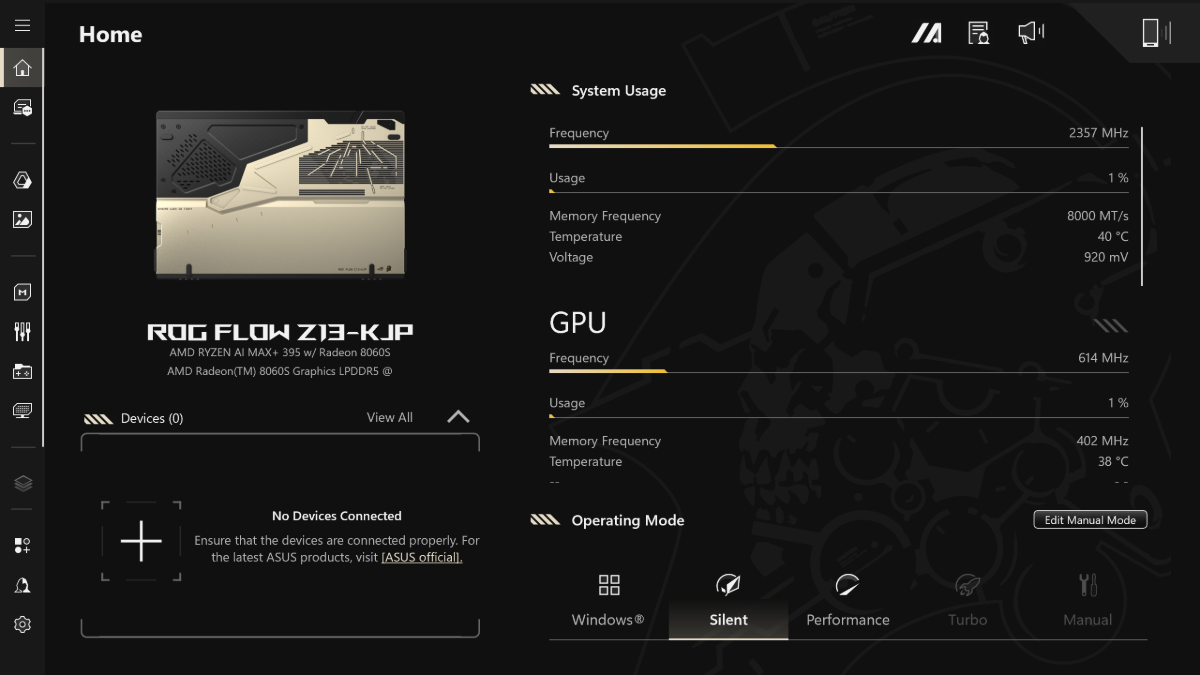
The Armory Crate app comes with a Ludens theme
Asus ROG Flow Z13-KJP Performance
- Processor – AMD Ryzen AI MAX+ 395 Processor
- RAM – 128GB LPDDR5X 8000 (non-upgradeable)
- Storage – 1TB PCIe 4.0 NVMe™ M.2 SSD (2230)
- GPU – AMD Radeon 8060S graphics
The ROG Flow Z13-KJP comes with a setup similar to that of the recent TUF Gaming A14 laptop — an all-in-one AMD APU, albeit a more capable one. Here, you get an AMD Ryzen AI MAX+ 395 processor with 16 Zen 5 CPU cores, 40 RDNA 3.5 GPU compute units, and a unified 128GB memory architecture. The same integrated Radeon 8060S graphics seen in the A14 is present here, as well, but with access to a much larger pool of memory, meaning you can allocate more memory to GPU cores when playing demanding games. And the energy-efficient APU means the laptop draws much lower wattage than a device with a discrete GPU.
The AMD APU with Ryzen 8060S graphics performed admirably in the TUF Gaming A14. Here, the configuration works even better. In games like Ghost of Tsushima Director's Cut and The Last of Us Part 2, I was able to get average frame rates above 50 fps and 40 fps, respectively, at 2.5K resolution and the High graphics preset. With FSR frame generation set to on, average frame rates shot well above 70 fps.
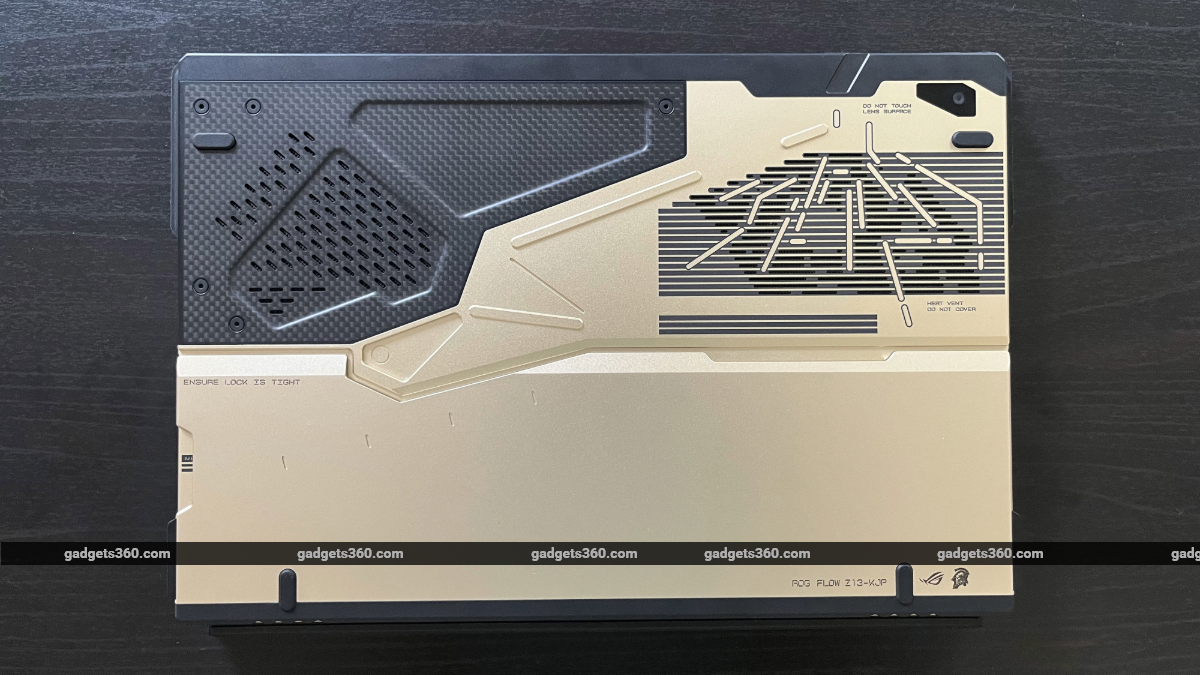
The ROG Flow Z13-KJP runs on an AMD Ryzen AI MAX+ 395 processor
Perhaps the best PC title to test on the ROG Flow Z13-KJP is Kojima Production's very own Death Stranding 2: On the Beach. The game was released on PC in March and is widely considered one of the best-looking games ever made. Every ROG Flow Z13-KJP laptop comes with a redeemable Steam voucher for Death Stranding 2. I tested the game and was impressed by how well it performed.
| Game | Graphics Setting | Resolution | Average FPS | 1% Low | Avg FPS (FSR frame gen on) | 1% Low (FSR frame gen on) |
|---|---|---|---|---|---|---|
| Death Stranding 2 | High | 2560x1600 | 58 | 52 | 98 | 47 |
| Death Stranding 2 | High | 1920x1080 | 68 | 32 | 120 | 53 |
And here are the benchmark results from The ROG Flow Z13-KJP:
| Benchmark | Asus ROG Flow Z13-KJP |
|---|---|
| Geekbench 6 single core | 2,896 |
| Geekbench 6 multi-core | 19,265 |
| Geekbench 6 OpenCL (GPU) | 96,569 |
| 3DMark Steel Nomad | 2,037 |
| 3DMark Steel Nomad Light | 10,102 |
| 3DMark Night Raid | 59,000 |
| 3DMark CPU Profile | 11,460 |
| 3DMark Speed Way | 1,902 |
| PCMark 10 | 10,350 |
| Cinebench R23 Single | 1,575 |
| Cinebench R23 Multi | 26,743 |
| CrystalDiskMark | Read: 6392.27 MB/s; Write: 5505.63 MB/s |
The ROG Flow Z13-KJP keeps things relatively cool, as well. In vertical tablet orientation, air intake remains unobstructed. And vents at the top and rear keep hot airflow away from the user. In Turbo mode, the fans do get quite loud under heavy load. For tablet use, Silent mode works well. Asus says an improved vapour chamber, redesigned layout, and materials used help with cooling, as well.
I did run into some glitches and crashes, specifically when the device was in tablet mode. On two separate occasions, the display remained turned off after I tried waking the tablet up from sleep mode. I had to do a hard power off both times to get back to normal operation.
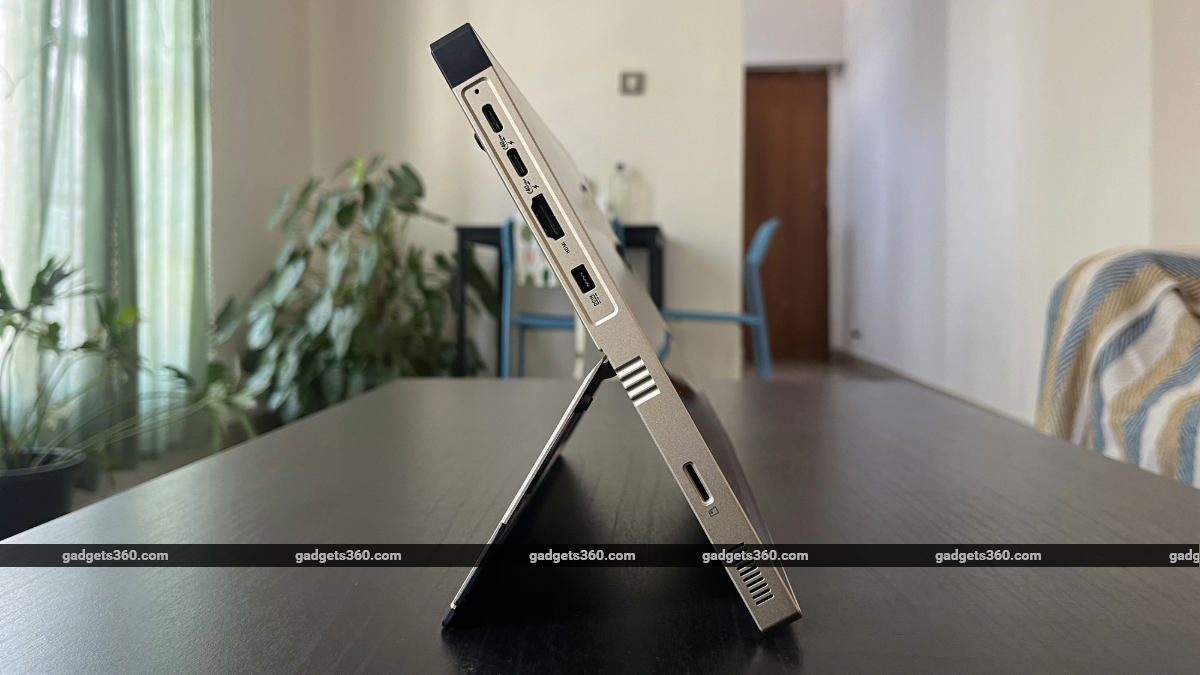
The ROG Flow Z-13 sports heat vents on the top edge
Asus ROG Flow Z13-KJP Battery
- Capacity – 70Whr
- Charging – 200W
With the energy-efficient AMD APU powering the Asus ROG Flow Z13-KJP, you get excellent battery life from the machine. During a single workday, where I managed several open tabs in a browser and performed basic Windows tasks, I was able to get over 7 hours and 20 minutes of battery life. For this result, display brightness was set at 50 percent and the refresh rate was set to 60Hz. Additionally, the laptop was running on the Silent power profile. Adjusting these parameters or performing more demanding tasks will drain the battery faster. You can also charge the laptop from zero to 50 percent in about 40 minutes.
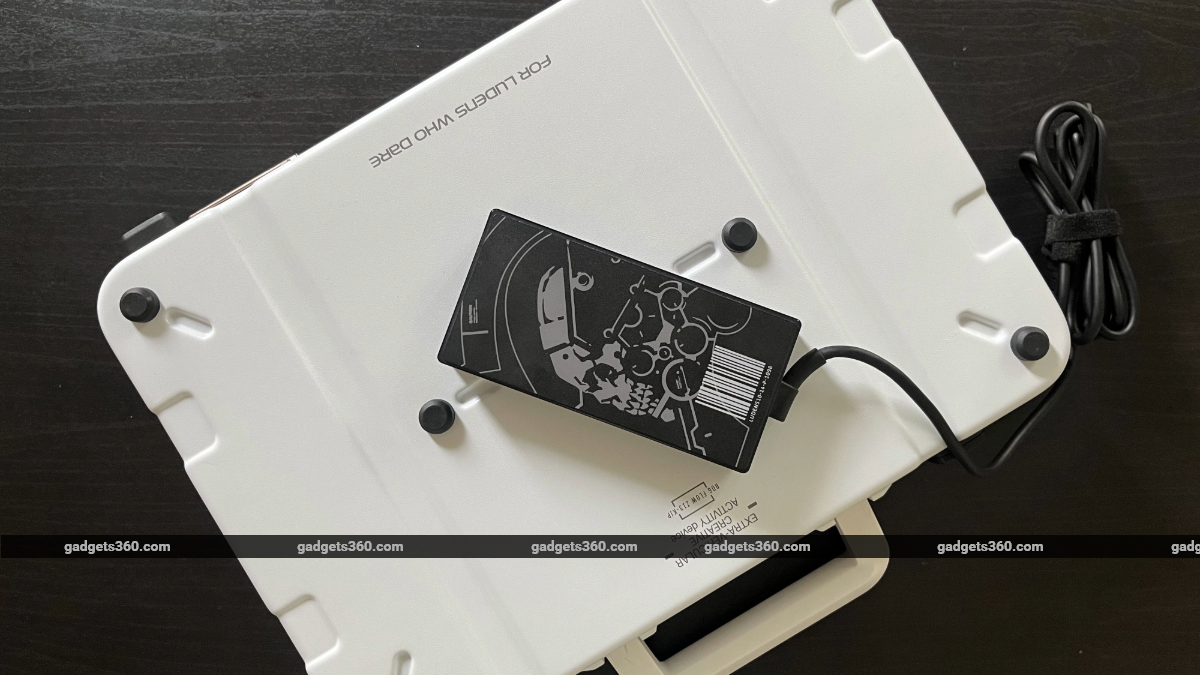
The laptop's power adapter features the Kojima Productions logo
Asus ROG Flow Z13-KJP Verdict
Asus has positioned the ROG Flow Z13-KJP as a limited-edition device for collectors and Hideo Kojima fans. And I think they're right to do so. If you are indeed a Kojima fan, this laptop serves as a solid token of the legendary game designer's legacy. It's bold and evocative in ways that feel distinctly linked to the aesthetic Kojima has developed over decades. But I would argue that the ROG Flow Z13-KJP is also for people who aren't necessarily gamers who have played Metal Gear Solid and Death Stranding titles, but appreciate great design. A tech product is also always a statement. And the ROG Flow Z13-KJP speaks loudly. It's perhaps one of the coolest laptops you can get your hands on right now.
Beyond the exterior value of what this laptop represents, its intrinsic features make it a great choice for people looking for something powerful, portable, versatile, and stylish. Not everyone goes for a two-in-one notebook, and some would dismiss the dual functionality of a laptop and a tablet as a gimmick. But after using the ROG Flow Z13-KJP for a few weeks, I can see the vision behind a laptop that can double as a tablet: a single device built for both work and play, for PC gaming and Netflix streaming, for creators and gamers. And most importantly, the device's tablet form doesn't chip away at its core laptop experience. The ROG Flow Z13-KJP is not less of a laptop because it's also a tablet. It's not as thin or light as some of the thin-and-light laptops out there, but it does a lot more than regular notebooks. Yes, the Windows experience on a touchscreen remains frustrating, but it's not completely disruptive. In tablet mode, the ROG Flow Z13-KJP works surprisingly well for social media, web browsing, and content consumption.
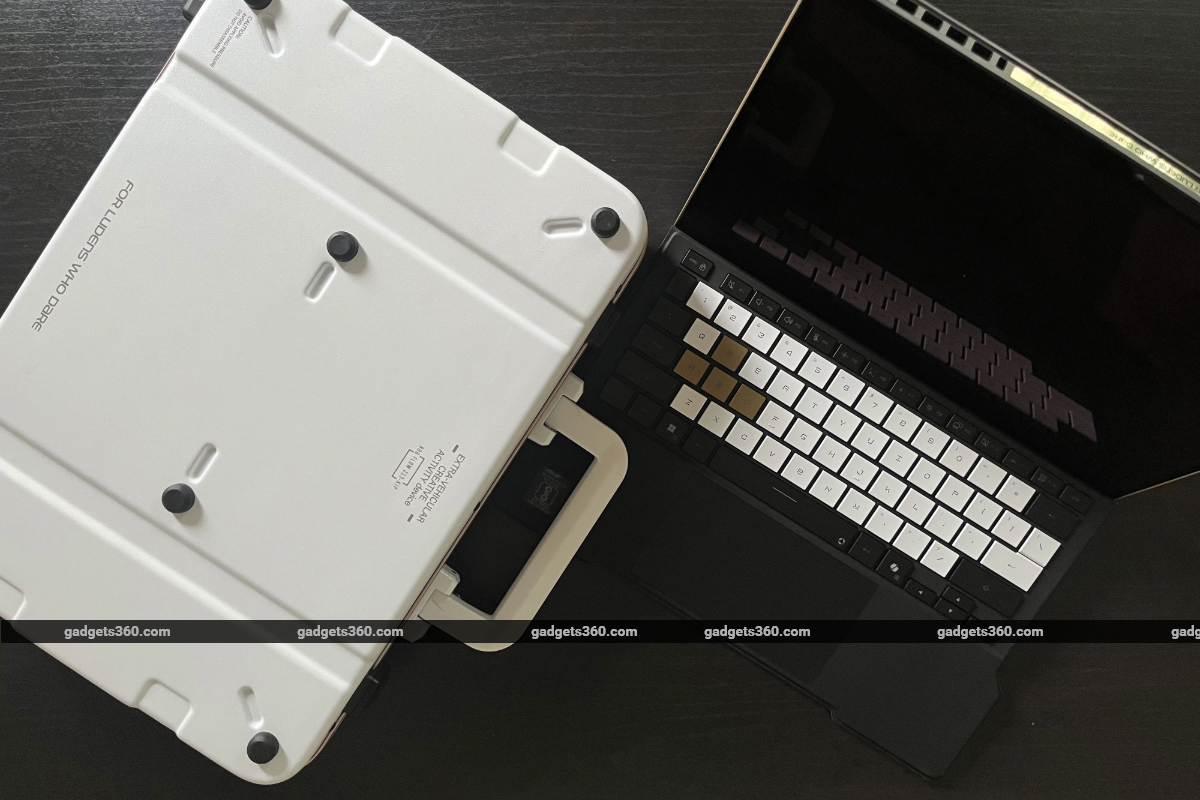
The ROG Flow Z13-KJP is billed as a collector's edition device
Starting at Rs. 3,79,990, it is priced much higher than laptops with similar specifications, but if you look at it from the perspective of a collector's edition device, the ROG Flow Z13-KJP may represent good value for money for the right person. Think along the lines of buying a collector's edition of a game. Standard editions are usually priced at $60 or $70, but collector's editions, which usually come with additional physical collectables like figurines, trinkets and maps, can cost over $200. And for Kojima aficionados, for the Ludens who care, the ROG Flow Z13-KJP can be worth collecting.
- REVIEW
- KEY SPECS
- NEWS
- Good
- Striking design
- Excellent build quality
- High refresh-rate touchscreen
- Custom carrying case
- Great gaming performance
- All-day battery
- Bad
- Weak speakers
- Occasional glitches in tablet mode
- Windows OS
Read detailed Asus ROG Flow Z13-KJP review
Display size 13.40-inch
Display resolution 1600x2560 pixels
Touchscreen Yes
OS Windows 11 Home
Hard disk 1TB
Weight 1.72 kg
Comments
Get your daily dose of tech news, reviews, and insights, in under 80 characters on Gadgets 360 Turbo. Connect with fellow tech lovers on our Forum. Follow us on X, Facebook, WhatsApp, Threads and Google News for instant updates. Catch all the action on our YouTube channel.


Advertisement
Follow Us




-
![[Sponsored]: CP PLUS CarKam CP-F89B: 4K Dashcam With Rear Camera, GPS & Emergency Recording](https://www.gadgets360.com/static/desktop/images/spacer.png)
04:37
[Sponsored]: CP PLUS CarKam CP-F89B: 4K Dashcam With Rear Camera, GPS & Emergency Recording -
04:23
[Partner Content] Your Phone Can Do WAY More Than You Think | OPPO ColorOS 16 -
01:59
Samsung Galaxy Z Fold8 Ultra: Unfold the Ultra Night -
03:24
Apple Pay Launches In India: Supported Devices, Cards And Payments Explained -
00:21
[Sponsored] Samsung Galaxy Z Fold8, Fold8 Ultra
-
Flipkart Big Billion Days: ₹20 हजार में आने वाले टॉप 5 टैबलेट
-
Aadhaar के साथ बैंक अकाउंट की सुरक्षा के लिए यूज करें ये फीचर
-
Flipkart Sale: ₹90 हजार वाला Pixel फोन मिल रहा ₹21 हजार से ज्यादा सस्ता
-
iQOO 15, iQOO 15R Amazon सेल 2026 में ₹8 हजार तक सस्ते! 7,600mAh की बैटरी
-
Vivo ने लॉन्च किया 10,200mAh बैटरी वाला नया फोन, 50MP कैमरा, Dimensity 7300e चिप!
Advertisement
Popular on Gadgets
- Samsung Galaxy S26 Ultra
- Motorola Razr Fold
- ChatGPT
- OPPO Find N6
- Mobiles Under Rs. 40,000
- Vivo X300 Ultra
- Asus Zenbook S14
- iQOO 15
- Vivo X300 Pro
- Lenovo Yoga Slim 7i Aura Edition
- iQOO 15R
- Vivo X Fold 5
- Sony PlayStation 5
- HP OmniPad 12
- OnePlus Nord CE 6 Lite
- OnePlus Pad 4
- OPPO F33 Pro 5G
- Cryptocurrency
- HP OmniBook Ultra 14 (2026)
- iPhone 17
- Eureka Forbes AP 355 Room Air Purifier
- Latest Mobile Phones
- Compare Phones
Latest Gadgets
- Vivo Y32 (2026)
- Infinix Smart 20 HD
- Vivo V80
- Vivo S2 FE
- Vivo Y600K Turbo
- Realme P4s Lite
- Vivo S60t
- OPPO F35 5G
- Lenovo ThinkBook 14x
- Dell 14 Plus 2-in-1 (AMD Ryzen AI 7 350, 2025)
- Amazon Alexa Tablet 11
- Amazon Alexa Tablet 12 Pro
- Amazfit T-Rex Dual Solar
- OPPO Watch S2
- Toshiba 65-Inch 4K Ultra HD Smart Mini LED QLED TV (65Z670SP)
- Haier M70 Mini LED 65-inch
- Acer Predator Atlas 8
- Asus ROG Ally
- Blue Star 1.5 Ton 5 Star Inverter Split AC (IE518ZNURS)
- Blue Star 2 Ton 3 Star Inverter Window AC (WIE324L)

- About Us
- Sitemaps
- Feedback
- Archives
- Contact Us
- RSS
- Advertise
- Career
- Privacy Policy
- Ethics
- Editorial Policy
- Terms & Conditions
- Complaint Redressal
Download Our Apps
Available in Hindi
© Copyright Red Pixels Ventures Limited 2026. All rights reserved.