
- Home
- Laptops
- Laptops Reviews
- Asus TUF Gaming A14 (2026) Review: No Longer Just for Gamers
Asus TUF Gaming A14 (2026) Review: No Longer Just for Gamers
Asus opts for an all-in-one AMD APU for the latest TUF Gaming A14, and the result is an efficient laptop with respectable gaming performance.
Written by Manas Mitul, Edited by Ketan Pratap | Updated: 7 April 2026 15:43 IST
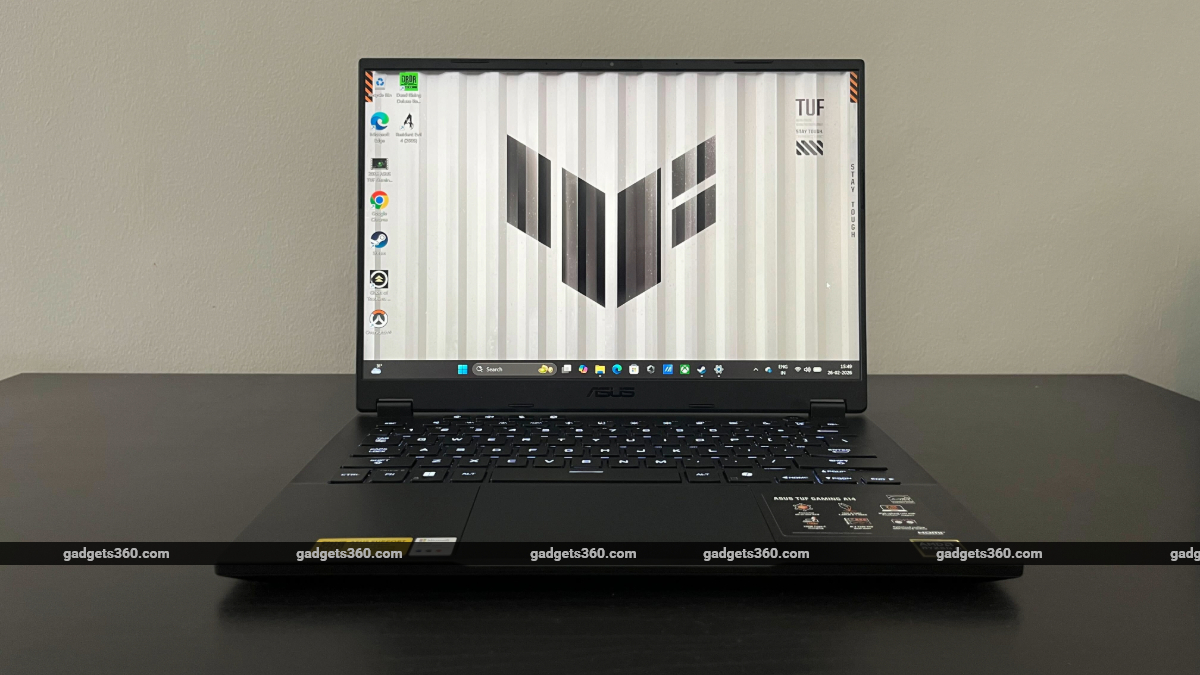
Asus TUF Gaming A14 (2026) launched on February 26
Click Here to Add Gadgets360 As A Trusted Source

Advertisement
With its TUF line of gaming laptops, Asus promises “bang for the buck” — machines that perform admirably at affordable prices with palatable compromises. The build quality and materials of TUF laptops might not be close to the more premium ROG Zephyrus series from Asus, but their capabilities are comparable, with some cut corners.
Of late, however, the Taiwanese manufacturer has also pushed TUF gaming laptops towards the premium segment, especially with the introduction of the A14 — the 14-inch notebook built in the mould of Asus' popular Zephyrus G14 gaming laptops. First launched in 2024, the TUF Gaming A14 attempts to pack power and portability in a package that looks high-end but doesn't leave as big a hole in your wallet as more premium Asus laptops.
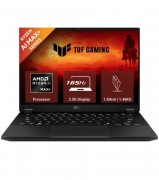
But the company has opted for a different approach with the latest refresh of the TUF Gaming A14, which launched in India on February 26. This gaming laptop comes with an all-in-one AMD APU, combining a Ryzen AI MAX+ 392 processor with integrated Radeon 8060S graphics on a single chip. The previous two iterations of the A14 were powered by discrete Nvidia GPUs — the GeForce RTX 4060 (2024) and RTX 5060 (2025).
Asus claims the new laptop's graphics performance can rival a dedicated GPU while drawing significantly less power. We put the TUF Gaming A14 through rigorous benchmarks, played a few graphics-intensive games on it, and came out surprised with what it could do. And at a starting price of Rs. 1,79,990, this new laptop could be the ideal choice for both creators and gamers, with a few compromises.
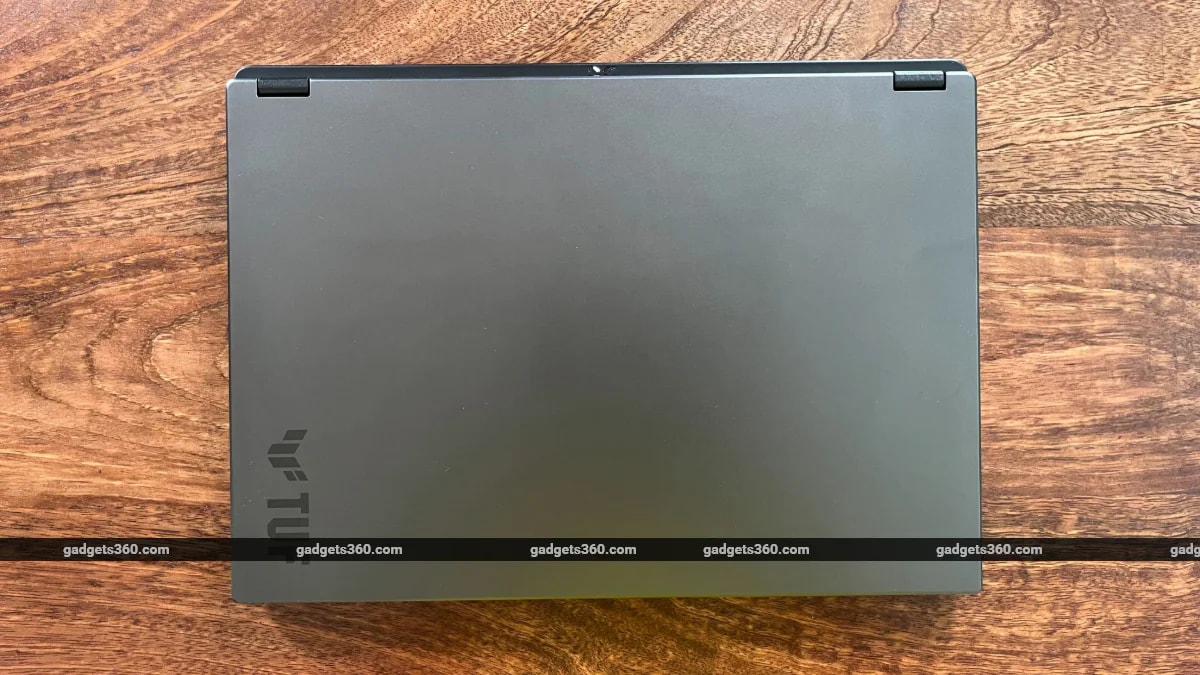
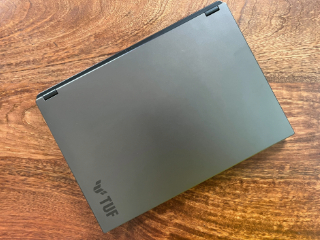
TUF Gaming A14 comes with an aluminium lid and minimal branding
Asus TUF Gaming A14 (2026) Design: Don't Fix if It's Not Broken
- Dimensions – 311 x 227 x 16.9 mm
- Weight – 1.48kg
- Colour – Jaeger Grey
The newest TUF A14 retains the design of the 2024 model, with its sleek, grey chassis practically unchanged. The laptop feels premium due to its aluminium lid and bottom panel. And it is robust, featuring MIL-STD-810H durability. The A14 is light and sleek; the 14-inch form factor truly threads the needle in terms of balancing portability and screen size. The metal lid, however, attracts fingerprints easily, collecting a lot of visible grease over the course of a day.
As with previous TUF Gaming A14 notebooks and its 14-inch kin from the ROG Zephyrus lineup, the 2026 model has a minimalist design. It doesn't go loud with its gaming credentials. There is no RGB, no flashy logos or lights, and so the A14 will feel right at home in an office. The top lid sports a modest ‘TUF' branding, and the rear protruding edge features four system LED indicators arranged in an ‘X' shape.
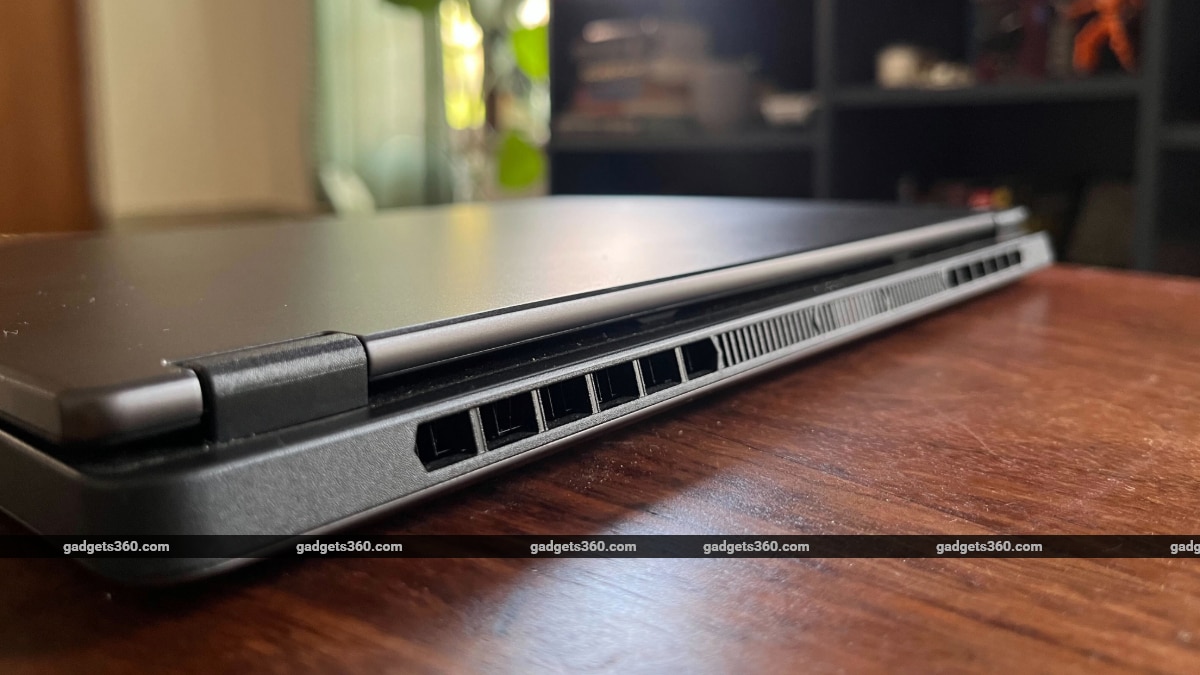
The exhaust vents are placed on the rear edge of the laptop
The same rear protruding edge also sports exhaust vents, which, along with diamond-shaped cutouts on the underside for air intake, help keep the laptop cool under heavy workloads. The rear edge also houses a full-width heatsink for thermal management. The hinges feel sturdy and smooth, too. You can open the lid with one hand and take it back to a full 180 degrees.
The TUF Gaming A14 also comes with a healthy selection of ports. On the left side, the laptop sports Asus' proprietary charging port; an HDMI 2.1 port; a USB Type-C port that supports DisplayPort 2.1 and Power Delivery; a USB 3.2 Type-A port, and a 3.5mm audio jack. On the right, you get a USB Type-C and a USB Type-A port, along with a microSD card reader — a handy addition for creators.
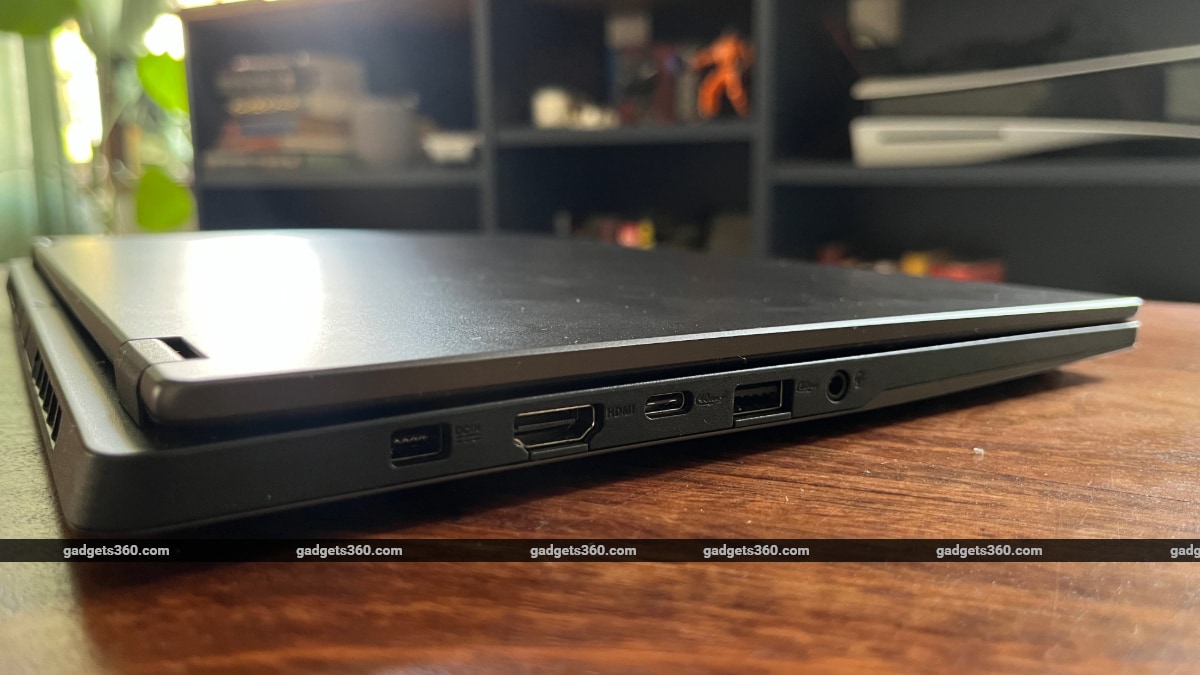
TUF Gaming A14 comes with a healthy selection of ports
Asus TUF Gaming A14 (2026) Display: Fit for Gaming, Not for Content
- Size and type – 14-inch IPS display with anti-glare coating
- Resolution – 2.5K (2560 x 1600 pixels)
- Refresh rate – 165Hz
The A14's display is geared towards gaming, but it's not the best for content creators. It's a 16:10 anti-glare IPS panel with 2.5K (2560 x 1600, WQXGA) resolution, 165Hz refresh rate, and 3ms response time, with AMD FreeSync support. This makes it an ideal panel for gaming, but the lack of an OLED display means colours aren't as vibrant. And while the 2.5K screen is crisp, it doesn't get as bright as I would have liked.
It's also not the best display for watching films. Colours are a bit dull, and you don't get the true blacks of an OLED panel. The screen, however, sports thin bezels — Asus claims it's the slimmest bezels it has ever put on a TUF laptop. It measures 4mm on the sides and 7mm on the top, adding necessary screen real estate to the 14-inch notebook.
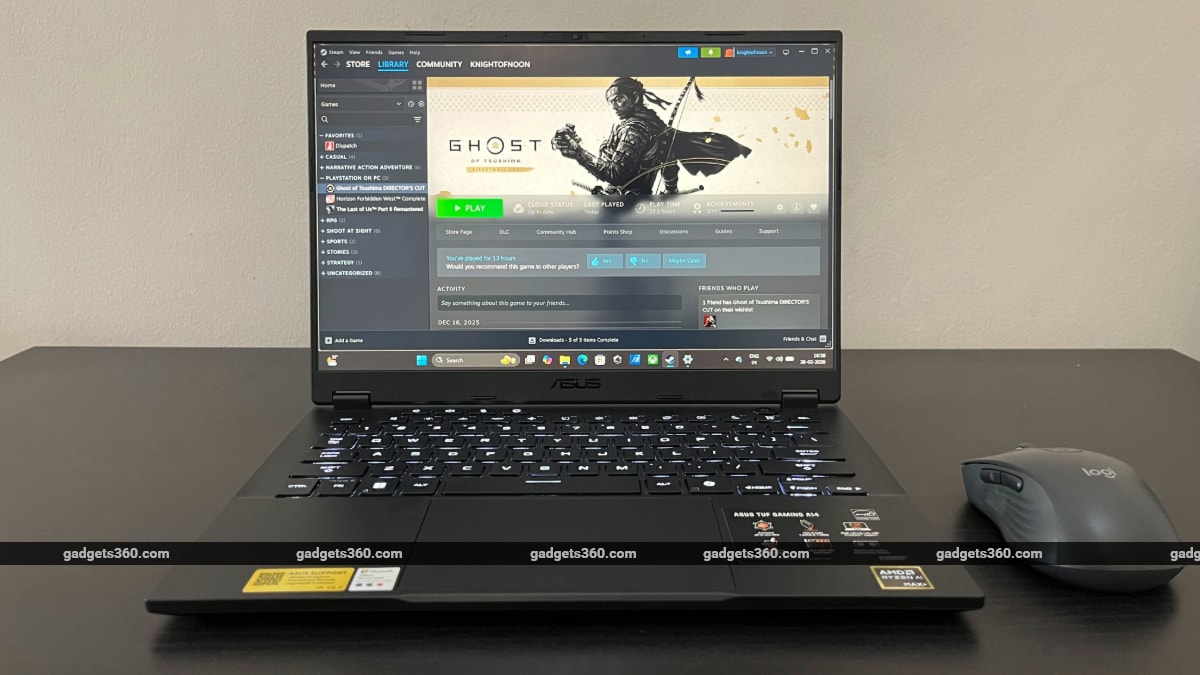
The A14 comes with a 16:10 2.5K IPS panel with anti-glare coating
Asus TUG Gaming A14 (2026) Keyboard, Touchpad, Speakers, and Webcam
- Keyboard – Backlit chiclet keyboard (single light) with Copilot key
- Speakers – Dual speakers
- Webcam – 1080p with IR sensor and Windows Hello support
As I mentioned in my first impressions of the TUF Gaming A14, I wasn't initially pleased with the laptop's keyboard. I'm used to the clicky feedback of my mechanical keyboard, and early on, the cushioned response of the A14 keyboard didn't really work for me. But with time, I grew accustomed to the softer feedback and enjoyed longer typing sessions while working. The keyboard features 1.7mm of key travel and comes with handy hotkeys for keyboard lighting, brightness, volume, mic on/off, power profiles, Asus' Armoury Crate software, and Windows Copilot.
There's no RGB, but the A14's keyboard features mini-LED-based backlighting that supports three brightness levels. You can also switch between three lighting states — breathing, strobing, and static. While RGB is the standard affair in gaming laptops, the standard white backlight here is in line with the overall minimalist aesthetic.
The A14 comes with a 127 x 79mm glass touchpad — quite large for a 14-inch laptop. The touchpad runs at 240Hz, making it responsive and smooth. The metal dome switches provide clicky feedback but remain silent.
The dual speakers, which support Dolby Atmos, are decent, but not ideal for watching films or listening to music on the laptop. The speakers are positioned on the bottom of the laptop, so the sound can feel a little muffled. I'd recommend connecting a pair of headphones for a better experience. When connected to headphones, the laptop also supports Hi-Res audio.
The 1080p webcam, on the other hand, performs as expected. Windows Hello support is helpful, but a privacy shutter would have been a neat addition.
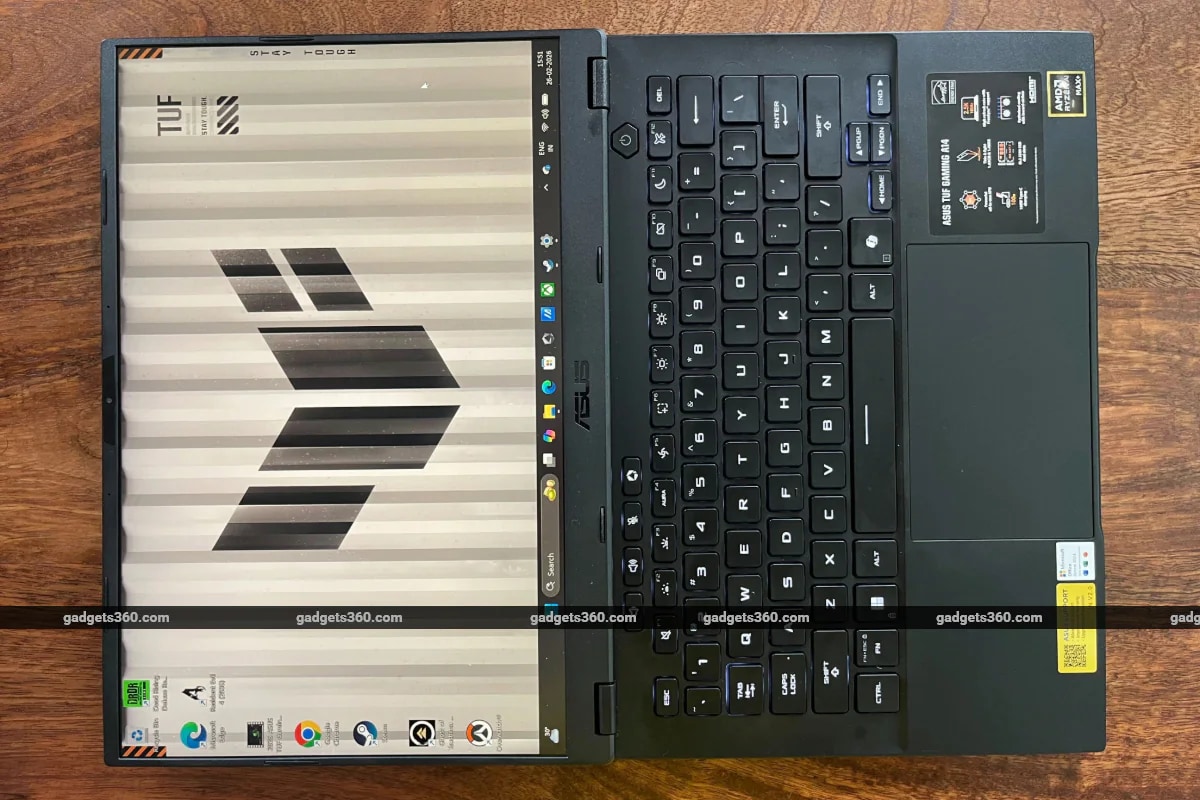
TUF Gaming A14 comes with a large glass touchpad
Asus TUF Gaming A14 (2026) Software
- OS – Windows 11 Home
- Additional apps – MyAsus, Armoury Crate
Anyone using Windows knows the declining quality and stability of updates in recent months. Every day work on Windows 11, frankly, has become a painful experience, even if it is a familiar one. With TUF Gaming A14, you get Windows 11 out of the box. The setup experience is more frustrating than ever and takes longer than it should (as is the case with all Windows laptops). Microsoft also pushes its suite of software throughout the process, along with its suite of AI features, including the controversial Recall tool.
Some creators might find Copilot and other AI features helpful, but I would recommend disabling intrusive tools like Recall and Click to Do. Personally, I don't find Copilot in Windows helpful either; if you must use generative AI tools, then your choice of chatbots like Claude or ChatGPT on the web would be a better pick. However, the AMD Ryzen AI Max+ 392 processor is ideal for running on-device AI. The chip comes with a dedicated XDNA 2 NPU, providing up to 50 TOPS for local AI. This, too, makes the A14 a good choice for creators who rely on AI tools for their work.
Like every other Asus laptop, the TUF A14 comes with the company's in-house Armoury Crate software that allows you to tweak settings, change power profiles, search for driver updates, and perform a host of other system management tasks.
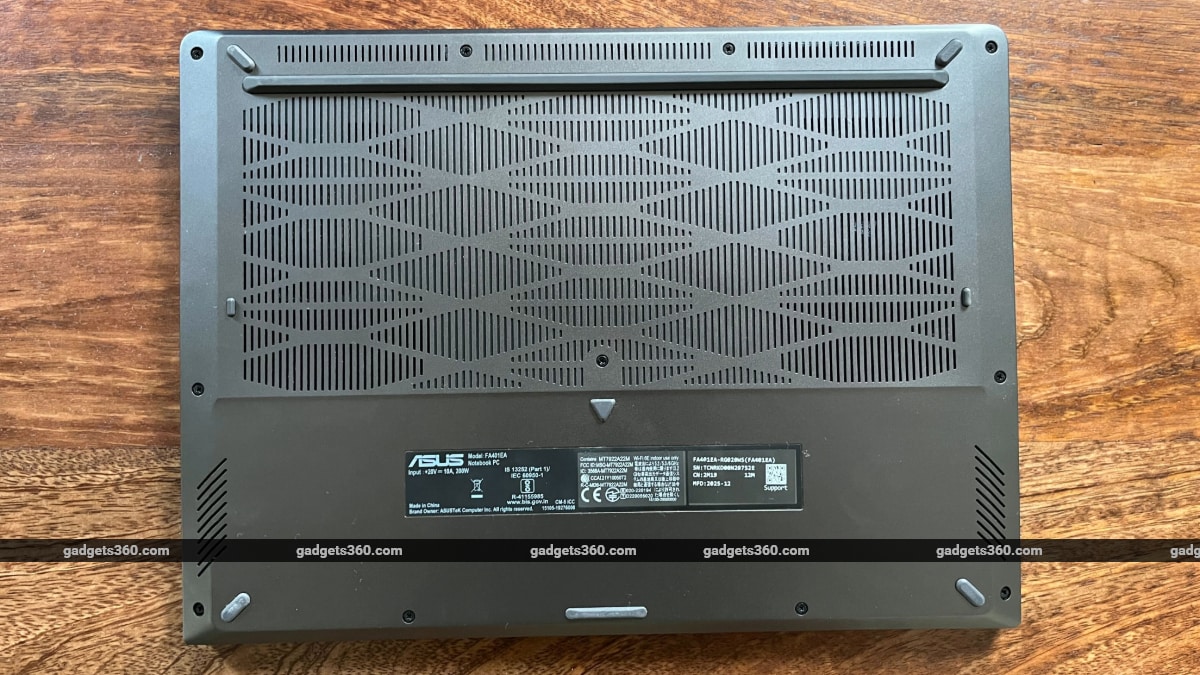
TUF Gaming A14 features diamond-shaped cutouts on the underside for air intake
Asus TUF Gaming A14 (2026) Performance: AMD APU Shines
- Processor – AMD Ryzen AI MAX+ 392
- RAM – 32GB LPDDR5X-8000 (non-upgradeable)
- Storage – 1TB PCIe 4.0 NVMe M.2 SSD (upgradeable with 2x PCIe 4.0 NVMe M.2 SSD slots)
- GPU – AMD Radeon 8060S graphics
Most gaming laptops come with discrete power-hungry mobile GPUs that are great for gaming performance but not so much for battery life. Asus, curiously, has opted for an AMD APU that puts a 12-core Zen 5 CPU with 40 compute units of RDNA 3.5 graphics into a single processor. Asus says the integrated graphics on A14 rival the gaming performance of dedicated GPUs — and they're not really wrong with that claim.
The A14 also comes with 32GB unified memory, which means you can allocate 16 or 24GB of VRAM to the GPU cores for a performance boost while playing more demanding titles. And with a few clicks, you can reallocate the RAM to system memory when performing memory-intensive productivity tasks on the notebook. All of this will be done while drawing lower wattage than a traditional CPU+GPU configuration.
So, does the graphics performance hold up? It sure does — especially if gaming isn't your primary motivation for getting the laptop. I tried out a popular online shooter (Overwatch 2), a less demanding title (Dead Rising Deluxe Remaster), and a couple of graphics-intensive titles (Ghost of Tsushima Director's Cut, The Last of Us Part 2 Remastered), and TUF Gaming A14 performed admirably well.
| Game | Graphics Setting | Resolution | Average FPS | 1% Low | Avg FPS (FSR frame gen on) |
|---|---|---|---|---|---|
| Overwatch 2 | High | 2560x1600 | 119 | 52 | NA |
| Dead Rising Deluxe Remaster | High | 2560x1600 | 79 | 51 | NA |
| Ghost of Tsushima Director's Cut | High | 2560x1600 | 45 | 37 | 72 |
| The Last of Us Part 2 | High | 2560x1600 | 36 | 28 | 62 |
And here's how TF Gaming A14 performed in popular benchmarks:
| Benchmark | Asus TUF Gaming A14 (2026) |
|---|---|
| Geekbench 6 single core | 2,781 |
| Geekbench 6 multi core | 17,284 |
| Geekbench 6 OpenCL (GPU) | 96,261 |
| 3DMark Steel Nomad | 1,634 |
| 3DMark Steel Nomad Light | 10,539 |
| 3DMark Night Raid | 54,710 |
| 3DMark CPU Profile | 9,892 |
| PCMark 10 | 9,967 |
| Cinebench R23 Single | 1,917 |
| Cinebench R23 Multi | 25,510 |
| CrystalDiskMark | Read: 7081.06 MB/s; Write: 5715.39 MB/s |
Asus' new laptop lets you switch between Silent, Performance, and Power presets within the Armoury Crate app — there's also a hotkey to switch power profiles. In the manual power profile, the laptop supports a maximum TDP of 95W. The Silent profile is best for daily tasks and normal use, while Performance and Turbo modes are better suited for intensive productivity tasks and gaming.
Even under heavy workloads, the A14 does a good job of keeping it cool. In addition to the cutouts on the underside, the A14 comes with a keyboard designed to increase air flow. I'd suggest propping the laptop up on a stand to ensure the bottom air intake remains unobstructed. The full-width exhaust vents along the rear edge keep the laptop's surface cool. The fans do get loud in Turbo mode when you're gaming, but they turn off in Silent mode, and heat dissipation is handled passively under light workloads.
The A14 also comes with two full-size M.2 2280 SSD slots, with one 1TB storage installed, allowing you to upgrade the storage by installing an additional SSD stick on the second slot.
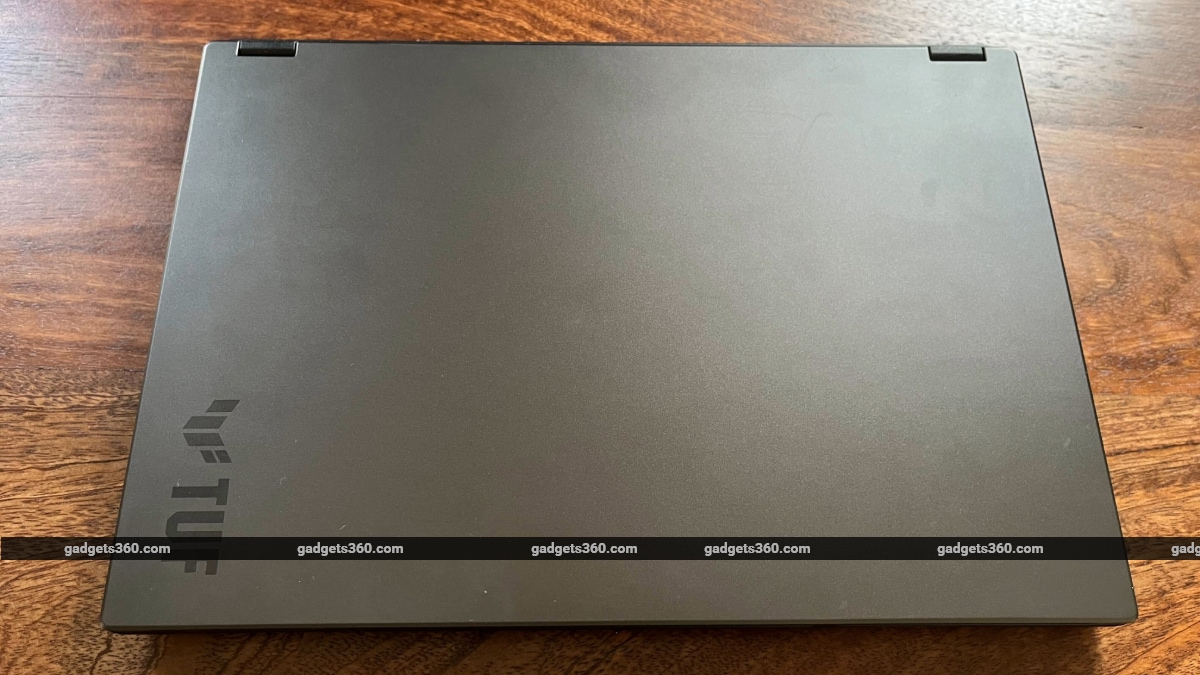
TUF Gaming A14 performs admirably when handling demanding games
Asus TUF Gaming A14 (2026) Battery: Work All Day
- Capacity – 73Wh
- Charging – 200W
Asus claims the new A14 can deliver up to 11 hours of video playback due to its efficient AMD Strix Halo series processor. And the battery life is indeed quite impressive. Over the course of a workday, where I switched between multiple browser tabs and performed basic Windows tasks, I was able to get over seven hours of battery life on the Silent power profile with screen brightness set to 100 percent. With slightly less heavy use and lower brightness, you could squeeze more battery life out of the A14. The laptop will drain much faster under heavier workloads, but you can easily make it last a day under normal use.
Asus TUF Gaming A14 (2026) Verdict
Asus has taken a different approach with the latest TUF Gaming A14 laptop, ditching discrete Nvidia GeForce GPUs seen in previous models in favour of an AMD APU. The result is a less power-hungry laptop that's perhaps also a little less powerful in terms of raw graphical capability. But with its unified memory, A14 is able to deliver comparable gaming performance, while also being a capable laptop for creators.
In that sense, Asus has tried to position the latest TUF Gaming A14 beyond just gamers. This is a powerful and portable laptop for creative professionals, too. The company has made a few compromises to keep the price down, but none of those seems like dealbreakers.
The A14 acquits itself admirably when playing graphics-intensive games; it can almost last a full day of regular use, and it combines robust build quality with sleek design. And crucially, starting at Rs. 1,79,990, it's aiming at a price bracket much lower than its more premium cousin, the Zephyrus G14. Granted, you can pick up laptops with dedicated GPUs that can push more raw power around the same price point, but they won't deliver the same thin-and-light design and the excellent battery life. Is getting a few more frames in your games worth that compromise?
- REVIEW
- KEY SPECS
- NEWS
- Good
- Functional, minimalist design
- Thin-and-light, durable build
- Excellent battery life
- AMD Strix Halo series processor shines
- Decent gaming performance
- Large glass touchpad, comfortable keyboard
- Bad
- Dull display
- Underwhelming speakers
- Less raw graphics power
- Price on the higher side
Read detailed Asus TUF Gaming A14 (2026) review
Display size 14.00-inch
Display resolution 1600x2560 pixels
Touchscreen No
RAM 32GB
OS Windows 11 Home
SSD 1TB
Weight 1.48 kg
Comments
Get your daily dose of tech news, reviews, and insights, in under 80 characters on Gadgets 360 Turbo. Connect with fellow tech lovers on our Forum. Follow us on X, Facebook, WhatsApp, Threads and Google News for instant updates. Catch all the action on our YouTube channel.
Further reading:
TUF Gaming A14 2026, Asus TUF Gaming A14 2026 Review, Asus TUF Gaming, TUF Gaming A14, Asus, AMD

Related Stories


Advertisement
Follow Us




-
![[Sponsored]: CP PLUS CarKam CP-F89B: 4K Dashcam With Rear Camera, GPS & Emergency Recording](https://www.gadgets360.com/static/desktop/images/spacer.png)
04:37
[Sponsored]: CP PLUS CarKam CP-F89B: 4K Dashcam With Rear Camera, GPS & Emergency Recording -
04:23
[Partner Content] Your Phone Can Do WAY More Than You Think | OPPO ColorOS 16 -
01:59
Samsung Galaxy Z Fold8 Ultra: Unfold the Ultra Night -
03:24
Apple Pay Launches In India: Supported Devices, Cards And Payments Explained -
00:21
[Sponsored] Samsung Galaxy Z Fold8, Fold8 Ultra
-
Flipkart Big Billion Days Sale: Samsung Galaxy S25 और S25 FE पर धांसू डील
-
बड़े साइज के TV पर 40% तक छूट, Hisense की सेल में कीमत ₹25 हजार से शुरू
-
Flipkart Big Billion Days Sale 2026: Ai+ के 6 स्मार्टफोन्स पर डील्स
-
boAt ने भारत में ₹1,999 शुरू होने वाले पावरबैंक किए लॉन्च, 20,000mAh बैटरी, 45W फास्ट चार्जिंग जैसे फीचर्स
-
150 इंच की स्क्रीन पर घर में बनेगा सिनेमा, Hisense का नया 4K Laser Projector 240Hz गेमिंग सपोर्ट के साथ लॉन्च
Advertisement
Popular on Gadgets
- Samsung Galaxy S26 Ultra
- Motorola Razr Fold
- ChatGPT
- OPPO Find N6
- Mobiles Under Rs. 40,000
- Vivo X300 Ultra
- Asus Zenbook S14
- iQOO 15
- Vivo X300 Pro
- Lenovo Yoga Slim 7i Aura Edition
- iQOO 15R
- Vivo X Fold 5
- Sony PlayStation 5
- HP OmniPad 12
- OnePlus Nord CE 6 Lite
- OnePlus Pad 4
- OPPO F33 Pro 5G
- Cryptocurrency
- HP OmniBook Ultra 14 (2026)
- iPhone 17
- Eureka Forbes AP 355 Room Air Purifier
- Latest Mobile Phones
- Compare Phones
Latest Gadgets
- Vivo Y600K Turbo
- Realme P4s Lite
- Vivo S60t
- OPPO F35 5G
- OPPO F35 Pro 5G
- Samsung Galaxy F08
- Samsung Galaxy M08
- OPPO K15x
- Dell 14 Plus 2-in-1 (AMD Ryzen AI 7 350, 2025)
- Microsoft Surface Laptop, 13-inch (2nd Edition)
- Samsung Galaxy Tab S12+
- Samsung Galaxy Tab S12 Ultra
- Amazfit T-Rex Dual Solar
- OPPO Watch S2
- Toshiba 65-Inch 4K Ultra HD Smart Mini LED QLED TV (65Z670SP)
- Haier M70 Mini LED 65-inch
- Acer Predator Atlas 8
- Asus ROG Ally
- Blue Star 1.5 Ton 5 Star Inverter Split AC (IE518ZNURS)
- Blue Star 2 Ton 3 Star Inverter Window AC (WIE324L)

- About Us
- Sitemaps
- Feedback
- Archives
- Contact Us
- RSS
- Advertise
- Career
- Privacy Policy
- Ethics
- Editorial Policy
- Terms & Conditions
- Complaint Redressal
Download Our Apps
Available in Hindi
© Copyright Red Pixels Ventures Limited 2026. All rights reserved.
-
 Apple Watch Series 12
Starts from ₹56,900
Apple Watch Series 12
Starts from ₹56,900
-
 Samsung Galaxy Watch Ultra 2
Starts from ₹59,805
Samsung Galaxy Watch Ultra 2
Starts from ₹59,805
-
 Samsung Galaxy Watch 9 (44mm, LTE)
Starts from ₹41,999
Samsung Galaxy Watch 9 (44mm, LTE)
Starts from ₹41,999
-
 Samsung Galaxy Watch 9 (40mm, LTE)
Starts from ₹38,999
Samsung Galaxy Watch 9 (40mm, LTE)
Starts from ₹38,999
-
 Samsung Galaxy Watch 9 (40mm)
Starts from ₹37,999
Samsung Galaxy Watch 9 (40mm)
Starts from ₹37,999
-
 Samsung Galaxy Watch 9 (44mm)
Starts from ₹40,999
Samsung Galaxy Watch 9 (44mm)
Starts from ₹40,999
-
 Samsung Galaxy S27 Ultra Colour Options Leak, Light Pink and Violet Shades Tipped
-
 Samsung Galaxy S27, S27+, S27 Pro Tipped to Get Exynos 2700 in Some Markets
-
 Hisense Announces Festive TV Offers Ahead of Amazon Great Indian Festival, Flipkart Big Billion Days Sales
-
 Google Pixel 12 Series Leak Reveals Display Upgrades Across the Board; May Launch With Android 18