-
 Apple Rolls Out iOS 27.0.1 Update With Fixes for iPhone 18 Pro, iPhone 18 Pro Max Face ID and Camera Issues29 September 2026
 -
iOS 27 Update for iPhone Adds Impersonation Risk Detection Feature to Protect You Against Scams17 September 2026
-
iOS 27 Update for iPhone Rolling Out Today: How to Download, India Release Time, Supported iPhones and More14 September 2026
-
iOS 27: Top New Features, List of Compatible Devices, and More10 September 2026
-
Apple Announces iOS 27 Release Date: Here’s When It’s Arriving on Your iPhone9 September 2026
- Home
- Mobiles
- Mobiles News
- iOS 27 Public Beta Now Available for Eligible iPhone Models With Siri AI, Liquid Glass Upgrades: How to Install
iOS 27 Public Beta Now Available for Eligible iPhone Models With Siri AI, Liquid Glass Upgrades: How to Install
iOS 27 will be rolled out as a free over-the-air (OTA) update later this year.
Written by Shaurya Tomer, Edited by David Delima | Updated: 14 July 2026 12:34 IST
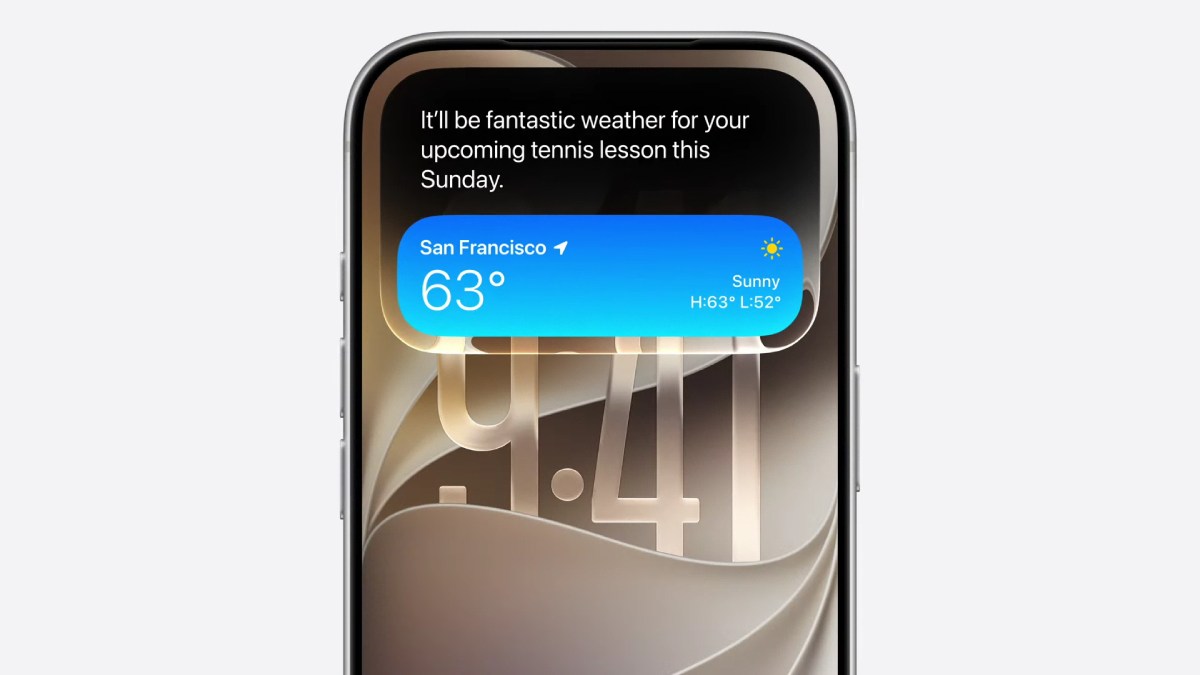
Photo Credit: Apple
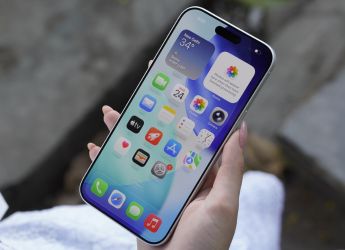
iOS 27 was first previewed at WWDC 2026 in May
Click Here to Add Gadgets360 As A Trusted Source

Advertisement
Apple is rolling out the iOS 27 Public Beta update for iPhone. First previewed at WWDC 2026 in May, the company introduced a developer beta of the latest iPhone operating system last month. However, it was only available to registered Apple developers and beta testers. It brings improvements to Liquid Glass, a smarter Siri, new features in Photos and Mail apps, and more. Alongside, Apple has also released similar public beta updates of iPadOS 27, watchOS 27, macOS Golden Gate, and more.
So, if you have not had a chance to try out Apple's latest update, you can do so following the rollout of the iOS 27 Public Beta. Here's what you need to know.
iOS 27 Public Beta: How to Install The Update
To have access to Apple's developer and public beta updates, you need to be enrolled in the Apple Beta Software Program. Once done, you can proceed to install the beta firmware on your iPhone. Here is how to get the new iOS 27 Public Beta update on your iPhone:
- Navigate to beta.apple.com
- Tap the Sign up button and enter your Apple ID
- Read the Terms & Conditions and tap the Accept button if you're willing to comply
- Open Settings on your iPhone
- Navigate to General > Software Update. The iPhone will automatically check for any pending updates.
- At the top, you'll see a new Beta Updates option. Tap on it and then select iOS 27 Public Beta.
- Go back to the Software Update page, and you should now see the iOS 27 Public Beta on the screen
- Tap on Download & Install, read the terms and conditions, and agree to them
- iOS 27 Public Beta will then be downloaded and installed on your iPhone
However, users should note that while they may get a chance to try all of the new features before iOS 27 is rolled out widely, the update is still in the beta stage. This means that it might contain bugs that could hamper the device's performance, battery life, or cause data loss.
iOS 27 Public Beta: Which iPhone Models Are Compatible
Apple says the iOS 27 Public Beta is compatible with all the iPhone models eligible for the iOS 27 update: iPhone 11 and later, which have been enrolled in the Apple Beta Software Program. However, the Apple Intelligence features will be limited to the iPhone 17 series, iPhone Air, iPhone 16 series, and the iPhone 15 Pro models.
iOS 27 Public Beta is offered as a free over-the-air (OTA) update. Here is the list of iPhone models eligible to receive the update:
- iPhone 17 Series
- iPhone Air
- iPhone 16 Series
- iPhone 15 Series
- iPhone 14 Series
- iPhone SE (2022)
- iPhone 13 Series
- iPhone 12 Series
- iPhone 11 Series
iOS 27 Public Beta: What's New
iOS 27 Public Beta carries all the changes that have been available with the Developer Beta updates post WWDC 2026. Among the headlining additions is the new Siri, which has received a major overhaul. It is now available as a dedicated app on iPhone and via Spotlight on Mac. The assistant has been integrated into the Dynamic Island and appears as an animated visual indicator when activated.
Apple claims it is a modern AI chatbot, offering broader world knowledge, improved conversational memory, and deeper integration with third-party and system apps on the phone. Siri can respond to follow-up questions naturally, without having the user repeat context, while also being capable of performing multistep tasks. There are also new Siri options, such as the Write with Siri shortcut in Notes, Mail, Messages, and other apps.
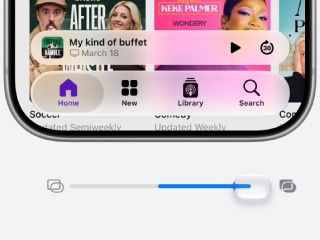
Apple's Liquid Glass design language, introduced with iOS 26, has also received refinements following user feedback. Among them is a new slider that allows users to fine-tune transparency levels.
In the Photos app, there are new photo editing tools. Users can clean up backgrounds, remove unwanted objects, reframe images, extend scenes beyond their original boundaries, and even generate new perspectives within photographs. iOS 27 Public Beta also brings new child safety tools, including the ability to limit access to specific apps during certain times of the day, restrict communications to approved contacts, and manage website permissions more effectively.
The quality of life improvements include up to 30 percent faster app launches and up to 80 percent quicker AirDrop transfers, while Apple also claims that newly captured photos can load up to 70 percent faster compared to the previous OS iteration.
Comments
Get your daily dose of tech news, reviews, and insights, in under 80 characters on Gadgets 360 Turbo. Connect with fellow tech lovers on our Forum. Follow us on X, Facebook, WhatsApp, Threads and Google News for instant updates. Catch all the action on our YouTube channel.
Further reading:
iOS 27, iOS 27 Public Beta, iOS 27 Beta, Apple, iOS 27 Compatible iPhones, iPhone, WWDC 2026, Apple intelligence, Siri AI
Related Stories

iOS 27 Public Beta Now Available for Eligible iPhone Models With Siri AI, Liquid Glass Upgrades: How to Install


Advertisement
Follow Us




-
04:37
[Sponsored]: CP PLUS CarKam CP-F89B: 4K Dashcam With Rear Camera, GPS & Emergency Recording -
04:23
[Partner Content] Your Phone Can Do WAY More Than You Think | OPPO ColorOS 16 -
01:59
Samsung Galaxy Z Fold8 Ultra: Unfold the Ultra Night -
03:24
Apple Pay Launches In India: Supported Devices, Cards And Payments Explained -
00:21
[Sponsored] Samsung Galaxy Z Fold8, Fold8 Ultra
-
OnePlus 16 लॉन्च: 200 मेगापिक्सल कैमरा, 9000mAh की बैटरी से लैस, जानें
-
Vivo का लेटेस्ट फोन Amazon Great Indian Festival में मिल रहा ₹6,300 सस्ता
-
Amazon Great Indian Festival: ₹51000 सस्ता मिल रहा Samsung फोल्डेबल फोन
-
Oppo Find N7 में मिल सकता है 7.6 इंच मेन डिस्प्ले, 200 मेगापिक्सल प्राइमरी कैमरा
-
iQOO Neo 12 लॉन्च होगा 9,000mAh बैटरी, 185Hz 2K डिस्प्ले, Q3 गेमिंग चिप के साथ!
Advertisement
Popular on Gadgets
- Samsung Galaxy S26 Ultra
- Motorola Razr Fold
- ChatGPT
- OPPO Find N6
- Mobiles Under Rs. 40,000
- Vivo X300 Ultra
- Asus Zenbook S14
- iQOO 15
- Vivo X300 Pro
- Lenovo Yoga Slim 7i Aura Edition
- iQOO 15R
- Vivo X Fold 5
- Sony PlayStation 5
- HP OmniPad 12
- OnePlus Nord CE 6 Lite
- OnePlus Pad 4
- OPPO F33 Pro 5G
- Cryptocurrency
- HP OmniBook Ultra 14 (2026)
- iPhone 17
- Eureka Forbes AP 355 Room Air Purifier
- Latest Mobile Phones
- Compare Phones
Latest Gadgets
- Vivo Y600s Pro
- Vivo Y32 (2026)
- Infinix Smart 20 HD
- Vivo V80
- Vivo S2 FE
- Vivo Y600K Turbo
- Realme P4s Lite
- Vivo S60t
- Dell Pro Rugged 14
- Dell Pro Rugged 13 Extreme
- Amazon Alexa Tablet 8
- Amazon Alexa Tablet 11
- Amazfit T-Rex Dual Solar
- OPPO Watch S2
- Toshiba 65-Inch 4K Ultra HD Smart Mini LED QLED TV (65Z670SP)
- Haier M70 Mini LED 65-inch
- Acer Predator Atlas 8
- Asus ROG Ally
- Blue Star 1.5 Ton 5 Star Inverter Split AC (IE518ZNURS)
- Blue Star 2 Ton 3 Star Inverter Window AC (WIE324L)

- About Us
- Sitemaps
- Feedback
- Archives
- Contact Us
- RSS
- Advertise
- Career
- Privacy Policy
- Ethics
- Editorial Policy
- Terms & Conditions
- Complaint Redressal
Download Our Apps
Available in Hindi
© Copyright Red Pixels Ventures Limited 2026. All rights reserved.