-
 Samsung Galaxy S27 Ultra to Launch Next Year With an Improved Privacy Display, Higher Price Tag, Tipster Claims14 October 2026
 -
Samsung Week 2026 Sale in India Offers Up to 60 Percent Off on Galaxy Phones, Tablets and More7 October 2026
-
Samsung Galaxy S26 Series Price in India Allegedly Hiked by Up to Rs. 25,000, Now Starts at Rs. 1,02,99923 September 2026
-
Best Selfie Camera Smartphones in India: Google Pixel 11 Pro XL, Vivo V70 FE, Nothing Phone 3a Pro and More20 September 2026
-
Samsung Galaxy S26 Series Price Hike Not Happening Anytime Soon, Sources Suggest18 September 2026
- Home
- Mobiles
- Mobiles News
- Samsung Galaxy S26 Ultra Users Report Setup Screen Freeze After One UI 9 Update
Samsung Galaxy S26 Ultra Users Report Setup Screen Freeze After One UI 9 Update
The problem is said to be linked to the WebView component and prevents affected users from completing the Samsung account sign-in process.
Written by Nithya P Nair, Edited by Rohan Pal | Updated: 23 October 2026 12:59 IST
Click Here to Add Gadgets360 As A Trusted Source

 Samsung Galaxy S26 Ultra FAQs
Advertisement
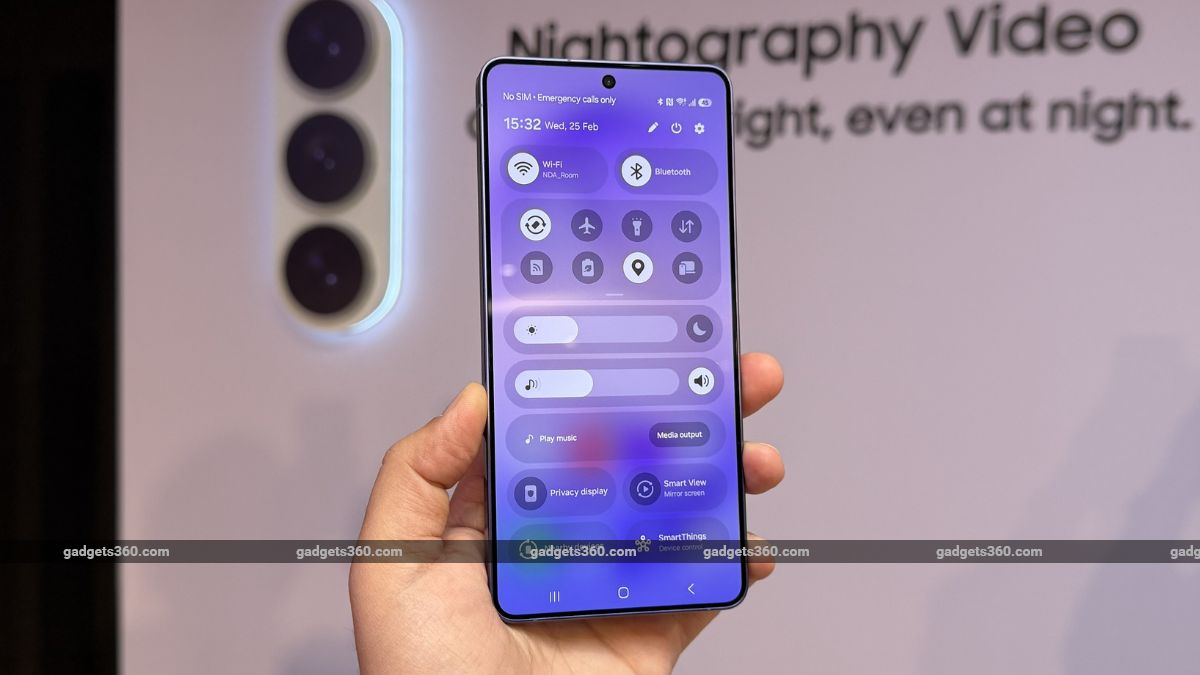
Samsung started rolling out the Android 17-based One UI 9 update to compatible Galaxy S26, Galaxy S26+ and Galaxy S26 Ultra devices last month. Now, the latest posts on social media platforms suggest that Samsung Galaxy S26 Ultra users are facing a screen issue after installing the One UI 9 update. The problem appears to be linked to the WebView component and prevents affected users from completing the Samsung account sign-in process. Samsung has acknowledged the issue and offered a temporary fix.
Samsung Galaxy S26 Ultra Users Report Freezing Issues
As per user reports on Reddit and Samsung's South Korean community forum, the Galaxy S26 Ultra is facing a bug after updating to One UI 9 that causes the setup process to get stuck. A Galaxy S26 Ultra user claims that the "screen is black and the home screen isn't appearing either" after installing the update".
- Samsung Galaxy S26 Ultra or Samsung Galaxy Z Fold8 Ultra. What would you choose in terms of productivity?
- Samsung Galaxy S26 Ultra camera processing finally sounds less aggressive now
- Samsung Galaxy S26 Ultra Feels Cooler During Android Auto Use
- Samsung Galaxy S26 Ultra's Display Looks Better Side-by-Side
- Samsung Galaxy S26 Ultra's Privacy Display Is Surprisingly Handy at Airports
User reports show that the Galaxy S26 Ultra displays an error message stating that a webpage cannot be loaded when users attempt to access Samsung's account policies page. A Samsung representative confirmed that the issue follows the device UI 9.0 update and the WebView component, which allows apps to display web content.
"The development team has confirmed that this issue occurs when using an unstable system WebView on certain networks. We kindly ask that you follow the troubleshooting guide below," the community manager said.
Samsung recommends updating the web browser to its latest available version as a temporary solution. Users who do not have a separate WebView app are advised to update Google Chrome. Additionally, users are advised to switch to a Wi-Fi network instead of a mobile network to sign in to their Samsung accounts through the app. Users who are unable to log in to their Samsung account are advised to try accessing accounts through the web version at samsung.account.com.
These steps may help affected Galaxy S26 Ultra owners complete the setup process until Samsung releases an official fix for the problem.
Meanwhile, select Galaxy S24 and Galaxy S25 Ultra users are also reportedly facing freezing problems after updating to One UI 9 in a few regions. They have also posted issues online involving devices getting stuck during startup.
Some users say force-restarting their devices or temporarily disconnecting them from the internet helped resolve the issue. A few users claim that starting the phone in Safe Mode and disabling Wi-Fi and mobile data, or enabling Airplane Mode, also fixed the issue.
Samsung Galaxy S26 Ultra FAQsWhat are the main features of the Samsung Galaxy S26 Ultra?
The Samsung Galaxy S26 Ultra is available with 16GB of RAM paired with 512GB of internal storage, along with 12GB of extended RAM support. It features a dual rear camera setup comprising a 200MP main camera, a 50MP ultrawide, and 50MP 10MP telephoto cameras, along with a 12MP front-facing selfie camera. The phone supports fast charging with 60W wired charging and 25W wireless charging, backed by a 5000mAh battery. It is powered by the Snapdragon 8 Elite Gen 5 for Galaxy processor and comes with a 6.9-inch QHD Dynamic AMOLED 2X display that supports up to a 120Hz refresh rate. The Samsung Galaxy S26 Ultra is available in 4 colour options.
When was the Samsung Galaxy S26 Ultra released?
The Samsung Galaxy S26 Ultra was launched on February 25, 2026
Where can I buy the Samsung Galaxy S26 Ultra?
You can buy the Samsung Galaxy S26 Ultra through the official Samsung website, e-commerce platforms such as Amazon, and select retail stores across India.
- REVIEW
- KEY SPECS
- NEWS
- Good
- Lighter IP68 rated design
- Privacy Display is handy and practical
- One UI gets smarter with better AI integrations
- Fast-charging finally
- Impressive video recording capability
- Bad
- 3x telephoto camera needs work
- Low-light performance could have been better
- Selfies don?t show accurate edge-detection
- S Pen cannot be used as camera remote
Read detailed Samsung Galaxy S26 Ultra review
Display 6.90-inch
Front Camera 12-megapixel
Rear Camera 200-megapixel + 50-megapixel + 50-megapixel + 10-megapixel
RAM 12GB, 16GB
Storage 256GB, 512GB, 1024GB
Battery Capacity 5000mAh
OS Android 16
Resolution 1,440x3,120 pixels
Comments
Get your daily dose of tech news, reviews, and insights, in under 80 characters on Gadgets 360 Turbo. Connect with fellow tech lovers on our Forum. Follow us on X, Facebook, WhatsApp, Threads and Google News for instant updates. Catch all the action on our YouTube channel.
Further reading:
Samsung Galaxy S26 Ultra, Samsung, Samsung One UI 9, Android 17, One UI 9, Samsung One UI 9 Bug
Related Stories


Advertisement
Follow Us




-
![[Sponsored] Galaxy Tab S10 Lite for Students: Notes, Solve Math and More](https://www.gadgets360.com/static/desktop/images/spacer.png)
01:15
[Sponsored] Galaxy Tab S10 Lite for Students: Notes, Solve Math and More -
04:17
[Sponsored] LG NANO 4K UHD AI TV NU885: Gemini Search, Dolby Atmos & 5 Years of Updates -
00:57
[Sponsored] Samsung Galaxy Z Fold8 My Fan Cam in Action: Find the Moment, Then Share It -
01:41
[Sponsored] What Do You Need To Know Before Your Next Run? | Samsung Galaxy Watch Ultra2 -
01:32
[Sponsored] Big Day Tomorrow? Prep Today | Samsung Galaxy Watch Ultra2
Advertisement
Popular on Gadgets
- Samsung Galaxy S26 Ultra
- Motorola Razr Fold
- ChatGPT
- OPPO Find N6
- Mobiles Under Rs. 40,000
- Vivo X300 Ultra
- Asus Zenbook S14
- iQOO 15
- Vivo X300 Pro
- Lenovo Yoga Slim 7i Aura Edition
- iQOO 15R
- Vivo X Fold 5
- Sony PlayStation 5
- HP OmniPad 12
- OnePlus Nord CE 6 Lite
- OnePlus Pad 4
- OPPO F33 Pro 5G
- Cryptocurrency
- HP OmniBook Ultra 14 (2026)
- iPhone 17
- Eureka Forbes AP 355 Room Air Purifier
- Latest Mobile Phones
- Compare Phones
Latest Gadgets
- HMD 2660 Flip Senior Edition
- Lava Aura Curve
- Poco X8s
- Samsung Galaxy F70 5G
- Tecno Spark 50S 5G
- Vivo Y600s Pro
- Vivo Y32 (2026)
- Infinix Smart 20 HD
- Acer TravelLite TL44-53M-G2
- HP ZBook Ultra G3a
- Amazon Alexa Tablet 8
- Amazon Alexa Tablet 11
- Pebble Qore 2
- Amazfit T-Rex Dual Solar
- Toshiba 65-Inch 4K Ultra HD Smart Mini LED QLED TV (65Z670SP)
- Haier M70 Mini LED 65-inch
- Acer Predator Atlas 8
- Asus ROG Ally
- Blue Star 1.5 Ton 5 Star Inverter Split AC (IE518ZNURS)
- Blue Star 2 Ton 3 Star Inverter Window AC (WIE324L)

- About Us
- Sitemaps
- Feedback
- Archives
- Contact Us
- RSS
- Advertise
- Career
- Privacy Policy
- Ethics
- Editorial Policy
- Terms & Conditions
- Complaint Redressal
Download Our Apps
Available in Hindi
© Copyright Red Pixels Ventures Limited 2026. All rights reserved.