-
 Amazon Great Indian Festival Smartphone Deals: Samsung Galaxy S25 Ultra, iPhone 16 Get Big Discounts7 October 2026
 -
Samsung Galaxy S27 Ultra Colour Options Leak, Light Pink and Violet Shades Tipped6 October 2026
-
Samsung Galaxy S27, S27+, S27 Pro Tipped to Get Exynos 2700 in Some Markets6 October 2026
-
Best TVs Under Rs. 50,000 in India to Buy During Amazon and Flipkart Sale4 October 2026
-
Best Compact Smartphones to Buy During Amazon, Flipkart Sale3 October 2026
- Home
- Mobiles
- Mobiles Reviews
- Samsung Galaxy S26 Ultra Review: Privacy Matters
Samsung Galaxy S26 Ultra Review: Privacy Matters
Samsung’s betting big on a revolutionary privacy display technology. In our review, we find out if the rest of its hardware keeps up with the growing competition.
Written by Sheldon Pinto, Edited by Ketan Pratap | Updated: 9 April 2026 15:21 IST
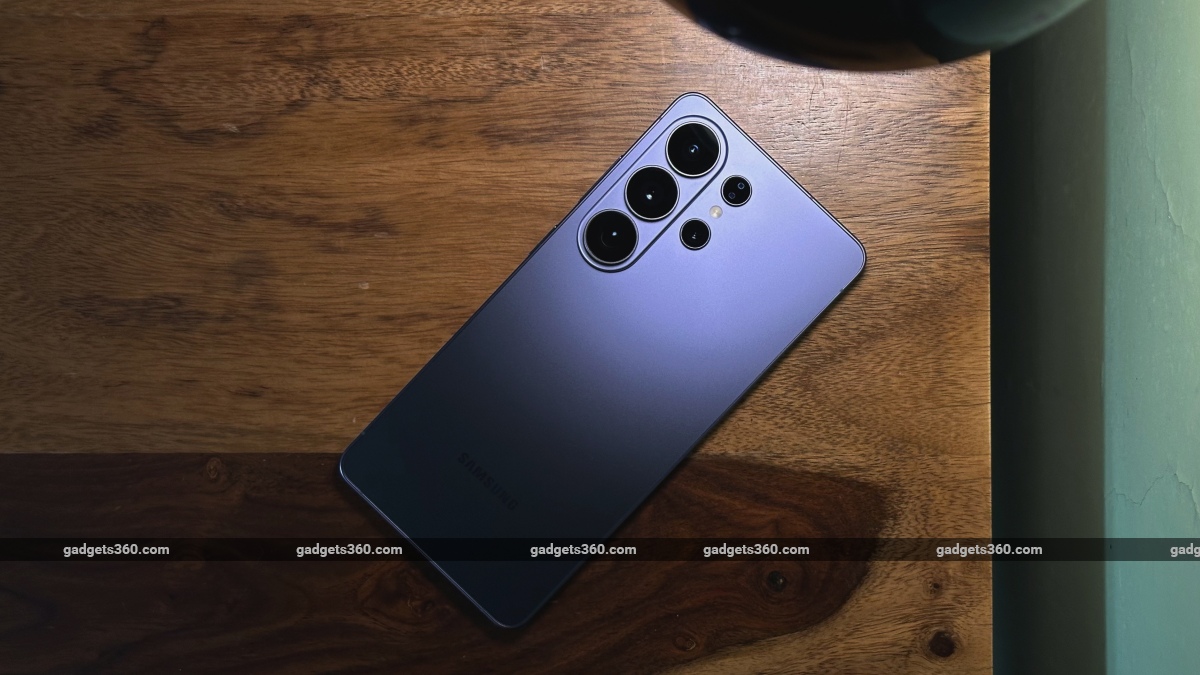
The Samsung Galaxy S26 Ultra is priced from Rs. 1,39,999
Click Here to Add Gadgets360 As A Trusted Source

Advertisement
For those not in the know, Samsung's Galaxy Ultra model is a love child of two different smartphones—the Galaxy S series and the Galaxy Note series. While Samsung's decision to merge the two into one lineup and kill the Note did make sense, the presence of the S Pen is what seems to be holding it back from becoming a true “Ultra”, a term that was coined by Samsung itself, but has now been redefined by the Chinese competition. Adding to this problem is Samsung's reluctance to adopt new battery technologies and change its camera hardware.
The Samsung Galaxy S26 Ultra, in typical Samsung fashion, gets us the usual core hardware updates like the Galaxy S series models, but, for once, adds a new Privacy Display feature, a new video stabilisation feature, and faster charging. While the last one is an incremental upgrade, the first two are new features. Given that its design has also changed, can the Samsung Galaxy S26 Ultra convince older buyers to upgrade?
Samsung Galaxy S26 Ultra Design: Slimmer, Lighter And… Wobbly?
- Dimensions - 163.6 x 78.1 x 7.9mm
- Weight - 214g
- Durability - IP68
The Galaxy S26 Ultra does look and feel familiar, but it has been upgraded in the typical Samsung way. Its design is now 0.3mm thinner than the Galaxy S25 Ultra, which may not seem like much, but this also means that the S Pen has grown even skinnier. It's gotten lighter as well… but just by 4 grams. So, those looking for a noticeably slimmer or lighter Galaxy S26 Ultra will not find these upgrades exciting.
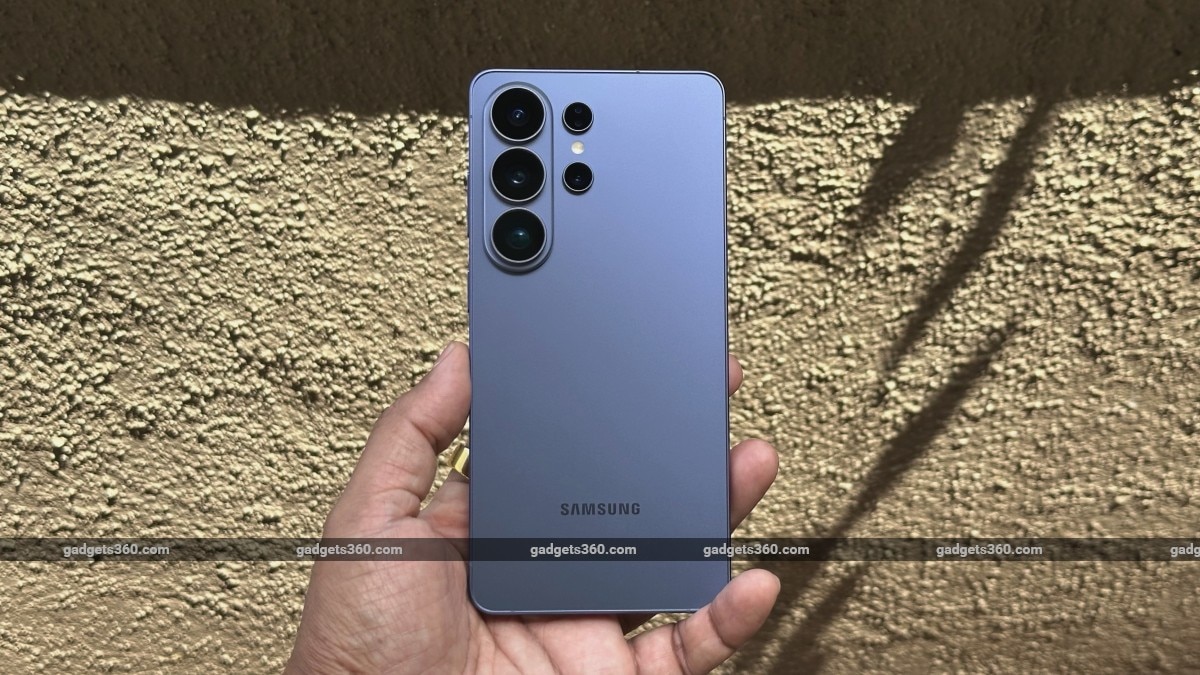
The Samsung Galaxy S26 Ultra has an IP68 rating for dust and water resistance
Its flat-sided frame is now made of aluminium (possibly because Apple ditched titanium), but it feels rigid and solid, with no flex. Oddly, Samsung's design magic (or overall slimmer profile) has made the device lighter than the previous one. Whether the aluminium frame is as durable as a titanium one is something only time will tell. But the device felt premium and wasn't too heavy.
Since we are talking about durability, it would have been nice to have an IP69 rating for a device that costs upwards of Rs. 1.3 lakh. IP68 still provides enough protection against dust and water, but Samsung does not cover damage due to water ingress, so it's not advisable to take it for an underwater shoot on your next vacation.
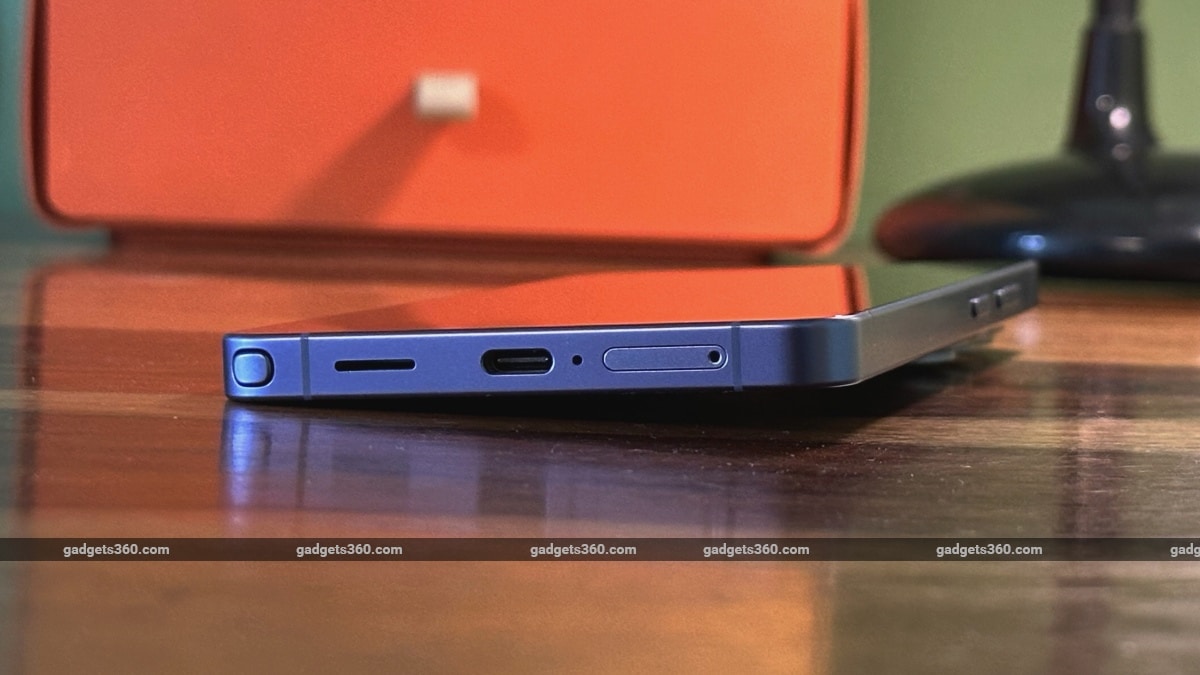
Its thick rear camera module means the phone is always tilted when placed on a flat surface
While its design definitely meets expectations for a large premium smartphone, I'm not a fan of the new camera layout, which places 3 rear cameras on a raised, capsule-shaped glass slab. It protrudes quite a bit, and its odd placement makes the phone extremely wobbly when placed on a table or a flat surface. This makes it extremely annoying to type on or use, so I had to pick up the device whenever I needed to use it (even at my work desk). What's more, is that this odd rear-camera placement makes the phone tilt towards the left, which just feels odd, as I have the habit of placing my phones to the left of my laptop or desktop (keyboard) when working.
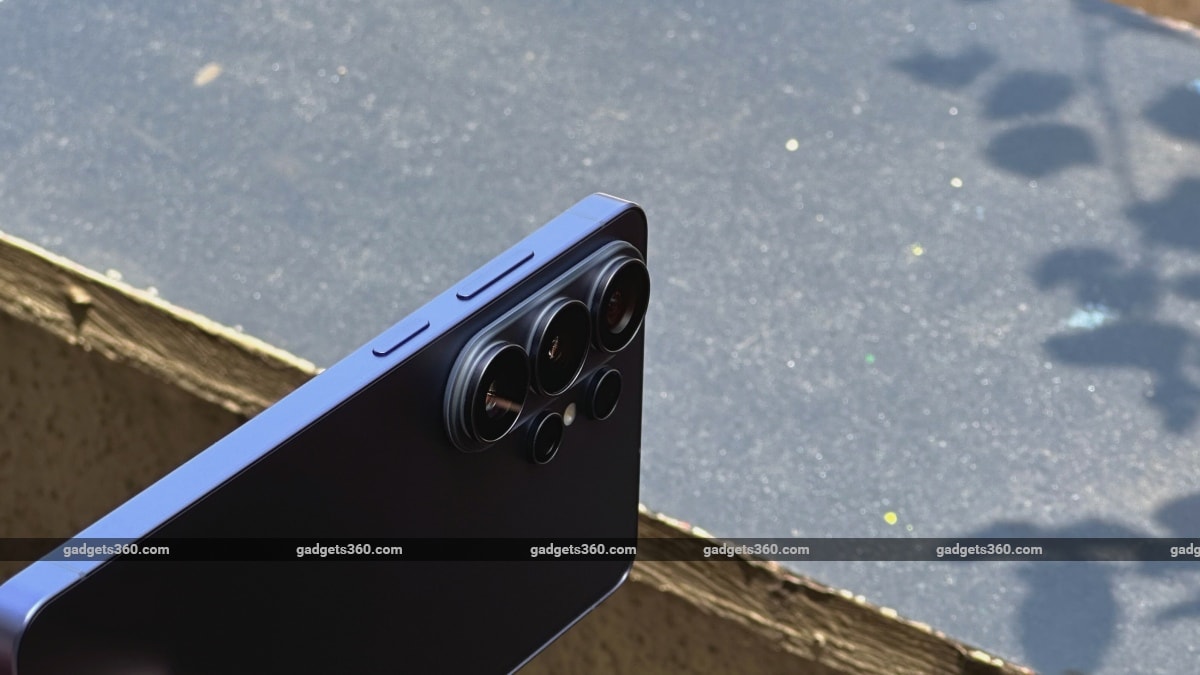
The phone has gotten just 0.3mm slimmer, so upgraders won't notice a difference
The S Pen, due to space restrictions, has gotten even thinner and now feels like a twig. It has the same buttons and gets the job done, but it still lacks Bluetooth, so it cannot be used as a camera remote like on the Galaxy S24 Ultra and previous models.
Samsung Galaxy S26 Ultra Display: Innovative, but Not the Best
- Display size - 6.9-inch, 1,440 x 3,120 pixels, 500 PPI
- Display type - 8-bit, LTPO AMOLED, 1-120Hz
- Display protection - Corning Gorilla Armour 2
The Samsung Galaxy S26 Ultra's display is both an upgrade and a downgrade. Its size and borders are similar to those of the Galaxy S25 Ultra's panel. It also has the helpful anti-reflective coating from the previous model, which helps cut glare drastically when viewed outdoors.
Privacy Display is the headlining feature of the Galaxy S26 Ultra. When activated, it almost magically prevents the person next to you from seeing what you don't want them to. Unlike an off-the-shelf privacy screen guard, it's not always on or active. You can switch it on when in a crowded space with too many prying eyes, and turn it off when you don't need to.
It also comes with three privacy levels or modes. The first one is the Conditions mode, which will smartly prevent people around you from viewing certain apps, PINs, patterns, and passwords being punched in, along with notification pop-ups. The Privacy Display technology basically covers certain parts perfectly and accurately in this mode, so that it's only visible to the user and not to the person sitting nearby.
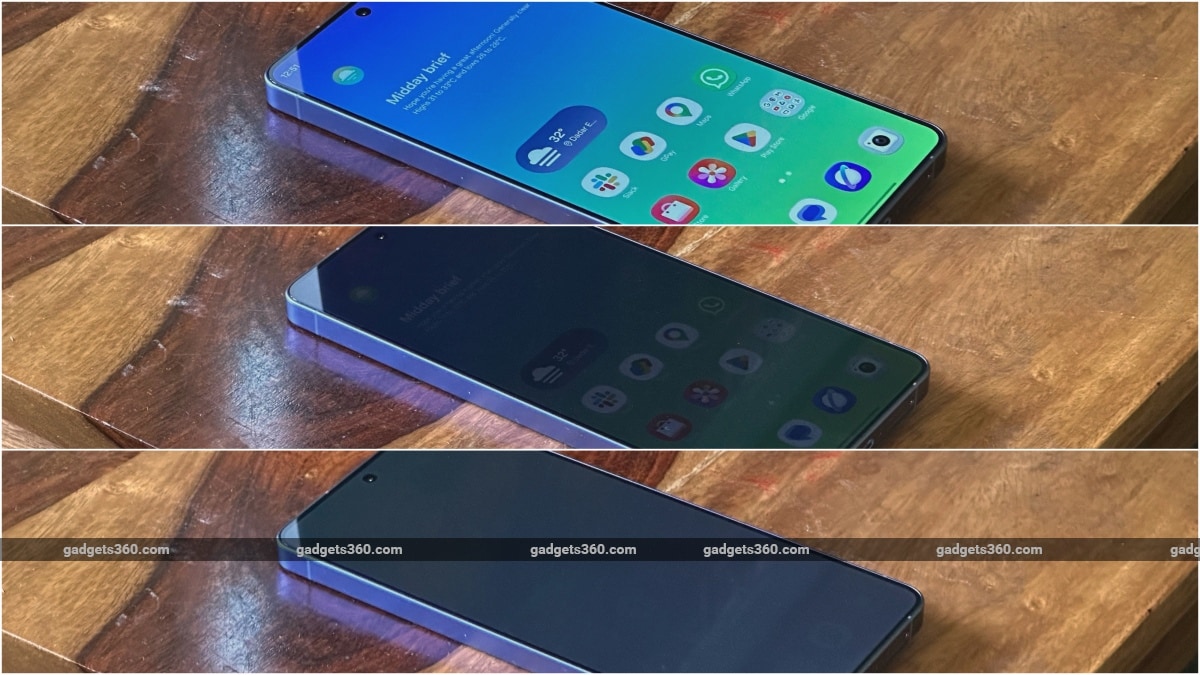
The Privacy Display feature has three levels of privacy, with the Maximum Privacy setting (last image) completely blocking the view
The second level is a basic Privacy Display mode that reduces visibility to some extent for someone peeking at your display. Unlike the first mode, it blocks out (or reduces) the viewing angles of anything and everything on the display for someone sitting next to them. However, it is possible for someone sitting next to you to readjust their head and still take a peek.
The third mode is the most effective one and comes at the cost of reduced clarity, saturation and contrast. Once Maximum Privacy Protection is switched on, the whole display literally appears greyed out to someone sitting next to you. Unlike mode two, it's really hard to see or tell what the user is up to at all. While some buyers may keep the phone on in this mode all the time, it makes the display appear washed out and not perfectly legible, so it should be activated only when required.
Now, you have to understand that the Privacy Display feature isn't magic. It's a hardware feature called Flex Magic Pixel (FMP) that, at its most basic, switches off or lowers the brightness of certain pixels on the display, allowing only the user holding the phone to view sensitive information. This is possible thanks to a redesigned multi-layer black matrix structure and LEAD 2.0 polariser tech by Samsung Display.
Simply explained, the Galaxy S26 Ultra's unique display panel has two types of pixels. The type that allows wide viewing angles can be individually switched off or made dimmer when not needed, letting only the user holding the phone view that patch or the display.
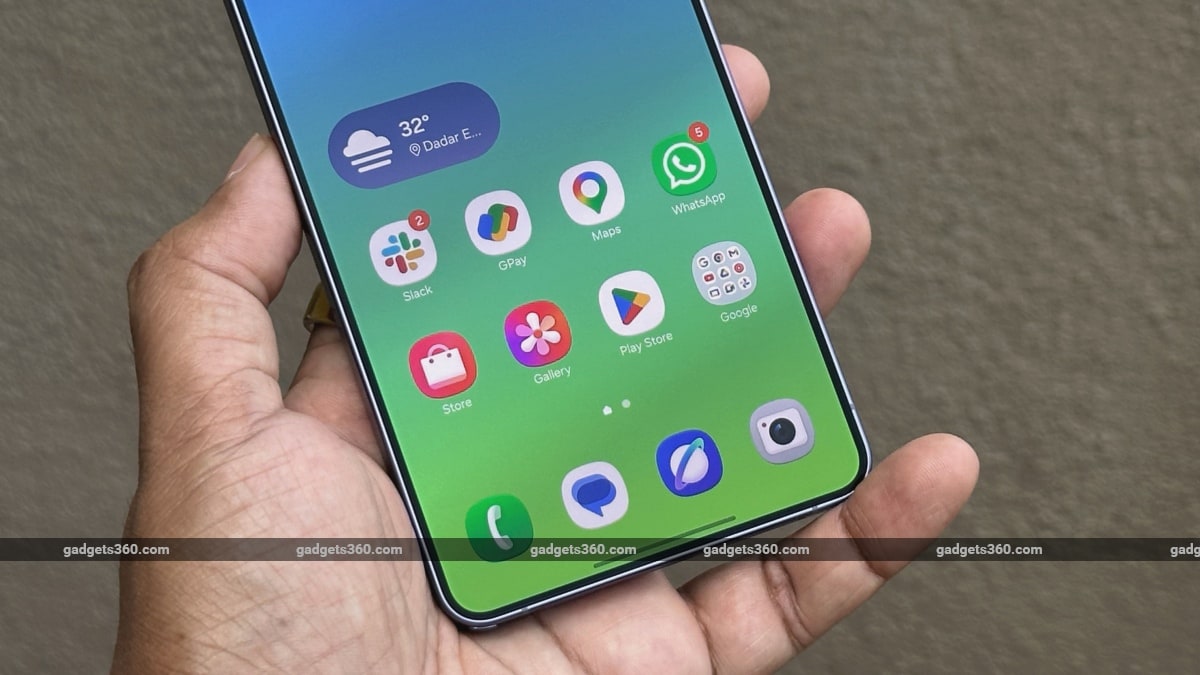
As sharp and vibrant as it appears, Samsung still sticks to 8-bit colour depth, while most manufacturers offer 10-bit or 12-bit panels
As innovative as it sounds, the usage of an 8-bit (colour depth) panel is unrelated to the FMP technology. So, it isn't clear why Samsung refuses to use a 10-bit, or even a 12-bit, display like the one on the lower-priced Xiaomi 17 I reviewed. Samsung's mobile Digital Natural Image engine (mDNIe) display engine does help reduce colour gradients. So there's not much to complain about in this regard.
That said, I have noticed a mild blue tint when viewing the display off-centre, which I haven't seen on high-end displays in a long time. The anti-reflective coating also works great, reducing glare drastically when using the device outdoors. However, the coating/layer, which creates a sort of mild matte finish, does make the display smudgy. Lastly, unlike most flagships that offer both HDR10+ and Dolby Vision support, Samsung only offers the former.
Samsung Galaxy S26 Ultra Software: Even More AI
- Android version - 16
- Software - One UI 8.5
- Software commitment - 7 years OS + 7 years SMRs
Samsung's One UI 8.5 has not seen a complete UI overhaul and still looks very similar to the previous version. However, there are some new and improved bits sprinkled all over. The most noticeable one is the edge-to-edge layout for the Quick Panel, which is now easier to customise and a bit like Apple's iOS 26. Also new and familiar-looking in iOS 26 is the floating tab bar design element that appears in most native apps for easier navigation. Those that don't have the floating tab bar usually have a similar search bar at the bottom, which is handy. Not much has changed in wallpapers or themes, but we do have some new, rounded 3D icons.
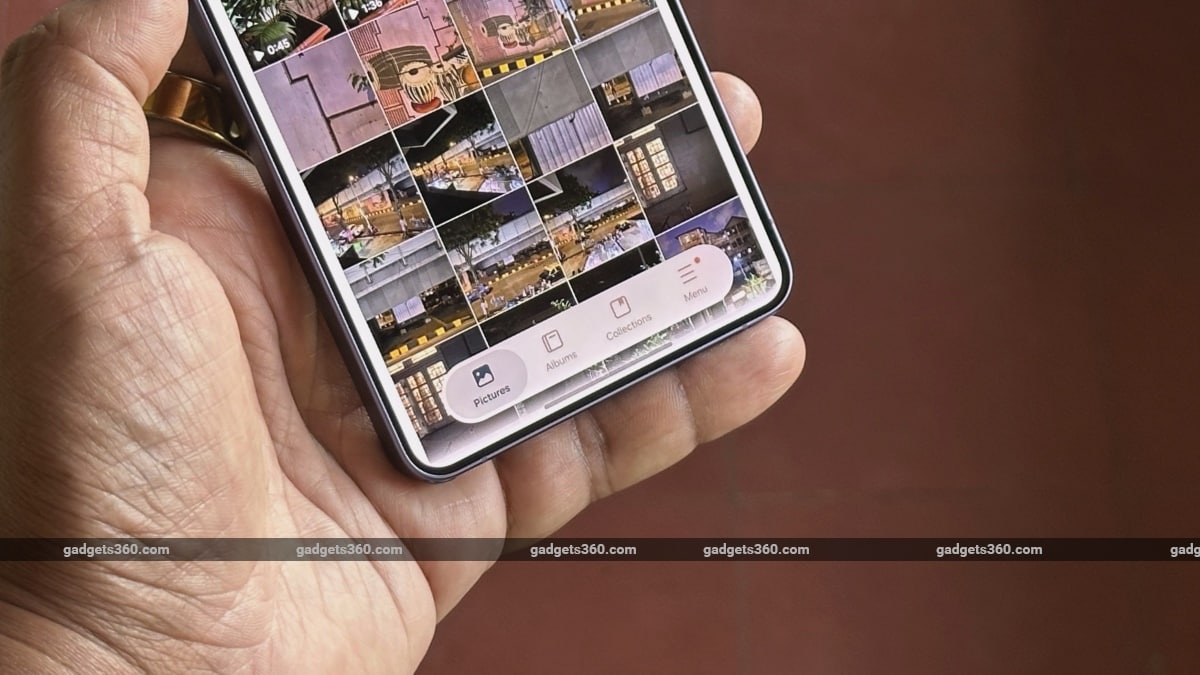
Samsung's floating tab bar design is seen here in its Gallery app
As for features, there's more AI. You can now choose between three AI models, and all of them are well-integrated in their own special way. Google's Gemini is the default voice assistant, but you can also use the better-integrated Bixby and download and use Perplexity as well, as it is now also deeply integrated into One UI. Bixby has gotten more useful and can now find and modify settings for you using voice commands, which I really liked. Depending on the query, it can even show you a slider or a toggle in the card itself, like on iOS.
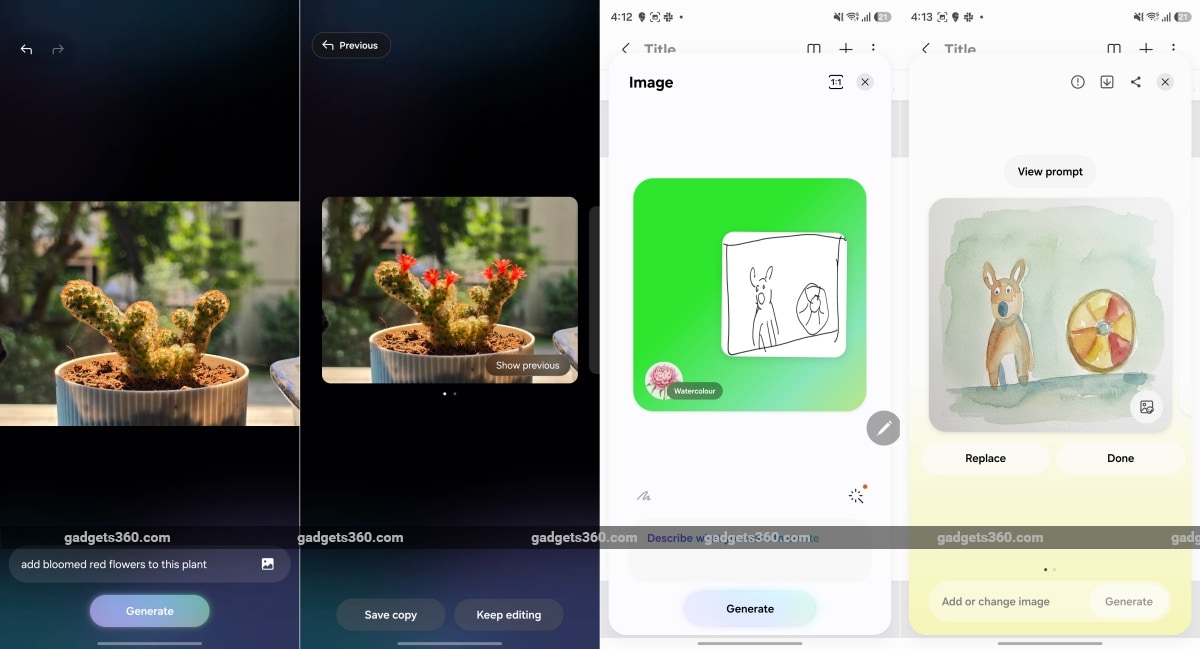
Samsung's AI tools get more powerful with One UI 8.5
But there's more! While Samsung's Galaxy AI did a fine job with image editing and erasing, it has now been upgraded to handle general photo edits better using voice commands. Since Samsung's Galaxy AI model powers this experience, you can simply speak what's on your mind, and the tool will imagine it. Yes, it can now add and manipulate images apart from the usual edits as well, and it shockingly looks quite realistic, as can be seen in the screenshot above. Creative Studio, available in the Notes app, is another tool that works in a similar manner, but by using S Pen inputs. All you have to do is sketch your idea out, and it quickly brings your ideas to life.
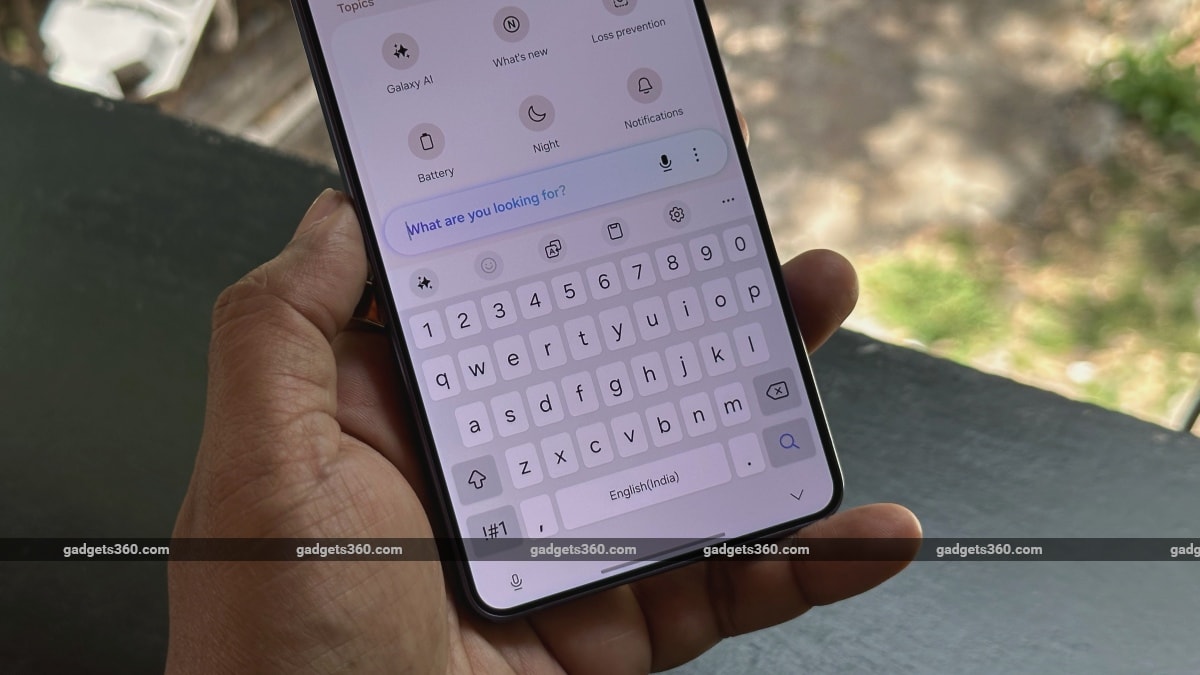
You can now get help with finding and modifying settings using voice commands
Galaxy AI also finds its way into more places. There's a new Now Nudge feature which works in a manner similar to Google's Magic Cue, available on its Pixel devices. Samsung's prompts or information chips are supposed to be more useful and suggest even more information (like Photos it found in your Gallery app) related to the on-screen conversation. But from the few weeks I have been using the review unit, I have not seen a single suggestion appear on the Samsung keyboard.
The much-awaited agentic AI abilities, wherein the AI communicates with other apps and executes commands to complete tasks (like booking an Uber) was not functional in India at the time of writing this review.
Samsung Galaxy S26 Ultra Performance: As It Should Be
- Processor - Qualcomm Snapdragon 8 Elite Gen 5 (for Galaxy), 4.74GHz, 3nm
- RAM - 12/16GB, LPDDR5X
- Storage - 256/512/1TB, UFS 4.0
Since it is a flagship device focused on productivity, the Galaxy S26 Ultra is expected to offer nothing but the best in raw performance. This year, we have another customised chipset in the form of the Snapdragon 8 Elite Gen 5 for Galaxy, and it is built to take on any task, be it productivity, camera smarts, AI or gaming. There's also a large vapour chamber cooling system in place to ensure performance doesn't take a hit under stress.
| Benchmarks | Galaxy S26 Ultra | iQOO 15 | iPhone 17 Pro Max |
|---|---|---|---|
| Display resolution | QHD+ | 2K | 1,320 x 2,868 pixels |
| Chipset | SD 8 Elite Gen 5 for Galaxy (3nm) | Snapdragon 8 Elite Gen 5 (3nm) | Apple A19 Pro |
| AnTuTu v10 | 37,61,149 | 38,44,437 | 23,95,000 |
| PCMark Work 3.0 | 20,273 | 16,038 | NA |
| Geekbench 6 Single | 3,675 | 3,647 | 3,484 |
| Geekbench 6 Multi | 10,846 | 10,206 | 9,080 |
| Geekbench AI CPU (Quantized) | 6,913 | FTR | NA |
| Geekbench AI GPU (Quantized) | 4,004 | 2,941 | NA |
| 3DM Wild Life | Maxed Out | Maxed Out | Maxed Out |
| 3DM Wild Life Unlimited | 30,069 | 25,279 | NA |
| 3DM Steel Nomad Light | 2,794 | 2,842 | NA |
As you can tell from the table above, the Samsung Galaxy S26 Ultra, despite having a pixel-dense QHD+ panel, managed to deliver impressive numbers in our benchmark tests. Our review unit was equipped with 12GB of RAM, and so everyday multitasking and even heavy games like Genshin Impact ran smoothly at maximum settings. The only app that managed to get the phone hot was the camera app. Whether shooting photos or recording video, it does make the phone hot, but it did not get abnormally hot like the skinny Galaxy S25 Edge I reviewed last year. The phone handles heat pretty well in comparison and never showed an overheating warning or requested to close the camera app, despite shooting 4K video samples back to back under the afternoon sun.
Samsung Galaxy S26 Ultra Cameras: Well-Equipped… but Far From Perfect
- Primary camera - 200-megapixel, f/1.4, PDAF, OIS
- Telephoto camera - 10-megapixel, f/2.4, PDAF, OIS, 3x optical zoom
- Telephoto camera - 50-megapixel, f/2.9, PDAF, OIS, (periscope) 5x optical zoom
- Ultrawide camera - 50-megapixel, f/1.9, PDAF, 120-degree
- Selfie camera - 12-megapixel, f/2.2, PDAF
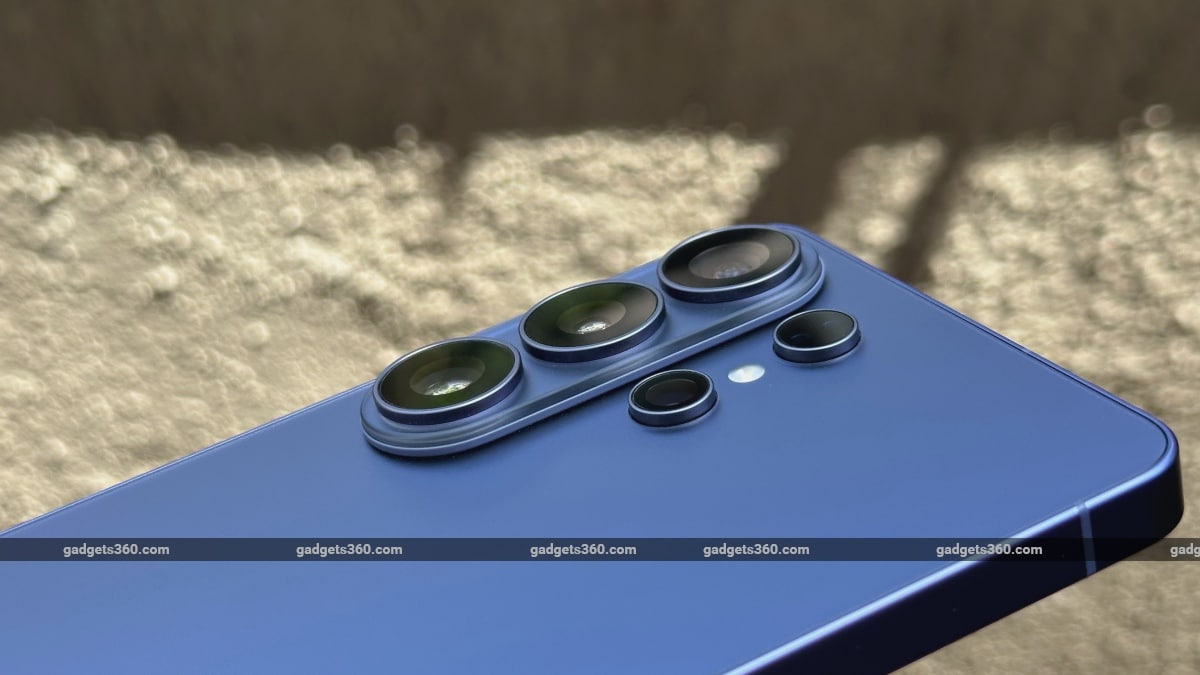
Samsung's camera hardware remains the same for yet another year, with some minor adjustments
As you can tell from the points above, the Samsung Galaxy S26 Ultra's camera setup remains largely the same, with only minor changes. The primary camera and the 50-megapixel periscope telephoto camera now have a wider aperture, which should result in slightly better performance, but we aren't expecting anything spectacular or vastly different from the previous model.
The colour tone is quite warm (or yellowish), as observed with all cameras and is typically saturated in a very Samsung way. There are times when the images also appear oversaturated. The company has also gone with a slightly contrasted appearance, which adds some depth to all images. These will appeal to the larger consumer audience, but definitely not the enthusiast crowd. You can head to the ‘Pro mode' to get more realistic or natural colours that are a true representation of the actual scene.
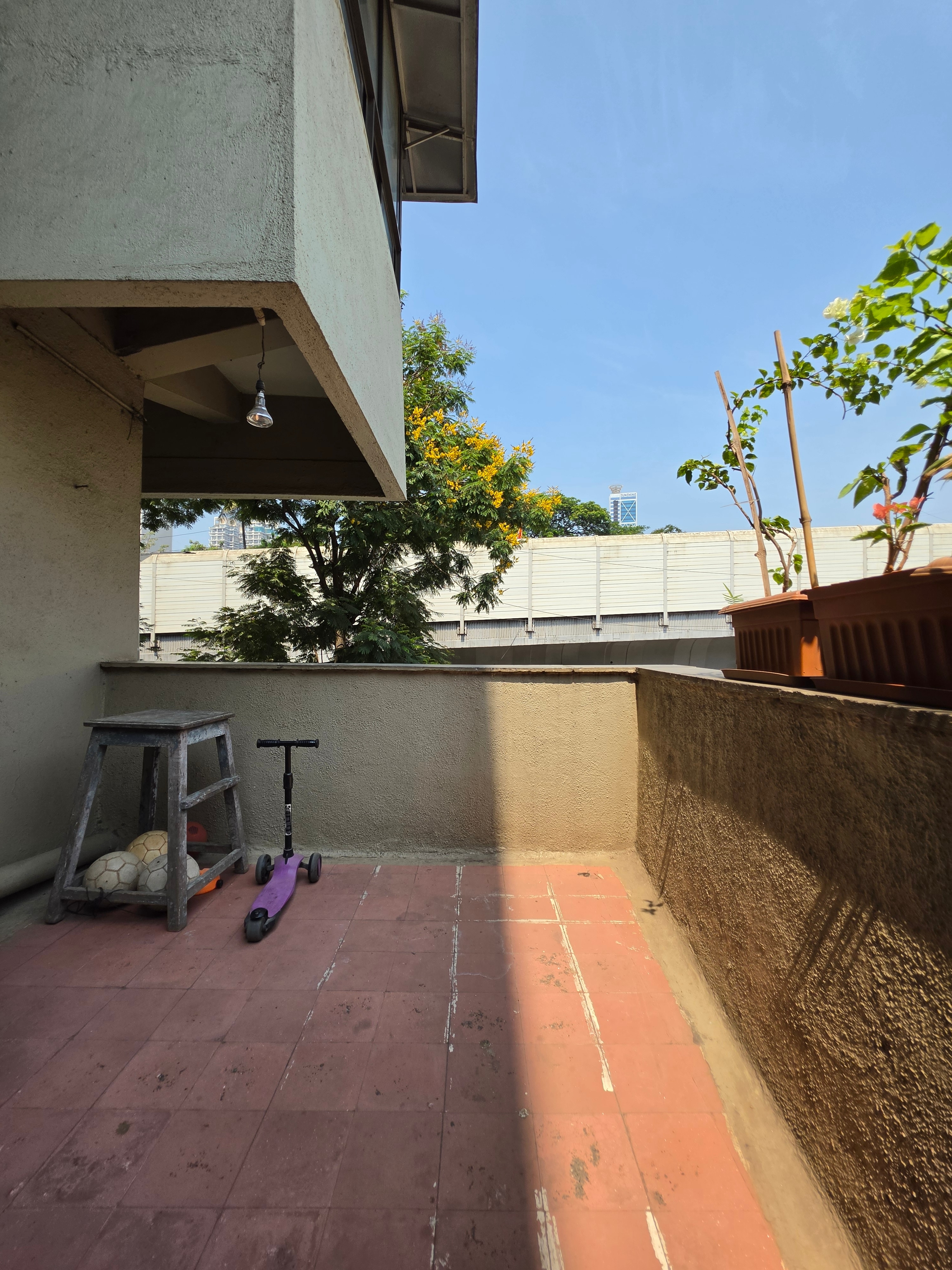
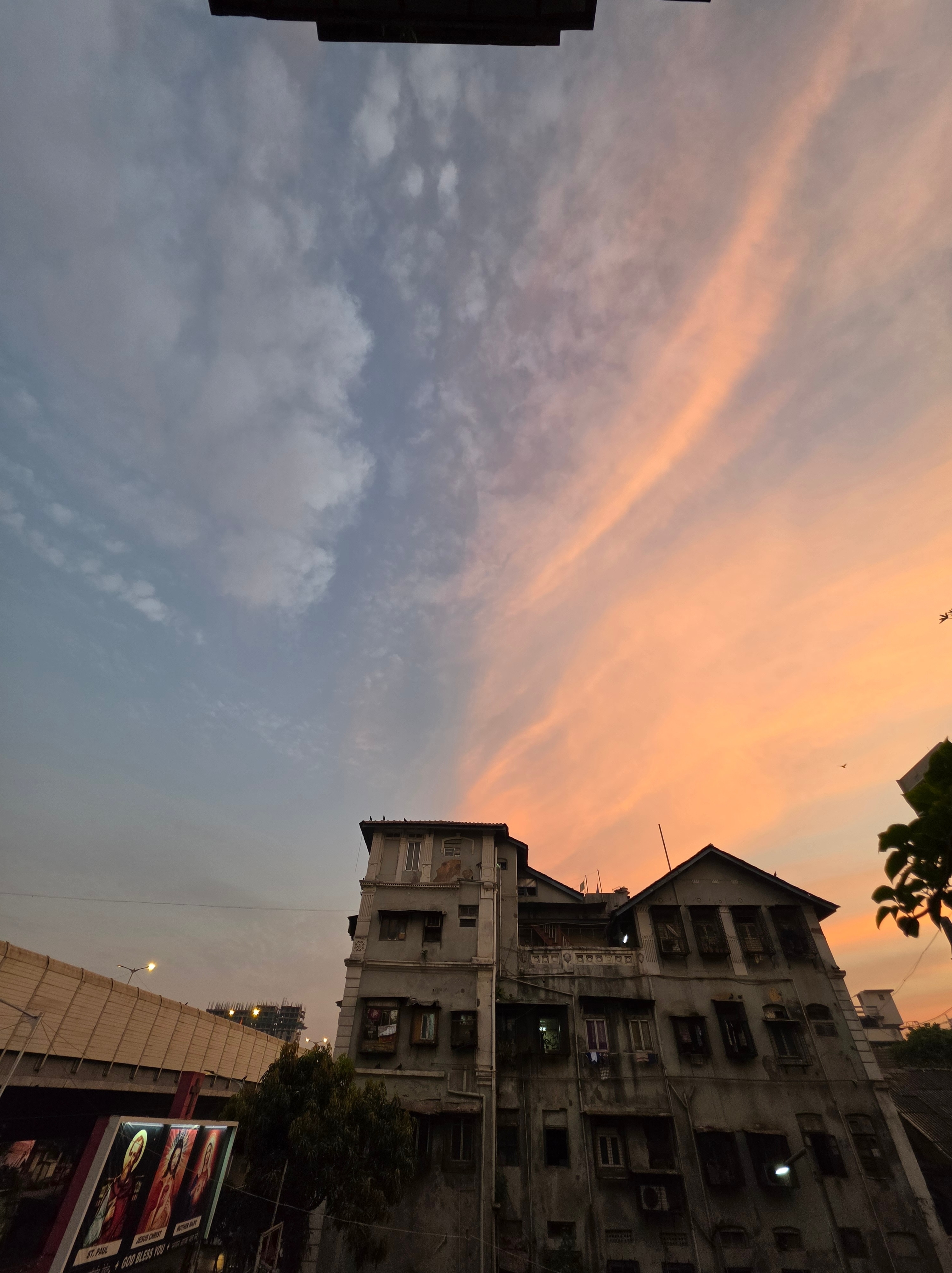
Samsung Galaxy S26 Ultra ultrawide camera samples (tap images to expand)
The ultrawide camera does a fine job of capturing photos with an exaggerated field of view. Since the camera has autofocus, it produces impressive images even in odd lighting conditions, as in the sample shown above, which was captured at dawn. In broad daylight, photos have good detail and show good dynamic range as well.


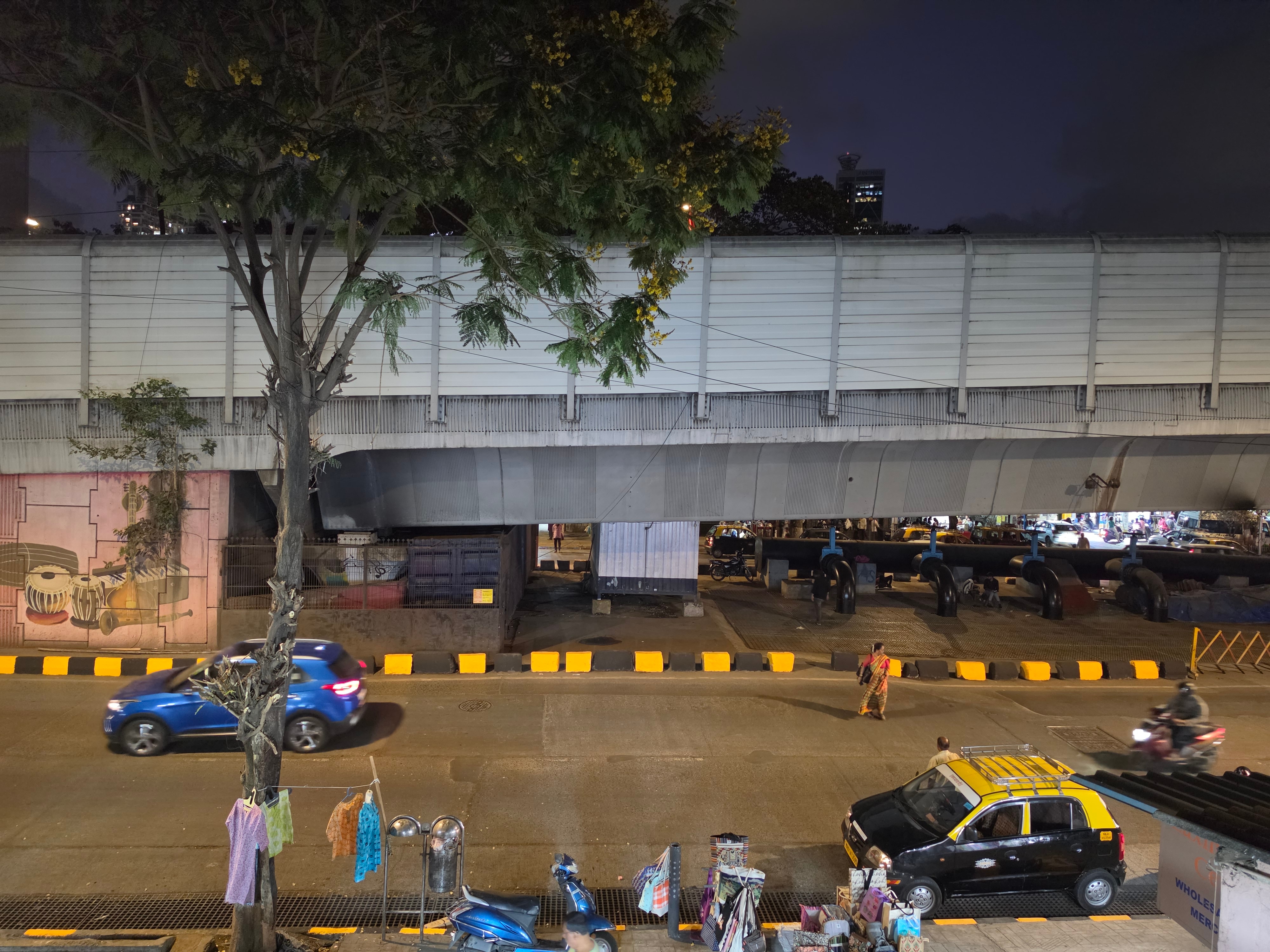
Samsung Galaxy S26 Ultra primary camera samples (tap images to expand)
Samples from the primary camera appear quite natural. There's no oversharpening as we see on most flagships these days. The dynamic range is good, and so are the details. Portraits also come out well with this camera, but have a warmer tone than the selfie camera. In low-light or street-lit settings, things aren't as impressive. Low-light photos have the same lighting and colour properties as daylight photos. But they are a bit soft, low on resolved detail and lack the slightly contrasted processing of the daylight photos. I even tried switching to max auto Night mode (which increases the capture duration), but there were minor gains. Indeed, this is quite the opposite of what I expected to see from a 200-megapixel primary sensor.

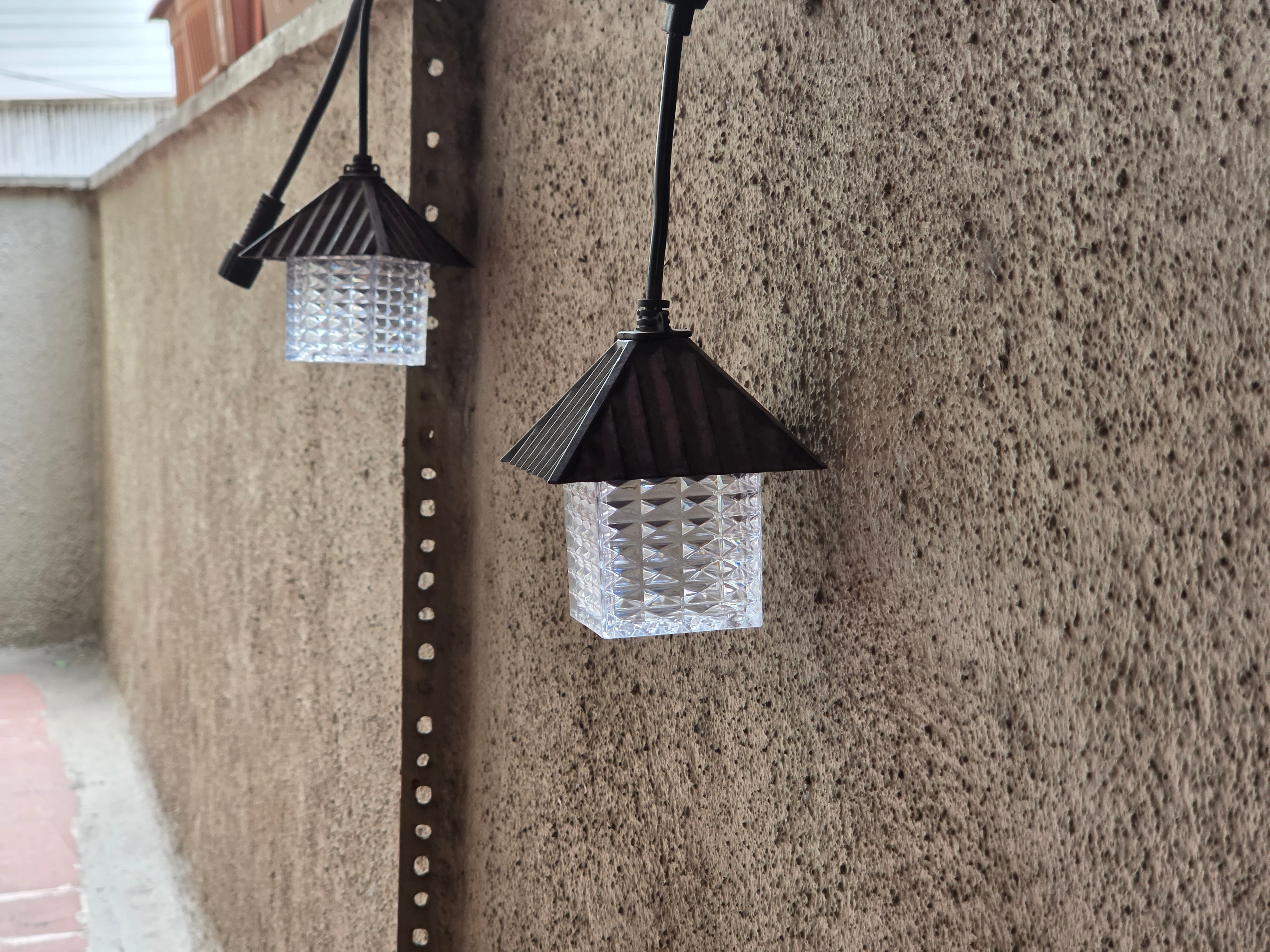

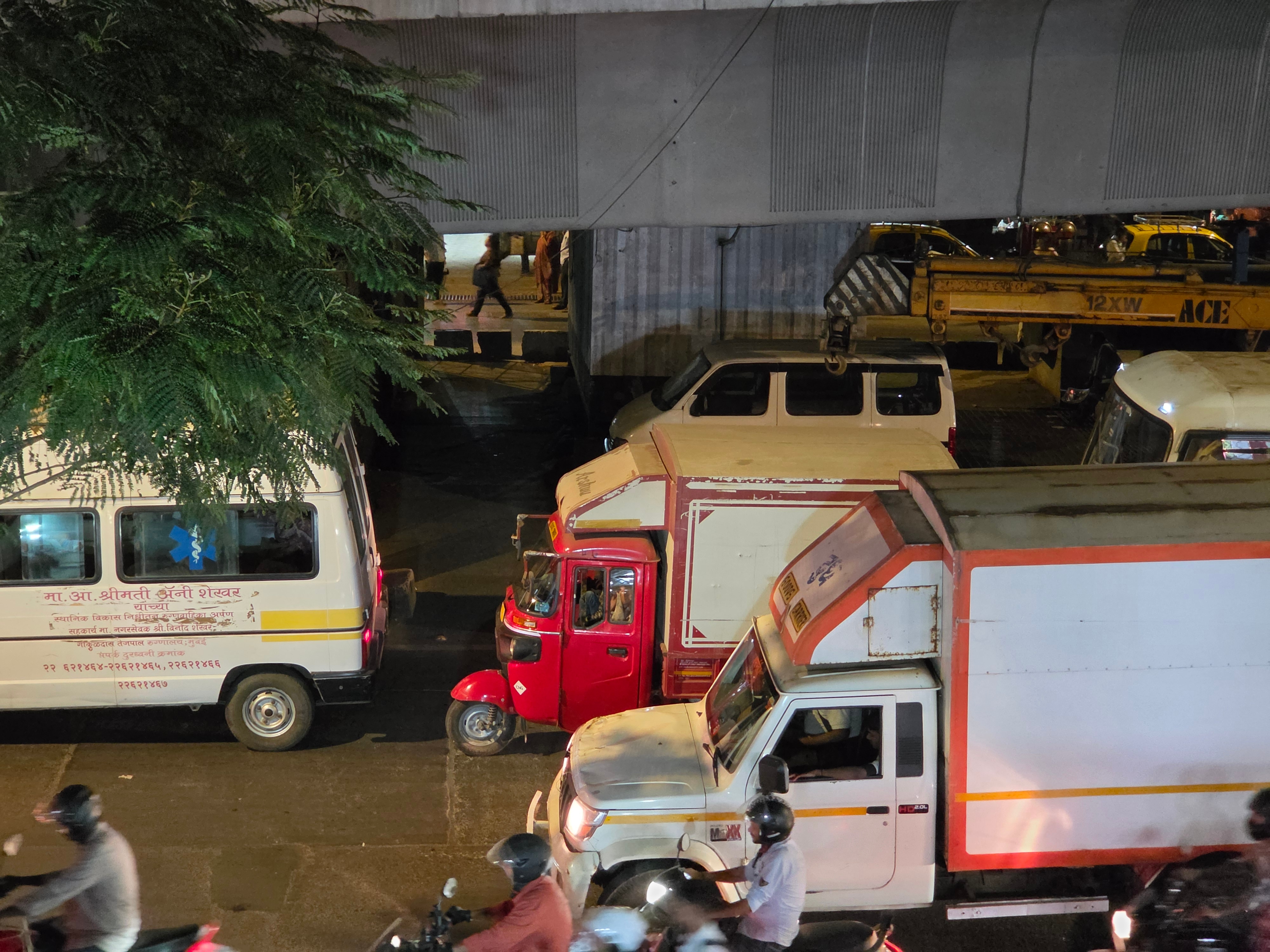
Samsung Galaxy S26 Ultra 3x telephoto camera samples (tap images to expand)
The 3X telephoto camera is a bit of a mystery. Unlike the Galaxy S25 Ultra, the Galaxy S26 Ultra gets a 10-megapixel unit that weirdly produces 12-megapixel photos, for reasons best known to Samsung. Photos captured in daylight have good global properties but appear a bit soft with less resolved detail (probably due to the upscaling). In low light, images appear softer, even though the photos look fine otherwise.
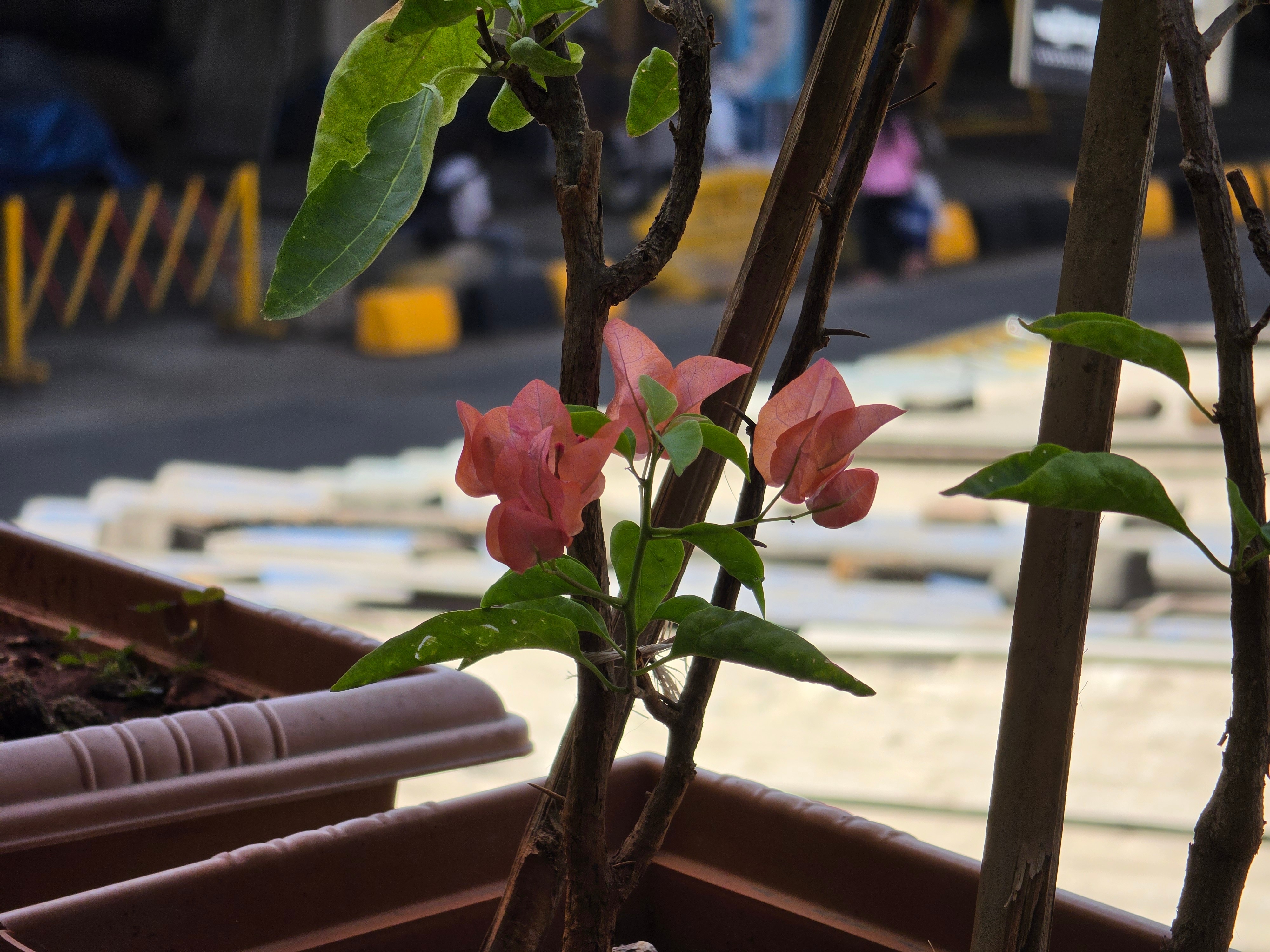


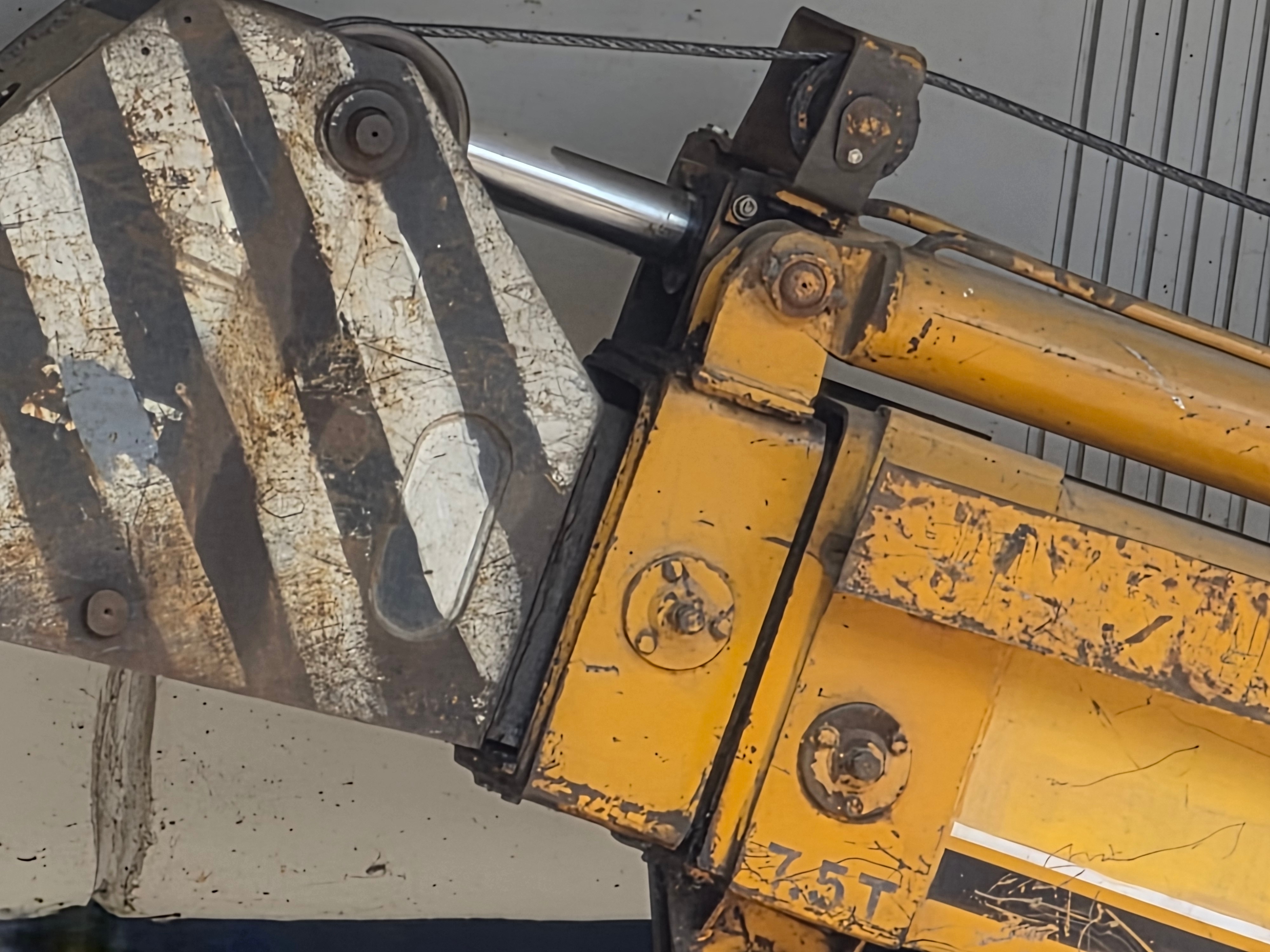
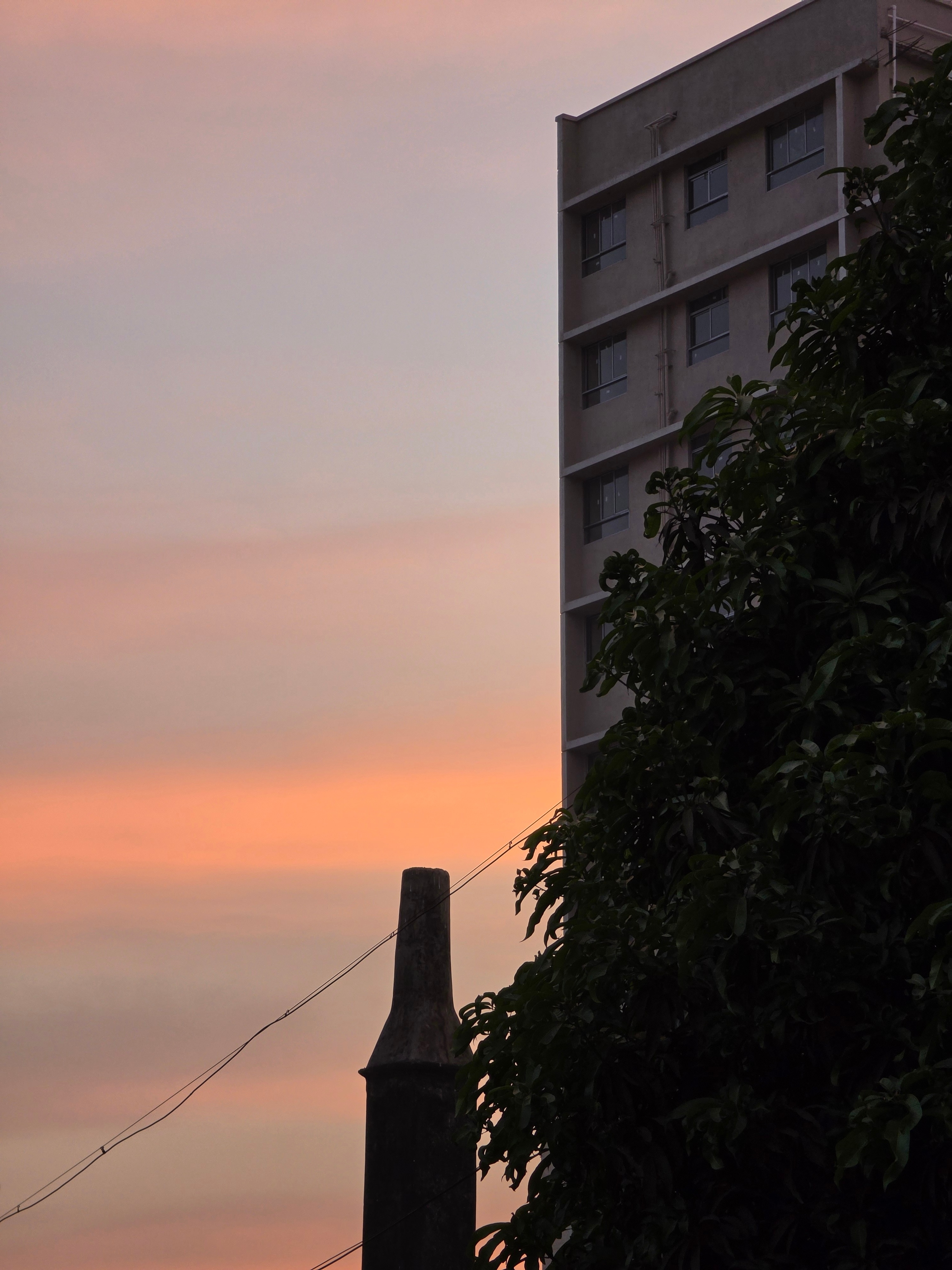
Samsung Galaxy S26 Ultra 5x periscope telephoto camera samples (tap images to expand)
One camera that does get the ‘Ultra' branding right is the 5X periscope telephoto camera. It does not have the floating telephoto capability like on some Chinese flagships, and so you have to maintain a minimum distance of at least 60 centimetres from your subject/object, but the results do look good. The lossless 10X photos also pack good detail, but anything beyond it (30X last sample above) does have that enhanced appearance.
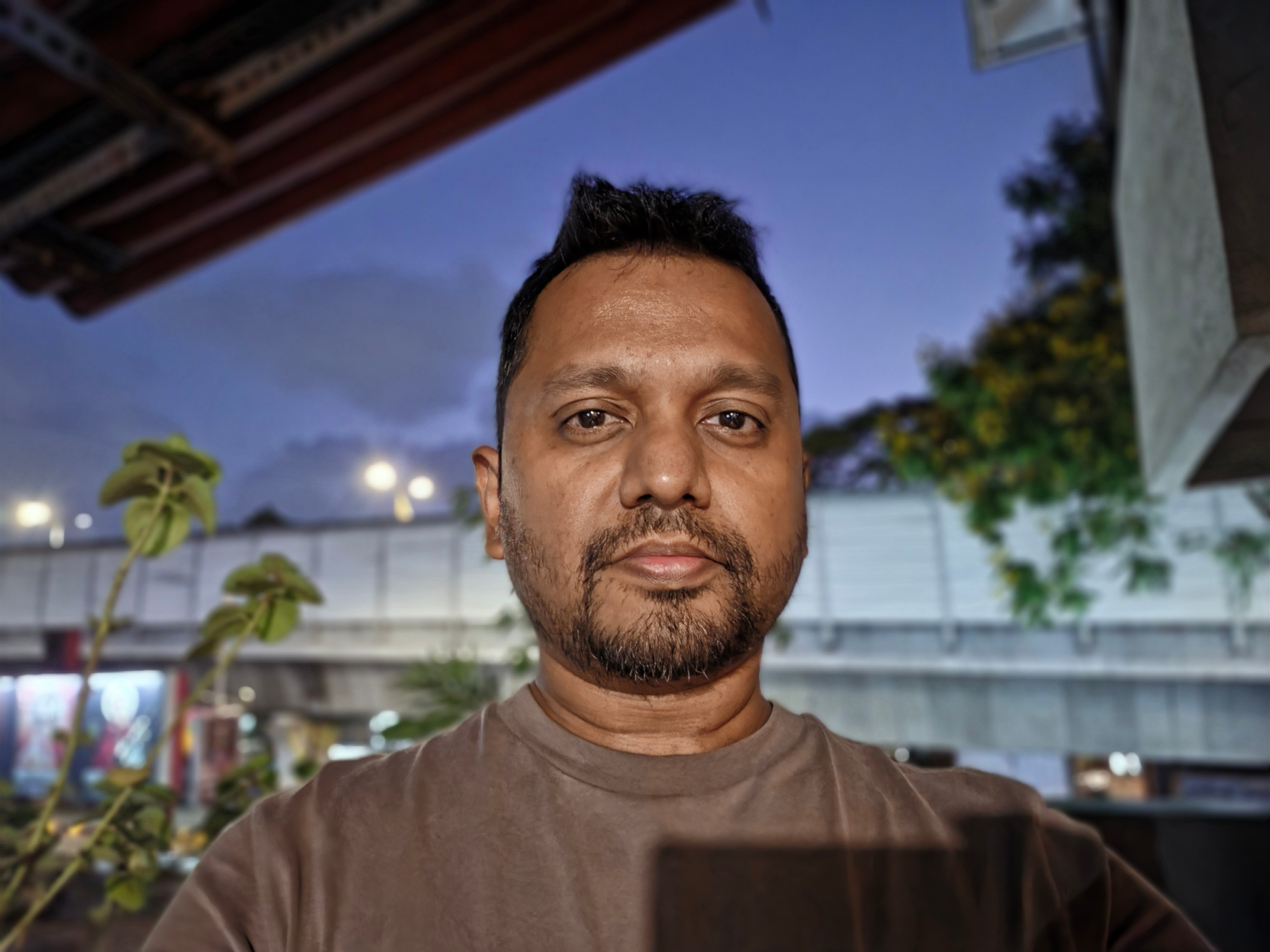
Samsung Galaxy S26 Ultra selfie camera sample (tap image to expand)
Selfies pack good detail, sharpness and dynamic range. These are weirdly not as colour accurate (in terms of skin tones) as the Portrait mode photos from the rear-facing primary camera. But I noticed that the edge detection wasn't up to the mark, trimming my hair, ears and even clothing in broad daylight. Selfies captured in low-light settings show the same overall characteristics, but the colours appear a bit washed out.
Videos recorded at 4K resolution look great! Autofocus is quick and accurate. There's excellent stabilisation, a steady bitrate and good dynamic range, ensuring plenty of detail even in the contrasted scenes. The ultra-wide camera does appear a bit dreamy in bright daylight, but the 3X and 5X telephoto cameras do provide good quality footage with that extra reach. Things remain the same in low-light settings with good stabilisation, dynamic range and impressive noise control. HDR10+ video recordings also look detailed and vibrant with excellent dynamic range, even in low-light with some noise.
Selfie video recordings also have good quality and can be recorded at 4K resolution. The level of detail and bitrate are absolutely fine, but I did notice that the camera could not handle bright backgrounds in some settings (bright afternoons), which led to bright spots and clipped highlights even after turning on HDR.
The phone can also shoot 8K 30 fps video, and it comes out well with a smooth and steady bitrate and packs a lot of detail at the cost of substantially higher storage. However, in low-light it's not as impressive, even though noise is under control, as the footage appears a bit soft. I also tried out the new Horizon lock video mode, which is accessible via the stabilisation settings in the app. It works really well and can record at QHD resolution (30/60 fps). Samsung's stabilisation trick is limited to the plane perpendicular to your subject, so moving alongside your subject/pet seems to be the only way to make good use of it, provided you can keep up and hold your phone up at the same time.
Samsung Galaxy S26 Ultra Battery: Surprisingly Good
- Battery capacity - 5,000mAh, Li-ion
- Wired charging - 60W, PD 3.0
- Wireless charging - 25W, Qi 2.2
- Charger in the box - No
With a massive pixel-rich display, I did not expect the Samsung Galaxy S26 Ultra to last even half as long as it did. But the combination of a power-efficient chipset and an LTPO panel did work wonders for this behemoth's average-sized battery despite sticking to the QHD+ resolution. On most days, I did get about a day and a half of casual use. But pushing it with heavy camera use will see the battery touch the 20 percent mark by the end of the day. PCMark's Battery life test managed an average score of 15 hours and 44 minutes, which is about two hours more than the Galaxy S25 Ultra.
Charging speeds have improved, and the Galaxy S26 Ultra charged to 51 percent in 30 minutes and 93 percent in an hour, reaching a fully charged state in 1 hour and 11 minutes using a third-party 100W charger. While these figures are nearly the same as the Galaxy S25 Ultra's, we are pretty sure that using Samsung's 60W power adapter may be slightly faster.
Samsung Galaxy S26 Ultra Verdict
On paper, Samsung's Galaxy S26 Ultra does not seem like a big leap. Yes, the new Privacy Display is useful, but I would not term it as a necessity. There is also a small chance that Samsung could become the trendsetter here, with other brands following suit in the coming year. The faster charging speeds did not seem noticeably different. But what I would have loved to see was built-in magnetic wireless charging, like on Apple's iPhones and Google's Pixel 10 Pro.
When compared to other flagships, Samsung's reluctance to change its camera hardware and battery tech is slowly holding it back. While Apple can afford to hold back or “gatekeep” features from its ever-growing user base. Samsung's smartphone shipments indicate that buyers are getting tired of seeing smaller hardware improvements with slowing sales. And this will get more noticeable as the current year progresses.
For now, Google's Pixel 10 Pro XL (from Rs. 1,24,999) and Xiaomi's 17 Ultra (from Rs. 1,39,999) are its competitors in India. While the Pixel 10 Pro XL isn't as capable on the hardware front, Pixel UI is a solid, bloatware-free alternative to Samsung's bloated One UI 8.5 and also supports magnetic charging. Xiaomi's 17 Ultra, with its Leica partnership, brings new and better imaging hardware and longer-lasting silicon-carbon battery tech, which should make its way into the hands of photography enthusiasts. Samsung's perception as a productivity-first device (especially with its S Pen) will appeal mainly to Samsung fans, who are undeniably larger in number than the former two. But if these fans already own the Galaxy S24 Ultra or the Galaxy S25 Ultra, I see no need to upgrade to the new model unless users find the Privacy Display an absolute necessity.
Adding to the pressure are the rumours about some new “Ultras” entering the Indian market. Vivo's X300 Ultra and Oppo Find X9 Ultra (at long last) are expected to debut in India this year as well, which will present a challenge for Samsung's unchanged camera system.
- REVIEW
- KEY SPECS
- NEWS
- Good
- Lighter IP68 rated design
- Privacy Display is handy and practical
- One UI gets smarter with better AI integrations
- Fast-charging finally
- Impressive video recording capability
- Bad
- 3x telephoto camera needs work
- Low-light performance could have been better
- Selfies don?t show accurate edge-detection
- S Pen cannot be used as camera remote
Read detailed Samsung Galaxy S26 Ultra review
Display 6.90-inch
Front Camera 12-megapixel
Rear Camera 200-megapixel + 50-megapixel + 50-megapixel + 10-megapixel
RAM 12GB, 16GB
Storage 256GB, 512GB, 1024GB
Battery Capacity 5000mAh
OS Android 16
Resolution 1,440x3,120 pixels
Comments
Get your daily dose of tech news, reviews, and insights, in under 80 characters on Gadgets 360 Turbo. Connect with fellow tech lovers on our Forum. Follow us on X, Facebook, WhatsApp, Threads and Google News for instant updates. Catch all the action on our YouTube channel.
Further reading:
Samsung, Samsung Galaxy S26 Ultra, Samsung Galaxy S26 Ultra Design, Samsung Galaxy S26 Ultra Display, Samsung Galaxy S26 Ultra Software, Samsung Galaxy S26 Ultra Performance, Samsung Galaxy S26 Ultra Cameras, Samsung Galaxy S26 Ultra Battery, Samsung Galaxy S26 Ultra Price in India
Related Stories


Advertisement
Follow Us




-
![[Sponsored]: CP PLUS CarKam CP-F89B: 4K Dashcam With Rear Camera, GPS & Emergency Recording](https://www.gadgets360.com/static/desktop/images/spacer.png)
04:37
[Sponsored]: CP PLUS CarKam CP-F89B: 4K Dashcam With Rear Camera, GPS & Emergency Recording -
04:23
[Partner Content] Your Phone Can Do WAY More Than You Think | OPPO ColorOS 16 -
01:59
Samsung Galaxy Z Fold8 Ultra: Unfold the Ultra Night -
03:24
Apple Pay Launches In India: Supported Devices, Cards And Payments Explained -
00:21
[Sponsored] Samsung Galaxy Z Fold8, Fold8 Ultra
-
Infinix लाया गजब का फोन, बिना सिम भी कर पाएंगे कॉल
-
Vivo S2 FE लॉन्च: 10000mAh बैटरी, 50 मेगापिक्सल कैमरा से लैस, जानें कीमत
-
Vivo X Fold 6 लॉन्च; 200MP कैमरा और 6900mAh बैटरी के साथ आया फोल्डेबल फोन
-
Redmi 17C 5G की सेल आज से शुरू, 6000mAh बैटरी के साथ 50 मेगापिक्सल कैमरा से लैस
-
Amazon Great Indian Festival Sale 2026: ₹15,999 से शुरू टॉप स्मार्टफोन डील्स, Galaxy A56 से Xiaomi 17 तक पर बड
Advertisement
Popular on Gadgets
- Samsung Galaxy S26 Ultra
- Motorola Razr Fold
- ChatGPT
- OPPO Find N6
- Mobiles Under Rs. 40,000
- Vivo X300 Ultra
- Asus Zenbook S14
- iQOO 15
- Vivo X300 Pro
- Lenovo Yoga Slim 7i Aura Edition
- iQOO 15R
- Vivo X Fold 5
- Sony PlayStation 5
- HP OmniPad 12
- OnePlus Nord CE 6 Lite
- OnePlus Pad 4
- OPPO F33 Pro 5G
- Cryptocurrency
- HP OmniBook Ultra 14 (2026)
- iPhone 17
- Eureka Forbes AP 355 Room Air Purifier
- Latest Mobile Phones
- Compare Phones
Latest Gadgets
- Infinix Smart 20 HD
- Vivo V80
- Vivo S2 FE
- Vivo Y600K Turbo
- Realme P4s Lite
- Vivo S60t
- OPPO F35 5G
- OPPO F35 Pro 5G
- Dell 14 Plus 2-in-1 (AMD Ryzen AI 7 350, 2025)
- Microsoft Surface Laptop, 13-inch (2nd Edition)
- Samsung Galaxy Tab S12+
- Samsung Galaxy Tab S12 Ultra
- Amazfit T-Rex Dual Solar
- OPPO Watch S2
- Toshiba 65-Inch 4K Ultra HD Smart Mini LED QLED TV (65Z670SP)
- Haier M70 Mini LED 65-inch
- Acer Predator Atlas 8
- Asus ROG Ally
- Blue Star 1.5 Ton 5 Star Inverter Split AC (IE518ZNURS)
- Blue Star 2 Ton 3 Star Inverter Window AC (WIE324L)

- About Us
- Sitemaps
- Feedback
- Archives
- Contact Us
- RSS
- Advertise
- Career
- Privacy Policy
- Ethics
- Editorial Policy
- Terms & Conditions
- Complaint Redressal
Download Our Apps
Available in Hindi
© Copyright Red Pixels Ventures Limited 2026. All rights reserved.