- Home
- Laptops
- Laptops Reviews
- Asus TUF Gaming A14 (2026) First Impressions
Asus TUF Gaming A14 (2026) First Impressions
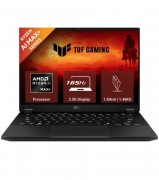
The Asus TUF Gaming A14 laptop runs on AMD Ryzen AI Max+ 392 processor with integrated Radeon 8060S graphics.
Written by Manas Mitul, Edited by Rohan Pal | Updated: 26 February 2026 17:06 IST
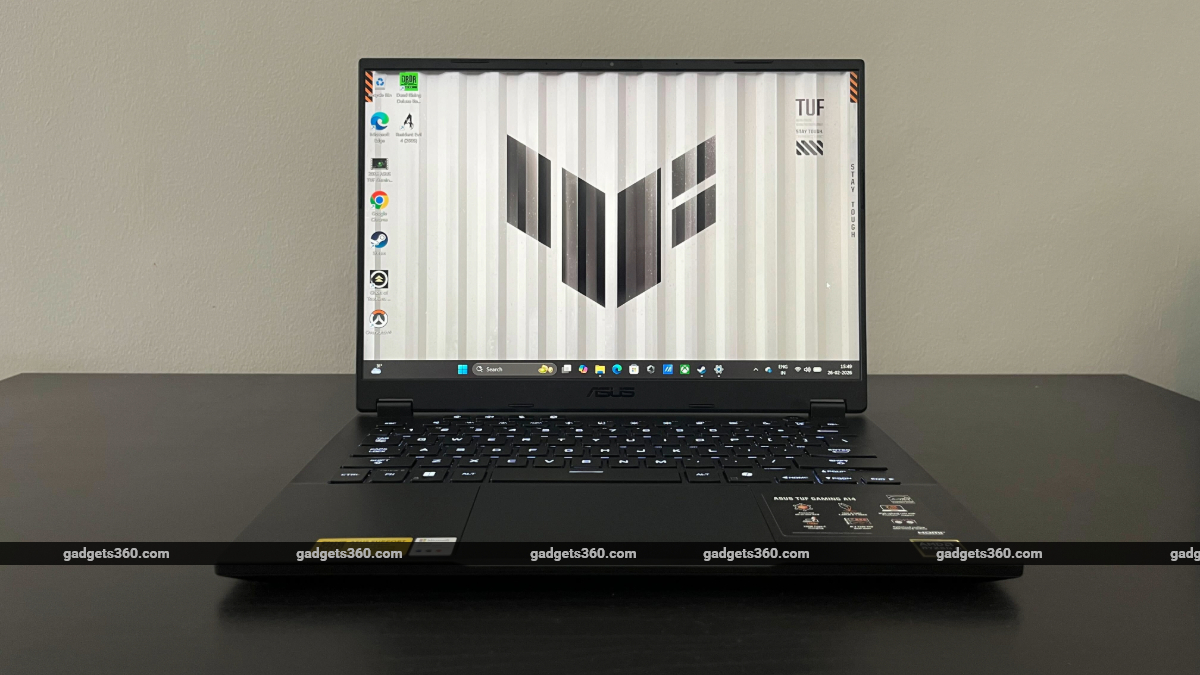
The Asus TUF Gaming A14 (2026) comes with a 2.5K resolution display with 165Hz refresh rate
Click Here to Add Gadgets360 As A Trusted Source

Advertisement
Asus' TUF line of gaming laptops has proven to be a popular affordable alternative to its more premium ROG products. They promise strong performance and durable build quality at a mid-range price. Of late, however, Asus seems to have been trying to elevate the TUF brand by taking inspiration from its own ROG Zephyrus series of high-end gaming laptops.
The TUF Gaming A14, first introduced in 2024, clearly borrows ideas from ROG Zephyrus G14 laptops: the 14-inch compact form factor coupled with the thin and light design, with a focus on delivering gaming performance. We've had a bit of hands-on time with the latest TUF Gaming A14 refresh, launched in India on Thursday at a starting price of Rs. Rs. 1,79,990, that runs on the all-new AMD Ryzen AI Max+ 392 processor with integrated Radeon 8060S graphics.
You'd expect a gaming laptop to come with a discreet GPU, but Asus has opted for an AMD APU that puts a 12-core Zen 5 CPU with 40 compute units of RDNA 3.5 graphics into a single processor. How well does that work, especially for gaming? We'll do more rigorous benchmarking for the full review, but early impressions of the TUF Gaming A14 are quite positive.
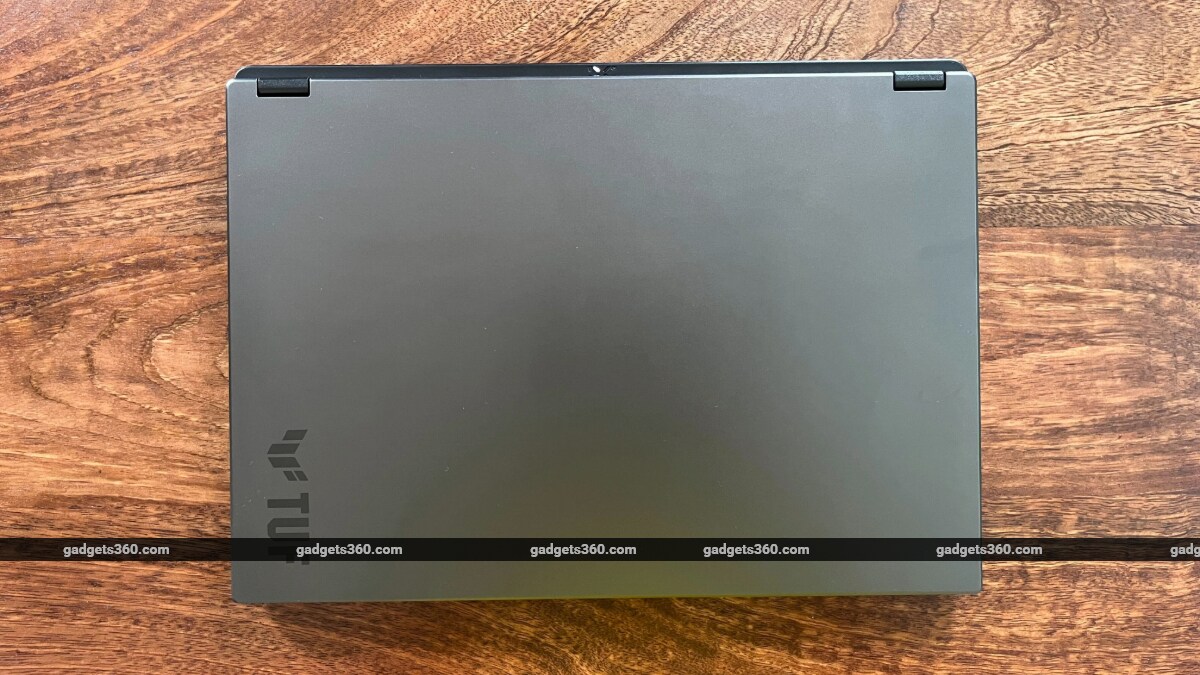
The TUF Gaming A14 laptop retains the design of its predecessors
The focus, of course, is on portability and power. The 14-inch form factor, which has grown quite popular in recent years, is a good balance between compact size and screen real estate. The new A14 comes with a sleek and sturdy chassis that measures 311mm x 227mm in size and 16.9mm at its thinnest point. It weighs 1.48kg, making it very portable. The aluminium lid and bottom panel make the design feel premium.
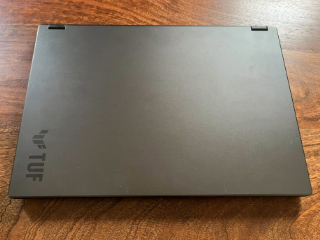
Asus has retained the minimalist design seen in previous TUF Gaming A14 laptops, opting to put only the TUF branding and logo on the bottom-left side of the lid. The metal lid, in its grey/black colourway, however, attracts lots of greasy fingerprints that become very visible after a day's worth of use.
When the lid is closed, you can also see four system LED indicators in a striking ‘X' shape on top of the rear protruding edge that carries exhaust vents. There are diamond-shaped cutouts on the underside for air intake, as well.
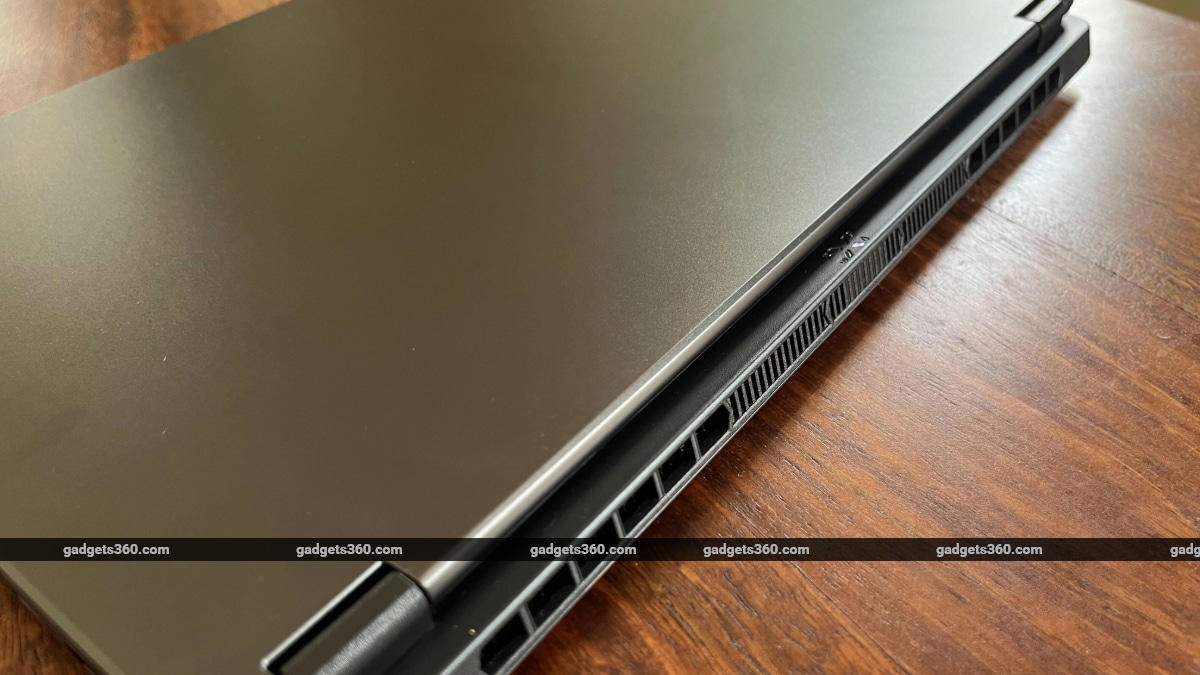
Exhaust vents are placed on the rear side, along with the system LED indicator
On the left side, the TUF Gaming A14 carries Asus' proprietary charging port; an HDMI 2.1 port; a USB Type-C port that supports DisplayPort 2.1 and Power Delivery; a USB 3.2 Type-A port, and a 3.5mm audio jack. On the right side, you get a USB Type-C and a USB Type-A port, along with a microSD card reader — a much-appreciated port addition, especially considering the laptop is geared towards creators.
Aside from the thin and light design, the TUF Gaming A14 feels robust. The build feels sturdy, and it comes with MIL-STD-810H durability. I really appreciate the thick rubber feet provided at the bottom, too. Aside from aiding in thermal management, the cushioned feedback when you place the laptop on the flat surface oddly feels good, and you get better grip on the surface, too.
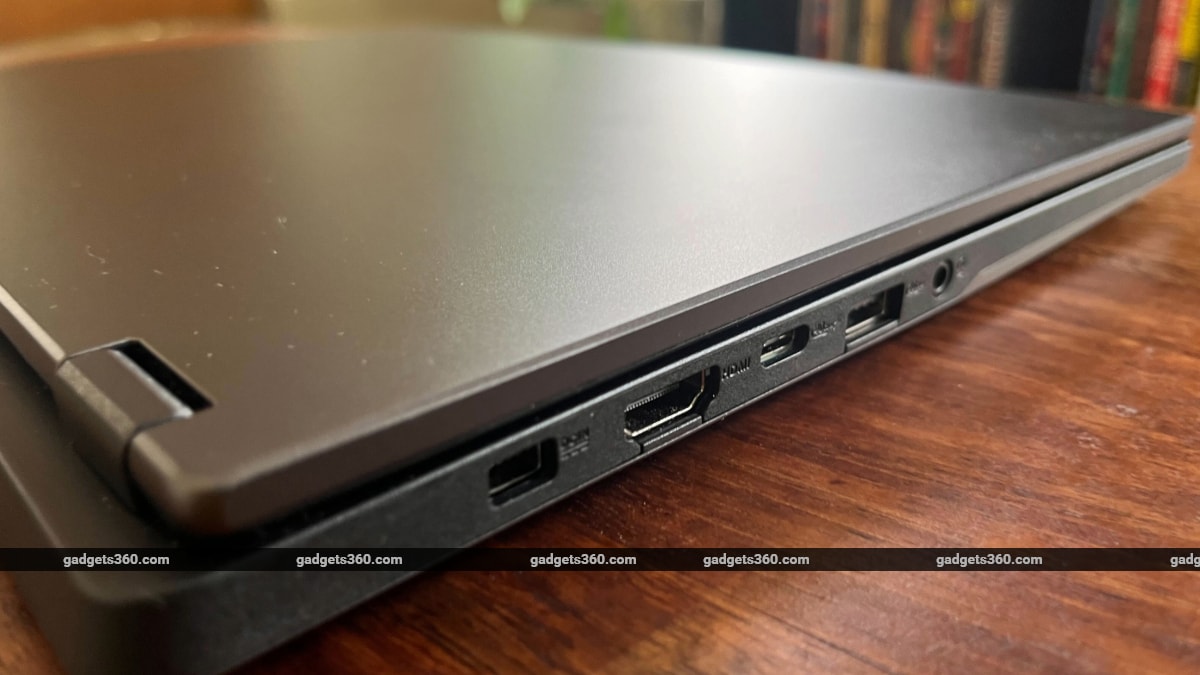
The laptop comes with a healthy selection of ports
The sturdiness extends to the hinges, as well. Opening the lid, which you can do with one hand, feels buttery smooth and consistent, and you can pull it back to a full 180 degrees. With the lid opened, the first thing that you notice are the thin bezels. At just 4mm on the sides and 7mm on the top, Asus says the A14 features the slimmest bezels it has put on a TUF laptop ever. That's a useful bit of extra screen real estate on a 14-inch laptop. The top bezel sports a 1080p FHD webcam with IR sensors and Windows Hello support.
On the inside, the A14 features plastic panels with a matte finish — this probably helps keep the laptop lightweight and cut down costs. There's just enough space for your palms to rest — unless you have Hagrid-sized gigantic palms, and most of the bottom panel area is taken up by the large glass touchpad. At first, I wasn't too happy with the keyboard, as it wasn't giving me enough clicky feedback that I'm used to on my mechanical keyboard. But after spending hours on end writing on the thing, I was happy with the cushioned tactility of the A14's keyboard. You'll find helpful hotkeys for keyboard lighting, brightness, volume, mic on/off, power profiles, and Asus' Armory Crate software. And of course, there's a dedicated Copilot key, in case you're into AI stuff.
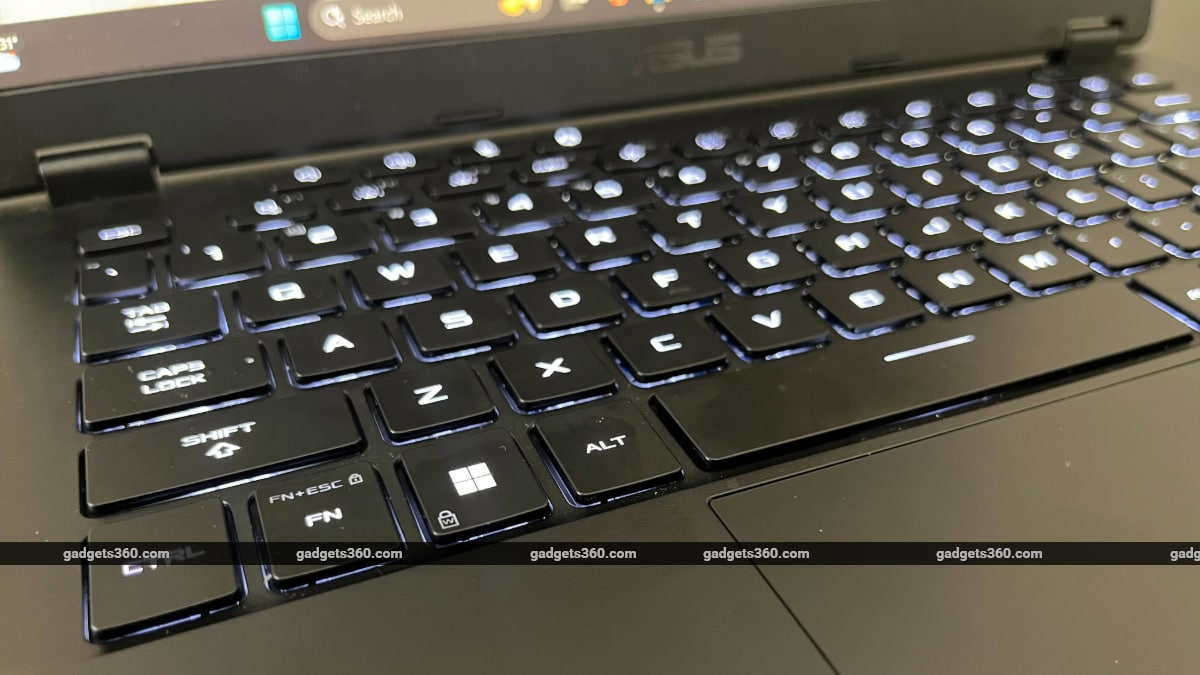
TUF Gaming A14's keyboard feels good to type on
The TUF Gaming A14 laptop does not have RGB, but it comes with mini-LED-based keyboard backlighting that supports three brightness levels. You can also switch between three lighting states — breathing, strobing, and static. RGB would have been a good addition, but the standard white backlight goes with the overall minimalist aesthetic.
While it doesn't go nearly as bright as an OLED display, the screen is built for gaming. It's 16:10 anti-glare IPS panel with 2.5K (2560 x 1600, WQXGA) resolution, 165Hz refresh rate, and 3ms response time, and it supports AMD FreeSync. The high refresh rate makes even simple tasks like scrolling through web pages smooth. The speakers are loud enough and come with Dolby Atmos surround sound.
The Windows 11 laptop is powered by an all-in-one APU, combining AMD Ryzen AI MAX+ 392 CPU with integrated Radeon 8060S graphics on a single chip. It also boasts AMD XDNA NPU with up to 50 TOPS for local AI. The A14 comes with 32GB of LPDDR5X-8000 onboard memory and 1TB SSD storage installed in one out of two full-size M.2 2280 SSD slots. You can easily upgrade storage and install a second SSD stick — probably inadvisable considering the prices these days.
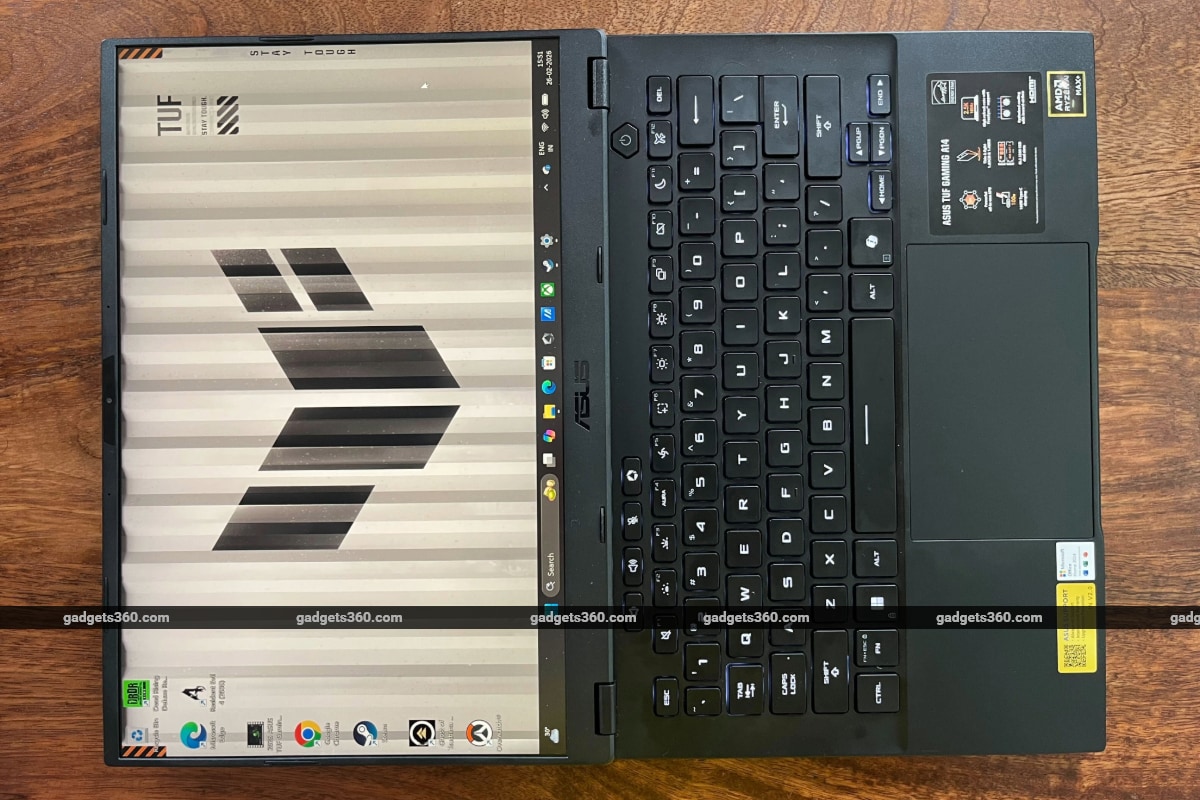
TUF Gaming A14 sports a 180-degree hinge
I tried playing some games, both old and new, on the A14 to test out the APU's performance. Asus claims the laptop's graphics performance can rival a dedicated GPU with much less power draw. On Ghost of Tsushima Director's Cut, while playing at 2.5K resolution on High graphics preset, I got an average of around 45fps. But with FSR frame generation on, I was able to bump up the average frame rate to 67fps. Lowering the resolution made the experience much smoother.
On an older game like Resident Evil 4 (the original, not the remake), which comes with capped framerate, had no issues running at 60fps. Meanwhile, an online shooter like Overwatch ran easily above 120fps on Ultra settings at 2.5k resolution. These initial tests suggest the TUF Gaming A14 is more than capable of handling modern games.
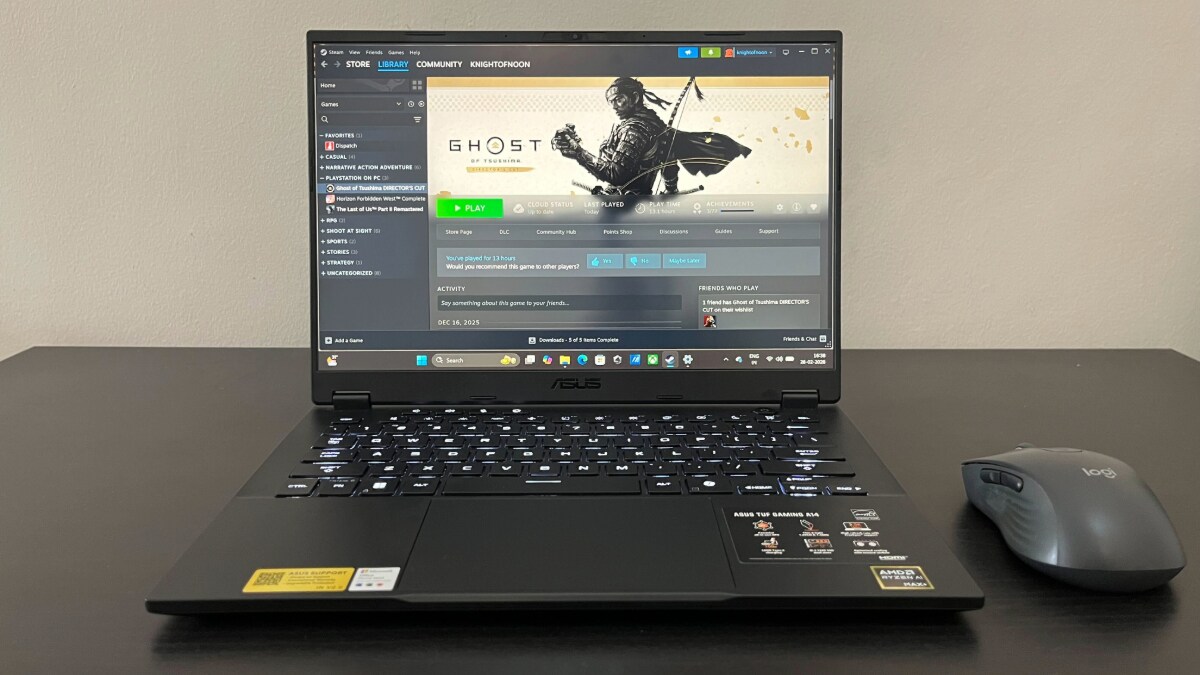
Asus claims the A14 2026 rivals graphics performance of dedicated GPUs
In addition to respectable gaming performance, the new TUF A14 seems ideal for day-to-day use due its excellent battery life. I used the laptop over the course of a workday, mostly switching between multiple browser tabs, some Windows tools and media, and I was able to get over seven hours of battery life on the Silent power profile. I can see the benefit of the energy-efficient AMD APU over a standard GPU+CPU configuration.
The TUF Gaming A14 2024 and A14 2025 models came with discreet Nvidia GeForce RTX 4060 and 5060 GPUs, and the move to an AMD APU with integrated graphics is a curious choice for a gaming laptop on paper. But Asus claims the TUF Gaming A14 2026 can hold its own, and so far, it seems like it can, even if it might not have the raw graphics power that comes with a dedicated GPU.
- REVIEW
- KEY SPECS
- NEWS
- Good
- Functional, minimalist design
- Thin-and-light, durable build
- Excellent battery life
- AMD Strix Halo series processor shines
- Decent gaming performance
- Large glass touchpad, comfortable keyboard
- Bad
- Dull display
- Underwhelming speakers
- Less raw graphics power
- Price on the higher side
Read detailed Asus TUF Gaming A14 (2026) review
Display size 14.00-inch
Display resolution 1600x2560 pixels
Touchscreen No
RAM 32GB
OS Windows 11 Home
SSD 1TB
Weight 1.48 kg
Comments
Get your daily dose of tech news, reviews, and insights, in under 80 characters on Gadgets 360 Turbo. Connect with fellow tech lovers on our Forum. Follow us on X, Facebook, WhatsApp, Threads and Google News for instant updates. Catch all the action on our YouTube channel.
Further reading:
Asus TUF Gaming A14 2026, TUF Gaming A14 First Impressions, TUF Gaming A14, Asus, AMD

Related Stories


Advertisement
Follow Us




-
![[Sponsored]: CP PLUS CarKam CP-F89B: 4K Dashcam With Rear Camera, GPS & Emergency Recording](https://www.gadgets360.com/static/desktop/images/spacer.png)
04:37
[Sponsored]: CP PLUS CarKam CP-F89B: 4K Dashcam With Rear Camera, GPS & Emergency Recording -
04:23
[Partner Content] Your Phone Can Do WAY More Than You Think | OPPO ColorOS 16 -
01:59
Samsung Galaxy Z Fold8 Ultra: Unfold the Ultra Night -
03:24
Apple Pay Launches In India: Supported Devices, Cards And Payments Explained -
00:21
[Sponsored] Samsung Galaxy Z Fold8, Fold8 Ultra
-
Amazon Great Indian Festival Sale: iPhone 17 Pro पर बंपर डील
-
Flipkart Big Billion Days Sale: ₹8K से सस्ता मिल रहा Google Pixel 10a
-
भारत में दुनिया का सबसे सस्ता इंटरनेट, 1GB की कीमत सिर्फ 8 रुपये
-
Amazon Great Indian Sale 2026: ₹5 हजार तक सस्ते खरीदें 7,200mAh तक बैटरी वाले iQOO Z11 सीरीज फोन
-
Flipkart Big Billion Sale 2026: ₹46000 एमआरपी वाला Vivo फोन ₹23 हजार में! 7,200mAh बैटरी
Advertisement
Popular on Gadgets
- Samsung Galaxy S26 Ultra
- Motorola Razr Fold
- ChatGPT
- OPPO Find N6
- Mobiles Under Rs. 40,000
- Vivo X300 Ultra
- Asus Zenbook S14
- iQOO 15
- Vivo X300 Pro
- Lenovo Yoga Slim 7i Aura Edition
- iQOO 15R
- Vivo X Fold 5
- Sony PlayStation 5
- HP OmniPad 12
- OnePlus Nord CE 6 Lite
- OnePlus Pad 4
- OPPO F33 Pro 5G
- Cryptocurrency
- HP OmniBook Ultra 14 (2026)
- iPhone 17
- Eureka Forbes AP 355 Room Air Purifier
- Latest Mobile Phones
- Compare Phones
Latest Gadgets
- Vivo Y600s Pro
- Vivo Y32 (2026)
- Infinix Smart 20 HD
- Vivo V80
- Vivo S2 FE
- Vivo Y600K Turbo
- Realme P4s Lite
- Vivo S60t
- Dell Pro Rugged 14
- Dell Pro Rugged 13 Extreme
- Amazon Alexa Tablet 8
- Amazon Alexa Tablet 11
- Amazfit T-Rex Dual Solar
- OPPO Watch S2
- Toshiba 65-Inch 4K Ultra HD Smart Mini LED QLED TV (65Z670SP)
- Haier M70 Mini LED 65-inch
- Acer Predator Atlas 8
- Asus ROG Ally
- Blue Star 1.5 Ton 5 Star Inverter Split AC (IE518ZNURS)
- Blue Star 2 Ton 3 Star Inverter Window AC (WIE324L)

- About Us
- Sitemaps
- Feedback
- Archives
- Contact Us
- RSS
- Advertise
- Career
- Privacy Policy
- Ethics
- Editorial Policy
- Terms & Conditions
- Complaint Redressal
Download Our Apps
Available in Hindi
© Copyright Red Pixels Ventures Limited 2026. All rights reserved.
-
 Apple Watch Series 12
Starts from ₹56,900
Apple Watch Series 12
Starts from ₹56,900
-
 Samsung Galaxy Watch Ultra 2
Starts from ₹63,999
Samsung Galaxy Watch Ultra 2
Starts from ₹63,999
-
 Samsung Galaxy Watch 9 (44mm, LTE)
Starts from ₹41,999
Samsung Galaxy Watch 9 (44mm, LTE)
Starts from ₹41,999
-
 Samsung Galaxy Watch 9 (40mm, LTE)
Starts from ₹38,999
Samsung Galaxy Watch 9 (40mm, LTE)
Starts from ₹38,999
-
 Samsung Galaxy Watch 9 (40mm)
Starts from ₹36,999
Samsung Galaxy Watch 9 (40mm)
Starts from ₹36,999
-
 Samsung Galaxy Watch 9 (44mm)
Starts from ₹40,999
Samsung Galaxy Watch 9 (44mm)
Starts from ₹40,999