-
 Samsung Galaxy Tab S12+, Galaxy Tab S12 Ultra Design Revealed in New Leak; Spotted in EPREL Database29 September 2026
 -
Samsung Galaxy Z Fold 8, Galaxy S25 Series Tipped to Receive Price Hikes After Galaxy A56 and Galaxy A3629 September 2026
-
Qualcomm Could Bring Samsung’s 2nm Process to Future Snapdragon Flagships: Here’s What We Know28 September 2026
-
Galaxy S27 Ultra Case Leak Shows Possible New Camera Layout: Here’s What We Know So Far28 September 2026
-
Motorola Teases New Passport-Like Razr Fold After Apple Launches iPhone Duo10 September 2026
- Home
- Mobiles
- Mobiles News
- Samsung One UI 9 Update Rolls Out With New Features for Galaxy S26 Users in the US: Report
Samsung One UI 9 Update Rolls Out With New Features for Galaxy S26 Users in the US: Report
The One UI 9 update has also reportedly reached some Galaxy Z Flip 7 FE users.
Written by Sucharita Ganguly, Edited by Rohan Pal | Updated: 29 September 2026 16:39 IST
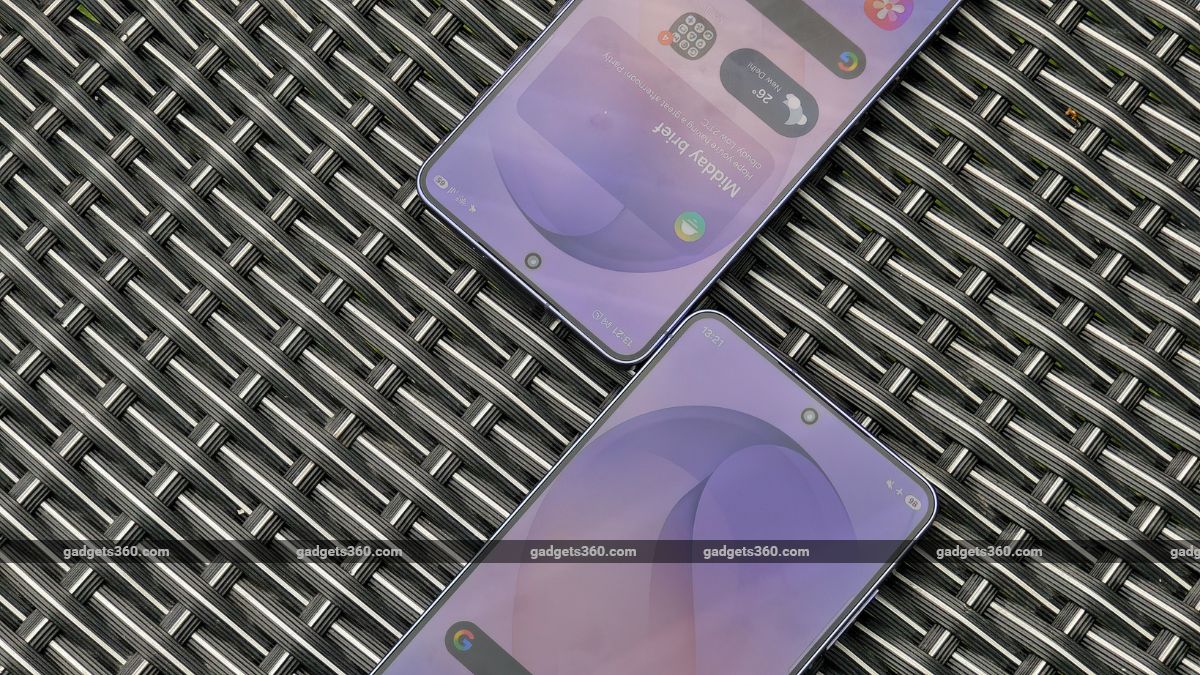
Samsung has expanded privacy and security controls
Click Here to Add Gadgets360 As A Trusted Source

Advertisement
Samsung is expanding the Android 17-based One UI 9 update to more Galaxy S26 users in the US after a delayed start. The software upgrade initially reached a limited number of T-Mobile devices before expanding to unlocked Galaxy S26 units enrolled in the beta programme. One UI 9 brings changes to Galaxy AI, privacy, security, Samsung Health, accessibility and multitasking. The update also adds new Bixby controls, a redesigned lock screen clock and several improvements to Samsung DeX.
Samsung Expands One UI 9 Android 17 Rollout for Galaxy S26 in US: Complete Changelog
According to a report by 9to5Google, the update introduces several new Galaxy AI features, expanded privacy and security controls, a more customisable Quick Panel and new health tracking tools. It also brings changes to Bixby, accessibility, the lock screen and Samsung DeX.
The Now Nudge feature can reportedly suggest actions from conversation notifications or a floating button, including adding reservation details, entering addresses and saving places in Google Maps. My FanCam can follow a selected person in a video and crop the surrounding footage automatically. Interpreter's conversation mode is also said to let users scroll through previous parts of a conversation while continuing to talk. During calls, the phone can surface related information such as upcoming events.
One UI 9 reportedly adds a Warranty and care section in Settings with warranty information, diagnostic tools and maintenance guidance. Users can also quickly disable biometric unlocking for the next unlock attempt by holding the volume down and side buttons together or tapping Power in the Quick Panel.
A blue indicator will appear when an app accesses location data, with the Quick Panel showing which app triggered it. The Now brief can also warn about malware, apps installed from unknown sources and unnecessary permissions. AI-powered privacy alerts are said to flag apps that request excessive access to personal data, while potentially malicious or vulnerable apps can be blocked from opening.
The redesigned Samsung Health app lets users resize and rearrange cards for Activity, Sleep, Mindfulness and Nutrition. It also adds quicker ways to log moods and meals, including camera-based input. Health trends can be viewed by hour, day or week, with pinch-to-zoom support and the option to compare multiple charts. Galaxy Watch and Galaxy Ring measurements can also be used to track sleep-related vitals.
Samsung Health can reportedly generate a daily heart health score using factors such as sleep, exercise, BMI and blood pressure. Cardio load tracking shows the impact of workouts and adjusts target ranges based on recent activity and training goals. The new Fitness Index combines body composition, cardio, strength, flexibility and endurance data, while the Hearing tracker monitors sound exposure using Galaxy Watch and headphone measurements. Cycle tracking also gets additional options and a calendar view.
Bixby can reportedly be activated by raising the phone towards the mouth and speaking, without requiring a wake word. Its conversation history can be searched, renamed, pinned or cleared, while a new home screen widget provides access to both new and previous conversations.
One UI 9 also adds accessibility changes, including Text Spotlight for enlarging and highlighting content on screen. Physical keyboard users can access accessibility settings through shortcuts, while Mouse Keys gains controls for pointer speed and acceleration as well as number-pad support. Samsung has also moved the Replace swipe with single tap option to the Dexterity and interaction menu.
Select to speak can reportedly read selected text or describe images without requiring full TalkBack. TalkBack updates are expected to be delivered through the Play Store, while a new What's new section will highlight recent accessibility additions.
Elsewhere, the Quick Panel can reportedly be customised further, including changes to the size of brightness and volume controls and the media player. Users can also separate the sound mode button from the volume slider. Samsung DeX is said to make it easier to move app windows between desktops and desktop previews in Recents. The default Lock screen clock has also been redesigned to adapt to the wallpaper.
The report further notes that One UI 9 has started reaching the Galaxy Z Flip 7 FE, alongside the wider expansion of Android 17-based software beyond the Galaxy S26 beta rollout.
- REVIEW
- KEY SPECS
- NEWS
- Good
- Refined, well-built design
- Compact and great for one-handed use
- Fast performance with the new 2nm chipset
- Clean One UI experience, long software support
- Bad
- Minimal upgrades over previous generations
- Same camera hardware reused again
- Low PWM dimming and still an 8-bit screen
- Price hike makes value harder to justify
Read detailed Samsung Galaxy S26 review
Display 6.30-inch
Processor Samsung Exynos 2600
Front Camera 12-megapixel
Rear Camera 50-megapixel + 12-megapixel + 10-megapixel
RAM 6GB, 12GB
Storage 128GB, 256GB, 512GB
Battery Capacity 4300mAh
OS Android 16
Resolution 1080x2340 pixels
- KEY SPECS
- NEWS
Display (Primary) 6.70-inch
Cover Display 3.40-inch
Processor octa-core
Front Camera 12-megapixel
Rear Camera 50-megapixel + 12-megapixel
RAM 8GB
Storage 128GB, 256GB
Battery Capacity 4000mAh
OS Android 16
Comments
Get your daily dose of tech news, reviews, and insights, in under 80 characters on Gadgets 360 Turbo. Connect with fellow tech lovers on our Forum. Follow us on X, Facebook, WhatsApp, Threads and Google News for instant updates. Catch all the action on our YouTube channel.
Related Stories


Advertisement
Follow Us




-
![[Sponsored] Samsung Galaxy Z Fold8, Fold8 Ultra](https://www.gadgets360.com/static/desktop/images/spacer.png)
00:21
[Sponsored] Samsung Galaxy Z Fold8, Fold8 Ultra -
03:41
[Sponsored] Samsung Galaxy Z Fold8: How It Fits Into an Actor’s Busy Day | Camera, Multitasking & More -
09:53
iPhone 18 Goes On Sale In India: Huge Crowds, Long Queues At Apple Stores -
06:32
Google Pixel 11 Pro XL Review: The Most Exciting Pixel Yet? | 120X Zoom + Tensor G6 -
05:20
Samsung Galaxy Watch Ultra 2 Review: Is This the Best Android Smartwatch?
-
Amazon vs Flipkart Sale: iPhone 17 ₹79,999 में, iPhone 15 ₹63,999 से शुरू
-
HMD 106 Pure लेटेस्ट फीचर फोन हुआ पेश, कीमत ₹1,100 के करीब
-
1 स्पीकर में 3 के मजे! Portronics ने भारत में लॉन्च किया AuraTrio
-
₹2508 डिस्काउंट पर मिल रहा Vivo Y सीरीज फोन! 50MP कैमरा, 5500mAh है बैटरी
-
Ai+ Pulse 2 FE vs MIVI One 5G vs Vivo T5e: ₹15 हजार में कौन सा फोन है बेस्ट?
Advertisement
Popular on Gadgets
- Samsung Galaxy S26 Ultra
- Motorola Razr Fold
- ChatGPT
- OPPO Find N6
- Mobiles Under Rs. 40,000
- Vivo X300 Ultra
- Asus Zenbook S14
- iQOO 15
- Vivo X300 Pro
- Lenovo Yoga Slim 7i Aura Edition
- iQOO 15R
- Vivo X Fold 5
- Sony PlayStation 5
- HP OmniPad 12
- OnePlus Nord CE 6 Lite
- OnePlus Pad 4
- OPPO F33 Pro 5G
- Cryptocurrency
- HP OmniBook Ultra 14 (2026)
- iPhone 17
- Eureka Forbes AP 355 Room Air Purifier
- Latest Mobile Phones
- Compare Phones
Latest Gadgets
- HMD Vibe 2 Pro 5G
- OPPO K14 Plus 5G
- Lava Shark 2 Pro 5G
- Ai+ Pulse 2 FE
- OPPO Reno 16t
- Itel Zeno 300
- Vivo Y600i
- Mivi One 5G
- Dell 14 Plus 2-in-1 (AMD Ryzen AI 7 350, 2025)
- Microsoft Surface Laptop, 13-inch (2nd Edition)
- Ai+ NovaTab
- Microsoft Surface Pro, 12-inch (2nd Edition)
- Amazfit T-Rex Dual Solar
- OPPO Watch S2
- Toshiba 65-Inch 4K Ultra HD Smart Mini LED QLED TV (65Z670SP)
- Haier M70 Mini LED 65-inch
- Acer Predator Atlas 8
- Asus ROG Ally
- Blue Star 1.5 Ton 5 Star Inverter Split AC (IE518ZNURS)
- Blue Star 2 Ton 3 Star Inverter Window AC (WIE324L)

- About Us
- Sitemaps
- Feedback
- Archives
- Contact Us
- RSS
- Advertise
- Career
- Privacy Policy
- Ethics
- Editorial Policy
- Terms & Conditions
- Complaint Redressal
Download Our Apps
Available in Hindi
© Copyright Red Pixels Ventures Limited 2026. All rights reserved.