-
 Asus Zenbook 14, Vivobook S14, Vivobook S16, Vivobook S14 Flip and Vivobook S16 Flip Launched at Computex 20262 June 2026
 -
Asus Zenbook, Vivobook Range Launched in India With Intel Core Ultra and Snapdragon X2 CPUs: Price, Specifications14 April 2026
-
Asus Zenbook S16, Zenbook 14 Launched in India Alongside New Vivobook Models: Price, Specifications5 February 2026
-
Best Thin and Light Laptops Under Rs. 1 Lakh in India: MacBook Air (M4), Samsung Galaxy Book 5, and More9 December 2025
-
Asus Refreshes Vivobook 16, 14, 14 Flip, S14, Zenbook 14, and Zenbook Duo in India; Gaming V16 Unveiled14 February 2025
- Home
- Laptops
- Laptops Reviews
- Asus Zenbook 14 (UM3406G) Review: A Premium Thin and Light That Delivers
Asus Zenbook 14 (UM3406G) Review: A Premium Thin-and-Light That Delivers
The Zenbook 14 comes equipped with a good blend of premium design and dependable performance. Check out the review to know more.
Written by Rohan Pal, Edited by Ketan Pratap | Updated: 12 February 2026 15:45 IST
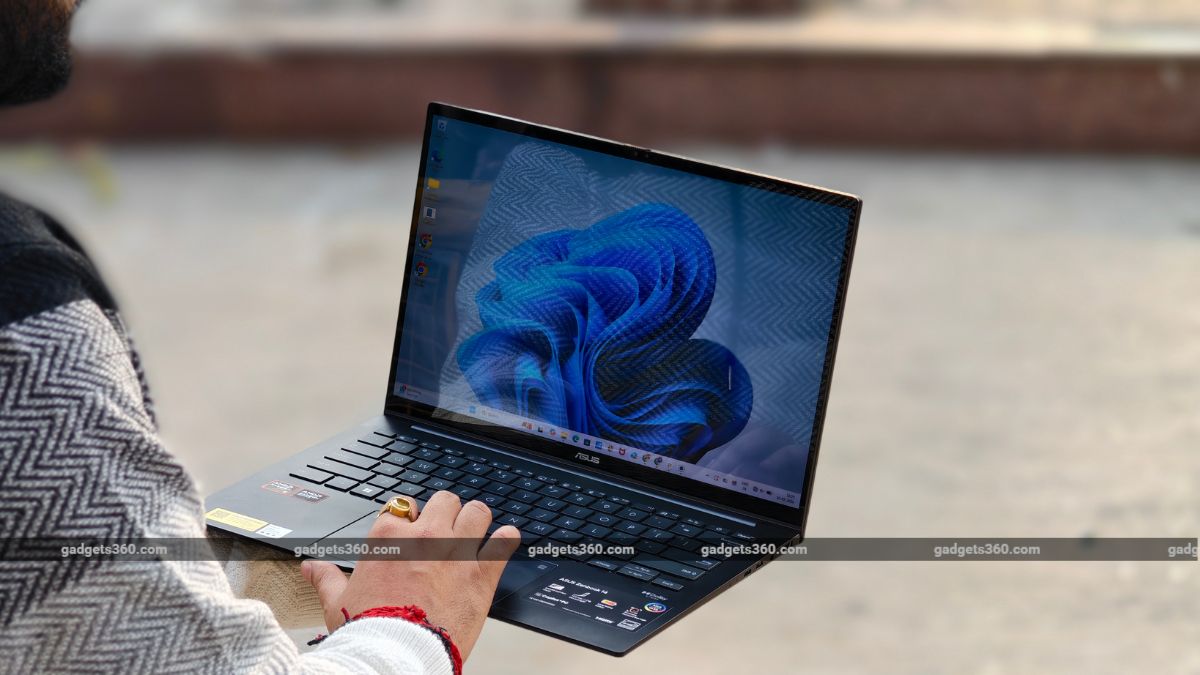
The Asus Zenbook 14 comes with a price tag of Rs. 1,15,999.
Click Here to Add Gadgets360 As A Trusted Source

Advertisement
Asus has kick-started 2026 with a refreshed lineup of Zenbook and Vivobook series in India. The brand recently introduced the new Zenbook S16 and Zenbook 14 series laptops, powered by AMD processors, bringing new colours, better hardware, and more. More importantly, we will be talking about the Zenbook 14, which has been one of the company's most popular products in the consumer segment. The latest model from the brand is priced at Rs. 1,15,990 and brings an interesting set of features for the masses. However, does it pack enough arsenal to become your reliable daily driver? I got the chance to use the device as a daily driver, and here's what you need to know.
Asus Zenbook 14 (UM3406G) Laptop Design: Beautiful and Sleek
- Dimension - 312.4 x 220 x 14.9 mm
- Weight - 1.28kg
- Colours - Jade Black
Asus is one of the few brands that puts a lot of effort into designing its laptops. And the same efforts can be seen in this laptop as well. The device features a solid yet premium design. The laptop is also quite compact, measuring 14.9mm thick, and lightweight, weighing 1.2kg.
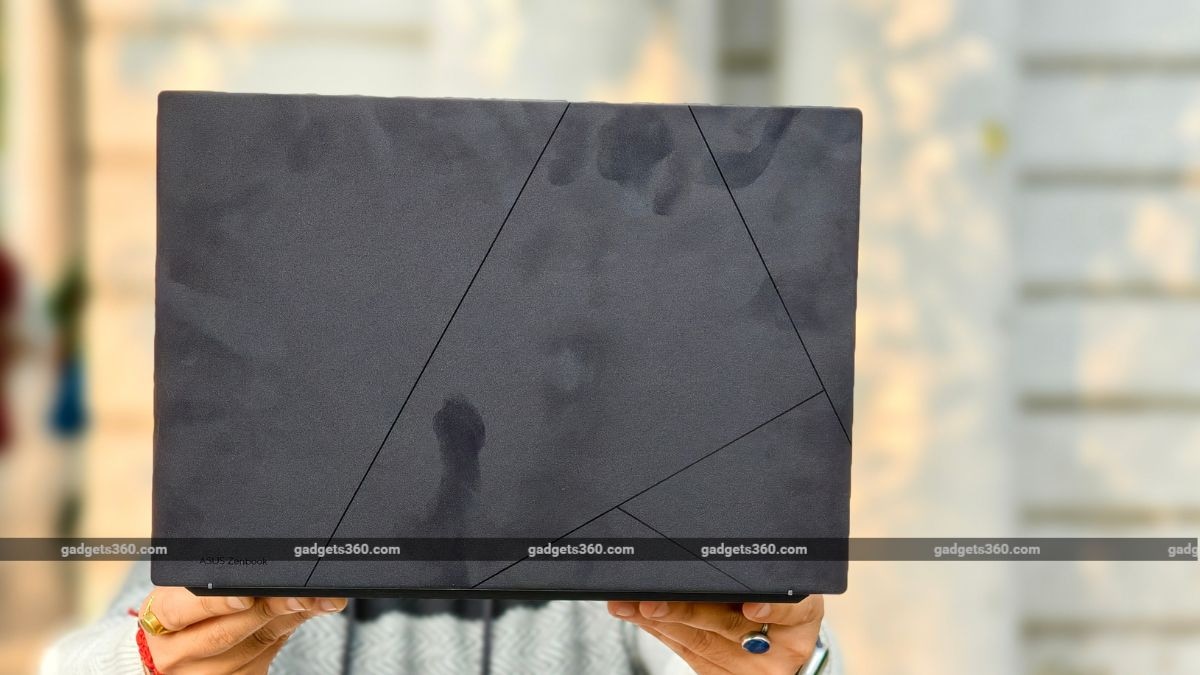
The Asus Zenbook 14 is available in a single Black colour option.
The chassis is crafted from aluminium alloy, while the lid is made with an anodisation process that gives a subtle yet classic look. The lid comes with lines, and the Zenbook logo at the bottom looks quite premium, to be honest. The black colour is sure stunning, and the finish is up to the mark, making it a premium offering.
However, it is susceptible to smudges, which cannot be cleaned quite easily. This spoils the whole design aesthetics. So, for example, you can see your palm print on the touchpad or even on the lid where you open the laptop. Also, I found the lid a bit stiff, which makes it difficult to open with one hand. A minor convenience, to be honest.
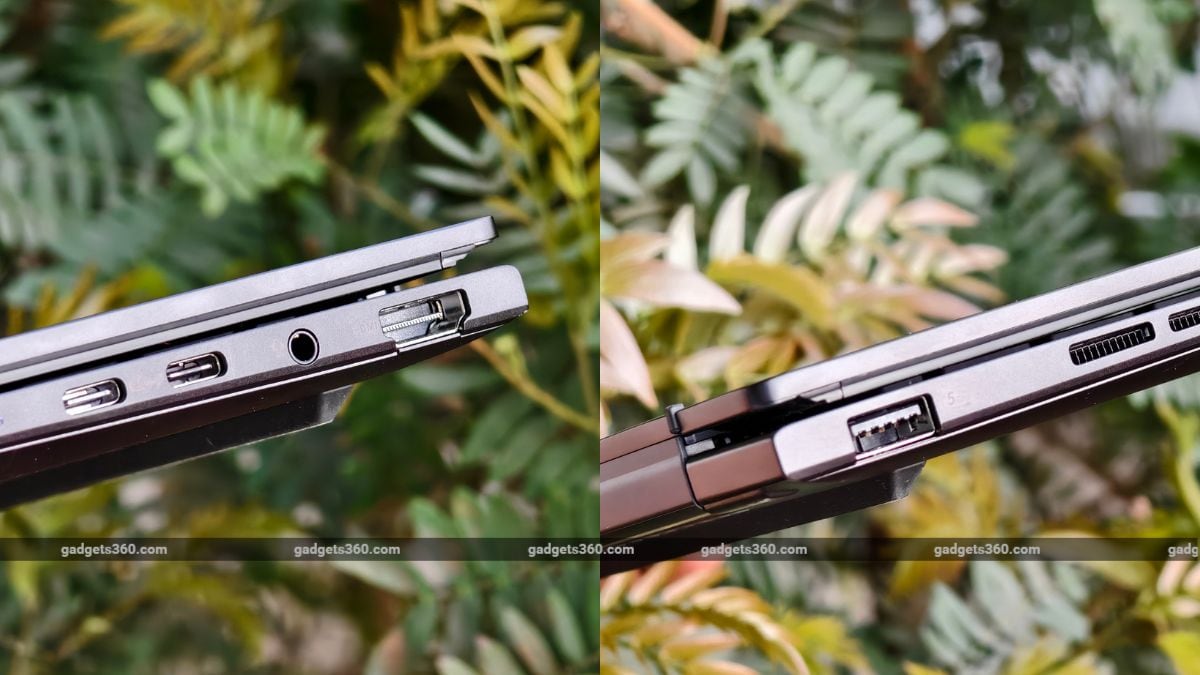
The Asus Zenbook 14 comes with good when it comes to connectivity ports.
As for the ports, you get one USB 3.2 Gen 2 and one USB 4 Type-C port, an audio jack, and an HDMI 2.1 port on the left side. On the right, you get a USB 3.2 Gen 2 Type-A port. That said, it is durable and comes with MIL-STD 810H military-grade certification, which sure adds some peace of mind when it comes to accidental drops. That said, the laptop is well-designed, with a sleek profile and a lightweight build, staying true to the essence of the Zenbook series.
Asus Zenbook 14 (UM3406G) Laptop Display: Vibrant and Colourful
- Display - 14-inch OLED touchscreen
- Resolution - 3K (2880 x 1800 pixels)
- Refresh Rate - 60Hz
Coming to the display, the Asus Zenbook 14 features a compact 14-inch OLED display with thin bezels around the edges. The display is touch-enabled and lies flat 180 degrees, which is a good thing.
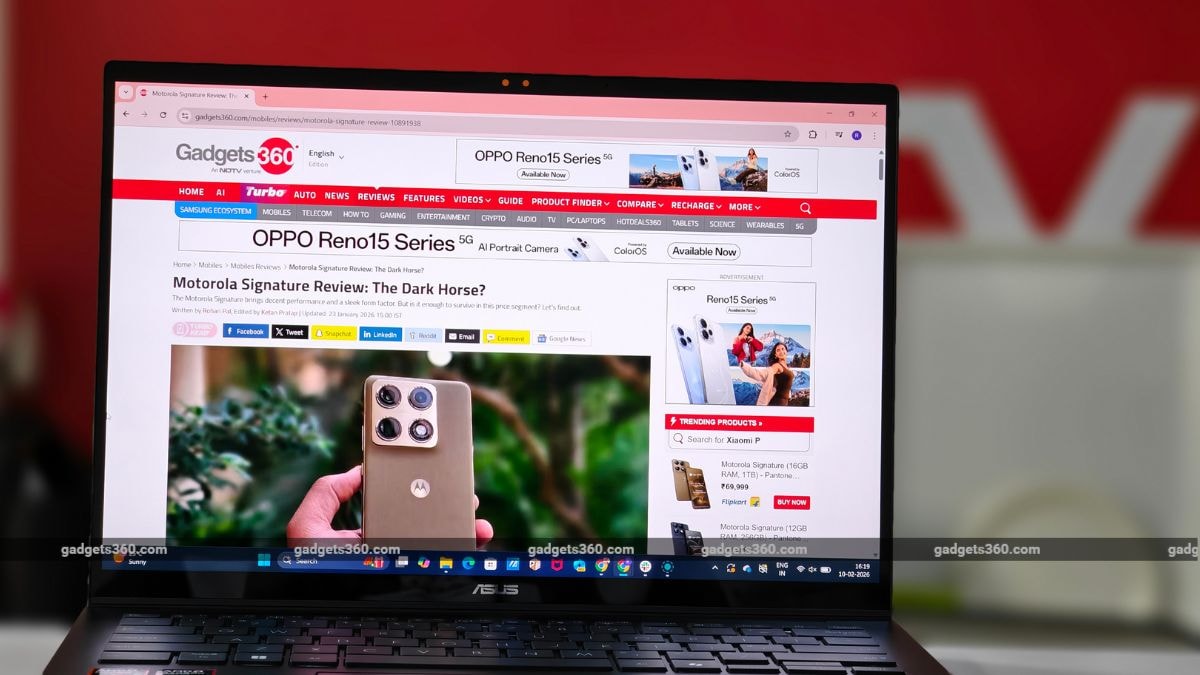
Asus Zenbook 14 is loaded with a 14.0-inch 3K OLED display.
The OLED panel does bring sharp contrasts and vivid colours to the table. The panel is well-calibrated and out of the box, delivering uniform colours, while the OLED panel keeps light bleeding to a minimum. You can also tune the display as needed using the MyAsus application, which is a good addition.
That said, the laptop's screen is reflective due to its glossy coating. Plus, the brightness is not very bright for outdoor conditions. So, you might have a bit of trouble reading the screen in a bright office or an outdoor cafe. The display also comes with a 60Hz refresh rate, which can be a bummer for some, especially if you are shifting from a 120Hz panel.
Asus Zenbook 14 (UM3406G) Laptop Keyboard, Touchpad, Speakers, and Webcam: Works Fine
- Keyboard - Backlit keyboard
- Webcam - 1080p Hi-res camera
- Speakers - Dual super-liner speakers
The Asus Zenbook 14 comes with a compact backlit keyboard. The LEDs on this are bright enough to highlight the key in dark conditions. Coming to the performance, the ErgoSense keyboard on this device offers a shorter stroke and provides a suitable 1.4mm key travel. Once you get through the learning curve, the keyboard will be quite easy to operate, and the typing experience will feel effortless. The laptop was a daily driver throughout the review period, and I never experienced any fatigue or tiredness during those long typing sessions.
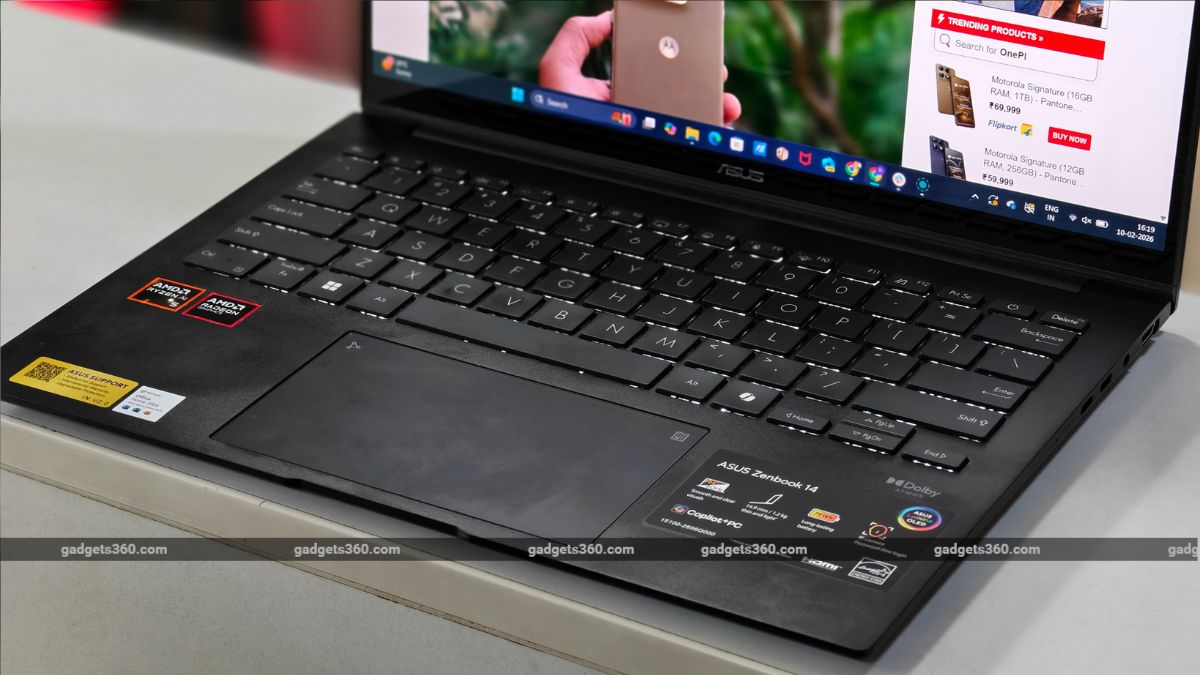
The Asus Zenbook 14 offers a backlit keyboard, which is comfortable to type.
The laptop also comes with a large touchpad, which worked well during the review period. You also get the numpad key on the top-right corner, which is a neat addition. With this, you can easily turn your touchpad into a numpad, which is good when you want to use quick calculations in Excel or Sheets.
In terms of security, the laptop does not come with a physical fingerprint sensor, but you do get an IR-based camera for Windows Hello support. The IR camera works decently throughout the review period. However, there were some instances when it refused to accept the face. Moving on, the camera is good, and you will not face many problems while using it for quick video calls.
The company has added dual Super-linear speakers, which is a good thing here. However, the audio quality is average at max. The audio lacks bass, and you can feel a bit of distortion at high volumes.
Asus Zenbook 14 (UM3406G) Laptop Software: Useful
- Operating System - Windows 11 Home
- Other Features - Copilot, Asus AI Applications
The Asus Zenbook 14 runs Windows 11 Home. The device also comes with a Copilot AI tool with multiple use cases. I used Copilot to summarise the articles for easy reading. You also get a dedicated Copilot key on the keyboard to quickly access the AI assistant.
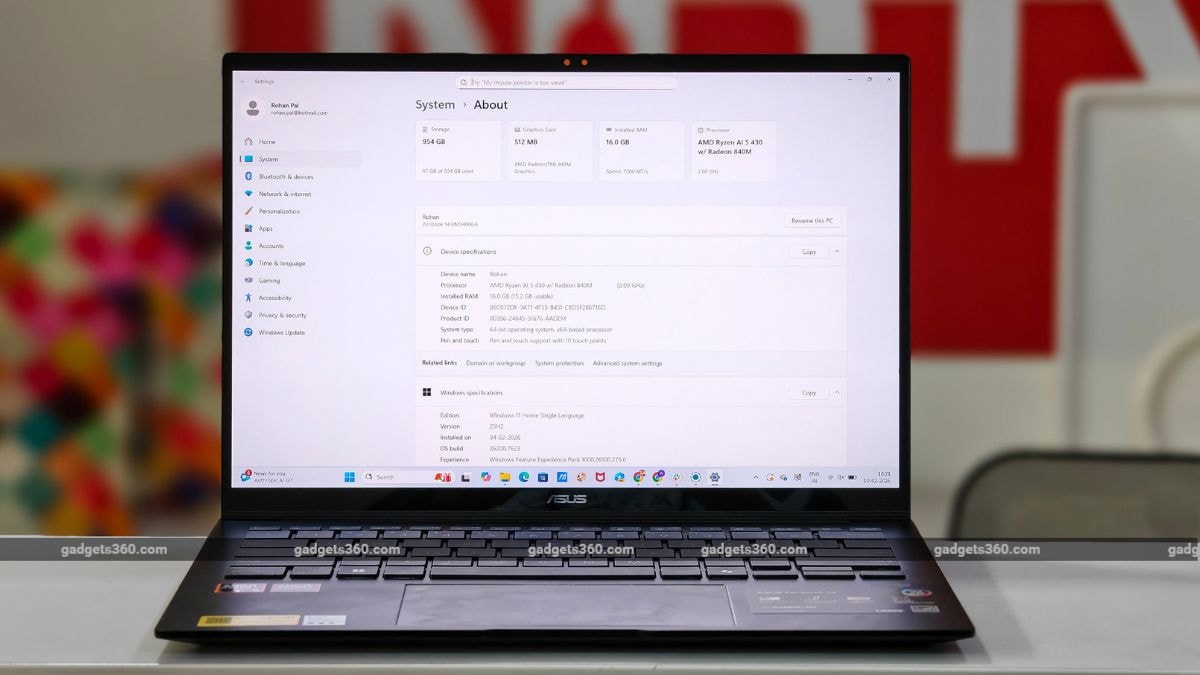
The laptop comes with Windows 11 Home operating system.
You are getting all the Microsoft CoPilot features, including Live Captions, Windows Studio Effects v2, Recall, and more, which are useful in different situations. Then there is Asus StoryCube, which is a one-stop shop for managing your photos and videos.
Apart from this, the MyAsus application is the one-stop solution for taking care of most of the features on this laptop. With this app, you can diagnose problems, update drivers, and even customise settings, which is a good thing.
Asus Zenbook 14 (UM3406G) Performance: Decent Output, Good Thermals
- Chipset - AMD Ryzen AI 5 430
- RAM - 16GB LPDDR5X
- ROM - 1TB M.2 NVMe PCIe 4.0 SSD
- GPU - AMD Radeon Graphics
Coming to the performance, the Asus Zenbook 14 lives up to expectations. The laptop can handle most of the tasks you throw at it. Whether it's normal day-to-day usage or heavy multitasking, you will not face much trouble. I have compiled a list of synthetic benchmarks, which you can check below.
| Benchmark | Asus Zenbook 14 | HP OmniBook X Flip 14 | Lenovo Yoga Slim 7i Aura Edition |
|---|---|---|---|
| Cinebench R23 Single Core | 1,698 | 1876 | 1850 |
| Cinebench R23 Multi Core | 6,421 | 9150 | 10467 |
| Geekbench 6 Single Core | 2,381 | 2750 | 2690 |
| Geekbench 6 Multi Core | 7,425 | 11189 | 11119 |
| PC Mark 10 | 6,121 | 7198 | 7253 |
| 3DMark Night Raid | 17,456 | 32098 | 33860 |
| 3DMark CPU Profile | NA | 7254 | 5861 |
| 3DMark Steel Nomad Light | 1138 | 3345 | 3227 |
| CrystalDiskMark | 6973.23 MB/s (Read)/ 6073.87 MB/s (Write) | 6992.56 MB/s (Read)/ 5795.91 MB/s (Write) | 6151.16 MB/s (Read)/ 4662.65 MB/s (Write) |
In terms of gaming performance, the laptop can handle most casual games with ease, provided you play them in low to medium settings. There are different modes that help you get the most out of the laptop's performance: Speed, Performance, Standard, and Whisper. With Performance mode, the fan speed is loud, but performance is sustained.
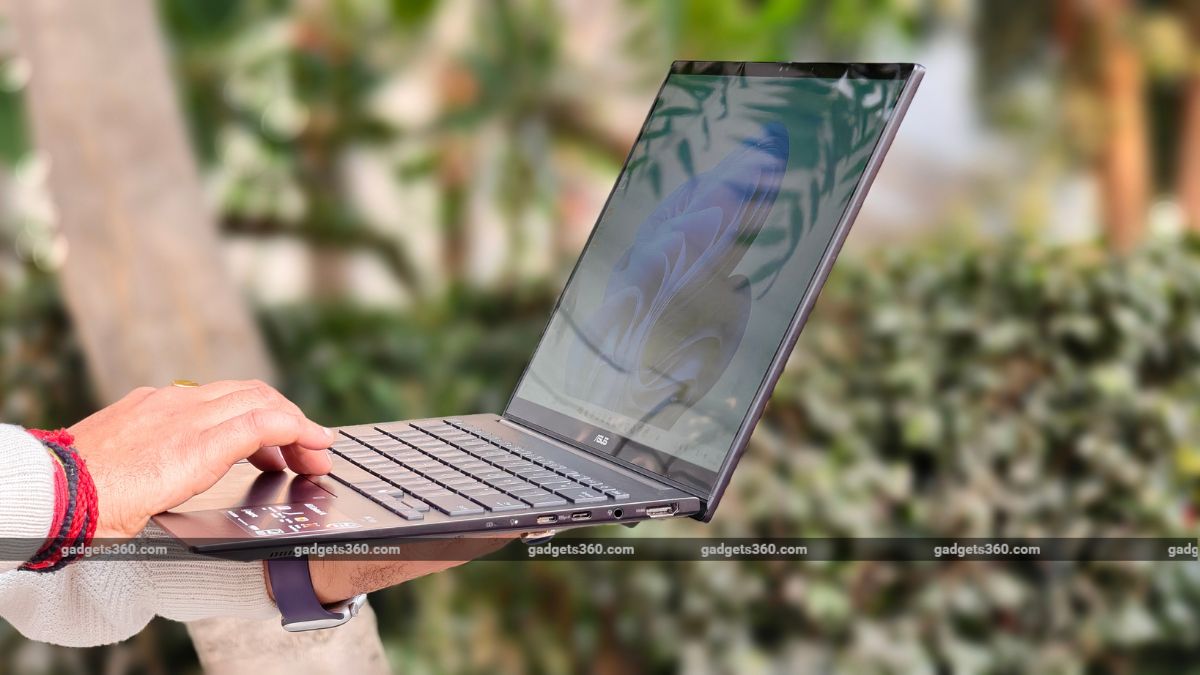
The laptop is powered by the AMD Ryzen AI 5 430 processor.
The thermal performance is also decent. During the review period, I hardly noticed the laptop getting hot in everyday usage. Even during intensive tasks, the laptop can hold its own, and you will not notice it getting too hot to handle.
Asus Zenbook 14 (UM3406G) Laptop Battery: Long-lasting and Reliable
- Battery Capacity - 4 Cell, 75 Wh (Typical)
- Fast Charging - 65W USB Type-C Adapter
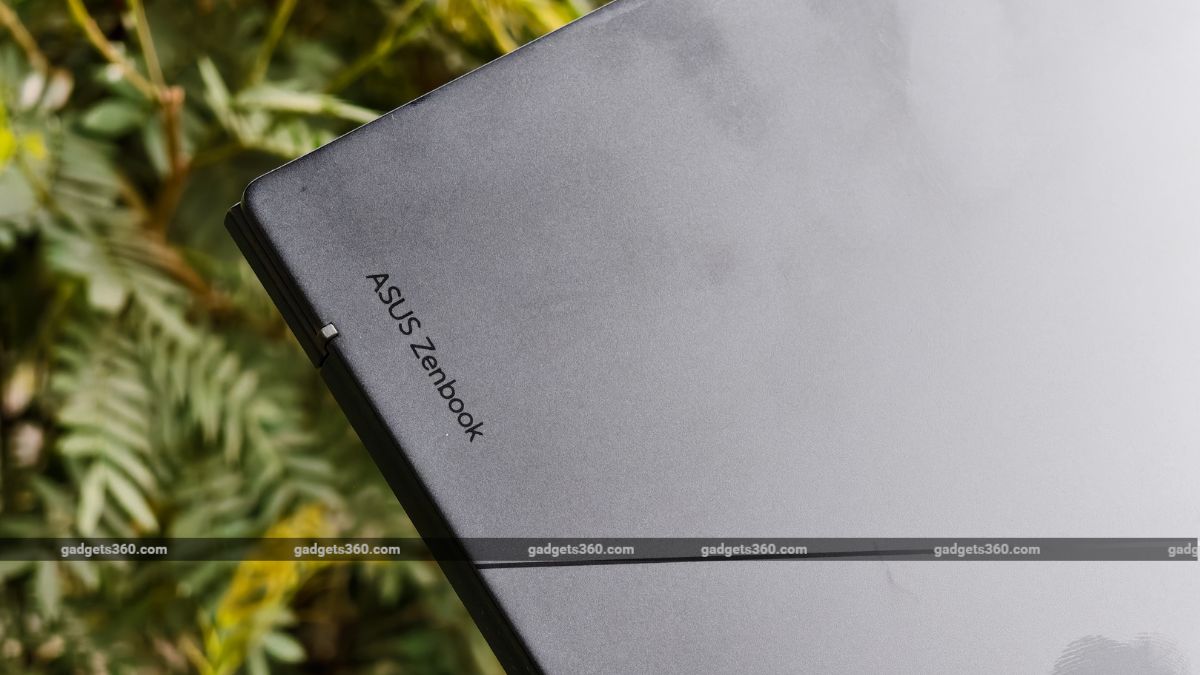
The laptop comes with 75Wh hour battery, which can easily last two days with moderate usage.
The Asus Zenbok 14 is also one of the few laptops that offer good battery life. The device features a 4-cell, 75Wh battery that supports 65W fast charging. The laptop can easily last almost two days with moderate usage. Even if you are a heavy user, you can still get 7 to 8 hours of backup with ease.
Asus Zenbook 14 (UM3406G) Laptop Verdict
The Asus Zenbook 14 does make a good impression with its premium design language and stable performance. The lightweight design makes it easier to carry around without putting much stress on your back. The OLED display is vibrant and offers punchy visuals, though the reflective screen does make it a bit difficult to use in outdoor conditions. The performance is top-notch and competitive in this segment. If you are looking for a reliable 14-inch laptop that delivers good portability, design, and performance, then consider this one.
- REVIEW
- KEY SPECS
- NEWS
- Good
- Sturdy all-metal chassis
- Vibrant display
- Great battery life
- Dependable performance
- Bad
- Audio could be better
- Reflective display
Read detailed Asus Zenbook 14 (2026) review
Display size 14.00-inch
Touchscreen Yes
Processor Ryzen 9
OS Windows 11
Weight 1.50 kg
Comments
Get your daily dose of tech news, reviews, and insights, in under 80 characters on Gadgets 360 Turbo. Connect with fellow tech lovers on our Forum. Follow us on X, Facebook, WhatsApp, Threads and Google News for instant updates. Catch all the action on our YouTube channel.
Further reading:
Asus Zenbook 14, Asus Zenbook 14 2026
Related Stories


Advertisement
Follow Us




-
![[Sponsored] Samsung Galaxy Z Fold8, Fold8 Ultra](https://www.gadgets360.com/static/desktop/images/spacer.png)
00:21
[Sponsored] Samsung Galaxy Z Fold8, Fold8 Ultra -
03:41
[Sponsored] Samsung Galaxy Z Fold8: How It Fits Into an Actor’s Busy Day | Camera, Multitasking & More -
09:53
iPhone 18 Goes On Sale In India: Huge Crowds, Long Queues At Apple Stores -
06:32
Google Pixel 11 Pro XL Review: The Most Exciting Pixel Yet? | 120X Zoom + Tensor G6 -
05:20
Samsung Galaxy Watch Ultra 2 Review: Is This the Best Android Smartwatch?
-
Amazon Great Indian Festival: सेल से पहले 6 मोबाइल पर Early Bird Deals
-
Vivo Y600i हुआ लॉन्च; 8000mAh बैटरी और ड्रॉप प्रोटेक्शन के साथ आया फोन
-
लैपटॉप की बैटरी हेल्थ ऐसे करें चेक, नहीं होगा नुकसान
-
Motorola Signature Flipkart सेल में ₹3 हजार सस्ता खरीदें, 50MP तीन कैमरा वाला फोन
-
iPhone 17, iPhone 15 Flipkart BBD सेल में ₹20 हजार तक सस्ते हुए!
Advertisement
Popular on Gadgets
- Samsung Galaxy S26 Ultra
- Motorola Razr Fold
- ChatGPT
- OPPO Find N6
- Mobiles Under Rs. 40,000
- Vivo X300 Ultra
- Asus Zenbook S14
- iQOO 15
- Vivo X300 Pro
- Lenovo Yoga Slim 7i Aura Edition
- iQOO 15R
- Vivo X Fold 5
- Sony PlayStation 5
- HP OmniPad 12
- OnePlus Nord CE 6 Lite
- OnePlus Pad 4
- OPPO F33 Pro 5G
- Cryptocurrency
- HP OmniBook Ultra 14 (2026)
- iPhone 17
- Eureka Forbes AP 355 Room Air Purifier
- Latest Mobile Phones
- Compare Phones
Latest Gadgets
- Vivo Y600i
- Mivi One 5G
- Xiaomi 18 Pro Max
- Motorola Signature 27
- OPPO Find X10 E
- OnePlus N6 Lite 4G
- Ai+ Nova 2 Power 5G
- Lava Virat Curve 5G
- Microsoft Surface Laptop, 13-inch (2nd Edition)
- Lenovo LOQ 15AHP11
- Microsoft Surface Pro, 12-inch (2nd Edition)
- Xiaomi Pad 9 Pro
- Amazfit T-Rex Dual Solar
- OPPO Watch S2
- Toshiba 65-Inch 4K Ultra HD Smart Mini LED QLED TV (65Z670SP)
- Haier M70 Mini LED 65-inch
- Acer Predator Atlas 8
- Asus ROG Ally
- Blue Star 1.5 Ton 5 Star Inverter Split AC (IE518ZNURS)
- Blue Star 2 Ton 3 Star Inverter Window AC (WIE324L)

- About Us
- Sitemaps
- Feedback
- Archives
- Contact Us
- RSS
- Advertise
- Career
- Privacy Policy
- Ethics
- Editorial Policy
- Terms & Conditions
- Complaint Redressal
Download Our Apps
Available in Hindi
© Copyright Red Pixels Ventures Limited 2026. All rights reserved.