-
 How to Download Your Instagram Photos and Videos: A Step-by-Step Guide27 September 2026
 -
How to Change Instagram Username: A Step-by-Step Guide19 September 2026
-
Meta One Subscription Launched in India as a Single Plan for WhatsApp Plus, Instagram Plus and Facebook Plus With Higher AI Limits16 September 2026
-
Instagram Lets Users Add Tagged Posts to Their Main Profile Grid11 September 2026
-
Instagram Renames AI Creator Label, Limits Reach of Undisclosed Profiles1 September 2026
- Home
- How to
- How to Features
- How to Download Instagram Videos, Stories, and Photos
How to Download Instagram Videos, Stories, and Photos
You can easily download Instagram videos.
By Aman Rashid | Updated: 18 June 2020 14:11 IST

You can now download Instagram photos and videos in bulk
Click Here to Add Gadgets360 As A Trusted Source

Advertisement
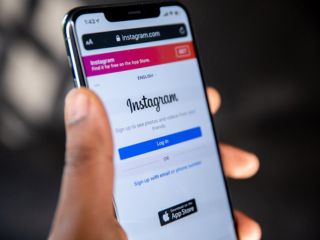
On Instagram and want to download videos, photos, and stories? This is an updated 2020 guide that tells you how to download Instagram videos, photos, and stories. The best part being is that you can now download Instagram videos, photos, and stories in bulk. Before you download Instagram videos, be sure to take the creators' permission to download.
Note that these methods only allow you to download Instagram posts from public accounts. With that said, follow this guide to know ways to download Instagram photos, videos and stories.
- Instagram Channels are just a way for influencers to spam us directly
- Instagram Reels vs. YouTube Shorts — Where do you waste more time?
- Instagram ending end-to-end encryption for DMs — how does this change things?
- Instagram Creators Have Wanted This Feature for Years
- Facebook and Instagram using bone structure analysis sounds a bit unsettling
Instagram: Download posts in bulk
The first method we are suggesting lets you download photos and videos in bulk on Instagram. It works on both macOS and Windows 10 and all you need is Google Chrome installed. Follow these steps to get started.
- Open Google Chrome and download the extension, Downloader for Instagram + Direct Message from the Chrome Web Store.
- After installing the extension, go to Instagram in a new tab and open the profile from where you'd like to download the photos and videos from.
- Once the profile is loaded, you can individually hover over photos and videos and hit the Download button to save them on your computer.
- Similarly, if you wish to download an Instagram story, simply open that story and hit the Download button to store the one that's playing on-screen or hit the Download all button to store all the stories that have been uploaded to that Instagram account.
- Last but not the least, if you wish to download photos and videos in bulk, hit the Download all button in the top-right corner. From there, you can set the range of photos that you want to download or you can even customise advanced settings. Once done, hit Download to proceed.
Instagram: Download videos, photos, and stories on your phone
The previous method we gave only works on computers. If you want to download Instagram photos, videos and stories on your phone, follow these steps.
- Visit Ingramer.com.
- From the home-screen, tap the hamburger icon > tap Tools and hit Instagram Downloader.
- Now, if you wish to download some photo from a particular Instagram account, just open that account on the Instagram app > select the photo > tap the three-dots icon in the top-right and tap Copy link.
- Go back to the website > tap Download photo > paste the link in the blank space and hit Search. The photo will appear below in the results, hit Download to go ahead.
- Similarly, you have to do the same to download videos. After copying the link, this time you have to paste it under Download video.
- Lastly, to download Instagram stories, tap Download Stories on the website and enter the Instagram account username from where you want to download the story. After that, below you will be able to see the current stories as well as the old Highlights, simply tap Download from under the post which you wish to store on your phone and that's it.
- The process remains the same on your computer as well.
Instagram: Alternative ways to download posts
Below, there are a couple of websites that allow you to download Instagram photos, videos and stories on your phone as well as your computer. Follow these steps to know more.
- Go to storysaver.net on your phone or computer to download Instagram stories.
- Once the website is loaded, enter the Instagram account username in the search box and hit Download.
- Scroll down to see the stories and hit Save as video to store them on your device.
- Besides, if you want to download photos and videos, visit socialdown.com on your phone or computer.
- Open Instagram and copy the link of the video or photo that you want to download.
- Go back to the website > paste the link in the search box and hit Go. Once the photo is loaded on the webpage, scroll down and hit Download Now to store on your device.
These were some of the methods that let you easily download photos, videos and stories from Instagram.
For more tutorials, visit our How To section.
Is Mi Notebook 14 series the best affordable laptop range for India? We discussed this on Orbital, our weekly technology podcast, which you can subscribe to via Apple Podcasts or RSS, download the episode, or just hit the play button below.
Comments
Get your daily dose of tech news, reviews, and insights, in under 80 characters on Gadgets 360 Turbo. Connect with fellow tech lovers on our Forum. Follow us on X, Facebook, WhatsApp, Threads and Google News for instant updates. Catch all the action on our YouTube channel.
Related Stories





Advertisement
Follow Us




-
![[Sponsored] LG NANO 4K UHD AI TV NU885: Gemini Search, Dolby Atmos & 5 Years of Updates](https://www.gadgets360.com/static/desktop/images/spacer.png)
04:17
[Sponsored] LG NANO 4K UHD AI TV NU885: Gemini Search, Dolby Atmos & 5 Years of Updates -
00:57
[Sponsored] Samsung Galaxy Z Fold8 My Fan Cam in Action: Find the Moment, Then Share It -
01:41
[Sponsored] What Do You Need To Know Before Your Next Run? | Samsung Galaxy Watch Ultra2 -
01:32
[Sponsored] Big Day Tomorrow? Prep Today | Samsung Galaxy Watch Ultra2 -
04:37
[Sponsored]: CP PLUS CarKam CP-F89B: 4K Dashcam With Rear Camera, GPS & Emergency Recording
-
SBI डाटा लीक, क्या हुआ और कैसा डाटा था, अकाउंट है तो क्या करना चाहिए?
-
भारत में गिरी स्मार्टफोन की बिक्री, फोन महंगे होने से 26% कम हुई शिपमेंट
-
Lava Aura Curve 5G: 6000mAh बैटरी, 50 मेगापिक्सल कैमरा के साथ पेश, जानें
-
Redmi K100 में मिलेगा 50 मेगापिक्सल का प्राइमरी कैमरा
-
Poco X8s लॉन्च हुआ 6300mAh बैटरी फीचर, IP68 रेटिंग के साथ
Advertisement
Popular on Gadgets
- Samsung Galaxy S26 Ultra
- Motorola Razr Fold
- ChatGPT
- OPPO Find N6
- Mobiles Under Rs. 40,000
- Vivo X300 Ultra
- Asus Zenbook S14
- iQOO 15
- Vivo X300 Pro
- Lenovo Yoga Slim 7i Aura Edition
- iQOO 15R
- Vivo X Fold 5
- Sony PlayStation 5
- HP OmniPad 12
- OnePlus Nord CE 6 Lite
- OnePlus Pad 4
- OPPO F33 Pro 5G
- Cryptocurrency
- HP OmniBook Ultra 14 (2026)
- iPhone 17
- Eureka Forbes AP 355 Room Air Purifier
- Latest Mobile Phones
- Compare Phones
Latest Gadgets
- Lava Aura Curve
- Poco X8s
- Samsung Galaxy F70 5G
- Tecno Spark 50S 5G
- Vivo Y600s Pro
- Vivo Y32 (2026)
- Infinix Smart 20 HD
- Vivo V80
- HP ZBook Ultra G3a
- Dell Pro Rugged 14
- Amazon Alexa Tablet 8
- Amazon Alexa Tablet 11
- Pebble Qore 2
- Amazfit T-Rex Dual Solar
- Toshiba 65-Inch 4K Ultra HD Smart Mini LED QLED TV (65Z670SP)
- Haier M70 Mini LED 65-inch
- Acer Predator Atlas 8
- Asus ROG Ally
- Blue Star 1.5 Ton 5 Star Inverter Split AC (IE518ZNURS)
- Blue Star 2 Ton 3 Star Inverter Window AC (WIE324L)

- About Us
- Sitemaps
- Feedback
- Archives
- Contact Us
- RSS
- Advertise
- Career
- Privacy Policy
- Ethics
- Editorial Policy
- Terms & Conditions
- Complaint Redressal
Download Our Apps
Available in Hindi
© Copyright Red Pixels Ventures Limited 2026. All rights reserved.