-
 Best Phones for Video Recording in India: iPhone 17 Pro Max, Galaxy S26 Ultra, and More12 September 2026
 -
Best Phones for Portrait Photography in India in 2026: Pixel 11 Pro, Vivo X300 Ultra, More12 September 2026
-
Best Compact Smartphones in India: iPhone 17, Google Pixel 11, Vivo X300 FE and More12 September 2026
-
iPhone 18 Pro, iPhone 18 Pro Max Alternatives: Pixel 11 Pro to Xiaomi 17 Ultra and More12 September 2026
-
iPhone Duo vs Google Pixel 11 Pro Fold: Price in India, Features and Specifications Compared10 September 2026
- Home
- How to
- How to Features
- How to Enable AI Powered Notification Summaries on Your Google Pixel Phones
How to Enable AI-Powered Notification Summaries on Your Google Pixel Phones
The AI-powered notification summaries feature is available on the Google Pixel 9 and 10 series (except the A-series phones).
Written by Akash Dutta, Edited by Ketan Pratap | Updated: 16 March 2026 18:27 IST
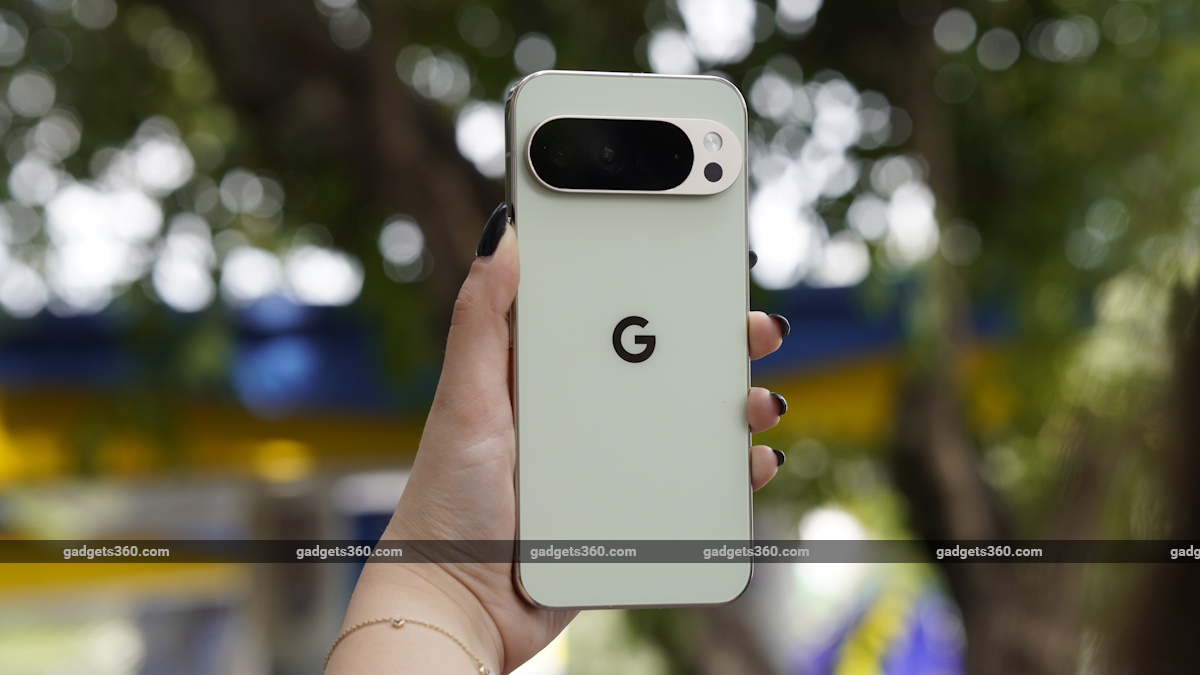
Google Pixel’s notification summaries work with WhatsApp, Slack, Google Messages, and more
Click Here to Add Gadgets360 As A Trusted Source

Advertisement
With each new generation, Google has introduced an increasing number of artificial intelligence (AI) features in Pixel phones. The latest Pixel 10 series or last year's Pixel 9 series offer a large number of AI-driven tools and experiences that users can make a part of their daily usage. But in recent times, one of the most popular features is the AI-generated notification summaries, which was released last year as part of November's Pixel Drop. It groups and summarises notifications to let users quickly understand the information.
What Are Notification Summaries on Pixel Phones?
Notification Summaries, available on certain Google Pixel smartphones, use AI to analyse incoming notifications and present them as a brief overview. Instead of displaying several individual notifications, the system groups them together and generates a short summary. This feature primarily works across messaging app notifications, such as Google Messages, Android Messages, WhatsApp, Slack, and others.
- Google Pixel Watch 5 may bring more health features
- Google Pixel 11 Series Price, Storage Options and Colourways Leaked Ahead of Official launch
- Google Pixel 10a or iPhone 16e. Which is a better value for money?
- What do you think of Google Pixel phones? Are they actually good enough to compete in the market?
- Is the Google Pixel 10 Pro worth buying over the Galaxy S26?
For example, multiple messages from a group chat or several alerts from the same app may be combined into a single summary notification. This helps reduce clutter in the notification shade and allows users to quickly understand what happened without scrolling through long lists of alerts.
Requirements for Notification Summaries
Before you can enable notification summaries, you need to make sure that your smartphone is compatible with the feature. Currently, the AI experience is only available on the Google Pixel 9 and Google Pixel 10 series. However, the Pixel 9a and Pixel 10a do not support this capability.
It is also a good idea to make sure that your smartphone is updated to the latest version of the operating system. Google recently released the notification organiser feature that groups AI notifications into different categories to let users know what the message is about before they begin reading the overview.
While connectivity to the Internet is necessary to receive the notifications, the feature uses the on-device Gemini Nano AI model, which does not require an active Internet connection.
How to Enable Notification Summaries on Pixel Phones
Follow these steps to enable Notification Summaries on a Pixel phone:
- Open the Settings app on your Pixel phone.
- Scroll down and tap Notifications.
- Look for Notification Summaries.
- Toggle the feature On.
- Once enabled, compatible notifications will start appearing in summarised form in the notification panel.
Do note that the AI notifications feature is currently only available in English and Japanese languages. Notifications in other languages, or those mixed with emoji will not be summarised. To ensure that you receive the overviews, set your primary system language to either English or Japanese.
- REVIEW
- KEY SPECS
- NEWS
- Good
- Flagship build and design
- Excellent display
- Great cameras
- Good battery life
- AI features are fun
- Bad
- Processor is still not great
- Heats up
- No longer compact
Read detailed Google Pixel 9 review
Display 6.30-inch
Front Camera 10.5-megapixel
Rear Camera 50-megapixel + 48-megapixel
RAM 12GB
Storage 256GB
Battery Capacity 4700mAh
OS Android 14
Resolution 1080x2424 pixels
- REVIEW
- KEY SPECS
- NEWS
- Good
- Solid and premium design
- Bright display
- AI smart features on board
- Decent primary camera
- Seven years of software support
- Bad
- Limited to a single 256GB storage only
- Tensor G5 is underwhelming
- Battery life could have been better
- Not massive upgrades compared to Pixel 9
Read detailed Google Pixel 10 review
Display 6.30-inch
Front Camera 10.5-megapixel
Rear Camera 48-megapixel + 13-megapixel + 10.8-megapixel
RAM 12GB
Storage 256GB
Battery Capacity 4970mAh
OS Android 16
Resolution 1080x242 pixels
Comments
Get your daily dose of tech news, reviews, and insights, in under 80 characters on Gadgets 360 Turbo. Connect with fellow tech lovers on our Forum. Follow us on X, Facebook, WhatsApp, Threads and Google News for instant updates. Catch all the action on our YouTube channel.
Further reading:
Google Pixel, Google Pixel 9 series, Google Pixel 10 series, AI notifications, Notification summaries, AI, Artificial Intelligence
Related Stories




Advertisement
Follow Us




-

05:20
Samsung Galaxy Watch Ultra 2 Review: Is This the Best Android Smartwatch? -
07:01
Samsung Galaxy Z Fold 8 Review: Is This the Best Foldable Phone? -
06:39
Samsung Galaxy Z Fold8 Ultra Review: Cameras, Battery, Performance Tested -
04:33
[Sponsored] JBL Live 780NC: Great Sound, Perfect Comfort, Smart ANC & 80-Hour Battery -
12:04
[Partner Content] OPPO Reno16 Series Deep Dive: Built for Creators?
-
iPhone Duo के लिए ₹3 लाख का बजट नहीं है? ये 4 सस्ते फोल्डेबल फोन देखिए
-
सोशल मीडिया में छाया 80s AI Photo Trend, आप भी आजमाएं ये 5 Prompts
-
Motorola के 7000mAh बैटरी वाले फोन पर ₹4,500 तक की बचत
-
Motorola Edge 70 Neo भारत में लॉन्च होगा Snapdragon चिप, 6GB रैम के साथ, IP68, IP69 रेटिंग!
-
Vivo X Fold 6 के इंटरनेशनल मार्केट में लॉन्च की तैयारी, Geekbench पर हुई लिस्टिंग
Advertisement
Popular on Gadgets
- Samsung Galaxy S26 Ultra
- Motorola Razr Fold
- ChatGPT
- OPPO Find N6
- Mobiles Under Rs. 40,000
- Vivo X300 Ultra
- Asus Zenbook S14
- iQOO 15
- Vivo X300 Pro
- Lenovo Yoga Slim 7i Aura Edition
- iQOO 15R
- Vivo X Fold 5
- Sony PlayStation 5
- HP OmniPad 12
- OnePlus Nord CE 6 Lite
- OnePlus Pad 4
- OPPO F33 Pro 5G
- Cryptocurrency
- HP OmniBook Ultra 14 (2026)
- iPhone 17
- Eureka Forbes AP 355 Room Air Purifier
- Latest Mobile Phones
- Compare Phones
Latest Gadgets
- iPhone Duo
- OPPO A7 Pro
- Huawei Mate XT 2 Ultimate Design
- Realme 16 Pro Harry Potter Edition
- Samsung Galaxy A07s
- Huawei Pura X View
- Tecno Camon Slim 5G
- iQOO Z11xa
- Acer Aspire G 3D 16
- Acer Swift Air 16 (2026)
- Infinix Xpad 30 Pro
- Lenovo Yoga Tab Gen 2
- Apple Watch Ultra 4
- Apple Watch Series 12
- Haier M70 Mini LED 65-inch
- Xiaomi TV FX Mini LED 65
- Acer Predator Atlas 8
- Asus ROG Ally
- Blue Star 1.5 Ton 5 Star Inverter Split AC (IE518ZNURS)
- Blue Star 2 Ton 3 Star Inverter Window AC (WIE324L)

- About Us
- Sitemaps
- Feedback
- Archives
- Contact Us
- RSS
- Advertise
- Career
- Privacy Policy
- Ethics
- Editorial Policy
- Terms & Conditions
- Complaint Redressal
Download Our Apps
Available in Hindi
© Copyright Red Pixels Ventures Limited 2026. All rights reserved.