-
 Meta One Subscription Launched in India as a Single Plan for WhatsApp Plus, Instagram Plus and Facebook Plus With Higher AI Limits16 September 2026
 -
Instagram Lets Users Add Tagged Posts to Their Main Profile Grid11 September 2026
-
Instagram Renames AI Creator Label, Limits Reach of Undisclosed Profiles1 September 2026
-
How to Secure Your Instagram Account With Two-Factor Authentication30 August 2026
-
Meta Agrees to Pay $18 Billion to Settle US Lawsuits Over Children's Social Media Addiction27 August 2026
- Home
- How to
- How to Features
- How to Reset Your Instagram Reels Algorithm: A Step by Step Guide
How to Reset Your Instagram Reels Algorithm: A Step-by-Step Guide
Resetting the Instagram Reels algorithm can help refresh your feed and improve your overall experience.
Written by Shaurya Tomer, Edited by Ketan Pratap | Updated: 3 February 2026 07:30 IST

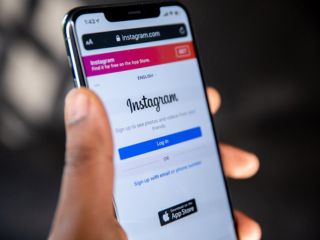
Photo Credit: Pixabay/ Solen Feyissa
Instagram says algorithm resets cannot be undone
Click Here to Add Gadgets360 As A Trusted Source

Advertisement
In recent years, Reels has become one of the most popular features on Instagram. These are short-form videos that offer engaging content on a wide range of topics, from education, entertainment, and lifestyle to fitness and general knowledge. As such, it has become a highly-used feature on the app, so much so that Meta even tested a Reels-first layout for Instagram in India last year. Reels are powered by a recommendation algorithm that recommends Reels to users based on their engagement and viewing patterns. There are, however, instances when content seems repetitive or not in line with your current interests.
So, if you're seeing too many irrelevant videos, unwanted trends, or content you no longer enjoy, resetting the Instagram Reels algorithm can help refresh your feed and improve your overall experience.
- Instagram Channels are just a way for influencers to spam us directly
- Instagram Reels vs. YouTube Shorts — Where do you waste more time?
- Instagram ending end-to-end encryption for DMs — how does this change things?
- Instagram Creators Have Wanted This Feature for Years
- Facebook and Instagram using bone structure analysis sounds a bit unsettling
Why Do You Need to Reset Instagram Reels Algorithm
Instagram's algorithm is very dependent on user interactions. This means that each Reel watched by the user until the end, re-watched, liked, or commented on, helps the app understand their interest and adapt the feed. Unintentional interactions, however, can affect the algorithm too, resulting in similar videos appearing on their feed repeatedly.
Another reason to reset the Instagram Reels algorithm is changing user interests. As their interests evolve, content that was relevant for viewers a couple of months ago may not be anymore. There are also instances where they come across content that they find disturbing or irrelevant, making it necessary to reset the algorithm.
How to Reset Your Instagram Reels Algorithm
Instagram offers a built-in option to reset suggested content on the app. Here is how you can use it to reset your Reels algorithm:
- Open the Instagram app and go to your profile
- Tap the three-bar More option icon in the top-right corner
- Select Content Preferences from the menu
- Tap on Reset suggested content
- Review the information shown on the screen and accept the terms
- Tap Reset suggested content to confirm
Once the reset is complete, Instagram will begin personalising your recommendations again over time. You will see suggestions about the topics that may be different from the usual content. The social media giant says resets cannot be undone.
Comments
Get your daily dose of tech news, reviews, and insights, in under 80 characters on Gadgets 360 Turbo. Connect with fellow tech lovers on our Forum. Follow us on X, Facebook, WhatsApp, Threads and Google News for instant updates. Catch all the action on our YouTube channel.
Related Stories



Advertisement
Follow Us




-

05:20
Samsung Galaxy Watch Ultra 2 Review: Is This the Best Android Smartwatch? -
07:01
Samsung Galaxy Z Fold 8 Review: Is This the Best Foldable Phone? -
06:39
Samsung Galaxy Z Fold8 Ultra Review: Cameras, Battery, Performance Tested -
04:33
[Sponsored] JBL Live 780NC: Great Sound, Perfect Comfort, Smart ANC & 80-Hour Battery -
12:04
[Partner Content] OPPO Reno16 Series Deep Dive: Built for Creators?
Advertisement
Popular on Gadgets
- Samsung Galaxy S26 Ultra
- Motorola Razr Fold
- ChatGPT
- OPPO Find N6
- Mobiles Under Rs. 40,000
- Vivo X300 Ultra
- Asus Zenbook S14
- iQOO 15
- Vivo X300 Pro
- Lenovo Yoga Slim 7i Aura Edition
- iQOO 15R
- Vivo X Fold 5
- Sony PlayStation 5
- HP OmniPad 12
- OnePlus Nord CE 6 Lite
- OnePlus Pad 4
- OPPO F33 Pro 5G
- Cryptocurrency
- HP OmniBook Ultra 14 (2026)
- iPhone 17
- Eureka Forbes AP 355 Room Air Purifier
- Latest Mobile Phones
- Compare Phones
Latest Gadgets
- Itel Muzik 450L
- OPPO K14 Lite
- Samsung Galaxy A18 4G
- iPhone Duo
- OPPO A7 Pro
- Huawei Mate XT 2 Ultimate Design
- Realme 16 Pro Harry Potter Edition
- Samsung Galaxy A07s
- Asus Vivobook S14 (S5452MA)
- Acer Aspire G 3D 16
- Xiaomi Pad 9 Pro
- Xiaomi Pad 9
- Apple Watch Ultra 4
- Apple Watch Series 12
- Haier M70 Mini LED 65-inch
- Xiaomi TV FX Mini LED 65
- Acer Predator Atlas 8
- Asus ROG Ally
- Blue Star 1.5 Ton 5 Star Inverter Split AC (IE518ZNURS)
- Blue Star 2 Ton 3 Star Inverter Window AC (WIE324L)

- About Us
- Sitemaps
- Feedback
- Archives
- Contact Us
- RSS
- Advertise
- Career
- Privacy Policy
- Ethics
- Editorial Policy
- Terms & Conditions
- Complaint Redressal
Download Our Apps
Available in Hindi
© Copyright Red Pixels Ventures Limited 2026. All rights reserved.