-
 Google Cloud Adds GPT-6 Astra, GPT-6.1 Sol, GPT-6 Luna Models to Model Garden22 October 2026
 -
Google Adds Personal Intelligence to Gemini on Android Auto22 October 2026
-
Fitbit Air Review: Is This Google’s Best Fitness Tracker Yet?18 October 2026
-
ViewSonic India Bets Big on LED Displays as It Expands Beyond Monitors17 October 2026
-
Google Play Store ‘Shop Devices’ Feature Goes Live in India With Pixel Phones and Accessories15 October 2026
- Home
- Mobiles
- Mobiles News
- Android 17 Makes Switching From iPhone Easier With Expanded Data Transfer Support
Android 17 Makes Switching From iPhone Easier With Expanded Data Transfer Support
The feature has started rolling out to eligible Pixel smartphones and is also available on Samsung's Galaxy Z Flip 8 and Galaxy Z Fold 8 models.
Written by Sucharita Ganguly, Edited by Rohan Pal | Updated: 23 July 2026 10:56 IST
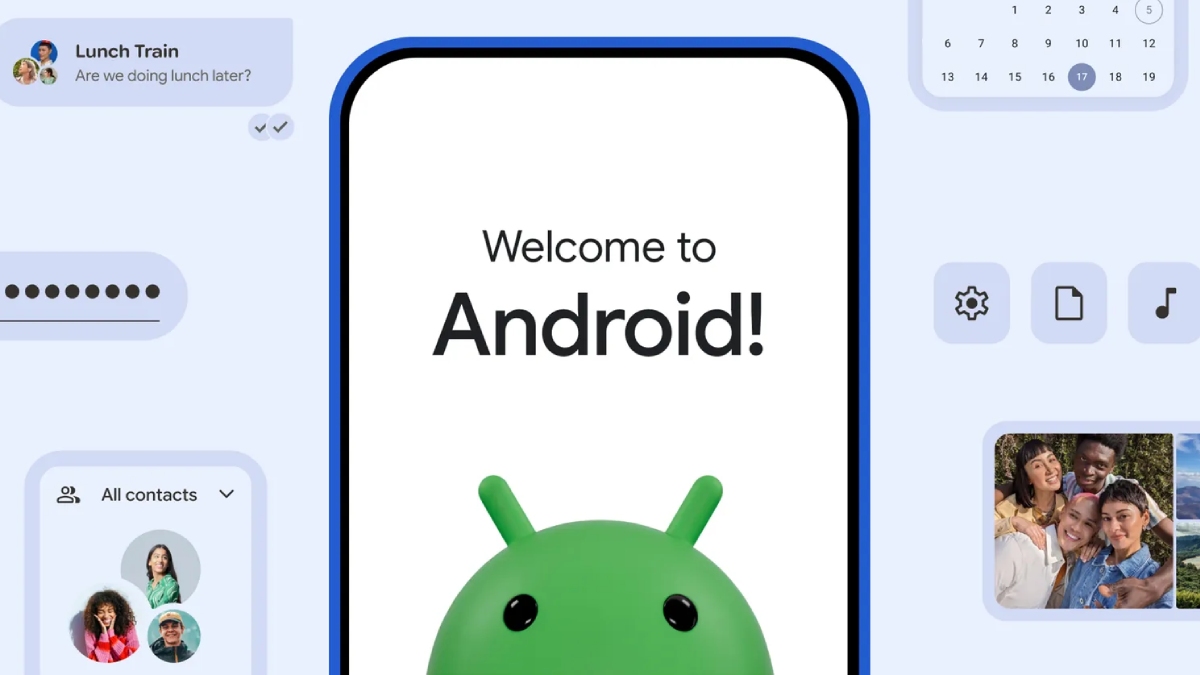
Photo Credit: Google
Google said it will expand support to more Android devices
Click Here to Add Gadgets360 As A Trusted Source

Advertisement
Google is making it easier to switch from iPhone to Android with an upgraded migration system built into Android 17. Announced during Samsung's Galaxy Unpacked event, the new feature expands the range of data that users can transfer wirelessly from an iPhone during device setup without requiring a separate application. In addition to photos, contacts and messages, it now supports Google Account details, saved passwords, Wi-Fi credentials and eSIM information. The rollout has begun for select Pixel devices and will gradually expand to more Android smartphones.
Android 17 Now Transfers Passwords, eSIMs and More From iPhone
Google announced the upgraded migration experience in a blog post published on Tuesday. The Mountain View-based tech giant said Android 17 now includes the migration tool as part of the operating system, removing the need for a separate application during the switching process.
The updated system continues to support the transfer of photos, videos, contacts, messages and calendar data. It also adds support for Google Account information, saved passwords, Wi-Fi credentials and e-SIMs, allowing users to move more of their existing settings to a new Android phone.
The feature has started rolling out to eligible Pixel smartphones and is also available on Samsung's Galaxy Z Flip 8 and Galaxy Z Fold 8 models. Google said it will expand support to more Android devices, although it has not shared a rollout timeline.
According to Google's support page, users can start the transfer while setting up a new Android device by selecting the option to copy data from an iPhone or iPad. Compatible Android phones generate a QR code that establishes a wireless connection with the iPhone, allowing users to choose what they want to migrate. Google recommends keeping both devices connected until the transfer is complete. The company also advises connecting the iPhone to Wi-Fi, charging both devices and ensuring enough storage is available on the new Android phone before starting the process.
If a QR code is unavailable, users can switch using a physical SIM card or, where supported by their carrier, download their eSIM again on the new Android device. After setup, users are prompted to transfer their WhatsApp chat history. At the same time, Google also provides guidance for moving from iMessage to Google Messages and transferring iCloud photos and videos to Google Photos.
- REVIEW
- KEY SPECS
- NEWS
- Good
- Slimmer and lighter design
- Excellent cover display and FlexWindow
- Polished One UI 9 experience
- Seven years of software support
- Bad
- Very little changed compared to Flip 7
- Indian model gets Exynos 2600, not Snapdragon
- Battery life, charging are weak point
- Expensive for an incremental upgrade
Read detailed Samsung Galaxy Z Flip 8 review
Display (Primary) 6.90-inch
Cover Display 4.10-inch
Cover Resolution 948x1048 pixels
Front Camera 10-megapixel
Rear Camera 50-megapixel + 12-megapixel
RAM 12GB
Storage 256GB, 512GB
Battery Capacity 4300mAh
OS Android 17
Resolution 2520x1080 pixels
- REVIEW
- KEY SPECS
- NEWS
- Good
- Refined hinge and in-hand feel
- Much improved crease
- Anti-reflective coating
- Flagship-level performance
- 45W wired fast charging support
- 7 years of OS updates and security patches
- Solid primary sensor and upgraded ultrawide sensor
- Bad
- Expensive
- Telephoto sensor could have been better
- Doesn't feel Ultra compared to Fold 7
- Battery life could have been better
- Not the best loudspeakers in the segment
Read detailed Samsung Galaxy Z Fold 8 Ultra review
Display (Primary) 8.00-inch
Cover Display 6.50-inch
Cover Resolution 1080x2520 pixels
Processor Snapdragon 8 Elite Gen 5
Front Camera 10-megapixel + 10-megapixel
Rear Camera 200-megapixel + 50-megapixel + 10-megapixel
RAM 12GB, 16GB
Storage 256GB, 512GB, 1TB
Battery Capacity 5000mAh
OS Android 17
Resolution 2256x2504 pixels
Comments
Get your daily dose of tech news, reviews, and insights, in under 80 characters on Gadgets 360 Turbo. Connect with fellow tech lovers on our Forum. Follow us on X, Facebook, WhatsApp, Threads and Google News for instant updates. Catch all the action on our YouTube channel.
Further reading:
Google, Android 17, Android, iPhone, iOS, iPhone to Android, Android migration, Android Switch, Data Transfer, Pixel, Google Pixel, Samsung, Samsung Galaxy Z Flip 8, Samsung Galaxy Z Fold 8, Galaxy Unpacked
Related Stories




Advertisement
Follow Us




-
![[Sponsored] Galaxy Tab S10 Lite for Students: Notes, Solve Math and More](https://www.gadgets360.com/static/desktop/images/spacer.png)
01:15
[Sponsored] Galaxy Tab S10 Lite for Students: Notes, Solve Math and More -
04:17
[Sponsored] LG NANO 4K UHD AI TV NU885: Gemini Search, Dolby Atmos & 5 Years of Updates -
00:57
[Sponsored] Samsung Galaxy Z Fold8 My Fan Cam in Action: Find the Moment, Then Share It -
01:41
[Sponsored] What Do You Need To Know Before Your Next Run? | Samsung Galaxy Watch Ultra2 -
01:32
[Sponsored] Big Day Tomorrow? Prep Today | Samsung Galaxy Watch Ultra2
-
X पर वीडियो पोस्ट करके जीतें 2.83 लाख रुपये, किकस्टार्ट बोनस शुरू, जानें
-
6500mAh बैटरी वाला फोन Amazon Sale में ₹15 हजार से भी सस्ता हुआ
-
Oura Ring 5 लॉन्च, हेल्थ और मेडिकेशन दोनों की ट्रैकिंग, 7 दिन चलेगी बैटरी
-
Oppo Find X10 Pro Max ग्लोबल मार्केट में लॉन्च, 200MP तीन कैमरा, 7150mAh बैटरी फीचर्स
-
Vivo Y600 होगा 30 अक्टूबर को लॉन्च, 10,000mAh की मिलेगी बैटरी
Advertisement
Popular on Gadgets
- Samsung Galaxy S26 Ultra
- Motorola Razr Fold
- ChatGPT
- OPPO Find N6
- Mobiles Under Rs. 40,000
- Vivo X300 Ultra
- Asus Zenbook S14
- iQOO 15
- Vivo X300 Pro
- Lenovo Yoga Slim 7i Aura Edition
- iQOO 15R
- Vivo X Fold 5
- Sony PlayStation 5
- HP OmniPad 12
- OnePlus Nord CE 6 Lite
- OnePlus Pad 4
- OPPO F33 Pro 5G
- Cryptocurrency
- HP OmniBook Ultra 14 (2026)
- iPhone 17
- Eureka Forbes AP 355 Room Air Purifier
- Latest Mobile Phones
- Compare Phones
Latest Gadgets
- Lava Aura Curve
- Poco X8s
- Samsung Galaxy F70 5G
- Tecno Spark 50S 5G
- Vivo Y600s Pro
- Vivo Y32 (2026)
- Infinix Smart 20 HD
- Vivo V80
- HP ZBook Ultra G3a
- Dell Pro Rugged 14
- Amazon Alexa Tablet 8
- Amazon Alexa Tablet 11
- Pebble Qore 2
- Amazfit T-Rex Dual Solar
- Toshiba 65-Inch 4K Ultra HD Smart Mini LED QLED TV (65Z670SP)
- Haier M70 Mini LED 65-inch
- Acer Predator Atlas 8
- Asus ROG Ally
- Blue Star 1.5 Ton 5 Star Inverter Split AC (IE518ZNURS)
- Blue Star 2 Ton 3 Star Inverter Window AC (WIE324L)

- About Us
- Sitemaps
- Feedback
- Archives
- Contact Us
- RSS
- Advertise
- Career
- Privacy Policy
- Ethics
- Editorial Policy
- Terms & Conditions
- Complaint Redressal
Download Our Apps
Available in Hindi
© Copyright Red Pixels Ventures Limited 2026. All rights reserved.