-
 Nothing OS 4.0 Update Rollout Reportedly Paused to Implement ‘Urgent’ Fix8 December 2025
 -
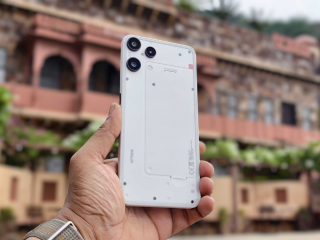
Nothing OS 4.0 Update Rolls Out With Android 16, Improved Animations and Extra Dark Mode21 November 2025
-
Nothing Phone 3a Lite Owners Can Uninstall Meta Services After Company Faces Backlash Over Preloaded Apps4 November 2025
-
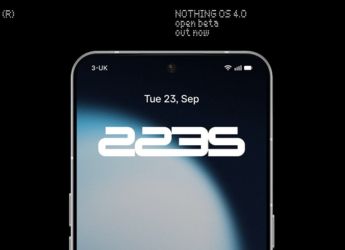
Nothing OS 4.0 Open Beta Released With AI Usage Dashboard, Essential Apps: Check Eligible Models, How to Register1 October 2025
-
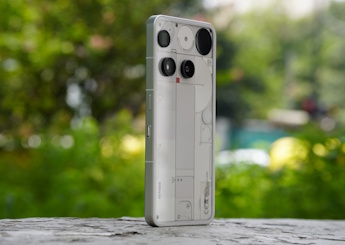
Nothing OS 4.0 Announced; Brings New AI Dashboard to Track AI Usage, Extra Dark Mode and More17 September 2025
- Home
- Mobiles
- Mobiles News
- Nothing Phone 3a, Phone 3a Pro Get Nothing OS 4.0 Update With Android 16, AI Usage Dashboard and More
Nothing Phone 3a, Phone 3a Pro Get Nothing OS 4.0 Update With Android 16, AI Usage Dashboard and More
Nothing OS 4.0 update allows users to hide apps directly from both the Home screen and App drawer.
Written by Nithya P Nair, Edited by David Delima | Updated: 1 December 2025 14:15 IST

Photo Credit: Nothing
Nothing OS 4.0 offers 2x2 tile support for most Quick Settings
Click Here to Add Gadgets360 As A Trusted Source

Advertisement
Nothing has started rolling out the stable Nothing OS 4.0 update, based on Android 16, for the Nothing Phone 3a and Phone 3a Pro. This update introduces redesigned Nothing app icons and a new AI Usage Dashboard. Essential Space sees enhancements with the update, and many widgets get additional size options. The update also adds a new Extra Dark Mode. The Glyph Progress now integrates with Android 16's Live Update notifications. The Nothing OS 4.0 update also lets users hide apps directly from the home screen and app drawer. Further, the Pop-up view supports two floating icons with the update.
The UK brand, through a community forum post, announced that the Nothing OS 4.0 update with version B4.0-251118-1551 is currently rolling out to both the Phone 3a and Phone 3a Pro. Your handset will receive the latest software update as part of a phased rollout, and you can manually check for the latest release by navigating to Settings > System > System Update.
Nothing OS 4.0 Changelog, New Features
According to the official changelog, Nothing OS 4.0 offers an AI Usage Dashboard to track large model usage within Essential Space. This would allow users more control over how AI features work on their handsets. The update allows users to hide apps directly from both the Home screen and App drawer. The hidden apps can be accessed by heading to Home Screen > App Drawer > Hidden Icons. Additionally, the update added more size options for Weather, Pedometer, and Screen Time widgets.
The Nothing OS 4.0 offers 2x2 tile support for most Quick Settings. The update adds optimisation to enhance startup speed. It improves the Flip to Record feature that allows users to capture photos and add notes while recording. It also includes Playground (Alpha) and Essential Apps (Alpha) features.
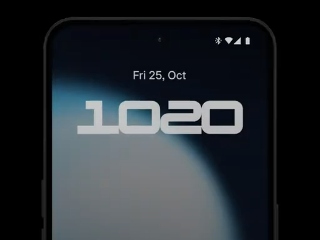
The Nothing OS 4.0 also makes visual enhancements to the Phone 3a series with redesigned Nothing app icons, improved transition animations, updated status bar icons, and two new lock screen clock faces. The update includes dark mode, and it can be accessed by navigating to Settings > Display > Dark theme > Extra dark mode.
The update has a setting to choose whether Flip to Glyph switches the Nothing Phone 3a and 3a Pro to Silent or Vibrate mode. Further, the Glyph Progress now integrates with Android 16 Live Update notifications. It also has some camera enhancements like presets, filters, motion photos, watermarks and interface.
- REVIEW
- KEY SPECS
- NEWS
- Good
- Sharp 120Hz display
- Fun and engaging software
- Variety of cameras
- Good daylight cameras
- Good battery life
- Bad
- Low light video needs work
- IP rating could have been better
- Does not support HDR10+ video streaming
Read detailed Nothing Phone 3a review
Display 6.77-inch
Processor Qualcomm Snapdragon 7s Gen 3
Front Camera 32-megapixel
Rear Camera 50-megapixel + 50-megapixel + 8-megapixel
RAM 8GB, 12GB
Storage 128GB, 256GB
Battery Capacity 5000mAh
OS Android 15
Resolution 1080x2392 pixels
- REVIEW
- KEY SPECS
- NEWS
- Good
- Sleek and premium design
- Vivid display
- Improved camera performance
- Clean, bloat-free UI experience
- Decent battery life
- Bad
- Charging speed could be better
- The IP rating could be better
- Wide-angle could have been better
Read detailed Nothing Phone 3a Pro review
Display 6.70-inch
Processor Qualcomm Snapdragon 7s Gen 3
Front Camera 50-megapixel
Rear Camera 50-megapixel + 50-megapixel + 8-megapixel
RAM 8GB, 12GB
Storage 128GB, 256GB
Battery Capacity 5000mAh
OS Android 15
Resolution 1080x2392 pixels
Comments
Get your daily dose of tech news, reviews, and insights, in under 80 characters on Gadgets 360 Turbo. Connect with fellow tech lovers on our Forum. Follow us on X, Facebook, WhatsApp, Threads and Google News for instant updates. Catch all the action on our YouTube channel.
Further reading:
Nothing OS, Nothing OS 4.0, Nothing Phone 3a, Nothing Phone 3a Pro, Nothing Phone 3a Series, Nothing
Related Stories

Nothing Phone 3a, Phone 3a Pro Get Nothing OS 4.0 Update With Android 16, AI Usage Dashboard and More


Advertisement
Follow Us




-
05:05
Goboult Mustang Racer Smartwatch Review: Should You Get This Mustang Smartwatch? -
04:58
OnePlus Nord Buds 4 Pro Review: Specs, Sound Quality, ANC, and Battery Backup Tested -
02:29
[Sponsored] Samsung Galaxy S26 Ultra First Look: AI Smartphone for Creators, Gaming & Productivity -
04:25
Vivo X200T Review - Full Camera, Gaming & Battery Test | Worth Buying? -
28:31
The Future of Productivity: Logitech's Anatoliy Polyanker On AI, Hybrid Work, And India's Tech Boom
Advertisement
Popular on Gadgets
- Samsung Galaxy Unpacked 2026
- iPhone 17 Pro Max
- ChatGPT
- iOS 26
- Laptop Under 50000
- Smartwatch Under 10000
- Apple Vision Pro
- Oneplus 12
- OnePlus Nord CE 3 Lite 5G
- iPhone 13
- Xiaomi 14 Pro
- Oppo Find N3
- Tecno Spark Go (2023)
- Realme V30
- Best Phones Under 25000
- Samsung Galaxy S24 Series
- Cryptocurrency
- iQoo 12
- Samsung Galaxy S24 Ultra
- Giottus
- Samsung Galaxy Z Flip 5
- Apple 'Scary Fast'
- Housefull 5
- GoPro Hero 12 Black Review
- Invincible Season 2
- JioGlass
- HD Ready TV
- Latest Mobile Phones
- Compare Phones
Latest Gadgets
- Redmi A7 Pro
- OPPO K15 Pro
- OPPO K15 Pro+
- Lava Bold N2 Lite
- Lava Bold N2 Pro
- Vivo X300 Ultra
- Vivo X300s
- Redmi 15A 5G
- Xiaomi Book Pro 14
- MacBook Neo
- Vivo Pad 6 Pro
- Lenovo Legion Y700 Gen 5
- boAt Valour Watch 1R
- Xiaomi Watch S5
- Xiaomi QLED TV X Pro 75
- Haier H5E Series
- Asus ROG Ally
- Nintendo Switch Lite
- Haier 1.6 Ton 5 Star Inverter Split AC (HSU19G-MZAID5BN-INV)
- Haier 1.6 Ton 5 Star Inverter Split AC (HSU19G-MZAIM5BN-INV)

- About Us
- Sitemaps
- Feedback
- Archives
- Contact Us
- RSS
- Advertise
- Career
- Privacy Policy
- Ethics
- Editorial Policy
- Terms & Conditions
- Complaint Redressal
Download Our Apps
Available in Hindi
© Copyright Red Pixels Ventures Limited 2026. All rights reserved.