
-
 Amazon Great Indian Festival 2026: Best Premium Smartwatch Deals15 October 2026
 -
Amazon Great Indian Festival Sale: You Can Get Apple Watch Series 11 for Rs 35,9998 October 2026
-
Apple Watch Series 12 Review: Familiar Looks, Tracks Like a Beast4 October 2026
-
Apple Watch Series 12, Watch Ultra 4 to Get Siri Recap and Live Rewind Later This Year: All You Need to Know1 October 2026
-
Apple Screenless Fitness Tracker Could Rival Whoop, Launch May Come in 2028: Report23 September 2026
- Home
- Wearables
- Wearables News
- Apple Brings Hypertension Notifications Feature for Apple Watch to India: How to Use, Requirements, and More
Apple Brings Hypertension Notifications Feature for Apple Watch to India: How to Use, Requirements, and More
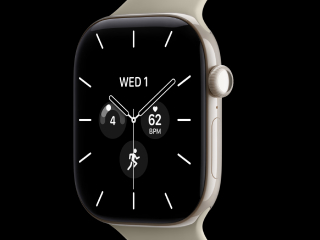
The Apple Watch alerts the wearer if consistent signs of chronic blood pressure or hypertension are detected.
Written by Shaurya Tomer, Edited by Ketan Pratap | Updated: 4 December 2025 10:30 IST
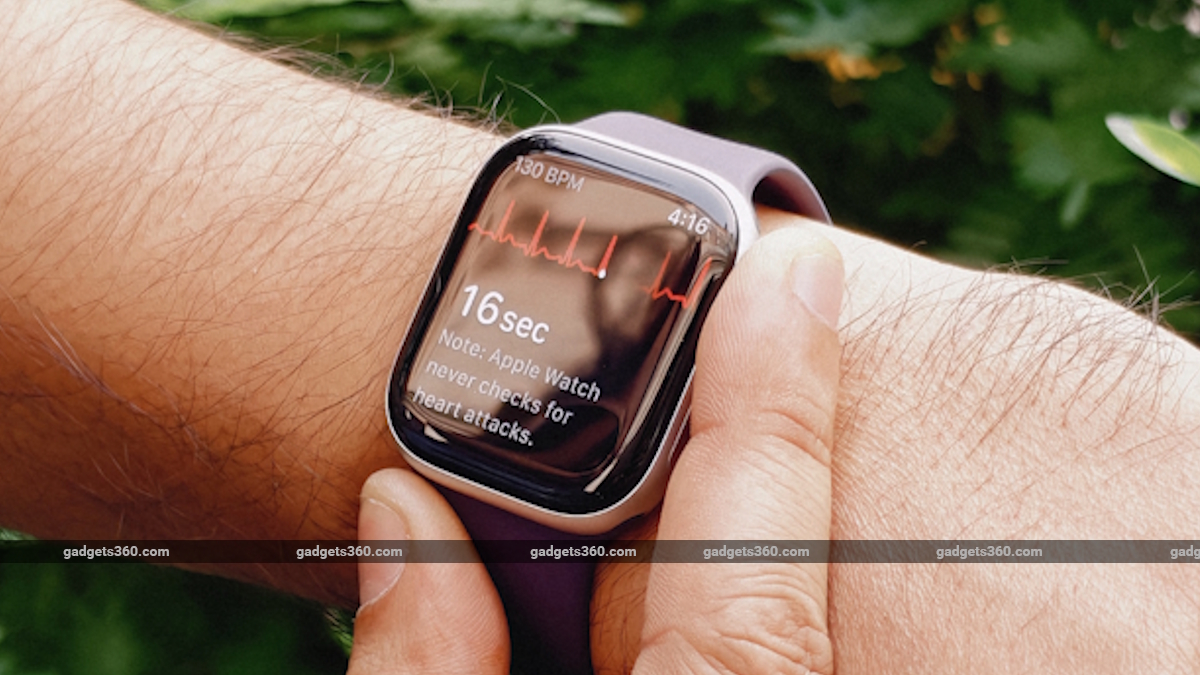
Apple introduced Hypertension Notifications with watchOS 26
Click Here to Add Gadgets360 As A Trusted Source

Advertisement
Apple on Thursday announced the expansion of Hypertension Notifications to India, along with select other markets. First released as part of the watchOS 26 update in September, the feature analyses data collected by the Apple Watch to alert the user if a pattern of chronic blood pressure or hypertension is detected. As per the tech giant, the evaluation is carried out over a period of 30 days, from the day the Hypertension Notifications feature was set up.
Hypertension Notifications on Apple Watch: How to Use
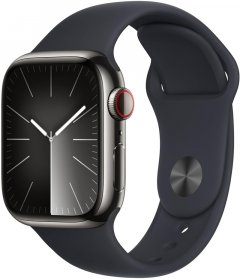
To use the Hypertension Notifications feature on the Apple Watch, users are required to ensure that the feature is available in their region. It is available on the Apple Watch Series 9 or later and Apple Watch Ultra 2 or later models, running on the latest version of watchOS 26. Further, an iPhone 11 or later, running on the latest iOS 26 version, is also required.
- Apple Watch vs Garmin: which would you pick if charging every day gets on your nerves?
- Apple Watch or AirPods upgrade first?
- Apple watch activity challenge for international day of yoga coming June 21
- Apple Watch Owners, What's Your Most Wanted watchOS Feature?
- Would you pick a Garmin over an Apple Watch for battery life?
As per Apple, users must ensure that the Wrist Detection feature is enabled. Further, they must be 22 years or older, not pregnant and not have been diagnosed with hypertension. Here's how to use it:
- Open the Health app on iPhone and tap the profile icon at the top-right corner of the screen
- Select the Health Checklist option under the Features tab and tap on Hypertension Notifications
- Confirm your age and if you've ever been diagnosed with hypertension. Now, tap Continue
- Select Next and follow the on-screen prompts to discover how Hypertension Notifications work
- Tap Done. The feature is now set up on your Apple Watch
Apple says if a user receives an alert, it means the Hypertension Notifications Feature on Watch has identified patterns related to hypertension within the last 30 days of their heart data. They are advised to get their blood pressure measurements with a healthcare professional.
Additionally, the Apple Watch will prompt them to set up a Blood Pressure Log and use a third-party cuff to measure and track it over a period of seven days.
Hypertension Notifications on Apple Watch: How It Works
According to Apple, hypertension is the leading modifiable risk factor for heart attack, stroke, and kidney disease. It is claimed to impact roughly 1.3 billion adults on a global scale, but remains frequently undiagnosed due to a lack of symptoms. This is where the Apple Watch's Hypertension Notifications feature comes in handy.
It uses the data from the optical sensor on the Apple Watch to analyse how a user's blood vessels respond to the beats of the heart. The Cupertino-based tech giant claims its algorithm works passively in the background and reviews data over a 30-day period. Users are notified if consistent signs of hypertension are detected.
Apple says such notifications provide users with valuable insights into their health and can help them make potentially lifesaving behavioural changes or start treatment to reduce the risk of serious long-term health conditions.
The company, however, explicitly states that the Hypertension Notifications feature is not meant to diagnose, treat or aid in the management of hypertension or other conditions, including blood clots, stroke, atrial fibrillation, congestive heart failure or high cholesterol. Further, not all users suffering from hypertension may receive a notification.
Lastly, Apple says the Apple Watch cannot detect heart attacks, and users must immediately seek out emergency services if they experience chest pain, pressure, or tightness.
- KEY SPECS
- NEWS
Strap Material Silicone
Dial Shape Rectangle
Display Type OLED Retina
Ideal For Unisex
More Apple Smartwatches
- KEY SPECS
- NEWS
Display Size 49mm
Compatible OS iOS
Dial Shape Rectangle
Display Type OLED Retina
Ideal For Unisex
More Apple Smartwatches
Comments
Get your daily dose of tech news, reviews, and insights, in under 80 characters on Gadgets 360 Turbo. Connect with fellow tech lovers on our Forum. Follow us on X, Facebook, WhatsApp, Threads and Google News for instant updates. Catch all the action on our YouTube channel.
Related Stories

Apple Brings Hypertension Notifications Feature for Apple Watch to India: How to Use, Requirements, and More


Advertisement
Follow Us




-
04:17
[Sponsored] LG NANO 4K UHD AI TV NU885: Gemini Search, Dolby Atmos & 5 Years of Updates -
00:57
[Sponsored] Samsung Galaxy Z Fold8 My Fan Cam in Action: Find the Moment, Then Share It -
01:41
[Sponsored] What Do You Need To Know Before Your Next Run? | Samsung Galaxy Watch Ultra2 -
01:32
[Sponsored] Big Day Tomorrow? Prep Today | Samsung Galaxy Watch Ultra2 -
04:37
[Sponsored]: CP PLUS CarKam CP-F89B: 4K Dashcam With Rear Camera, GPS & Emergency Recording
-
आ गई हवा में उड़ने वाली Tesla Roadster कार, आखिर सच हुआ फिल्मों वाला कमाल
-
रोबोट ने की लड़की से छेड़छाड़, पीछे से पकड़ा और किए गंदे इशारे, जानें
-
PS5 कहां मिलेगा सस्ता, Flipkart या Amazon, जानें सबकुछ
-
Oppo के वाइड फोल्डिंग स्मार्टफोन में मिल सकता है 6.35 इंच आउटर डिस्प्ले
-
दिवाली पर नया टू-व्हीलर खरीदने का प्लान? 1 लाख से भी कम में मिल रहे ये 5 EV, रेंज 179 किमी तक
Advertisement
Popular on Gadgets
- Samsung Galaxy S26 Ultra
- Motorola Razr Fold
- ChatGPT
- OPPO Find N6
- Mobiles Under Rs. 40,000
- Vivo X300 Ultra
- Asus Zenbook S14
- iQOO 15
- Vivo X300 Pro
- Lenovo Yoga Slim 7i Aura Edition
- iQOO 15R
- Vivo X Fold 5
- Sony PlayStation 5
- HP OmniPad 12
- OnePlus Nord CE 6 Lite
- OnePlus Pad 4
- OPPO F33 Pro 5G
- Cryptocurrency
- HP OmniBook Ultra 14 (2026)
- iPhone 17
- Eureka Forbes AP 355 Room Air Purifier
- Latest Mobile Phones
- Compare Phones
Latest Gadgets
- Tecno Spark 50S 5G
- Vivo Y600s Pro
- Vivo Y32 (2026)
- Infinix Smart 20 HD
- Vivo V80
- Vivo S2 FE
- Vivo Y600K Turbo
- Realme P4s Lite
- HP ZBook Ultra G3a
- Dell Pro Rugged 14
- Amazon Alexa Tablet 8
- Amazon Alexa Tablet 11
- Amazfit T-Rex Dual Solar
- OPPO Watch S2
- Toshiba 65-Inch 4K Ultra HD Smart Mini LED QLED TV (65Z670SP)
- Haier M70 Mini LED 65-inch
- Acer Predator Atlas 8
- Asus ROG Ally
- Blue Star 1.5 Ton 5 Star Inverter Split AC (IE518ZNURS)
- Blue Star 2 Ton 3 Star Inverter Window AC (WIE324L)

- About Us
- Sitemaps
- Feedback
- Archives
- Contact Us
- RSS
- Advertise
- Career
- Privacy Policy
- Ethics
- Editorial Policy
- Terms & Conditions
- Complaint Redressal
Download Our Apps
Available in Hindi
© Copyright Red Pixels Ventures Limited 2026. All rights reserved.